
IP Camera
© cisco.com
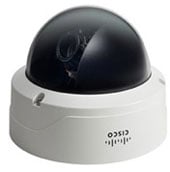
IP camera is a network device the main function of which is to transmit video images in a digital format over TCP/IP networks, e.g. via Ethernet or Wi-Fi. Each camera has an IP network interface and, often, an embedded web server.Many of you may be surprised by the fact that the history of IP cameras is related to a coffee maker. And that is how it all happened.
Back in the 90s in one of the Cambridge computer labs there worked a group of scientists. There was a single coffee maker for 20 people, which, of course, was not enough for the whole team. The employees had to constantly go for coffee to the lower floor, but those trips weren’t always successful – more nimble colleagues used to drink all the hot drink, leaving a coffee machine completely empty.
In order to somehow ease their plight, scientists came up with a device through which they can control the level of coffee maker’s fullness. They connected a camera aimed at the coffee machine to one of the computers. The computer played the role of IP server with installed software.
Running the application on their computer, laboratory staff could connect to the server and obtain an image of the coffee maker. Thus, those wishing to get a hot drink could control the level of coffee machine’s fullness throughout the day, without wasting time on moving from floor to floor.
Since then, much time has passed, but IP camera is still one of the best devices for video surveillance. The primary purpose of IP cameras is the protection and observation of objects. IP cameras designed for video surveillance are divided into outdoor (external surveillance) and indoor (internal surveillance). IP-cameras are also divided into black-and-white and colour.
Colour cameras broadcast a colorful picture, but have troubles broadcasting night panoramas with poor illumination. Black-and-white IP cameras, on the contrary, “see” better in low-light conditions. However, there is a third subspecies of outdoor IP cameras with day/night mode.
Such devices are programmed to adjust to the current time of day. In good luminance they perform the functions of colour cameras, but at night and in bad weather they “reincarnate” into a black-and-white mode. Monitoring of remote sites makes it possible to control the condition of equipment located at the site, and manage it from a distance.
The Main Advantages of Using IP Cameras for Video Surveillance
- The transfer of recorded information over the network is encrypted. Therefore, no one can intercept or replace it.
- IP cameras do not need to be connected to a computer in order to work autonomously. The camera is connected to the network, not a PC.
- You may either install a single camera to monitor a certain object, or even a full-scale surveillance system, consisting of dozens of IP devices.
- A remote object can be seen from anywhere in the world, the main thing is to have access to the camera via the Internet.
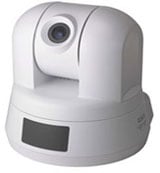
- IP cameras with PTZ feature allow user to manually remotely control pan movement, tilt, on/off recording. To do this, you simply need to install the software that came with the IP camera to your PC. Thus, IP camera can be controlled directly from the workplace and even from home.
© cisco.com
In addition to video surveillance, IP camera can be used in video conferencing. However, in the field of video conferencing it is much more preferable to use specially designed PTZ devices or ordinary webcams.
The benefits of using IP cameras in video conferencing, such as low cost and the ability to remotely control the camera overlap with the following disadvantages:
- IP cameras do not work in real time, they cause a delay: while digitizing the image, during transmission over the network, as well as while decoding it on a video conferencing endpoint. Video delay reach up to several seconds, which is acceptable for live video broadcasting sessions, but not suitable for video conferencing.
- The algorithms built into such camera, are not intended for live communication, their main goal is the observation, which leads to lowering the number of frames per second, the emergence of distortion and artifacts on the image due to the loss of data clusters.
- Camera’s focus is not aimed at a specific user, but at the territory of the room or the street. That’s why most of the IP cameras can not capture facial expression of a user, which is specifically important during video communication.
- Wide-angle lenses are used to extend the width of a IP camera’s view. Thus, they change the image, causing a geometric distortion.
Empower your video conferencing experience with TrueConf!
FAQ
Can IP cameras be used effectively for video conferencing?
While IP cameras can technically transmit video over networks, they are not ideal for video conferencing due to significant latency issues and compression algorithms designed for surveillance rather than real-time communication. For professional meetings, TrueConf recommends using dedicated PTZ cameras or webcams that are optimized for low-latency, high-frame-rate video to ensure natural, real-time interaction without delays.
What is the main difference between IP cameras and webcams for video calls?
IP cameras are designed for surveillance with wide-angle lenses and motion detection, often causing geometric distortion and focusing on entire rooms rather than individual faces. In contrast, webcams and PTZ cameras used with TrueConf are specifically engineered for video conferencing, providing sharp facial detail, automatic focus on speakers, and minimal latency to create a natural face-to-face communication experience.
Can I integrate my existing security IP cameras with my video conferencing system?
While you cannot directly use surveillance IP cameras for interactive video calls due to latency and quality issues, you can integrate them into your overall communication infrastructure for monitoring purposes. TrueConf Server supports SIP/H.323 protocols and can work alongside your existing IP camera infrastructure, allowing you to maintain separate systems for security surveillance and professional video conferencing without conflicts.
Why do IP cameras cause delays during video transmission?
IP cameras introduce latency because they digitize images, compress them using surveillance-optimized algorithms, and transmit them over networks with buffering that can cause delays of several seconds. This makes them unsuitable for interactive communication where real-time response is critical. TrueConf utilizes specialized video codecs and optimized transmission protocols to minimize latency to milliseconds, ensuring smooth, natural conversations.
Can IP cameras with PTZ features replace dedicated conference room cameras?
Although some IP cameras have PTZ (pan-tilt-zoom) capabilities, their motors and control systems are designed for slow, deliberate surveillance movements rather than the quick, responsive tracking needed in meetings. TrueConf works best with professional video conferencing cameras that feature fast, smooth PTZ movements, automatic speaker tracking, and presets optimized for conference room layouts.
Are there security risks when using IP cameras for video conferencing?
Yes, IP cameras designed for surveillance often lack the end-to-end encryption and authentication mechanisms required for secure business communications, potentially exposing sensitive meeting content. TrueConf addresses this by providing military-grade AES-256 encryption for all video streams, ensuring that your confidential business discussions remain completely secure and compliant with data protection regulations.
How can I improve video quality if I must use an IP camera for remote monitoring during a call?
If you need to share surveillance footage during a TrueConf meeting, use the screen sharing feature rather than trying to use the IP camera as your primary video source. This allows you to display the IP camera feed as shared content while maintaining a high-quality webcam feed for face-to-face interaction, ensuring both clarity and real-time communication with your meeting participants.

Follow us on social networks