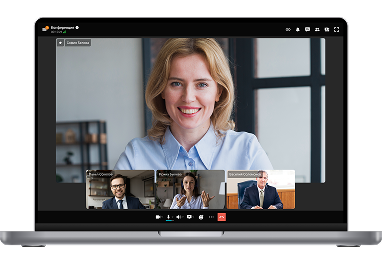
A secure corporate communication platform for conducting remote court hearings and interagency collaboration.
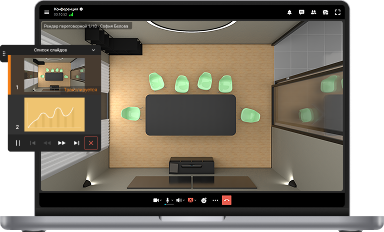
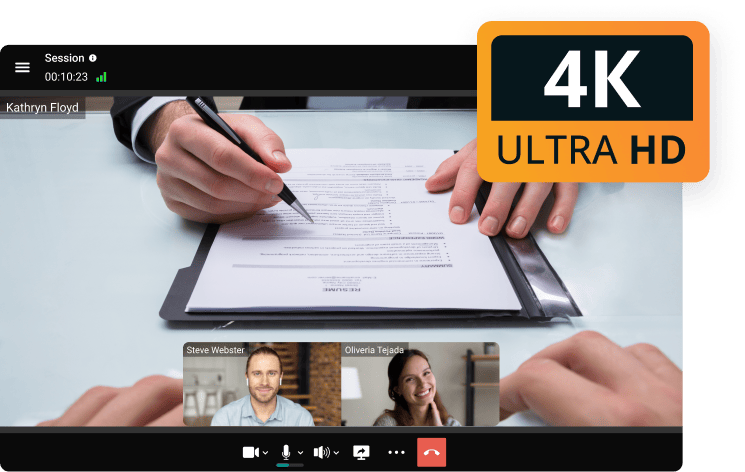
Conduct remote sessions in 4K resolution and share case materials in high quality! Show photos, videos, and documents needed to reach a verdict in real-time.
Thanks to a multi-level security system that includes data exchange over SSL and TLS protocols, as well as end-to-end encryption of media streams, the video conferencing system ensures the confidentiality of remote court sessions.
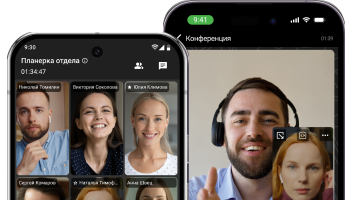
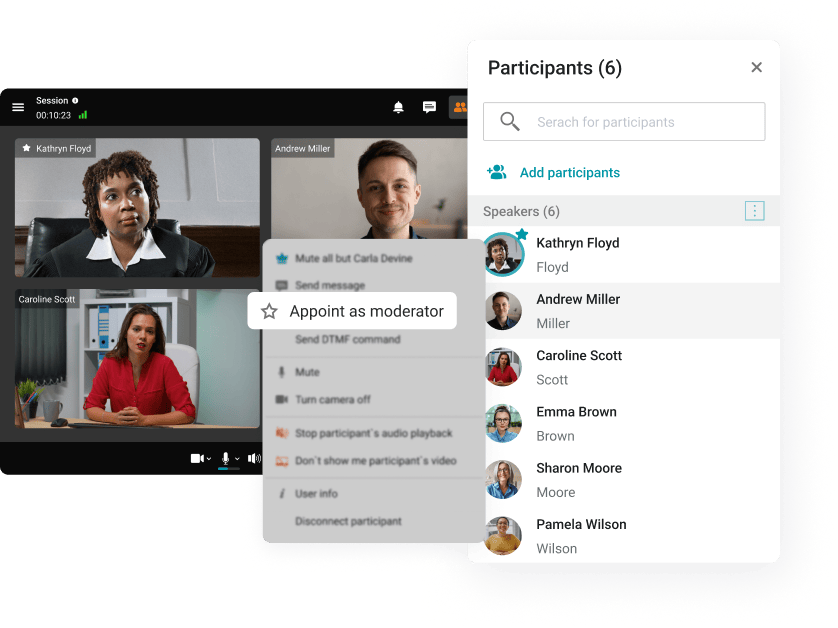
Conduct remote case reviews in accordance with the regulations! Appoint one or more moderators of online meetings who can invite speakers to the podium and control the microphones and cameras of participants.
Utilize smart algorithms' advanced capabilities: host seamless remote meetings even with external noise, blur or replace the background, and convert recordings of online discussions into detailed transcripts.
Smart Noise Suppression
Blurring and Replacing the Background
Automatic Transcriptions of Meetings
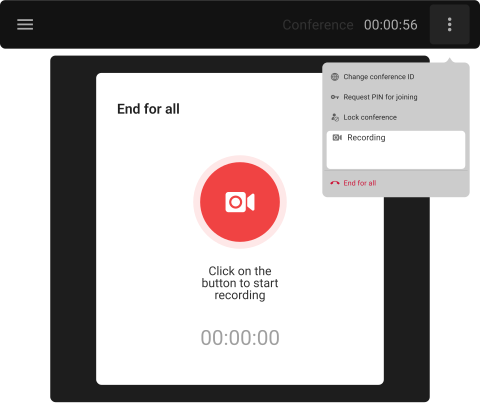
Take an active part in remote meetings without being distracted by keeping minutes! Record conferences and easily share the required recordings with colleagues.
Organize remote meetings even with an unstable Internet connection! Thanks to scalable video encoding (SVC) technology, each participant of the remote meeting will receive optimal video and sound quality.
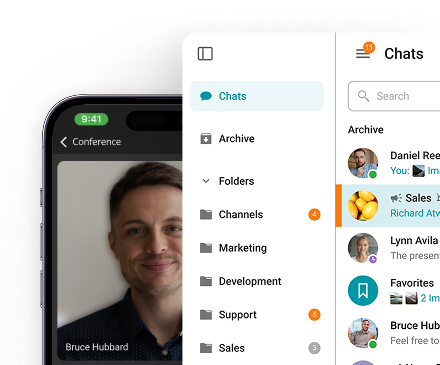
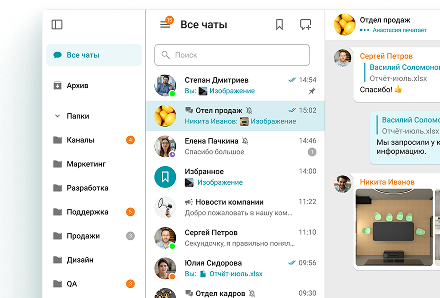
A corporate messenger for online meetings and secure communication, running on popular operating systems and browsers.
Organize remote meetings and discuss current affairs in chat rooms wherever you are - all corporate communications in one mobile application!
Create your own solutions for online meetings using TrueConf API and SDK! Integrate video conferencing into your own applications for remote communication of court staff.
In addition to the aforementioned advantages of introducing video conferencing for traditional court proceedings in a remote format, practicing lawyers identify the following opportunities:
Advantages
Prompt involvement of witnesses, interpreters, specialized experts, and case materials in the process, the need for which arises during the proceedings;
Free access to the entire evidence base (codes of laws, normative legal acts), if necessary, provide additional arguments in favor of the position;
Centralization of communication lines for defense and prosecution into one system;
Representing the interests of several plaintiffs and defendants simultaneously;
Protection of the rights and freedoms of persons with disabilities and incapacitated individuals.
Disadvantages
High costs for the implementation and technical support of the video communication system;
Absentee participation in the hearing can distort the perception of what is happening, affecting the participant's engagement in the process, which can lead to a biased outcome of the case;
The risk of violating the confidentiality of legal proceedings and intercepting confidential data due to information leakage;
The probability of a technical failure (Internet or electricity outage, problems with technical equipment, etc.) is a concern.
Joining a video conference as a legal professional involves more than clicking a link. Every session carries professional responsibility implications — from how the call is secured to how participants are verified and how the session is preserved afterward. The practices outlined below help attorneys conduct video conferences in a manner that is both technically sound and professionally defensible.
Establish a Professional Environment
Before any client-facing or court-related session, attorneys should audit both their physical surroundings and their technical setup. Adequate frontal lighting, a neutral or digitally blurred background, a camera positioned at eye level, and a stable wired internet connection form the baseline for a credible professional presence on camera. TrueConf enables attorneys to apply virtual backgrounds or background blur directly within the platform, ensuring a polished appearance regardless of physical location. Audio quality deserves equal attention — a dedicated headset or external microphone meaningfully reduces ambient noise and echo compared to standard built-in laptop audio.
Secure the Session Before Anyone Joins
Every legal video session should be configured with security parameters in place before the first participant connects. This includes assigning a unique session password, activating a waiting room so participants can be admitted individually, and confirming that recording is enabled where the matter requires it. TrueConf's moderator controls give the attorney visibility into all connected devices, the ability to verify participant identities before granting access, and the option to remove unauthorized attendees immediately. Spending a few minutes on these configurations before a session begins is one of the most straightforward ways to protect privileged communications.
Open Every Session With a Confidentiality Protocol
Just as attorneys establish procedural ground rules at the outset of an in-person deposition or client meeting, video sessions benefit from a structured opening protocol. The attorney should verbally confirm the confidential nature of the call, ask whether any unauthorized individuals are present on either end, and — where applicable — obtain explicit informed consent before recording begins. Certain jurisdictions impose specific requirements around recording consent in legal proceedings, so attorneys should verify local rules and address them at the start of the session rather than after the fact.
Actively Manage Multi-Party Sessions
Depositions, mediations, arbitrations, and multi-counsel negotiations involve participants with distinct roles and varying speaking rights. Managing these sessions effectively requires active use of moderator tools — muting participants when they are not speaking, controlling the order of examination, managing screen sharing permissions, and continuously monitoring the participant list. TrueConf provides full host-level controls for each of these functions, enabling the presiding attorney to maintain the formality that legal proceedings demand even in a remote setting. For complex sessions, assigning a second team member to handle technical moderation while the attorney concentrates on substantive matters is a practical and efficient approach.
Document and Archive Sessions as Part of the Client File
Video sessions involving client communications, depositions, or hearings should be treated as formal components of the client file, subject to the same retention policies as written correspondence. This means recording sessions to a secure, access-controlled location — not a personal cloud account or shared drive — and applying a consistent naming convention that ties each recording to its relevant matter. TrueConf stores recordings server-side within the firm's own infrastructure, making it straightforward to incorporate video archives into existing document management systems. Firms should establish a written retention protocol for video sessions before deploying any platform at scale, ensuring alignment with both bar association guidance and applicable data retention regulations.
Legal video conferencing operates in a uniquely high-stakes environment where confidentiality, integrity, and accountability are non-negotiable. A purpose-built solution must go far beyond basic encryption, offering a comprehensive, layered security architecture that protects every stage of a session — from scheduling to post-meeting record-keeping.
TrueConf addresses these requirements through a robust set of security features specifically relevant to legal workflows:
• End-to-end AES-256 encryption — all audio, video, and data transmissions are encrypted at the highest industry standard, ensuring that session content cannot be intercepted or accessed by unauthorized parties.
• On-premise deployment — the entire infrastructure runs within the firm's own servers, eliminating dependence on third-party cloud providers and giving legal teams full control over where sensitive data resides.
• Participant verification and authentication — users are required to authenticate before joining any session, with support for multi-factor authentication (MFA) to prevent unauthorized access.
• Waiting rooms — participants are held in a virtual waiting area until the host explicitly admits them, preventing uninvited attendees from entering proceedings prematurely.
• Meeting lock — once all expected participants have joined, the session can be locked to prevent any further entries, even from users with a valid link.
• Role-based permissions — granular access controls define what each participant can do within a session, distinguishing between judges, attorneys, witnesses, and observers, and restricting capabilities such as screen sharing or recording accordingly.
• Audit logs — detailed, tamper-evident records capture every session event, including who joined, when, and what actions were performed, providing a reliable chain of custody for compliance and dispute resolution purposes.
Together, these features ensure that legal video conferencing meets the strict confidentiality, evidentiary, and regulatory standards required for depositions, hearings, client consultations, and other sensitive proceedings.
Yes — video conferencing has become a formally recognized and widely adopted mechanism for conducting remote court hearings, depositions, and witness examinations across numerous jurisdictions worldwide. However, it is important to note that specific technical and procedural requirements vary significantly depending on the court, jurisdiction, and type of proceeding. Legal teams should always verify local rules and obtain necessary approvals before conducting official sessions remotely.
When the appropriate conditions are met, TrueConf provides a comprehensive feature set designed to meet the demands of formal legal proceedings:
• High-definition video and audio — ensures that facial expressions, verbal responses, and non-verbal cues are captured with the clarity required for accurate assessment during testimony or examination.
• Witness management — hosts can control when and how witnesses enter the session, isolate them in waiting rooms prior to testimony, and prevent communication between witnesses during ongoing proceedings.
• Screen sharing for documents — attorneys, judges, and clerks can present exhibits, contracts, or evidence directly within the session, replicating the document review process of an in-person hearing.
• Integrated session recording — proceedings can be recorded in accordance with applicable court rules, generating a reliable audiovisual record that may serve as an official log or supplement to written transcripts. Participants should be informed of recording in compliance with jurisdictional requirements.
• Role-based access and permission controls — granular permissions allow hosts to manage speaking rights, screen sharing access, and participant visibility, preserving the procedural order of the hearing.
• Backup communication channels — in the event of connectivity issues, TrueConf supports fallback options to maintain session continuity, minimizing disruptions during time-sensitive proceedings.
• On-premise deployment — all session data remains within the firm's or court's own infrastructure, satisfying the strict data sovereignty and confidentiality requirements common in judicial environments.
By combining these capabilities within a secure, controllable platform, TrueConf enables legal teams and courts to conduct remote proceedings with the same level of structure, accountability, and evidentiary integrity expected in a physical courtroom.
Complex legal proceedings — such as arbitration panels, multi-party litigation, and international hearings — routinely involve a diverse range of participants, each with distinct roles, responsibilities, and levels of access. Managing this complexity in a remote environment requires far more than simply accommodating a large number of connections; it demands precise control over who can speak, what they can see, and how the session is structured at every stage.
TrueConf is built to handle this level of complexity through the following capabilities:
• Large-scale participant capacity — supports conferences with up to 1,500 participants, allowing complex multi-party proceedings to continue without interruption.
• Granular moderator controls — hosts can manage speaking rights, mute and unmute participants, control screen sharing permissions, and remove unauthorized attendees at any moment.
• Role-based permissions — granular access controls distinguish between judges, attorneys, witnesses, and observers, restricting capabilities such as screen sharing or recording according to each role.
• Waiting rooms and admission control — participants can be held in a virtual waiting area and admitted individually, preventing premature entry or communication between witnesses.
• Meeting lock — once all expected participants have joined, the session can be locked to prevent any further entries.
• Integrated session recording — built-in recording captures a reliable audiovisual record suitable for official logs or supplements to written transcripts.
• Backup communication channels — fallback options maintain session continuity in the event of connectivity issues, minimizing disruptions during time-sensitive proceedings.
Together, these capabilities allow legal teams and courts to run large, complex remote proceedings with the structure, control, and accountability expected in a physical courtroom.