
GITEX Global on December 8-11 in Dubai

TrueConf MCU

Buy now

Version 2.2.1.66 (209.61 MB)

Release notes

TrueConf MCU

User-friendly Interface

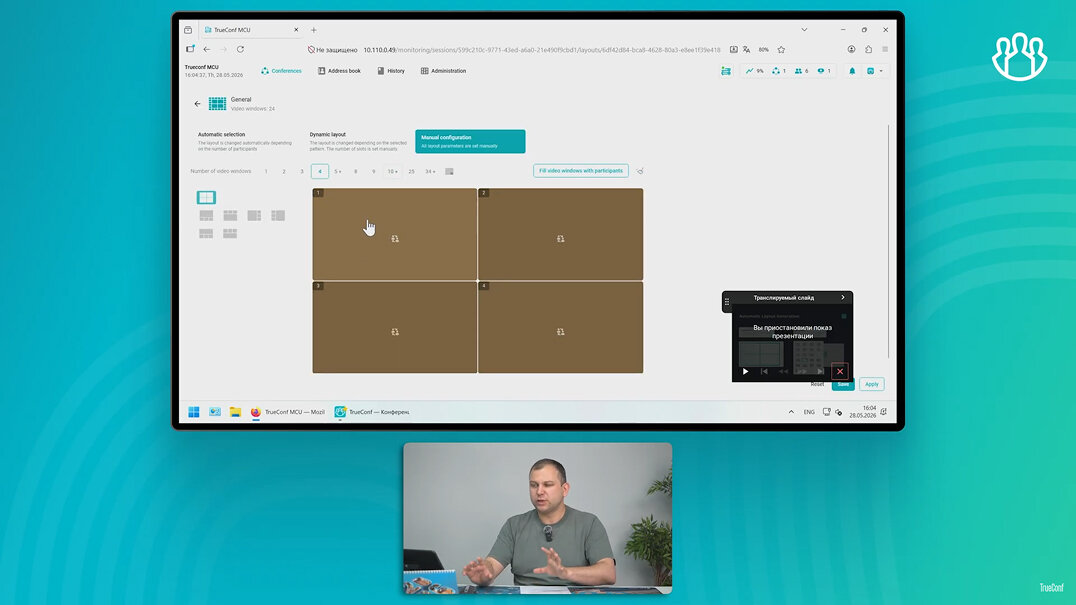
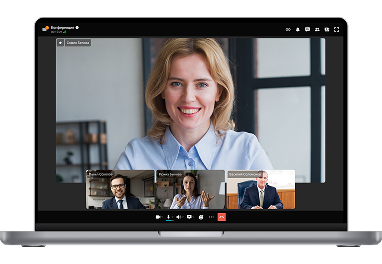
TrueConf MCU features a user-friendly interface that enables fast and seamless conference management. Monitor your meetings, manage participants’ devices, and track system performance in real time.

User-friendly Interface TrueConf MCU

Learn more about TrueConf MCU!

Recordings of webinars explain all the features of the solution.

Webinar: TrueConf MCU 2.2

47 min. 46 sec.

Webinar: scenarios for using TrueConf MCU, a classic video

44 min. 09 sec.

Webinar: TrueConf MCU 2.1 update ― video conferencing server for SIP/H.323 endpoints

1 h. 01 min.

Webinar: TrueConf MCU 2.0 ― major update of video conferencing server for SIP/H.323 endpoints

1 h. 10 min.

Extensive Management Capabilities

Manage the audio and video streams of the conference

Manage the audio and video streams of the conference

Move users between active conferences

Move users between active conferences

Customize individual layouts for online meeting participants

Customize individual layouts for online meeting participants

Close access to the online meeting by the link and set a PIN code to connect

Close access to the online meeting by the link and set a PIN code to connect

Layout Templates

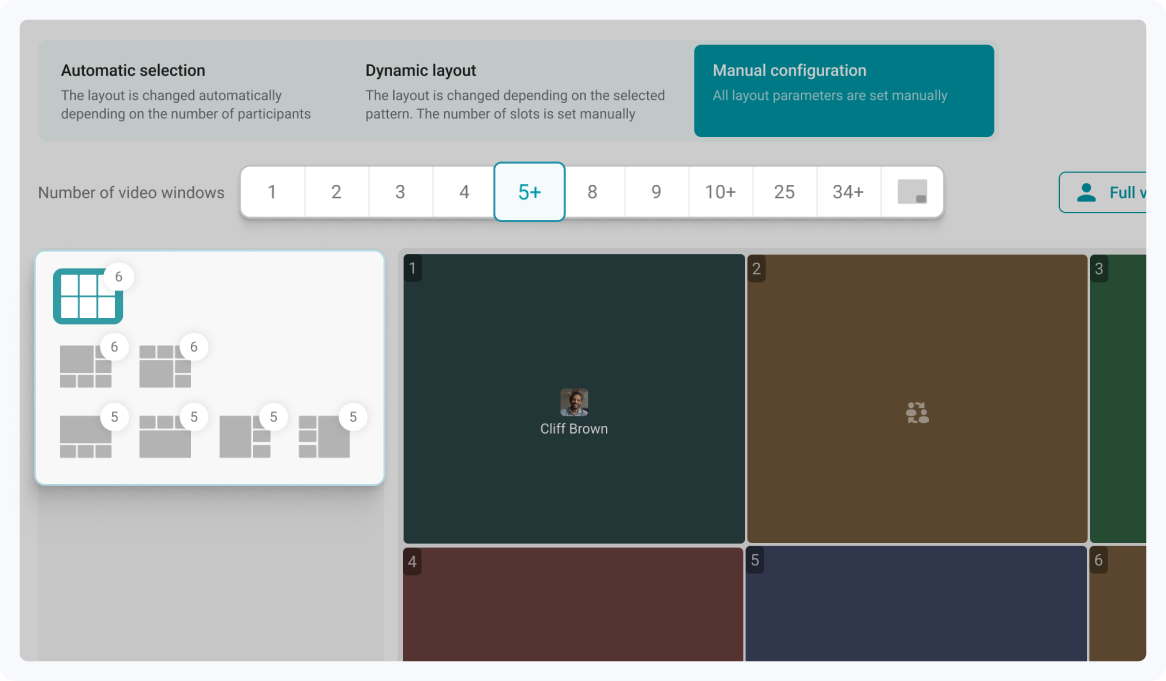
Use different templates to adjust your video layout to any meeting scenario. Create overlay layouts and switch between templates instantly during conferences.

Layout Templates

Cascading

Combine multiple conferences running on the same TrueConf MCU into a single event and seamlessly connect meetings from external video conferencing servers.

Cascading

Types of Conferences for Any Task

General

General

All participants can see and hear one another.

Presentation

Presentation

Everyone can see and hear the participant, when he starts speaking.

Lecture

Lecture

The lecturer can see and hear all participants while they can see and hear only the lecturer.

Multithreaded Conference Recording

Record multiple layouts of an active conference simultaneously, with each layout being saved as a separate file.

Multithreaded Conference Recording

Appointment of Administrators and Operators

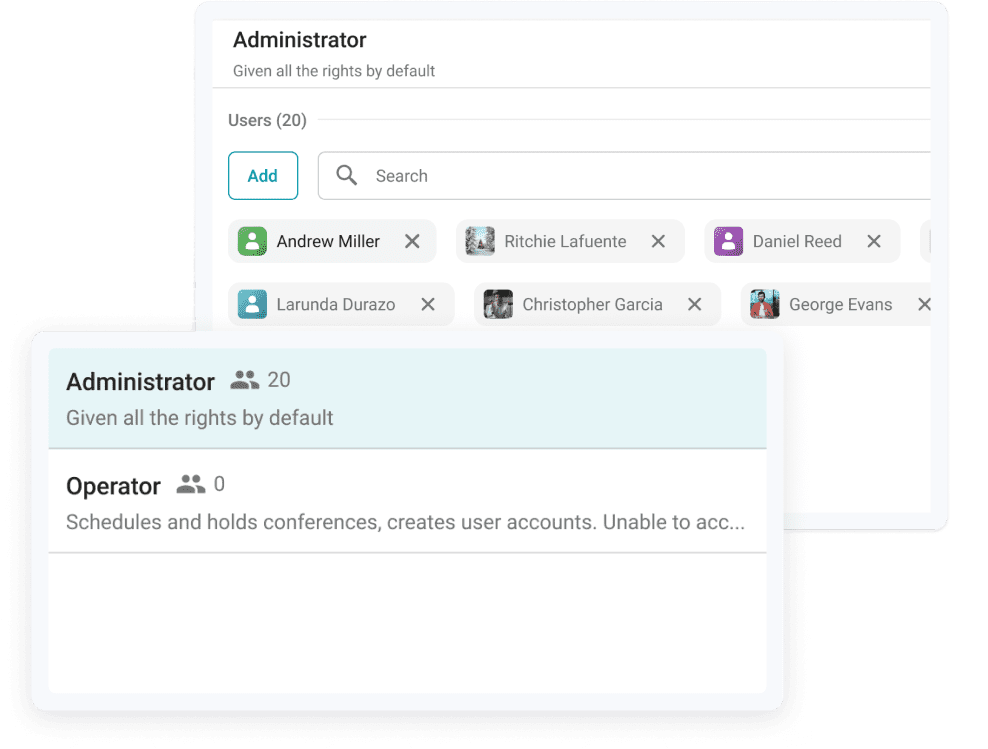
Assign TrueConf MCU administrators and operators with scheduling capabilities, but without access to administrative functions.

Appointment of Administrators and Operators

Support for SIP and H.323 Protocols

Connect any existing SIP and H.323-compatible equipment of well-known brands to organize a multi-user video conferencing network.

Support for SIP and H.323 Protocols

Conference History

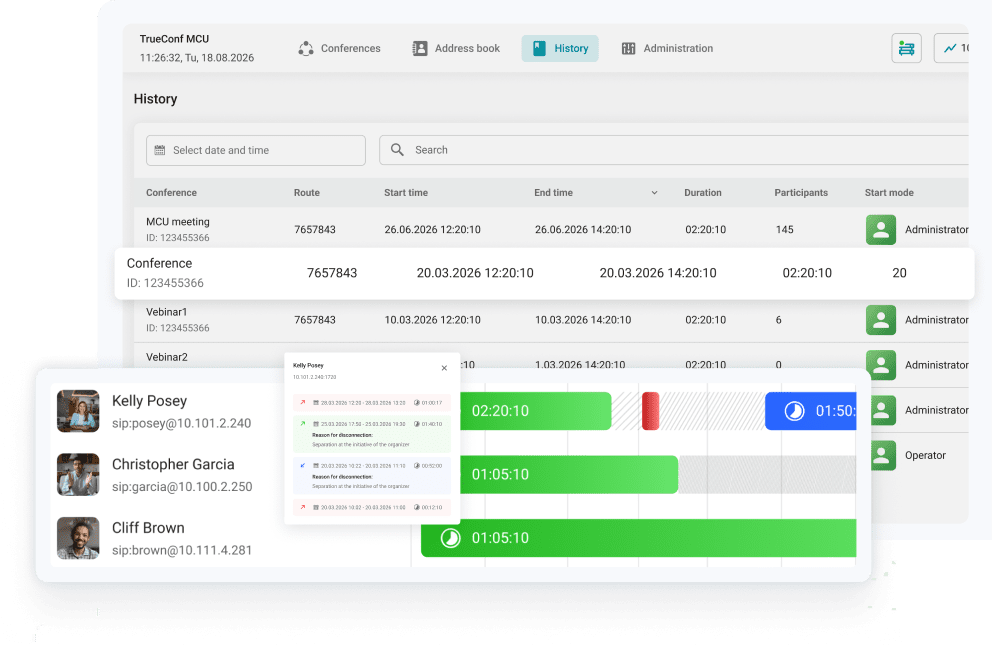
View a detailed history of online meetings, including the time of connection and disconnection, as well as the reason for exiting the conference.

Conference History

TrueConf MCU Network Scheme

TrueConf MCU network scheme

Waiting rooms

Direct SIP and H.323 participants in the waiting room to the necessary video conferences.

Learn more
Waiting rooms

Simultaneous Translation

Assign conference participants to different audio streams, assigning a language for each of them. This will allow for the organization of online meetings with simultaneous translation, catering to users from different countries.

Learn more
Simultaneous Translation

TrueConf MCU Free

The free version of the software transcoding server for hardware SIP and H.323 endpoints.

  • Multipoint video conferences with up to 100 active connections
  • Unlimited meeting time
  • Recording, scheduling, and conference management tools
  • General and individual layouts
TrueConf MCU Free layout

More Features with TrueConf Server

TrueConf MCU is fully compatible with TrueConf Server software platform, allowing you to conduct webinars, integrate with PBX, connect mobile devices to video meetings and much more!

More Features with TrueConf Server

Compensation for Network Packet Loss

Stay connected even at low internet speeds! TrueConf FEC algorithm provides compensation for 10% of lost network packets and a stable connection between several TrueConf MCU servers.

Compensation for Network Packet Loss

Affordable infrastructure

TrueConf MCU is deployed in popular virtualization environments or on any PCs running Linux. You can install and configure the solution yourself by following our detailed instructions!

Affordable infrastructure

TrueConf MCU Free and TrueConf MCU

TrueConf MCU and TrueConf Server

Find the
right solution for you

TrueConf MCU Free

TrueConf MCU

Maximum number of active connections

100

Video meetings for up to 250 participants in the conference

Maximum number of simultaneously running conferences

4

Unlimited

Meeting time limit

Unlimited

Unlimited

Number of contacts in the address book

Unlimited

Unlimited

Multipoint video conferences for H.323/SIP endpoints

Global and individual video layouts

Recording, scheduling and conference management tools

Real-time monitoring & analytics

No “TrueConf MCU Free” watermark in the upper right corner of the screen

Cascading conferences to external servers

Find the
right solution for you

TrueConf MCU

TrueConf Server

Type of solution

Transcoding server for SIP/H.323 hardware video conferencing endpoints

Software video conferencing server for PC and mobile devices

The purpose of the solution

Video communication in meeting rooms

Corporate communications

Maximum number of conference participants

Up to 250 participants in the conference

Up to 2000 participants on a single video conference server and up to 2000 on TrueConf Enterprise

Endpoint devices

Endpoint video conferencing devices

Workstations, mobile devices and PC-based meeting rooms

The maximum number of participants in the layout

Up to 100 participants

Up to 49 participants

Setting up an individual layout for recording a conference

Setting up an individual layout for the conference streaming

TrueConf Group endpoint management

The main way to manage layouts

From the operator's side

From the user's side

Built-in team messenger

Connecting to the conference via the link

Registration of users and endpoints

Support for the SVC technology

Client applications for all devices

Integration with TrueConf AI Server

Video conferencing architecture

MCU (transcoding)

SVC (multi-threaded)

The main communication protocol

SIP/H.323

trueconf

Supported protocols

H.323: H.221, H.225, H.231, H.239, H.241, H.242, H.243, H.245, H.281, H.283, H.350, H.460, H.460.18, H.460.19; SIP: ICE, TURN, BFCP, RFC 2833.

Proprietary trueconf protocol; H.323: H.281, H.224, H.235 H.225, H.241, H.245; SIP: BFCP, FECC, SRTP; TLS; DTLS; RTSP.

Empower your video conferencing experience with cutting-edge capabilities of TrueConf MCU!

FAQ

How does TrueConf MCU compare to the products from other vendors?

TrueConf MCU is easy to use and administrate, provides a free version, and offers built-in tools for streaming. Additionally, it supports hardware transcoding acceleration to increase MCU capacity.

What is the difference between TrueConf Server Free and TrueConf MCU Free?

TrueConf MCU Free is a free version of a software transcoding server for hardware SIP/H.323 endpoints, enabling conferences with up to 100 active connections.

TrueConf Server Free is a free messenger with video calls for up to 1,000 users. The solution includes a comprehensive set of collaboration tools, AI-powered features, and full compatibility with Windows and Linux infrastructures

What are the terms for using TrueConf MCU Free?

The free version can be used for an unlimited period of time. The only requirement is to renew the free license on an annual basis and permanent connection to our registration server via 443 TCP port.

What operating systems does TrueConf MCU support?

TrueConf MCU can be installed on Linux-based operating systems (Debian-family distributions, 64-bit).

Can I activate TrueConf MCU Free without Internet connection?

No, offline operation is only available to the customers who acquired the full version of TrueConf MCU. If you’d like to get a trial version of TrueConf MCU that operates offline without Internet connection, please contact our sales team.

What is MCU technology?

Multipoint Control Unit (MCU) is a video transcoding server that manages multiple SIP/H 323 endpoints simultaneously, coordinates data processing between them, and forwards media streams during a video communication session. MCUs can be either hardware or software deployed in a virtual environment.

What is multipoint video conferencing?

Multipoint conference connects 3+ locations, e.g. meeting rooms, into a single video communication session, allowing all participants to interact and collaborate in real-time. With TrueConf multipoint calls, you can host engaging roundtable discussions for up to 36 on-screen users, exchange messages and files, share content, record sessions for future playback, and more.

What are the data transfer technologies in multipoint video conferencing?

There are four main architecture types of multipoint video communication systems:

• SFU (Selective Forwarding Unit). It is a traditional video conference based on media stream forwarding.

• Simulcast. It is based on parallel video streams forwarding that are redirected to meeting participants in a resolution that matches their bandwidth.

• SVC (Scalable Video Coding). It enables transferring multiple basic and secondary substreams of different quality into one stream to adjust to the varying endpoint characteristics, e.g. CPU or bandwidth.

• MCU (Multipoint Control Unit). This mixing-based architecture incorporates server-side data processing: upon gathering primary videos from all the participants, it creates a single media stream with the layout requested by the endpoint.

You can learn more about TrueConf solutions from our article.

TrueConf MCU Administrator Guide

If you’d like to test TrueConf MCU yourself, follow our detailed administrator guide!

TrueConf MCU Administrator Guide