
10 HIPAA-Compliant Messaging Apps for Healthcare in 2026
Updated September 2026
HIPAA-compliant messaging helps healthcare organizations exchange protected health information through communication workflows designed around appropriate security controls, policies and HIPAA requirements.
There is no single feature that makes an app HIPAA compliant. Encryption matters, but so do access controls, authentication, auditing, risk management, organizational policies and the relationship between the healthcare organization and the technology provider.
The first buying decision is more practical:
Who needs to communicate with whom?
A hospital that needs secure messaging between doctors and nurses has different requirements from a medical practice sending appointment reminders and answering patient questions.
Best HIPAA-Compliant Messaging Apps at a Glance
|
Platform |
Best for |
Messaging type |
Voice / video |
Deployment |
|---|---|---|---|---|
|
TigerConnect |
Hospitals and clinical teams |
Staff / clinical |
Yes |
Vendor cloud |
|
Spruce Health |
Small and midsize practices |
Staff + patient |
Yes |
Vendor cloud |
|
OhMD |
Patient texting |
Patient-facing |
Yes |
Vendor cloud |
|
Klara |
Patient communication workflows |
Patient-facing |
Communication-focused |
Vendor cloud |
|
Luma Health |
Patient engagement and automation |
Patient-facing |
Workflow-dependent |
Vendor cloud |
|
PerfectServe |
Clinical communication and scheduling |
Staff / clinical |
Communication-focused |
Vendor cloud |
|
OnPage |
Urgent clinical alerts |
Staff / clinical |
Communication-focused |
Vendor cloud |
|
QliqSOFT |
Healthcare messaging workflows |
Staff + patient |
Healthcare communication |
Vendor cloud |
|
Imprivata Cortext |
Enterprise clinical messaging |
Staff / clinical |
Communication-focused |
Vendor-operated |
|
TrueConf |
Customer-operated messaging and video |
Staff / clinical |
Native voice and video |
Customer-operated |
These platforms solve different healthcare communication problems.
TigerConnect, PerfectServe, OnPage and Imprivata Cortext focus more strongly on clinical teams. OhMD, Klara and Luma Health are more closely associated with patient-facing communication. Spruce Health and QliqSOFT span multiple healthcare workflows.
TrueConf addresses a different requirement: internal messaging and video communication on infrastructure operated by the healthcare organization.
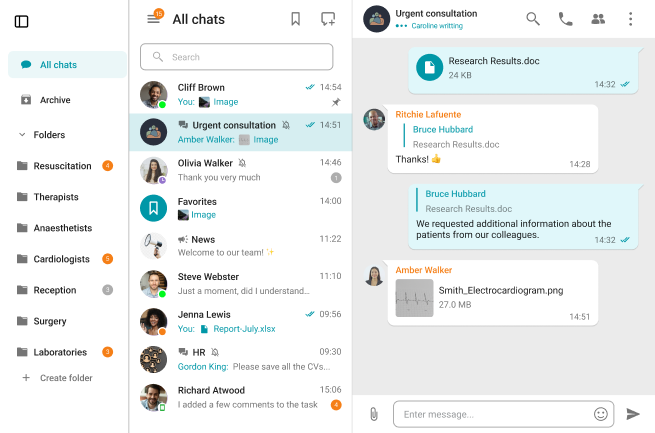
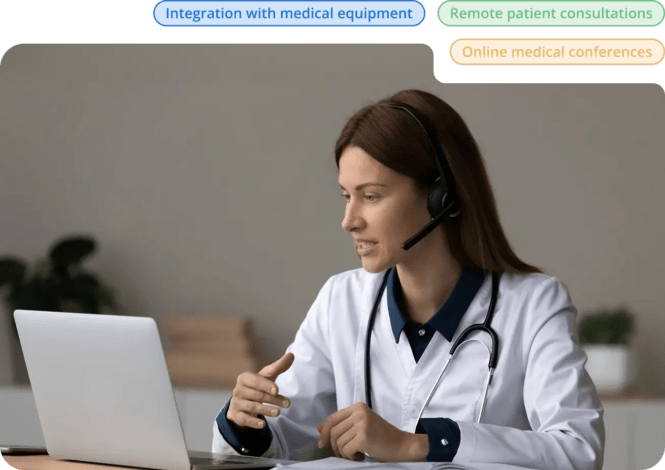
Connect with Patients
Provide patients with secure, high-quality video consultations, instant messaging with their physician, and browser-based access from any device.
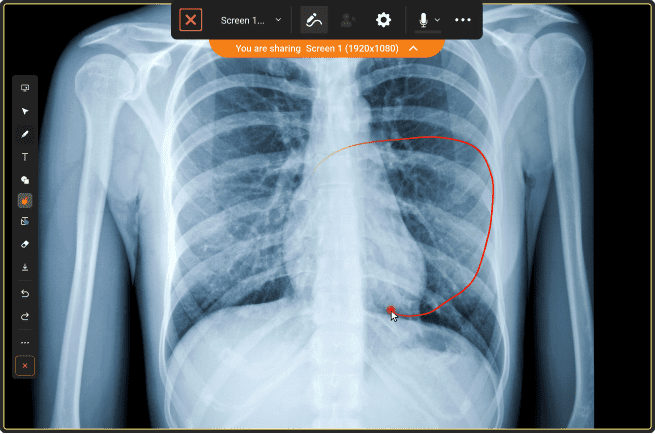
Time-Saving Video Visits
Save doctors’ time with reliable video meetings and smart tools for simple, efficient remote consultations.
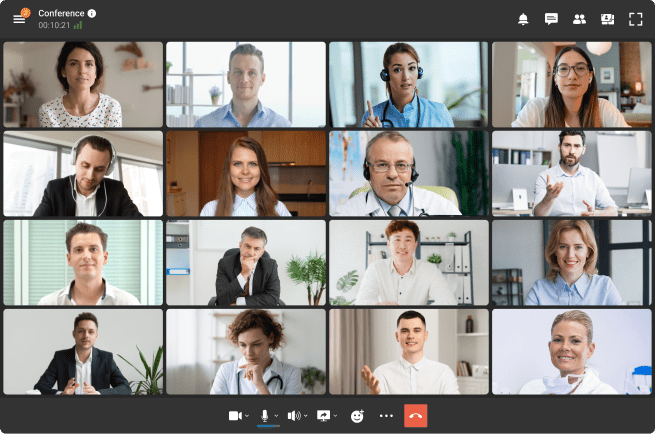
Secure Team Collaboration
Empower care teams to collaborate in real time while maintaining complete control over sensitive medical data.
Clinical Team Messaging vs Patient Messaging
The term HIPAA-compliant messaging app covers two major communication models.
Clinical Team Messaging
Clinical messaging supports communication among physicians, nurses, departments, on-call teams and other authorized healthcare employees.
Typical requirements include:
- direct and group messaging;
- role-based communication;
- clinical alerts;
- escalation;
- file exchange;
- directories;
- mobile access;
- audit capabilities.
Speed and routing can be as important as the messaging interface itself. A clinician may need to reach the physician currently responsible for a service rather than search for a specific person manually.
Patient Messaging
Patient communication platforms focus on interactions such as:
- appointment reminders;
- scheduling;
- intake;
- follow-up;
- patient questions;
- forms;
- care instructions.
Patient access becomes especially important because patients are not permanent users of the organization’s IT environment.
A strong internal hospital messenger may therefore be a poor patient communication platform, while a good patient texting product may lack the routing and escalation required by clinical teams.
What Does HIPAA-Compliant Messaging Require?
HIPAA does not provide an official list of approved messaging applications.
Organizations handling electronic protected health information need appropriate administrative, physical and technical safeguards.
For messaging workflows, relevant controls can include:
- authentication;
- access controls;
- transmission security;
- encryption where appropriate;
- audit controls;
- availability and recovery;
- account management;
- risk analysis;
- workforce policies.
Two distinctions are particularly important.
Encryption alone does not make a messaging workflow HIPAA compliant.
A strongly encrypted app can still be unsuitable if an organization cannot control access, manage users, audit activity or meet its other HIPAA obligations.
Likewise:
A Business Associate Agreement alone does not establish compliance.
When a vendor acts as a business associate, a BAA defines responsibilities between the parties. The healthcare organization and vendor still retain their applicable responsibilities under HIPAA.
How We Compared HIPAA Messaging Apps
The platforms below are compared using publicly documented capabilities and their practical fit for healthcare communication.
The main criteria are:
- clinical team vs patient messaging;
- patient access;
- healthcare workflow support;
- administration and security controls;
- voice and video capabilities;
- cloud vs customer-operated deployment.
The comparison does not treat a marketing label such as “HIPAA compliant” as sufficient evidence that every deployment or use of a product will satisfy an organization’s compliance obligations.
10 Best HIPAA-Compliant Messaging Apps
1. TigerConnect
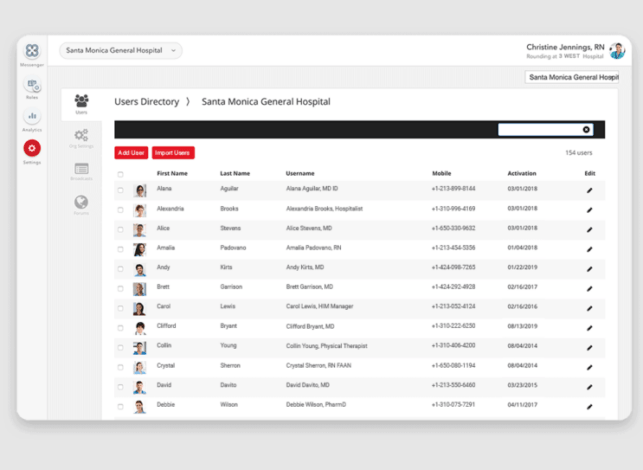
Best for: hospitals and larger clinical teams.
TigerConnect is built around communication between clinicians and healthcare employees rather than general-purpose workplace chat.
Its value is strongest where communication follows clinical responsibilities. Staff may need to reach an on-call physician, nurse, department or care team quickly rather than search for an individual employee.
This makes TigerConnect relevant for:
- hospital care-team coordination;
- physician and nurse communication;
- clinical notifications;
- time-sensitive workflows;
- mobile clinical communication.
Its healthcare specialization is an advantage for large clinical environments, but it may be more than a small practice needs when the main requirement is patient texting or appointment communication.
2. Spruce Health
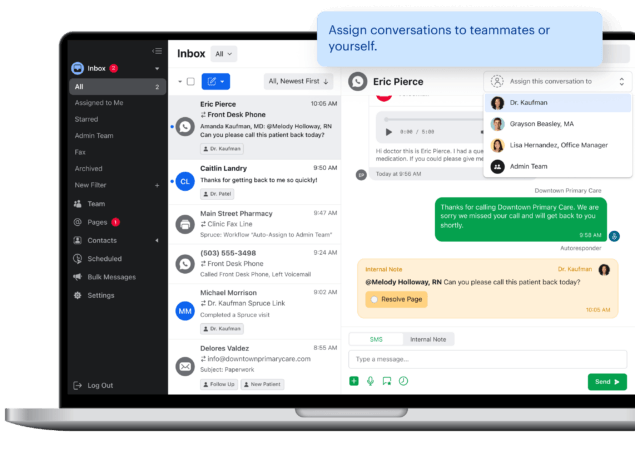
Best for: practices that want staff and patient communication in one environment.
Spruce Health occupies the middle ground between internal healthcare messaging and patient communication.
That model can be useful for smaller practices because an incoming patient question often creates an internal conversation before the practice responds.
Combining both sides of that workflow can reduce the need to copy information between unrelated tools.
Spruce is most relevant where practices want messaging, patient communication and other communication methods without adopting the heavier workflow architecture of a large hospital platform.
Its fit becomes less obvious for health systems that need complex clinical routing, enterprise escalation or organization-wide operational communication.
3. OhMD
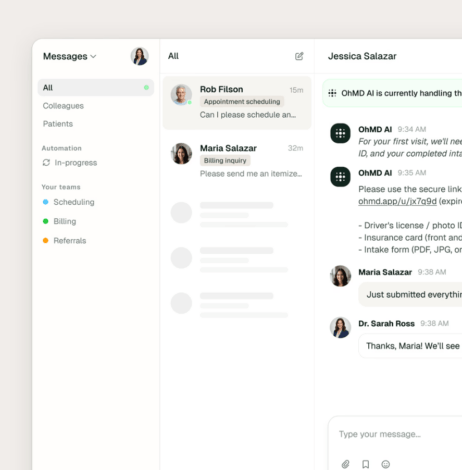
Best for: practices focused on patient texting and communication.
OhMD belongs primarily to the patient-facing side of the category.
The central problem it addresses is reducing reliance on phone calls for routine interactions between healthcare providers and patients.
Relevant workflows can include:
- patient questions;
- scheduling communication;
- appointment-related messages;
- follow-up;
- web-based conversations;
- video visits.
The important selection criterion is patient friction.
Patients may communicate with a practice only occasionally, so a patient messaging platform should make participation simple without requiring the same onboarding model used for employees.
OhMD should therefore be compared primarily with patient communication products rather than hospital clinical messengers.
4. Klara
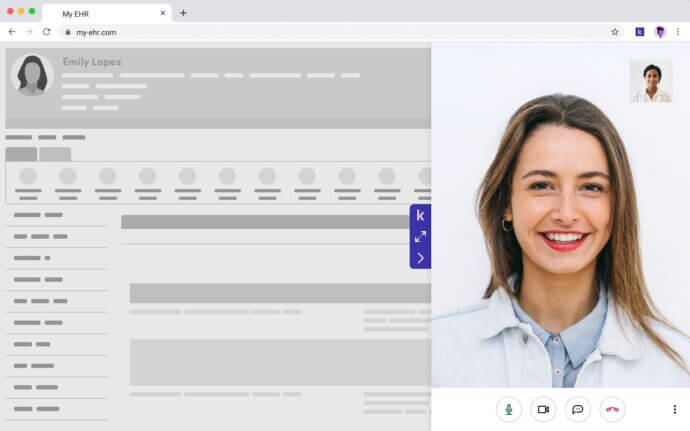
Best for: structured patient communication workflows.
Klara also focuses on communication between healthcare organizations and patients rather than traditional employee chat.
Its role becomes particularly relevant when messaging is connected to scheduling, follow-up and administrative coordination.
That creates a different product requirement from clinical collaboration.
Internal team messaging assumes recurring authenticated users. Patient communication must support large numbers of people who interact with the healthcare organization only when they need care.
Practices considering Klara should therefore focus on the patient experience, staff workflow and connections to existing practice systems rather than comparing it feature-for-feature with clinical team messaging platforms.
5. Luma Health
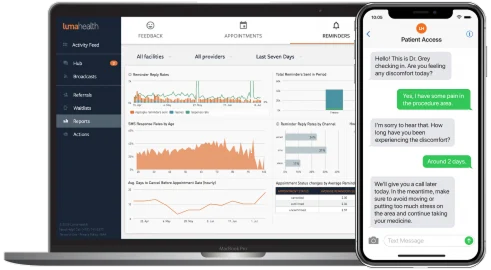
Best for: patient engagement and communication automation.
Luma Health extends beyond basic messaging into broader patient access and engagement workflows.
Communication can form part of appointment management, outreach, follow-up and other stages of the patient journey.
This makes Luma more relevant when a healthcare organization wants to automate repetitive patient interactions at scale.
The key question is not whether it provides messaging, but whether its automation and patient workflow model fits the organization’s existing healthcare systems.
For a hospital that mainly wants secure employee communication, the broader patient engagement layer may be unnecessary.
6. PerfectServe
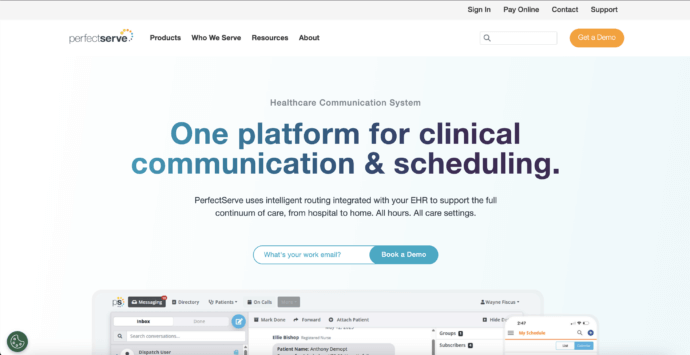
Best for: clinical communication connected to schedules and operational roles.
PerfectServe addresses a recurring healthcare communication problem: the right recipient can depend on responsibility and schedule rather than name.
A clinician may need whoever is currently responsible for a specialty, department or service.
Communication systems built around clinical operations can use that context to route communication more effectively.
PerfectServe is therefore most relevant for:
- clinical routing;
- on-call communication;
- provider schedules;
- departmental workflows;
- escalation.
Its strengths are closely tied to healthcare operations, making it less comparable with products designed mainly for patient reminders or general employee chat.
7. OnPage
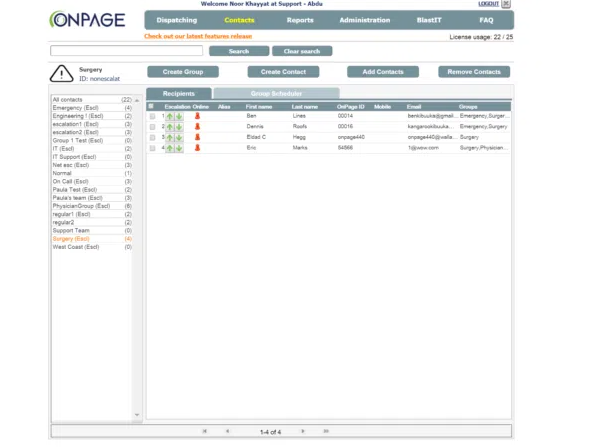
Best for: urgent clinical alerts and escalation.
OnPage differs from ordinary secure messaging because some healthcare messages are not simply conversations. They require attention within a limited period.
A message can be technically delivered yet still fail operationally if the recipient does not see it.
Alerting platforms therefore need to answer additional questions:
- Was the alert acknowledged?
- What happens if nobody responds?
- Who receives the escalation?
- Which person is currently on call?
OnPage is most useful where these questions matter.
For routine collaboration or patient communication, an alert-centered platform may need to be combined with a broader communication system.
8. QliqSOFT
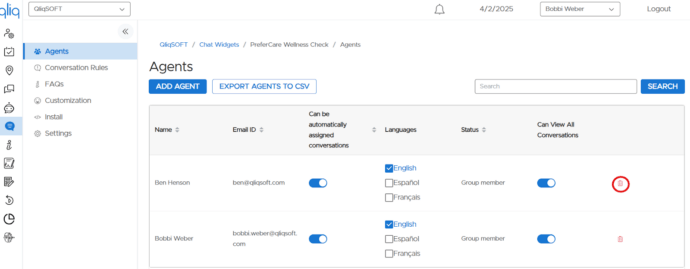
Best for: healthcare communication tied to digital workflows.
QliqSOFT is positioned around healthcare-specific communication rather than generic enterprise messaging.
Its relevance comes from connecting communication with broader workflows that may involve employees, patients or both.
This makes the underlying use case especially important.
A healthcare system might use communication as part of clinical operations, while a practice may be more interested in patient interaction and workflow automation.
Organizations considering QliqSOFT should therefore define which process they want messaging to support before comparing individual features.
It may be unnecessarily specialized for organizations that need only straightforward internal team chat.
9. Imprivata Cortext
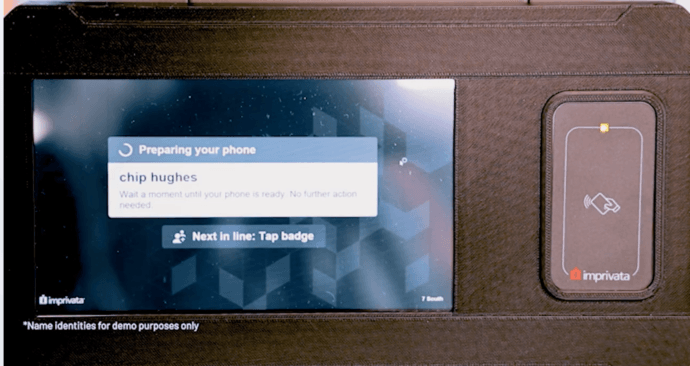
Best for: secure clinical messaging in enterprise healthcare environments.
Imprivata Cortext belongs on the clinical side of the category.
It is designed for healthcare environments where staff identity, mobile communication and centralized management matter more than consumer-style patient messaging.
Its fit is strongest when secure communication is part of a larger healthcare IT environment rather than an isolated messenger.
Organizations evaluating Cortext are likely to care about authentication, clinical team communication, mobile workflows and administrative control.
It is not primarily a patient engagement platform for reminders, intake or broad patient outreach.
10. TrueConf
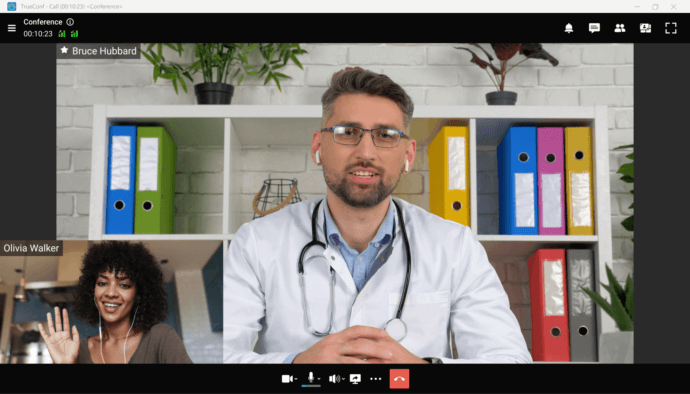
Best for: healthcare organizations that want messaging and video on customer-operated infrastructure.
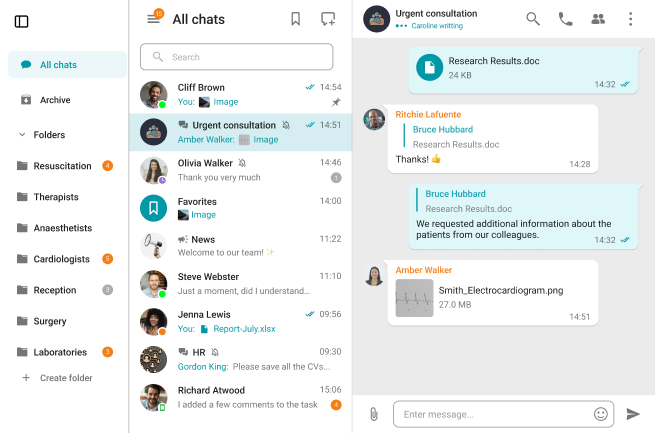
TrueConf combines persistent personal and group chats, channels, file exchange, voice calls and video conferencing in a communication environment operated on infrastructure controlled by the organization.
This makes its role different from cloud-first patient texting products.
Healthcare organizations can use the same platform for internal messaging, clinical discussions, file exchange and live video communication without depending on a separate meeting provider for each conversation.
Its strongest distinction is the deployment model.
TrueConf is most relevant when infrastructure ownership and internal communication are part of the requirement.
Your Messages Are Secure with TrueConf!
A powerful self-hosted video conferencing solution for up to 1,000 users, available on desktop, mobile, and room systems. Your confidential information is protected by 12 levels of security.
Common HIPAA Messaging Use Cases
Appointment and Patient Communication
Patient-facing platforms can support reminders, confirmations, rescheduling, preparation instructions and follow-up.
This is one reason these products often place strong emphasis on integration with scheduling and patient workflows.
Urgent Clinical Alerts
Some healthcare communication needs explicit acknowledgement and escalation rather than normal message delivery.
Clinical alerting systems are more appropriate when delays can affect operations or care.
Clinical Information Exchange
Healthcare teams may need to exchange messages, files and other information within controlled internal conversations.
Access, auditing and retention should be considered as part of the wider ePHI workflow.
Messaging Around Telehealth
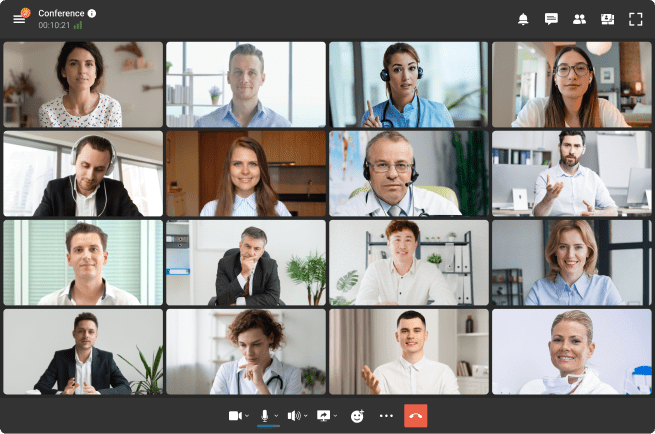
Messaging can support communication before and after a remote consultation.
Organizations may use separate messaging and telehealth products or choose an environment where persistent chat and video are available together.
Cloud vs Customer-Operated HIPAA Messaging
|
|
Vendor cloud |
Customer-operated |
|---|---|---|
|
Infrastructure |
Operated by provider |
Operated by healthcare organization |
|
Vendor involvement with ePHI |
Often direct |
Depends on architecture and services |
|
Deployment effort |
Lower |
Higher |
|
Infrastructure control |
Provider-defined |
Greater customer control |
|
Maintenance |
Mainly provider |
Mainly customer |
Neither model is inherently compliant or non-compliant.
Cloud platforms can reduce infrastructure work and provide healthcare-specific integrations. Customer-operated platforms can give organizations greater control over where their communication infrastructure runs.
The correct model depends on the organization’s architecture, risk analysis and workflow.
Does a Self-Hosted Messaging Platform Need a BAA?
A self-hosted product does not automatically eliminate the BAA question.
The relevant issue is the vendor’s actual role.
A vendor generally becomes a business associate when it creates, receives, maintains or transmits PHI on behalf of a covered entity or another business associate.
With a SaaS communication service that stores healthcare messages, that relationship is usually easier to identify.
With customer-operated software, organizations should examine whether the vendor can access ePHI through services such as:
- hosting;
- technical support;
- monitoring;
- remote administration;
- maintenance;
- diagnostics.
The location of the server alone does not answer the question.
The actual data flow and services provided matter.
How to Choose a HIPAA Messaging Platform
1. Identify the Communication Workflow
Start with the participants:
- clinician to clinician;
- clinical team to clinical team;
- practice to patient;
- urgent on-call communication.
This immediately separates many platforms that otherwise look similar.
2. Map Where ePHI Goes
Identify where messages and files are created, transmitted, processed, stored and backed up.
The underlying data flow matters more than a marketing label.
3. Check Healthcare Workflow Requirements
Hospitals may prioritize:
- role-based routing;
- clinical alerts;
- on-call schedules;
- care-team communication.
Practices may care more about:
- patient texting;
- appointment communication;
- intake;
- follow-up;
- scheduling workflows.
4. Evaluate Patient Friction
For patient-facing tools, examine what a patient must do to receive and answer a message.
A technically capable platform can still perform poorly if basic communication requires unnecessary onboarding.
5. Review Administration and Security
Evaluate controls for:
- identity;
- authentication;
- authorization;
- auditing;
- encryption;
- retention;
- backup;
- recovery;
- account deactivation.
6. Choose the Deployment Model
If customer-operated infrastructure is mandatory, many SaaS-first patient communication platforms can be removed from consideration immediately.
If cloud deployment is acceptable, specialized healthcare SaaS platforms may provide deeper patient or clinical workflow functionality with less infrastructure work.
Is Regular SMS HIPAA-Compliant?
Standard consumer SMS generally lacks many capabilities healthcare organizations need for routine ePHI communication.
Potential limitations include reduced control over:
- identity;
- access after delivery;
- auditing;
- device access;
- administration;
- retention.
This does not mean every healthcare-related SMS message automatically violates HIPAA.
The analysis depends on the information involved, the communication context, safeguards and organizational policies.
For routine ePHI workflows, healthcare organizations generally use dedicated healthcare communication or managed secure messaging systems instead of ordinary consumer texting.
FAQ
What is HIPAA-compliant messaging?
HIPAA-compliant messaging refers to electronic communication involving PHI or ePHI conducted within an environment using the safeguards, policies, agreements and controls required for the organization’s HIPAA obligations. A messaging application does not make an organization compliant simply by being installed.
What is the best HIPAA-compliant messaging app?
The best platform depends on the workflow. TigerConnect and PerfectServe focus more strongly on clinical communication. OhMD, Klara and Luma Health are oriented toward patient communication. OnPage specializes in urgent alerts. TrueConf is relevant when internal messaging and video need to run on customer-operated infrastructure.
What is the difference between secure messaging and HIPAA-compliant messaging?
Secure messaging usually describes technical protections such as encryption, authentication or controlled access. HIPAA compliance is broader and also involves risk management, policies, vendor relationships and administrative safeguards.
Does HIPAA require end-to-end encryption?
HIPAA compliance should not be reduced to a single end-to-end encryption requirement. Organizations need appropriate safeguards for transmitting and protecting ePHI based on their environment and risk analysis. Encryption does not replace authentication, access controls, auditing or administrative safeguards.
Does a HIPAA messaging provider need a BAA?
A BAA is generally required when a provider acts as a business associate by creating, receiving, maintaining or transmitting PHI on behalf of a covered entity or another business associate. The actual vendor role and services should be evaluated.
Can HIPAA messaging be self-hosted?
Yes. Healthcare organizations can operate messaging infrastructure themselves, but self-hosting does not establish HIPAA compliance automatically. The organization still needs appropriate technical, administrative and physical safeguards.
Conclusion
The right HIPAA messaging platform depends first on the communication workflow: clinical team communication, patient interaction, urgent alerts or customer-operated internal collaboration.
After defining that workflow, compare how each platform handles ePHI, identity, access, auditing and deployment.
Encryption and a BAA are important considerations, but neither makes a messaging environment compliant by itself.
About the Author
Nikita Dymenko is a technology writer and business development professional with more than six years of experience in the unified communications industry. Drawing on his background in product management, strategic growth, and business development at TrueConf, Nikita creates insightful articles and reviews about video conferencing platforms, collaboration tools, and enterprise messaging solutions.


Follow us on social networks