
Best Group Communication Apps for 2026
Updated April 2026
The digital transformation of workplace collaboration accelerates into 2026, driven by organizations seeking platforms that merge robust security with intuitive user experiences. What began as simple messaging tools have matured into complex digital ecosystems where teams coordinate projects, share knowledge, and maintain organizational continuity across distributed workforces. The stakes have risen considerably, choosing a communication platform now means selecting the foundation upon which company culture, productivity patterns, and information security will rest.
This evaluation examines seven prominent platforms redefining team connectivity in 2026. Each brings distinctive approaches to solving collaboration challenges, from zero-trust security architectures to friction-free integration with existing business software. Understanding these differences helps organizations match platform capabilities with specific operational requirements and strategic objectives.
Best Group Communication Apps for 2026
1. TrueConf
TrueConf occupies a specialized niche serving organizations where data sovereignty and network isolation trump convenience. This platform runs entirely within controlled network environments (corporate LANs or VPNs) never touching public internet infrastructure. Financial services firms, government departments, and defense contractors gravitate toward this architecture when handling classified information or complying with strict data residency regulations. The system handles conferences with 1,500 simultaneous participants while delivering video quality reaching UltraHD 4K resolution.
Organizations can deploy intelligent chatbots for routine inquiries, conduct sophisticated survey campaigns with granular analytics, and switch between customizable conference layouts matching different meeting types. The corporate messenger component offers enterprise-grade organization – conversations sort into thematic folders, archived discussions remain searchable indefinitely, and the full chat history syncs across every connected device. TrueConf’s implementation of on-premises artificial intelligence brings consumer-grade conveniences – automated transcription, intelligent background replacement, ambient noise elimination – without sending data to external processors. System deployment typically completes within 15 minutes, supporting Windows, macOS, Linux, mobile platforms, and browser-based access through purpose-built applications.
Try TrueConf Server Free!
- 1,000 online users with the ability to chats and mske one-on-one video calls.
- 10 PRO users with the ability to participate in group video conferences.
- One SIP/H.323/RTSP connection for interoperability with corporate PBX and SIP/H.323 endpoints.
- One guest connection to invite a non-authenticated user via link to your meetings.

Key Features:
- Infrastructure ownership with encrypted protocols and zero external dependencies
- Video conferencing reaching 4K resolution for groups up to 1,500 people
- Machine learning capabilities for transcription, summarization, and audio enhancement
- Universal device support through dedicated applications
- Survey distribution with response analytics and reporting
- Dynamic conference layouts adjustable during active sessions
- Enterprise messaging with organizational tools, automation, and broadcast channels.
|
Pros: |
Cons: |
|---|---|
|
✅ Uncompromising security through isolated network deployment and proprietary technology |
❌ Demands dedicated server infrastructure and specialized technical knowledge |
|
✅ Zero-cost tier supporting 1,000 users with unrestricted feature access |
❌ Ongoing maintenance responsibility falls entirely on internal IT teams. |
|
✅ Complete internet independence for air-gapped network operation |
|
|
✅ Regulatory compliance for government and heavily-regulated sectors. |
|
Take your team communication to the next level with TrueConf!
A powerful self-hosted video conferencing solution for up to 1,000 users, available on desktop, mobile, and room systems.
2. Slack
Slack revolutionized digital communication by replacing email chaos with organized, searchable conversations structured around channels. This architecture creates dedicated spaces for every project, department, and topic, allowing teams to compartmentalize information flows while keeping everything accessible. What distinguishes Slack is its transformation into a platform – a foundation upon which thousands of third-party applications build custom workflows. Integration depth turns Slack into a command center connecting project trackers, customer databases, development tools, and analytics platforms into unified operational dashboards.
The platform masters asynchronous communication, essential for global teams spanning multiple continents. Threaded conversations maintain discussion coherence without splintering topics into fragments, while comprehensive search functionality transforms years of accumulated conversations into instantly retrievable institutional knowledge. Slack’s Workflow Builder empowers non-technical users to automate repetitive processes – onboarding sequences, approval chains, status updates – without writing code. The free tier imposes constraints on message history retention and administrative granularity, while premium subscriptions unlock enterprise capabilities including uptime guarantees, compliance reporting, and priority support channels.
Key Features:
- Channel architecture organizing conversations by topic and purpose
- Thousands of integrated applications creating customized workflows
- No-code automation through visual workflow construction
- Enterprise-grade search indexing all conversations and attached files
- Built-in voice and video communication with desktop sharing
- Nested discussion threads preserving conversational context
- Compliance certifications for regulated industry requirements.
|
Pros: |
Cons: |
|---|---|
|
✅ Unmatched ecosystem of connected business applications |
❌ Subscription expenses multiply rapidly as team size grows |
|
✅ Minimal onboarding friction with intuitive interface design |
❌ Notification volume requires disciplined channel management to avoid overwhelm |
|
✅ Sophisticated search transforming conversation history into knowledge base |
❌ Free accounts lose access to older messages beyond retention limits |
|
✅ Feature-complete mobile applications matching desktop functionality. |
❌ Large workspaces may experience degraded performance with extensive archives. |
3. Microsoft Teams
Microsoft Teams capitalizes on profound integration with the Microsoft 365 ecosystem, creating a collaboration environment that feels native for organizations standardized on Outlook, SharePoint, Word, Excel, and PowerPoint. The platform transcends basic messaging, evolving into a comprehensive digital workplace where conversations transition seamlessly into document co-editing sessions, calendar coordination syncs with existing schedules, and file storage connects directly to organizational SharePoint repositories. This integration density makes Teams extraordinarily powerful for knowledge workers operating primarily within Microsoft’s productivity environment.
Teams’ organizational structure mirrors corporate hierarchies, supporting both department-wide collaboration spaces and restricted team channels with granular access controls. The meeting functionality has evolved substantially, incorporating artificial intelligence features like real-time transcription, automated meeting summaries, and adaptive noise suppression. Together Mode and Custom Backgrounds reflect Microsoft’s efforts to humanize virtual interactions and reduce video fatigue. However, Teams’ complexity can overwhelm users unfamiliar with Microsoft’s ecosystem, and the interface often feels optimized for desk-based workers rather than frontline employees. For Microsoft-committed enterprises, Teams provides unparalleled workflow continuity across the entire productivity suite.
Key Features:
- Deep integration with every Microsoft 365 application
- Organized chat spaces structured by organizational teams and channels
- Sophisticated meeting features including breakout rooms and recording capabilities
- Digital whiteboard for visual collaboration and ideation sessions
- Real-time captions and transcription supporting multiple languages
- Controlled guest access enabling external collaboration with permission boundaries
- Enterprise security standards with compliance and governance frameworks.
|
Pros: |
Cons: |
|---|---|
|
✅ Frictionless experience for Microsoft 365-standardized organizations |
❌ Interface complexity creating substantial learning curves |
|
✅ Zero incremental cost for existing Microsoft 365 license holders |
❌ Reduced intuitiveness for users outside Microsoft ecosystem |
|
✅ Comprehensive security certifications for regulated industries |
❌ Lower adoption rates among frontline and non-desk workforce |
|
✅ Broad third-party integration through Microsoft AppSource marketplace. |
❌ Occasional performance lag compared to lightweight alternatives. |
4. Troop Messenger
Troop Messenger targets growing businesses seeking comprehensive collaboration tools without enterprise-scale pricing commitments. The platform incorporates several uncommon features addressing specific business challenges: “Burnout” functionality enables time-limited messages that automatically delete after configurable periods – ideal for sensitive communications requiring ephemeral documentation. “Fork Out” allows participants to spawn focused subgroups from ongoing conversations without losing original discussion context. The “Orange Member” designation solves a persistent enterprise problem by enabling external stakeholder participation – clients, contractors, vendors – without exposing internal team communications or confidential data.
Location tracking capabilities, refined in the May 2025 update, provide administrators with sophisticated field team management. The system offers both consent-based and administrator-initiated tracking modes with customizable time parameters. Troop Messenger handles diverse content types including multimedia files, voice recordings, and code snippets with automatic programming language recognition – particularly valuable for software development teams. The interface prioritizes efficiency through keyboard shortcuts, message previews, and instant navigation between recent conversations. While lacking an unlimited free tier, trial periods allow comprehensive evaluation of Enterprise edition capabilities before financial commitment.
Key Features:
- Time-limited “Burnout” messages for temporary confidential communications
- “Fork Out” capability spawning subgroups without losing parent conversation context
- External stakeholder management through “Orange Member” designation
- GPS-based location tracking with administrative oversight and consent controls
- Screen sharing initiated without formal meeting setup
- Message modification, deletion, and delivery confirmation
- Group audio calls supporting 10 participants and video calls for 6 participants
- Code snippet sharing with automatic syntax highlighting.
|
Pros: |
Cons: |
|---|---|
|
✅ Distinctive security controls including automatic message expiration |
❌ Participant limitations may constrain larger conference requirements |
|
✅ Streamlined interface requiring minimal user training |
❌ Narrower integration selection than established enterprise leaders |
|
✅ Comprehensive administrative visibility and control mechanisms |
❌ Absence of free tier, though evaluation periods are available |
|
✅ Competitive pricing structure compared to market-leading platforms. |
❌ Some workflow actions require additional confirmation steps. |
5. Flock
Flock delivers streamlined collaboration for budget-conscious organizations prioritizing essential functionality over feature density. The platform merges instant messaging, video meetings, and lightweight project coordination into a unified interface emphasizing usability. Smart Channels represent Flock’s organizational innovation – these automatically populate with appropriate team members based on predetermined criteria, eliminating manual channel management as teams evolve. This automation reduces administrative overhead while ensuring relevant personnel join pertinent conversations.
The messaging framework supports individual conversations, private groups, and public channels, enhanced through voice messages, bookmarked content, and @mention notifications directing attention. Integrated productivity features include assignable task lists and collaborative note-taking, reducing dependencies on separate project management applications. Flock’s 30-day Pro trial enables thorough feature assessment, while the perpetual free tier accommodates teams under 20 members with 10 public channels and unrestricted messaging. However, video conferencing reveals limitations – a 20-participant ceiling and intermittent video loading difficulties may frustrate organizations requiring robust virtual meeting infrastructure.
Key Features:
- Automated Smart Channels that populate based on user attribute criteria
- Integrated environment combining messaging, video meetings, and task coordination
- Built-in task lists with assignment and reminder notifications
- Direct cloud storage connections streamlining file attachment workflows
- Voice message recording for rapid audio communication
- Desktop sharing in premium subscription tiers
- Message analytics displaying read and unread status across channels.
|
Pros: |
Cons: |
|---|---|
|
✅ Substantially reduced pricing compared to Slack while retaining core capabilities |
❌ 20-person video limitation restricts all-hands meetings |
|
✅ Liberal free tier with unlimited messaging for small teams |
❌ Missing threaded conversations complicating complex discussion tracking |
|
✅ Accessible interface featuring drag-and-drop customization |
❌ Constrained integration marketplace compared to enterprise alternatives |
|
✅ Visual comfort through dark mode implementation. |
❌ 10,000 message history ceiling on free accounts may prove restrictive. |
6. Google Chat
Google Chat functions as the straightforward messaging layer within Google Workspace, emphasizing simplicity and tight integration with Gmail, Google Drive, Google Meet, and Google Calendar. The platform organizes communications into direct messages and Spaces – purpose-driven rooms where teams collaborate with integrated file sharing, task assignment, and threaded discussions. This minimalist approach suits organizations seeking uncomplicated team communication without elaborate feature sets or extensive customization demands.
The integration philosophy centers on reducing friction – users initiate Google Meet video calls directly from conversations, access shared Drive documents without switching applications, and manage Calendar events within messaging contexts. Google Chat’s mobile applications maintain functional parity with desktop experiences, ensuring consistent capabilities across devices. The platform benefits from Google’s artificial intelligence research, incorporating Smart Compose suggestions and automated meeting summaries. However, Chat’s feature set remains deliberately fundamental compared to dedicated collaboration platforms, lacking sophisticated workflow automation, extensive third-party integrations, and advanced administrative controls that large enterprises typically require.
Key Features:
- Native Google Workspace integration spanning all productivity applications
- Spaces for structured team collaboration with threaded conversations
- Instant Google Meet video calling from any conversation context
- File sharing with automatic Google Drive synchronization
- In-conversation task creation and assignment
- AI-powered smart reply suggestions
- Universal message synchronization and search across devices.
|
Pros: |
Cons: |
|---|---|
|
✅ Zero additional cost for Google Workspace license holders |
❌ Shallow feature depth compared to specialized collaboration platforms |
|
✅ Negligible learning curve for Gmail users |
❌ Narrower third-party integration selection than competitors |
|
✅ Dependable search functionality leveraging Google’s core competency |
❌ Elementary administrative controls potentially inadequate for enterprise needs |
|
✅ Uniform experience across web, desktop, and mobile interfaces. |
❌ Absence of advanced tools for organization-wide engagement. |
7. Element
Element represents a fundamentally distinct philosophy in enterprise communication – constructed on the open-source Matrix protocol, it delivers unprecedented digital sovereignty and interoperability increasingly demanded by government agencies, defense organizations, and privacy-focused enterprises. Unlike proprietary platforms, Element enables federation between separate organizations while maintaining end-to-end encryption, facilitating secure cross-organizational collaboration without centralized control. The October 2024 launch of Element X with Matrix 2.0 brought substantial improvements in encryption usability, instant synchronization, and performance through Rust SDK implementation.
The platform’s deployment flexibility distinguishes it: organizations can self-host Element servers within their own infrastructure, select Element’s managed hosting services, or federate with other Matrix-compliant servers while maintaining secure communication channels. This architecture prevents vendor lock-in while ensuring perpetual data accessibility regardless of platform provider continuity. Element satisfies government-grade security requirements – the German Bundeswehr, French government, and NATO have implemented Matrix-based systems for classified communications. The trade-off involves elevated technical complexity and a less refined interface compared to consumer-focused competitors, though the Element X redesign substantially improved usability while preserving security fundamentals.
Key Features:
- Default end-to-end encryption using advanced cryptographic protocols
- Decentralized architecture enabling secure cross-organizational federation
- Flexible deployment options for complete data sovereignty
- Open-source codebase permitting security audits and custom modifications
- Voice and video conferencing through Matrix protocol
- Universal platform availability including web, desktop, and mobile applications
- Compliance with stringent government and defense security standards
- Interoperability with any Matrix-compatible system worldwide
|
Pros: |
Cons: |
|---|---|
|
✅ Unparalleled data sovereignty and vendor independence |
❌ Steeper learning curve demanding technical knowledge for self-hosting |
|
✅ Government and defense-approved security implementations |
❌ Interface refinement lags behind commercial consumer-focused alternatives |
|
✅ No cost for personal use with self-hosting capability |
❌ Smaller integration ecosystem compared to proprietary platforms |
|
✅ Vibrant open-source community driving continuous innovation. |
❌ Limited mainstream adoption potentially complicating external collaboration. |
Compare the Best Team Communication Apps
|
Feature |
TrueConf |
Slack |
Troop Messenger |
Flock |
Microsoft Teams |
Google Chat |
Element |
|---|---|---|---|---|---|---|---|
|
Deployment Model |
Self-hosted |
Cloud |
Cloud/On-premise |
Cloud |
Cloud |
Cloud |
Self-hosted/Cloud |
|
Free Tier |
Yes (1,000 users) |
Limited |
No |
Yes (20 users) |
Via M365 |
Via Workspace |
Yes |
|
Max Video Participants |
1,500 |
15 (free)/50 (paid) |
20 |
20 |
300+ |
100+ |
100+ |
|
End-to-End Encryption |
Yes |
No |
Yes |
No |
No |
No |
Yes |
|
Screen Sharing |
Yes |
Yes |
No |
Yes (paid) |
Yes |
Yes |
Yes |
|
Ideal Use Case |
Secure enterprises |
Tech teams |
SMBs |
Budget-conscious |
Microsoft users |
Google users |
Privacy-focused |
What are Group Communication Apps?
Group communication applications represent specialized software platforms engineered to facilitate instantaneous collaboration, knowledge exchange, and team coordination irrespective of geographical boundaries. These tools have evolved from rudimentary instant messaging systems into multifaceted digital workspaces integrating diverse communication modalities – text messaging, voice communication, video conferencing, document sharing, and workflow management – within cohesive interfaces.
Contemporary group communication platforms function as centralized repositories where organizational knowledge accumulates, strategic decisions are documented, and operational workflows are automated. They supplant fragmented communication methodologies – scattered email threads, disconnected phone conversations, isolated storage systems – with integrated frameworks where contextual information is preserved and content remains perpetually accessible. The sophistication spectrum spans dramatically: some platforms concentrate exclusively on messaging efficiency, while others attempt to digitally reconstruct entire office environments.
The strategic significance extends far beyond simple message transmission. Group communication applications reduce meeting overhead by enabling asynchronous collaboration across global time zones, establish searchable repositories of organizational intelligence that would otherwise dissipate, and provide leadership with visibility into team dynamics and project trajectory. The selection between platforms fundamentally depends on organizational imperatives: security mandates, existing technology infrastructure, team composition and geographic distribution, regulatory compliance obligations, and financial constraints.
Try TrueConf Server Free!
- 1,000 online users with the ability to chat and make one-on-one video calls.
- 10 PRO users with the ability to participate in group video conferences.
- One SIP/H.323/RTSP connection for interoperability with corporate PBX and SIP/H.323 endpoints.
- One guest connection to invite a non-authenticated user via link to your meetings.
How Do Group Communication Apps Work?
Group communication platforms operate on client-server architectures where users connect through applications-mobile, desktop, or web-based-to centralized or distributed server infrastructure managing message routing, data persistence, and feature delivery. When users transmit messages, client applications encrypt and forward content to server infrastructure, which authenticates the sender, routes content to designated recipients, stores messages for persistence, and distributes notifications to relevant users across their connected devices.
The architectural methodologies diverge significantly between platforms. Cloud-based solutions like Slack and Microsoft Teams utilize extensive data center infrastructure operated by platform providers, handling all infrastructure management, scaling operations, security implementation, and maintenance while users simply access services through applications. Self-hosted solutions like TrueConf and Element require organizations to deploy and maintain proprietary server infrastructure, providing absolute data control at the expense of technical complexity and sustained IT overhead.
Kudremukh Iron Ore Limited (KIOCL)|Case Study
KIOCL provided their employees with secure tools for collaboration, video calls, and team messaging by implementing TrueConf Server. An autonomous system unified more than 1,000 employees allowing to facilitate work meetings in hybrid and online modes from any location.

Federation represents a distinctive architectural approach exemplified by Element and the Matrix protocol. In federated systems, different organizations operate independent servers that intercommunicate while maintaining separate governance, analogous to how email servers exchange messages across different providers. This enables secure inter-organizational collaboration without requiring all participants to utilize identical service providers or share data with third parties.
Contemporary platforms implement sophisticated capabilities layered atop fundamental message delivery: presence indicators track user availability in real-time, typing indicators provide conversational cues, delivery confirmations verify message receipt and viewing, threaded conversations organize complex discussions, and search engines index years of conversations for immediate retrieval. Video conferencing integrates multiple technologies including peer-to-peer protocols for efficiency, centralized media servers for reliability, screen sharing through desktop capture, and AI processing for capabilities like background blur or noise suppression.
What are the Benefits of Group Communication Apps?
- Amplified Productivity and Diminished Email Dependence
Group communication apps dramatically reduce time lost to email management by enabling instantaneous, context-enriched exchanges that resolve questions within minutes rather than hours or days. The transition from formal email composition to conversational messaging accelerates decision-making while threaded discussions and channel organization prevent critical information from vanishing into overcrowded inboxes. Organizations report productivity improvements of 20-30% following effective team communication platform implementation.
- Preserved Institutional Knowledge
Unlike telephone calls or face-to-face conversations, digital communication platforms create permanent, searchable repositories of discussions, decisions, and shared documentation. This accumulated knowledge base becomes invaluable for onboarding new personnel, resolving disputes regarding past decisions, understanding project evolution, and avoiding repetitive discussions of identical topics. The investment in communication platform adoption compounds over time as the searchable archive expands.
- Seamless Remote and Hybrid Work Facilitation
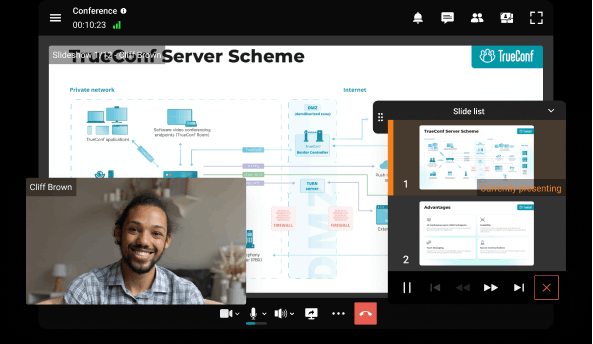
As geographical distribution becomes standard rather than exceptional, group communication apps provide the infrastructure necessary for effective remote collaboration. Video conferencing, screen sharing, and real-time messaging recreate the spontaneous interactions and rapid problem-solving that occur organically in physical offices. The asynchronous nature also accommodates global teams across time zones without requiring synchronized working hours.
- Elevated Transparency and Organizational Alignment
Channel-based communication creates natural visibility into team activities, project progression, and organizational decisions. Leadership gains passive awareness of team dynamics without micromanaging, while employees understand broader context for their contributions. This transparency reduces organizational silos, prevents duplicated efforts, and ensures alignment across departments that would otherwise operate independently.
- Accelerated Problem-Resolution Through Collective Intelligence
When questions or challenges emerge, group communication platforms enable teams to rapidly mobilize collective expertise. Rather than searching for the single expert who might possess the answer, users can pose questions to relevant channels where multiple team members contribute perspectives, experiences, or solutions. This distributed intelligence model accelerates problem-solving while building team capabilities.
- Cost Reduction Across Multiple Dimensions
Modern communication platforms consolidate functions previously requiring separate tools and vendors: instant messaging, video conferencing, file sharing, project management, and workflow automation. This consolidation reduces licensing expenditures, simplifies IT management, and improves integration between components. The reduction in meeting duration, email volume, and miscommunication also generates substantial indirect cost savings.
- Strengthened Security and Compliance
Enterprise-grade communication platforms provide centralized security controls, audit logging, data retention policies, and compliance reporting impossible with consumer tools or fragmented communication methods. Organizations in regulated industries can enforce data governance requirements, demonstrate compliance during audits, and prevent sensitive information from leaking through uncontrolled channels.
Self-Hosted Team Messenger with Video Conferencing
A cutting-edge team collaboration server with personal and group chats, UltraHD video conferences, and advanced AI-powered features — free for up to 1,000 users!
Conclusion
Identifying the optimal group communication platform for 2026 demands careful assessment of organizational imperatives, existing technology investments, and future scalability requirements. Organizations prioritizing absolute security and data sovereignty should thoroughly evaluate self-hosted solutions like TrueConf or Element, accepting elevated technical complexity for complete operational control. Teams already invested in Microsoft 365 or Google Workspace will discover natural integration with Teams or Google Chat, capitalizing on existing authentication, storage, and application ecosystems.
For technology-forward teams requiring extensive customization and integration capabilities, Slack remains the industry benchmark despite premium pricing. Budget-conscious small and medium businesses may find that Flock or Troop Messenger deliver adequate capabilities at fractions of enterprise costs. The emergence of platforms like Element demonstrates growing demand for open standards and vendor independence, particularly among government and security-conscious organizations.
The communication platform landscape will continue rapid evolution – artificial intelligence integration for summarization and automation, enhanced video capabilities for hybrid work models, and deepening workflow integration will define competitive differentiation. Organizations should select platforms offering not merely current feature satisfaction but transparent roadmaps for adapting to emerging workplace requirements. The optimal choice balances immediate functional needs with long-term strategic alignment, recognizing that communication infrastructure profoundly shapes organizational culture and operational efficiency for years following implementation.
FAQ
How do I decide between a cloud-based app like Slack and a self-hosted solution for my organization?
The decision primarily depends on your data sovereignty requirements and internal IT capabilities. If your organization handles highly classified information or operates under strict regulatory compliance, a self-hosted platform like TrueConf ensures all data remains entirely within your private network. Cloud solutions offer easier maintenance but require you to trust a third party with your corporate communications and metadata.
Which group communication app is best suited for hosting large-scale enterprise video conferences?
While many popular messaging tools limit video calls to a few dozen participants, specialized platforms are built for massive organizational broadcasts. TrueConf stands out by supporting UltraHD 4K video conferencing for up to 1,500 simultaneous participants without compromising security or stream quality. This makes it the ideal choice for global town halls, large educational institutions, and multi-branch corporate meetings.
Are there any truly free enterprise communication platforms available for large teams?
Most major collaboration tools restrict their free tiers to small teams or limit message history, making them impractical for growing organizations. However, TrueConf offers a highly competitive zero-cost tier that supports up to 1,000 online users with unrestricted access to core messaging and one-on-one video features. This allows large enterprises to adopt secure, self-hosted communication without incurring immediate per-user licensing expenses.
Can secure, on-premises communication platforms still provide modern AI features like meeting transcription?
Yes, modern self-hosted solutions have evolved to include advanced machine learning capabilities without sacrificing network isolation. TrueConf implements on-premises AI features such as automated transcription, intelligent background replacement, and ambient noise elimination directly on your local servers. This ensures you get consumer-grade productivity boosts while keeping all processed audio and video data strictly within your controlled environment.
How do these modern group communication apps integrate with our existing legacy video hardware and PBX systems?
Many cloud-native apps struggle to connect with older enterprise hardware, but specialized platforms prioritize interoperability with existing infrastructure. TrueConf natively supports standard SIP, H.323, and RTSP protocols, allowing seamless integration with corporate PBX systems and legacy room equipment. This means organizations can upgrade their software collaboration capabilities without having to rip and replace their expensive, existing video conferencing hardware.
What happens to our team’s communication if our internet connection goes down or we are in an air-gapped environment?
Cloud-based platforms become completely inaccessible during internet outages, which can halt business operations for distributed teams. In contrast, a self-hosted solution like TrueConf operates entirely within your local corporate LAN or air-gapped network, ensuring uninterrupted communication regardless of external internet status. This complete independence is a critical advantage for remote industrial sites, defense contractors, and organizations with strict offline security policies.
About the Author
Olga Afonina is a technology writer and industry expert specializing in video conferencing solutions and collaboration software. At TrueConf, she focuses on exploring the latest trends in collaboration technologies and providing businesses with practical insights into effective workplace communication. Drawing on her background in content development and industry research, Olga writes articles and reviews that help readers better understand the benefits of enterprise-grade communication.


Follow us on social networks