
Workplace Messaging App: How to Choose the Right Solution for Your Team in 2026
Workplace messaging apps have moved far beyond simple chat. Today they serve as the central nervous system of team communication, combining instant messaging, file sharing, voice and video calls, integrations with business tools, and administrative controls into a single platform. Choosing the wrong one can fragment workflows, create security gaps, and drain IT budgets.
This guide breaks down what a workplace messaging app actually does, what separates enterprise-grade solutions from consumer tools, and how to evaluate the options that fit your organization’s size, compliance posture, and deployment preferences.
Executive Summary
|
Criteria |
Key Consideration |
|---|---|
|
Deployment model |
Cloud-hosted vs. self-hosted vs. hybrid |
|
Security and compliance |
End-to-end encryption, data residency, audit logs |
|
Video and voice integration |
Built-in calling vs. third-party dependency |
|
Admin and governance |
User management, policy controls, content moderation |
|
Integration ecosystem |
CRM, ERP, helpdesk, SSO, directory services |
|
Scalability |
From small teams to enterprise-wide rollout |
|
TCO |
License cost plus hosting, migration, and support overhead |
|
Best for regulated industries |
TrueConf (self-hosted, no data leaves your perimeter) |
Self-Hosted Team Messenger with Video Conferencing
A cutting-edge team collaboration server with personal and group chats, UltraHD video conferences, and advanced AI-powered features — free for up to 1,000 users!
What Is a Workplace Messaging App?
A workplace messaging app is a business communication platform that lets employees send text messages, share files, make voice and video calls, and collaborate in organized channels or threads, all within a professional environment governed by IT policy.
Unlike consumer messaging tools such as WhatsApp or Telegram, enterprise messaging apps are designed with organizational control in mind. They offer role-based permissions, centralized administration, integration with identity providers, and audit-ready logging.
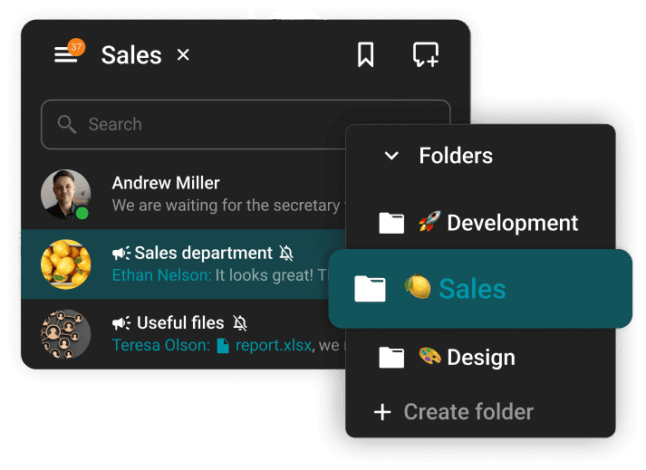
Core capabilities of a mature workplace messaging platform:
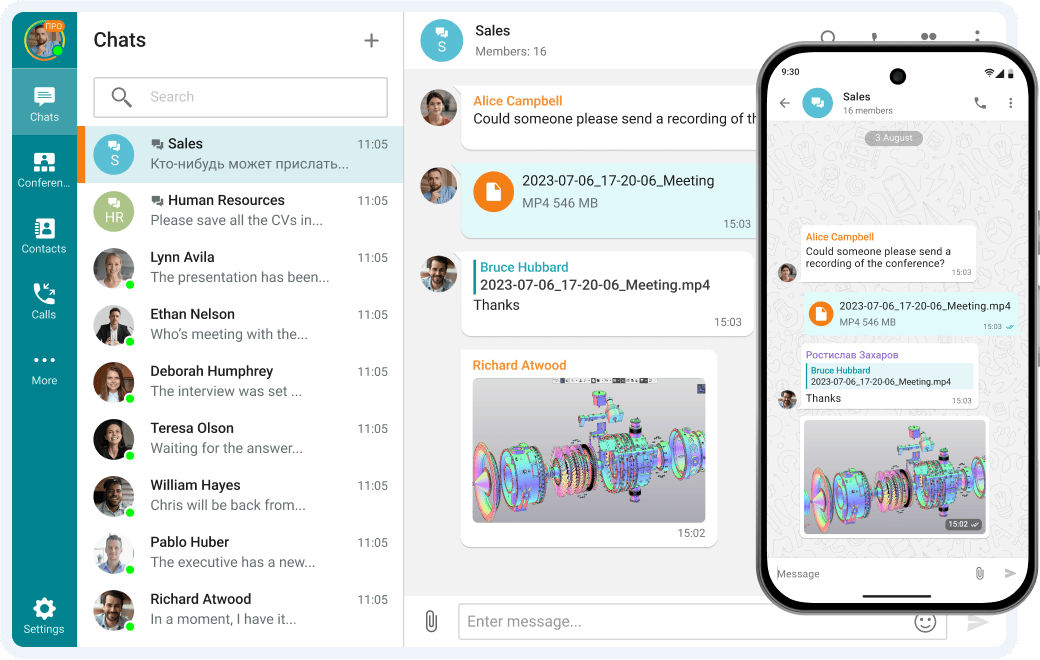
- Direct messaging and group chats
- Persistent channels organized by project, team, or topic
- File and document sharing with version tracking
- Voice calls and video conferencing (built-in or integrated)
- Thread-based conversations to reduce notification noise
- Search across message history
- Mobile apps for iOS and Android
- Admin console for user provisioning, policy management, and monitoring
- API and webhook support for automation
Some platforms focus purely on messaging and rely on integrations for video. Others, like TrueConf, bundle full-featured video conferencing directly into the messaging layer, eliminating the need for a separate meeting tool.
Types of Workplace Messaging Apps
Not all workplace messaging apps are built on the same architecture or business model. Understanding the category differences is the first real filter in your evaluation.
|
Type |
Description |
Best For |
|---|---|---|
|
Cloud SaaS |
Hosted entirely by the vendor, subscription-based |
SMBs, startups, remote-first teams |
|
Self-hosted / on-premise |
Installed on your own servers or private data center |
Regulated industries, government, defense |
|
Private cloud |
Deployed on your cloud infrastructure (AWS, Azure, etc.) |
Enterprises wanting control with cloud flexibility |
|
Hybrid |
Some data on-premise, some in vendor cloud |
Organizations in transition or with mixed compliance needs |
|
Open source |
Customizable codebase, self-hosted or managed |
Tech teams needing deep customization |
Insight 1: Deployment model is not just an IT decision, it is a compliance and legal decision.
Many organizations default to cloud SaaS because it is fast to deploy and requires no infrastructure management. But for organizations in healthcare, finance, legal, defense, or public sector, keeping messages and call recordings inside a controlled perimeter is often a regulatory requirement, not a preference. If your compliance or legal team has ever flagged data residency, GDPR, HIPAA, or sovereign cloud requirements, deployment model becomes your primary filter, not your last consideration.
TrueConf is built specifically for this use case. Its server software can be installed on your own hardware or private cloud, meaning all messages, call data, and user records stay inside your infrastructure. No vendor has access to your communications.
Best Workplace Messaging Apps in 2026: Detailed Ranking
The following ranking evaluates platforms on messaging depth, video integration, security architecture, admin control, deployment flexibility, and enterprise fit. Each entry covers what the platform does well, where it falls short, and who it is actually built for.
1. TrueConf
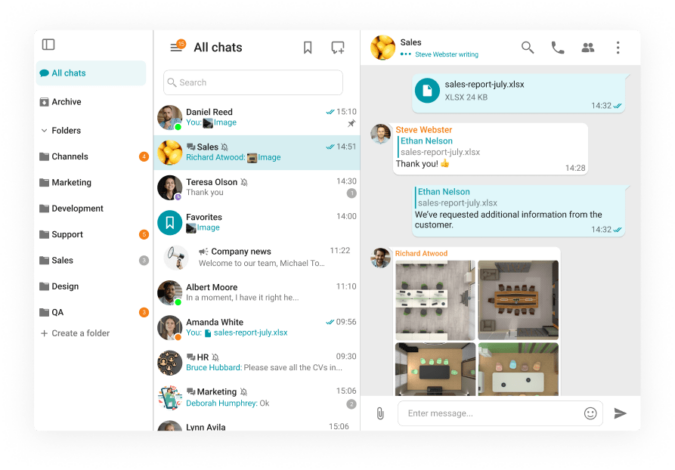
TrueConf occupies a category of its own among workplace messaging apps because it solves two problems simultaneously: it gives teams a capable, channel-based messaging platform and replaces the video conferencing tool entirely, all within infrastructure you own and control. No other major platform in this list offers genuine on-premise deployment with enterprise-grade video at this scale.
What makes TrueConf stand out:
- True self-hosted deployment. TrueConf Server installs on your own Windows Server or Linux hardware, or on a private cloud (AWS, Azure, on-prem VMware). All messages, files, call recordings, and user data stay inside your perimeter. The vendor has no access to your communications.
- Video conferencing built into the core. TrueConf started as a video platform. Its messaging layer was built on top of a mature video engine, not the other way around. Group calls support up to 1500 participants. One-on-one calls, webinars, and scheduled conferences are all native.
- Encryption and data residency. Messages and calls are encrypted in transit and at rest. Because the server is on-premise, data residency is fully under your control, which is directly relevant for GDPR, HIPAA, and national sovereignty requirements.
- Active Directory and LDAP integration. User provisioning, authentication, and group management flow through your existing directory infrastructure. SSO is supported.
- SIP and H.323 interoperability. TrueConf connects with legacy video conferencing room systems and endpoints, which is valuable for enterprises that have existing AV infrastructure.
- Cross-platform clients. Desktop apps for Windows, macOS, and Linux. Mobile apps for iOS and Android. Browser-based access for guests who do not need to install anything.
- Scalable licensing. Unlike per-seat SaaS pricing that compounds at scale, TrueConf’s server licensing model can significantly reduce per-user cost for organizations with hundreds or thousands of users.
Messaging features:
- Persistent group chats and direct messages
- Channel organization by team, project, or topic
- File sharing with inline preview
- Message search across full history
- Threaded replies and reactions
- Notifications with granular control per channel
- Guest access for external participants
Deployment options: On-premise (Windows Server, Linux), private cloud (AWS, Azure, own virtualization), hybrid
Pricing model: Server license (perpetual or subscription) based on concurrent users or total users, not per-seat monthly SaaS
Best for: Government agencies, defense organizations, healthcare systems, financial services firms, enterprises with cross-border data compliance requirements, and any organization that has decided its communication infrastructure should not depend on a vendor’s cloud.
Try TrueConf Server Free!
- 1,000 online users with the ability to chat and make one-on-one video calls.
- 10 PRO users with the ability to participate in group video conferences.
- One SIP/H.323/RTSP connection for interoperability with corporate PBX and SIP/H.323 endpoints.
- One guest connection to invite a non-authenticated user via link to your meetings.

2. Microsoft Teams
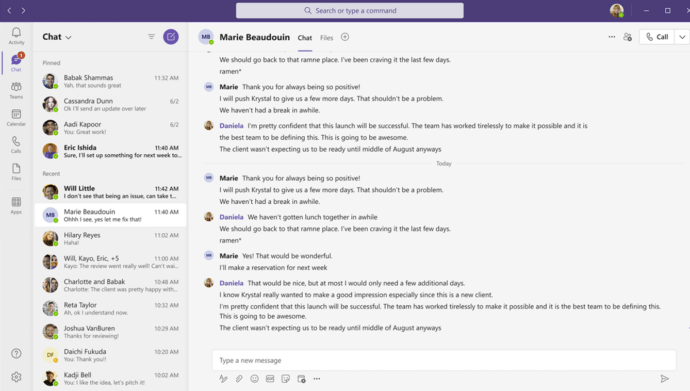
Microsoft Teams is the most widely deployed workplace messaging app in enterprise IT. It integrates deeply with the Microsoft 365 ecosystem, including Outlook, SharePoint, OneDrive, and Azure Active Directory. For organizations already paying for Microsoft 365, Teams is effectively included in the license, which removes pricing friction and accelerates rollout.
Strengths:
- Deep integration with Word, Excel, PowerPoint, and SharePoint makes document collaboration seamless inside chat threads
- Azure AD integration for enterprise-grade identity and access management
- Meeting recordings stored in OneDrive or SharePoint with automatic transcription
- Large app marketplace with hundreds of integrations
- US Government Cloud (GCC and GCC High) for federal compliance requirements
- Channels, tabs, and wikis support complex organizational structures
Limitations:
- Data lives in Microsoft’s cloud. Organizations with strict data sovereignty requirements outside US or EU Microsoft regions face limitations.
- Performance and notification management can become unwieldy in large organizations with many active channels.
- The interface layers messaging on top of a meeting-first product, which creates navigational complexity compared to messaging-native tools.
- No true self-hosted option for commercial customers. GovCloud variants are available for US federal use only.
- Heavy Microsoft 365 dependency means switching costs are significant if your organization ever moves off the Microsoft ecosystem.
Deployment: Cloud only (Microsoft-managed data centers, GCC for US federal)
Best for: Enterprise organizations standardized on Microsoft 365, US federal agencies using GCC, and large companies that prioritize ecosystem consolidation over data portability.
3. Slack
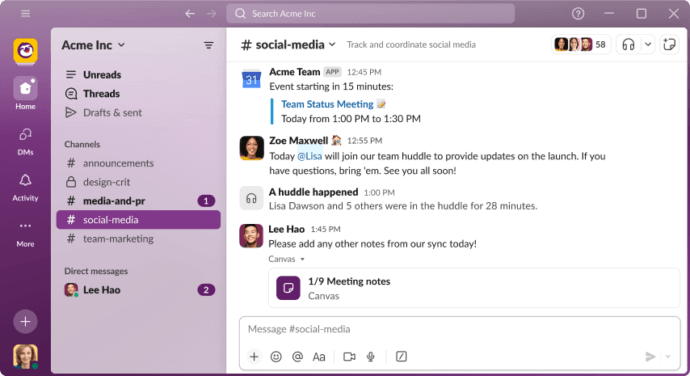
Slack defined the modern workplace messaging category. Its channel-based model, extensive app directory, and polished user experience made it the reference point for what a messaging app should feel like. It remains the strongest choice for engineering and product teams that need tight integration with developer toolchains.
Strengths:
- Largest app and integration marketplace of any messaging platform (2000+ integrations)
- Excellent developer experience with robust API, webhooks, and Slack app framework
- Workflow Builder for no-code automation of repetitive processes
- Strong search across message and file history
- Huddles for lightweight audio calls without scheduling overhead
- Slack Connect for cross-organization channel collaboration with external partners
Limitations:
- Cloud-only. No self-hosted option exists at any tier. All data resides on Slack’s servers.
- Video conferencing is limited. Huddles support basic audio and screenshare but cannot replace a full video meeting tool. Most Slack users also run Zoom or Google Meet separately.
- Pricing escalates quickly. The Pro and Business+ tiers can become expensive for large organizations, especially when combined with the cost of a separate video platform.
- Message history is limited on the free plan, which creates friction for smaller organizations that outgrow free but resist the pricing jump.
- Not viable for organizations with data residency or sovereignty requirements.
Deployment: Cloud only (Slack-managed infrastructure)
Best for: Startups, product and engineering teams, organizations that live in developer tools (GitHub, Jira, PagerDuty), and companies where user experience adoption speed outweighs compliance complexity.
4. Mattermost
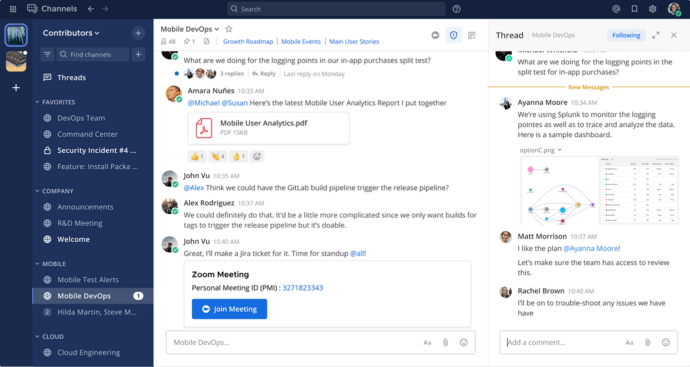
Mattermost is the closest architectural equivalent to TrueConf in terms of deployment philosophy: it can be self-hosted, the source code is open (for the Team Edition), and it gives IT full control over data. Where Mattermost differs from TrueConf is focus. Mattermost is optimized for developer workflows, with deep integrations for CI/CD pipelines, GitHub, GitLab, and Jira. Video conferencing is available only through integrations, not natively.
Strengths:
- Open-source core (Team Edition) with no per-seat licensing at the base tier
- Self-hosted deployment on your own infrastructure
- Strong developer toolchain integrations
- Compliance-ready with audit logging and data retention controls
- Active community and extensive plugin ecosystem
Limitations:
- No native video conferencing. Calls require integrations with third-party tools.
- The interface and out-of-box experience require more configuration than commercial platforms.
- Enterprise features (SSO, advanced permissions, compliance tooling) are behind the paid Enterprise tier.
- Less suited for non-technical teams who need a consumer-friendly experience.
Deployment: Self-hosted (Linux), Mattermost Cloud (managed)
Best for: Engineering teams, DevOps organizations, defense contractors, and companies that want open-source control without paying for a proprietary license.
5. Google Chat
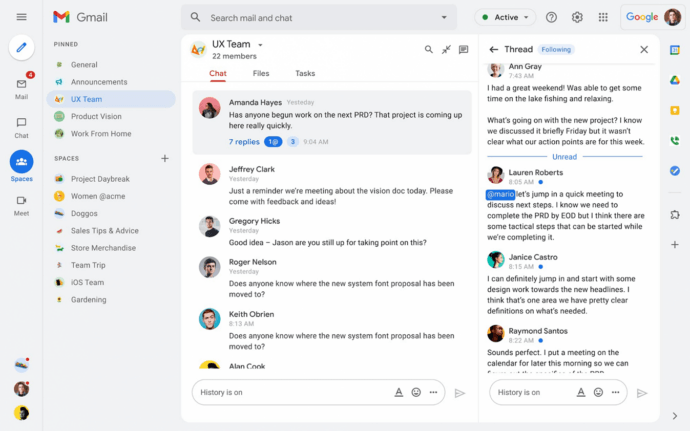
Google Chat is the messaging component of Google Workspace. It provides basic channel-based communication (called Spaces), direct messaging, and native integration with Google Meet for video calls. For teams already living in Gmail, Google Docs, and Google Calendar, Chat reduces context switching without requiring a separate tool.
Strengths:
- Included in Google Workspace subscriptions at no additional cost
- Tight integration with Google Meet, Docs, Drive, and Calendar
- Simple, clean interface with low learning curve
- Good mobile experience on Android
Limitations:
- Feature depth is significantly below Teams, Slack, or TrueConf. Threading, notification controls, and channel management are basic.
- No self-hosted option. All data resides in Google’s infrastructure.
- Limited app integration ecosystem compared to Slack or Teams.
- Not a strong standalone choice for organizations not already committed to Google Workspace.
Deployment: Cloud only (Google-managed)
Best for: Google Workspace organizations looking for a lightweight internal messaging tool without adding a separate platform.
6. Cisco Webex Messaging
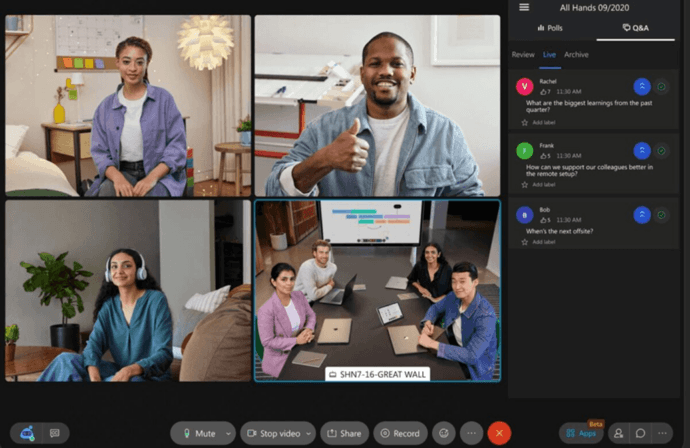
Cisco Webex is a mature unified communications platform that includes messaging, calling, and meetings. It has a long enterprise pedigree, particularly in organizations that run Cisco networking and room conferencing hardware. Webex offers some on-premise options through Webex Calling and Webex Meetings on-premise, making it one of the few commercial platforms with partial self-hosted capabilities.
Strengths:
- Strong integration with Cisco hardware room systems
- Built-in calling and meeting features
- Enterprise-grade security and compliance certifications
- On-premise options available for specific deployment scenarios
- AI features for transcription, noise removal, and meeting summaries
Limitations:
- Pricing is high relative to comparable platforms.
- The interface has improved but remains less intuitive than Slack or Teams for messaging-first workflows.
- On-premise deployment is more complex to manage than TrueConf’s server model.
- Market share and developer community are smaller than Microsoft or Slack ecosystems.
Deployment: Cloud (Webex-managed), partial on-premise via Webex hybrid architecture
Best for: Large enterprises already invested in Cisco networking and AV infrastructure, organizations that need integrated calling with PSTN connectivity.
7. Rocket.Chat
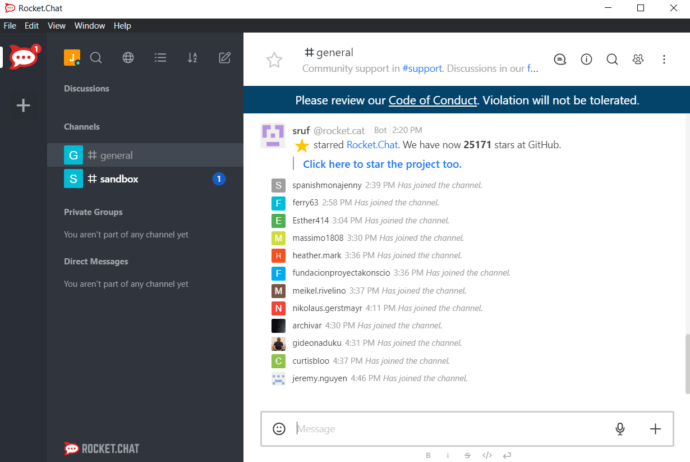
Rocket.Chat is an open-source messaging platform with a self-hosted deployment option, making it relevant for organizations that want control over their data without a proprietary license. It is feature-rich for an open-source tool and supports audio and video calls through integrations. Its main advantage over Mattermost is a broader set of built-in channel types and a more consumer-friendly interface.
Strengths:
- Open-source with full self-hosting capability
- Broad integration support via marketplace and API
- Guest and omnichannel features for external communication
- Active development community and plugin ecosystem
Limitations:
- Video conferencing requires third-party integration (Jitsi, BigBlueButton).
- Enterprise support and SLA guarantees require a paid plan.
- UI consistency and admin tooling are less polished than commercial platforms.
- Smaller enterprise customer base means fewer reference implementations for regulated industries.
Deployment: Self-hosted (Linux, Docker), Rocket.Chat Cloud (managed)
Best for: Tech teams, non-profits, and organizations that need open-source software with a strong community and custom deployment flexibility.
Quick Comparison: All Seven Platforms
|
Platform |
Self-Hosted |
Native Video |
Open Source |
Best Deployment For |
|---|---|---|---|---|
|
TrueConf |
Yes |
Yes (1500 participants) |
No |
Regulated industries, government, enterprise |
|
Microsoft Teams |
No |
Yes |
No |
Microsoft 365 organizations |
|
Slack |
No |
Limited (Huddles) |
No |
Tech teams, startups |
|
Mattermost |
Yes |
No (integration only) |
Yes (core) |
Developer and DevOps teams |
|
Google Chat |
No |
Via Google Meet |
No |
Google Workspace organizations |
|
Cisco Webex |
Partial |
Yes |
No |
Cisco infrastructure enterprises |
|
Rocket.Chat |
Yes |
No (integration only) |
Yes |
Custom-deployment tech teams |
The key differentiator for TrueConf in this ranking is the combination of genuine self-hosted deployment and native enterprise video conferencing in a single platform. No other option in this list delivers both without requiring a third-party tool for one of the two functions.
Key Features to Evaluate in a Workplace Messaging App
1. Messaging and Collaboration Features
The foundation of any workplace messaging app is the quality of its messaging layer. Look for:
- Threaded replies to keep conversations organized
- Reactions and emoji to reduce low-value reply messages
- Pinned messages and bookmarks for important content
- Mentions and notifications with granular control
- Message editing and deletion with admin audit trail
- Rich text formatting for structured communication
- Guest access for external collaborators with limited permissions
2. Video and Voice Calling
The line between messaging and meetings is blurring. Many teams expect to escalate a chat thread to a video call in one click.
- Does the platform have native video calling, or does it depend on Zoom, Teams, or Google Meet?
- What is the maximum participant count for group video calls?
- Is there support for screen sharing, whiteboard, and recording?
- Can calls be conducted without the browser, using a dedicated desktop app?
TrueConf stands out here because video conferencing is not a bolt-on. The platform was built as a video conferencing system first, and messaging was integrated natively. This means TrueConf supports high-quality group video calls with up to 1500 participants in a single conference, along with screen sharing, recording, and a full suite of collaboration tools, all within the same platform as everyday messaging.
UltraHD Video Conferences
Create conferences on the fly gathering up to 2,000 participants in a meeting. Enjoy realistic communications with cutting-edge AI algorithms. Take an active part in online meetings without being distracted by taking notes! Record video conferences and share recordings with colleagues.

3. Security and Compliance Controls
|
Security Feature |
Why It Matters |
|---|---|
|
End-to-end encryption |
Prevents interception of messages in transit and at rest |
|
Data residency control |
Keeps data in a specific geographic or legal jurisdiction |
|
Single Sign-On (SSO) |
Centralized identity management via LDAP, Active Directory, SAML |
|
Multi-factor authentication |
Reduces account compromise risk |
|
Role-based access control |
Limits who can see what channels and data |
|
Audit logging |
Provides forensic trail for compliance investigations |
|
Message retention policies |
Automates deletion or archiving per legal requirements |
|
Guest and external user isolation |
Prevents accidental data exposure to non-employees |
Self-hosted platforms like TrueConf give IT teams full control over all of these layers because there is no shared infrastructure. Cloud platforms vary widely in their compliance certifications and their ability to meet custom data residency requirements.
4. Admin and Governance Capabilities
Enterprise IT teams need centralized control. Evaluate:
- User provisioning and deprovisioning (especially via SCIM or directory sync)
- Channel and group policy management
- Content moderation and message moderation tools
- Mobile device management (MDM) compatibility
- Analytics and usage dashboards
- Integration with help desk for support workflows
5. Integration Ecosystem
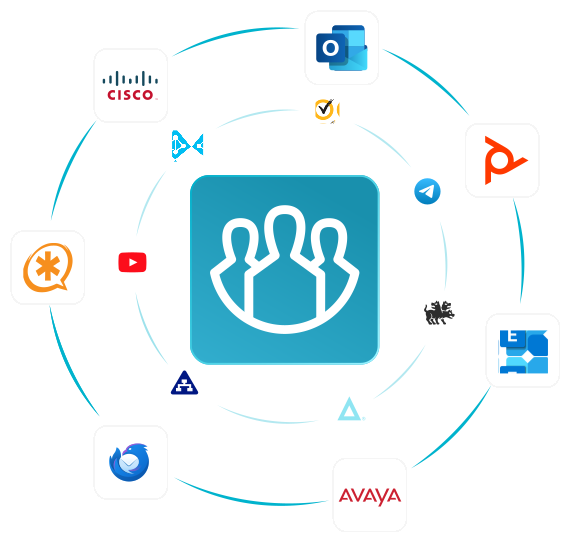
A workplace messaging app that does not connect to your existing tools will get bypassed. Key integrations to check:
- Microsoft 365 or Google Workspace (calendar, documents)
- CRM systems (Salesforce, HubSpot)
- Project management (Jira, Asana, Monday.com)
- Helpdesk platforms (Zendesk, Freshdesk)
- CI/CD pipelines for engineering teams
- Custom webhooks and REST API
Insight 2: Most “enterprise” SaaS messaging platforms do not offer true self-hosting, which creates a structural dependency on the vendor’s infrastructure.
Slack, for example, is a cloud-only product. All data, including message history, files, and call logs, resides on Slack’s servers. For organizations that need to own their data, this is a hard blocker, regardless of how good the user experience is. Platforms like TrueConf and Mattermost are exceptions that offer genuine self-hosted deployment, but only TrueConf combines that with enterprise-grade integrated video conferencing at scale.
How to Evaluate and Select a Workplace Messaging App
A structured selection process reduces the risk of choosing a tool that works for IT but not for end users, or one that satisfies users but fails compliance review.
- Define your non-negotiable requirements first. Data residency, compliance certifications, SSO support, and minimum video capacity are binary. Filter on these before evaluating features.
- Map your integration dependencies. List the tools your teams use daily and verify which messaging platforms have native integrations versus requiring third-party connectors.
- Run a pilot with real users. Select one team with diverse roles (manager, IC, remote, in-office) and run a 30-day pilot. Collect structured feedback on daily workflows.
- Stress-test admin and governance. IT admins should walk through user provisioning, policy enforcement, audit log export, and incident response scenarios before committing.
- Calculate total cost of ownership. Per-seat license cost is only one component. Add hosting costs, IT admin time, migration effort, training, and integration development.
- Evaluate vendor stability and roadmap. For a tool that will become central infrastructure, vendor longevity and support quality matter as much as features.
Insight 3: The teams that regret their messaging app choice most often are those that optimized for launch speed instead of operational fit.
Rolling out a tool in two weeks feels like a win. But if the governance controls are too weak for compliance, or the video quality degrades at scale, or the admin tooling cannot support rapid user onboarding, the real cost shows up six to twelve months later during an audit or a scaling push. Investing two to four weeks in a proper evaluation, including a self-hosted pilot for TrueConf or an equivalent platform, is significantly cheaper than a forced migration.
Workplace Messaging App Selection Criteria by Organization Type
|
Organization Type |
Priority Criteria |
Recommended Approach |
|---|---|---|
|
Startup (under 50 people) |
Speed, cost, ease of use |
Cloud SaaS (Slack, Google Chat) |
|
Mid-market (50-500 people) |
Integrations, admin controls, video quality |
Cloud with strong admin features (Teams, TrueConf Cloud) |
|
Large enterprise (500+ people) |
Governance, SSO, compliance, scalability |
Enterprise SaaS or self-hosted (Teams, TrueConf Server) |
|
Regulated industry |
Data residency, encryption, audit logs |
Self-hosted or private cloud (TrueConf, Mattermost) |
|
Government / defense |
Sovereignty, on-premise, certified security |
On-premise only (TrueConf, approved national platforms) |
|
Developer or DevOps teams |
API access, GitHub/Jira integrations, customization |
Mattermost, Slack, or TrueConf with webhook integration |
Conclusion: Choosing Messaging Infrastructure That Scales With Your Needs
Selecting a workplace messaging app in 2026 is no longer about finding the tool with the most features or the smoothest onboarding. It is about choosing a communication architecture that aligns with your organization’s compliance obligations, operational model, and long-term strategic goals. The market has matured to a point where the core question is not “Which app do our employees prefer?” but “Which platform gives us control, security, and scalability without sacrificing usability?”
For many organizations, cloud SaaS platforms like Slack, Microsoft Teams, or Google Chat remain the right choice. They deliver rapid deployment, extensive integrations, and predictable per-user pricing that works well for startups, remote-first teams, and companies without strict data residency requirements. However, as regulatory frameworks tighten and data sovereignty becomes a board-level concern, the limitations of third-party cloud dependency grow more apparent. For regulated industries, government agencies, and enterprises managing sensitive communications, self-hosted or private cloud deployment is not a niche preference. It is a structural requirement.
Key takeaway: Deployment model is your first filter, not your last.
Before evaluating features, integrations, or user experience, determine whether your organization can legally and operationally place communication data on a vendor’s cloud infrastructure. If the answer is no, your evaluation set immediately narrows to self-hosted or private cloud options. TrueConf occupies a distinctive position in this segment by combining genuine on-premise deployment with enterprise-grade video conferencing in a single platform. This eliminates the operational friction of managing separate messaging and video tools while keeping all data within your controlled perimeter.
The most resilient communication strategies in 2026 are built on deliberate architectural choices. Start with compliance and data residency requirements. Map your integration dependencies and scalability needs. Model total cost of ownership over three to five years, not monthly subscription rates. Pilot your shortlist with real users and stress-test admin tooling before committing. Organizations that treat messaging infrastructure as a strategic asset rather than a commodity purchase will avoid costly vendor lock-in, compliance gaps, and post-deployment re-architecture.
In the end, the “right” workplace messaging app is the one that satisfies your non-negotiable requirements first, delivers a usable experience for your teams second, and scales predictably as your organization grows. Convenience and control are not mutually exclusive, but they do require intentional trade-offs. The platforms that endure are those chosen with clarity about what your organization cannot compromise on.
FAQ
What is the difference between a workplace messaging app and a team collaboration platform?
The terms are often used interchangeably, but technically a workplace messaging app focuses on real-time chat and asynchronous messaging. A team collaboration platform extends this with task management, shared documents, wikis, and workflow automation. Most modern platforms blend both. TrueConf combines messaging and video conferencing into one platform, covering the core of both categories without requiring separate tools.
Read more about TrueConf’s business chat for teams — persistent messaging, channels, and file sharing combined with built-in video calls.
Can a workplace messaging app replace email?
For internal communication, many teams significantly reduce email volume by using a messaging app for real-time conversations and project-specific channels. However, email remains important for formal communication, external correspondence, and legal documentation. TrueConf can reduce reliance on email for internal coordination, but it is best understood as a complement to email rather than a replacement.
What should regulated industries look for in a workplace messaging app?
Regulated industries should prioritize data residency control, end-to-end encryption, audit logging, role-based access control, and compliance certifications relevant to their sector (HIPAA, ISO 27001, GDPR, FIPS, etc.). TrueConf is specifically designed for this requirement because its self-hosted deployment means all data stays within the organization’s controlled infrastructure, with no dependency on vendor cloud servers.
How does TrueConf differ from Slack or Microsoft Teams?
The most significant difference is deployment model and video integration. Slack is cloud-only and has no native enterprise video conferencing. Microsoft Teams requires Microsoft 365 and stores data in Microsoft’s cloud. TrueConf can be deployed fully on-premise, keeps all data inside your infrastructure, and includes enterprise-grade video conferencing (up to 1500 participants) as a native feature rather than a third-party integration. For organizations with data sovereignty requirements, TrueConf is architecturally different from either alternative.
What is the typical cost of a workplace messaging app for an enterprise?
Pricing varies significantly by model. Cloud SaaS platforms typically charge between $6 and $30 per user per month depending on the tier and features. Self-hosted platforms like TrueConf involve an upfront or annual server license cost plus your own hosting infrastructure, which often results in lower per-user cost at scale and eliminates ongoing per-seat fees. For organizations with 200 or more users, self-hosted solutions frequently offer better total cost of ownership over a three to five year horizon.
How difficult is it to migrate from one messaging app to another?
Migration complexity depends on how deeply the old platform is embedded in workflows and integrations. Message history export is often limited by the source platform’s API. The main migration challenges are retraining users, rebuilding integrations, and re-establishing channel structures. TrueConf’s self-hosted model means your data is always in your control, which simplifies any future migration compared to cloud platforms that restrict data portability.
Does a workplace messaging app need to support video conferencing natively?
Not necessarily, but native integration reduces friction and the number of vendor relationships you manage. Teams that rely on a separate tool for video (for example, using Slack for messaging and Zoom for video) face context switching, duplicate notifications, and added licensing cost. TrueConf eliminates this tradeoff by providing both messaging and full-featured video conferencing in a single platform, which is particularly valuable for organizations that do not want to manage multiple communication vendors.
About the Author
Olga Afonina is a technology writer and industry expert specializing in video conferencing solutions and collaboration software. At TrueConf, she focuses on exploring the latest trends in collaboration technologies and providing businesses with practical insights into effective workplace communication. Drawing on her background in content development and industry research, Olga writes articles and reviews that help readers better understand the benefits of enterprise-grade communication.


Follow us on social networks