
Skype for Business End of Life: What It Means for Businesses and What Comes Next
The retirement of Skype for Business marks a pivotal moment in the trajectory of enterprise communication systems. For over ten years, this platform was a cornerstone for organizational messaging, enterprise telephony, and virtual meetings across businesses of all sizes. As Skype for Business reaches its end of life, its integration has become deeply woven into everyday workflows, meeting room setups, and the architecture of corporate IT environments worldwide.
As support for the platform winds down, organizations confront an inescapable truth: legacy communication infrastructure can no longer adequately address the demands of contemporary collaboration. Companies must now evaluate not merely which solution to adopt as a successor, but also how their broader communication strategy aligns with evolving security mandates, hybrid work paradigms, and long-term digital transformation initiatives.
|
Product |
Status |
|---|---|
|
Skype for Business Online |
Retired on July 31, 2021 |
|
Skype for Business Server 2015 |
Support ended on October 14, 2025 |
|
Skype for Business Server 2019 |
Support ended on October 14, 2025 |
|
Skype for Business Server Subscription Edition |
Released July 1, 2025 and currently supported |
|
Skype for Business 2016/2019 clients |
Support ended on October 14, 2025 |
Grasping the full implications of Skype for Business reaching end of life, and understanding the viable pathways forward, is critical to preventing security exposures, operational interruptions, regulatory non-compliance, and hasty migrations executed without strategic foresight.
Understanding Skype for Business and the Rationale Behind Its Retirement
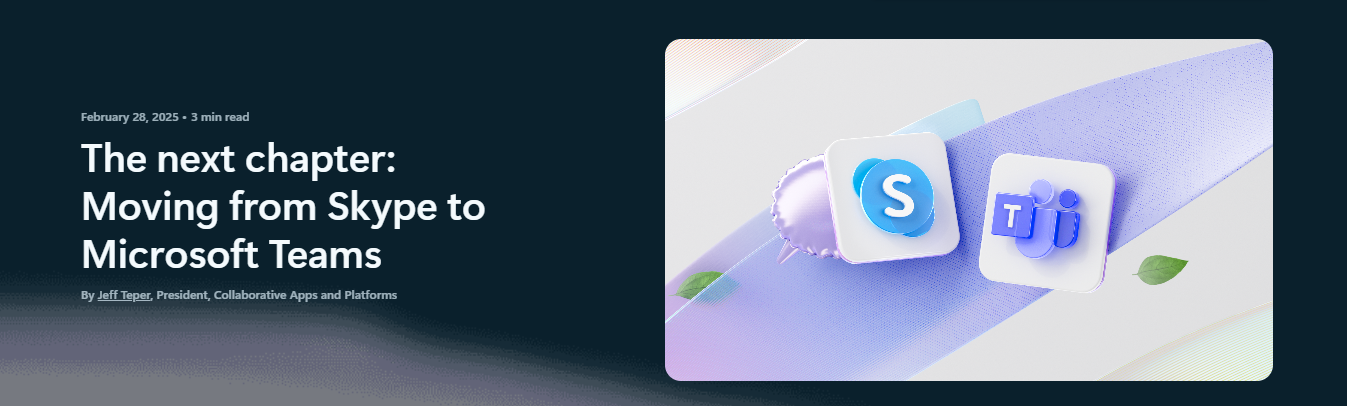
Skype for Business stood as Microsoft’s enterprise-focused unified communications offering, engineered to unify instant messaging, presence visibility, voice communications, and video conferencing within a single, administratively controlled environment. It achieved broad enterprise adoption among organizations requiring more robust governance, tighter directory synchronization, and elevated security protocols than those available through the consumer-oriented Skype application.
The solution existed in two principal deployment models:
- Skype for Business Online, a cloud-hosted service delivered as a component of Office 365 subscriptions
- Skype for Business Server, an on-premises implementation installed, operated, and secured entirely within an organization’s private infrastructure
Skype for Business Online attracted companies seeking swift deployment, elastic scalability, and minimized infrastructure management responsibilities. Conversely, Skype for Business Server appealed to enterprises with stringent security postures, regulatory obligations, or data sovereignty requirements, particularly those functioning in isolated networks or heavily regulated sectors.
Microsoft’s strategic decision to sunset Skype for Business stemmed from a deliberate consolidation of its collaboration portfolio. Maintaining parallel communication platforms created development inefficiencies and impeded the pace of innovation.
To unify its ecosystem and accelerate the delivery of advanced capabilities, Microsoft elected to channel its investment into a singular, cloud-centric platform designed not only to supersede Skype for Business but also to expand its functional scope significantly.
Skype for Business End of Life Timeline and Key Dates

A defining moment in this transition occurred with the official retirement of Skype for Business Online, which ceased all service delivery and technical support in July 2021. From that point forward, the cloud-hosted variant became unavailable for use, compelling organizations to transition users to alternative communication environments.
Skype for Business Server remains accessible for on-premises installations but operates under a predetermined product lifecycle with explicit end-of-support dates on the horizon. As the platform moves beyond mainstream support into extended maintenance phases, and eventually toward complete discontinuation, organizations encounter mounting technical and operational exposure.
End of life extends far beyond mere obsolescence. In tangible terms, it entails:
- Cessation of security patches and remediation for newly identified vulnerabilities
- Absence of functional improvements or new feature development
- Gradual withdrawal of vendor assistance and troubleshooting resources
- Escalating difficulties in satisfying audit requirements, certification standards, and regulatory compliance obligations
For entities operating within regulated industries or handling sensitive information, continued reliance on an end-of-life platform rapidly transforms from a temporary measure into a substantial organizational risk.
How Skype for Business End of Life Impacts Businesses
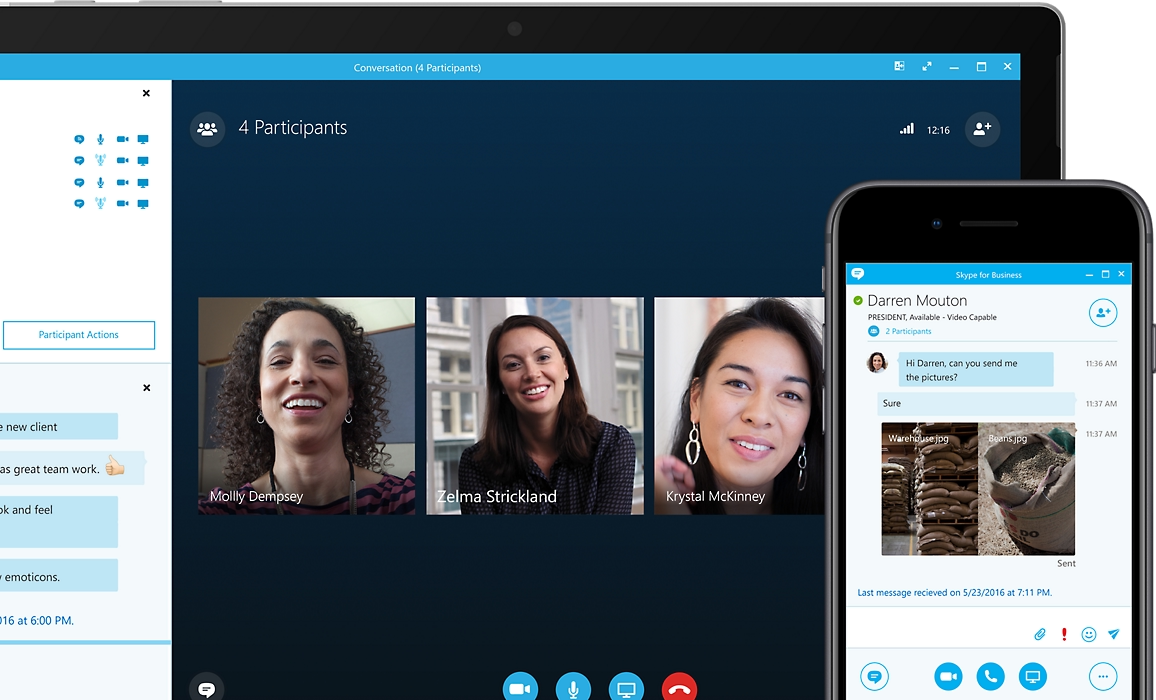
Security, Compliance, and Data Protection Risks
Following the termination of official support, security flaws discovered in the platform remain unaddressed. This creates expanding attack surfaces vulnerable to cyber intrusions, data exfiltration, and service instability. For businesses bound by regulatory frameworks such as HIPAA, GDPR, or PCI-DSS, operating unsupported software may constitute a direct violation of mandated security controls.
Limited Functionality and Lack of Innovation
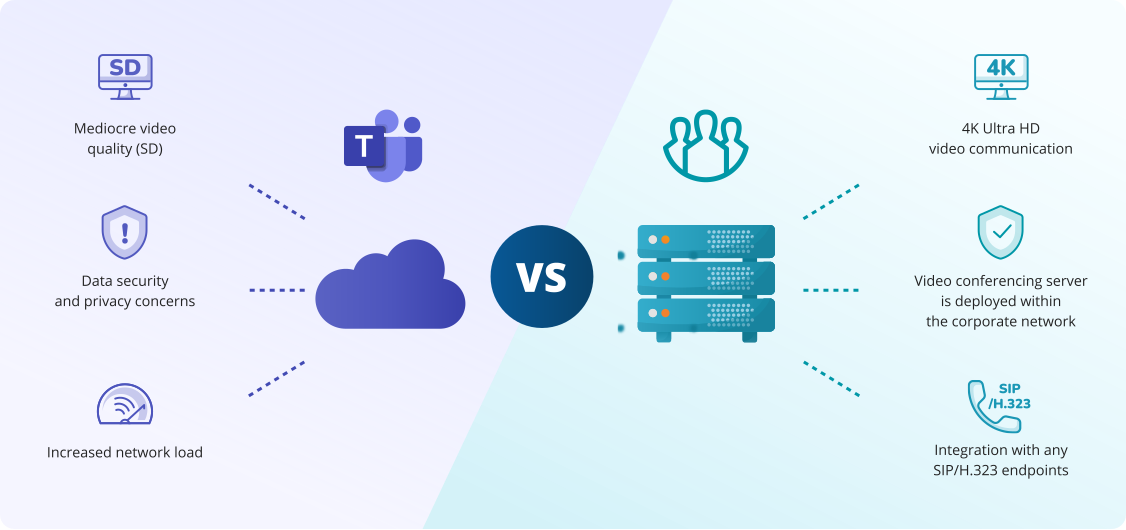
Skype for Business no longer evolves to reflect contemporary collaboration expectations. Advancements including superior video resolution, AI-enhanced meeting assistants, real-time transcription, immersive meeting experiences, and frictionless cross-device continuity are absent, leaving organizations technologically behind more agile competitors.
Increased Operational and IT Support Costs
Sustaining legacy infrastructure frequently demands custom scripting, manual intervention, and specialized internal expertise that becomes increasingly scarce over time. These concealed operational expenses accumulate progressively while the platform itself delivers diminishing functional returns and user satisfaction.
User Experience and Collaboration Challenges
Modern employees anticipate intuitive, flexible communication tools that function seamlessly across devices and locations. Aging interfaces, constrained mobile functionality, and declining reliability undermine user adoption, hinder productivity, and disrupt collaboration, particularly among geographically distributed or hybrid teams.
Strategic Preparation for the Skype for Business Transition
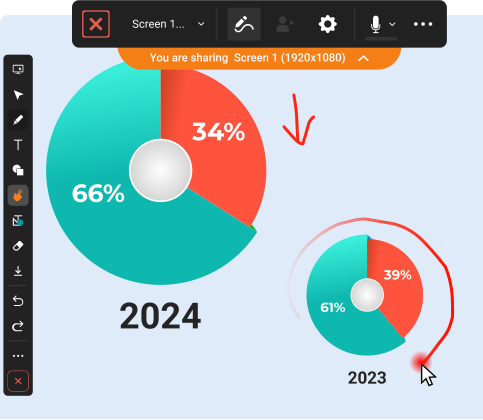
Conducting a Comprehensive Communication Infrastructure Audit
Effective transition planning commences with a detailed evaluation of current Skype for Business utilization patterns. This assessment should encompass meeting formats and frequency, voice and PSTN connectivity requirements, external federation scenarios, integration points with business applications, and adoption metrics across departments, roles, and geographic locations.
Establishing Clear Criteria for a Successor Platform
A contemporary replacement solution should fulfill a comprehensive spectrum of enterprise collaboration requirements:
- Video conferencing and virtual meetings: High-fidelity video support for large-scale meetings, webinars, and integrated conference room systems
- Messaging and telephony: Persistent chat histories, presence awareness, enterprise-grade voice calling, and optional PSTN connectivity options
- Business system interoperability: Seamless integration with directory services (Active Directory, LDAP), calendar platforms, identity providers, and productivity suites
- Deployment flexibility: Options spanning public cloud, private cloud, and on-premises models to satisfy data residency, latency, sovereignty, and compliance mandates
- Security and regulatory alignment: End-to-end encryption, granular permission frameworks, comprehensive auditing capabilities, and certification against industry standards
Minimizing Business Disruption During Platform Migration
Successful migrations employ phased implementation strategies featuring pilot deployments, department-by-department rollouts, and transparent communication with end users. This methodical approach reduces operational downtime and mitigates resistance to organizational change.
Leveraging Migration as a Catalyst for Collaboration Modernization
Rather than viewing platform replacement as a forced technical upgrade, organizations can seize the opportunity to redesign workflows, elevate user experience standards, and build infrastructure capable of supporting evolving hybrid and remote work models.
Skype for Business Replacement Options
Migrating to Microsoft Teams
Microsoft Teams has emerged as the predominant migration destination for organizations deeply embedded within the Microsoft 365 ecosystem. It converges persistent chat, video meetings, document collaboration, and third-party application integrations within a unified interface.
Nevertheless, Teams operates primarily as a cloud-native service. This introduces significant considerations regarding subscription licensing structures, long-term dependency on external cloud infrastructure, data residency constraints, and diminished administrative control over communication infrastructure, particularly challenging for organizations with rigorous security postures or regulatory obligations.
Hybrid and Phased Migration Scenarios
Numerous enterprises adopt measured transition approaches that may involve:
- Operating legacy and successor platforms concurrently during a defined overlap period
- Migrating user groups or business units incrementally based on readiness and criticality
- Maintaining Skype for Business Server infrastructure while progressively shifting workloads to the new environment
While this methodology reduces immediate risk, it demands meticulous planning, robust integration mechanisms, and disciplined governance to prevent prolonged platform fragmentation.
Alternative Enterprise Communication Platforms
Cloud-exclusive platforms do not satisfy every organizational requirement. Entities within government, defense, healthcare, financial services, and large-scale enterprises frequently necessitate:
- On-premises or private cloud deployment capabilities
- Complete administrative authority over data flows, signaling paths, and media transmission
- Customizable security architectures and compliance configurations aligned with sector-specific mandates
Migrating from Skype for Business? Explore free Skype alternatives with better features and no licensing costs.
Why TrueConf Server Is a Strong Alternative to Skype for Business?
For organizations prioritizing infrastructure sovereignty, stringent security controls, and professional-grade video conferencing capabilities, TrueConf presents a robust alternative to Skype for Business.
Key Reasons Organizations Choose TrueConf
- On-premises and private cloud deployment models: TrueConf Server installs entirely within an organization’s controlled infrastructure, guaranteeing adherence to strict data residency mandates and internal security policies
- Complete data and infrastructure ownership: Organizations maintain full authority over their communication environment without dependence on third-party public cloud providers
- Scalable high-definition video conferencing: TrueConf Server supports large multipoint conferences, ultra-high-definition video streams, and consistent performance even within bandwidth-constrained or complex network topologies
TrueConf Server Features for Replacing Skype for Business
TrueConf Server delivers a comprehensive feature set including:
- Multipoint video conferencing with advanced layout controls and content sharing
- Enterprise messaging with persistent group and individual chats
- Integrated voice calling with optional PSTN gateway connectivity
- Federation capabilities enabling interoperability with existing communication systems
- Native integration with corporate directories and identity management frameworks
Security and Compliance Advantages of TrueConf Server
- Data sovereignty assurance: All communication content — messages, meeting recordings, shared files — remains exclusively within organizational infrastructure boundaries
- Enterprise-grade cryptographic protection: End-to-end encryption secures signaling and media channels for meetings, calls, and messaging exchanges
- Regulatory compliance readiness: TrueConf supports deployments within security-sensitive environments and regulated sectors requiring auditable communication trails and strict access controls
Empower your video conferencing experience with TrueConf!
FAQ
Is Skype for Business still safe to use?
Continued operation of unsupported software progressively increases exposure to unpatched vulnerabilities and regulatory non-compliance, making it an increasingly untenable risk posture.
Do I have to move to Microsoft Teams?
No, while Teams represents Microsoft’s designated successor, organizations retain full autonomy to select alternative platforms, particularly those requiring on-premises infrastructure control or specialized compliance capabilities.
Can I keep my communication infrastructure on-premises?
Absolutely, solutions such as TrueConf are purpose-built for on-premises and private cloud deployments, enabling organizations to retain complete infrastructure sovereignty while accessing modern collaboration capabilities.
How long does a typical migration take?
Migration duration varies considerably based on organizational size, user count, integration complexity, and change management approach, typically ranging from several weeks for small deployments to six to twelve months for large, complex enterprises.
About the Author
Diana Shtapova is a product specialist and technology writer with three years of experience in the unified communications industry. At TrueConf, she leverages her deep product expertise to create clear and practical content on video conferencing platforms, collaboration tools, and enterprise communication solutions. With a strong background in product research and user-focused content development, Diana helps professionals and businesses understand core product features, adopt new technologies, and unlock the full potential of modern collaboration software.


Follow us on social networks