
Top Video Conferencing Platforms for a 1000 Participants Meeting
A thousand-participant session isn’t a meeting scaled up, it’s live production under fire — a 1,000 participants meeting is closer to a broadcast control room than a conference call. Breach the 250-attendee threshold, and dynamics fracture: improvisation becomes liability. Survival demands orchestrated governance, surgical speaking permissions and audio chaos protocols.
Your platform must weather peak-load crucibles: simultaneous global logins across unstable mobile networks, legacy devices, and bandwidth-starved regions. Stability at the exact moment of mass connection isn’t a feature; it’s the difference between credibility and catastrophe.
This reality makes event format the critical first decision, not vendor selection. Consider these structural imperatives:
- Enterprise All-Hands: Require tiered role architecture with permission lockdowns for hosts, co-hosts, presenters, and attendees
- Executive Town Halls: Live or die by real-time question clustering and sentiment-aware moderation to prevent chat avalanches
- Broadcast Webinars: Function as controlled one-to-many experiences with presenter isolation protocols and failover streams
- Hybrid Command Centers: Demand unified room/remote audio processing to eliminate the “I can’t hear the back row” chaos
Only after locking this blueprint does platform evaluation gain meaning. Rigorously assess:
- True capacity: Actual concurrent streams (not marketing numbers) in your required format, meeting versus webinar versus broadcast mode
- Role granularity: Can you mute 90 attendees while enabling 10 presenters? Restrict screen-sharing to three designated speakers?
- Moderation velocity: One-click lobby lockdowns, AI-powered toxic chat filtering, and emergency participant ejection capabilities
- Compliance as armor: Geo-fenced data routing, SOC 2-certified recording storage, and legally defensible audit trails, not checkbox compliance
- Workflow physics: Seamless handoffs from calendar invites to pre-briefing channels to post-event follow-up systems
The platforms solving these challenges operate through fundamentally different architectures. Entry-tier tools prioritize universal accessibility but lack governance depth. Enterprise systems enforce military-grade control at the cost of complexity.
Top Entry-Level Tools
TrueConf Server
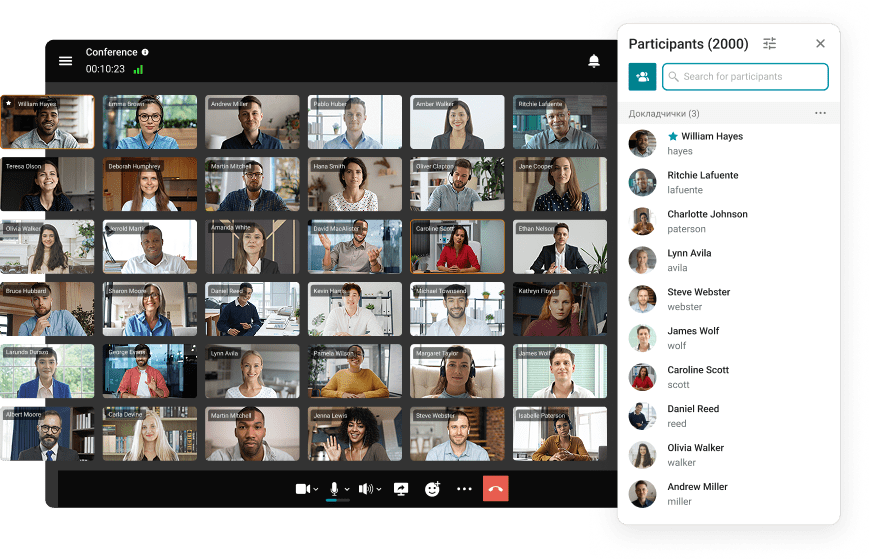
TrueConf Server adopts a fundamentally distinct methodology compared to cloud-centric platforms, and for many institutions, this distinction constitutes its primary value. Rather than entrusting infrastructure and data to external entities, TrueConf Server operates on-premises, granting direct authority over communication hosting, security protocols, and governance frameworks. This approach proves particularly valuable for large-scale meetings in sectors where compliance mandates, data residency regulations, and security policies are stringent, from corporate environments to governmental and heavily regulated industries.
Regarding capacity, TrueConf engineers specifically for substantial gatherings, supporting conferences with up to 1,500 participants and webinar scenarios accommodating 2,000 attendees. Achieving this scale requires meticulous deployment planning, including infrastructure sizing, network optimization, and well-defined moderation procedures.
Zoom Workplace
Zoom Workplace frequently emerges as the instinctive selection for virtual meetings, a reputation earned through universal recognition, seamless adoption curves, and frictionless attendee entry. For thousand-participant sessions, Zoom performs effectively when leveraging webinar-style configurations that restrict speaking privileges and enhance host control over audience dynamics. Its extensive integration ecosystem and cross-device compatibility provide critical advantages when participants join via heterogeneous hardware, from personal smartphones to corporate boardroom systems.
Regarding scalability, Zoom’s Large Meeting enhancement extends capacity to 500, 1,000, 3,000, or 5,000 participants based on organizational licensing. The inherent trade-off involves genuinely massive events typically requiring supplementary webinar/event capabilities, with costs accumulating rapidly as advanced production features are incorporated.
Google Meet
Google Meet excels where workflow simplicity is paramount. For institutions deeply embedded in Google Workspace, Meet integrates invisibly into daily operations: sessions materialize in Calendar, browser-based joining requires zero downloads, and post-meeting collaboration flows naturally into Gmail and Drive. Its strength shines in authenticated internal gatherings where streaming options are activated.
Participant thresholds vary by plan: Google Workspace Enterprise Plus supports up to 1,000 attendees per session, while Enterprise Standard accommodates 500. However, Meet lacks the specialized event-production architecture of webinar-native platforms, necessitating careful planning for sophisticated moderation and broadcast-style workflows.
Microsoft Teams
Microsoft Teams serves as the backbone for Microsoft 365-centric enterprises, particularly where governance dictates success. Its architecture prioritizes administrative control, enforcing corporate policies for lobby behavior, participant permissions, and centralized management, making it ideal for regulated internal communications. Deep integration with Outlook, SharePoint, OneDrive, and Azure identity systems creates seamless continuity.
For audience scale, Microsoft documentation specifies Teams meetings support 1,000 interactive participants, with additional attendees (up to 10,000) joining in view-only mode. Complexity arises through licensing intricacies and feature availability variations, while external guest experiences often feel less intuitive than platforms designed for public events.
Cisco Webex
Cisco Webex maintains its position as an enterprise-grade solution, favored by organizations prioritizing governance and large-event tooling. Webex delivers structured event capabilities including moderation controls, registration systems, Q&A management, polling features, and administrative oversight suited to formal webinars and corporate communications. Its maturity, feature depth, and alignment with corporate requirements make it a persistent choice.
Regarding capacity, Cisco states Webex Webinars support up to 10,000 attendees, scaling to 100,000 in webcast view depending on licensing. Cisco also clarifies that sessions scheduled beyond 1,000 participants automatically transition to webcast mode: a simplified view-only experience engineered for massive audiences.
Slack
Large meetings rarely succeed through video alone. The most effective events achieve seamlessness through meticulous organization surrounding the live session: announcements, speaker coordination, pre-collected questions, material distribution, and post-event follow-ups. Slack’s value emerges here, not as the “1000-person meeting venue,” but as the coordination layer enabling event manageability.
Within Slack itself, Huddles support only smaller interactions: documentation specifies 50 participants on paid tiers and 2 on free plans. Thus, value for thousand-participant events derives from channel-based organization, threaded discussions, and asynchronous Q&A curation, not from attempting to host the main session within Slack.
GoTo Meeting/GoTo Webinar
GoTo Webinar attracts teams prioritizing reliability and clear structure over elaborate production. It delivers essential workflows: registration management, attendee tracking, reporting capabilities, and engagement features scaled to plan tiers.
Capacity documentation references standard webinars supporting up to 1,000 attendees, explaining its frequent inclusion in thousand-participant shortlists. Higher tiers may accommodate larger events, but the 1,000-attendee configuration remains its most consistently referenced benchmark.
Lifesize
Lifesize distinguishes itself through deep integration with meeting room hardware and managed environments. It appeals to organizations standardizing physical room systems across locations where hybrid meetings blend conference room participants with remote attendees. Centralized device management offers significant advantages for distributed enterprises.
Typical meeting configurations support approximately 300 participants depending on licensing. For broadcast scenarios, Lifesize streaming capabilities commonly reference 10,000 viewers. Consequently, it excels in hardware-centric hybrid environments but may lack the event-specialization of webinar-dedicated platforms.
Gem Space
Gem Space positions itself as a unified communications solution while explicitly promising scale: marketing materials advertise audio/video calls supporting 1,000 participants. For institutions seeking alternatives beyond dominant ecosystems, this capacity claim drives its consideration for substantial sessions.
Nevertheless, for genuine thousand-participant events, operational validation remains essential, particularly regarding role separation depth, moderation capabilities, and performance stability during mass simultaneous connections.
Zoho Meeting
Zoho Meeting serves organizations embedded in the Zoho ecosystem seeking cost-effective meeting and webinar solutions. It covers fundamental requirements. registration systems, recording functions, and essential webinar features depending on plan tier, potentially sufficing for structured sessions not requiring advanced production capabilities.
Scaling details indicate Zoho Meeting supports sessions up to 250 participants, while Zoho Webinar scales to 5,000 attendees. For thousand-participant scenarios, selecting the webinar product tier, not standard meeting configurations, proves critical.
Best Practices for Hosting a Large Meeting (1000 Participants)
Before the Meeting
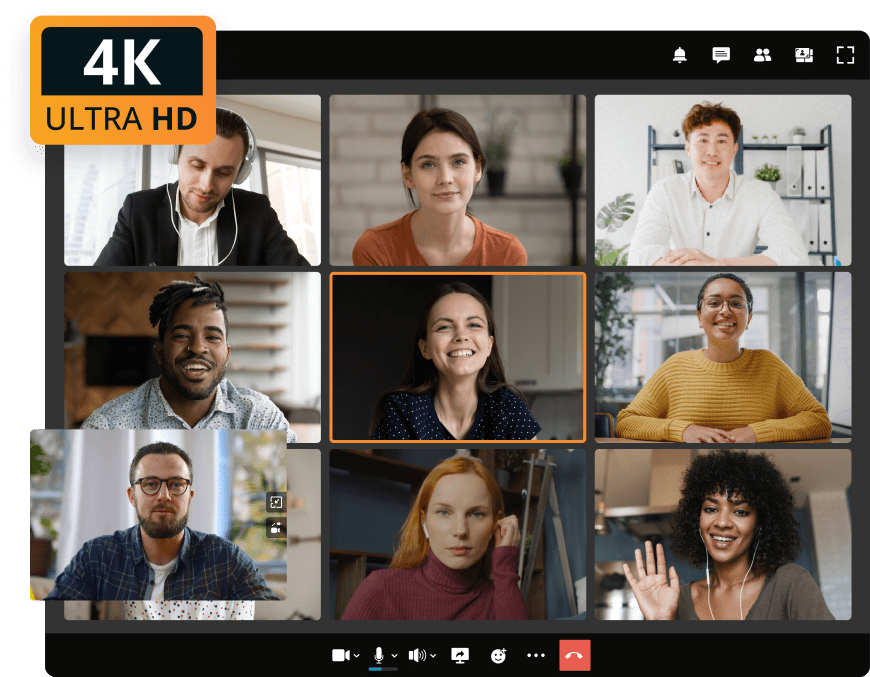
A thousand-participant meeting succeeds not because the platform is “adequate,” but because the event is prepared like a professional production. The most crucial step involves conducting a full rehearsal and technical dry run. Even brief test sessions reveal issues typically surfacing at inopportune moments: unstable audio feeds, incorrect screen-sharing permissions, missing access rights, or presenters connecting via weak networks.
Large events also demand explicit role definitions. Determine in advance the primary host, supporting co-hosts, chat/Q&A moderators, and content-focused presenters. Clear responsibility allocation maintains structure and allows speakers to concentrate on delivery rather than technical troubleshooting.
To manage interaction effectively, establish Q&A protocols and chat guidelines prior to commencement. Inform attendees where to submit questions, whether chat functionality is open or restricted, and how queries will be selected and addressed. This prevents disorder and enhances perceived professionalism despite massive audience size.
Finally, always prepare contingency protocols. For critical sessions, establish backup streaming pathways and ensure recording initiates at session start. When disruptions occur, pre-planned alternatives prevent pressure-driven improvisation.
During the Meeting
When the session commences, maintaining pace and control becomes paramount. A confident host and strict time management prevent large events from devolving into unfocused broadcasts. Smooth transitions, visible agendas, and disciplined speaker time limits distinguish professional execution from exhausting experiences.
For audience engagement, moderated Q&A provides the safest approach. Instead of permitting unfiltered chat floods, moderators consolidate duplicate inquiries, group related topics, and feed prioritized questions to hosts at strategic intervals. This preserves engagement without sacrificing structure.
Sustain attention through micro-interactions every 5–7 minutes. Brief polls, reaction prompts, or quick check-ins renew focus and foster participation, without activating universal audio permissions.
Finally, manage visual presentation like a professional stage. Utilize spotlight modes and presenter controls to highlight active speakers or shared content, maintaining visual clarity despite numerous connections.
After the Meeting
The session concludes only when outcomes are delivered. Begin by publishing timestamped recordings enabling viewers to navigate directly to critical segments like major announcements, demonstrations, or Q&A portions.
Next, distribute supplementary materials and responses to unresolved inquiries. Share presentation slides, reference links, and concise summaries of key decisions. Addressing questions omitted during live sessions reinforces trust and validates audience participation.
A concise follow-up communication significantly enhances impact. Whether via Slack/Teams channels or email recaps, provide clear summaries of outcomes, next steps, and resource access points.
Finally, analyze engagement metrics as operational intelligence. Examine attendance patterns, drop-off points, question volumes, and interaction effectiveness. These insights transform each event into a learning opportunity refining future executions.
Web Conferencing Tools Compared (Quick Comparison)
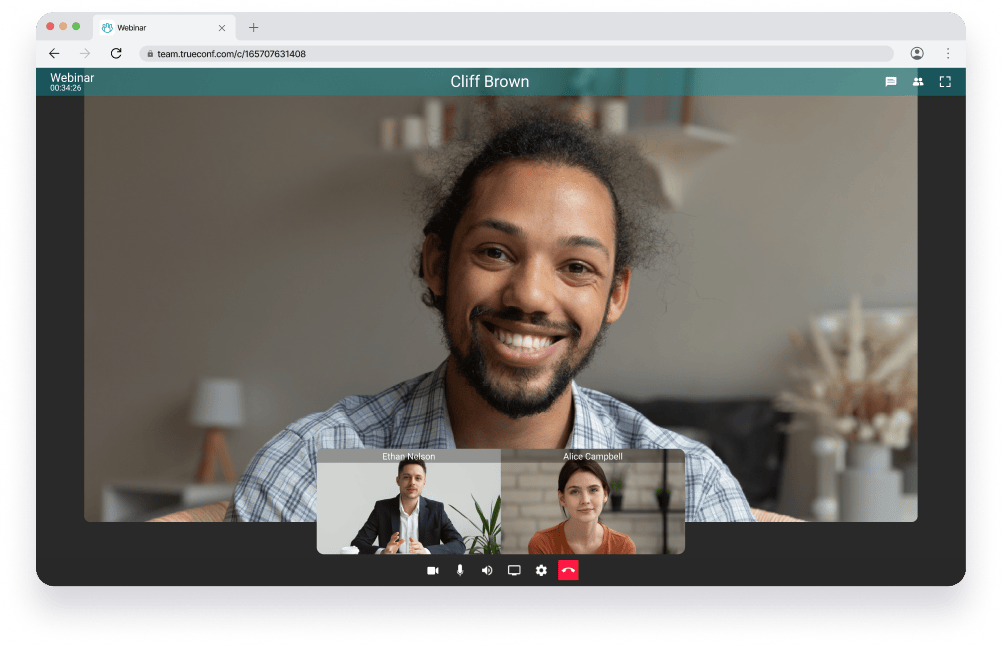
When evaluating platforms for thousand-participant events, consistent assessment criteria prove invaluable. Marketing claims matter less than practical operational features relied upon during live sessions.
An effective comparison framework should examine:
- Maximum verified attendees (specifying meeting/webinar/view-only applicability)
- Moderation depth (role permissions, waiting room customization, muting hierarchies)
- Q&A and polling sophistication (native tooling, moderation workflows, analytics)
- Streaming and RTMP support (for broadcast distribution needs)
- Recording management (storage duration, access controls, sharing mechanisms)
- Security protocols (SSO implementation, compliance certifications, data governance)
- Integration ecosystem (calendar synchronization, messaging platforms, CRM/LMS connectivity)
- Optimal use cases (all-hands meetings, public webinars, training sessions, hybrid events)
This methodology enables platform selection based on specific formats rather than general popularity.
Take your team communication to the next level with TrueConf!
A powerful self-hosted video conferencing solution for up to 1,000 users, available on desktop, mobile, and room systems.
Next Steps: How to Pick the Right Platform for Your 1000-Person Event?
The most efficient selection path begins with your specific scenario. Organization-wide assemblies demand governance frameworks, predictable role structures, and internal access controls. Webinars require robust moderation systems, Q&A management tools, and broadcast delivery capabilities. Training sessions often need balanced interaction models, while conference-style events may necessitate multi-stage setups, streaming options, or segmented sessions.
After clarifying the scenario, define your essential feature baseline. For most thousand-participant meetings, non-negotiable elements include granular role management, comprehensive moderation capabilities, proven stability under peak loads, and dependable recording functionality.
Before finalizing decisions, apply this validation checklist:
- Does the platform reliably support 1,000 attendees within your required format?
- Can you precisely control speaking permissions and maintain moderated Q&A?
- Are robust host controls available (universal muting, chat governance, lobby management)?
- Is recording management intuitive with straightforward sharing mechanisms?
- Do security and compliance features align with organizational mandates?
- Does it integrate seamlessly with existing workflows and identity systems?
Affirmative responses across these dimensions establish a secure foundation for success.
Conclusion: Improve Engagement and Productivity with the Right Platform
A thousand-participant meeting can achieve remarkable focus, engagement, and productivity, but only when format, platform, and moderation strategy align cohesively. The objective extends beyond merely connecting a large audience; it involves maintaining a controlled, clear, and valuable experience from initiation to conclusion.
Select the platform matching your specific scenario, identify truly essential features, and validate all elements through a focused pilot. For organizations currently evaluating solutions, the optimal next step involves requesting demonstrations, conducting test events, or launching pilots to confirm performance metrics, moderation effectiveness, and attendee experience under authentic conditions.
FAQ
What’s the most cost-effective platform for recurring 1000-person meetings?
Cost-effectiveness depends on your infrastructure and compliance needs. While cloud platforms often charge per-host or per-event fees for large capacities, TrueConf Server offers predictable on-premises licensing that can significantly reduce long-term TCO for organizations managing their own data centers. Use the TrueConf ROI Calculator to quantify savings from eliminated travel costs and avoided per-attendee cloud surcharges.
How do I ensure security and compliance for large-scale video conferences?
For regulated industries, keeping video traffic and recordings within controlled infrastructure is often mandatory. TrueConf Server supports on-premises deployment with end-to-end encryption, geo-fenced data routing, and SOC 2-aligned audit trails to meet strict compliance requirements. This approach gives security teams direct oversight that cloud-only platforms cannot match.
Can I host a 1000-person meeting entirely on-premises instead of using the cloud?
Yes, on-premises deployment is viable and often preferred for sensitive or high-stakes events. TrueConf Server is engineered to support conferences with up to 1,500 interactive participants and webinars for 2,000 attendees entirely within your infrastructure. Proper network sizing and moderation planning remain essential regardless of deployment model.
How do webinar mode vs. meeting mode differ for large audiences?
Meeting mode enables interactive participation from all attendees, while webinar mode restricts speaking/presentation rights to designated hosts for better control at scale. TrueConf supports both formats, allowing organizers to choose the interaction model that fits their event goals while maintaining consistent security and moderation policies. Switching between modes is possible without changing underlying infrastructure.
Which platform offers the most granular moderation tools for large events?
Effective moderation at scale requires one-click mute, role-based permissions, AI chat filtering, and emergency ejection capabilities. TrueConf includes granular role architecture and real-time moderation controls designed for enterprise governance, enabling hosts to manage large audiences without chaos. These tools integrate with existing directory services for seamless user management.
Can TrueConf integrate with existing enterprise systems like LDAP, SSO, or calendar tools?
Yes, TrueConf Server supports integration with LDAP, Active Directory, and SAML-based SSO providers to align with enterprise identity management. This ensures that participant authentication, role assignment, and access policies remain consistent with your organization’s security framework. TrueConf’s API also enables custom workflow integrations for calendar, CRM, or LMS systems.
About the Author
Diana Shtapova is a product specialist and technology writer with three years of experience in the unified communications industry. At TrueConf, she leverages her deep product expertise to create clear and practical content on video conferencing platforms, collaboration tools, and enterprise communication solutions. With a strong background in product research and user-focused content development, Diana helps professionals and businesses understand core product features, adopt new technologies, and unlock the full potential of modern collaboration software.


Follow us on social networks