
What Is an AV Integrator? Roles, Services and Selection Guide
Updated October 2026
An AV integrator is a specialist or company that designs, installs, configures, and tests audiovisual systems so that cameras, microphones, displays, speakers, control systems, and conferencing software operate together. Unlike an equipment installer, an AV integrator considers room acoustics, network requirements, compatibility, user workflows, and ongoing support. Businesses typically engage an integrator for meeting rooms, auditoriums, classrooms, hybrid collaboration spaces, and multi-site communication projects.
TrueConf provides video conferencing software and room solutions that can be incorporated into AV integration projects. An AV integrator or an organization’s IT team can connect compatible conferencing endpoints and configure the communication platform alongside room hardware. This guide explains the integrator’s responsibilities, project stages, and criteria for selecting the right partner.
|
Key Decision Factor |
Physical AV Project Work |
Video Conferencing Platform Layer |
|---|---|---|
|
Deployment Model |
Room assessment, cabling, mounting, acoustic planning |
Server deployment, account provisioning, meeting-room software configuration |
|
Integration Scope |
Cameras, microphones, DSP, displays, control systems and networking |
Meeting software, compatible endpoints and supported integrations |
|
Admin Control |
Configuration and maintenance of room devices and controllers |
Central administration of supported conferencing functions |
|
Total Cost Profile |
Design, equipment, installation and maintenance costs |
Software licensing and infrastructure costs; hardware still required |
|
Best For |
Projects involving physical rooms, acoustics and multiple AV devices |
Organizations linking rooms and users through a shared meeting platform |
Take your team communication to the next level with TrueConf!
A powerful self-hosted video conferencing solution for up to 1,000 users, available on desktop, mobile, and room systems.
What Does an AV Integrator Do?
An AV integrator turns a business requirement—such as a meeting room where remote participants can hear and see everyone—into a tested technical design. The work can include a site survey, acoustic assessment, equipment selection, cable and network planning, installation, device configuration, user training, and support.
For example, a hybrid conference room may need ceiling microphones, loudspeakers, a camera, a display, a digital signal processor (DSP), a touch controller, and a video conferencing application. The integrator checks how those components connect, who administers them, and how the system behaves during an actual meeting.
AV Integrator vs. AV Installer: What Is the Difference?
An AV installer primarily handles the physical setup and connections of specified equipment. An AV integrator is responsible for the wider solution: requirements, design, compatibility, configuration, validation, and often maintenance. The same company may perform both roles.
|
Task |
AV Installer |
AV Integrator |
|---|---|---|
|
Mounting displays and cameras |
Typically |
May include or subcontract |
|
Defining requirements and system design |
Usually follows a specification |
Typically leads the design |
|
Network, audio and conferencing interoperability |
Basic connection checks |
Plans and tests end-to-end operation |
|
Commissioning and handover |
Installation verification |
Acceptance tests, documentation and training |
How Does the AV Integration Process Work?
- Discovery and site survey: review room dimensions, acoustics, lighting, existing devices, cabling and network constraints.
- System design: specify microphones, cameras, displays, processing, control and conferencing software, with a compatibility and budget review.
- Installation and configuration: install equipment, configure signal paths, network settings and meeting workflows.
- Commissioning: test speech intelligibility, video framing, content sharing, controls, call connections and recovery from common failures.
- Handover and support: deliver diagrams, settings, user instructions, administrator ownership and a support plan.
The scope changes with the project: a single standard meeting room may be completed by an internal IT team, while a campus or distributed deployment may need specialist AV, networking, and security expertise.
Insight #1: Hardware-First vs. Software-Defined AV Integration
Hardware and software are complementary parts of an AV project. The more useful question is whether each selected component can interoperate with the conferencing platform and be maintained over time.
For a TrueConf-based meeting room, assess supported operating systems, cameras and audio devices, relevant SIP/H.323 interoperability options, and the administration model before ordering equipment.
Document compatibility, ownership of each component, and expected upgrade paths to avoid replacing working room equipment unnecessarily.
Signs You Need to Bring in an AV Integrator
You may need the help of an AV integrator if you experience any of the following:
- The configuration of your AV equipment is more complex than a standard display.
- Users cannot reliably start calls, share content, or control devices without repeated IT intervention.
- Your AV system requires integration with other existing infrastructure.
- The scope of the project is too large for your IT team alone to handle.
- You are seeking to get the most out of your AV technology investment.
Involve an AV integrator early when requirements span acoustics, networking, room controls, and conferencing interoperability. For a small room built from supported plug-and-play devices, an internal IT team may be sufficient; the right choice depends on complexity and available expertise.

What are the Advantages of Working with an AV Integrator?
Boosted Collaborative Efficiency
A well-designed system makes remote participants audible and visible, allows local users to share content, and reduces time lost troubleshooting meetings. Its value should be assessed through actual room tests, not just the advertised resolution of a display or camera.
For multi-office deployments, consistent room controls and tested meeting workflows can reduce the number of different instructions employees need to learn.
Advanced Technology for Modern Enterprises
AV projects increasingly involve IP networking as well as microphones and displays. Depending on the design, integrators may need to evaluate network segmentation, bandwidth, quality of service, PoE budgets and AV-over-IP equipment. Design tools such as AV design software may support documentation and planning.
An integrator should document where audio and video traffic flows, which equipment needs updates and what the organization—not the vendor—will administer. Such details can affect compatibility and future maintenance.
Operational Cost Savings
A project budget should separate equipment, installation, design, cabling, licenses, training, support and future refresh costs. Reusing compatible cameras, displays or conferencing terminals may lower replacement costs, but savings depend on the condition of existing equipment and the scope of integration.
Remote meetings may also reduce some travel expenses; estimate these separately from the installation budget rather than assuming a fixed return on investment.
Boosted Presentation Impact
Presentation quality depends on readable shared content, suitable screen size and viewing distances, microphone pickup, loudspeaker coverage and stable switching between sources. Verify these conditions in the actual room.
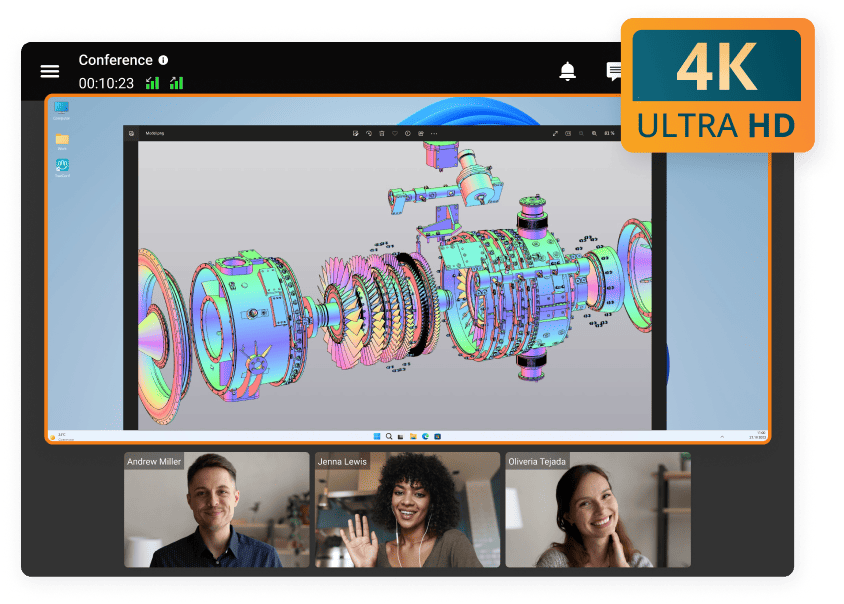
Expert AV Technical Support
Technical failures can interrupt meetings even after installation. Agree on who supports each layer—room hardware, local network, conferencing software and external connections—before project handover.
|
Service Layer |
Room & Infrastructure Work |
Conferencing Platform Work |
|---|---|---|
|
Pre-Deployment |
Site survey, cabling plan, acoustic and device specifications |
Conference platform requirements and compatibility review |
|
Implementation |
Installation, DSP tuning, device configuration and room testing |
Server, user and supported interoperability configuration |
|
Post-Launch |
Device maintenance, firmware, cabling and controls |
Platform administration and available operational diagnostics |
|
Scaling |
Room-dependent hardware and installation |
Software capacity planning and supported endpoint provisioning |
Insight #2: The Hidden Factor—Governance and Admin Control
During procurement, ask who owns room controllers, local device credentials, conferencing accounts, logs, network changes and software updates.
TrueConf Server can support centralized administration of its conferencing environment, while room hardware and network infrastructure may require separate management tools.
A documented responsibility matrix prevents a conferencing outage from becoming a dispute between the integrator, the IT team and the software vendor.
Selecting an AV Integrator: 4 Points to Consider
Choosing an AV integration service provider can be a challenge. To make sure you select the right one, here’s what to keep in mind:
1. Relevant Technical Expertise
Ask for comparable projects involving the same room types, conferencing protocols and network constraints. Review the proposed equipment list, system diagram and interoperability test plan. Relevant technical training or certifications can help demonstrate expertise, but should be considered alongside completed projects.
2. Relevant References and Documentation
Ask for customer references, as-built diagrams, test records and a sample handover package. Years in business alone do not establish whether a contractor can deliver your specific integration requirements. Check who will maintain the system after commissioning.
3. Project Scope, Ownership and Timeline
Require a written scope that distinguishes included hardware, software configuration, cabling, network changes, training and exclusions. Agree on milestones, acceptance criteria, change requests and responsibilities for third-party equipment before installation begins.
Try TrueConf Server Free!
- 1,000 online users with the ability to chats and mske one-on-one video calls.
- 10 PRO users with the ability to participate in group video conferences.
- One SIP/H.323/RTSP connection for interoperability with corporate PBX and SIP/H.323 endpoints.
- One guest connection to invite a non-authenticated user via link to your meetings.

4. Efficient Technical and Post-Purchase Support
Confirm support hours, response commitments, spare-device procedures, remote access policies, firmware maintenance and escalation routes. Specify which tasks remain with your internal IT team. A support contract should explain what happens when the fault crosses hardware, network and conferencing-software boundaries.
Insight #3: Deployment Model Dictates Long-Term Scalability
Expansion planning should distinguish per-room costs from shared platform capacity. Every new room still requires appropriate microphones, cameras, displays and installation work.
A shared platform such as TrueConf Server may support additional users and compatible conferencing endpoints without duplicating the conferencing server for every room, subject to deployment capacity, licensing and network requirements.
Ask the integrator to estimate both the incremental cost of an additional room and the impact of additional concurrent meetings.
Example: Integrating a Conference Room with TrueConf
Consider a meeting room with a camera, ceiling microphones, a DSP, loudspeakers, a display and an existing SIP/H.323 video endpoint. The AV integrator determines audio coverage, connects and configures the physical devices, checks network connectivity and verifies that participants can join meetings and share content. TrueConf Server can provide the self-hosted conferencing layer; compatibility with individual third-party endpoints and features should be verified for the selected deployment.
The acceptance test should include an actual call between the room and a remote participant, speech from several seats, a content-sharing session, and a test of call controls. This distinguishes a functional integrated room from a collection of installed devices.
AV Integration Acceptance Checklist
Before approving an AV deployment, ask the integrator to demonstrate these results in the completed room:
- Remote and local participants can hear speech clearly from all intended seating positions, without distracting echo or feedback.
- Cameras provide appropriate framing and displays show readable shared content.
- Users can start and join supported meetings, switch sources and end calls using the documented controls.
- Network and conferencing interoperability is tested against the endpoints actually in use.
- Failure and recovery procedures, administrator credentials, as-built diagrams and support contacts are handed over securely.
Conclusion
An AV integrator is most useful when a project requires coordinated room design, audio engineering, networking and conferencing interoperability—not merely equipment installation. Evaluate prospective partners by their design documentation, comparable work, test procedures and support responsibilities. When video conferencing is part of the requirement, confirm how the proposed platform, such as TrueConf Server, will work with the selected room devices.
FAQ
What does an AV integrator do?
An AV integrator designs and implements audiovisual systems that combine devices, networks, controls and conferencing software. The scope often includes room surveys, configuration, commissioning, training and support.
What is the difference between an AV integrator and an AV installer?
An installer typically mounts and connects specified equipment. An integrator also designs the complete solution, verifies compatibility and tests the user experience, although one provider may perform both roles.
When should a business hire an AV integrator?
Consider an integrator for complex acoustics, several meeting rooms, mixed-vendor equipment, networked AV or requirements that exceed internal IT capacity. A simple supported plug-and-play room may not need one.
What should be included in an AV integration proposal?
Look for a requirements summary, equipment and software list, system diagram, installation scope, dependencies, acceptance tests, documentation, training, timeline and ongoing support terms.
How do you test an AV system before accepting it?
Run live calls and content-sharing tests; check microphone coverage, echo, camera framing, display readability, controls, network connectivity and documented recovery procedures.
Can TrueConf be used with existing conference room equipment?
TrueConf can serve as the conferencing platform in a room integration project, including supported SIP/H.323 interoperability scenarios. Compatibility and licensing depend on the exact devices, features and deployment configuration.
Does conferencing software replace an AV integrator?
No. Conferencing software supplies part of the meeting functionality, while the integrator may still be needed to design acoustics, select equipment, configure room controls and validate the complete setup.
About the Author
Nikita Dymenko is a technology writer and business development professional with more than six years of experience in the unified communications industry. Drawing on his background in product management, strategic growth, and business development at TrueConf, Nikita creates insightful articles and reviews about video conferencing platforms, collaboration tools, and enterprise messaging solutions.


Follow us on social networks