
Video Conferencing in the Classroom
Quick Summary: What Modern Education Needs (Read This First)
Key Statistics at a Glance
|
Finding |
Impact |
Source |
|---|---|---|
|
77% of teachers |
believe investment in video conferencing positively impacts education |
Growing adoption |
|
67% |
believe video conferencing develops key life skills |
Career preparation |
|
65% of K-12 teachers |
see video conferencing as collaboration tool |
Primary use case |
|
60% |
prefer virtual tours and field trips |
Cost savings |
|
80% of one-on-one sessions |
improve student outcomes |
Individual support |
Three Critical Requirements for Modern Educational Video Conferencing
- Accessibility is equity, not luxury: captioning, transcription, and translation are now essential, not optional features, for ensuring all students can participate regardless of language, hearing ability, or learning style.
- Hybrid learning requires dual-mode design: not “online OR in-person” but “online AND in-person simultaneously”, this demands teacher training, classroom layout redesign, and platform features built specifically for mixed audiences.
- Asynchronous access is as important as live sessions: pre-recorded lessons enable “flipped classroom” model where live time focuses on collaboration and problem-solving rather than passive content consumption.
What Education Needs from Video Conferencing Tools
Video conferencing brings distance education to a new, more productive level with special features:
- LMS integration: Teachers can schedule and launch video lectures within their on-premise Learning Management System
- Lesson recording: All lectures can be recorded and stored for future playback
- Collaboration tools: Teachers can share files and slide shows, exchange messages in chat, or share their screens with students
- Webinars: Conducting webinars can significantly help in attracting more students from all over the world
- Ease of use: Students can install and run the video conferencing software without the help of their parents or IT specialists
- Security and privacy: The digital learning space should not only be interactive but also secure: it is important to keep all students’ personal data within the school environment, ensuring compliance with Certified Information Security System Professional (CISS) standards
The Benefits of Using Video Conferencing in the Classroom
1. Parent-Teacher Conference
According to Child Trends, approximately 59% of parents report that they have never received phone calls from elementary school teachers. And worse, less than half report being “very satisfied” by their parent-teacher communication. Despite the academic benefits, neither parents nor teachers seem interested in communicating.
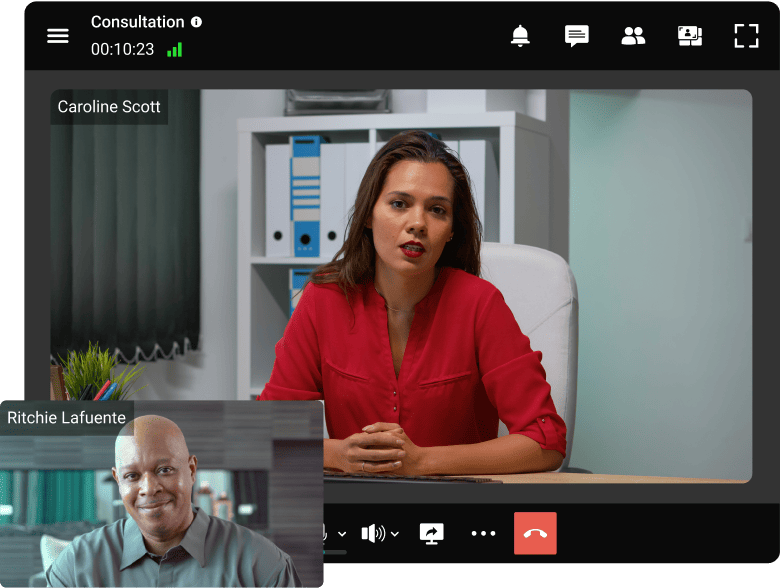
However, when teachers and parents work together, they can better prepare students for academic success. Ongoing communication with teachers builds parental trust in the educational environment.
2. Video Tours: Amazing Adventures for a Small Fee
The video conference tour offers many advantages over the traditional trip. First, it’s much cheaper: conference access is often free, and you don’t have to worry about food or transportation. In addition, such tours do not require long planning, and can be “done” on any day.
Teachers can show students various world museums, landmarks, and other wonders of our planet. To make these virtual experiences even more engaging, educators are increasingly exploring advanced visual content techniques. Learning how to create cgi videos can help present complex concepts and environments in a more immersive and interactive way for students.
Advantages over traditional field trips:
- Cost: Free to minimal (no transportation, meals, or supervision costs)
- Accessibility: Students with mobility issues, medical conditions, or transportation barriers can participate
- Flexibility: Can be scheduled anytime, not dependent on bus availability or weather
- Behind-the-scenes access: Museums, labs, and facilities offer virtual tours not available to physical visitors
- Global reach: Students can visit locations across the world in a single classroom
Examples in practice:
- Live aquarium feeds and behind-the-scenes interviews
- Museum curator talks from major institutions
- NASA center tours with astronaut Q&A
- Local government office visits with elected officials
- A virtual campus tour.
3. Bring Experts Into the Classroom
Video conferencing removes geographic barriers to expert speakers. Scientists, authors, historians, and professionals can join classrooms without travel.
Why experts say yes?
Video calls are nearly as convenient as phone calls for busy professionals. The impact of speaking to a classroom of engaged students creates real motivation.
Real-world examples:
- Astronauts conducting live Q&A with students
- Climate scientists discussing research findings
- Published authors discussing their work
- Medical professionals in telemedicine education
- Technologists leading coding workshops
TrueConf for Education!
Host remote lectures and online seminars, communicate with teachers and classmates via video link, and easily share educational materials!
How Teachers are Already Using Video Conferencing in the Classroom
One-On-One Video Communication
According to the EdTech data analysis, nearly 8 out of 10 video conferencing sessions were one-on-one between a teacher and a student. This can be explained by the fact that for elementary school, individual communication allows a child to build a more trusting relationship with a teacher, positively affecting the educational process in the future.
Use cases:
- Tutoring and academic support
- Student advising and mentorship
- Parent-teacher conferences
- Special education IEP meetings
- College/career guidance sessions
Key advantage
Elementary and middle school students especially benefit from individual relationships with teachers during video sessions.
Group Video Communication
Poly released the results of the survey which involved 500 school and university teachers from the U.S., UK, France, Germany and Scandinavian countries. The survey showed that school teachers consider group video conferences to be the most desirable way to communicate with parents, students, and colleagues when face-to-face communication is not possible. Group conferences have proven to be a great way to teach a large group of students at the same time remotely.

Use cases:
- Full-class lectures and instruction
- Small-group project work (2-6 students)
- Whole-school assemblies and announcements
- College-style seminars with discussion
- Guest expert presentations
4 Ways Video Conferencing for Schools Can Help the Teacher
Field Trips
Field trips are a great way to educate kids while also giving them an opportunity to visit new places. However, budget constraints and scheduling difficulties have made field trips difficult to schedule.
To solve this problem, video classrooms have emerged as a new way to supplement a field trip experience by staying in the classroom while still being able to explore the museum or aquarium live through video streaming. Using an HLS player, educators can provide high-quality, real-time video streams, ensuring a seamless and interactive virtual field trip experience for students.
Snow and Sick Days
Some schools and universities are using a video classroom for the students to stay engaged in their lessons and continue learning during times of bad weather. This has been quite successful with teachers as it gives them more time for group work, one-on-one time with students, or even to have conferences with other staff members. It also allows parents to stay updated on what is going on in the classroom by tuning in at any time.
The online classroom also makes it easier for schools to extend teaching hours because they are not restricted by the hours that they would normally be open. This is especially helpful during days when weather conditions make it difficult for children to get outside or meet the transportation requirements that schools may have had before snow. If your school already has a website or an app, you can just integrate a HIPAA compliant video API into it to facilitate remote learning and maintain educational continuity.
Online Learning for the Advanced Student
Students with exceptional skills in math, science, English, or a foreign language like Spanish are often left out of traditional K-12 schools. And this is because of the lack of specialized classes and teachers. For educators looking to bridge this gap and support advanced learners, it’s a great opportunity to get started teaching English abroad and make a meaningful impact.
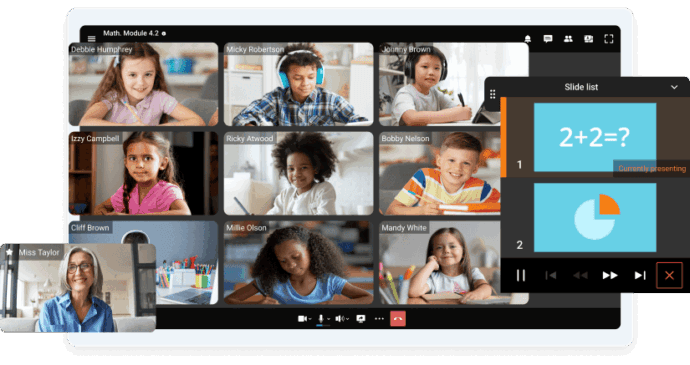
But now students with exceptional skills can get the help they need by taking online courses from universities and other institutions. Digital learning has become a great option for these advanced students because they can stay at home and still get a quality education. Furthermore, MDM solution for Education ensures that students have secure and efficient access to the necessary learning resources, making the online learning experience seamless and productive.
Video Conferencing for Researchers
Video conferencing is becoming a major part of communication between scientists, educators, and educational institutions around the world. In the past decade, video conferencing has become more widely available and much better in terms of quality. This improvement has led to an increase in the number of instances where video conferencing is utilized for research purposes.
One example of how video conferencing is used for research purposes is clinical research. Clinical researchers use video conferencing to conduct studies across a variety of practices and populations. Educational research also utilizes video conferences as an integral part to facilitate international partnerships among academic institutions and organizations.
4 Critical Insights for Teachers: Making Video Conferencing Work
Insight 1: Technology Preparation is Non-Negotiable
Most common issues teachers report:
- Lighting problems (too dark, washed out, glare)
- Microphone placement and feedback
- Camera positioning (avoid looking up nose or down at camera)
- Background distractions
- Connection stability
Before every class:
- Run a test session with remote locations
- Check lighting from participant’s perspective
- Test microphone for echo or feedback
- Verify internet stability (use wired if possible)
- Have backup contact info for tech support at remote sites
Insight 2: Hybrid Classroom Management Requires New Skills
Unique challenge: Teaching to both in-person AND remote students simultaneously demands different approaches.
What works:
- Position camera to show the in-person class, not just the teacher
- Use multiple cameras (one for overhead view of classroom, one for teacher)
- Call on remote students as frequently as in-person students
- Have in-person students help remote students (share answers in chat, etc.)
- Use virtual backgrounds so remote students see engaged class, not just teacher
What fails:
- Treating remote students as secondary participants
- Only calling on in-person hands
- Not monitoring remote student cameras
- Long periods where only teacher is visible
Insight 3: Accessibility Features Enable Better Learning for Everyone
Critical features, not optional extras:
|
Feature |
Who Benefits |
Why It Matters |
|---|---|---|
|
Real-time Captioning |
Deaf/HOH, ESL, noisy environments, auditory learners |
100% content access regardless of audio quality |
|
Automatic Transcription |
Students reviewing later, note-takers, researchers |
Searchable lesson archive |
|
Multi-language Translation |
ESL students, international classrooms |
True inclusion, not just presence |
|
Adjustable playback speed |
Visual learners, note-takers, ADHD students |
Self-paced review and reinforcement |
|
Screen reader compatible |
Blind/low vision students |
Independent access without accommodation requests |
Insight 4: Recorded Lessons Create a Permanent Learning Asset
Students can also benefit from additional educational short stories and activities for children that help reinforce classroom learning in a fun and engaging way beyond recorded sessions.
Students access recorded content for:
- Reviewing before tests (4x more useful than notes alone)
- Making up missed classes (medical absences, family situations)
- Slowing down complex material for deeper understanding
- Studying across time zones (international students)
- Sharing with parents (especially K-8 parents wanting to support learning)
Best practice:
Store recordings in your LMS with transcripts, timestamps, and chapter markers for easy navigation.
Best Practices for Video Conferencing in Classrooms
Before the Class
- ✅ Familiarize yourself completely with the platform (spend 2+ hours practicing)
- ✅ Test at remote sites with actual participants and equipment
- ✅ Create a clear agenda and share it in advance
- ✅ Check all technical connections 15 minutes early
- ✅ Have backup audio (call-in number) if video fails
- ❌ Don’t assume you know the platform; it changes frequently
- ❌ Don’t test only at your location; test at all connected sites
During the Class
- ✅ Greet participants warmly and by name (especially at start)
- ✅ Check that all remote participants can see and hear before starting
- ✅ Pause frequently for questions (remote students are less likely to interrupt)
- ✅ Use visual aids heavily (remote students retain more with screen sharing)
- ✅ Maintain eye contact with camera (not the monitor)
- ✅ Be aware of participants in different time zones (some may be joining late evening/early morning)
- ❌ Don’t lecture for more than 10-15 minutes without interaction
- ❌ Don’t ignore non-verbal cues of confusion (lost connection, blank stares)
Engagement Strategies
- Breakout rooms: Split into small groups for discussions, projects, peer review
- Polls and live quizzes: Check understanding in real-time without calling on individuals
- Chat participation: Lower barrier to entry for shy students
- Screen sharing by students: Have students present work, solving problems, or teaching peers
- Virtual whiteboard: Collaborative brainstorming and visual problem-solving
Types of Classrooms and Best Setups
|
Setup Type |
Best For |
Technical Requirements |
Challenge |
|---|---|---|---|
|
Fully Remote |
Distance learning, online programs, global cohorts |
Individual student devices, adequate internet |
Isolation, engagement |
|
Fully In-Person |
Traditional schools, on-campus universities |
Projector, speakers, room camera |
Limited reach |
|
Hybrid (sync) |
Mixed attendance, supporting isolating students |
Room cameras (2+), directional mics, teacher station |
Managing dual audience |
|
Flipped/Blended |
Pre-recorded content and live collaboration |
LMS integration, recording capable |
Requires teacher training |
|
Paired Classrooms |
Multi-site instruction, collaborative learning |
Professional VC hardware, IT support, scheduling |
Complex coordination |
TrueConf Video Conferencing Solutions for Your School
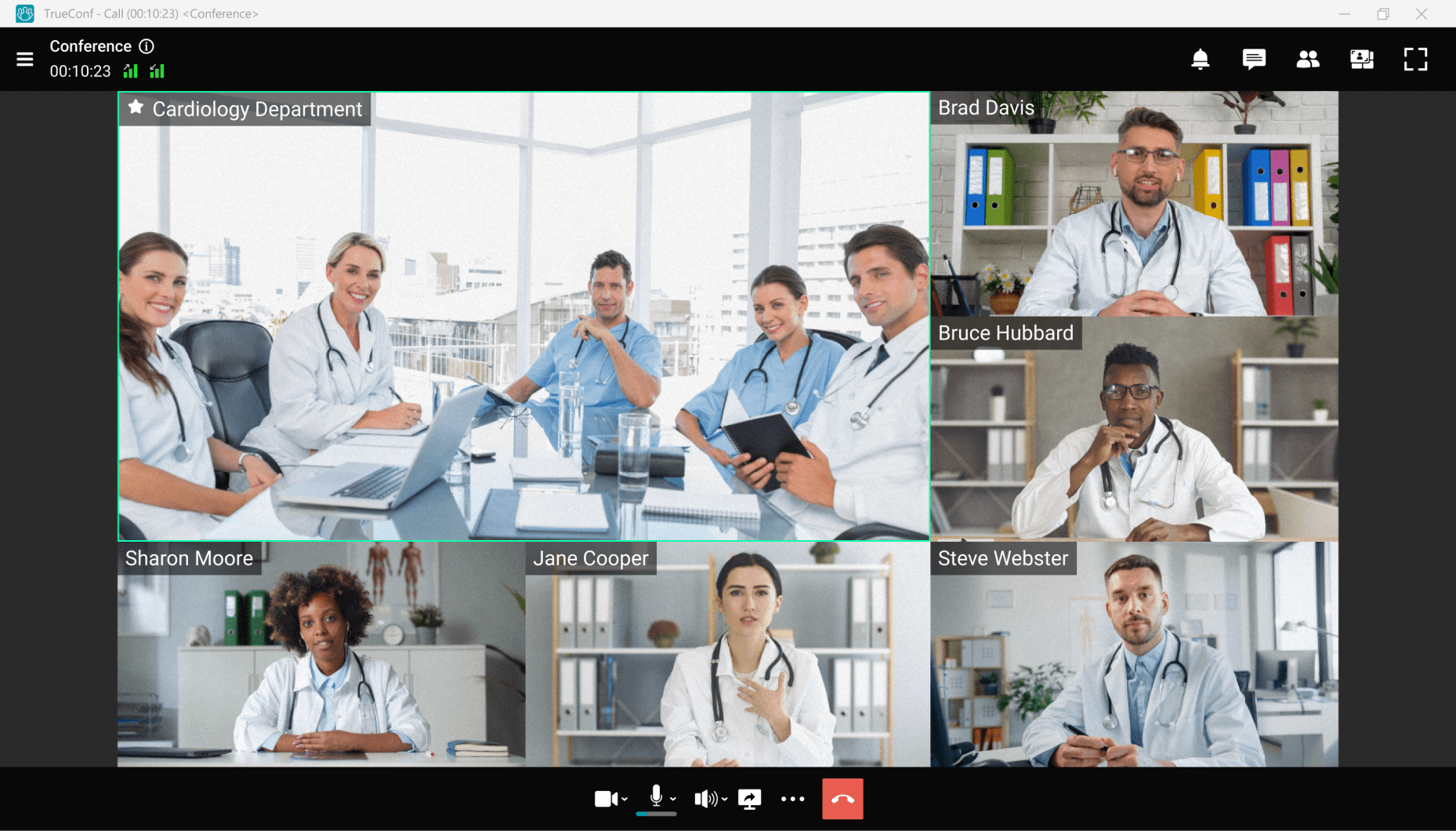
TrueConf is a self-hosted and secure video conferencing for education solution that helps to facilitate distance learning. This solution supports Ultra HD video meetings for up to 1,500 participants and a wide range of collaboration and engagement tools, such as screen sharing & slideshow, reactions, polling, instant messaging, file sharing and lessons recording.
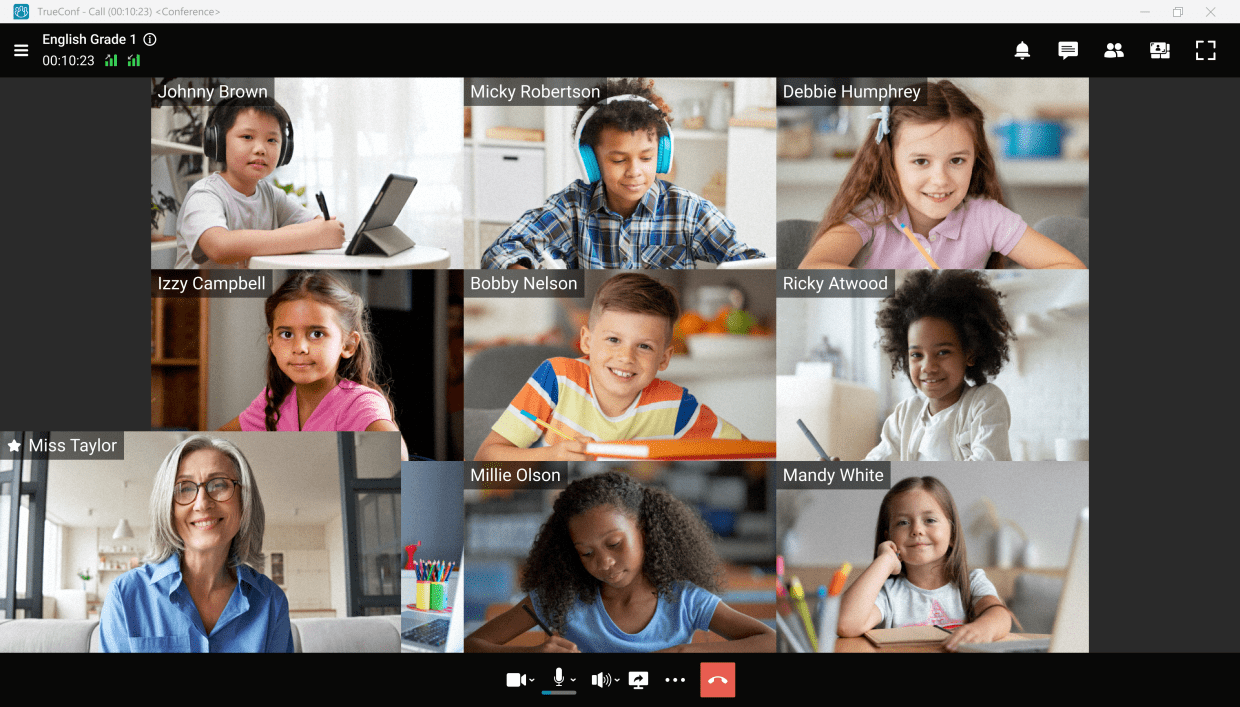
In addition, a teacher can easily manage classroom interactions with advanced moderation controls: assign presenters, mute participants or set customized video layouts to keep students focused on learning material.
Thanks to TrueConf API, teachers can schedule and launch video lectures within their LMS, while students can always see their schedule and join meetings from any device. For schools looking to further customize their learning environments further learning environments, custom LMS software development can offer tailored solutions that meet specific educational needs.
TrueConf brings the opportunity to create and stream webinars on popular streaming platforms in order to share information and attract new audiences.
What’s important, all the students’ data and recorded lessons are stored locally on your own servers, which guarantees privacy of your personal data.
Try TrueConf Server Free!
- 1,000 online users with the ability to chats and mske one-on-one video calls.
- 10 PRO users with the ability to participate in group video conferences.
- One SIP/H.323/RTSP connection for interoperability with corporate PBX and SIP/H.323 endpoints.
- One guest connection to invite a non-authenticated user via link to your meetings.

Conclusion
- Three-quarters of teachers (77%) believe that more investment in video conferencing can have a positive impact on their students and improve the quality of education by increasing interest in the subject matter being taught.
- Two-thirds of respondents (67%) believe that video conference training develops key skills that can be useful in later life and work.
- Teachers who work with school-age children found the greatest opportunity for video conferencing to be used as a collaboration tool (65%) and for virtual journeys (60%), in other words, a way for them to expand the scope of familiar instructional practices.
- More than half of university teachers (54%) also agreed that an important feature of video conferencing is that it gives the opportunity to communicate with authoritative experts in a particular field, and 56% see video communication as one of the means to expand the personal arsenal of educational services through the ability to teach in a distance learning mode.
FAQ
How do I prevent remote students from becoming “second-class citizens” in a hybrid class?
Design for remote first. Use two cameras (one showing the full in-person classroom, one on the teacher), call on remote students as frequently as in-person, and have in-person students periodically share answers in the chat so remote students see participation. The mindset is “remote is the default, in-person is the bonus.”
Is recording lectures legal, and do I need student consent?
It depends on your jurisdiction and how you use recordings. Most US schools can record within a classroom for educational purposes, but using recordings publicly requires consent. Always check your school’s policy. Store recordings securely on your LMS, not cloud drives anyone can access.
How much technical training do teachers really need before using video conferencing?
Minimum 2-3 hours of hands-on practice with the actual platform. Most teachers need refresher training every 6 months as features change. Pair less-confident teachers with tech-savvy colleagues. One tech failure in front of the class can derail confidence for months.
What’s the ideal class size for video conferencing, and when does it break down?
Synchronous video works best up to 30-40 students with good teacher skills. Beyond that, transition to webinar mode (large audience, limited interaction) or flip to asynchronous (pre-recorded lectures) with synchronous office hours or small group sessions. One-on-one sessions scale infinitely and are the most powerful format.
How do I ensure accessibility in recorded lessons without spending hours on transcription?
Use auto-transcription (most modern platforms include this), then proofread for 15 minutes. Many platforms (Google Meet, Microsoft Teams) auto-caption during live sessions. The 98% accuracy is sufficient for student review, it’s not a publication-quality document.
Can video conferencing really replace field trips, or are in-person trips still necessary?
Virtual tours supplement, not replace, in-person trips. Virtual trips are perfect for destinations that are too expensive, far, or inaccessible. In-person trips build memories and social cohesion that video can’t replicate. Best practice: use virtual to expand reach, not as a cost-cutting measure.
How do I manage students who stay camera-off in video classes?
It depends on context. Elementary students and students with anxiety benefit from cameras on (builds connection). College students often prefer cameras off (reduces surveillance feeling). Set clear expectations at the start of the term. Consider “camera-optional during lecture, camera-required during discussion” as a compromise.
About the Author
Diana Shtapova is a product specialist and technology writer with three years of experience in the unified communications industry. At TrueConf, she leverages her deep product expertise to create clear and practical content on video conferencing platforms, collaboration tools, and enterprise communication solutions. With a strong background in product research and user-focused content development, Diana helps professionals and businesses understand core product features, adopt new technologies, and unlock the full potential of modern collaboration software.


Follow us on social networks