
6 Best Linux Instant Messaging Solutions for Businesses in 2026
Updated April 2026
Businesses running Linux infrastructure face a peculiar challenge: most communication software treats their operating system as an afterthought. Development teams get half-functional web clients, IT departments struggle with incomplete feature sets, and everyone watches as Windows and Mac colleagues access capabilities that simply don’t exist in Linux versions.
This gap affects more than convenience. When your communication tools don’t work properly, projects slow down, remote collaboration suffers, and security vulnerabilities emerge from workarounds that shouldn’t be necessary. The six platforms examined here solve this problem by treating Linux as a first-class citizen, offering full functionality without requiring your team to compromise or switch operating systems.

1. TrueConf
Many conferencing tools on Linux offer only basic functionality. TrueConf provides a full native client and a self-hosted server model designed for organizations that require feature parity and infrastructure control.
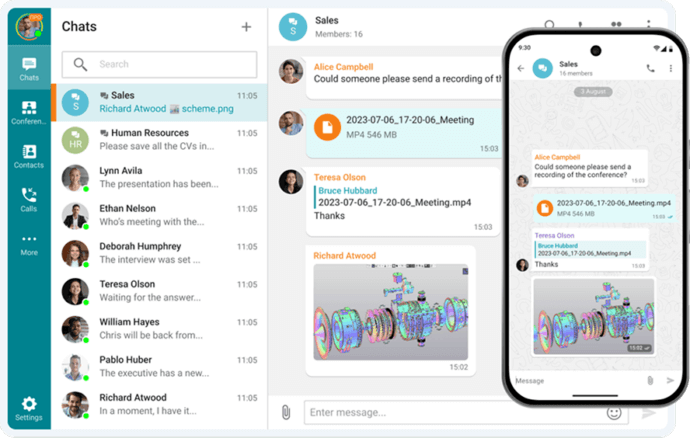
Complete data ownership. All messaging, file transfers, video streams, and recordings remain within your perimeter on servers you manage. This model supports strict compliance requirements by eliminating third-party access to communications.
Unified collaboration. Chat and video are integrated: teams can move from messaging to a video session without switching applications or exchanging meeting links. Conversations are organized with folders, pinned items, archiving, and fast search.
Air-gapped readiness. TrueConf can operate fully offline, which is critical for restricted environments where SaaS platforms are not acceptable.
Security by design. The platform supports encryption, access restrictions (including IP controls), waiting rooms, PIN/ID protection, MFA, role-based permissions, and audit logs suitable for compliance and investigations.
Best fit. TrueConf is most relevant where data residency, confidentiality, or on-premises mandates are non-negotiable. A free tier supports up to 1,000 users for internal evaluation and broad deployment.
Your Messages Are Secure with TrueConf!
A powerful self-hosted video conferencing solution for up to 1,000 users, available on desktop, mobile, and room systems. Your confidential information is protected by 12 levels of security.
2. Mattermost
Mattermost is optimized for software development teams that need Slack-style collaboration with self-hosted control.
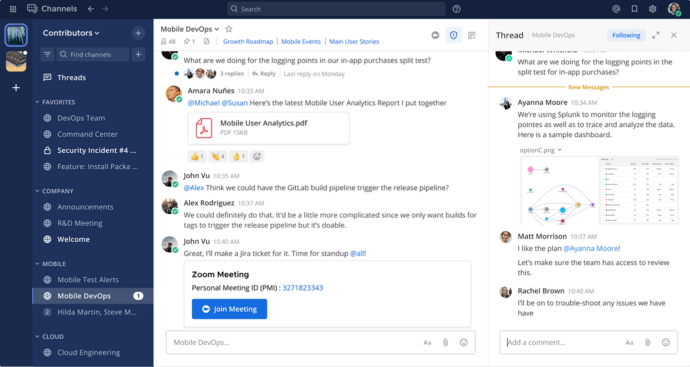
Developer-first workflows. Native integrations deliver GitHub/GitLab activity, CI alerts, and operational notifications directly into channels. Playbooks standardize incident response by automating routine steps and improving coordination.
Flexible deployment. Mattermost can run on bare metal, private cloud infrastructure, or as a managed service. Debian/Ubuntu/CentOS installation follows familiar Linux conventions, with PostgreSQL/MySQL support and straightforward configuration.
Security and compliance controls. Enterprise features include SAML, LDAP sync, MFA, retention rules, audit logs, and export options. Self-hosting keeps sensitive discussions on controlled infrastructure.
Limitations. Built-in calls exist, but many organizations pair Mattermost with a dedicated conferencing solution. Some advanced compliance and administrative controls require Enterprise licensing.
3. Rocket.Chat
Rocket.Chat combines internal collaboration with customer-facing communication, reducing the need for separate systems.

Deployment options. It runs on major Linux distributions and supports Docker and Kubernetes. Federation enables separate servers to communicate while maintaining organizational boundaries.
Core features. Messaging, file sharing, voice/video, screen sharing, multi-workspace support, and extensive customization are provided. A marketplace and APIs enable deep extensibility.
Omnichannel customer support. Web chat, email, SMS, and social channels feed into a unified inbox so agents retain full context across touchpoints. This is valuable for teams that need both internal chat and customer support workflows.
Considerations. Frequent releases bring improvements but require disciplined testing. Organizations should assess long-term roadmap alignment before standardizing.
4. Zulip
Zulip is designed for high-signal collaboration by enforcing structured conversations through streams and topics.
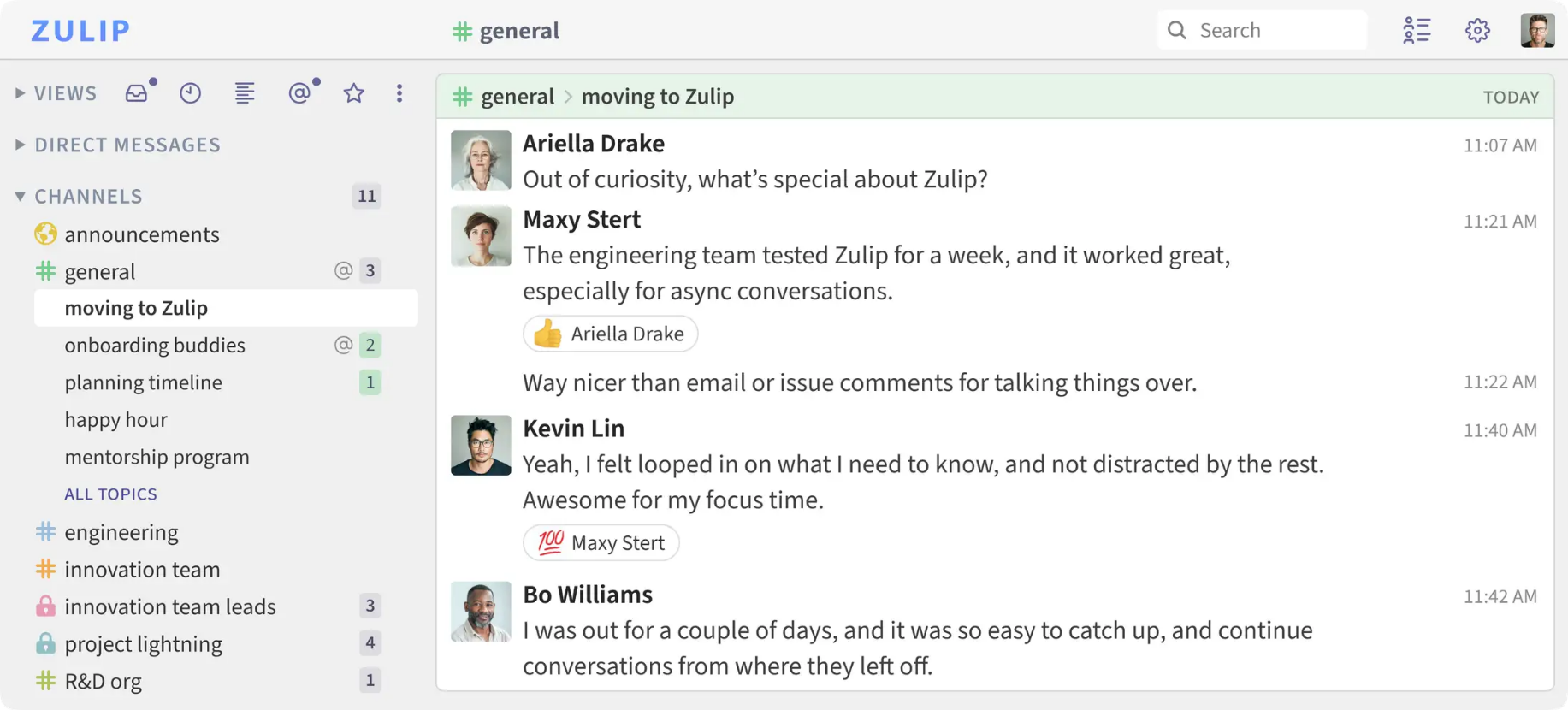
Topic-based threading. Every message belongs to a stream and a topic, preventing unrelated discussions from collapsing into a single timeline. This improves catch-up efficiency and reduces noise for large or distributed teams.
Operational strengths. Full-text search, durable context within topics, and extensive integrations (GitHub, Jira, Sentry, Zapier, and more) support technical teams and long-running projects. Linux deployment is well documented.. Every message belongs to a stream and a topic, preventing unrelated discussions from collapsing into a single timeline. This improves catch-up efficiency and reduces noise for large or distributed teams.
Best fit. Zulip performs well for asynchronous, multi-timezone organizations and complex technical programs. Teams may require an adjustment period due to the topic discipline. Core functionality is available without user limits; commercial support is optional.
5. Element
Element is a Matrix-based client built on an open, federated protocol, enabling collaboration without dependence on a single vendor.
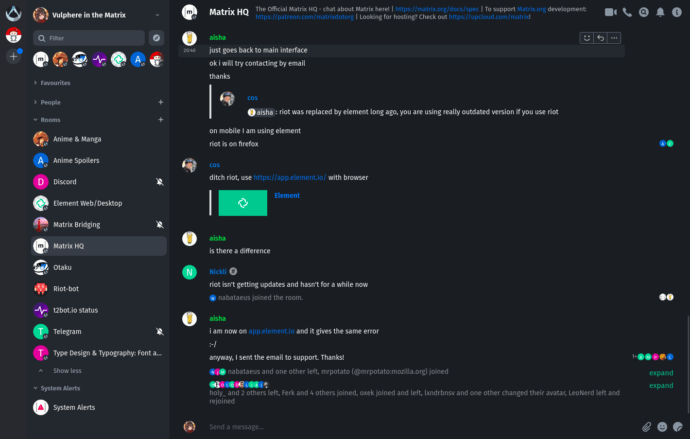
Federation and sovereignty. Organizations can host their own Matrix server while still communicating with partners on other servers, similar to email interoperability. This supports cross-organizational collaboration without relinquishing control.
Strong encryption model. End-to-end encryption is available (and commonly used for direct messages), with device trust mechanisms that reduce operational friction.
Integration and bridging. Matrix bridges can connect to other platforms (e.g., Slack or Telegram), enabling gradual migration and external coordination.
Trade-offs. Matrix provides flexibility at the cost of additional operational complexity (server management, federation, and encryption administration). Element is most suitable when protocol independence and sovereignty justify the overhead.
6. Jitsi Meet
Jitsi is primarily a self-hosted video conferencing solution rather than a full collaboration suite.
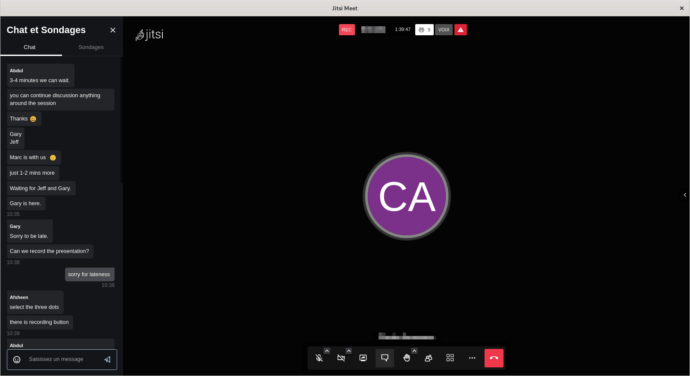
Fast access. Meetings can be created without accounts: participants join via a link and a room name, which is useful for ad hoc internal sessions and external calls.
Self-hosted control. Video traffic stays within your infrastructure, with optional encryption. Deployments on Ubuntu/Debian are generally straightforward; larger environments can scale via clustering.
Embedding and APIs. Jitsi integrates well into other tools (including Element) and can be embedded into portals, learning platforms, and service workflows.
Limitations. Chat is session-based and not persistent. Jitsi is best used as a complementary video layer alongside a primary messaging platform.
Making the Right Choice
These six platforms represent genuinely different philosophies about business communication on Linux. Your decision should reflect your organization’s specific circumstances rather than following industry trends or vendor marketing.
When data sovereignty isn’t negotiable: TrueConf provides enterprise-grade video conferencing with integrated messaging in a self-hosted package. Organizations handling sensitive information, operating under strict compliance frameworks, or requiring air-gapped deployments get complete infrastructure control without sacrificing functionality. The free tier supporting 1,000 users makes enterprise capabilities accessible to mid-sized organizations.
Learn why TrueConf is a strong Troop Messenger alternative for enterprises.
Kudremukh Iron Ore Limited (KIOCL)|Case Study
KIOCL provided their employees with secure tools for collaboration, video calls, and team messaging by implementing TrueConf Server. An autonomous system unified more than 1,000 employees allowing to facilitate work meetings in hybrid and online modes from any location.

For engineering-focused workflows: Mattermost delivers GitHub, GitLab, and Jira integrations that development teams rely on daily. The Slack-like interface reduces training time while self-hosting keeps technical discussions private and compliant.
When customer service meets internal communication: Rocket.Chat’s omnichannel capabilities handle both employee collaboration and customer support from unified infrastructure. Translation features help international teams work across language barriers.
For distributed asynchronous teams: Zulip’s topic-based threading prevents information overload across time zones. Open-source projects and research organizations benefit particularly from this organized approach to managing complex discussions.
For protocol independence: Element and Matrix provide escape from vendor lock-in while enabling secure federated communication across organizational boundaries. Government and defense organizations choose Element when proprietary platforms create unacceptable dependencies.
For supplemental video capability: Jitsi adds reliable video conferencing without persistent messaging overhead. Organizations pairing Jitsi with their primary communication platform avoid paying for features they don’t need.
Evaluate your team’s Linux expertise honestly. TrueConf and Mattermost offer polished deployment experiences with clear documentation. Element requires deeper Matrix protocol understanding. Can your team handle ongoing maintenance, or does managed hosting make more sense despite reduced control?
Security models vary significantly. Compliance mandates requiring on-premises deployment point toward TrueConf, self-hosted Mattermost, Rocket.Chat, or Element. Cloud services acceptable? Several platforms offer managed hosting reducing operational complexity.
Try TrueConf Server Free!
- 1,000 online users with the ability to chat and make one-on-one video calls.
- 10 PRO users with the ability to participate in group video conferences.
- One SIP/H.323/RTSP connection for interoperability with corporate PBX and SIP/H.323 endpoints.
- One guest connection to invite a non-authenticated user via link to your meetings.

Match platforms to actual workflows. Teams living in persistent chat need robust messaging with video supporting those conversations. Organizations built around frequent meetings need exceptional video quality with chat playing a secondary role. Force your organization to adapt to tools, or choose tools matching existing communication patterns?
Each platform serves Linux users effectively. The question isn’t abstract superiority but practical fit for your specific combination of requirements, constraints, and organizational preferences.
FAQ
Can these Linux messaging tools work in completely offline or air-gapped environments?
Yes, self-hosted platforms are specifically designed to operate without relying on external internet connections or third-party cloud servers. TrueConf offers full air-gapped readiness, allowing organizations to run secure messaging and video conferencing entirely within isolated local networks. This makes it an ideal choice for government agencies and critical infrastructure sectors with strict offline security requirements.
How can external partners join our secure Linux-hosted meetings without creating dedicated accounts?
Forcing external users to register or download specific software can create friction and delay important business collaborations. To solve this, TrueConf allows administrators to generate secure web links that let unauthenticated guests join video conferences directly through their standard web browsers. This ensures seamless communication with external stakeholders while keeping your core Linux infrastructure completely secure.
Do I need to compromise on video conferencing quality if I choose a self-hosted Linux messenger?
Not at all; modern self-hosted Linux platforms are engineered to deliver enterprise-grade multimedia performance alongside secure messaging. TrueConf provides UltraHD 4K video conferencing and multipoint support directly from its Linux server, ensuring that your team does not have to sacrifice visual clarity for data sovereignty. This makes it a powerful all-in-one solution for organizations that need both robust chat and high-definition video.
How do self-hosted Linux messengers handle strict compliance and data residency requirements?
Self-hosted solutions give organizations absolute control over their data by keeping all messages, files, and recordings within their own private infrastructure. By deploying TrueConf on your own servers, you ensure that sensitive communications never touch third-party public clouds, easily satisfying strict regulatory frameworks like GDPR or HIPAA. This complete data ownership is exactly what highly regulated industries require to pass rigorous security audits.
How can we integrate our existing legacy conference room hardware with a new Linux-based collaboration platform?
Connecting older physical endpoints to modern software often requires expensive third-party gateways, unless the platform natively supports enterprise protocols. TrueConf solves this by offering built-in SIP and H.323 interoperability, allowing you to seamlessly connect your legacy room systems to your Linux server. This protects your previous hardware investments while upgrading your team’s overall collaboration capabilities.
What is the most cost-effective way to deploy secure messaging and video for a large enterprise on Linux?
Traditional cloud messengers charge per-user monthly fees, which can lead to unpredictable and rapidly scaling costs as your organization grows. In contrast, TrueConf offers a highly competitive free tier that supports up to 1,000 users for internal evaluation, alongside predictable enterprise licensing models for larger deployments. This approach provides significant long-term savings and a rapid ROI for organizations transitioning to self-hosted Linux infrastructure.
About the Author
Olga Afonina is a technology writer and industry expert specializing in video conferencing solutions and collaboration software. At TrueConf, she focuses on exploring the latest trends in collaboration technologies and providing businesses with practical insights into effective workplace communication. Drawing on her background in content development and industry research, Olga writes articles and reviews that help readers better understand the benefits of enterprise-grade communication.


Follow us on social networks