
Power of Business Collaboration Software for Productive Teams
A collaboration app (often referred to as business collaboration software) is a shared digital workspace that brings team messaging, coordination, and information sharing into one place, reducing reliance on scattered email threads and disconnected tools. Its purpose is straightforward: keep conversations, files, and decisions easy to find and consistently accessible, so teams can move work forward faster across time zones, devices, and working styles.
Depending on the product, collaboration apps may include team chat, video meetings, shared calendars, task boards, document co-editing, knowledge bases, and integration hubs that connect business apps into a single workflow.
How to Choose the Perfect Team Collaboration App?
Choosing the right platform starts with understanding how your team works and what slows it down today. A strong selection process typically focuses on a few practical criteria:
- Core use case: Is the main need messaging, meetings, task tracking, document collaboration, or an all-in-one suite?
- Scalability: Will it still work if the team doubles, adds departments, or introduces more complex workflows?
- Security and compliance: Consider encryption, access controls, audit logs, data residency options, and whether the tool supports on-premises or private cloud deployment.
- Ease of adoption: A tool only helps if people actually use it. Simple onboarding, familiar UX, and mobile reliability matter.
- Integrations: Look at your existing stack (Google Workspace/Microsoft 365, CRM, ticketing, storage, CI/CD, etc.) and confirm the tool fits into it.
- Admin controls: For business environments, centralized policy management, role-based permissions, and device management are often critical.
- Cost and licensing model: Compare pricing structure, included features, and hidden costs for add-ons, storage, or advanced security features.
Types of Collaboration Apps
Most collaboration tools fall into a few major categories. Some products focus on one category, while others try to cover several at once:
- Team messaging and video communication for real-time conversations, calls, and meetings.
- Project management for planning, ownership, deadlines, and progress visibility.
- Document and file collaboration for creating, editing, sharing, and controlling access to content.
- Knowledge management for wikis, internal documentation, and searchable team memory.
- Integration platforms that connect tools into unified workflows.
In practice, teams often combine a small set of tools: one for communication, one for project execution, and one for documents and storage. Operations and facilities teams that track recurring inspections, equipment servicing, or compliance checks alongside digital projects often add a maintenance checklist platform as a fourth layer, keeping physical task accountability in the same structured environment as digital work.
Team Messaging & Video Communication Tools
This category supports day-to-day coordination: quick chats, team channels, meetings, and voice or video calls. The best tools here reduce friction, keep discussions organized, and make it easy to switch between asynchronous and real-time collaboration:
TrueConf
TrueConf is a communications platform built around secure video conferencing and team collaboration, with a strong emphasis on centralized administration and enterprise-grade deployment models. It can fit organizations that require controlled infrastructure, predictable performance, and governance over internal communications.
For teams that use meetings frequently, TrueConf helps standardize internal communication: scheduled conferences, recurring coordination sessions, moderated meetings, and operational briefings. When configured properly, it can support structured workflows, especially where security, policy control, and deployment flexibility are important.
Empower your video conferencing experience with TrueConf!
Slack
Slack is widely recognized for its channel-based messaging model and rich ecosystem of integrations. It works well for fast-moving teams that want flexible conversations, lightweight coordination, and searchable history across channels.
Its strengths show up in cross-functional collaboration, incident coordination, and building workflows around notifications from external tools. The biggest value often comes from disciplined channel structure, clear naming conventions, and curated integrations that reduce noise.
Microsoft Teams
Microsoft Teams combines chat, meetings, file collaboration, and Microsoft 365 integration into a single environment. For organizations already using Microsoft services, Teams can become the default workspace for communication and basic collaboration.
Its advantages are strongest in enterprise settings: centralized identity management, built-in meeting scheduling, deep Outlook and SharePoint connectivity, and broad administrative controls. It’s a common choice for companies standardizing collaboration under one vendor ecosystem.
Rocket.Chat
Rocket.Chat is often selected by teams that want messaging with a focus on self-hosting and administrative control. It supports structured channel management and can be configured to align with internal security requirements and governance policies.
It’s frequently used in regulated environments or organizations that want a higher degree of ownership over data and deployment. With careful configuration and clear usage rules, it can support operational coordination across distributed teams.
Google Meet
Google Meet provides a streamlined approach to video meetings, particularly for teams operating inside Google Workspace. It’s designed for fast access, simple scheduling, and consistent meeting experiences across devices.
For organizations that rely on Gmail, Calendar, and Drive, Meet can be a natural extension of existing workflows. It’s typically favored when teams need reliable meetings without complex setup or heavy customization.
Team Messaging & Video Communication Tools: Main Ideas
A practical comparison of this category usually evaluates:
- Meeting reliability and audio quality
- Messaging organization (channels, threading, search)
- Security controls and compliance options
- Admin governance and user management
- Integrations and automation
- Deployment flexibility (cloud vs on-premises)
- Cost at scale
|
Tool |
Best for |
Core strengths |
Admin / deployment context |
Things to consider |
|---|---|---|---|---|
|
TrueConf |
Organizations that need secure meetings, centralized administration, and more deployment control |
Video conferencing, team communication, moderated sessions, recurring meetings, collaboration in one environment |
Strong fit for organizations that care about governance, policy control, and infrastructure flexibility |
Best value appears when meetings and controlled communication workflows are business-critical |
|
Slack |
Fast-moving teams that rely on channel-based messaging and flexible coordination |
Channel organization, searchable history, integrations, cross-functional communication |
Works best when teams build daily workflows around channels and connected apps |
Results depend heavily on channel structure, integration setup, and workspace discipline |
|
Microsoft Teams |
Organizations already using Microsoft 365 for files, calendars, and collaboration |
Chat, meetings, channels, file collaboration, Outlook and SharePoint connectivity |
Strong enterprise fit with centralized identity, admin policies, and one-vendor ecosystem alignment |
Best fit when Microsoft services already handle identity, documents, and communication workflows |
|
Rocket.Chat |
Teams that want self-hosting and stronger administrative control over collaboration |
Configurable messaging environment, structured channels, governance-oriented administration |
Relevant for regulated environments and organizations that want more ownership over deployment |
Needs clear usage rules and careful setup to support distributed teams effectively |
|
Google Meet |
Teams working inside Google Workspace that need simple and reliable meetings |
Fast access, simple scheduling, consistent meeting experience, integration with Google tools |
Natural extension for teams already using Gmail, Calendar, and Drive |
Best when the priority is straightforward meetings without heavier customization or telephony depth |
Project Management Tools

Project management platforms help teams plan work, assign ownership, track progress, and keep priorities visible. They are especially useful when teams need more structure than chat alone can provide.
Asana
Asana is designed for structured project execution with clear ownership, timelines, and workflow visibility. It supports task dependencies, project views, and coordinated planning across teams.
It works well for organizations that want consistent project tracking across departments, especially when multiple stakeholders need to monitor status without joining every meeting.
Trello
Trello is known for its board-and-card system that makes task tracking simple and visual. It’s easy to adopt, flexible for lightweight workflows, and effective for smaller teams that want a clear overview of work stages.
Its simplicity is often its biggest advantage, though complex organizations may outgrow it if they require advanced reporting or dependency management.
ClickUp
ClickUp positions itself as a configurable workspace that blends tasks, docs, dashboards, and workflow management. It’s often chosen by teams that want flexibility in how they structure projects and track progress.
With the right setup, it can support everything from simple task lists to complex multi-team workflows, though adoption can depend on how well the system is configured and governed.
Monday
Monday focuses on visual workflow management and team coordination through customizable boards, automations, and dashboards. It is commonly used for cross-team planning, operational workflows, and visibility into ongoing work.
It’s a strong fit when teams want a structured, easy-to-understand overview with automation for routine updates and approvals.
Project Management Tools: Main Ideas
When comparing PM tools, teams often look at:
- Ease of use vs depth of features
- Workflow customization and automation
- Reporting and dashboards
- Dependencies, timelines, and workload planning
- Permissions and roles
- Integration with chat, email, and storage tools
|
Tool |
Best for |
Core strengths |
Workflow depth |
Things to consider |
|---|---|---|---|---|
|
Asana |
Organizations that need structured project execution across teams |
Clear ownership, timelines, workflow visibility, task dependencies, project views |
Good fit for coordinated planning where multiple stakeholders need status visibility |
Best value comes when teams need consistent tracking across departments and projects |
|
Trello |
Smaller teams that want simple and visual task tracking |
Board-and-card workflow, fast adoption, lightweight project organization |
Strong for straightforward work stages and lower-complexity workflows |
Complex teams may outgrow it if they need advanced reporting or deeper dependency management |
|
ClickUp |
Teams that want a configurable workspace for different project structures |
Tasks, docs, dashboards, flexible workflow management, multi-view planning |
Can support both simple task lists and more complex multi-team workflows |
Adoption depends on how well the workspace is configured, documented, and governed |
|
Monday |
Teams that want visual workflow management and structured coordination |
Customizable boards, automations, dashboards, cross-team planning |
Strong for operational workflows and ongoing visibility into work status |
Best fit when teams want an easy-to-read overview with automation for recurring updates and approvals |
Document & File Collaboration Tools
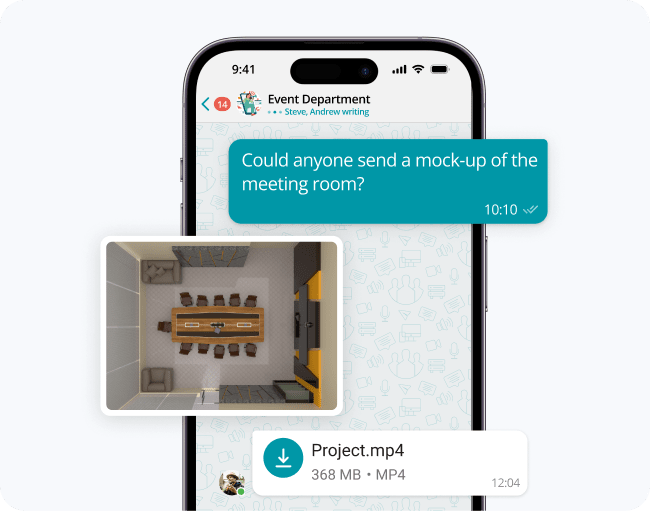
Document and file collaboration platforms help teams create content together, control access, and keep shared knowledge organized. For many teams, this category becomes the backbone of internal information sharing.
Google Workspace (Docs, Sheets, Drive)
Google Workspace offers real-time co-editing, cloud storage, and sharing controls across Docs, Sheets, and Drive. It’s widely used for fast collaboration, lightweight workflows, and distributed teamwork.
Its strength is simplicity and speed: people can edit together instantly, comment, and share links without complex file versioning processes.
Dropbox Paper
Dropbox Paper focuses on collaborative documents with simple sharing and teamwork features. It is often used for team notes, lightweight documentation, and coordination content where fast writing and collaboration matter more than complex formatting.
Its value increases when teams already rely on Dropbox for storage and want a straightforward layer for shared documents.
ONLYOFFICE
ONLYOFFICE provides document editing and collaboration, often positioned for organizations that want control over deployment and data handling. It can integrate with storage platforms and support collaborative editing with a more traditional document experience.
It’s commonly considered by teams that prioritize deployment flexibility and want alternatives aligned with internal infrastructure requirements.
Document & File Collaboration Tools: Main Ideas
Key evaluation points in this category include:
- Real-time co-editing performance
- Access control and sharing governance
- Version history and recovery
- Cross-platform availability
- Compatibility with common formats
- Deployment and data residency options
Latest Trends in Team Collaboration
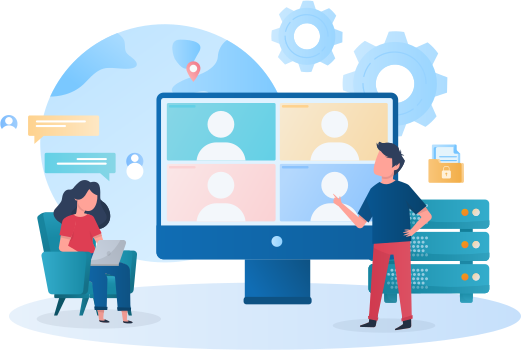
Team collaboration continues to evolve as organizations balance speed, security, hybrid work, and tool sprawl. Several trends are shaping how teams choose and use collaboration apps.
AI-Powered Productivity
AI is increasingly used to summarize meetings, draft messages, generate action items, and reduce time spent on repetitive documentation. The most practical implementations focus on search, summarization, and workflow acceleration rather than replacing human decision-making.
Virtual & Immersive Collaboration
Beyond standard video meetings, some teams explore more immersive experiences for training, onboarding, and distributed workshops. While not mainstream for every organization, the direction is clear: more interactive environments, better spatial presence, and richer remote engagement.
Privacy-First Tools
As data governance becomes a board-level concern, privacy-first collaboration tools are gaining attention. Companies increasingly evaluate encryption models, auditability, self-hosting options, and compliance alignment before adopting new platforms.
Asynchronous Workflows
Teams are reducing reliance on constant meetings by adopting structured async practices: written updates, threaded decisions, recorded briefings, and scheduled digests. Tools that support clarity, searchability, and lightweight documentation become critical in this model.
Conclusion
Collaboration apps help teams move faster, stay aligned, and keep work visible. The best results come from matching tools to real workflows, applying governance where needed, and maintaining clear standards for communication and information management.
Organizations often combine a communication platform, a project management layer, and a document system. When the stack is chosen intentionally and configured well, teams spend less time searching for context and more time executing.
FAQ
What makes TrueConf different from Slack or Microsoft Teams?
TrueConf focuses primarily on secure video conferencing and controlled team communication, whereas Slack emphasizes channel-based messaging and Teams integrates deeply with Microsoft 365. TrueConf is designed for organizations that prioritize governance, deployment flexibility, and predictable performance in their communication workflows. This makes it a strong choice when meeting reliability and administrative control matter more than broad app ecosystems.
Can TrueConf be deployed on-premises for enhanced data security?
Yes, TrueConf supports on-premises and private cloud deployment models, giving organizations full control over data residency and infrastructure. This is particularly valuable for regulated industries or companies with strict compliance requirements. With TrueConf, teams can maintain secure internal communications without relying on public cloud services.
How does TrueConf handle large-scale video conferences?
TrueConf is engineered to support stable, high-quality video meetings even with many participants, thanks to optimized media routing and centralized server management. Administrators can configure resources to match organizational needs, ensuring consistent performance during peak usage. For teams that rely on recurring briefings or company-wide sessions, TrueConf provides the scalability and control required for business-critical communication.
Is TrueConf suitable for small teams or only for enterprises?
While TrueConf offers enterprise-grade features like centralized administration and policy controls, it can also be configured for smaller teams that need secure, reliable meetings. The platform’s flexibility allows organizations to start with core video and messaging features and expand as needs grow. TrueConf adapts to different team sizes without compromising on security or deployment options.
Can TrueConf integrate with existing productivity tools?
TrueConf supports integrations with common business applications, allowing teams to connect their communication workflows with calendars, directories, and other essential tools. While its integration ecosystem may be more focused than Slack’s, TrueConf prioritizes stable, governance-friendly connections that align with enterprise IT policies. This approach helps organizations maintain a cohesive stack without sacrificing control.
What security and compliance features does TrueConf offer?
TrueConf includes encryption, access controls, audit logs, and flexible deployment options to support compliance with various regulatory standards. Organizations can configure data residency, user permissions, and session policies to match their security requirements. With TrueConf, teams gain communication tools that align with governance frameworks while remaining practical for daily use.
How does TrueConf support hybrid or remote work environments?
TrueConf enables consistent communication experiences across devices and locations, with reliable video, messaging, and meeting scheduling that work seamlessly for distributed teams. Administrators can manage access and policies centrally, ensuring security regardless of where employees connect. For hybrid organizations, TrueConf helps maintain structured, productive collaboration without compromising on flexibility or control.
About the Author
Diana Shtapova is a product specialist and technology writer with three years of experience in the unified communications industry. At TrueConf, she leverages her deep product expertise to create clear and practical content on video conferencing platforms, collaboration tools, and enterprise communication solutions. With a strong background in product research and user-focused content development, Diana helps professionals and businesses understand core product features, adopt new technologies, and unlock the full potential of modern collaboration software.


Follow us on social networks