
C-Level Communication Tools: 11 Best Platforms



C-level communication tools are digital platforms that help CEOs, CFOs, CIOs, CTOs, and other senior executives exchange confidential information, coordinate strategic decisions, communicate with employees, and collaborate with boards of directors. These tools include enterprise messaging applications, secure video conferencing systems, board management software, and strategic collaboration platforms.
C-level communication tools differ from standard workplace software in three areas: information sensitivity, decision accountability, and executive access control. They must protect sensitive discussions, help preserve important decisions, and support reliable communication between leadership teams, board members, employees, and external stakeholders.
The right solution depends on the executive workflow. Microsoft Teams and Slack support everyday leadership coordination, while Diligent Boards and OnBoard focus on corporate governance. Zoom Workplace and Cisco Webex provide executive conferencing, TrueConf Server enables communication within privately managed infrastructure, and platforms such as Asana help connect strategic decisions with execution.
Best C-Level Communication Tools at a Glance
|
Platform |
Primary executive workflow |
Deployment |
Main limitation |
|---|---|---|---|
|
Microsoft Teams |
Leadership meetings and internal coordination |
Cloud |
Strong Microsoft 365 dependency |
|
Slack |
Rapid communication between executives and departments |
Cloud |
Formal decisions need separate documentation |
|
Diligent Boards |
Board governance and confidential decisions |
Cloud |
Not intended for company-wide messaging |
|
Zoom Workplace |
Executive video meetings and external communication |
Cloud |
Not a dedicated governance platform |
|
Asana |
Strategic initiatives and executive reporting |
Cloud |
Requires complementary communication tools |
|
TrueConf Server |
Private executive messaging and video conferencing |
On-premises |
Requires infrastructure administration |
|
Google Workspace |
Executive documents, meetings, and reporting |
Cloud |
Formal governance requires additional workflows |
|
OnBoard |
Board meetings, voting, and approvals |
Cloud |
Specialized for board activities |
|
Cisco Webex |
Enterprise meetings, calling, and room systems |
Cloud with hybrid components |
Licensing and infrastructure complexity |
|
Notion |
Executive knowledge bases and decision records |
Cloud |
Not a dedicated secure messaging system |
|
Miro |
Strategic planning and leadership workshops |
Cloud |
Requires a separate process for formal approvals |
For everyday executive coordination, prioritize enterprise messaging platforms. For formal board approvals, choose dedicated governance software. For confidential communication in isolated environments, evaluate self-hosted systems with documented offline capabilities.
Organizations with complex executive workflows frequently need more than one category. The important requirement is defining which platform handles discussions, which maintains official decisions, and which tracks their implementation.
What Are the Main Types of C-Level Communication Tools?
C-level executives communicate with different audiences and handle information with varying levels of sensitivity. A CFO may discuss financial forecasts with directors, while a CIO coordinates infrastructure decisions with technical leadership. A CEO communicates strategic priorities across the organization, and a CISO may need to organize incident response through a restricted communication channel.
These responsibilities create several categories of software, each serving a different purpose.
|
Category |
Primary purpose |
Executive application |
|---|---|---|
|
Secure business messaging |
Rapid, confidential communication |
Leadership discussions and incident coordination |
|
Executive video conferencing |
Real-time meetings and presentations |
Executive committees and investor meetings |
|
Board management software |
Formal governance and approvals |
Board books, voting, and meeting records |
|
Strategic work management |
Coordination of business initiatives |
Company objectives and portfolio reporting |
|
Document collaboration |
Creation and review of information |
Financial reports and strategic documents |
|
Visual collaboration |
Planning and structured discussion |
Strategy workshops and transformation |
|
Internal communications |
Distribution of leadership information |
Company announcements and employee engagement |
The distinction matters because communication and governance are not identical processes. A board portal may offer sophisticated voting and approval functionality while remaining unsuitable for everyday departmental communication. Similarly, a project management application may provide excellent strategic reporting without supporting confidential meetings or formal board resolutions.
The following selection covers both primary communication platforms and complementary tools used to organize executive work.
11 Best C-Level Communication and Collaboration Tools in 2026
1. Microsoft Teams

Microsoft Teams is an enterprise communication and collaboration platform combining messaging, video conferencing, file sharing, and productivity applications within Microsoft 365.
Its principal advantage for executive teams is the connection between communication and the corporate information already stored in Microsoft’s ecosystem.
A CFO can review financial results in Excel, join a leadership meeting through Teams, and collaborate on supporting documents stored in SharePoint without transferring information to an unrelated application.
Executive communication features
Teams provides private chats, group conversations, scheduled meetings, webinars, town halls, and integration with Microsoft 365 services.
For sensitive executive meetings, administrators can configure meeting templates, sensitivity labels, and related policies.
According to Microsoft’s documentation, meeting options enforced through sensitivity labels and custom meeting templates require Teams Premium. The broader information protection environment also depends on eligible Microsoft 365 licensing.
Depending on configuration, these controls can restrict meeting access, lobby bypass, presentation permissions, chat behavior, and selected content-sharing functions.
Microsoft Purview provides compliance and information governance capabilities across supported services, while Microsoft Entra ID enables centralized identity and access management.
Executive use case
A multinational leadership team conducts monthly financial reviews through Teams. The CFO presents updated results, regional directors discuss operational risks, and participants review supporting files in SharePoint.
Afterward, approved actions are transferred to the organization’s designated execution management system.
Key features: Executive messaging, video meetings, town halls, Microsoft 365 integration, sensitivity labels, centralized identity management, and compliance controls.
Best for: Enterprises already using Microsoft 365.
Main limitation: Teams is closely connected to Microsoft’s cloud ecosystem. Organizations requiring completely autonomous private communication infrastructure may need another approach.
Pricing: Subscription-based. Certain advanced meeting protection capabilities require Teams Premium and other eligible Microsoft 365 licenses.
2. Slack

Slack is a business messaging platform designed for persistent communication, cross-functional coordination, and workflow integration.
Its main executive advantage is the ability to coordinate departments quickly without scheduling formal meetings for every operational update.
Leadership channels can organize discussions about strategic initiatives, financial performance, organizational risks, and urgent decisions.
Executive communication features
Slack provides private channels, direct messaging, threaded discussions, Huddles, Canvas, and Workflow Builder.
A leadership Canvas can organize meeting information, strategic priorities, links to reports, and outstanding decisions. Workflow Builder can collect recurring departmental updates or automate routine information requests.
Slack Connect supports shared channels with external organizations, allowing executives to communicate with selected partners.
For organizations with additional security requirements, Slack Enterprise Key Management provides greater control and visibility over encryption keys for supported data.
According to Slack’s documentation, EKM is available as a security add-on for eligible enterprise subscriptions and is included in GovSlack.
It uses AWS Key Management Service and supports customer control over encryption keys. However, it does not make Slack self-hosted or eliminate the need for identity management, access restrictions, and device security.
Executive use case
A CEO maintains a private leadership channel with the CFO, COO, and CTO. Department heads submit weekly operational updates through standardized workflows.
Critical issues receive immediate attention, while routine reports remain available for asynchronous review. Formal decisions are recorded in an approved system rather than relying on message history.
Key features: Private channels, Huddles, Canvas, workflow automation, Slack Connect, threaded communication, AI assistance, and enterprise key management.
Best for: Fast-moving companies with distributed leadership teams.
Main limitation: Slack is not a board governance platform. Formal approvals and corporate resolutions require dedicated procedures or integrations.
Pricing: Free and paid subscriptions. Enterprise security and governance capabilities depend on licensing.
3. Diligent Boards
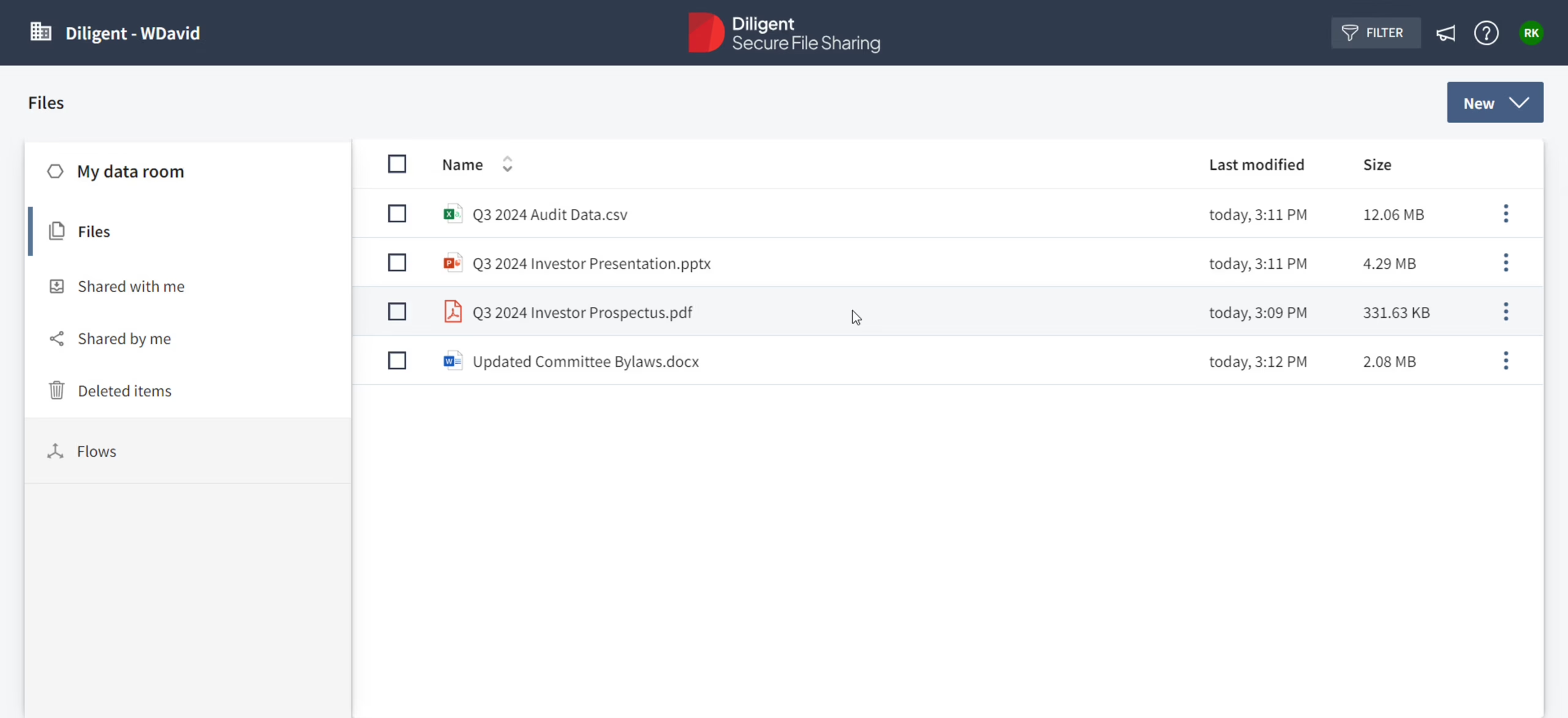
Diligent Boards is a board management platform designed for corporate directors, senior executives, corporate secretaries, and governance professionals.
Unlike general-purpose communication software, it organizes collaboration around formal board activities, sensitive documents, and governance responsibilities.
This specialization makes it relevant to public companies, regulated institutions, and organizations with complex board structures.
Executive communication features
Diligent Boards provides digital board books, meeting preparation, secure document distribution, and governance-oriented workflows.
Directors can review agendas, financial reports, committee materials, and supporting information within a controlled environment.
Diligent Messenger provides confidential individual and group communication, including document sharing.
This gives directors a dedicated channel for discussing board matters instead of exchanging sensitive information through personal messaging applications.
Diligent also offers governance-oriented AI functionality across its broader product ecosystem. Organizations should verify the availability of individual features within their proposed subscription rather than assume that all capabilities are included with Diligent Boards.
Executive use case
A company is preparing to approve an acquisition.
Directors receive financial and legal documents through Diligent, review the proposal, and communicate through controlled channels. The corporate secretary manages the formal decision process and ensures that the approved outcome is recorded appropriately.
Key features: Board books, confidential messaging, document distribution, meeting preparation, and governance workflows.
Best for: Boards of directors, corporate secretaries, public companies, and regulated organizations.
Main limitation: Diligent Boards focuses on governance rather than company-wide messaging or daily operational collaboration.
Pricing: Enterprise subscription terms generally require consultation with the provider. Messenger and other modules should be confirmed in the proposed package.
Insight 1: Board communication and executive management require different decision processes.
Executive management needs continuous coordination, operational updates, and rapid problem resolution. Boards of directors, however, require structured agendas, controlled document distribution, formal approvals, and governance records.
A platform that supports excellent leadership messaging may still be unsuitable as the sole system for corporate resolutions. The critical distinction is whether the communication needs to produce an operational action or a formally documented governance decision.
4. Zoom Workplace

Zoom Workplace combines video conferencing, messaging, documents, whiteboards, and AI-assisted collaboration.
Its primary executive application is conducting internal leadership meetings and communicating with investors, customers, advisers, and external business partners.
For organizations with frequent presentations and geographically distributed stakeholders, Zoom provides a familiar meeting environment without requiring all participants to use the same corporate productivity suite.
Executive communication features
Zoom Workplace provides scheduled meetings, screen sharing, Zoom Chat, Docs, Whiteboard, Clips, and supported AI meeting assistance.
AI Companion can help eligible users review meetings and identify action items. However, AI-generated summaries should not automatically become official executive decision records.
Zoom also provides host and administrative settings for participant authentication, waiting rooms, screen sharing, recording permissions, and meeting access.
These controls are particularly important when executives communicate with people outside the organization.
For example, an investor presentation may allow attendees to view financial slides and submit questions without permitting unrestricted screen sharing, local recording, or participation from unidentified accounts.
Zoom Clips supports asynchronous video messages, which executives can use to distribute updates without scheduling another meeting.
Executive use case
A CEO presents quarterly results to investors.
The meeting organizer verifies participant access, limits presentation permissions, and applies the organization’s recording policy.
After the meeting, the executive team reviews questions and commitments, then prepares a human-approved record of follow-up actions.
Key features: Executive meetings, messaging, Docs, Whiteboard, Clips, AI assistance, and administrative meeting controls.
Best for: Organizations conducting executive presentations, investor meetings, and external communication.
Main limitation: Zoom Workplace does not replace formal board governance software or a dedicated strategic execution system.
Pricing: Free and paid subscriptions. Meeting capacity, administrative functionality, and AI features vary by plan.
5. Asana
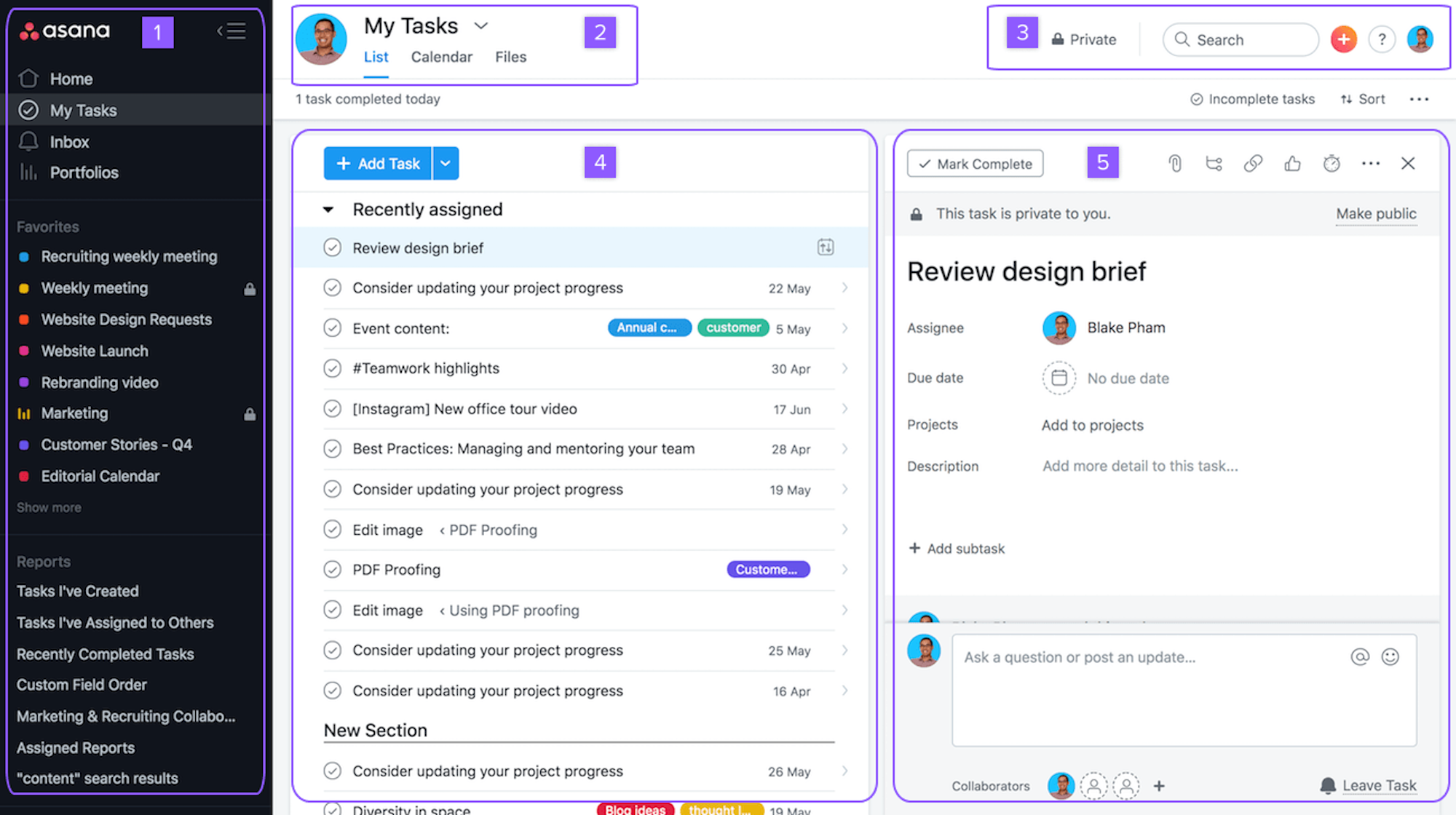
Asana is a work management platform that connects strategic goals, projects, tasks, and organizational reporting.
Its role in executive communication is different from messaging or video conferencing. Asana helps leaders understand whether strategic decisions are being implemented and which initiatives require intervention.
A leadership team may approve a transformation program during a meeting, but execution depends on assigning responsibilities, monitoring dependencies, and identifying delays.
Executive communication features
Asana Goals helps connect organizational objectives with the projects supporting them.
Portfolios consolidate several initiatives into a management view. Status updates, reporting dashboards, and workload information help executives identify problems without requesting individual reports from every department.
An effective executive dashboard should prioritize milestone status, unresolved risks, major dependencies, resource constraints, and decisions requiring leadership attention.
For example, a project marked as delayed is less useful than a report explaining that an unresolved procurement decision is preventing three departments from meeting their deadlines.
Asana’s documentation describes portfolio reporting functionality available through eligible higher-tier subscriptions.
Executive use case
A COO supervises a company-wide operational transformation involving finance, IT, and customer service.
Department heads maintain their assigned initiatives in Asana, while the COO reviews portfolio progress and focuses leadership discussions on risks and decisions that require intervention.
Key features: Strategic goals, portfolios, project dependencies, status updates, workload management, and executive reporting.
Best for: CEOs, COOs, and executives responsible for strategic execution.
Main limitation: Asana is not a substitute for confidential business messaging, executive conferencing, or formal board approvals.
Pricing: Free and paid subscriptions. Advanced portfolios, goals, and reporting features depend on the plan.
Insight 2: Executive communication should be measured by decisions, not message volume.
A leadership team can exchange hundreds of messages without resolving an important issue. A concise decision request containing the context, alternatives, risks, and approval deadline may be more useful than a lengthy conversation.
The most effective workflow connects communication with an approved outcome, a responsible owner, and an implementation deadline. Otherwise, executives may spend more time discussing strategic initiatives without gaining better visibility into their execution.
6. TrueConf Server
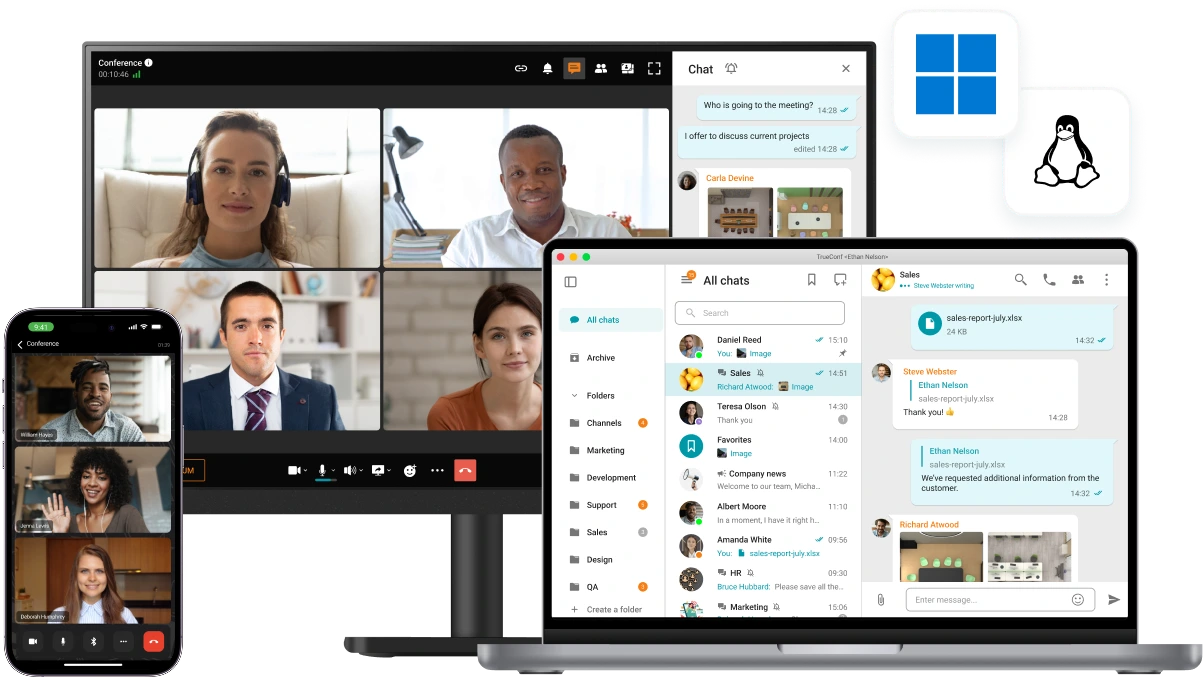
TrueConf Server is a self-hosted corporate communication platform combining enterprise messaging, video conferencing, file sharing, and collaboration tools within privately managed infrastructure.
For C-level executives, its main advantage is the ability to operate corporate communication services within an organization’s own IT environment rather than depend entirely on a public cloud provider.
Appropriately licensed commercial deployments can function inside LAN, VPN, and isolated networks without requiring external internet connectivity for internal communication.
This approach is relevant to organizations handling sensitive financial, operational, or security information.
Executive communication features
TrueConf Server provides personal and group chats, channels, file sharing, video conferencing, screen sharing, and centralized administration.
The platform supports 4K UltraHD video communication and conferences with up to 2,000 participants, subject to licensing, infrastructure capacity, and endpoint capabilities.
Executives can conduct confidential meetings, share presentations, exchange documents, and communicate through supported desktop and mobile clients.
TrueConf Server also supports SIP and H.323 interoperability, allowing organizations to connect compatible video conferencing endpoints and existing meeting room equipment.
For enterprises with established communication infrastructure, this can reduce the need to replace every conferencing device when modernizing the system.
Integration with Active Directory and LDAP supports centralized account management, while administrative controls help enforce corporate communication policies.
Executive use case
A financial institution requires a private communication environment for its CEO, CFO, legal department, and regional directors.
The organization deploys TrueConf Server within its own infrastructure and manages accounts through existing directory services.
Executives exchange messages, conduct video meetings, and share presentations without relying on an external cloud conferencing platform for internal communication.
During a cybersecurity incident, an appropriately configured commercial deployment can continue operating within an available private network.
However, the required servers, endpoints, authentication services, and network connections must remain functional.
Free and commercial licensing
The international TrueConf Server Free edition supports up to 1,000 simultaneously connected users, while group video conferencing is subject to separate capacity restrictions.
An important distinction concerns registration and offline operation.
According to the TrueConf Server Administrator Guide, TrueConf Server Free requires connectivity to reg.trueconf.com using TCP port 4310.
If this connection is lost, the free server is disconnected after 12 hours.
Commercial licensing supports offline registration arrangements and does not impose the same continuous registration connectivity restriction.
Therefore, deploying TrueConf Server Free on a private network should not be confused with deploying a permanently autonomous, isolated communication system.
Key features: Private corporate messaging, group chats, channels, 4K video conferencing, conferences with up to 2,000 participants, file sharing, SIP/H.323 interoperability, directory integration, and autonomous deployment options.
Best for: Financial institutions, government organizations, industrial enterprises, regulated companies, and executive teams requiring direct infrastructure control.
Main limitation: TrueConf Server requires infrastructure administration, capacity planning, and appropriate licensing. It is not a specialized board voting or strategic portfolio management system.
Pricing: Free and commercial editions, with licensing based on required capabilities and conferencing capacity.
Boost your team’s productivity with TrueConf Server Free!
7. Google Workspace

Google Workspace is a cloud productivity and collaboration suite combining Gmail, Google Meet, Google Drive, Docs, Sheets, Slides, Calendar, and Google Chat.
Its strongest executive application is preparing, reviewing, and discussing corporate documents within a connected environment.
A CFO can collaborate on financial forecasts in Sheets, maintain supporting reports in Docs, and present results through Google Meet.
Executive communication features
Google Workspace supports real-time document editing, comments, version history, shared calendars, video meetings, and team-owned document storage.
Shared Drives help organizations retain control of important documents when an executive changes roles or leaves the company.
Google Vault provides retention, legal hold, search, and eDiscovery capabilities for supported services and editions.
However, Vault is not a complete backup and disaster recovery solution. Its purpose is information governance and legal discovery rather than restoring every operational workflow after a failure.
This distinction matters when confidential financial documents must remain available and recoverable over time.
Google Workspace also supports client-side encryption for selected services and eligible editions.
Organizations should evaluate the supported applications, administrative requirements, and functionality limitations before applying client-side encryption to sensitive executive information.
Executive use case
A CFO and executive finance team prepare an annual financial plan.
Authorized employees collaborate on the underlying spreadsheets and reports. The CFO reviews document changes before presenting the final proposal to the executive committee.
Administrative policies control access, while applicable retention and legal hold requirements are handled separately.
Key features: Collaborative documents, video meetings, Shared Drives, version history, Google Vault, centralized administration, and eligible client-side encryption.
Best for: Executive teams already using Google Workspace for productivity and document collaboration.
Main limitation: Google Workspace is cloud-based and does not provide specialized board voting or governance workflows.
Pricing: Per-user subscriptions, with security, retention, and administration capabilities varying by edition.
8. OnBoard

OnBoard is a board management platform designed for formal governance, board meetings, confidential communication, voting, and approval processes.
Its main advantage is the connection between communication and documented corporate decisions.
An ordinary messaging platform may preserve a conversation about an investment proposal. OnBoard provides governance-oriented workflows for reviewing supporting materials and recording formal voting and approval activities.
Executive communication features
OnBoard offers digital board books, meeting agendas, minutes, secure messaging, voting, and approval functionality.
OnBoard Secure Messenger supports individual and group communication within the board portal, helping organizations keep sensitive discussions away from ordinary email and personal messaging services.
Its voting and approval functionality supports activities such as motions, recorded votes, and documented outcomes.
This creates a clearer separation between discussing a proposal and formally approving it.
That distinction matters for corporate secretaries because a conversation expressing support for an investment should not be mistaken for a valid board resolution.
Organizations should verify which messaging, voting, and approval modules are included in the subscription they are considering.
Executive use case
A board needs to approve a proposed investment.
The corporate secretary distributes supporting documents through OnBoard. Directors review the proposal, discuss outstanding questions, and participate in the required formal approval process.
The resulting governance records are maintained according to the organization’s procedures.
Key features: Board books, agendas, secure messaging, voting, approvals, meeting minutes, and document management.
Best for: Boards of directors, corporate secretaries, and organizations requiring formal governance records.
Main limitation: OnBoard specializes in board activities rather than company-wide communication or operational project management.
Pricing: Commercial subscriptions. Available capabilities and licensing terms depend on the package.
9. Cisco Webex

Cisco Webex is an enterprise communication ecosystem combining video conferencing, messaging, business calling, collaboration devices, and centralized administration.
It is especially relevant when executive meetings involve headquarters, regional offices, and dedicated conference room equipment.
Executive communication features
Webex provides video meetings, messaging, calling, whiteboarding, and AI-assisted collaboration capabilities.
Cisco Control Hub enables administrators to manage supported users, devices, licenses, and communication services.
Webex room devices can support executive boardrooms and hybrid meetings where consistent audio and video quality are operational priorities.
Cisco also offers hybrid technologies such as Webex Video Mesh.
According to Cisco’s deployment documentation, Video Mesh nodes operate on supported on-premises infrastructure and remain registered with the Webex cloud.
Supported meetings can use local media processing, potentially reducing unnecessary media traffic across external networks.
However, the technology remains integrated with Webex cloud services and Control Hub.
Video Mesh is not equivalent to a fully autonomous, air-gapped conferencing server.
This distinction is important for organizations comparing hybrid cloud architecture with completely privately operated communication infrastructure.
Executive use case
An international company conducts monthly executive committee meetings across headquarters and regional offices.
Participants join through Webex-equipped meeting rooms and supported individual devices. The IT department manages meeting equipment and communication policies through the corporate Cisco environment.
Key features: Executive video meetings, business messaging, calling, room systems, Control Hub, AI-assisted collaboration, and hybrid media processing.
Best for: Large enterprises with distributed offices and existing Cisco communication infrastructure.
Main limitation: Licensing and infrastructure complexity can increase when combining meetings, calling, hardware, and hybrid services.
Pricing: Commercial subscriptions and enterprise licensing, with additional costs for selected services and devices.
10. Notion
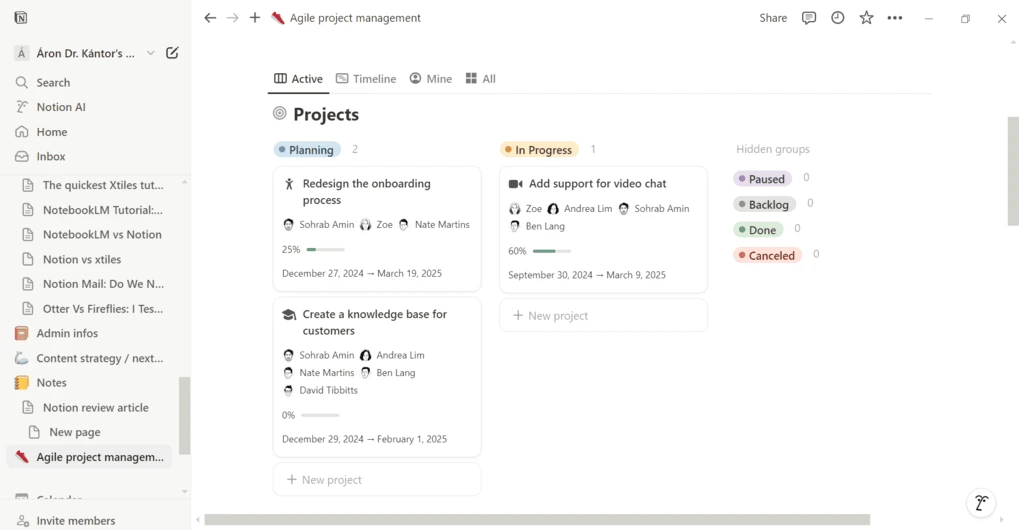
Notion is a connected workspace combining documents, databases, knowledge bases, and project information.
For executive teams, its main value is preserving organizational knowledge and organizing strategic documentation.
A leadership team can maintain annual priorities, meeting notes, decision registers, and supporting project information in a shared workspace.
Executive communication features
Notion provides collaborative pages, relational databases, comments, templates, permissions, and search.
Organizations can connect strategic objectives with projects, meeting records, and related information through linked databases.
Notion AI Meeting Notes can help eligible users capture and organize discussions.
However, confidentiality requires careful consideration of workspace permissions, guest accounts, shared links, and AI data handling.
According to Notion’s security documentation, audio captured through AI Meeting Notes may be processed using external subprocessors for transcription.
For executive meetings involving legal, financial, or other sensitive matters, organizations should examine applicable consent requirements, processing arrangements, and internal data policies.
Notion can maintain useful decision documentation, but formal approval should remain in an authorized governance workflow when required.
Executive use case
A CEO maintains a leadership knowledge base containing strategic priorities, decisions, and major initiatives.
Department heads update relevant project information, while executives review consolidated documents before management meetings.
Highly sensitive communications and formal approvals remain in appropriately controlled systems.
Key features: Executive knowledge bases, relational databases, collaborative documents, meeting notes, permissions, and AI-assisted information organization.
Best for: Leadership teams requiring structured strategic documentation.
Main limitation: Notion is not a dedicated confidential messaging platform or board portal. Workspace permissions and AI processing require careful review.
Pricing: Free and paid subscriptions, with advanced administration and AI functionality depending on the edition.
Insight 3: AI summaries can accelerate executive briefings but should not replace approved records.
AI meeting summaries can help executives review long discussions and identify follow-up actions, but their usefulness depends on accuracy and information governance.
A generated summary may omit important qualifications, misidentify participants, or describe a proposal as an approved decision. For material financial, legal, and corporate governance matters, the authoritative record should be reviewed and approved by responsible personnel.
11. Miro
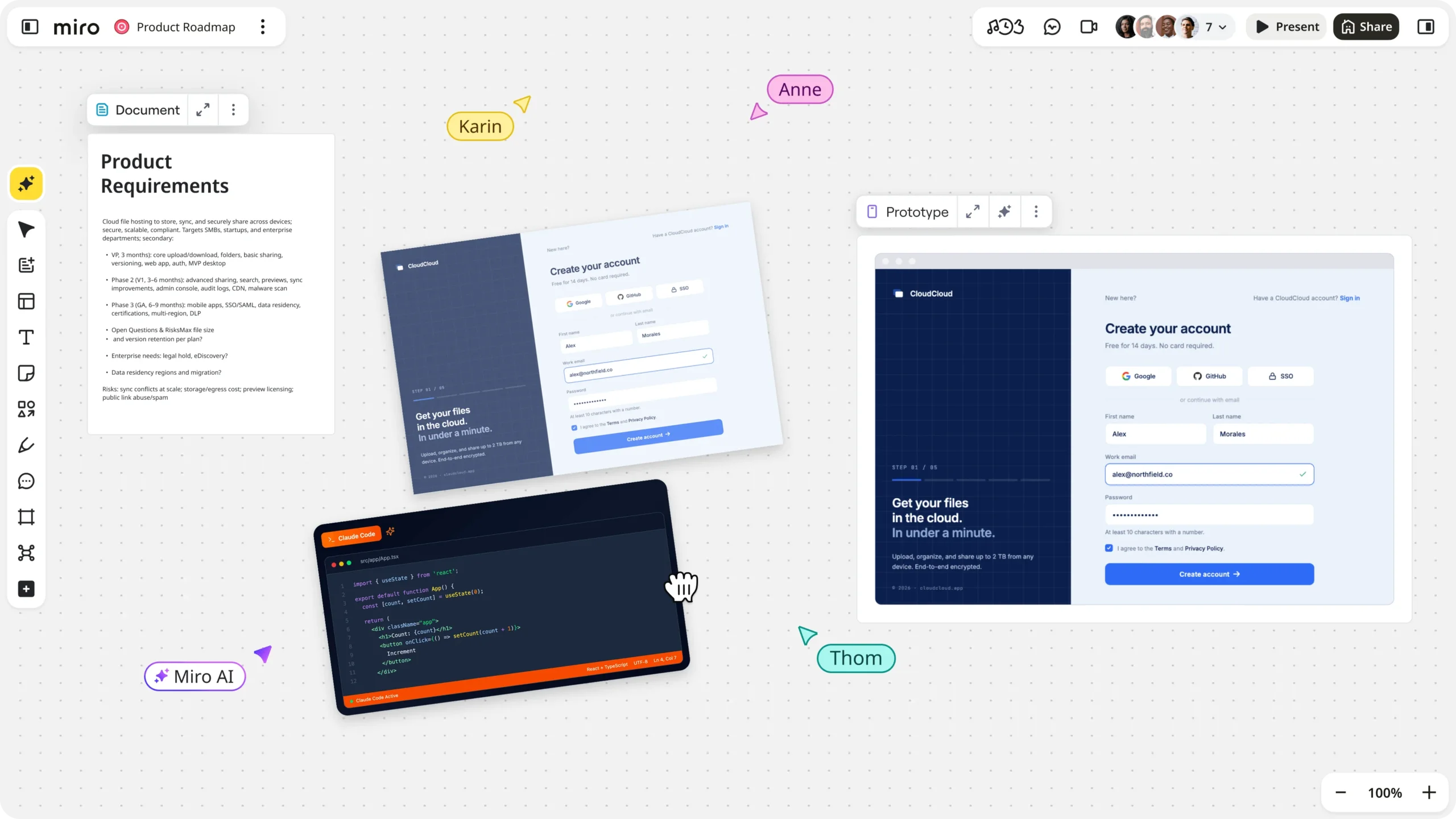
Miro is a visual collaboration platform designed for strategic planning, brainstorming, workshops, and collaborative problem-solving.
Its primary executive application is helping leadership teams examine complex business decisions visually.
Shared boards can support market analysis, organizational redesign, investment comparisons, and transformation planning.
Executive communication features
Miro provides collaborative boards, diagrams, templates, presentations, comments, and workshop facilitation tools.
Executives can use visual frameworks to compare expansion opportunities, map operational dependencies, or evaluate competing strategies.
The platform also provides enterprise administration and security capabilities.
According to Miro’s Enterprise Integrations documentation, its enterprise administration environment includes SSO, SCIM, SIEM, and software asset management integrations.
These capabilities can be relevant when planning boards contain sensitive organizational information.
However, a visual workshop is not itself a formal decision process.
The critical step is transferring approved outcomes into accountable execution.
After an executive planning session, the organization should identify decisions, responsible owners, deadlines, and supporting evidence.
These records should be transferred into a project management or governance system. Otherwise, useful workshop conclusions may remain on the board without influencing operational work.
Executive use case
A leadership team evaluates three market expansion strategies.
Participants use Miro to compare investment requirements, competitive risks, and operational dependencies.
After selecting a preferred strategy, the executive committee documents the approved decision and assigns implementation responsibilities through its established process.
Key features: Visual collaboration, diagrams, planning boards, workshops, presentation tools, SSO, SCIM, and enterprise administration.
Best for: CEOs, strategy teams, innovation departments, and distributed leadership workshops.
Main limitation: Miro is not a primary messaging platform, board portal, or formal approval system.
Pricing: Free and paid subscriptions. Advanced identity management and enterprise governance capabilities depend on licensing.
Why C-Level Communication Requires Specialized Tools?
Executive communication differs from ordinary workplace collaboration because it often involves commercially sensitive information, high-impact decisions, and participants with different governance responsibilities.
A routine departmental conversation may concern a project deadline. An executive discussion might involve an acquisition, restructuring, confidential financial results, regulatory investigation, or cybersecurity incident.
These situations create four requirements: restricted information access, clear decision ownership, controlled communication with external participants, and reliable availability during critical events.
An executive platform must therefore be assessed against the consequences of a communication failure, not simply the number of collaboration features it offers.
Executive Communication Statistics for 2026
Research on leadership and corporate governance highlights the importance of communication between senior executives, boards of directors, and employees.
Board Communication and Organizational Resilience
According to Deloitte’s 2026 analysis of CEO and board relationships, 66% of surveyed board and C-suite leaders identified open, transparent communication between the CEO and board as the most important leadership factor influencing organizational resilience.
The finding came from a survey of 739 board and C-suite leaders conducted in 2025. Deloitte’s 2026 analysis also incorporated interviews with 14 CEOs across Europe, North America, and Asia Pacific.
The research highlights constructive dialogue, trust, and information exchange as important elements of effective board relationships.
Strategic Communication as a CEO Priority
The Conference Board’s C-Suite Outlook 2026 found that 41.2% of global CEO respondents selected communication focused on corporate strategy as a leading communications priority for business growth.
Internal communications ranked second globally at 27.9%.
Regional differences were significant. In Japan, 75.6% of surveyed CEOs prioritized internal communications, compared with the global average of 27.9%.
The survey was conducted in late 2025, with findings published in 2026.
These studies concern leadership priorities and reported organizational practices. They do not establish that purchasing a particular communication platform directly increases growth or resilience.
Their practical implication is that executive communication must support confidential decisions as well as the clear distribution of strategy across an organization.
Executive Communication Across the Organization
C-level communication operates in three principal directions: between executives, between management and the board, and between leadership and employees.
Leadership-to-Leadership Communication
Communication between executives supports strategy development and operational coordination.
For example, a CEO, CFO, and COO may review financial performance, assess business risks, and approve changes to organizational priorities.
Suitable tools provide rapid information exchange, appropriate access restrictions, and a way to preserve important decisions.
Leadership-to-Board Communication
Board communication requires controlled access to confidential documents, meeting agendas, and formal records.
A dedicated governance environment can help directors review information and participate in approval processes without mixing sensitive board activity with routine departmental communication.
Leadership-to-Employee Communication
Communication from executives to employees translates business strategy into operational action.
Examples include company announcements, leadership town halls, restructuring updates, and explanations of changing priorities.
However, the process should not end when the announcement is delivered.
A leadership message is effective only when the relevant departments understand the decision and know what they must do next.
After announcing a new customer service strategy, for example, a CEO could ask department heads to confirm the implications for their teams, assign responsible managers, and report unresolved dependencies.
This establishes a feedback loop rather than a one-way broadcast.
Which C-Level Communication Tool Is Best for Each Executive Role?
Executive responsibilities influence which communication capabilities matter most.
A CEO generally needs organizational alignment, while a CFO prioritizes confidential financial reporting. A CIO may require infrastructure control, and a CISO may need an alternative communication channel during an incident.
|
Executive role |
Main communication requirement |
Relevant tools |
|---|---|---|
|
CEO |
Strategic alignment, leadership meetings, announcements |
Teams, Slack, Webex |
|
CFO |
Financial confidentiality and board communication |
Diligent Boards, OnBoard, Google Workspace |
|
CIO |
Infrastructure control and operational continuity |
TrueConf Server, Teams, Slack |
|
CTO |
Technical strategy and transformation |
Slack, Asana, Miro |
|
COO |
Operational execution and portfolio reporting |
Asana, Teams, Notion |
|
CISO |
Incident coordination and restricted communication |
TrueConf Server, Teams, Diligent Boards |
|
CHRO |
Organizational announcements and employee engagement |
Teams, Zoom Workplace, Google Workspace |
These recommendations are not exclusive.
A CFO may use Teams for everyday communication and Diligent Boards for governance. A CIO may combine a self-hosted communication platform with cloud-based project management software.
The important requirement is defining which system is responsible for each activity.
Secure Executive Messaging vs. Board Portals
Secure executive messaging supports ongoing communication, while board portals organize formal governance processes.
The distinction affects access control, meeting preparation, approval records, and long-term accountability.
|
Requirement |
Executive messaging |
Board portal |
|---|---|---|
|
Immediate communication |
Core functionality |
Often supported |
|
Leadership group discussions |
Core functionality |
Focused on board participants |
|
Video conferencing |
Common |
Varies by product |
|
Board books |
Usually requires separate tools |
Core functionality |
|
Formal voting |
Requires specialized workflows |
Common capability |
|
Meeting minutes |
Documents or integrations |
Structured governance workflows |
|
Approval records |
Depends on connected systems |
Designed for formal governance |
|
Company-wide communication |
Common |
Not the primary purpose |
|
Governance administration |
General enterprise policies |
Specialized board permissions |
Choose executive messaging when leaders need continuous coordination. Choose a board portal when formal approvals, controlled board materials, and governance records are central requirements.
A company with a complex governance structure may need both categories.
Cloud vs. On-Premises C-Level Communication Tools

Cloud and on-premises communication software differ in how services are operated, administered, and accessed.
Cloud platforms are hosted primarily by providers. On-premises systems operate within infrastructure selected and managed by the organization.
|
Factor |
Cloud executive communication |
On-premises executive communication |
|---|---|---|
|
Initial deployment |
Usually faster |
Requires infrastructure planning |
|
Administration |
Primarily provider-managed infrastructure |
Organization-managed infrastructure |
|
Data location |
Depends on provider architecture and policies |
Controlled through selected infrastructure |
|
Internet dependency |
Generally required |
Internal operation may be possible |
|
Security responsibility |
Shared with provider |
Greater direct organizational responsibility |
|
Business continuity |
Depends on provider and connectivity |
Depends on internal infrastructure and resilience |
|
Updates |
Primarily provider-managed |
Controlled by administrators |
|
Cost structure |
Recurring subscriptions |
Licensing, infrastructure, and maintenance |
Neither architecture is automatically more secure.
Cloud platforms may provide sophisticated monitoring, redundancy, and managed infrastructure. Self-hosted systems offer direct administrative control but require maintenance, backups, access management, and incident response capabilities.
The relevant question is whether the selected architecture meets the organization’s confidentiality and continuity requirements under realistic operating conditions.
How to Protect Confidential Executive Communication?

Executive communication security should be matched to the information, participants, and consequences involved.
A board approval, an acquisition negotiation, and a cybersecurity incident create different operational risks.
Confidential Board Decisions
Board discussions may involve sensitive documents and formal approval requirements.
Organizations should use controlled document distribution, restricted participant access, appropriate retention policies, and an authoritative record of approved decisions.
A board portal is often more appropriate than ordinary messaging when voting, minutes, and governance records are required.
Mergers and Acquisitions
M&A discussions involve commercially sensitive information and may include legally privileged material.
Access should be restricted to authorized participants. Organizations should review document downloads, external account permissions, recording controls, and sharing settings.
A confidential acquisition discussion should not take place in a broadly accessible leadership channel simply because the channel is labeled private.
Temporary access granted to external advisers should also be reviewed and revoked when it is no longer required.
Cybersecurity Incidents
A cybersecurity incident creates an additional challenge: the organization’s primary communication environment may itself be affected.
If the corporate identity provider or messaging platform becomes compromised or unavailable, executives need an alternative communication method.
An emergency communication plan should identify the approved backup channel, authorized participants, and procedures for verifying identities.
The backup system should not depend entirely on the same infrastructure whose failure it is intended to withstand.
Insight 4: Confidential communication is not only about encryption.
Encryption helps protect information, but executive confidentiality depends on the complete communication workflow.
For example, sensitive information may still be exposed through excessive permissions, unmanaged devices, inappropriate recording, or access granted to an external adviser after a project ends. A secure executive communication environment must address not only how information is transmitted, but also who can access it, where it is stored, and when permissions should be revoked.
AI Meeting Records
Executive meetings may generate transcripts, recordings, and AI summaries containing sensitive information.
Organizations should determine who can enable these capabilities, where generated records are stored, whether external processing is permitted, and how long information is retained.
For material decisions, an authorized human-reviewed record should remain the source of truth.
How to Choose C-Level Communication Tools?
Choose C-level communication tools based on four factors: information sensitivity, governance requirements, decision workflows, and deployment constraints.
A suitable platform must support the relevant executive process without introducing unacceptable security, administrative, or operational dependencies.
Evaluate the Complete Decision Workflow
Before a meeting, executives need reliable access to relevant information and a clear description of the decision required.
During the meeting, participants need appropriate communication, collaboration, and access controls.
Afterward, the organization needs an approved record, assigned responsibilities, and a mechanism for monitoring implementation.
A system that supports only the discussion may leave important gaps in the broader workflow.
Apply Clear Exclusion Criteria
A platform should be excluded from a specific executive workflow when its limitations conflict with essential requirements.
A cloud-only application may be unsuitable for an isolated network. A general-purpose messenger may be inappropriate as the sole system for formal board voting. A project management platform without the required confidentiality controls should not become the default location for acquisition negotiations.
Organizations should also reject a proposed deployment when essential requirements such as authentication, access revocation, retention, recovery, or licensing cannot be verified.
Test Realistic Executive Scenarios
A controlled pilot should reflect actual leadership activities.
For example, it could involve distributing a confidential financial report, scheduling a leadership meeting, inviting an external adviser, documenting a decision, and assigning follow-up responsibilities.
Organizations with significant continuity requirements should also test account revocation, connectivity loss, and emergency communication procedures.
Evaluate Administration and Total Cost
Subscription fees represent only part of the expense.
Businesses should account for implementation, integrations, training, governance administration, infrastructure, support, storage, and optional security or AI features.
The relevant financial comparison is total cost of ownership rather than the advertised monthly price alone.
How to Measure Executive Communication Effectiveness?
Executive communication effectiveness should be measured through decision quality, approval speed, information accessibility, and completion of leadership actions.
Useful indicators include approval time, delays caused by missing information, board meeting preparation effort, repeated requests for documents, and the completion rate of executive assignments.
A Practical Measurement Example
Consider a leadership team that approves investment requests through email and monthly meetings.
Before introducing a new workflow, the organization records how long approvals take, how often documents must be resubmitted, and how many decisions are postponed because supporting information is missing.
After implementing a board portal or structured approval system, the company measures the same indicators over comparable requests.
If approval times decrease and fewer submissions require clarification, the organization has evidence of improved process efficiency.
However, those changes should not automatically be attributed to the software alone. Updated procedures, employee training, and changes in approval responsibilities may also contribute.
The objective is to determine whether executive communication produces timely, accurate, and accountable decisions.
Common Mistakes When Implementing Executive Communication Software
One common mistake is treating executive communication as a smaller version of ordinary employee messaging. Leadership processes may involve external advisers, sensitive financial information, and governance obligations that standard team channels do not fully address.
Another mistake is confusing product availability with operational readiness. A platform may support encryption, retention controls, or offline operation, but those capabilities must be configured, tested, and maintained correctly.
Organizations can also overlook the people who must act on executive decisions. Strategic announcements may reach an entire company without generating clear responsibilities or a reliable feedback channel.
Finally, implementation can fail when ownership is undefined. Executive communication systems need responsible administrators, agreed information policies, and a clear process for identifying which record represents an approved decision.
Conclusion
C-level communication tools help executives exchange sensitive information, coordinate strategic priorities, and maintain accountability across leadership teams, boards, and departments. Microsoft Teams and Slack support everyday executive communication, Diligent Boards and OnBoard specialize in governance, Zoom Workplace and Cisco Webex provide executive conferencing, and Asana supports strategic execution. TrueConf Server offers privately deployed messaging and video conferencing for organizations requiring direct infrastructure control, while Google Workspace, Notion, and Miro address document collaboration, knowledge management, and strategic planning.
The right combination depends on security requirements, governance responsibilities, executive workflows, and technical resources. Businesses should prioritize controlled access, reliable communication, documented decisions, and clear connections between leadership instructions and operational execution. Effective executive communication is not defined by the number of available applications but by whether critical information reaches authorized decision-makers and produces measurable, accountable action.
Empower your video conferencing experience with TrueConf!
FAQ
What are C-level communication tools?
C-level communication tools are software platforms that help CEOs, CFOs, CIOs, and other executives exchange information, conduct meetings, and coordinate strategic decisions. They include enterprise messaging systems, video conferencing platforms, board portals, and strategic collaboration tools. Different categories support different leadership responsibilities.
What communication tools are best for CEOs?
Microsoft Teams and Slack are suitable for everyday communication with leadership teams and departments. Cisco Webex and Zoom Workplace are relevant when executive meetings and external presentations are the primary requirement. Organizations requiring privately controlled communication infrastructure may prefer an on-premises solution such as TrueConf Server.
How can executives communicate securely with board members?
Executives can use dedicated board management platforms such as Diligent Boards or OnBoard to distribute confidential materials and organize governance activities. These platforms support controlled access to board information and formal meeting workflows. Organizations should also enforce strong authentication, permission management, and appropriate retention policies.
Can executive communication tools work without internet access?
Some self-hosted communication platforms can operate within private networks without external internet connectivity. For example, appropriately licensed commercial TrueConf Server deployments support internal messaging and video conferencing in isolated environments. The organization must maintain the required servers, network services, and authentication infrastructure.
What is the difference between executive communication software and a board portal?
Executive communication software supports ongoing leadership discussions, meetings, and operational coordination. Board portals focus on formal governance activities such as board books, voting, approvals, and meeting records. Organizations with extensive board responsibilities may need both categories.
Should executives use AI meeting summaries for confidential discussions?
AI summaries can help executives review discussions and identify follow-up actions, but their use should follow organizational confidentiality and data-processing policies. Generated information should be checked before inclusion in official records. Highly sensitive meetings may require AI features to be disabled or restricted.
How can companies measure executive communication effectiveness?
Companies can measure decision approval time, board meeting preparation effort, repeated information requests, delayed decisions, and completion rates for executive actions. These indicators should be recorded before implementing new communication workflows and reviewed afterward. The goal is to improve decision quality, accountability, and coordination rather than increase communication volume.
About the Author
Diana Shtapova is a product specialist and technology writer with three years of experience in the unified communications industry. At TrueConf, she leverages her deep product expertise to create clear and practical content on video conferencing platforms, collaboration tools, and enterprise communication solutions. With a strong background in product research and user-focused content development, Diana helps professionals and businesses understand core product features, adopt new technologies, and unlock the full potential of modern collaboration software.


Follow us on social networks