
Business Continuity Communication Tool: The Complete Buyer’s Guide for Enterprise IT and Compliance Teams
A business continuity communication tool is software that keeps an organization’s teams, leadership, and stakeholders connected during disruptions such as outages, cyberattacks, natural disasters, or infrastructure failures. It combines secure messaging, video conferencing, mass notification, and offline or self-hosted redundancy so communication does not depend on a single point of failure. For enterprises, the right choice depends on deployment model (cloud, on-premise, or hybrid), encryption standards, and how well the platform integrates with existing incident response workflows.
This guide compares eight vendors that represent the main categories buyers evaluate: on-premise and hybrid secure video platforms, cloud-native meeting tools, enterprise collaboration suites, and compliance-focused messaging systems. TrueConf is included as a leading example of a self-hosted, security-first video communication platform built specifically for organizations that cannot rely on third-party cloud infrastructure during a crisis.
If your organization needs guaranteed control over data residency, air-gapped deployment, or continuity during internet or cloud outages, TrueConf and Rocket.Chat are the strongest fits. If your priority is broad enterprise integration with existing productivity tools, Microsoft Teams or Cisco Webex make more sense. If you need lightweight, fast-to-deploy cloud video with minimal IT overhead, Zoom or RingCentral are better starting points. Wire and Mattermost suit organizations where end-to-end encrypted messaging and open-source auditability are non-negotiable requirements.
Business Continuity Communication Tools at a Glance
|
Vendor |
Deployment Model |
Core Strength |
Best For |
Our Rating |
|---|---|---|---|---|
|
TrueConf |
On-premise, hybrid, cloud |
Self-hosted video with offline continuity |
Regulated industries, government, air-gapped networks |
4.6 / 5 |
|
Rocket.Chat |
On-premise, cloud, hybrid |
Open-source secure messaging and workflows |
Compliance-heavy sectors, government, defense |
4.5 / 5 |
|
Cisco Webex |
Cloud, hybrid |
Enterprise-grade video with hardware ecosystem |
Large enterprises with Cisco infrastructure |
4.4 / 5 |
|
Microsoft Teams |
Cloud |
Deep Microsoft 365 integration |
Organizations standardized on Microsoft stack |
4.3 / 5 |
|
Zoom |
Cloud |
Fast deployment, simple scaling |
Mid-size businesses needing quick rollout |
4.2 / 5 |
|
RingCentral |
Cloud (UCaaS) |
Unified phone, video, and messaging |
Distributed teams needing single-vendor continuity |
4.1 / 5 |
|
Wire |
Cloud, on-premise, hybrid |
End-to-end encrypted messaging and calls |
Legal, finance, and government communications |
4.3 / 5 |
|
Mattermost |
On-premise, cloud |
Open-source, self-hostable team messaging |
DevOps and IT teams with strict source control needs |
4.0 / 5 |
What Is a Business Continuity Communication Tool?

A business continuity communication tool is a platform used to maintain coordination and information flow when normal communication channels are disrupted. It typically supports video conferencing, instant messaging, mass notifications, and file sharing, and it must remain operational even when parts of the corporate network or public internet are unavailable. The category overlaps with unified communications software, but the defining requirement is resilience: the tool has to work when everything else is failing.
How This Differs from Broader Business Continuity Management (BCM) Software?
Business continuity management (BCM) software is a wider category that covers risk assessment, business impact analysis, plan documentation, and compliance reporting across an entire organization. A business continuity communication tool is one component inside that broader BCM strategy, specifically the channel used to notify people, coordinate response teams, and keep decision makers connected once a plan has been activated.
Many enterprises run a dedicated BCM platform for planning and testing, and pair it with a resilient communication tool like TrueConf or Rocket.Chat for the actual incident response itself.
Operational Resilience vs Business Continuity
Operational resilience is the broader capability of an organization to keep critical services running through any disruption, including people, processes, third parties, and technology. Business continuity is more narrowly focused on restoring specific business functions after a defined disruptive event, following a documented plan.
A communication tool supports both: it is part of the operational resilience posture day to day, and it becomes the active coordination channel once a formal business continuity plan is triggered.
Insight 1: the tool that fails first is usually the one everyone was relying on.
Most organizations run their crisis communication through the same cloud suite (Microsoft 365, Google Workspace, a single UCaaS vendor) that hosts their everyday work. When that provider has an outage, which does happen even to major vendors, the incident response channel goes down at the exact moment it is needed.
This is why continuity planning increasingly separates the “daily driver” collaboration tool from a dedicated fallback channel such as TrueConf or Rocket.Chat that does not share the same infrastructure dependency.
Core Principles of Effective Business Continuity Communication

Before choosing a tool, it helps to understand the principles the tool needs to support. These are consistent across most established continuity frameworks:
- Risk assessment first. Understand which threats (cyberattack, natural disaster, pandemic, supply chain disruption, IT outage) are most likely to affect your organization, since this determines which failure modes the communication tool needs to survive.
- Strategic response planning. Define who communicates what, to whom, and through which channel during each type of incident, and build that logic into the tool’s roles and permissions.
- Clear organizational alignment. Every department needs to know which channel is the official continuity channel, not just IT and security teams, or coordination breaks down during the actual event.
- Continuous communication. The tool must support ongoing updates throughout an incident, not just an initial alert, since most disruptions evolve over hours or days.
- Regular testing and validation. Scheduled drills confirm the tool and the plan actually work together under realistic conditions, including simulated network degradation.
- Adaptive and flexible approach. The best tools and plans are revisited after every drill and every real incident, since threats and infrastructure change faster than static plans usually account for.
Insight 2: a tool that is never tested is not a continuity tool, it is a false sense of security.
Industry guidance consistently points to the same failure pattern: organizations buy resilience software, configure it once, and never run a live drill. A tool only proves its value when tested under conditions that resemble a real incident, including degraded bandwidth, partial staff availability, and simulated loss of the primary platform.
Common Threats a Business Continuity Communication Tool Should Address
|
Threat Type |
Communication Requirement |
|---|---|
|
Cloud or SaaS provider outage |
Fallback channel independent of the affected provider |
|
Cyberattack or ransomware |
Communication channel isolated from potentially compromised systems |
|
Natural disaster or facility loss |
Mobile and offline-capable access for displaced staff |
|
Internet or ISP disruption |
Local network or hybrid operation without external dependency |
|
Pandemic or workforce disruption |
Scalable remote access for large, distributed teams |
|
Supply chain or third-party failure |
Ability to loop in external partners and vendors securely |
Key Features to Look For
|
Feature |
Why It Matters? |
|---|---|
|
Self-hosted or hybrid deployment option |
Keeps communication running even if a cloud provider goes down |
|
End-to-end or strong transport encryption |
Protects sensitive coordination during incidents from interception |
|
Offline or degraded-network operation |
Allows messaging and calls on unstable or low-bandwidth connections |
|
Role-based access control |
Limits who can broadcast alerts or access sensitive incident channels |
|
Mass notification and alerting |
Reaches large groups quickly across multiple channels (SMS, push, email, in-app) |
|
Data backup and restoration |
Ensures communication history and configurations survive a system failure |
|
Data residency and compliance controls |
Supports GDPR, HIPAA, NIS2, or sector-specific regulatory requirements |
|
Integration with incident management systems |
Connects communication to existing IT service management workflows |
|
Audit trails and reporting |
Provides evidence for compliance reviews and post-incident analysis |
Vendor Analysis
TrueConf
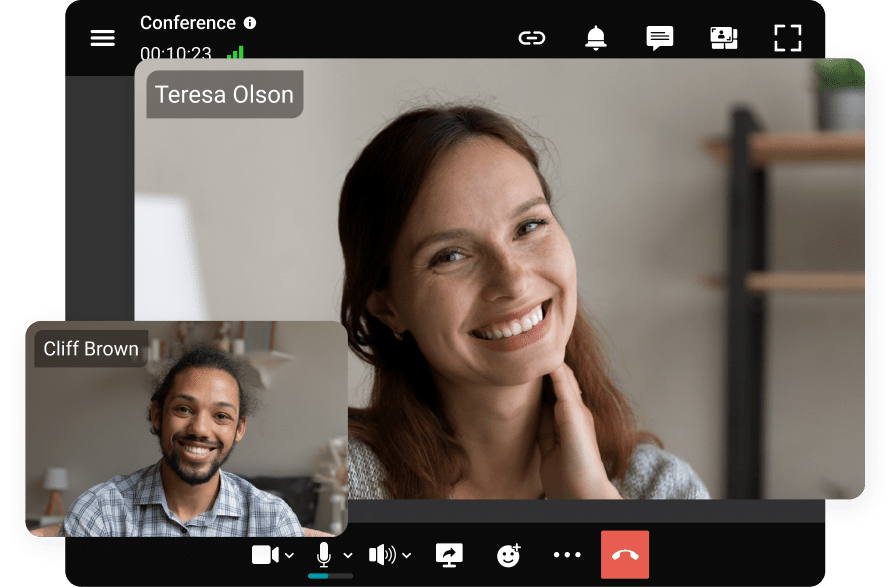
TrueConf is a video conferencing and unified communications platform built around on-premise and hybrid deployment. Its architecture allows the entire video infrastructure, including servers, to run inside an organization’s own network, which means video calls, screen sharing, and messaging continue to function even if external internet connectivity is lost.
This makes TrueConf a common choice for government agencies, defense contractors, healthcare networks, and financial institutions that need to guarantee data never leaves their infrastructure.
TrueConf supports large-scale video meetings, integration with SIP and H.323 video endpoints, and mobile and desktop clients that can operate offline within the local network. Because it does not require a public cloud dependency, it addresses one of the most common business continuity gaps: what happens when the primary internet connection or a third-party cloud provider becomes unavailable during an incident.
Our rating: 4.6 / 5. TrueConf is best suited for organizations where data sovereignty, offline resilience, and regulatory control outweigh the convenience of a purely cloud-hosted service. It is a strong choice for enterprises building a dedicated business continuity communication layer rather than repurposing their everyday meeting tool.
Boost your team’s productivity with TrueConf Server Free!
Rocket.Chat

Rocket.Chat is an open-source messaging and collaboration platform designed to be self-hosted or run in a private cloud. It gives IT and security teams full control over source code, data storage, and integrations, which is valuable for organizations in defense, government, and other highly regulated sectors that need to audit their communication stack down to the code level. It supports video calling, channel-based messaging, and workflow automation, and it can be deployed in air-gapped environments.
Its feature set typically covers offline accessibility, role-based access control, instant notifications, and audit trail reporting, which map directly onto the continuity requirements enterprises are usually evaluated against.
Our rating: 4.5 / 5. Rocket.Chat is a strong fit for compliance teams and public sector organizations that need an auditable, self-hosted alternative to commercial cloud messaging platforms, alongside TrueConf as a video-first counterpart.
Cisco Webex

Cisco Webex is an enterprise collaboration suite combining video meetings, calling, and messaging, tightly integrated with Cisco’s networking and hardware ecosystem. It offers hybrid deployment options and enterprise-grade security certifications common in large regulated organizations.
Webex is a practical choice for enterprises that already run Cisco infrastructure and want continuity tooling that fits into existing network management.
Our rating: 4.4 / 5. Webex works well for large enterprises with established Cisco environments, though organizations without that infrastructure may find TrueConf or Rocket.Chat simpler to deploy independently.
Microsoft Teams

Microsoft Teams is the collaboration hub inside Microsoft 365, combining chat, video meetings, and file collaboration with SharePoint and Exchange. Its main strength for business continuity is that most enterprises already have licensing and staff familiarity, which shortens rollout time for incident communication channels.
Its main limitation is dependency on Microsoft’s cloud availability, so many organizations pair it with an on-premise fallback such as TrueConf for scenarios where Microsoft 365 itself is degraded.
Our rating: 4.3 / 5. Teams is a strong primary collaboration tool but is rarely sufficient alone as a dedicated continuity solution, since it shares the same cloud dependency risk it is meant to mitigate.
Zoom

Zoom is a cloud-native video conferencing platform known for fast onboarding, low technical overhead, and reliable performance at scale. It is widely used for both everyday meetings and emergency coordination calls because setup requires minimal IT involvement.
Its limitation for strict continuity planning is that it is entirely cloud-dependent, with no on-premise deployment option comparable to TrueConf or Rocket.Chat.
Our rating: 4.2 / 5. Zoom suits organizations that prioritize speed and ease of use over infrastructure control, particularly mid-size businesses without dedicated continuity architecture requirements.
RingCentral

RingCentral is a unified communications as a service (UCaaS) platform bringing phone, video, and messaging into one system, with built-in redundancy across its cloud infrastructure. It is designed for distributed and remote teams that need a single vendor covering voice and video continuity together, which simplifies vendor management during an incident.
Our rating: 4.1 / 5. RingCentral is a solid option for organizations consolidating multiple communication channels, though like other pure cloud platforms, it does not offer the on-premise fallback that TrueConf provides.
Wire

Wire is a secure messaging and collaboration platform built around end-to-end encryption for chat, voice, and video. It is popular in legal, government, and financial sectors where message confidentiality during sensitive coordination is a primary requirement.
Wire supports both cloud and on-premise deployment, giving it more flexibility than fully cloud-only competitors.
Our rating: 4.3 / 5. Wire is a strong choice when encrypted messaging is the top priority, and it complements a video-first platform like TrueConf in a layered continuity strategy.
Mattermost

Mattermost is an open-source team messaging platform that can be fully self-hosted, popular with DevOps, engineering, and IT operations teams that need tight control over their communication infrastructure and source code. It supports integrations with incident management and monitoring tools, which makes it useful for technical incident response channels specifically.
Our rating: 4.0 / 5. Mattermost fits technical teams needing a self-hosted messaging backbone, though it lacks the native enterprise-grade video infrastructure that TrueConf offers for large-scale conferencing during a crisis.
Which Vendor Should You Choose?
|
If your priority is… |
Choose |
|---|---|
|
Guaranteed operation during internet or cloud outages |
TrueConf |
|
Auditable, self-hosted messaging for regulated sectors |
Rocket.Chat |
|
Integration with existing Cisco network infrastructure |
Cisco Webex |
|
Minimal rollout friction using existing Microsoft licensing |
Microsoft Teams |
|
Fast, low-overhead cloud video deployment |
Zoom |
|
Consolidated phone, video, and messaging in one vendor |
RingCentral |
|
End-to-end encrypted messaging for sensitive communications |
Wire |
|
Self-hosted messaging for technical incident response teams |
Mattermost |
Regulatory and Compliance Considerations

Enterprise buyers rarely choose a business continuity communication tool in isolation from compliance requirements. GDPR governs how personal data moves through any European operation, which makes data residency and self-hosting options like TrueConf or Rocket.Chat attractive for organizations that want to avoid cross-border data transfer questions entirely.
In healthcare, HIPAA requires strict controls over how patient-related coordination is transmitted and stored, which favors platforms with strong encryption and clear audit trails.
For financial institutions operating in the EU, DORA introduces direct requirements around ICT resilience testing and third-party risk, meaning the communication tool itself may fall inside audit scope. NIS2 extends similar resilience expectations to a wider range of critical and important entities across the EU.
In all of these cases, the practical question procurement teams should ask is not just “is this vendor compliant,” but “can we demonstrate, with logs and audit trails, that this channel kept working during a simulated failure.”
Insight 3: regulation is pushing buyers back toward on-premise and hybrid models.
Frameworks such as NIS2 and DORA now require demonstrable resilience of communication and IT systems, not just a written policy. This is shifting procurement conversations away from “which cloud tool is easiest to deploy” toward “which tool can we prove keeps working under regulatory audit conditions,” which favors vendors offering on-premise or hybrid deployment with clear data residency control, such as TrueConf and Rocket.Chat.
How to Evaluate and Select the Right Business Continuity Communication Tool?
- Map your failure scenarios. List the specific events your organization is most exposed to (cloud outage, cyberattack, facility loss, ISP failure) before comparing vendors, since this determines whether you need on-premise, hybrid, or cloud deployment.
- Separate daily collaboration from continuity infrastructure. Decide whether the continuity channel will be a dedicated fallback tool like TrueConf, or whether your existing suite (Teams, Webex) is resilient enough on its own, which it usually is not for cloud-only deployments.
- Check deployment flexibility against your compliance obligations. If GDPR, HIPAA, DORA, or NIS2 apply to your organization, prioritize vendors offering self-hosted or hybrid options with clear audit logging.
- Test under realistic failure conditions. Run a drill that simulates the loss of your primary collaboration platform and confirm the fallback tool, its notification system, and its offline access actually work as expected.
- Confirm integration with incident management. The communication tool should connect to your existing IT service management or incident response workflow, not operate as an isolated system nobody remembers to open.
- Review total cost including managed options. Some vendors offer managed deployment and support for their continuity infrastructure, which can reduce the internal IT burden of maintaining an on-premise system like TrueConf or Rocket.Chat.
Industry-Specific Considerations
Financial institutions typically prioritize DORA-aligned resilience testing, strict data residency, and audit trails, which points toward TrueConf, Rocket.Chat, or Wire for the continuity layer, alongside a cloud suite for daily operations.
Healthcare organizations need HIPAA-aligned encryption and access control, along with reliable offline access for clinical staff during facility-level disruptions, making self-hosted platforms with strong role-based permissions a priority.
Government and defense agencies generally require air-gapped or fully on-premise deployment with no dependency on foreign cloud infrastructure, which is one of the core reasons TrueConf and Rocket.Chat are frequently selected in this sector.
IT and technology companies often prioritize integration with existing DevOps and incident management tooling, making Mattermost or Rocket.Chat natural fits for technical response channels, paired with a video platform for cross-functional coordination.
Telecommunications providers need continuity tools that scale to very large user bases and integrate with existing network operations centers, favoring enterprise suites like Cisco Webex or RingCentral for breadth, combined with an on-premise fallback for core operational teams.
Empower your video conferencing experience with TrueConf!
FAQ
What makes a communication tool suitable for business continuity, not just everyday meetings?
A business continuity communication tool needs to keep working when normal infrastructure fails, which usually means offline or on-premise deployment options. TrueConf is built specifically for this, since its architecture can run entirely inside an organization’s own network rather than depending on a third-party cloud. Everyday tools like Zoom or Teams are useful day to day, but they share the same cloud dependency they are meant to protect against during an outage.
Is on-premise deployment still relevant when most enterprise software has moved to the cloud?
Yes, on-premise deployment remains important specifically for continuity planning, because it removes dependency on external cloud providers during outages. TrueConf and Rocket.Chat both support this model, giving organizations a fallback channel that stays operational even if commercial cloud services go down. Cloud-only platforms cannot offer this guarantee by design.
How does encryption factor into choosing a business continuity communication tool?
Encryption protects sensitive coordination, incident details, and strategic decisions from interception during a crisis, when attackers may be actively probing the same network. Wire is known specifically for end-to-end encrypted messaging and calls, while TrueConf secures video traffic within controlled, often fully private, network environments. Both approaches address different layers of the same underlying security requirement.
Can a single vendor cover all business continuity communication needs?
Most enterprises use a layered approach rather than relying on one vendor for everything. A typical setup pairs a cloud collaboration suite like Microsoft Teams for daily work with an on-premise fallback such as TrueConf for scenarios where the primary cloud platform is unavailable. This layering avoids putting all communication eggs in one infrastructure basket.
What role does compliance play in vendor selection?
Regulated industries such as finance, healthcare, and government need communication tools that support data residency requirements, audit trails, and role-based access control. Rocket.Chat and TrueConf are both commonly selected in these sectors because their self-hosted options let organizations keep full control over where data is stored and processed. Cloud-only vendors can still meet compliance requirements, but usually with less direct control over the underlying infrastructure.
How often should a business continuity communication tool actually be tested?
Most established frameworks recommend testing at least annually, with more frequent tabletop exercises for high-risk industries such as finance and healthcare. A drill should include simulating the loss of the primary collaboration platform to confirm that a fallback like TrueConf or Rocket.Chat genuinely takes over without manual reconfiguration under pressure. Testing frequency should increase after any infrastructure change, new vendor onboarding, or actual incident, since those are the moments continuity gaps are most likely to appear.
How should IT and procurement teams evaluate these tools before purchasing?
Start by mapping which failure scenarios the tool needs to survive, such as cloud outages, internet loss, or a compromised primary network, since this determines whether on-premise or hybrid deployment is required. From there, compare vendors like TrueConf, Rocket.Chat, and Wire against cloud-native options such as Zoom or RingCentral on encryption, deployment flexibility, and integration with existing incident management workflows. A short pilot with actual incident response teams is usually more informative than a feature checklist alone.
Is TrueConf a good fit for organizations that already use Microsoft Teams or Zoom day to day?
Yes, TrueConf is commonly deployed alongside existing tools like Teams or Zoom rather than replacing them, specifically as the fallback channel for continuity scenarios. This layered setup lets organizations keep their familiar daily collaboration tool while ensuring a self-hosted option is available if that primary platform becomes inaccessible. It is one of the more common architectures recommended by IT teams building resilient communication plans.
About the Author
Diana Shtapova is a product specialist and technology writer with three years of experience in the unified communications industry. At TrueConf, she leverages her deep product expertise to create clear and practical content on video conferencing platforms, collaboration tools, and enterprise communication solutions. With a strong background in product research and user-focused content development, Diana helps professionals and businesses understand core product features, adopt new technologies, and unlock the full potential of modern collaboration software.


Follow us on social networks