
Air Gap Security: How Air Gapped Networks Work?
An air gap is a security architecture in which a computer, network, or system is isolated from less trusted networks, especially the public internet. The term air-gap security refers to this use of deliberate isolation as a security control. NIST defines an air gap as an interface where systems are not physically connected and any logical connection is not automated, meaning that data crosses the boundary manually under human control.
Air gapped environments are used when reducing network exposure is more important than convenience. Typical examples include defense systems, classified networks, industrial control systems, research environments, critical infrastructure, and organizations that need communications or applications to continue without public internet access.
An air gap does not make a system automatically secure. Removable media, supply chain compromises, compromised laptops, malicious peripherals, misconfigured transfer procedures, and human error can still introduce threats. Effective air gap security therefore combines network isolation with strict controls for software, identities, updates, data transfer, endpoints, and administration.
Air Gap at a Glance
|
Question |
Short Answer |
|---|---|
|
What is an air gap? |
Isolation between systems that prevents normal automated network communication |
|
Does an air gapped system use a network? |
It can use an internal network, but that network is isolated from less trusted networks |
|
Is an air gap the same as a firewall? |
No. A firewall controls network traffic, while a true air gap removes normal network connectivity across the boundary |
|
Can data enter an air gapped network? |
Yes, but transfer must be deliberately controlled |
|
Where are air gaps used? |
Defense, government, industrial systems, research, critical infrastructure, and other high security environments |
|
Is an air gap completely secure? |
No. Malware can still enter through removable media, transferred files, peripherals, insiders, or compromised supply chains |
|
Can collaboration software work inside an air gap? |
Yes, if the server, clients, identity services, storage, and required dependencies are available locally |
|
What is the main tradeoff? |
Greater infrastructure isolation in exchange for more complex operations, updates, and data transfer |
What Is an Air Gap?

An air gap separates a system from another network so that normal automated network communication cannot cross the boundary.
The strictest interpretation is physical isolation. The protected network has no direct physical connection to the internet or another less trusted network. Network cables, routers, wireless interfaces, and other communication paths are deliberately absent or disabled.
In practice, organizations may also use highly isolated logical environments with tightly controlled gateways. These are often described as air gapped in product documentation, although they are not always identical to the strict physical definition.
The distinction matters because security depends on the actual architecture rather than the label.
How Does an Air Gapped Network Work?
An air gapped network contains the infrastructure needed to operate independently.
A typical environment may include:
- internal application servers;
- databases;
- local identity and directory services;
- DNS;
- certificate infrastructure;
- file storage;
- collaboration or communication servers;
- package repositories;
- monitoring systems;
- backup infrastructure;
- administrator workstations.
Users communicate with these systems through the isolated internal network.
If information must enter or leave the environment, it crosses through a controlled procedure rather than an ordinary internet connection. The process may involve approved removable media, dedicated transfer stations, scanning systems, controlled gateways, or other security mechanisms.
The more isolated the environment becomes, the more supporting services must also be brought inside the boundary.
Physical Air Gap vs Logical Isolation
Not every isolated environment uses the same architecture.
|
Architecture |
Connectivity |
Typical Control Model |
Main Consideration |
|---|---|---|---|
|
Physical air gap |
No normal physical network path to less trusted networks |
Manual transfer under controlled procedures |
Strong isolation but high operational overhead |
|
Isolated internal network |
Internal systems communicate, but no public internet access exists |
Internal routing and local services |
Requires all important dependencies to exist locally |
|
Highly restricted network |
Limited external routes are allowed through controlled gateways |
Firewalls, allowlists, proxies, inspection |
More convenient but not a strict physical air gap |
|
Cross domain environment |
Controlled data transfer between networks with different trust levels |
Specialized gateways and policy enforcement |
Requires careful validation of every transfer path |
A physical air gap offers the clearest separation, but many organizations use other isolation models because completely manual transfer can make normal operations difficult.
Air Gap vs Firewall
A firewall and an air gap solve different problems.
A firewall creates a controlled network boundary. Systems on both sides can still be connected, but traffic is permitted or blocked according to policy.
An air gap removes the normal communications path entirely.
A firewall may allow administrators to permit HTTPS traffic to selected services, synchronize software repositories, or enable remote management. A strictly air gapped network cannot rely on those paths.
This difference changes how organizations handle software updates, remote support, authentication, collaboration, monitoring, and data transfer.
Air Gap vs Offline System
An offline computer is not necessarily air gapped.
A laptop may simply be disconnected from WiFi for several hours while still being capable of reconnecting later. That is different from a system intentionally designed to remain isolated as part of its security architecture.
Likewise, an internal server that temporarily loses internet connectivity is not automatically part of an air gapped environment.
An air gap is a deliberate architectural and operational control.
Why Are Air Gapped Networks Used?

Air gaps are most useful when the consequences of external network exposure are unusually high.
Classified and Defense Networks
Defense and intelligence systems may process information that cannot be exposed to public networks or ordinary enterprise infrastructure.
Air gapped communication and collaboration systems can allow users inside the same trusted environment to exchange messages, files, and meeting traffic without routing data through external services.
Industrial Control Systems
Industrial environments may isolate operational technology from business networks and the internet to reduce exposure of production systems.
Examples include supervisory control systems, industrial controllers, plant management systems, and other equipment involved in physical processes.
Critical Infrastructure
Energy, water, transportation, manufacturing, and other critical infrastructure operators may use network segmentation and isolated environments where operational continuity is more important than unrestricted connectivity.
Research and Intellectual Property
Research laboratories and engineering organizations may isolate selected systems containing sensitive designs, experimental data, or proprietary information.
Incident Recovery Environments
Organizations may also maintain isolated systems for backup, recovery, or emergency communication so that a compromise of the primary network does not immediately affect every operational resource.
Air Gap Security: Current Threat Statistics
Air gaps reduce network exposure, but they do not eliminate malware risk.
Honeywell reported 1,826 unique USB threats detected in the first quarter of 2025 through its Secure Media Exchange technology. Of those, 124 were previously unseen threats. Honeywell also reported that one malware family represented 37 percent of blocked files and had increased sharply compared with the previous quarter.
These figures are relevant to air gapped environments because removable media is one of the mechanisms commonly used to move files, patches, configuration data, and software across isolated boundaries.
A 2025 academic survey of malware attacks against industrial air gap systems similarly notes that isolated systems remain vulnerable to attack vectors such as removable media and other physical transfer mechanisms.
The important conclusion is that isolation changes the attack surface rather than removing it.
How Does Data Cross an Air Gap?
Information transfer is one of the most difficult parts of running an isolated environment.
The transfer process normally needs to answer four questions:
- What information is permitted to cross the boundary?
- Who is authorized to move it?
- How is the data inspected before transfer?
- How is the transfer recorded and verified?
Organizations may use removable media, dedicated transfer workstations, optical media, approved storage devices, or specialized cross domain systems.
The exact mechanism depends on the sensitivity of the environment.
A secure transfer process should also distinguish between data transfer and software transfer. Moving a document into an isolated network is different from importing an operating system update, container image, application package, or executable file.
Insight 1: The Air Gap Moves Security Pressure to the Transfer Boundary
An internet connected system must continuously defend network services from external traffic.
An air gapped system reduces much of that exposure, but every approved transfer becomes more important.
The removable drive, update package, administrator laptop, or transfer station effectively becomes part of the security perimeter.
This is why strong air gap security depends as much on controlled operational procedures as on physical network isolation.
What Infrastructure Does an Air Gapped Environment Need?
A strict air gap cannot assume that essential services will be available from the internet.
|
Infrastructure Component |
Why It May Be Needed Locally |
|---|---|
|
DNS |
Internal hostname resolution |
|
Directory service |
User authentication and account management |
|
Certificate authority |
Trusted certificates for internal services |
|
Package repository |
Software installation and updates |
|
Container registry |
Local storage of approved container images |
|
File storage |
Internal document and application data |
|
Backup system |
Recovery without external cloud dependencies |
|
Monitoring |
Local logs, alerts, and operational visibility |
|
Email or messaging |
Internal notifications and communication |
|
Collaboration platform |
Chats, meetings, calls, and files inside the isolated network |
|
Documentation repository |
Access to procedures without external websites |
The more software depends on external APIs and hosted services, the harder it becomes to operate inside a strict air gap.
Air Gapped Software Deployment

Installing software inside an air gap requires a different process from ordinary server deployment.
Mattermost, for example, documents an air gapped deployment process in which software packages, container images, plugins, desktop applications, and documentation are prepared outside the isolated network, transferred across the boundary, and then hosted or installed from local resources.
A local package mirror or private container registry is particularly useful for larger environments because administrators can maintain approved software inside the isolated network instead of repeatedly transferring individual dependencies.
This pattern applies beyond collaboration software. Any application that normally downloads dependencies during installation must be adapted so that every required component is available locally.
How Are Software Updates Handled?
Updates cannot simply be downloaded directly from the vendor when the production environment has no external connectivity.
A typical update process includes:
- downloading software on an approved connected system;
- validating the package and its source;
- checking hashes or signatures;
- scanning the package for malicious content;
- transferring it through the approved boundary;
- importing it into a local repository;
- testing the update inside a staging environment;
- deploying it to production.
This process is slower than automatic cloud updating but provides much greater control over which software enters the environment.
Mattermost specifically recommends staging application artifacts and using private package mirrors or registries for isolated deployments.
Insight 2: An Air Gap Creates a Dependency Inventory Problem
Many modern applications appear self-hosted but still depend on cloud services.
A product may require external access for:
- license validation;
- mobile push notifications;
- marketplace extensions;
- AI services;
- telemetry;
- update checks;
- maps;
- CAPTCHA;
- external identity providers;
- cloud transcription;
- email delivery;
- third party APIs.
For this reason, self-hosted does not automatically mean air gap ready.
An organization evaluating software for an isolated network should create a dependency inventory for every important feature.
Air Gapped Software and Collaboration Platforms
Communication software is particularly important inside isolated environments because employees still need messaging, meetings, files, directories, and administrative tools even when cloud collaboration services are unavailable.
The following platforms document support for air gapped or fully isolated deployments.
Mattermost

Mattermost provides dedicated documentation for self-hosted air gapped environments. The vendor defines such an environment as one where systems cannot access public package repositories, container registries, app stores, or SaaS APIs.
The platform supports channels, direct messages, threads, file sharing, calls, integrations, plugins, and enterprise collaboration workflows. In an air gapped deployment, the Mattermost server and supporting infrastructure operate entirely within the isolated boundary.
The deployment process can use Linux packages, Kubernetes, or containers. Administrators prepare application packages, images, plugins, and documentation before transferring them into the protected environment.
Some features need adjustment. Public push notification services, internet link previews, GIF services, hosted AI models, telemetry, and external email cannot work normally without appropriate local replacements. Mattermost recommends disabling or replacing these dependencies in an isolated deployment.
Best for: defense, classified environments, industrial networks, and organizations that need team messaging and collaboration inside an isolated infrastructure.
Strengths: documented air gap deployment process, private registries and package mirrors, internal collaboration, local documentation, configurable external dependencies.
Limitations: administrators must stage software and manage local infrastructure. Features dependent on external services require local alternatives or must be disabled.
Element

Element provides an air gapped deployment option for Element Server Suite Pro and documents installation into isolated Kubernetes environments. Air gap bundles can be imported into a local private registry so the platform can be deployed without pulling components from the public internet.
Element positions its air gapped architecture for restricted, classified, and high security networks and states that it can operate without public internet connectivity.
The platform is based on the Matrix communication ecosystem and can provide messaging, rooms, file sharing, voice and video communication, and other collaboration functions depending on the deployed configuration.
A private registry becomes an important part of the architecture because the Kubernetes cluster must be able to retrieve all required application images from within the isolated environment.
Best for: organizations that need Matrix based secure messaging and collaboration inside isolated infrastructure.
Strengths: dedicated air gap bundles, private registry deployment, self-hosted communications, and support for restricted network environments.
Limitations: operating the server suite requires Kubernetes infrastructure and careful management of local deployment dependencies.
TrueConf Server

TrueConf Server is a video conferencing and corporate messaging platform designed for deployment inside organization controlled infrastructure. The full version can operate autonomously within a corporate network without requiring an internet connection.
The platform combines personal and group chats, channels, file exchange, audio and video calls, video conferences, screen sharing, recording, corporate address books, and centralized administration. Conferences can support up to 2,000 participants in supported configurations, and SIP and H.323 integration allows existing video conferencing equipment to connect to the server.
TrueConf Server can be configured for internal network access without external server addresses. Client applications connect directly to the server over the corporate network, while LDAP or LDAPS can provide directory integration.
For systems without access to the vendor registration service, premium or qualifying trial licenses support offline registration through a controlled file exchange process. The full version does not have the periodic connectivity requirement applied to TrueConf Server Free.
Best for: organizations that need messaging, video conferencing, meeting room integration, and centralized communication inside local or isolated corporate networks.
Strengths: autonomous internal operation, offline registration for supported licenses, video conferencing and messaging in one platform, LDAP integration, SIP and H.323 compatibility.
Limitations: organizations must maintain server infrastructure, internal networking, backups, updates, certificates, and capacity planning. Some additional components or integrations may require separate offline preparation.
Boost your team’s productivity with TrueConf Server Free!
Rocket.Chat
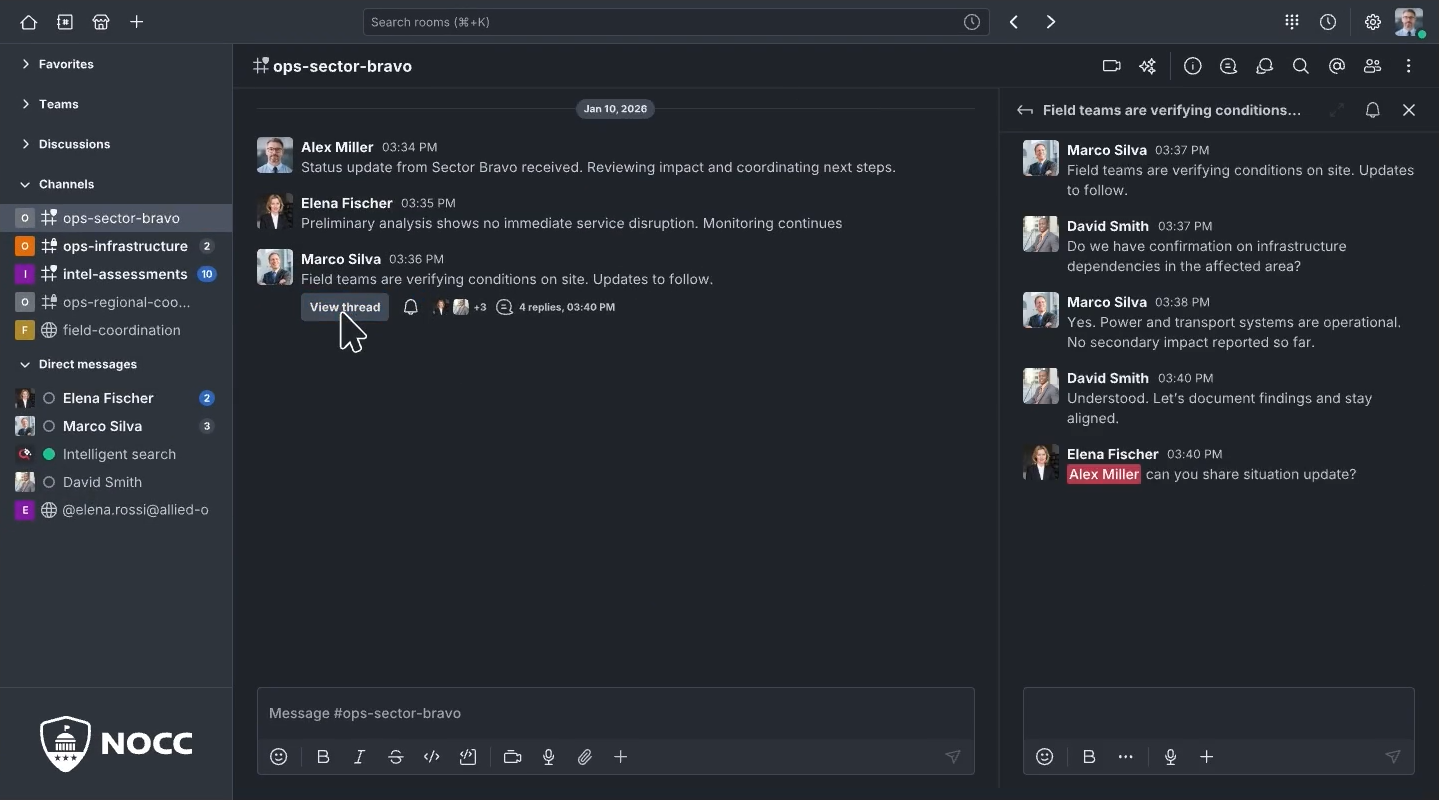
Rocket.Chat provides a specific air gapped deployment model for isolated environments. Its documentation states that the workspace can run without a connection to the public internet, with the organization responsible for infrastructure and local application dependencies.
Administrators can deploy Rocket.Chat using transferred Docker images and configuration files or through a private Docker registry hosted inside the isolated network.
Rocket.Chat provides messaging, channels, file sharing, voice and video integrations, application extensions, identity integrations, audit capabilities, and security controls depending on the selected plan.
Cloud dependent functions require changes. Standard mobile push notifications, marketplace access, and applications that call external services may not function in a completely isolated environment. Rocket.Chat documents alternatives such as custom internal push mechanisms and offline application installation.
Air gapped commercial deployments require an appropriate paid license, while offline registration uses a transfer procedure involving a separate connected device.
Best for: government, defense, regulated industries, and organizations that need team messaging inside an isolated network.
Strengths: dedicated air gap deployment documentation, Docker based deployment, private registry support, offline registration, messaging and application ecosystem.
Limitations: some cloud features are unavailable without controlled external connectivity or local replacements, and supported air gapped commercial deployment requires an appropriate license.
Pexip Infinity

Pexip Infinity is a self-hosted enterprise video conferencing platform that can be deployed on organization controlled infrastructure.
Its architecture supports private network deployments where conferencing nodes remain within internal addressing, while organizations can choose how and whether external connectivity is provided.
Pexip is primarily focused on enterprise video conferencing and interoperability rather than team messaging. It supports professional meeting room systems and can be distributed across multiple locations to place conferencing resources close to users.
This architecture can be relevant when an isolated environment needs video communication between sites without relying on an external meeting service.
Best for: enterprises, public sector organizations, and environments that need self-hosted video conferencing and room system interoperability.
Strengths: self-hosted architecture, distributed conferencing resources, professional video system interoperability, and flexible network placement.
Limitations: it is focused more heavily on enterprise conferencing than persistent team messaging, and distributed deployment requires careful infrastructure planning.
Air Gapped Software Comparison
|
Platform |
Primary Focus |
Air Gap Approach |
Key Local Capabilities |
Main Operational Requirement |
|---|---|---|---|---|
|
Mattermost |
Team collaboration |
Dedicated air gap deployment process |
Messaging, channels, calls, files, integrations |
Local package and application distribution |
|
Element |
Secure Matrix communications |
Air gap bundles and private registry |
Messaging, rooms, files, voice and video |
Kubernetes and private registry infrastructure |
|
TrueConf Server |
Video conferencing and messaging |
Autonomous corporate network operation |
Chats, conferences, files, SIP and H.323 |
Server administration and offline license workflow |
|
Rocket.Chat |
Team messaging and collaboration |
Docker or private registry based air gap deployment |
Messaging, channels, files, applications |
Local alternatives for cloud dependent functions |
|
Pexip Infinity |
Enterprise video conferencing |
Private self-hosted infrastructure |
Video conferencing and room system interoperability |
Enterprise deployment and capacity planning |
The products address different operational needs. Messaging platforms, Matrix based communications, unified conferencing systems, and enterprise video platforms should not be treated as interchangeable simply because they can operate inside isolated infrastructure.
What Features Commonly Break Inside an Air Gap?
Applications developed for connected environments often contain hidden internet dependencies.
|
Feature |
Typical Air Gap Behavior |
Possible Alternative |
|---|---|---|
|
Core messaging |
Can operate locally |
Internal messaging server |
|
Internal video meetings |
Can operate locally |
Local conferencing server |
|
File sharing |
Can operate locally |
Internal storage |
|
LDAP authentication |
Can operate locally |
Internal directory |
|
Mobile push notifications |
Often unavailable |
Internal notification mechanism |
|
Marketplace plugins |
Cannot be downloaded directly |
Prestage and manually install approved packages |
|
Cloud AI |
Usually unavailable |
Local model or internal AI service |
|
Link previews |
External content unavailable |
Disable the feature |
|
External email |
Unavailable without routing |
Internal SMTP service |
|
Cloud transcription |
Usually unavailable |
Local transcription service |
|
Software updates |
Cannot download directly |
Offline transfer and local repository |
|
Telemetry |
Cannot reach vendor |
Disable telemetry or retain logs locally |
Air gap readiness should therefore be evaluated feature by feature rather than through a single product label.
Insight 3: The Hardest Part of an Air Gap Is Often Operations
Creating an isolated network is relatively straightforward.
Operating it for years is much harder.
Administrators need repeatable processes for:
- software distribution;
- vulnerability remediation;
- certificate renewal;
- dependency management;
- backups;
- license updates;
- documentation;
- user onboarding;
- incident investigation;
- hardware replacement.
A poorly maintained isolated system can eventually become less secure because outdated software accumulates vulnerabilities even though the system has limited external connectivity.
Benefits of Air Gapped Networks

The primary benefit of an air gap is reduced exposure to remote network attacks.
Systems that cannot be directly reached from the public internet have a smaller externally accessible attack surface.
Other potential benefits include:
Greater Infrastructure Control
The organization decides where systems run, which components are installed, and how information moves across security boundaries.
Reduced External Dependencies
Internal operations can continue even if internet connectivity, cloud providers, or external SaaS platforms are unavailable.
Controlled Data Movement
Files and software do not automatically leave the environment through external applications or cloud integrations.
Support for High Security Environments
Air gaps can support systems where external network connectivity is inconsistent with security, classification, or operational requirements.
These benefits depend on disciplined administration. Isolation by itself does not provide endpoint protection, identity security, software integrity, or safe transfer procedures.
Risks and Limitations of an Air Gap
Air gaps create significant operational costs.
Software updates take longer. Administrators cannot rely on public package repositories. Remote vendor support becomes harder. External collaboration may require additional transfer processes.
Removable media can also become a major attack vector. Honeywell’s detection of more than 1,800 unique USB threats in a single quarter demonstrates why removable media cannot be assumed to be safe simply because it is used inside an isolated environment.
Other risks include compromised administrator devices, malicious insiders, supply chain attacks, unauthorized wireless connections, infected peripherals, configuration errors, and outdated software.
An air gap should therefore be understood as one security layer within a broader architecture.
How to Design an Air Gapped Environment?
A practical implementation process can follow these steps:
- Define the isolation requirement. Determine whether the environment requires a physical air gap, internet isolation, or a tightly controlled network boundary.
- Map every dependency. Identify DNS, identity, certificates, storage, monitoring, software repositories, communication systems, and application APIs.
- Create a transfer policy. Define how files, software, and configuration data can cross the boundary.
- Build local infrastructure. Deploy repositories, registries, directories, documentation, monitoring, and other services required for autonomous operation.
- Select air gap compatible applications. Verify offline installation, licensing, updates, authentication, and client distribution.
- Secure removable media and transfer stations. Scan and validate every approved transfer.
- Establish an offline patch process. Define how updates are downloaded, verified, tested, transferred, and installed.
- Test the environment with external connectivity removed. Confirm that all critical functions continue to operate.
The final test is essential. A self-hosted system that appears to work while outbound internet access remains available may still contain dependencies that prevent true isolated operation.
How to Evaluate Software for an Air Gapped Network?
The most important question is not simply whether a product can be installed locally.
Ask whether every required capability can operate with no public internet connectivity.
A useful evaluation should cover:
- offline installation;
- offline activation and licensing;
- internal authentication;
- local storage;
- internal DNS;
- certificate management;
- desktop and mobile client distribution;
- update transfer;
- local documentation;
- telemetry;
- mobile notifications;
- plugins and extensions;
- AI functions;
- recording and transcription;
- backup and recovery.
A vendor that explicitly documents air gap deployment is easier to evaluate than one that only advertises self hosting.
Conclusion
An air gap is a deliberate security architecture that isolates systems from less trusted networks and prevents normal automated communication across the boundary. It can substantially reduce exposure to remote network threats, but it does not eliminate malware, insider risk, supply chain threats, removable media attacks, or operational mistakes. Effective protection requires controlled transfers, local infrastructure, disciplined software management, and strong endpoint and identity security.
Air gapped environments also need usable business applications. Platforms such as Mattermost, Element, TrueConf Server, Rocket.Chat, and Pexip demonstrate that messaging and video collaboration can be deployed inside isolated infrastructure, but their architectures and dependencies differ. Organizations should evaluate every required feature under real disconnected conditions rather than treating self hosting alone as proof of air gap readiness.
Empower your video conferencing experience with TrueConf!
FAQ
What Does Air Gap Mean in Cybersecurity?
An air gap is a separation between systems that prevents normal automated network communication across the boundary. In a strict architecture, systems are physically disconnected and data transfer occurs only through controlled manual processes.
Is an Air Gapped Network Completely Offline?
It is isolated from less trusted external networks, but systems inside the environment may still communicate with each other over an internal LAN. An air gap therefore does not necessarily mean that every device is standalone.
Can Malware Infect an Air Gapped Network?
Yes. Malware can enter through removable media, software packages, administrator devices, peripherals, compromised hardware, or other controlled transfer paths. Air gaps reduce remote exposure but do not eliminate all attack vectors.
Is an Air Gap Better Than a Firewall?
They perform different functions. A firewall controls allowed network traffic between connected systems, while an air gap removes normal automated connectivity across the boundary. Some environments use both isolation and internal firewalls as separate security controls.
Can Collaboration Software Work in an Air Gapped Network?
Yes, if the collaboration server and all necessary dependencies operate locally. TrueConf Server, Mattermost, Element, Rocket.Chat, and other self-hosted platforms provide different approaches to communication inside isolated infrastructure.
Can TrueConf Server Work in an Air Gapped Environment?
The full version of TrueConf Server can operate autonomously inside a corporate network without public internet connectivity, and supported licenses can be registered offline. This allows TrueConf to provide local video conferencing, messaging, file exchange, and connections to SIP and H.323 systems inside isolated infrastructure.
What Is the Biggest Limitation of an Air Gap?
The main limitation is operational complexity. Updates, software dependencies, file transfer, support, certificate management, and external collaboration require controlled offline processes that are slower and more resource intensive than standard connected environments.
About the Author
Diana Shtapova is a product specialist and technology writer with three years of experience in the unified communications industry. At TrueConf, she leverages her deep product expertise to create clear and practical content on video conferencing platforms, collaboration tools, and enterprise communication solutions. With a strong background in product research and user-focused content development, Diana helps professionals and businesses understand core product features, adopt new technologies, and unlock the full potential of modern collaboration software.


Follow us on social networks