
Enterprise Meeting Software: The Complete Buyer’s Guide
Enterprise meeting software spans two distinct categories that procurement teams frequently shop for as one thing: video conferencing platforms that handle the live call itself, and meeting management software that handles what happens before and after the call, agendas, notes, transcription, and action items.
Buying the wrong category for the actual problem is one of the most common procurement mistakes in this space, since a company struggling with poor meeting follow through needs a management layer, not a better camera and microphone experience.
This guide compares seven platforms spanning both categories, along with the cloud, enterprise suite, on-premise, and compliance-focused deployment models that matter for enterprise procurement: TrueConf, Zoom, Microsoft Teams, Cisco Webex, RingCentral, Fellow, and Tactiq. Each is assessed on deployment flexibility, security and compliance posture, and where it realistically fits inside an enterprise technology stack.
Quick Answer: Which Enterprise Meeting Software Should You Choose?
|
If your priority is… |
Choose |
Why? |
|---|---|---|
|
Secure, on-premise video conferencing with no cloud dependency |
TrueConf |
Runs entirely on the organization’s own infrastructure, including air-gapped networks, with directory integration built in |
|
Largest cloud video conferencing ecosystem and app marketplace |
Zoom |
Broad device compatibility and the deepest third-party integration catalog in the category |
|
Deep integration with an existing Microsoft 365 tenant |
Microsoft Teams |
Meetings, chat, and files governed under one identity and compliance boundary |
|
Enterprise suite with the widest formal compliance certification portfolio |
Cisco Webex |
FedRAMP, HIPAA, and government-grade certification depth |
|
Unified communications combining phone, video, and messaging |
RingCentral |
One platform replacing separate phone system and video vendors |
|
Structured meeting agendas, notes, and action item tracking |
Fellow |
Built specifically around meeting management rather than the video call itself |
|
AI-powered transcription and meeting intelligence without a bot joining the call |
Tactiq |
Captures and summarizes conversations directly from the browser tab |
TrueConf is the right choice specifically for organizations that need enterprise-grade video conferencing on infrastructure they fully control, including government agencies, defense contractors, and enterprises operating under data residency requirements that a public cloud vendor’s contractual assurances cannot fully satisfy.
Zoom, Microsoft Teams, Cisco Webex, and RingCentral are the right choice when the priority is a cloud hosted video platform with strong ecosystem integration, each differentiated by which existing enterprise stack it plugs into most naturally.
Fellow and Tactiq solve a different problem entirely: neither replaces the video call itself, both improve what an organization gets out of meetings it is already running on one of the video platforms above.
Our Rating
|
Platform |
Security and Compliance |
Deployment Flexibility |
Meeting Workflow Depth |
Overall Score (out of 10) |
|---|---|---|---|---|
|
TrueConf |
9 |
10 |
6 |
8.5 |
|
Cisco Webex |
9 |
7 |
7 |
8.3 |
|
Microsoft Teams |
7 |
6 |
8 |
8.0 |
|
Zoom |
7 |
6 |
8 |
7.9 |
|
RingCentral |
7 |
6 |
7 |
7.6 |
|
Fellow |
6 |
5 |
9 |
7.4 |
|
Tactiq |
6 |
4 |
8 |
7.0 |
Scores weigh how well each platform satisfies enterprise security requirements against how much deployment control an organization actually has and how deep its meeting workflow features go beyond the live call itself. TrueConf scores highest overall on the combination of security and deployment flexibility, though its meeting workflow depth trails dedicated management tools like Fellow, since TrueConf is architected as video and messaging infrastructure rather than a full meeting lifecycle product.
Understanding Enterprise Meeting Software
What Is Enterprise Meeting Software?

Enterprise meeting software is any platform an organization uses to plan, run, or follow up on meetings at a scale requiring centralized administration, security controls, and integration with existing enterprise systems. The category is broader than “video conferencing” alone, and treating the two as synonyms is where many procurement decisions go wrong.
Video conferencing software, including TrueConf, Zoom, Microsoft Teams, and Cisco Webex, handles the live audio and video connection between participants. Meeting management software, including Fellow and Tactiq, handles the surrounding workflow: building an agenda before the meeting, capturing notes and transcription during it, and tracking action items after it ends.
An organization evaluating “enterprise meeting software” needs to first identify which half of that workflow is actually broken. A team that struggles with call quality, security compliance, or hardware room integration needs a stronger video conferencing platform.
A team that runs technically flawless calls but consistently loses track of decisions and action items needs a meeting management layer added on top of whichever video platform it already uses, not a replacement for that platform.
Insight 1.
Most “best enterprise meeting software” rankings score every platform on one combined list, which quietly assumes video quality and meeting follow through are the same problem with the same fix. They are not.
A procurement process that starts with “which platform scores highest” instead of “which half of our meeting workflow is actually broken” tends to end in a tool that excels at the wrong stage, a beautifully produced call that still ends with nobody knowing who owns the follow-up.
Why Enterprise Teams Invest in Meeting Software?
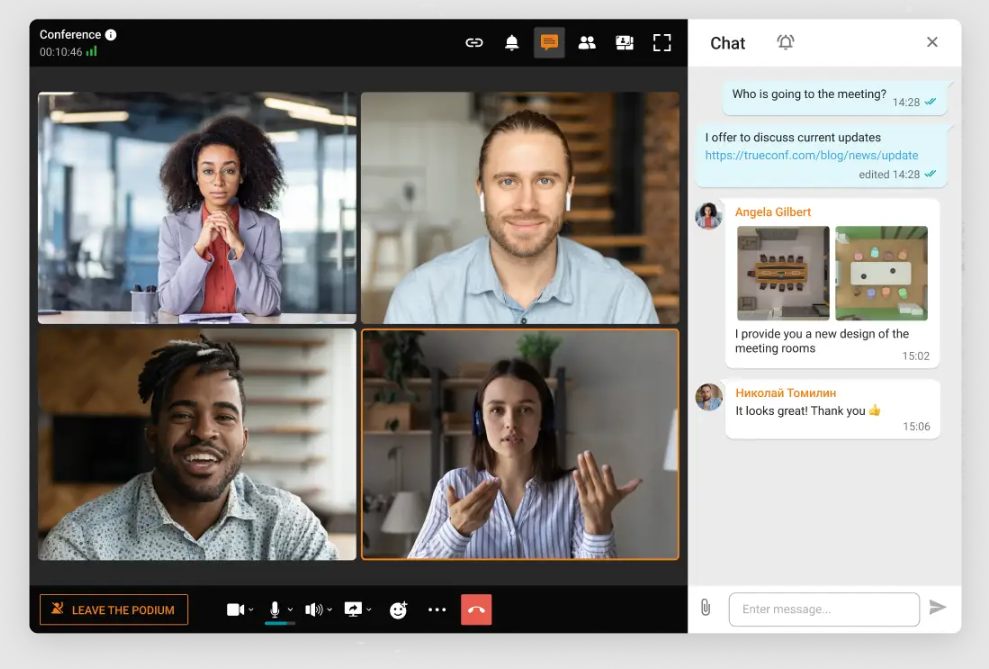
The business case for enterprise meeting software goes beyond simply replacing in-person meetings with a video equivalent. Four benefits consistently justify the investment at an enterprise scale, and each maps to a different part of the buying decision.
Reduced travel spend is the most immediately quantifiable benefit, since a global enterprise running quarterly regional reviews or client meetings over video instead of flying teams between offices sees a direct, measurable line item saved, though this benefit alone rarely justifies an enterprise-grade platform over a free consumer tool.
The more durable benefit is that video meeting software now matches how distributed and hybrid teams already default to working, rather than forcing a workflow shift, which is why adoption friction for a well chosen platform tends to be lower than for most other enterprise software categories.
Faster decision cycles follow directly from this: a distributed leadership team that can convene on video within minutes, rather than waiting for a quarterly in-person session, compresses the time between a question being raised and a decision being made, which compounds across an organization running hundreds of such decisions a year.
Finally, meetings that are transcribed, summarized, and tied to tracked action items turn conversations into institutional documentation, which matters specifically for compliance heavy industries where a decision needs a paper trail, and for any organization tired of the same discussion recurring because nobody wrote down what was decided the first time.
Video Conferencing vs. Meeting Management Software
These two subcategories solve different problems and are evaluated against different criteria, even though they frequently appear side by side in generic “meeting software” comparisons.
|
Dimension |
Video Conferencing Software |
Meeting Management Software |
|---|---|---|
|
Primary function |
Hosting the live audio and video connection |
Structuring what happens before, during, and after the call |
|
Point of value |
Call quality, security, hardware and room integration |
Agenda structure, notes, transcription, action item tracking |
|
Typical evaluation criteria |
Encryption, compliance certifications, deployment model, participant capacity |
AI summarization accuracy, integration with project tools, adoption ease |
|
Examples from this comparison |
TrueConf, Zoom, Microsoft Teams, Cisco Webex, RingCentral |
Fellow, Tactiq |
|
Deployment model relevance |
High, since data residency and network control depend on this |
Lower, since most tools in this category are cloud only add-ons |
How We Evaluated These Platforms?
Every vendor in this comparison was assessed against the same four criteria rather than a generic feature checklist: deployment flexibility (whether cloud, hybrid, and on-premise are actual options or marketing language), documented security and compliance certifications at the specific tier a buyer would purchase, depth of meeting workflow support beyond the live call, and realistic organizational fit based on company size, industry, and regulatory exposure.
Ratings throughout this guide reflect that framework rather than raw feature counts, since a platform with fewer total features but a better match to a specific buyer’s constraints, such as TrueConf’s on-premise model for a government agency, is a stronger recommendation than a feature-rich cloud platform that fails a hard compliance requirement.
Best Enterprise Meeting Software
TrueConf
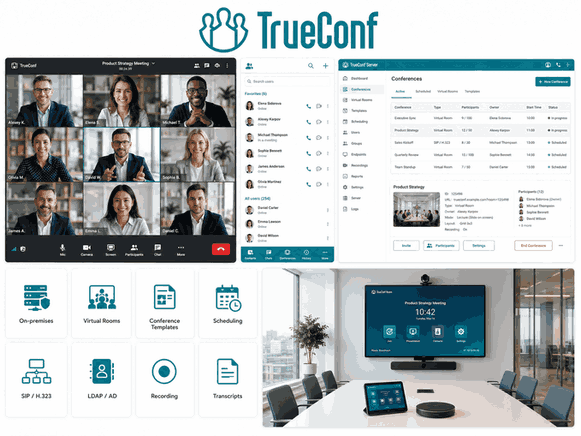
TrueConf is a video conferencing and messaging platform built around on-premise and hybrid deployment, giving organizations the option to run enterprise-grade meetings entirely on their own infrastructure rather than a shared vendor cloud. TrueConf Server installs directly on an organization’s network, including fully air-gapped environments with no internet dependency, which distinguishes it from every cloud-first platform in this comparison.
Deployment model: On-premise (TrueConf Server), hybrid, and cloud (TrueConf Online) options are all available, letting an organization choose the model that matches its compliance posture rather than being locked into a single architecture.
Security and compliance: TrueConf integrates with an organization’s existing Active Directory or LDAP for authentication, supports end-to-end encryption, and, because on-premise deployment keeps session data inside the customer’s own network, it avoids the third-party data residency questions every cloud vendor in this comparison has to answer contractually rather than architecturally.
Meeting features: TrueConf supports SIP and H.323 interoperability for legacy video conferencing hardware, multipoint conferencing at scale, and optional integration with TrueConf AI Server for transcription, though it does not include the agenda and action item management features that dedicated meeting management tools provide.
Best for: Government agencies, defense contractors, and enterprises under strict data residency requirements that need enterprise-grade video conferencing on infrastructure they fully control.
Boost your team’s productivity with TrueConf Server Free!
Zoom
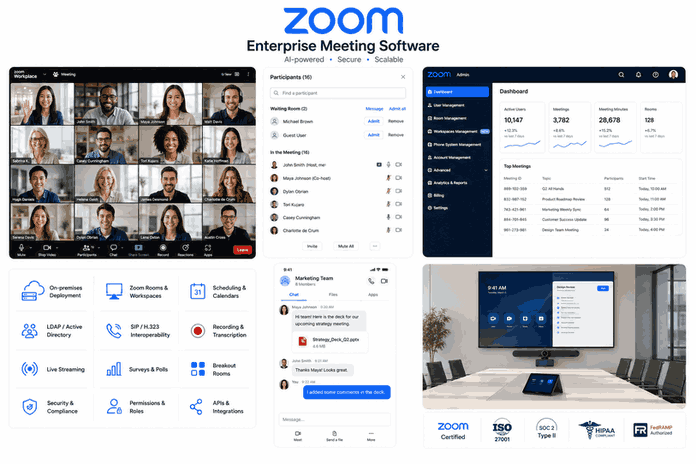
Zoom is a cloud native video conferencing platform with the broadest device compatibility and third-party app marketplace in this category, which is a large part of why it remains a default choice for organizations prioritizing fast adoption over infrastructure control.
Deployment model: Primarily cloud, with a limited on-premise option (Zoom Meeting Connector) for organizations needing to keep media traffic inside their own network while still relying on Zoom’s cloud for scheduling and account management.
Security and compliance: Zoom holds SOC 2 Type II reporting and offers HIPAA compliant configurations and a FedRAMP authorized tier for government customers, though the base and most business tiers route account and metadata through Zoom’s cloud regardless of the encryption mode selected for a given call.
Meeting features: Zoom’s AI Companion provides meeting summaries and smart recording highlights, and its marketplace supports deep integration with scheduling, CRM, and project management tools.
Best for: Organizations prioritizing fast onboarding, broad device support, and the widest third-party integration catalog, where full on-premise control is not a strict requirement.
Microsoft Teams
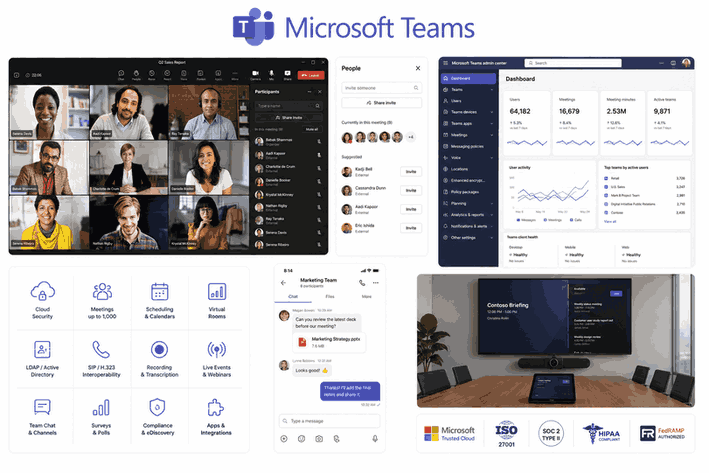
Microsoft Teams is the meeting and collaboration hub inside Microsoft 365, tying video conferencing to the same governance boundary that already covers a Microsoft 365 tenant’s email, files, and chat.
Deployment model: Cloud only for the mainstream product, with data residency options available across Microsoft’s global cloud regions but no fully on-premise deployment path for Teams itself.
Security and compliance: Teams inherits Microsoft 365’s compliance certifications, including HIPAA support with a signed BAA and FedRAMP High for government tenants, plus native integration with Microsoft Purview for eDiscovery and data loss prevention.
Meeting features: Copilot generates meeting notes and action items directly inside Teams, and OneNote integration ties meeting output to the same Microsoft 365 workspace teams already use for documents.
Best for: Organizations already standardized on Microsoft 365 that want video conferencing, chat, and meeting documentation governed under one compliance framework.
Cisco Webex
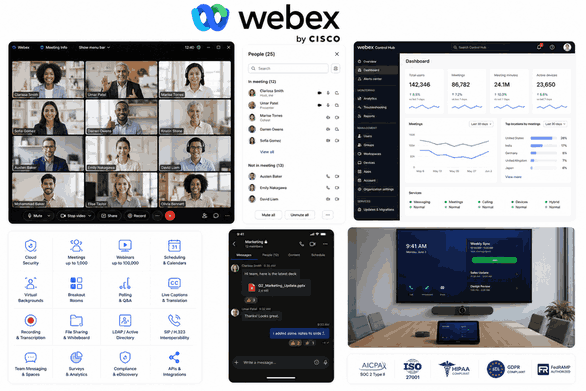
Cisco Webex is an enterprise suite with one of the most extensive compliance certification portfolios in this category, which makes it a frequent default for procurement teams working from a checklist of named certifications rather than general security assurances.
Deployment model: Cloud, hybrid, and on-premise (Webex Meetings Server) are all available, though Cisco has shifted emphasis toward cloud and hybrid architectures in recent product cycles.
Security and compliance: Webex holds FedRAMP High authorization and supports HIPAA and GDPR compliant configurations, with end-to-end encryption available for eligible meetings and granular admin controls over data retention and export.
Meeting features: Webex Assistant provides real-time transcription and meeting highlights, and the platform integrates tightly with Cisco’s broader hardware ecosystem for conference rooms.
Best for: Government contractors, healthcare systems, and financial services firms where a named compliance certification is a hard procurement gate.
RingCentral
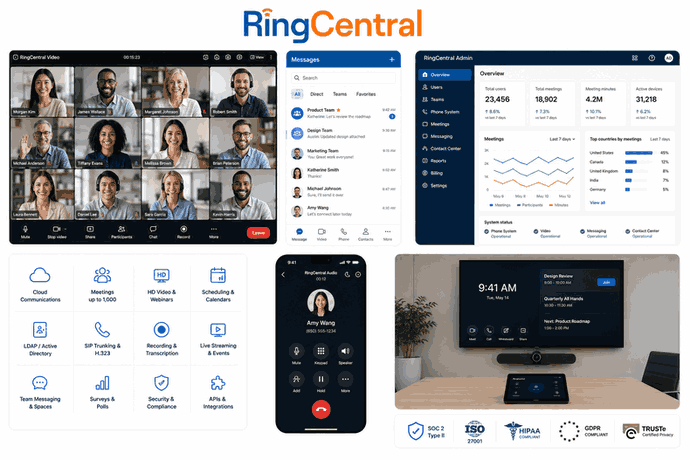
RingCentral is a unified communications platform combining phone, video, and messaging into one system, aimed at organizations trying to consolidate several separate vendor relationships into a single contract and administrative console.
Deployment model: Cloud only, with RingCentral positioning itself specifically as a consolidation play against organizations running a separate phone system, video platform, and messaging tool from three different vendors.
Security and compliance: RingCentral supports SOC 2 compliance and offers HIPAA compliant configurations, with admin controls centralized across phone, video, and messaging rather than requiring separate policy management for each channel.
Meeting features: RingCentral Video includes AI-generated meeting summaries and integrates natively with RingCentral’s phone system, which matters specifically for organizations still running a legacy PBX alongside newer video tools.
Best for: Organizations looking to consolidate phone, video, and messaging under one vendor and one admin console rather than maintaining separate systems for each channel.
Fellow
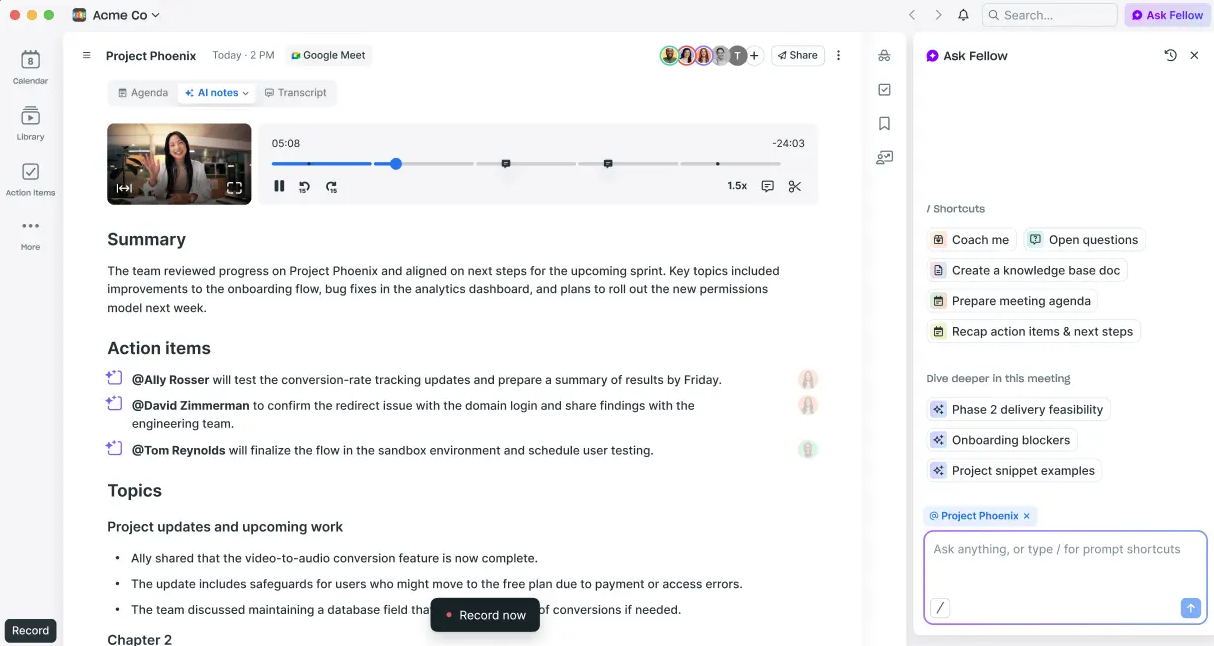
Fellow is a meeting management platform built around structured agendas, collaborative notes, and action item tracking, explicitly separate from the video call itself, it sits on top of whichever video platform an organization already uses rather than replacing it.
Deployment model: Cloud only, functioning as a browser and calendar integrated layer rather than infrastructure an organization deploys.
Security and compliance: Fellow supports SOC 2 compliance and standard enterprise access controls, though as a lighter weight SaaS tool it does not offer the on-premise or air-gapped deployment options that TrueConf or Webex provide.
Meeting features: Fellow’s core strength is turning a calendar invite into a structured, collaboratively editable agenda, then converting that same document into tracked action items after the meeting ends, addressing the follow-through gap that video quality alone does not solve.
Best for: Teams whose primary problem is inconsistent meeting structure and lost action items rather than the video call experience itself.
Tactiq
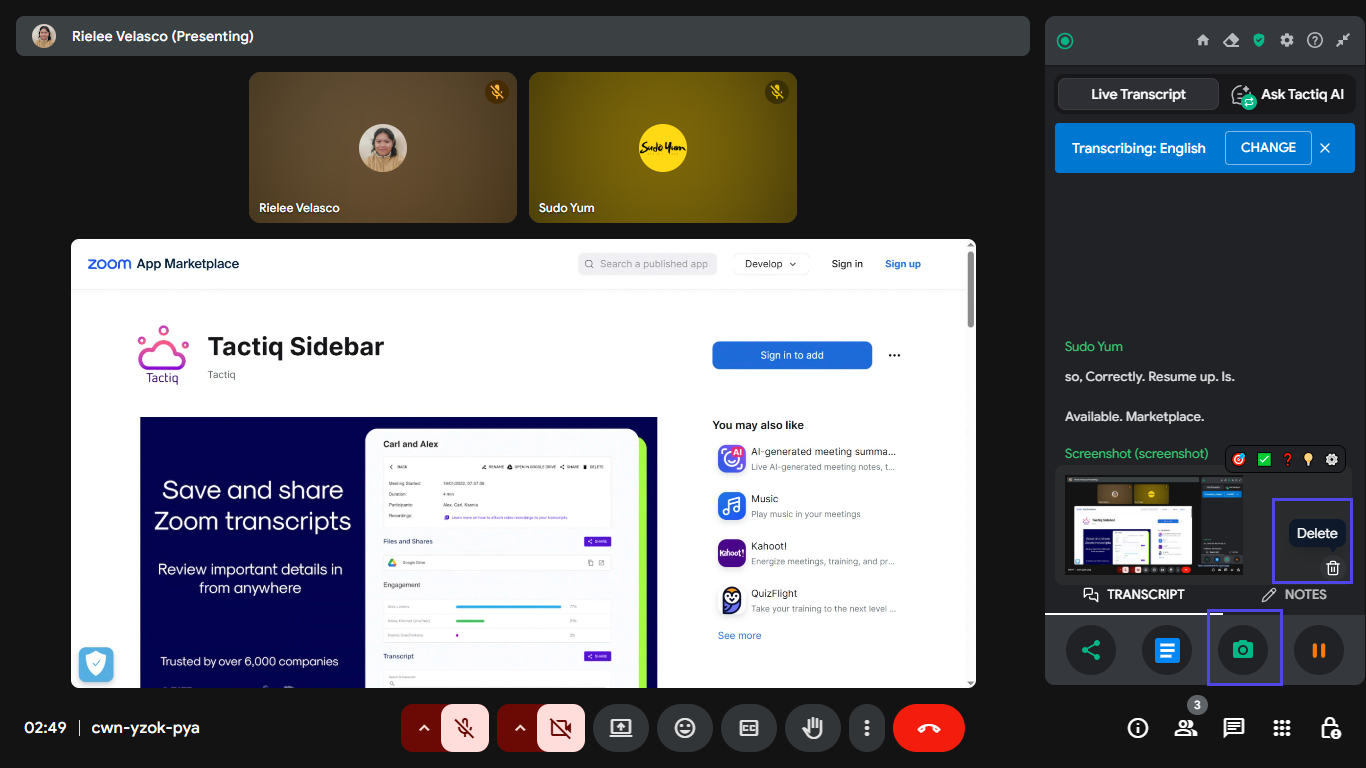
Tactiq is an AI powered meeting intelligence tool that captures transcription and generates summaries directly from the browser, without a separate bot joining the call the way many competing transcription tools require.
Deployment model: Cloud only, operating as a browser extension and integration layer across whichever video platform a meeting happens to run on.
Security and compliance: Tactiq supports enterprise-tier access controls and data handling policies, though like Fellow it is a lightweight SaaS addition rather than infrastructure with on-premise deployment options.
Meeting features: Real-time transcription without a visible bot participant reduces the awkwardness some attendees feel about a third-party recording tool joining a call, and post-meeting summaries and workflow prompts extend value beyond the live session.
Best for: Organizations wanting AI transcription and meeting summaries layered onto their existing video platform without introducing a bot that visibly joins every call.
Enterprise Meeting Software Comparison
Pros and Cons at a Glance
Reading seven full vendor breakdowns takes time a busy procurement manager does not always have. This condensed view surfaces the single biggest strength and the single biggest trade-off for each platform.
|
Platform |
Biggest Strength |
Main Trade-off |
|---|---|---|
|
TrueConf |
Full on-premise and air-gapped deployment with no cloud dependency |
Meeting lifecycle features (agendas, action items) are limited compared to dedicated management tools |
|
Zoom |
Broadest device compatibility and third-party app marketplace |
Base and most business tiers route metadata through Zoom’s cloud regardless of call encryption mode |
|
Microsoft Teams |
Native governance under an existing Microsoft 365 compliance boundary |
No fully on-premise deployment path for the platform itself |
|
Cisco Webex |
Deepest formal compliance certification portfolio in this comparison |
Hybrid and on-premise options have narrowed as Cisco shifts emphasis toward cloud |
|
RingCentral |
Consolidates phone, video, and messaging under one admin console |
Cloud only, with no infrastructure control option for regulated buyers |
|
Fellow |
Strongest structured agenda and action item tracking in this comparison |
Adds a second vendor relationship layered on top of whichever video platform is already in use |
|
Tactiq |
Bot-free transcription that avoids a visible third-party call participant |
Cloud only SaaS layer with no infrastructure control or on-premise option |
Security, Deployment and Data Control
On-Premise Deployment and Data Control Considerations

Most enterprises never need an on-premise video conferencing layer, because a cloud vendor’s contractual compliance commitments satisfy their requirements. But for the subset of organizations that do need it, the distinction changes the entire evaluation. On-premise deployment removes the data residency question rather than negotiating it favorably.
When TrueConf Server runs entirely inside an organization’s own network, there is no cross-border data transfer or third-party subprocessor list to evaluate in the first place, which is structurally different from Zoom, Microsoft Teams, or RingCentral, all of which answer data residency through contractual commitments and regional data centers rather than by keeping data off their infrastructure entirely.
This distinction matters most for government agencies, defense contractors, and enterprises operating under data residency requirements stricter than standard commercial compliance frameworks address. For a typical enterprise running internal and external meetings without a specific regulatory driver, the cloud platforms covered above are sufficient, and adding an on-premise layer would introduce infrastructure overhead without a compliance gap that actually needs closing.
Insight 2.
A distinction that most vendor comparisons collapse into one line: a contractual promise and an architectural fact are not the same guarantee, even when they produce the same compliance checkbox on paper.
A signed data processing agreement with Zoom or Microsoft Teams tells you what the vendor commits to do with your data. On-premise deployment tells you what is physically possible with it, since the data never leaves a network the vendor cannot reach. For a compliance officer, the second guarantee survives a vendor’s future policy change, a breach at the vendor, or a subpoena served on the vendor rather than the customer; the first does not.
Feature Comparison Table
|
Feature |
TrueConf |
Zoom |
Microsoft Teams |
Cisco Webex |
RingCentral |
Fellow |
Tactiq |
|---|---|---|---|---|---|---|---|
|
On-premise deployment |
Yes |
Limited |
No |
Yes (legacy) |
No |
No |
No |
|
Native video conferencing |
Yes (core product) |
Yes |
Yes |
Yes |
Yes |
No |
No |
|
AI meeting summaries |
Limited (AI Server add-on) |
Yes |
Yes (Copilot) |
Yes |
Yes |
Yes |
Yes |
|
Structured agenda management |
No |
No |
Limited |
No |
No |
Yes |
Limited |
|
Unified phone system integration |
No |
No |
Limited |
No |
Yes |
No |
No |
|
SIP/H.323 hardware interoperability |
Yes |
Yes |
Limited |
Yes |
No |
No |
No |
|
Bot-free transcription |
Not applicable |
No |
No |
No |
No |
Not applicable |
Yes |
Security and Compliance Table
|
Platform |
SOC 2 |
HIPAA support |
FedRAMP |
On-premise / air-gapped option |
Directory integration (AD/LDAP) |
|---|---|---|---|---|---|
|
TrueConf |
Vendor dependent audit |
Yes (on-premise) |
Not applicable (on-premise avoids the requirement) |
Yes |
Yes |
|
Zoom |
Yes |
Yes |
Yes |
Limited |
Yes |
|
Microsoft Teams |
Yes |
Yes |
Yes (High) |
No |
Native |
|
Cisco Webex |
Yes |
Yes |
Yes (High) |
Limited |
Yes |
|
RingCentral |
Yes |
Yes |
No |
No |
Yes |
|
Fellow |
Yes |
No |
No |
No |
Yes |
|
Tactiq |
Limited |
No |
No |
No |
Limited |
Meeting Workflow and Analytics
The Meeting Lifecycle: Before, During, After

Enterprise meeting software only delivers value if it addresses all three stages of a meeting, not just the live call in the middle, and most organizations’ spending is skewed heavily toward the stage that matters least.
Before a meeting, the failure point is usually a missing or vague agenda, which means participants arrive without a shared understanding of what needs to be decided, turning the first several minutes of the call into ad hoc scoping.
During a meeting, the failure point is decisions and details getting lost in real time because nobody is capturing them in a structured way, which is the gap AI transcription tools like Tactiq and native features like Webex Assistant or Microsoft Copilot are built to close.
After a meeting, the most consistent and most damaging failure point is that action items discussed out loud never get written down, assigned, or tracked, so a decision made in the room quietly evaporates within a week, which is the specific problem Fellow is built to solve.
Most enterprises overinvest in the middle of this lifecycle, spending heavily on better cameras, clearer audio, and richer AI transcription for the “during” stage, while the actual productivity loss almost always happens at the “after” stage, where nothing is stopping a well documented decision from being forgotten because no system enforced follow-through. Video quality alone, no matter how good, does not fix a broken after-meeting process, which is why an enterprise evaluating this category should audit which lifecycle stage is actually failing before assuming a better video platform is the answer.
Get Actionable Data: What Good Meeting Analytics Looks Like?
Most enterprise meeting platforms now surface some form of analytics, attendance trends, talk-time balance, follow-through rate on action items, but the value of that data depends entirely on who it is built for. Analytics done well answers questions the meeting owner actually has: did the agenda items get resolved, which recurring meetings consistently run over time and should be shortened or cancelled, and which action items are stalling without an owner following up.
Fellow and Tactiq are both built around this owner-facing model, surfacing data at the level of a specific meeting or a specific team’s recurring series rather than aggregating it into a company-wide dashboard for management review. RingCentral and Microsoft Teams include broader usage analytics as part of their admin console, which is useful for capacity planning and license utilization but answers a different question than a meeting owner’s “did this meeting work” concern.
TrueConf’s monitoring tools, through TrueConf Monitor at the Enterprise tier, are built primarily for IT administrators tracking server load and call quality across an on-premise deployment rather than for meeting-level productivity analytics, which is a deliberate scope difference worth knowing before assuming any single platform covers both infrastructure monitoring and meeting effectiveness reporting.
How to Choose Enterprise Meeting Software
Top Features to Look For in Enterprise Meeting Software
Enterprise security and compliance capabilities come first for any organization handling regulated data, and the relevant question is not whether a vendor mentions encryption, but which specific certifications apply to which specific product tier, since coverage frequently varies by license level within the same vendor’s product line.
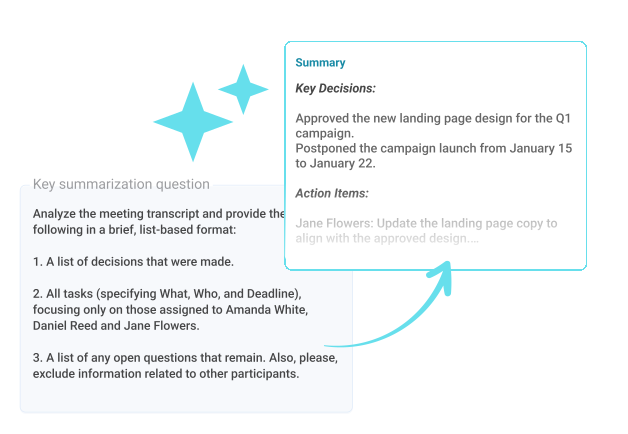
AI powered conversation intelligence, including transcription, summarization, and action item extraction, has moved from a differentiator to close to a baseline expectation, though the depth varies significantly between a platform like Fellow that is built around this function and a video platform like TrueConf that offers it as an add-on.
Unified communications integration matters for organizations trying to reduce the number of separate vendor relationships they manage, which is RingCentral’s core pitch and a secondary benefit of Microsoft Teams for organizations already on Microsoft 365. Scalability and global performance infrastructure become relevant once an organization is running large, distributed meetings across regions, where network routing and media server placement affect call quality as much as bandwidth alone.
Integration ecosystem depth deserves a closer look than a vendor’s marketing page usually gets: a long list of theoretical integrations means little if the specific tools an organization actually runs, its CRM, its ticketing system, its identity provider, aren’t among them, and a quick deployment timeline promised in a sales call can quietly assume a cloud-only rollout that does not apply once a compliance team requires an on-premise or hybrid architecture like TrueConf’s.
How to Evaluate Vendors for Enterprise Deployment?
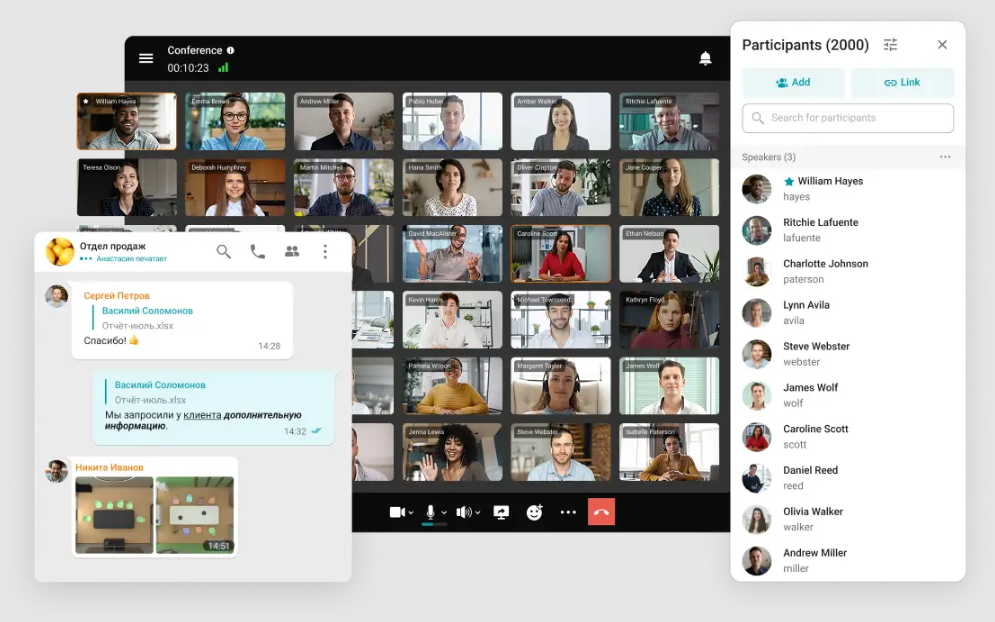
Validate vendor stability and roadmap alignment before signing a multi-year enterprise contract, since a platform’s current feature set matters less than whether the vendor’s direction still matches the organization’s needs three years into the relationship. Rigorously assess security and compliance posture at the specific product tier being purchased, not the vendor’s marketing page in general, since certifications frequently apply only to specific licensing levels.
Demand structured deployment and adoption support, particularly for platforms requiring on-premise infrastructure like TrueConf, where a defined rollout plan matters more than it does for a self-service cloud signup. Insist on enterprise-grade support and accountability with named escalation paths rather than a generic support ticket queue. Prioritize centralized governance and administrative control, since a platform an IT team cannot centrally configure and audit creates shadow IT risk regardless of how secure its underlying architecture is.
Verify integration depth with the organization’s actual existing stack rather than a long list of theoretical integrations, and quantify total cost of ownership with a consolidation mindset, since replacing three separate tools with RingCentral or Microsoft Teams often costs less in aggregate than maintaining a best of breed stack, even when each individual line item looks competitive on price.
Consolidation itself carries a hidden cost that a pure TCO calculation misses: standardizing on one vendor’s video, phone, and messaging stack also means every future incident, whether a service outage or a compliance question, now depends entirely on that one vendor’s response, with no fallback system running in parallel.
Organizations with a low tolerance for single vendor dependency, particularly in regulated sectors, often accept a higher line-item cost from running TrueConf’s on-premise deployment specifically because it removes that single point of failure from third-party infrastructure, even when a fully consolidated cloud stack would score better on cost alone.
Buyer Checklist for Large-Team Enterprise Deployment
Before signing a contract for any platform in this comparison, confirm the following against the specific product tier being purchased, not the vendor’s general marketing claims.
|
Checklist item |
Why it matters? |
|---|---|
|
Confirm which compliance certifications apply to the exact license tier |
Certifications frequently apply only to enterprise tiers, not the plan a sales team initially quotes |
|
Test call quality and stability at expected peak concurrent participant count |
Vendor demos rarely simulate real large-meeting or town hall scale traffic |
|
Confirm deployment model matches data residency requirements |
Cloud, hybrid, and on-premise options, such as TrueConf’s, carry different data control guarantees |
|
Verify SSO and directory integration with the organization’s identity provider |
Missing directory integration creates account sprawl and slows deprovisioning when staff leave |
|
Request a documented rollout and change management plan |
Adoption failure is more often a rollout problem than a product quality problem |
|
Calculate total cost including every add-on module needed for compliance |
Base pricing frequently excludes the specific security modules an enterprise buyer actually needs |
|
Ask what happens to recordings, transcripts, and data if the contract ends |
Vendor lock-in through accumulated meeting data is easy to underestimate at signing time |
Pricing Model Comparison
Exact list prices shift often enough that quoting a specific number here would be stale within a quarter, but the billing model itself is stable and worth comparing directly, since it determines how a platform’s cost scales as an organization grows.
|
Platform |
Billing model |
Cost scales with |
|---|---|---|
|
TrueConf |
One-time or annual license, quoted per deployment |
User count and server infrastructure scale, not ongoing per-seat cloud fees |
|
Zoom / Microsoft Teams / Cisco Webex |
Per user, per month subscription |
Headcount and add-on modules (compliance, storage, webinar capacity) |
|
RingCentral |
Per user, per month, bundled across channels |
Headcount, with phone system minutes as a secondary factor |
|
Fellow / Tactiq |
Per user, per month, layered on top of an existing video platform |
Headcount using the tool, independent of which video platform sits underneath it |
How to Find the Right Enterprise Meeting Software for Your Team?
Small teams generally get the most value from a straightforward cloud video platform like Zoom or Google Meet paired with a lightweight meeting management add-on like Tactiq, avoiding the administrative overhead that enterprise-tier governance features add without a corresponding benefit at that scale.
Mid-size teams typically benefit from a unified platform like Microsoft Teams or RingCentral that consolidates video, chat, and in some cases phone service under one vendor relationship as the organization’s tool sprawl starts to become a real administrative burden.
Enterprise teams, particularly those in regulated industries or with strict data residency requirements, need to evaluate deployment model as seriously as feature set, which is where TrueConf’s on-premise option and Cisco Webex’s certification depth become relevant considerations that smaller organizations simply do not need to weigh.
Choosing by Industry: Private Sector vs. Government and Public Sector

Private sector enterprises outside regulated industries generally have the widest choice in this comparison, since cost, ecosystem fit, and adoption ease can outweigh compliance depth when there is no specific regulatory driver requiring a named certification. Financial services and healthcare organizations sit in a middle category, needing verified HIPAA or SOC 2 coverage at minimum, which narrows the realistic shortlist to Zoom, Microsoft Teams, Cisco Webex, or RingCentral at their compliant licensing tiers, with TrueConf added specifically when data residency requirements exceed what a signed BAA or certification alone satisfies.
Government and public sector buyers face the narrowest realistic shortlist, since FedRAMP authorization, government-specific data handling rules, and in many cases a mandate against routing communications through any commercial public cloud rule out several platforms in this comparison entirely, leaving Cisco Webex and Microsoft Teams for organizations accepting FedRAMP High cloud deployment, and TrueConf for organizations whose requirements go further and demand on-premise or fully air-gapped infrastructure.
Hybrid and Remote Work Considerations

Fully remote organizations and hybrid organizations put different demands on enterprise meeting software, and treating them as the same buying decision leads to a platform mismatched with actual usage patterns. A fully remote organization depends on video meetings as the primary mode of real time interaction, which raises the bar for reliability, cross-timezone scheduling support, and asynchronous features like recorded meeting summaries that let team members in distant timezones catch up without joining a live call.
A hybrid organization has a different failure mode: meetings where some participants sit in a physical conference room and others join remotely tend to disadvantage the remote participants unless the platform specifically supports room hardware with equitable audio and camera framing, which is where Cisco Webex’s room hardware ecosystem and TrueConf’s SIP and H.323 support for existing conference room equipment both matter more than they would for an all-remote team.
Recording and transcription culture also differs: fully remote organizations tend to record more meetings by default as a substitute for in-person presence, which raises the storage, retention, and access control stakes that a compliance-focused platform needs to handle deliberately rather than as an afterthought.
Enterprise Meeting Software Adoption
Common Challenges in Enterprise Meeting Software Adoption
Tool sprawl is the most consistent operational problem across large organizations in this category: a company running Zoom for external calls, Microsoft Teams for internal meetings, Fellow for agenda management, and Tactiq for transcription has four separate vendor relationships, four separate security reviews, and four separate places where a former employee’s access needs to be revoked, which is precisely the kind of fragmentation that unified platforms like RingCentral and Microsoft Teams are built to reduce.
Meeting analytics, when adopted primarily as a management surveillance tool rather than a workflow improvement, tends to damage the trust that makes meetings productive in the first place, so organizations should treat AI generated summaries and participation metrics as tools for the meeting owner, not as a monitoring layer imposed from above.
Vendor lock-in through accumulated meeting recordings, transcripts, and integration history makes switching platforms expensive years into a deployment, which is a specific reason organizations with a genuine data control requirement should weigh TrueConf’s on-premise model early, since the cost of migrating away from a cloud vendor’s proprietary storage format only grows over time.
Insight 3.
The same AI meeting summary feature produces two entirely different outcomes depending on who receives it first. Sent to the meeting owner, it closes the loop: here is what was decided, here is who owns what. Sent first to a manager’s dashboard as a participation or productivity score, the exact same transcript becomes a surveillance artifact, and employees respond by talking less, hedging more, and routing sensitive discussion to channels that aren’t recorded at all.
The technology is identical in both cases. What determines whether meeting analytics improves an organization or quietly damages its meeting culture is a single design and policy choice made before rollout: who sees the data first, and what it is used to decide.
What Great Enterprise Meeting Software Looks Like?
Pulled together, the strongest enterprise meeting setups in this comparison rarely come from a single platform doing everything. They come from matching each stage of the meeting lifecycle and each compliance requirement to the tool actually built for it: a video layer chosen for its deployment model and security posture first, feature richness second, and a management layer added only once a specific follow-through problem has been identified rather than purchased preemptively.
An organization that has correctly diagnosed its own bottleneck, call quality and data control versus agenda structure and action item tracking, will get more value from combining TrueConf with Fellow than from any single all-in-one platform trying to be excellent at both halves of the category at once.
Empower your video conferencing experience with TrueConf!
FAQ
What is the difference between video conferencing software and meeting management software?
Video conferencing software, including TrueConf, Zoom, and Microsoft Teams, hosts the live audio and video connection between participants. Meeting management software, including Fellow and Tactiq, handles the surrounding workflow of agendas, notes, and action items, and typically runs on top of whichever video platform an organization already uses rather than replacing it.
What is the difference between video conferencing and web conferencing?
Video conferencing centers on live audio and video between participants, which is the core function of TrueConf, Zoom, and Microsoft Teams. Web conferencing is a broader term that also covers screen sharing, webinars, and browser-based presentation tools, and in practice most enterprise platforms, including TrueConf, blend both under one product rather than treating them as separate categories.
How many participants can join an enterprise video conference?
Capacity depends on the platform and deployment model rather than a fixed industry standard: cloud platforms like Zoom and Microsoft Teams typically scale participant limits by licensing tier, while TrueConf Server supports large-scale multipoint conferencing sized to the customer’s own server infrastructure rather than a shared cloud capacity limit. Organizations expecting large town hall style meetings should confirm real tested capacity at the specific tier they are purchasing rather than assuming the marketed maximum applies by default.
Is enterprise meeting software secure enough for regulated industries?
It depends heavily on the specific platform and deployment model rather than the category as a whole. Cloud platforms like Zoom, Microsoft Teams, and Cisco Webex offer strong compliance certifications at their enterprise tiers, while TrueConf’s on-premise deployment option removes the third-party data residency question entirely for organizations whose regulatory requirements go beyond what a standard cloud BAA or certification can satisfy.
Can enterprise meeting software run without internet access?
Most platforms in this category, including Zoom, Microsoft Teams, and RingCentral, require an internet connection to function since they are architected as cloud services. TrueConf is the clear exception among the vendors compared here, since TrueConf Server supports fully autonomous operation on an air-gapped network with no internet dependency at all.
How much does enterprise meeting software typically cost?
Pricing varies widely by category and deployment model: cloud platforms like Zoom and Microsoft Teams price per user per month, meeting management tools like Fellow and Tactiq add a smaller per-user fee on top of an existing video platform, and TrueConf’s on-premise licensing is typically quoted based on user count and infrastructure scale rather than a fixed public per-seat rate. Organizations should request quotes based on their actual deployment model rather than comparing list prices across categories that are not directly comparable.
Should a company replace its video conferencing tool or add a meeting management layer?
This depends on which specific problem the organization is actually trying to solve. A company with call quality, security, or compliance issues needs a stronger video platform, potentially including a move to TrueConf for organizations needing on-premise control, while a company that runs technically solid calls but consistently loses track of decisions and action items needs a management layer like Fellow or Tactiq added on top of its existing video platform rather than a full replacement.
What should IT leaders prioritize when evaluating enterprise meeting software vendors?
Security and compliance posture at the specific licensing tier being purchased, integration depth with the organization’s actual existing stack, and total cost of ownership under a consolidation mindset are the three factors that matter most. For organizations with a strict data residency requirement, deployment model becomes a fourth priority equal to the others, which is where TrueConf’s on-premise option gets evaluated alongside cloud platforms like Zoom and Cisco Webex rather than dismissed on convenience grounds alone.
Does TrueConf include meeting management features like agendas and action item tracking?
No, TrueConf is architected as video conferencing and messaging infrastructure rather than a meeting lifecycle management tool, so it does not include the structured agenda and action item tracking that Fellow provides. Organizations needing both typically deploy TrueConf for the secure video layer and pair it with a dedicated meeting management tool for the surrounding workflow.
About the Author
Diana Shtapova is a product specialist and technology writer with three years of experience in the unified communications industry. At TrueConf, she leverages her deep product expertise to create clear and practical content on video conferencing platforms, collaboration tools, and enterprise communication solutions. With a strong background in product research and user-focused content development, Diana helps professionals and businesses understand core product features, adopt new technologies, and unlock the full potential of modern collaboration software.


Follow us on social networks