
10 Best Video Meeting Tools in 2026: In-Depth Guide for Business and Enterprise Buyers
Picking a video meeting platform today is not the same decision it was three years ago. The market has split into distinct camps: cloud-native services optimized for speed and scale, self-hosted platforms built around data control and compliance, and hybrid solutions trying to serve both. Getting this choice wrong means more than a disappointing user experience. It can mean audit failures, vendor lock-in, runaway per-seat costs, or infrastructure that simply does not fit how your organization actually operates.
This guide covers the 10 strongest video meeting tools available in 2026. Each one is evaluated on deployment architecture, security controls, administrative depth, pricing model, integration capability, and practical fit for different organization types. Whether your team is a growing startup or a government body with air-gap requirements, there is a right tool on this list and a wrong one.
Why trust us?
Every app we cover is selected, tested, and reviewed by human experts who follow strict editorial and evaluation guidelines. We focus on solutions that are practical, purpose-built, and capable of delivering real value for the specific use case or business context we’re analyzing — while also offering pricing that is fair and justifiable. Our methodology is transparent, straightforward, and available to everyone:
Quick Overview: 10 Best Video Meeting Tools in 2026
|
Tool |
Primary Use Case |
Deployment Model |
Conference Capacity |
Entry Price |
|---|---|---|---|---|
|
TrueConf |
Enterprise, government, regulated industries |
On-premises, private cloud |
Up to 2,000 per conference |
Free tier; paid by custom quote |
|
Zoom |
General business, webinars |
Cloud |
1,000 (webinar: 50,000) |
Free; from $14.99/user/month |
|
Microsoft Teams |
Microsoft 365 environments |
Cloud / hybrid |
1,000 |
Bundled with M365 from $6/user/month |
|
Google Meet |
Google Workspace environments |
Cloud |
1,000 |
Free; Workspace from $6/user/month |
|
Cisco Webex |
Enterprise, compliance-sensitive sectors |
Cloud / on-premises |
1,000 |
Free; from $14.50/user/month |
|
Whereby |
Small teams, embedded video use cases |
Cloud |
100 |
Free; from $6.99/host/month |
|
GoTo Meeting |
SMBs, per-organizer pricing |
Cloud |
3,000 |
From $12/organizer/month |
|
BlueJeans by Verizon |
High-capacity virtual events |
Cloud |
50,000 (events tier) |
By quote |
|
Jitsi Meet |
Open-source, self-hosted deployments |
Self-hosted / cloud |
Server-dependent |
Free (open source) |
|
8×8 Video Meetings |
UCaaS, contact center workflows |
Cloud |
500 |
Free; from $24/user/month |
Evaluation Criteria: What Actually Matters in 2026
Audio and video quality have largely converged across the top platforms. Buyers who focus only on call fidelity miss the criteria that drive real differences in outcomes. The factors that separate the right platform from the wrong one are:
- Deployment architecture: Who controls where your media traffic flows and where your data resides?
- Encryption model: Is media protected end-to-end between participants, or only in transit to a vendor’s cloud server?
- Administrative control: Can IT enforce granular policies, manage roles, and run usage audits from a unified admin console?
- Directory and hardware integration: Does the platform connect natively with Active Directory, LDAP, SIP/H.323 endpoints, and enterprise calendars?
- Regulatory fit: Which deployment and certification options satisfy GDPR, HIPAA, FIPS, or industry-specific mandates?
- Cost structure at scale: Is pricing tied to total accounts, active users, consumed minutes, or something else entirely?
- Scalability: Can the platform add users, sites, and concurrent meetings without degrading call quality or hitting a hard capacity ceiling?
Insight: Procurement Intelligence
When enterprise buyers run cost comparisons, they typically look at monthly per-seat fees. The number that actually predicts three-year spend is total cost of ownership, which adds egress bandwidth costs, admin labor, hardware compatibility work, and the organizational cost of switching vendors later.
For organizations with 200 or more concurrent users, on-premises platforms like TrueConf Server often reach cost parity with cloud alternatives within 18 to 24 months, because the licensing model is tied to active user count rather than cloud compute or streamed minutes.
1. TrueConf
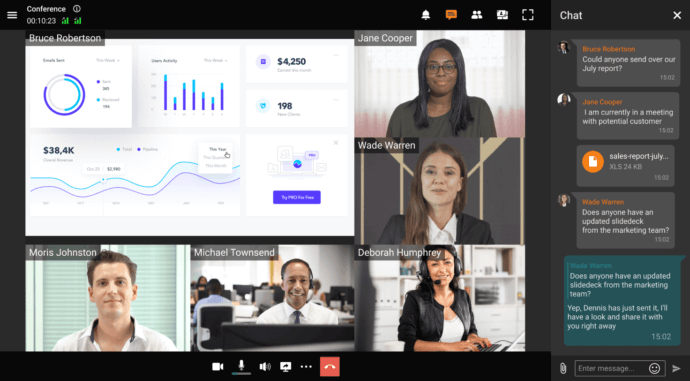
TrueConf is an on-premises video conferencing and unified communications platform built for organizations that cannot or will not route sensitive communications through external cloud infrastructure. Every component of the platform runs inside the customer’s own environment. There is no mandatory cloud relay, no vendor-managed media server handling your calls, and no dependency on TrueConf’s own uptime for day-to-day operation.
Core capabilities:
- 4K UltraHD video conferencing supporting up to 2,000 participants per conference
- Integrated corporate messenger with persistent chats, group channels, file sharing, and presence statuses
- Conference scheduling with calendar integration, recording, and slideshow presentation tools
- Built-in SIP/H.323 gateway enabling connections from legacy hardware endpoints
- Active Directory and LDAP synchronization with single sign-on (SSO) support
- Multi-factor authentication (MFA) and role-based access control with fine-grained permissions
- Virtual desktop infrastructure (VDI) support and thin client compatibility
- REST API and VideoSDK for integrating video into third-party business applications
- Federation across multiple TrueConf Server instances
- UDP Multicast for low-bandwidth or satellite network environments
Pricing: TrueConf Server Free covers up to 1,000 registered accounts, 4K video calls, team messaging, and group conferences for up to 10 participants simultaneously. It is free including for commercial use, with a no-cost annual license renewal. TrueConf Server (paid) scales to 5,000 users and lifts the conference participant ceiling to 2,000; pricing is by custom quote based on the size of the license purchased. TrueConf Enterprise handles deployments up to 1,000,000 users and adds platform-level redundancy, load balancing, fault tolerance, global user directories, and enterprise SSO. Qualifying educational institutions, healthcare providers, and non-profit organizations receive up to 50% off Server licenses.
Best for: Government agencies, defense and security organizations, financial institutions, healthcare providers, industrial operations, and any enterprise with data residency requirements, compliance mandates, or the need for network-independent operation.
Strengths:
- Full data sovereignty: all media and metadata stays within the customer’s infrastructure
- Account count is unlimited; licensing applies only to active concurrent users
- Native SIP/H.323 gateway eliminates the need for third-party gateways when connecting legacy hardware
- The free tier is genuinely usable for commercial operation, not a feature-stripped trial
- Operates through NAT, firewalls, and proxies without requiring dedicated open ports
Try TrueConf Server Free!
- 1,000 online users with the ability to chats and mske one-on-one video calls.
- 10 PRO users with the ability to participate in group video conferences.
- One SIP/H.323/RTSP connection for interoperability with corporate PBX and SIP/H.323 endpoints.
- One guest connection to invite a non-authenticated user via link to your meetings.

2. Zoom
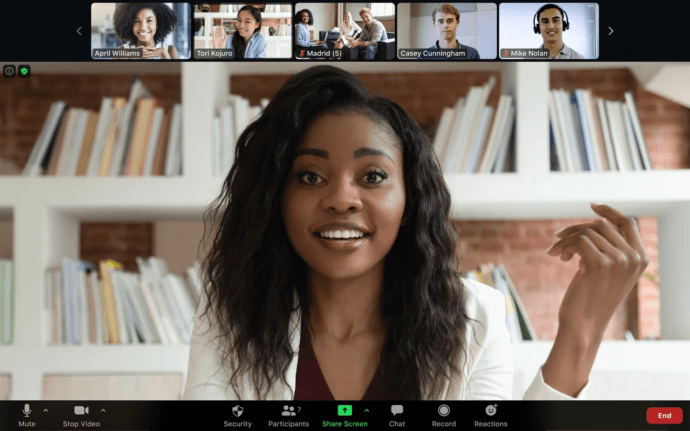
Zoom continues to hold the dominant mindshare position in the video conferencing market. Its advantage lies in product polish, near-universal name recognition, and a webinar infrastructure that no other platform matches at scale. It works well for organizations where ease of joining for external participants is a priority and where data residency is not a binding constraint.
Core capabilities:
- Meetings accommodating up to 1,000 participants; Zoom Webinars scale to 50,000 with add-ons
- AI Companion for automated meeting summaries, transcription, and action item extraction
- Zoom Rooms for hardware-integrated conference room deployments
- Persistent team messaging, collaborative whiteboards, and shared document editing
- App Marketplace with over 1,500 third-party integrations
Pricing: Free plan supports unlimited one-on-one calls but caps group meetings at 40 minutes. Zoom Pro begins at $14.99 per user per month. The Business plan starts at $21.99 per user per month. Enterprise plans are by quote.
Best for: Organizations prioritizing external meeting accessibility, webinar-scale broadcasts, and a low learning curve for non-technical participants.
Strengths: Massive client penetration, mature AI tooling, extensive hardware partner ecosystem.
Limitations: All media is processed on Zoom’s cloud infrastructure with no genuine self-hosted alternative; per-user cost compounds quickly for large organizations.
3. Microsoft Teams
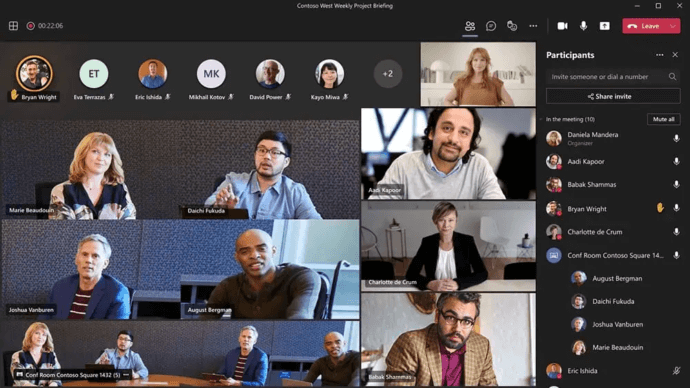
Microsoft Teams is best understood as the meeting and collaboration layer of the Microsoft 365 stack rather than a standalone video tool. For organizations already standardized on Exchange, SharePoint, OneDrive, and Azure Active Directory, Teams provides a level of integration depth that no external conferencing platform can replicate.
Core capabilities:
- Meetings up to 1,000 participants; town hall-format broadcasts for up to 20,000 attendees
- Direct Routing and PSTN Calling Plans for phone system replacement
- Microsoft Copilot integration for real-time transcription, summaries, and follow-up task generation
- Teams Rooms certification program for hardware-equipped meeting spaces
- Enterprise compliance tools covering eDiscovery, retention policies, and communication compliance
Pricing: Included with Microsoft 365 Business Basic from $6 per user per month. Teams Essentials, a standalone plan without full M365 apps, is available from $4 per user per month.
Best for: Organizations already invested in the Microsoft 365 ecosystem seeking a unified endpoint for all communications.
Strengths: Unmatched depth of M365 integration, strong compliance and legal hold tooling, broad enterprise adoption.
Limitations: Configuration complexity in non-Microsoft environments; inconsistent feature parity between mobile and desktop clients; heavier endpoint resource requirements than lighter-weight tools.
4. Google Meet
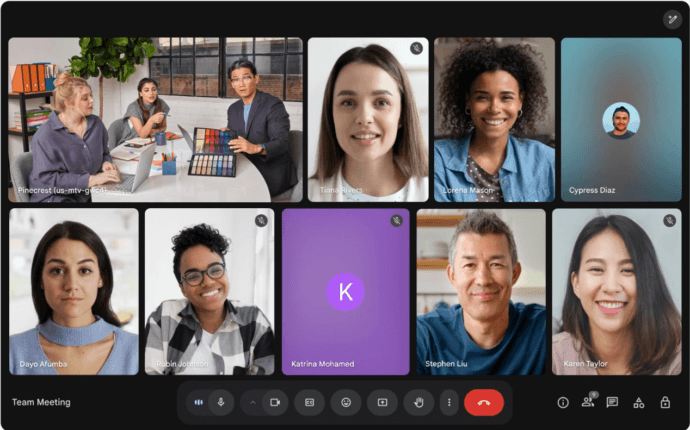
Google Meet is the video conferencing surface within Google Workspace, tightly woven into Calendar, Gmail, Drive, and Docs. Its defining characteristic is the browser-first, zero-install experience, which removes friction for external participants and makes it well suited for environments where users already live in Google productivity tools.
Core capabilities:
- Enterprise tier meetings up to 1,000 participants
- Live automated captions using Google’s speech recognition engine
- Gemini AI for post-meeting transcription summaries
- Noise cancellation and automatic video quality adaptation based on connection conditions
- Breakout rooms, audience polls, and Q&A moderation
Pricing: Free tier supports up to 100 participants with a 60-minute group cap. Google Workspace Business Starter from $6 per user per month extends limits and adds recording. Higher tiers unlock increased participant counts and additional AI-powered features.
Best for: Organizations standardized on Google Workspace, schools, and teams where external guest joining with zero friction is a priority.
Strengths: No software download required for any participant, solid AI transcription, clean and minimal interface.
Limitations: All data processed on Google infrastructure; no on-premises option exists; feature depth for power users is narrower than Zoom or Teams.
5. Cisco Webex
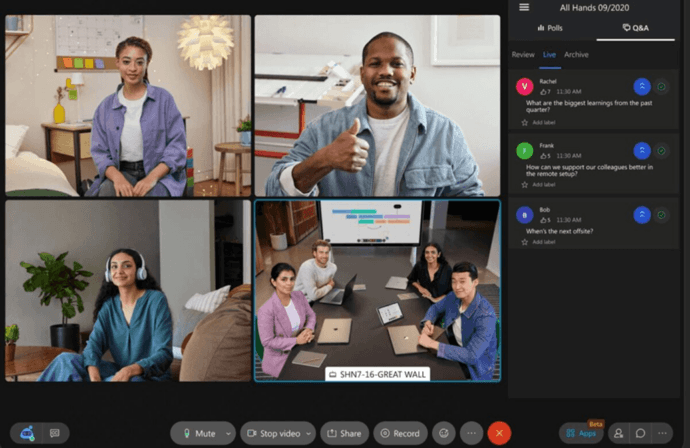
Webex has operated in the enterprise video conferencing space longer than most competitors and has earned a reputation for reliability, hardware ecosystem depth, and compliance tooling. Its strength is clearest in organizations that already run Cisco networking and hardware infrastructure.
Core capabilities:
- End-to-end encryption enabled by default, not as an optional mode
- Meetings up to 1,000 participants; Webex Events for broadcasts to larger audiences
- AI-driven noise suppression, background replacement, and automatic transcription
- Native hardware integration with Cisco Room Kits, Board systems, and Desk Pro devices
- Legacy on-premises Webex Meetings Server for organizations that cannot move to cloud
- Built-in compliance recording, legal hold capability, and eDiscovery support
Pricing: Free tier allows up to 100 participants with a 40-minute group cap. Webex Meet plans start at $14.50 per user per month. Full suite pricing with calling and messaging is available by quote.
Best for: Large enterprises with Cisco network infrastructure; finance, healthcare, and government organizations with strict compliance requirements.
Strengths: Default end-to-end encryption, deep Cisco hardware integration, proven enterprise reliability, strong compliance tooling.
Limitations: The interface carries legacy complexity; full enterprise deployment costs are substantial; AI feature development has lagged behind newer competitors.
6. Whereby
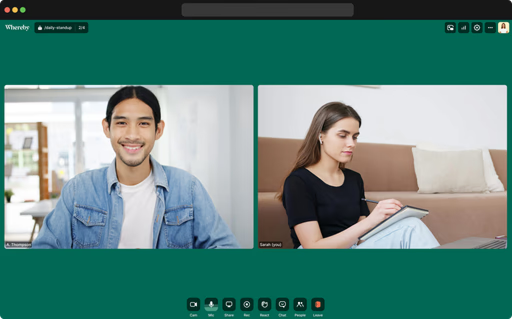
Whereby occupies a specific niche: lightweight browser-based video for small teams and product developers who need embeddable video without the overhead of enterprise conferencing software. Its persistent room URLs, which require no scheduling or calendar connection to use, make it operationally simple in ways that larger platforms are not.
Core capabilities:
- Fully browser-based; participants join with a URL and no software download
- Persistent room addresses accessible at any time without scheduling
- Whereby Embedded API for adding video functionality to third-party web applications
- Screen sharing, breakout rooms, and in-meeting reactions
Pricing: Free tier provides one host room supporting up to 100 participants. Pro plans begin at $6.99 per host per month. Business and Embedded developer tiers are available by quote.
Best for: Small teams, SaaS developers integrating video into their own products, and use cases where frictionless guest access is the primary requirement.
Strengths: Minimal interface, zero-install joining, well-documented embedding API.
Limitations: Not architected for organizational scale; admin controls are minimal; no on-premises option exists.
7. GoTo Meeting
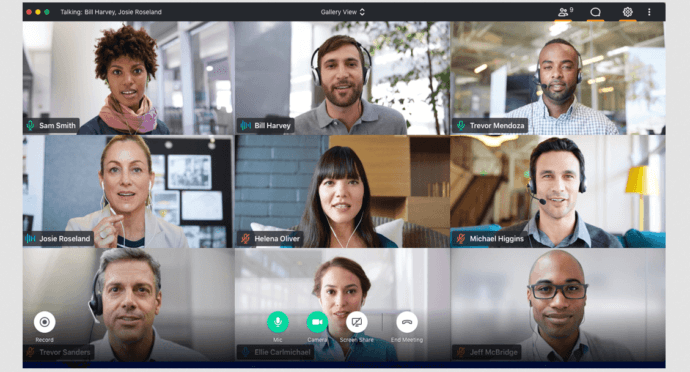
GoTo Meeting is a stable, mid-market video conferencing tool built around simplicity of setup and predictable per-organizer pricing. Part of the broader GoTo portfolio alongside GoTo Webinar, GoToConnect, and GoTo Resolve, it serves SMBs that want a functional conferencing tool without the complexity of enterprise-grade platforms.
Core capabilities:
- Conference capacity up to 3,000 participants
- In-meeting annotation, hand-raising, and custom virtual backgrounds
- Smart meeting assistant for automated transcription and action item capture
- Connectors for Salesforce, Slack, and Microsoft 365
Pricing: The Professional plan starts at $12 per organizer per month and supports 150 participants. Business runs from $16 per organizer per month for up to 250 participants. The Enterprise plan covering 3,000 participants requires a custom quote.
Best for: SMBs with predictable meeting patterns and a preference for per-organizer pricing rather than per-seat billing.
Strengths: Per-organizer pricing reduces cost for organizations with many users but fewer active meeting hosts; clean and accessible interface.
Limitations: AI feature investment has not kept pace with Zoom or Teams; no self-hosted option; niche in a market increasingly served by bundled UCaaS solutions.
8. BlueJeans by Verizon
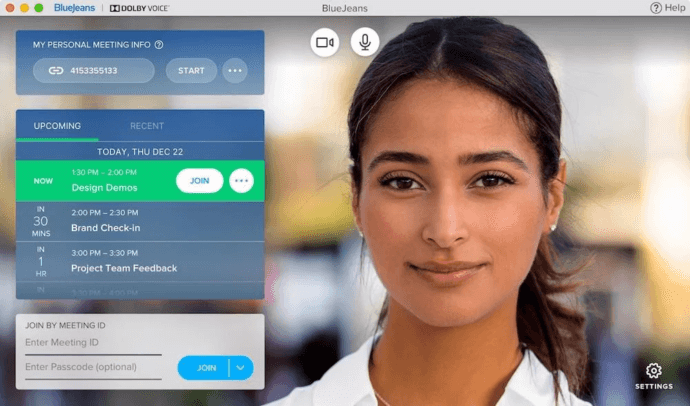
BlueJeans joined Verizon Business following an acquisition and has since focused its positioning on high-capacity virtual events and audio quality differentiation through Dolby Voice. It holds a specific niche among financial services firms, media organizations, and large enterprise accounts already engaged with Verizon’s network infrastructure.
Core capabilities:
- Standard meetings up to 200 participants; BlueJeans Events scales to 50,000 attendees
- Dolby Voice spatial audio processing for improved meeting clarity
- Automated meeting highlight detection and transcription
- Integrations with Slack, Microsoft Teams, and Salesforce
Pricing: All plans are by custom quote with no public self-service pricing available.
Best for: Large organizations running high-attendance virtual events; existing Verizon enterprise accounts; media and financial sector organizations with audio quality requirements.
Strengths: Dolby Voice audio delivers noticeably better call quality; events tier handles audience sizes few other platforms match.
Limitations: No publicly listed pricing creates procurement friction; product development pace has slowed since the Verizon acquisition; limited relevance outside the large enterprise segment.
9. Jitsi Meet
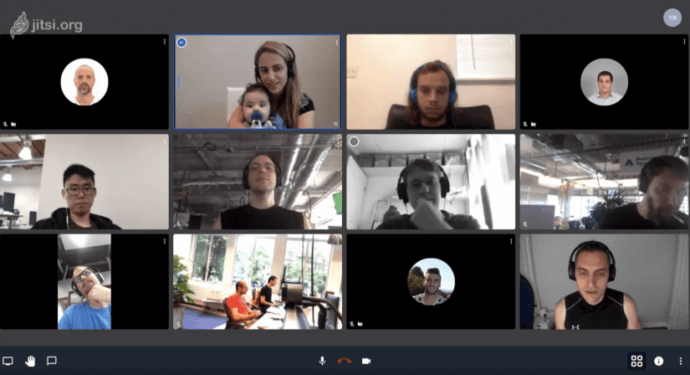
Jitsi Meet is the most widely deployed open-source video conferencing platform. Maintained by 8×8 and available freely under an Apache 2.0 license, it can be installed on any Linux server and configured to meet the specific requirements of the deploying organization. The hosted version at meet.jit.si provides zero-cost access for teams that do not need to self-host.
Core capabilities:
- No built-in participant ceiling; capacity is determined by server hardware
- Browser-based client and mobile apps requiring no registration
- Screen sharing, recording output to local storage or Dropbox, and RTMP live streaming
- Full self-deployment on Linux using Jitsi Videobridge and Prosody XMPP components
- LDAP-based authentication configurable through the Prosody component layer
Pricing: No licensing cost. Infrastructure costs for self-hosted deployments depend entirely on the hardware or cloud resources provisioned.
Best for: Engineering-led teams comfortable with open-source infrastructure management, organizations on tight budgets, and developers who want full platform transparency.
Strengths: No per-user licensing, full source code transparency, flexible enough to adapt to specific environments.
Limitations: Enterprise-grade policy controls require significant manual configuration; no vendor-backed SLA on the open-source version; support depends on the community unless using 8×8’s commercial Jitsi offering.
10. 8×8 Video Meetings
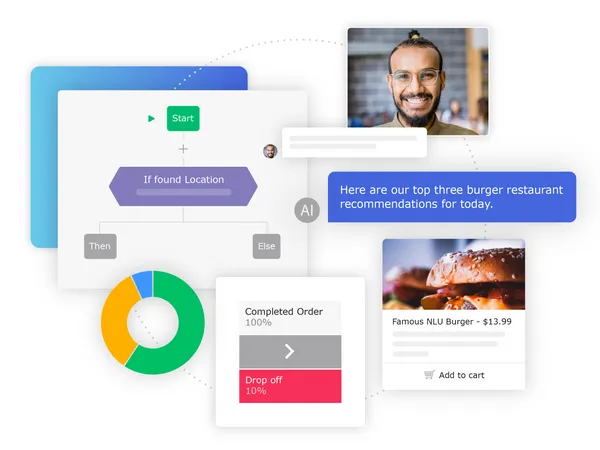
8×8 Video Meetings is the conferencing component within 8×8’s broader X Series unified communications platform, which combines cloud telephony, contact center tooling, and team messaging in a single subscription. The video product is meaningfully differentiated from standalone conferencing tools by its PSTN integration and contact center workflow connections.
Core capabilities:
- Meetings up to 500 participants
- Screen sharing, virtual backgrounds, and automated transcription
- Native connectors for Salesforce, Slack, Microsoft Teams, and Google Workspace
- PSTN dial-in numbers bundled into most plan tiers
- Contact center integration enabling agent-facing video interactions
Pricing: 8×8 Express, which includes video, voice, and messaging, starts at $24 per user per month. X Series plans with contact center functionality scale upward from there.
Best for: Organizations looking to consolidate video, voice, messaging, and contact center under a single UCaaS vendor without managing separate platform relationships.
Strengths: Genuine UCaaS consolidation, PSTN dial-in included at most tiers, strong contact center connectivity.
Limitations: Video feature depth does not match dedicated conferencing platforms; pricing is higher when video is the primary requirement and voice or contact center features are not needed.
How to Select the Right Video Meeting Platform
The decision comes down to five concrete questions that any IT or procurement team should answer before evaluating vendors.
1. Where must the data live? If your organization is subject to data residency regulations, operates in a jurisdiction with restrictions on cross-border data transfer, or handles classified information, the answer is: on your own infrastructure. That narrows the shortlist to TrueConf, Cisco Webex’s legacy on-premises option, or self-hosted Jitsi.
2. What does your admin team need to control? Organizations with mature IT governance need to enforce calling policies, restrict features by user role, and produce usage reports on demand. TrueConf and Cisco Webex deliver the deepest on-premises administrative control. Zoom and Teams provide strong admin tooling within cloud architectures.
3. What hardware are you inheriting? Ripping out existing SIP/H.323 conference room hardware is expensive. Organizations with legacy endpoints should shortlist platforms with native gateway support. TrueConf includes a built-in SIP/H.323 gateway. Cisco Webex has native hardware compatibility across its own device lineup.
4. How does your pricing model scale with usage patterns? Per-user cloud pricing is predictable at small scale but becomes expensive when total registered users are high relative to concurrent active meeting participants. TrueConf Server licenses by active users rather than total accounts, which is a significant cost advantage for large organizations with variable usage.
5. Is video mission-critical or supplemental? For organizations where video is core infrastructure rather than a convenience, platform stability, vendor support SLAs, and long-term pricing predictability matter more than novelty features. TrueConf’s on-premises architecture guarantees continued operation regardless of changes to the vendor’s cloud pricing, ownership, or service status.
FAQ
Which video meeting platform is best suited for government or defense deployments?
TrueConf is the strongest option for government and defense environments because it supports fully air-gapped on-premises operation without any dependency on external connectivity. The server runs entirely within the organization’s own network, and communications are never routed through vendor-controlled infrastructure. TrueConf is deployed across government agencies, defense contractors, and military organizations across multiple countries.
Is it possible to run video meetings without an internet connection?
Yes, but only with a self-hosted deployment model. TrueConf Server is specifically designed to operate offline after the initial installation and license activation step. This makes it practical for industrial sites, classified environments, and any organization where reliable or permitted internet access cannot be guaranteed. All cloud-dependent platforms, including Zoom, Teams, and Google Meet, require live internet connectivity.
Which platforms support existing SIP/H.323 conference room hardware?
TrueConf includes a native SIP/H.323 gateway within the server, allowing legacy hardware endpoints to join TrueConf-hosted conferences without any additional gateway appliance. Cisco Webex supports SIP natively across its own hardware lineup and through third-party device interop. Zoom and Microsoft Teams handle SIP/H.323 through third-party certified gateway add-ons, which adds complexity and cost.
What platforms offer a free tier that works for commercial purposes without time restrictions?
TrueConf Server Free is available for commercial use at no cost, supporting up to 1,000 registered users, 4K video calls, persistent team messaging, and group conferences of up to 10 participants. It requires annual renewal through the TrueConf website. Jitsi Meet is entirely free under an open-source license with no participant cap, though self-hosting is required for reliable production use. Zoom’s free tier limits group calls to 40 minutes. Google Meet’s free tier caps groups at 60 minutes.
How does TrueConf compare to Zoom for a large enterprise deployment?
The core difference is architectural philosophy. Zoom is designed as a cloud service where all media is processed on Zoom’s infrastructure. TrueConf is designed as an infrastructure product where all media stays on the customer’s hardware. For enterprises where that separation matters, such as those with compliance mandates, data sovereignty requirements, or regulated data handling obligations, TrueConf offers something Zoom cannot match. For enterprises where ease of external access, AI meeting features, and webinar scale are the primary requirements and cloud data processing is acceptable, Zoom has a stronger offering in those dimensions.
Which platforms should healthcare organizations consider for clinical communications?
Healthcare organizations operating under HIPAA or equivalent regulations need platforms where data handling can be contractually and architecturally verified. TrueConf deployed on-premises ensures all patient communications remain within the organization’s own infrastructure, with no cloud transmission. Cisco Webex provides HIPAA-eligible plans with Business Associate Agreements. Microsoft Teams through specific Microsoft 365 Government or compliance tiers also qualifies. For any cloud platform, the BAA scope, data subprocessor list, and breach notification terms require careful review before use in clinical workflows.
Can TrueConf be integrated with business applications, calendars, and custom software?
Yes. TrueConf provides a REST API for integration with external systems and a VideoSDK for embedding video calling directly into third-party applications without redirecting users to a separate conferencing interface. A Calendar Connector for Microsoft Exchange is available as an add-on. Enterprise deployments can federate user directories and conference access across multiple TrueConf Server instances. A Chatbot Connector is available for building automated communication workflows connected to the TrueConf platform.
About the Author
Olga Afonina is a technology writer and industry expert specializing in video conferencing solutions and collaboration software. At TrueConf, she focuses on exploring the latest trends in collaboration technologies and providing businesses with practical insights into effective workplace communication. Drawing on her background in content development and industry research, Olga writes articles and reviews that help readers better understand the benefits of enterprise-grade communication.


Follow us on social networks