
Access management
Access management
Initially, there is only one account on the server — admin, which has the Administrator role. You can change its login and password in the directory. Deleting this account is prohibited.
Roles
A multi-user management system is implemented in TrueConf MCU:
Administrator — by default, has all the rights to manage the server
Operator — schedules and holds conferences, creates user accounts. An operator does not have access to server settings and user roles.
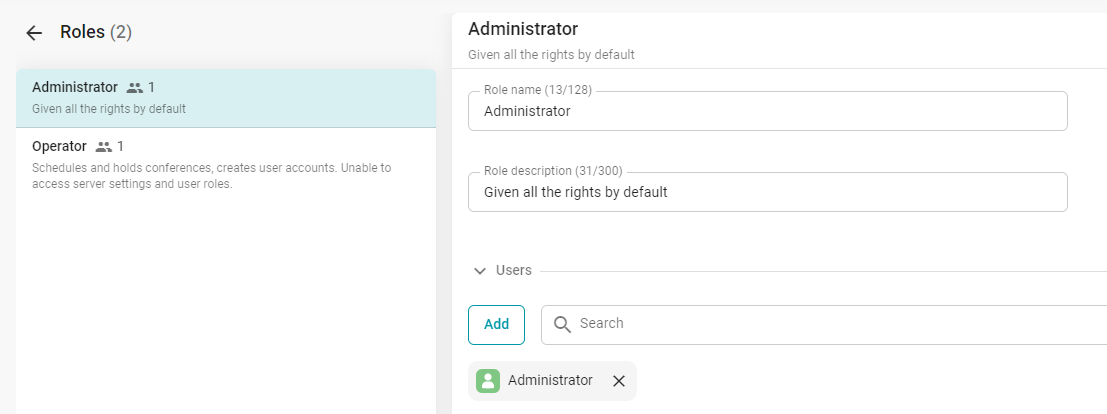
To configure roles, go to Administration → Roles. When you select a role, you will see a card with the main information about it:
Role name
Role description
The list of users assigned to this role.
Adding a new user
To assign a user to a role, first add them to the directory.
To add a user:
Select a role.
Click the Add button.
In the list, select the users and click the Add button.
Security
To ensure more secure access to the control panel in TrueConf MCU, there is a settings section Administration → Security.
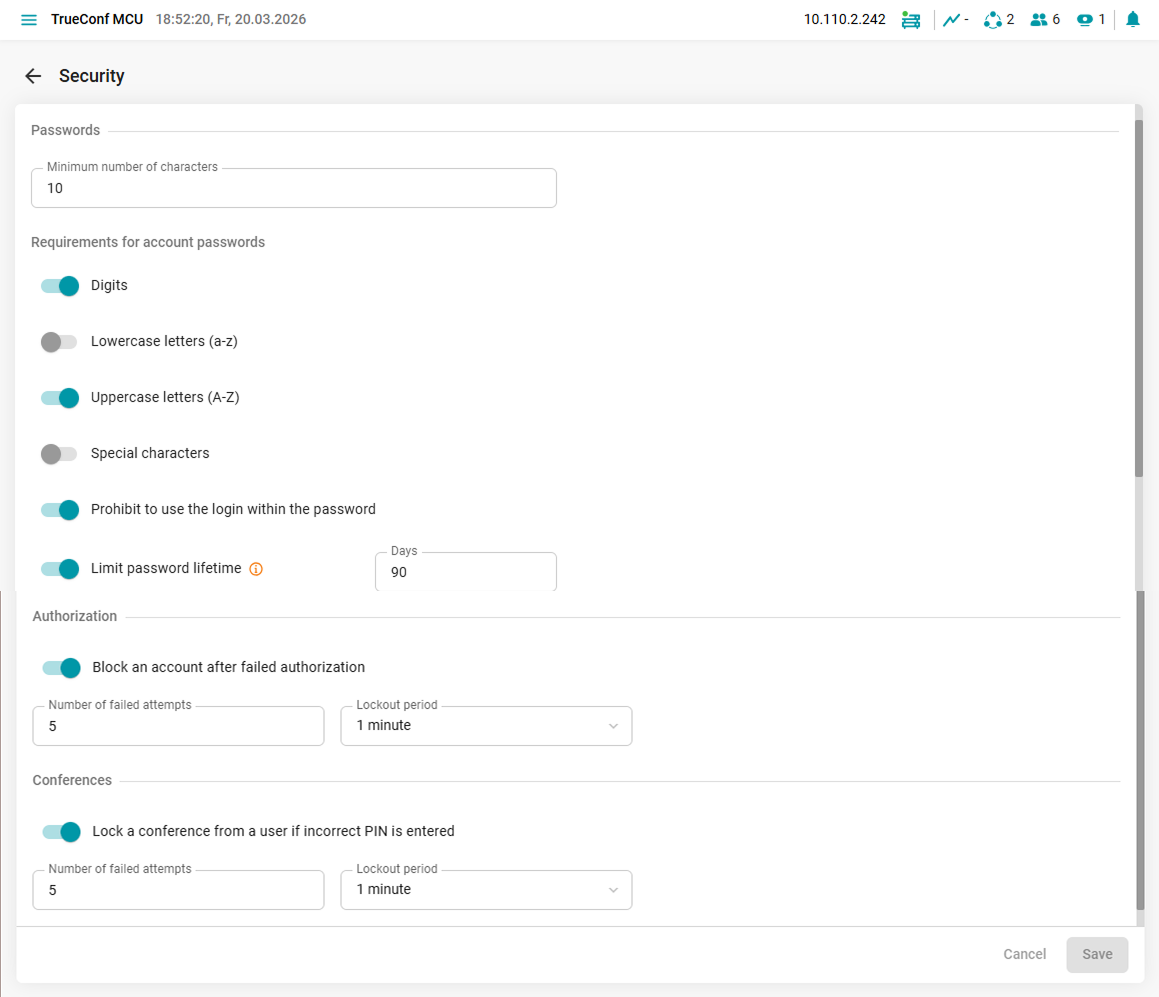
In the Security section, you can configure:
minimum number of characters in user passwords for the TrueConf MCU server control panel;
Password requirements for user accounts: must include numbers, lowercase and uppercase letters, and special characters;
prohibition on using the account name in the password;
the password expiration period after which it must be changed;
blocking accounts after failed login attempts;
blocking conference access after entering an incorrect PIN code.