
10 Best Free Video Conferencing Tools with No Time Limit for 2026
Summarize article with AI




Finding a video conferencing solution that does not cut meetings short after 40 minutes is harder than it sounds. Most mainstream tools offer free plans, but then quietly cap sessions at 40 or 60 minutes, forcing teams to restart calls, lose momentum, and eventually upgrade just to get uninterrupted communication. For small teams, startups, nonprofits, distributed workforces, and enterprises evaluating self-hosted alternatives, the time limit issue is a genuine operational problem, not just an inconvenience.
This article covers the 10 best free video conferencing tools with no time limit for 2026, with detailed breakdowns of what the free tier actually includes, who each tool is best suited for, and where the real tradeoffs lie. TrueConf leads the list as the strongest enterprise-grade option with a free tier that supports up to 1,000 registered users with no session time limits, making it an outlier in a category where most vendors restrict free access to 3 to 10 participants.
Why trust us?
Every app we cover is selected, tested, and reviewed by human experts who follow strict editorial and evaluation guidelines. We focus on solutions that are practical, purpose-built, and capable of delivering real value for the specific use case or business context we’re analyzing — while also offering pricing that is fair and justifiable. Our methodology is transparent, straightforward, and available to everyone:
Quick Comparison: Free Video Conferencing Tools with No Time Limit (2026)
|
Tool |
Free Participant Limit |
Time Limit on Free Plan |
Deployment Options |
Best For |
|---|---|---|---|---|
|
TrueConf |
1,000 registered users |
No time limit |
On-premises, private cloud |
Enterprise, regulated industries, self-hosted |
|
Jitsi Meet |
Unlimited (server-dependent) |
No time limit |
Self-hosted, cloud instance |
Open-source teams, developers |
|
Google Meet |
100 participants |
No time limit (1:1 and group) |
Cloud only |
Google Workspace users |
|
Discord |
Unlimited voice, 25 video |
No time limit |
Cloud only |
Communities, gaming, informal teams |
|
Whereby |
100 (rooms up to 100) |
No time limit |
Cloud only |
Small teams, educators |
|
Zoho Meeting |
100 participants |
No time limit (limited features) |
Cloud only |
Zoho ecosystem users |
|
3CX |
25 participants |
No time limit |
Self-hosted, cloud |
SMBs, VoIP-integrated environments |
|
Rocket.Chat |
Team-size dependent |
No time limit |
Self-hosted |
Open-source, privacy-first teams |
|
BigBlueButton |
Unlimited (server-dependent) |
No time limit |
Self-hosted |
Education, online learning |
|
Signal |
50 participants (group video) |
No time limit |
Cloud, E2E encrypted |
High-security personal/small team calls |
What “No Time Limit” Actually Means in Practice
Before diving into individual tools, it is worth clarifying what “no time limit” means in vendor marketing versus real-world usage.
True no time limit means a session can run for hours without being disconnected or forced to restart. This is what TrueConf, Jitsi Meet, Google Meet (for 1:1 and group calls on free accounts), and BigBlueButton offer.
Conditional no time limit means the session technically has no timer, but the free plan has other hard restrictions: participant caps, feature lockouts, or missing admin controls that make the tool impractical for professional use beyond a certain scale.
Hidden time limits apply to tools like Zoom Free (40 minutes for group meetings) and Microsoft Teams Free (previously unlimited, but this has changed depending on the plan version). These tools are excluded from this list for that reason.
1. TrueConf
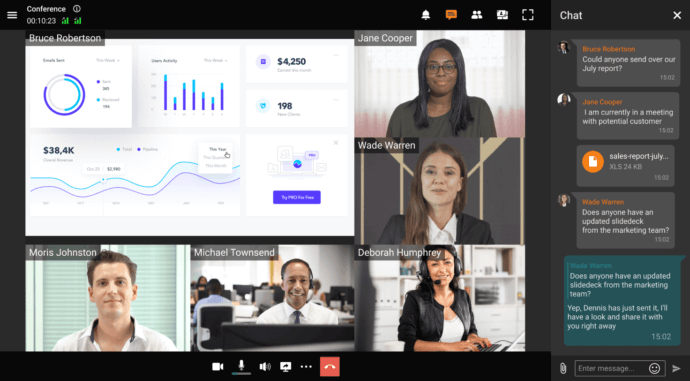
TrueConf is an enterprise-grade video conferencing and collaboration platform that offers a genuinely generous free tier: up to 1,000 registered users with no meeting time limits. This makes it one of the few solutions in this category where a mid-sized organization can deploy a fully functional video communication infrastructure at zero cost.
TrueConf is available as an on-premises server, private cloud deployment, or cloud-based service, giving IT teams full control over where data resides. This is a decisive advantage for organizations in regulated industries such as healthcare, finance, government, and education.
What the Free Plan Includes
According to TrueConf’s pricing page, the free server license supports:
- Up to 1,000 registered users on a self-hosted TrueConf Server
- No time limits on meetings or conferences
- Group video conferencing with up to 10 participants in a single call on the free tier
- Secure end-to-end encrypted communication
- Screen sharing and file transfer
- Chat and messaging within the platform
- Web client access (no mandatory app download for guests)
- Self-hosted deployment with full admin control
The ability to host TrueConf Server on your own infrastructure means the organization retains complete ownership of all communication data. No third-party cloud provider stores meeting content, recordings, or participant metadata.
Strengths
- Largest free registered user count in this category (1,000 users)
- Self-hosted and private cloud options give full data sovereignty
- No time limit on any session type
- Enterprise-ready admin panel and user management
- Works across Windows, macOS, Linux, iOS, Android, and browser
- Supports H.323 and SIP for interoperability with existing video infrastructure
- Active Directory and LDAP integration available
- End-to-end encryption by default
Limitations
- Advanced features like webinar hosting for large audiences or additional concurrent conferences may require paid licenses
- Best suited for organizations with an IT team capable of managing on-premises infrastructure
Best For
Organizations that need a scalable, secure, self-hosted video conferencing environment without a per-user licensing cost. Particularly strong for government agencies, defense contractors, healthcare institutions, financial services firms, and education networks.
Free license check
Will the free version cover your team?
Two numbers — and you will see whether TrueConf Server Free is enough or you need the full version.
- 1,000people can use the server at the same time
- 10people in one group video call
- No limiton call duration
Two different limits. Up to 1,000 people can use the server at the same time — chat and one-on-one calls. A group video call is separate: the free plan supports 10 people in one call. The number of accounts is unlimited. Think of it as an office: you can hire any number of people, but only 1,000 can be inside at once; a group call is a meeting room with 10 seats.
Fits the free plan
The free version is enough
Up to 1,000 people can use the server at the same time. Group video calls support up to 10 people, and one-on-one calls have no time limits.
Compared with the published limits of TrueConf Server Free. The calculation runs in your browser.
2. Jitsi Meet
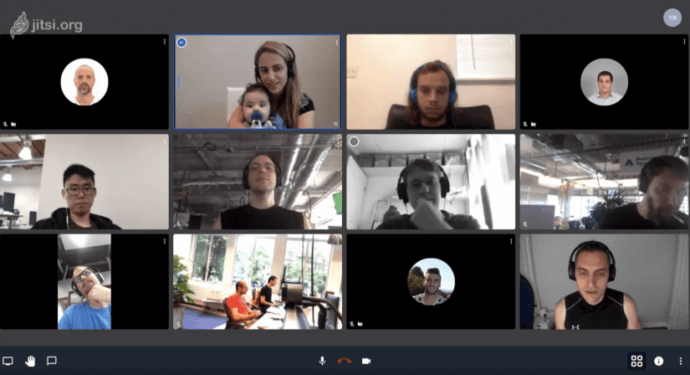
Jitsi Meet is an open-source video conferencing platform developed by 8×8. It can be used through the public instance at meet.jit.si or self-hosted on your own server. The public instance has no registration requirement, no time limit, and no hard participant cap (though performance degrades significantly past 30 to 35 participants without server optimization).
What the Free Plan Includes
- Unlimited meeting duration
- No registration required to create or join a meeting
- Screen sharing
- Chat during meetings
- Lobby and password-protection for rooms
- Recording via Dropbox integration (on the public instance)
- Fully open source under Apache 2.0 license
Strengths
- Truly free with no vendor lock-in
- Open source: auditable codebase
- Self-hosted deployments can scale to larger participant numbers
- No accounts needed for participants
Limitations
- Public instance performance is not guaranteed
- No built-in user management or persistent user accounts
- Limited enterprise admin controls out of the box
- Recording on the public instance requires Dropbox
Best For
Developers, open-source communities, small teams that need quick no-signup video calls, and organizations that want to self-host a free conferencing solution without commercial dependencies.
3. Google Meet
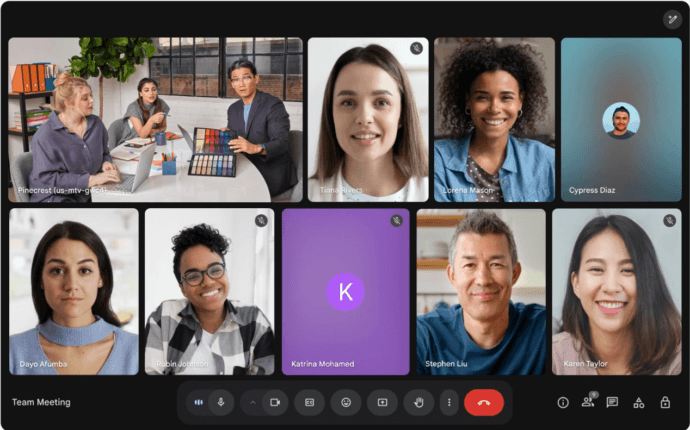
Google Meet offers unlimited 1:1 calls and group video calls with up to 100 participants for free Google accounts with no time limits. This changed in 2023 when Google removed the 60-minute cap that had been imposed on group meetings for free accounts.
What the Free Plan Includes
- Up to 100 participants
- No time limit on group or 1:1 calls
- Screen sharing
- Live captions (English)
- Background blur and virtual backgrounds
- Integration with Google Calendar and Gmail
- Works entirely in the browser (no app required)
Strengths
- Zero setup required: works immediately with any Google account
- High reliability and Google’s global CDN infrastructure
- Native integration with Google Workspace apps
Limitations
- Cloud-only: no self-hosted option
- No meeting recordings on the free plan
- No breakout rooms, polls, or Q&A on the free tier
- All data resides on Google’s infrastructure (GDPR and data sovereignty concerns for some regions)
- No admin controls for domain-level management on free accounts
Best For
Individual users, educators, freelancers, and small teams already in the Google ecosystem who need reliable free video calls without time restrictions.
4. Discord
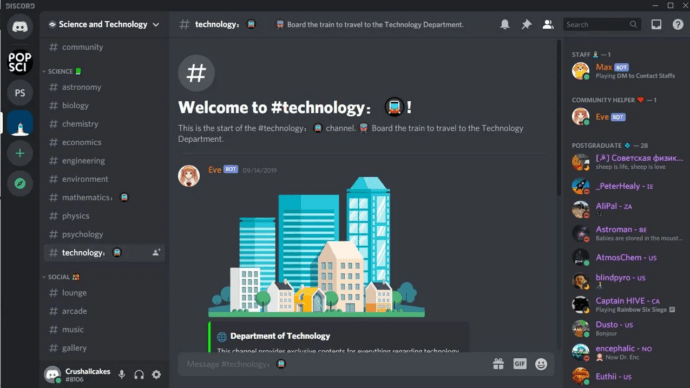
Discord is primarily known as a community platform but includes persistent voice and video channels with no time limits and no meeting cap for voice. Video calls support up to 25 simultaneous video streams on free accounts, with unlimited participants in voice-only mode.
What the Free Plan Includes
- Unlimited voice channel sessions with no time limit
- Up to 25 video streams in a single call
- Screen sharing (720p on free)
- Text chat, file sharing, and community channels
- Server-based organization with roles and permissions
Strengths
- Persistent channels: no need to “start” a meeting
- Excellent for asynchronous and synchronous communication in the same interface
- Strong community management tools
Limitations
- Not designed for formal business meetings or enterprise use
- No meeting agenda, scheduling integration, or calendar tools
- Screen sharing quality capped at 720p/30fps on free plan
- Limited admin controls for compliance or data governance
- No end-to-end encryption for video calls
Best For
Remote communities, developer teams, gaming groups, and informal internal communication for startups or creative agencies.
5. Whereby
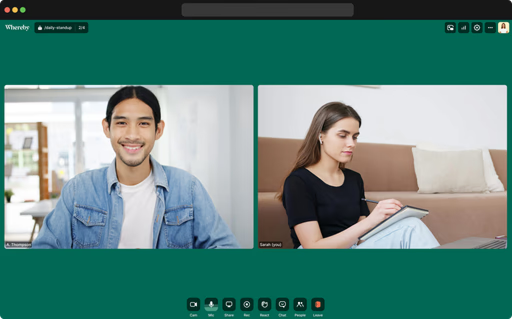
Whereby offers browser-based video conferencing with no downloads required and no time limits on meetings. The free plan supports one meeting room with up to 100 participants.
What the Free Plan Includes
- 1 permanent room
- Up to 100 participants
- No time limit
- Screen sharing
- Browser-based (no app or account needed for guests)
- Basic room customization (custom room URL)
Strengths
- Extremely simple setup: share a link, anyone joins
- Permanent room URL means no scheduling friction
- Clean, minimalist interface
Limitations
- Only 1 room on the free plan
- No recording on free tier
- No admin panel or user management
- Limited integration options without paid plan
- Not suitable for organizations needing multiple rooms or team-wide deployment
Best For
Freelancers, consultants, educators, and small team leads who need a single reliable meeting room with no time limit and no setup overhead.
6. Zoho Meeting
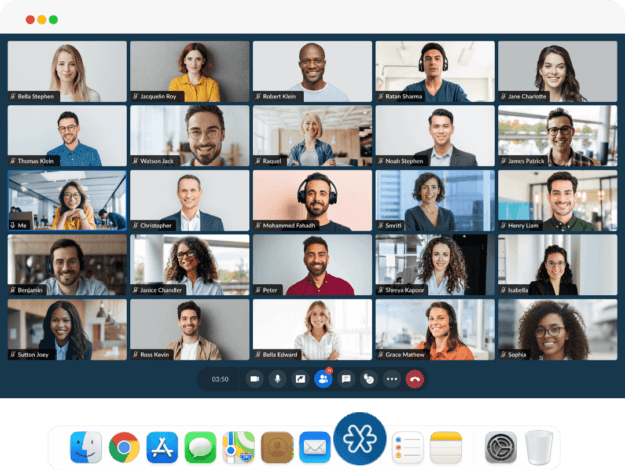
Zoho Meeting offers a free plan with no time limit for meetings with up to 100 participants. It integrates tightly with Zoho’s suite of business applications and provides basic webinar functionality even on entry-level plans.
What the Free Plan Includes
- Up to 100 participants per meeting
- No time limit on meetings
- Screen sharing
- Chat during meetings
- Integration with Zoho Calendar and CRM
- Browser-based access for participants
Strengths
- Part of the broader Zoho ecosystem (CRM, projects, mail)
- Clean, professional interface suited for business use
- Basic webinar capabilities even at low tiers
Limitations
- Recording not available on the free plan
- Limited to Zoho’s cloud infrastructure
- Fewer collaboration features compared to dedicated conferencing platforms
- Free plan has limited meeting management options
Best For
Businesses already using Zoho CRM or Zoho Workplace who want integrated video conferencing without additional tooling costs.
7. 3CX
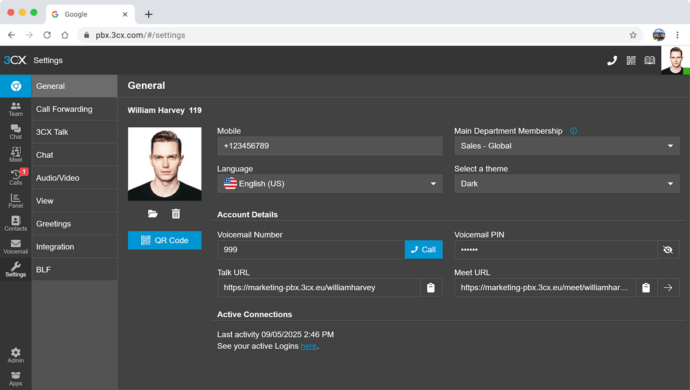
3CX is a unified communications platform that includes video conferencing as part of its PBX system. The free plan supports up to 25 participants per meeting with no time limit and includes both cloud-hosted and self-hosted deployment options.
What the Free Plan Includes
- Up to 25 participants
- No time limit
- Screen sharing
- Web conferencing via browser
- Integration with existing telephony (VoIP, SIP)
- Basic admin panel
Strengths
- Combines video conferencing with phone system, live chat, and messaging
- Self-hosted option available
- Strong VoIP and telephony integration
- Good fit for small to mid-size businesses with existing phone infrastructure
Limitations
- Primarily a PBX product; video conferencing is a secondary feature
- Setup complexity is higher than dedicated conferencing tools
- Limited video-specific features (no virtual backgrounds, limited collaboration tools)
Best For
SMBs that need to consolidate video conferencing with their phone system and want a single platform for all voice and video communication.
8. Rocket.Chat
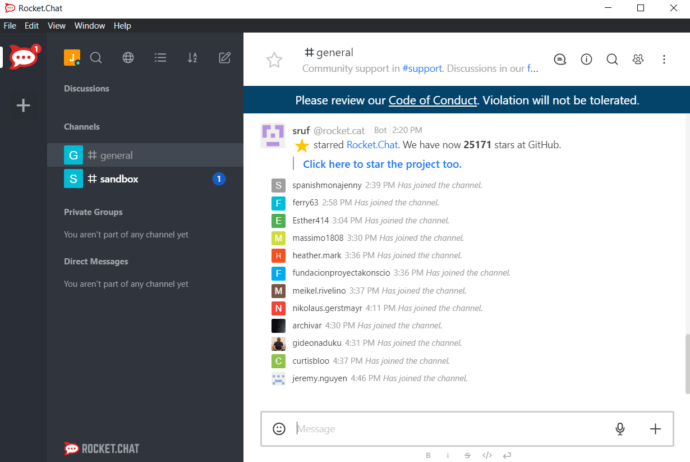
Rocket.Chat is an open-source team messaging and collaboration platform that includes video conferencing via Jitsi Meet integration or BigBlueButton. The self-hosted version is free with no participant or time limits, determined only by server capacity.
What the Free Plan Includes
- Unlimited users on self-hosted deployment
- No time limit on calls
- Video via embedded Jitsi or BigBlueButton
- Team channels, direct messages, and threads
- File sharing, screen sharing
- Full admin control over the environment
- Marketplace integrations
Strengths
- Fully open source with no user count fees
- Complete data control on self-hosted infrastructure
- Flexible integration with multiple video backends
- Active development community
Limitations
- Video conferencing is not native; relies on third-party integration
- Self-hosting requires server administration capability
- Cloud-hosted version has user limits on the free tier
- Video quality and features depend on the integrated tool
Best For
Privacy-focused organizations, development teams, and enterprises that want an open-source alternative to Slack or Microsoft Teams with integrated (if third-party) video capabilities.
9. BigBlueButton
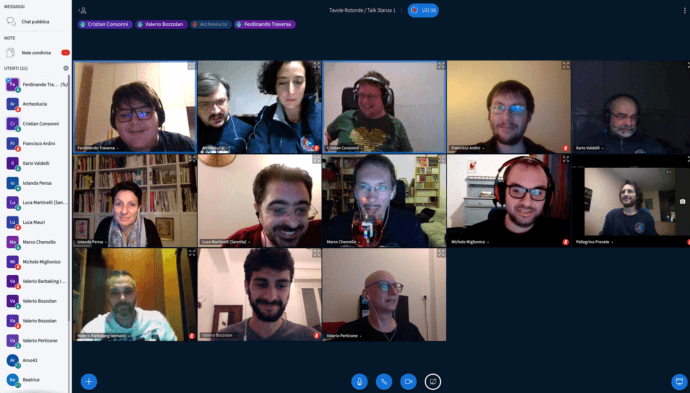
BigBlueButton is an open-source web conferencing system built specifically for education and online learning. It runs entirely on self-hosted infrastructure with no participant or time limits beyond server capacity.
What the Free Plan Includes
- Unlimited participants (server-dependent)
- No time limit
- Whiteboard and annotation tools
- Breakout rooms
- Polling
- Shared notes
- Recording (on self-hosted instances)
- Learning Management System (LMS) integrations (Moodle, Canvas, Sakai)
Strengths
- Purpose-built for education with strong pedagogical features
- Breakout rooms and polls available at no cost
- LMS integration out of the box
- Fully open source and auditable
Limitations
- Significant server resources required for good performance
- Not suited for corporate or enterprise use cases
- Setup and maintenance require technical expertise
- UI is functional but not modern compared to commercial tools
Best For
Universities, schools, online course platforms, and eLearning providers that need a fully featured, time-unlimited conferencing system without licensing costs.
10. Signal
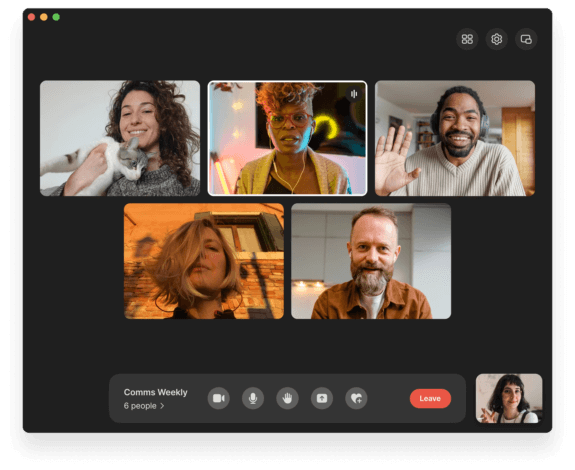
Signal is primarily an end-to-end encrypted messaging app, but it supports group video calls for up to 50 participants with no time limit and no cost. It is not a business conferencing tool, but for teams where privacy and encryption are the primary requirement, it is a legitimate option.
What the Free Plan Includes
- Group video calls up to 50 participants
- No time limit
- End-to-end encryption by default for all calls and messages
- Screen sharing
- Text messaging, file sharing
- No ads, no data collection, no account required beyond a phone number
Strengths
- Best-in-class encryption for video calls
- No data collection or monetization of user data
- Free with no tier restrictions
- Cross-platform (iOS, Android, Windows, macOS, Linux)
Limitations
- Requires a phone number to register
- No meeting scheduling, calendar integration, or admin controls
- Not suitable for large organizations or structured meeting workflows
- No recording capability
Best For
Journalists, legal professionals, security researchers, healthcare workers, and small teams where end-to-end encryption and privacy are the top priority.
Key Differences: Cloud-Only vs. Self-Hosted Free Tools
One of the most important distinctions in this category is between cloud-only free tools and self-hosted free tools. The table below compares the two approaches across dimensions that matter most to enterprise and regulated-industry buyers.
|
Dimension |
Cloud-Only Free (Google Meet, Whereby, Discord) |
Self-Hosted Free (TrueConf, Jitsi, BigBlueButton) |
|---|---|---|
|
Data location |
Vendor’s servers |
Your servers / your cloud |
|
GDPR / compliance |
Vendor-managed |
Organization-managed |
|
Admin control |
Limited |
Full |
|
Customization |
Minimal |
Extensive |
|
IT requirement |
None |
Moderate to high |
|
Vendor dependency |
High |
Low |
|
Scalability ceiling |
Vendor plan limits |
Server capacity |
|
Cost at scale |
Paid upgrade required |
Infrastructure cost only |
|
Uptime control |
Vendor SLA |
Your SLA |
For teams that simply need a quick video call with no time limit and no IT overhead, cloud-only tools like Google Meet or Whereby are the practical choice. For organizations where data governance, user management at scale, and long-term cost control matter, self-hosted tools led by TrueConf represent a fundamentally different value proposition.
The same cloud-versus-self-hosted tension tends to show up in the other tools these teams adopt alongside video conferencing, translation software included. A team that picks TrueConf’s on-premises deployment over Google Meet for data sovereignty reasons will often face an identical decision when translating meeting notes, agendas, or multilingual documentation, weighing a self-hosted option against a cloud-hosted one.
FAQ
What is the best free video conferencing tool with no time limit for enterprises in 2026?
TrueConf is the strongest enterprise-grade option in this category. Its free server license supports up to 1,000 registered users with no meeting time limits and can be deployed on-premises or in a private cloud. This combination of scale, self-hosted control, and zero time restrictions is unmatched among free-tier conferencing tools.
Does TrueConf really have no time limit on its free plan?
Yes. TrueConf’s free server license places no time limit on meetings or calls. Sessions can run indefinitely, and the 1,000-user free tier applies to a self-hosted TrueConf Server deployment. There is no meeting clock or forced disconnection on the free plan.
Which free video conferencing tools allow self-hosting?
TrueConf, Jitsi Meet, BigBlueButton, and Rocket.Chat all offer self-hosted free options. TrueConf stands out because it combines self-hosting with a structured enterprise feature set, user management, Active Directory integration, and support for H.323 and SIP interoperability, which the other open-source options do not provide out of the box.
Is Google Meet really unlimited for free users in 2026?
Google Meet does not impose a time limit on group or 1:1 video calls for free Google account holders. However, it is a cloud-only service, meaning all data passes through Google’s infrastructure. For organizations with data sovereignty or compliance requirements, TrueConf’s self-hosted deployment offers a more controlled alternative.
What is the maximum number of participants allowed on free plans with no time limit?
This varies significantly by tool. TrueConf supports up to 1,000 registered users on the free server license. Google Meet supports 100 participants per call. Signal supports 50. Jitsi Meet and BigBlueButton have no hard cap but performance is server-dependent. For large-scale deployments, TrueConf’s 1,000-user free tier is the most scalable structured option.
Are free video conferencing tools secure enough for regulated industries?
It depends entirely on the tool and its deployment model. Cloud-only free tools generally do not meet the data residency and audit logging requirements of healthcare, finance, or government sectors. TrueConf’s on-premises free deployment gives organizations full control over encryption, data storage, access logs, and network isolation, making it suitable for regulated environments even at the free tier.
Can I switch from a cloud-only tool to a self-hosted solution without disrupting users?
Migration is possible but requires planning. Moving from Google Meet or Zoom to a self-hosted solution like TrueConf involves server provisioning, user onboarding, and client app deployment. TrueConf supports LDAP and Active Directory integration, which simplifies user migration from existing directory services. The transition timeline depends on IT team capacity and the number of users involved, but the long-term benefits in data control and scalability typically justify the effort for organizations at the 50-user threshold or above.
About the Author
Olga Afonina is a technology writer and industry expert specializing in video conferencing solutions and collaboration software. At TrueConf, she focuses on exploring the latest trends in collaboration technologies and providing businesses with practical insights into effective workplace communication. Drawing on her background in content development and industry research, Olga writes articles and reviews that help readers better understand the benefits of enterprise-grade communication.


Follow us on social networks