
Class Collaboration Tools: How to Choose the Right One?
A class collaboration tool is software that lets teachers and students communicate, share content, and work together in real time or asynchronously, either inside a live virtual classroom or across ongoing project work between sessions. For school and university IT leaders, the decision is not simply which tool has the longest feature list.
The more useful question is which platform fits the institution’s teaching model, student data requirements, learning management system (LMS), existing identity environment, and mix of live instruction and asynchronous collaboration. A platform designed for live virtual classes solves a different problem from a visual whiteboard, an LMS, or a team messenger, even though all of them may be described as collaboration tools.
Institutions that need live video instruction together with customer-controlled deployment and integration with existing communication infrastructure can consider TrueConf. Schools already standardized on Microsoft 365 or Google Workspace may gain more from their existing education ecosystems, while tools such as Miro, Figma, MURAL, and Padlet are better suited to visual or asynchronous project work.
Executive Summary
|
Primary Need |
Best Tool Type |
Examples |
|---|---|---|
|
Live virtual classes with institutional control over infrastructure |
TrueConf |
|
|
Purpose-built online teaching on an existing video platform |
Virtual classroom layer |
Class |
|
Fast cloud-based live instruction |
Cloud video conferencing |
Zoom |
|
Collaboration inside an existing productivity ecosystem |
Education collaboration suite |
Microsoft Teams for Education, Google Workspace for Education |
|
Visual group projects and brainstorming |
Collaborative canvas or whiteboard |
Miro, Figma, MURAL |
|
Asynchronous student contributions |
Content board |
Padlet |
|
Self-managed text collaboration |
Messaging platform |
Rocket.Chat |
|
Curriculum-centered whole-class instruction |
Instructional platform |
HMH Classcraft |
Insight 1. The first decision is not which vendor to buy, but which collaboration problem needs to be solved.
A video classroom, an LMS, a visual board, and a team messenger are not interchangeable categories. Comparing them only by feature count can produce misleading rankings because each tool is optimized for a different part of the teaching workflow.
How We Evaluated These Tools?
The tools below are evaluated across five practical dimensions:
- Live instruction capability — support for real-time lessons, group discussions, presentations, moderation, and classroom interaction.
- Security and data control — deployment options, identity administration, access control, and the institution’s ability to govern where communication data is processed.
- LMS and ecosystem integration — how naturally the platform fits existing educational and productivity systems.
- Deployment and administration — the operational effort required from teachers and IT teams.
- Asynchronous collaboration — support for ongoing group work outside a live lesson.
Which Class Collaboration Tools Should You Shortlist?
|
Requirement |
Shortlist |
Less Suitable If… |
|---|---|---|
|
Live classes inside institution-controlled infrastructure |
TrueConf |
You want the vendor to operate all infrastructure for you |
|
Existing Microsoft 365 environment |
Microsoft Teams for Education |
You need the primary communications server inside your own network |
|
Existing Google education environment |
Google Workspace for Education |
You need customer-operated video infrastructure |
|
Fast cloud-based video rollout |
Zoom |
Data and server placement must remain under direct institutional control |
|
Purpose-built classroom workflows on existing video |
Class |
You want one platform to own the entire communications infrastructure |
|
Visual project collaboration |
Miro, Figma, MURAL |
You need a primary live teaching platform |
|
Asynchronous reflection and content sharing |
Padlet |
Real-time instruction is the main requirement |
|
Self-managed persistent messaging |
Rocket.Chat |
You need a classroom-first live video environment |
Who Should Choose TrueConf, and Who Should Choose the Alternatives?

TrueConf fits institutions that need a class collaboration tool running on infrastructure they control. This includes universities and school systems with strict student data requirements, institutions running restricted research programs, and organizations that want live video, messaging, administration, and existing SIP/H.323 classroom equipment connected through the same communications environment.
Class fits institutions that already depend on Zoom or Microsoft Teams but want additional virtual classroom workflows around the underlying video service. Its value comes from adding instructor-led learning features, LMS connectivity, roster handling, engagement controls, and classroom analytics rather than replacing the institution’s entire collaboration ecosystem.
Google Workspace for Education and Microsoft Teams for Education fit institutions already standardized on those ecosystems. In those environments, the main advantage is not necessarily a single classroom feature but the ability to reuse existing identities, documents, calendars, assignments, storage, and administrative processes.
Miro, Figma, MURAL, and Padlet fit courses centered on visual brainstorming, project work, or asynchronous student contribution rather than live video instruction. Rocket.Chat fits messaging-first scenarios where self-managed infrastructure is important. HMH Classcraft is different again: it is curriculum-centered rather than a general-purpose video, messaging, or project collaboration platform.
What Is a Class Collaboration Tool?
A class collaboration tool is software that supports teaching and learning interactions beyond a one-way lecture. It may provide live video instruction, real-time messaging, shared documents, whiteboards, group activities, file sharing, asynchronous posts, project spaces, or combinations of these functions.
The category includes two broad collaboration models that should be distinguished during procurement:
- Synchronous collaboration requires teachers and students to participate at the same time, for example through a TrueConf, Zoom, or Class session.
- Asynchronous collaboration allows students to contribute at different times through shared boards, documents, discussions, or project workspaces.
Many institutions need both. A live virtual classroom can support lectures, seminars, oral discussions, presentations, and immediate feedback, while an asynchronous layer gives students time to research, produce work, comment on peers’ contributions, and continue projects between lessons.
Insight 2. Collaborative learning and collaboration software are not the same thing.
Collaborative learning is an instructional method in which students work toward a shared outcome. A class collaboration tool only provides the communication and working environment. Strong software cannot compensate for a group activity with unclear roles, no shared deliverable, and no way to evaluate participation.
Why Teachers and Institutions Use Class Collaboration Tools?
Collaborative learning tools give teachers a structured way to run group work, discussions, presentations, and peer feedback without losing visibility into how students participate. In remote and hybrid programs, the collaboration platform may also become part of the primary infrastructure through which instruction is delivered.
Institutions also adopt collaboration tools to standardize the student experience across departments. A supported institutional platform is easier for IT to configure, secure, monitor, integrate, and maintain than a collection of unrelated services selected independently by individual instructors.
Another benefit is continuity between classroom and remote learning. The same course may include in-room discussion, a remote guest lecturer, a group video session, shared project work, and asynchronous feedback. Collaboration technology provides a common environment across these modes.
How Technology Enhances Collaboration in the Classroom?
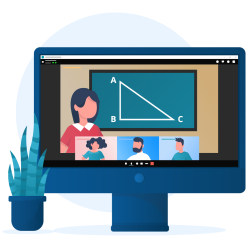
Digital collaboration tools can give students several ways to participate instead of relying exclusively on spoken discussion. Written chat, reactions, shared visual spaces, polls, documents, and group video sessions create alternative contribution channels for students who may not participate equally in a traditional whole-class conversation.
These tools can also create a persistent record of group work and feedback that teachers and students can revisit after a session. Where institutional policy allows it, recordings can preserve live instruction for later review, while project platforms can retain drafts, visual boards, discussion threads, and final outputs.
Technology also reduces physical and scheduling constraints. Students can work on the same project from different locations, while screen sharing and content sharing allow teachers and students to discuss applications, presentations, demonstrations, and digital learning resources together.
For institutions using a live communications platform such as TrueConf or Zoom, the same infrastructure used for full-class instruction can support smaller group discussions and student presentations. TrueConf combines multipoint video communication with messaging, content sharing, moderated conference modes, and other collaboration capabilities inside the same communications environment.
Types of Class Collaboration Tools
|
Type |
What It Does |
When to Use It |
Examples |
|---|---|---|---|
|
Video-based virtual classroom |
Live video, presentations, moderated discussion, messaging, and interactive class sessions |
Lectures, seminars, hybrid lessons, oral examinations, remote teaching |
TrueConf, Class, Zoom |
|
Education collaboration suite |
Combines meetings, communication, assignments, documents, and storage |
Institution-wide use tied to an existing productivity ecosystem |
Microsoft Teams for Education, Google Workspace for Education |
|
Team messaging |
Persistent channels and direct messaging |
Staff coordination and informal course communication |
Slack, Rocket.Chat |
|
Visual collaboration |
Shared canvas for diagrams, brainstorming, workshops, and design work |
Design, architecture, business, planning, and project-based courses |
Miro, Figma, MURAL |
|
Asynchronous content board |
Students post and respond to content over time |
Discussion, reflection, project curation, student showcases |
Padlet |
|
Curriculum-centered instructional platform |
Structures whole-class instruction around curriculum content and student responses |
Specific curriculum programs rather than general collaboration |
HMH Classcraft |
Benefits of Collaborative Learning Tools
Structured collaboration can help students practice planning, task coordination, discussion, peer review, and shared responsibility. Digital tools make those activities easier to organize across physical and remote settings.
Collaborative assignments can also expose students to alternative approaches to the same problem. Explaining reasoning to peers, responding to criticism, and combining different contributions can make the learning process more explicit than completing an individual assignment in isolation.
These platforms additionally help students practice communication skills that are relevant beyond the classroom, including written communication, remote teamwork, presentation, coordination, feedback, and collaborative problem solving.
Strategies to Facilitate Collaborative Learning
Effective use of a class collaboration tool depends more on instructional design than on the software itself. Assigning clear group roles, such as note taker, discussion leader, researcher, reviewer, and presenter, reduces the risk that one or two students complete most of the work while others disengage.
Activities should also produce a concrete output. A group can prepare a shared presentation, decision, diagram, report, demonstration, or ranked list. This gives students a common objective and makes it easier for instructors to distinguish productive collaboration from an unfocused discussion. This kind of structure also complements a broader student engagement platform, giving students clear, trackable ways to participate, contribute, and stay accountable across both live and asynchronous group work.
Rotating group composition across activities can prevent students from remaining in fixed roles. A short reflection after each activity can also help students identify which collaboration practices worked and which should change in the next project.
For software demonstrations, technical training, or exercises where students need to work directly with an application, platforms that support screen sharing or remote interaction can add another collaboration mode. TrueConf can be used for live demonstrations and communication during such activities, while visual tools can capture the resulting group work.
Classroom Collaboration Activities That Work
Structured activity formats generally give teachers more control over participation than an unrestricted group discussion. Examples include:
- Whip around. Every student gives a short response before open discussion begins. The format can work verbally during a live TrueConf session or through individual contributions on an asynchronous board.
- One group, one vote. Students must discuss a question internally and submit one agreed answer, forcing the group to resolve disagreement.
- Silent gallery walk. Groups publish work on a shared visual space and review other teams’ output before commenting.
- Gallery walk with consensus. After reviewing other groups, the class must reach a common conclusion, ranking, or recommendation.
- Structured debate. Groups defend different positions and respond to each other in real time, making a live collaboration environment especially useful.
- Peer review. Students evaluate another group’s work against explicit criteria before the original group revises its submission.
The common factor is accountability. Each activity gives students a role, a bounded task, and a visible output. That structure matters more than the number of collaboration features available in the software.
Insight 3. Participation features and evidence of learning are different things.
A platform can generate many clicks, reactions, messages, and whiteboard edits without proving that students understood the material. Institutions should decide which collaboration signals are useful for teaching and which are merely activity metrics before relying on platform analytics.
AI in Class Collaboration Tools
TrueConf AI Server” src=”https://trueconf.com/blog/wp-content/uploads/2026/08/summary.svg” alt=”Summarization with TrueConf AI Server” width=”628″ height=”434″ />
Artificial intelligence is increasingly being added to collaboration workflows through transcription, summaries, content assistance, search, and analysis of discussions. These capabilities can reduce the time teachers spend reviewing recordings or locating information from long sessions.
AI-based processing also creates a new data flow. A classroom platform may keep its primary meeting data in one environment while sending audio, transcripts, documents, or prompts elsewhere for AI processing. Institutions therefore need to evaluate AI data handling separately from the underlying collaboration service.
TrueConf can extend its self-hosted communications environment with TrueConf AI Server, allowing AI-assisted processing to be integrated into infrastructure controlled by the organization. For institutions with strict policies, the relevant question is not merely whether a product includes AI, but where the processing takes place and who can access the resulting transcripts, summaries, or other generated data.
Insight 4. AI features create a second data-residency decision.
Choosing where the classroom platform runs is no longer enough. Institutions also need to know where transcription, summarization, search, and other AI processing occur, because the AI layer may introduce an additional processor even when the original collaboration workflow is tightly controlled.
Why Enabling Student Collaboration Is Sometimes Challenging?
Student collaboration creates educational value, but it also introduces operational and governance questions that should be evaluated before institution-wide rollout.
- Student data protection. Chats, recordings, assignments, shared files, identity data, and learning analytics may all require institutional policies for access, retention, storage, and external sharing.
- Tool overlap. Institutions can easily end up licensing separate products for live meetings, messaging, boards, assignments, recording, and project collaboration without defining which platform owns each workflow.
- Feature mismatch. A broad productivity suite may lack a teaching workflow that a dedicated virtual classroom provides, while a specialized teaching tool may not replace the institution’s general collaboration suite.
- Vendor dependency. Courses built deeply around proprietary workflows, storage, or integrations can become difficult to migrate.
- Administrative complexity. Every additional tool adds user provisioning, permissions, support, training, security review, and integration work.
Institutions can reduce these risks by defining which systems are authoritative for identity, assignments, communication, recordings, and student work. Where control over core communication infrastructure is required, a self-hosted platform such as TrueConf can keep live communication and messaging under institutional administration.
Cloud platforms can also form part of a controlled education environment when institutions configure identity, external sharing, retention, permissions, and integrations appropriately. The deployment model should therefore be treated as one control among several rather than as a substitute for governance.
Insight 5. Every collaboration stack needs an authoritative system for each core function.
Institutions should be able to answer five questions clearly: Which system owns identity? Which system owns assignments? Which system owns files? Which system owns recordings? Which system owns classroom communication? If multiple tools compete to become authoritative for the same function, overlap, inconsistent permissions, duplicated data, and migration complexity usually increase.
Vendor Analysis
TrueConf

TrueConf is a video-based communication and collaboration platform suited to institutions that want to operate the core communications environment on infrastructure they control. It combines live video conferencing with messaging, screen and content sharing, administration, browser and application access, and interoperability with SIP/H.323 equipment.
Best for: Universities, schools, research organizations, and other institutions that need live learning and collaboration together with customer-controlled deployment, internal-network operation, or integration with existing classroom video infrastructure.
Strengths: Self-hosted deployment, control over communication infrastructure, live video and messaging in one environment, integration with corporate directories, and compatibility with existing SIP/H.323 equipment.
Limitations: Self-hosted deployment requires more infrastructure planning, administration, monitoring, and maintenance than subscribing to a fully managed cloud classroom service. Institutions also need to evaluate LMS integration requirements separately rather than assuming a video collaboration platform replaces the LMS.
Decision boundary: Choose TrueConf when control over the communication server, private-network operation, or integration with existing video infrastructure is a requirement. If the institution primarily wants a fully managed cloud classroom with minimal internal infrastructure work, another deployment model may be simpler.
Boost your team’s productivity with TrueConf Server Free!
Class

Class is a purpose-built virtual classroom platform designed around live instructor-led learning. Its product family works with Zoom and Microsoft Teams and also includes a web-based classroom option, with LMS integration and tools for learner engagement, rosters, participation, breakout activities, and analytics.
Best for: Institutions that already rely on Zoom or Microsoft Teams and need a more teaching-focused live classroom layer without replacing the underlying communications ecosystem.
Strengths: Education-focused live workflows, LMS connectivity, instructor controls, learner engagement tools, and classroom analytics.
Limitations: The deployment and communication architecture depends partly on the underlying platform, which makes it a different model from operating the full communications server within institutional infrastructure as with TrueConf.
Decision boundary: Choose Class when the institution already has an underlying meeting platform and the missing layer is teaching workflow rather than communication infrastructure.
Zoom

Zoom is a cloud video communications platform widely used for live teaching, webinars, meetings, and hybrid learning. Common classroom workflows can use breakout rooms, polls, chat, screen sharing, whiteboards, and LMS integrations.
Best for: Institutions prioritizing fast deployment, external accessibility, and general-purpose live video.
Strengths: Familiar meeting workflow, broad device access, mature video communication features, and quick cloud rollout.
Limitations: It is primarily a cloud communications service rather than a customer-operated classroom communications server. Institutions requiring the core video and messaging environment inside their own network may prefer a deployment model such as TrueConf.
Decision boundary: Choose Zoom when fast cloud deployment and broad external access are more important than direct control over the underlying communications infrastructure.
Microsoft Teams for Education
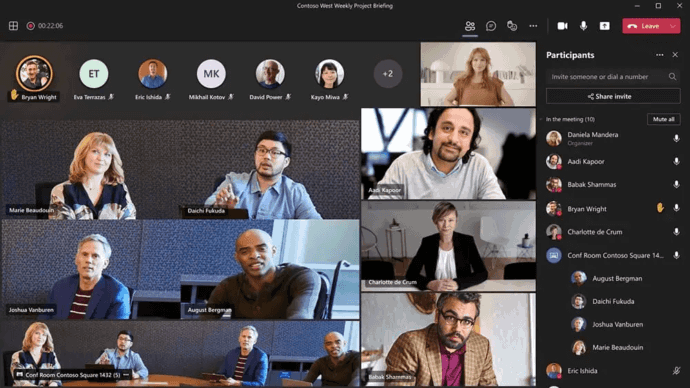
Microsoft Teams for Education combines meetings, chat, assignments, files, and collaboration inside the Microsoft 365 ecosystem. Its main institutional advantage is the connection between communication and existing Microsoft identities, calendars, documents, storage, and education workflows.
Best for: Schools and universities already standardized on Microsoft 365.
Strengths: Broad collaboration environment, existing Microsoft administration, document workflows, assignments, messaging, and meetings in one ecosystem.
Limitations: Institutions that require a customer-operated communications server or deeper integration with existing SIP/H.323 environments may need an additional platform such as TrueConf.
Decision boundary: Choose Teams when reusing Microsoft identity, documents, calendars, storage, and administration reduces more complexity than introducing a specialized standalone platform would.
Google Workspace for Education
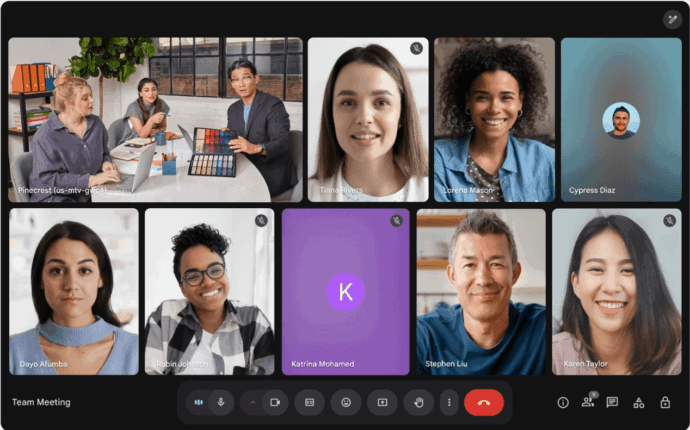
Google Workspace for Education combines Google Classroom, Google Meet, Docs, Drive, and other services. Classroom provides assignment and grading workflows, while Meet supplies the synchronous video layer.
Best for: Schools and districts already using Google identities, Chromebooks, Classroom, Docs, and Drive.
Strengths: Simple cloud collaboration, familiar browser-based tools, document co-authoring, and a tightly connected education ecosystem.
Limitations: Institutions that require their core video and messaging server to operate within institution-controlled infrastructure need a different deployment model, such as TrueConf.
Decision boundary: Choose Google Workspace when Google identity, Classroom, Docs, and Drive are already the authoritative systems for most student workflows.
Slack

Slack is a channel-based messaging platform sometimes used in higher education for staff coordination, research groups, and informal course communication. It is messaging-first rather than a purpose-built live classroom.
Best for: Departmental communication, research teams, staff coordination, and informal course channels.
Strengths: Persistent channels, integrations, searchable communication, and a familiar team-messaging workflow.
Limitations: It does not replace an LMS or a purpose-built virtual classroom. Institutions needing customer-operated messaging plus integrated video can instead consider a platform such as TrueConf.
Decision boundary: Choose Slack when persistent messaging is the primary need. Do not treat it as the institution’s main live classroom solely because it supports communication.
Miro, Figma, and MURAL
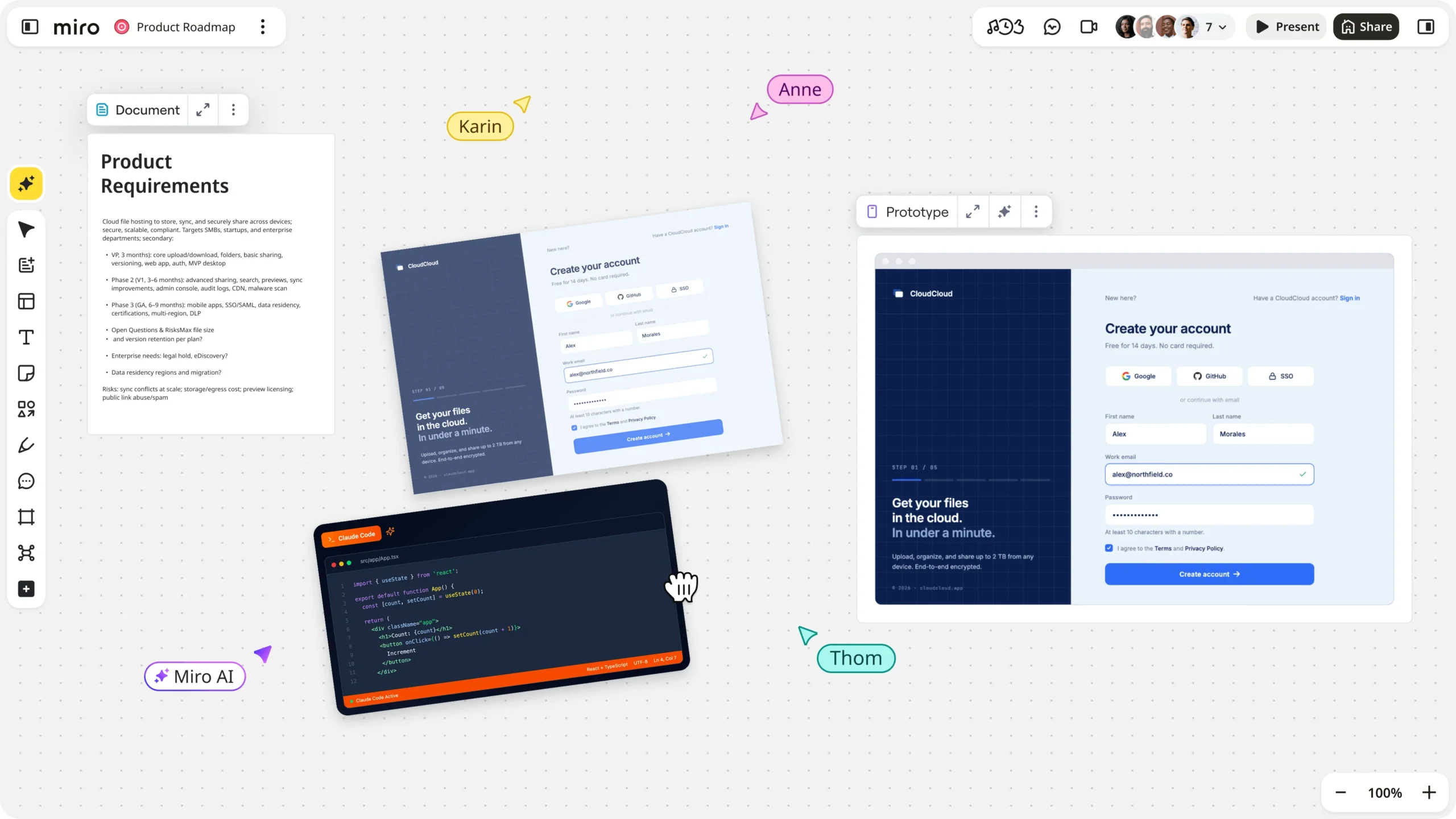
Miro, Figma, and MURAL support visual collaboration through shared canvases, diagrams, boards, prototypes, workshops, and design work. Their value is strongest when the collaborative object itself is visual.
Best for: Design, architecture, business, product, planning, and project-based courses centered on visual thinking.
Strengths: Real-time visual co-creation, templates, shared canvases, structured brainstorming, and project mapping.
Limitations: They are not complete live classroom platforms on their own. Institutions commonly pair them with a communications platform such as TrueConf, Zoom, or Teams.
Decision boundary: Choose this category when the object students need to collaborate on is visual. If the primary problem is live instruction, a classroom or video platform should remain the core system.
Padlet
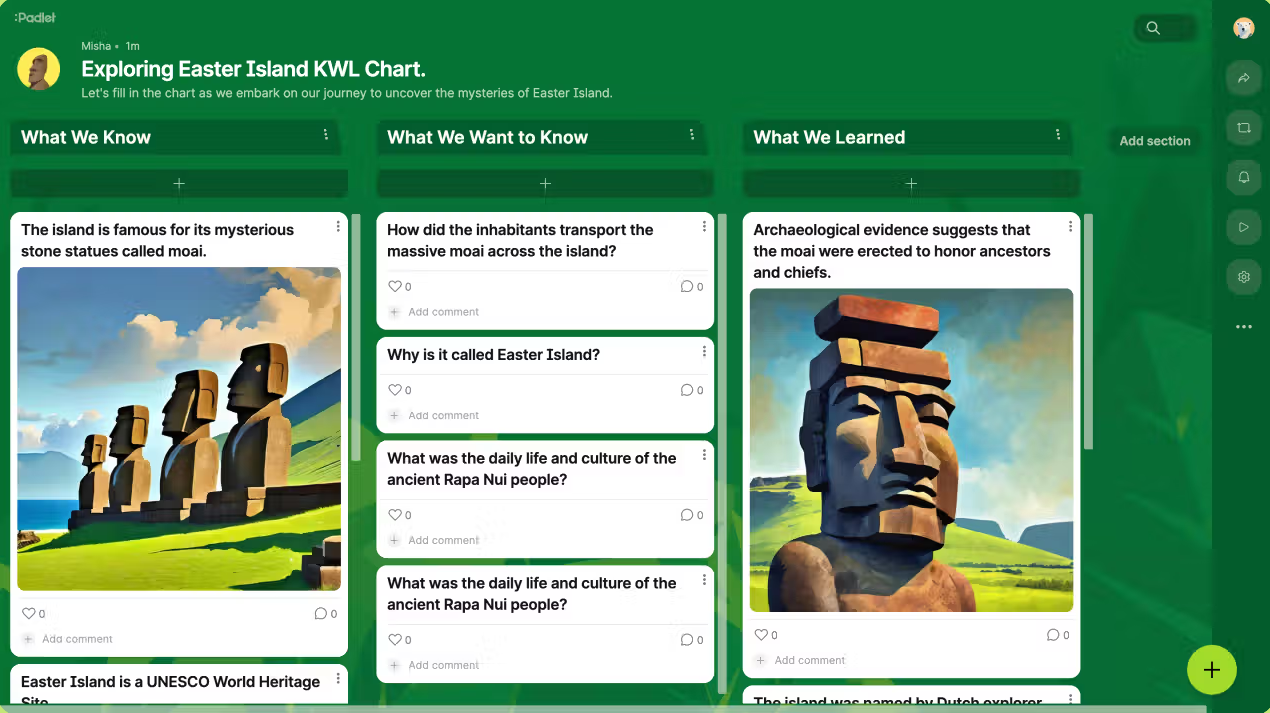
Padlet is an asynchronous content board used for posting text, images, files, links, reflections, and student work to a shared space. It is particularly useful when students should contribute at different times rather than join the same live session.
Best for: Discussion boards, project curation, reflection, resource collections, and student showcases.
Strengths: Simple contribution workflow, low learning barrier, flexible content types, and strong fit for asynchronous activities.
Limitations: It does not provide a full live video classroom. Institutions often combine Padlet with a synchronous platform such as TrueConf.
Decision boundary: Choose Padlet when delayed participation is useful rather than a limitation. If students and teachers must interact immediately, use a synchronous platform alongside it.
Rocket.Chat

Rocket.Chat is a messaging-first communications platform available in self-managed and hosted deployment models. It supports persistent group and direct communication and is relevant to institutions that want stronger control over their messaging infrastructure.
Best for: IT departments, research teams, and organizations needing self-managed text collaboration.
Strengths: Self-managed deployment option, persistent messaging, identity integration, and control over the messaging environment.
Limitations: It is primarily a messaging platform rather than a purpose-built classroom system. TrueConf follows a different model by placing messaging and large-scale video collaboration within the same communications environment.
Decision boundary: Choose Rocket.Chat when persistent self-managed messaging is the main requirement. Choose a video-first environment when synchronous teaching is the dominant workflow.
HMH Classcraft
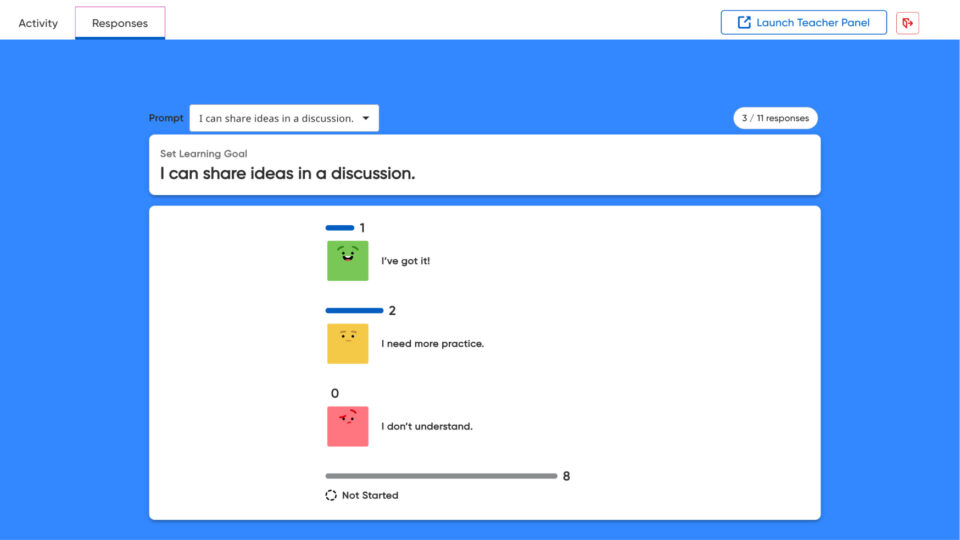
HMH Classcraft is a curriculum-centered whole-class instructional environment used with HMH ELA and math programs. It supports teacher-led instructional routines, student participation, collaboration, and real-time classroom insights.
Best for: K–8 institutions using supported HMH curriculum and seeking a structured whole-class instructional environment.
Strengths: Curriculum alignment, whole-class teaching routines, student response workflows, and instructional insights.
Limitations: It is curriculum-specific rather than a general-purpose communications platform. It does not replace a broad live video and messaging environment such as TrueConf.
Decision boundary: Choose HMH Classcraft when curriculum delivery is the primary requirement. It should not be evaluated as a direct substitute for a general-purpose communications platform.
Vendor Comparison Table
|
Vendor |
Live Video |
Asynchronous Work |
LMS / Education Integration |
Customer-Operated Core Server |
|---|---|---|---|---|
|
TrueConf |
Strong |
Messaging and files |
Integration-based |
Yes |
|
Class |
Strong |
Secondary to live classroom |
Strong |
No |
|
Zoom |
Strong |
Secondary |
Available through integrations |
No |
|
Microsoft Teams for Education |
Strong |
Strong |
Strong |
No |
|
Google Workspace for Education |
Strong through Meet |
Strong |
Strong |
No |
|
Slack |
Not classroom-centered |
Strong messaging |
Limited |
No |
|
Miro / Figma / MURAL |
Not primary function |
Strong visual collaboration |
Varies |
No |
|
Padlet |
No primary live classroom |
Strong |
Varies |
No |
|
Rocket.Chat |
Messaging-first communications |
Strong messaging |
Limited |
Yes |
|
HMH Classcraft |
Not a general video platform |
Curriculum workflow |
Curriculum-centered |
No |
Insight 6. Integration depth can matter more than standalone feature quality.
A new platform may have stronger individual features but still increase administrative work if it introduces another identity store, another roster, another file repository, and another support workflow. Institutions should calculate the cost of adding a new ecosystem, not only the price of the license.
How Institutions Combine Class Collaboration Tools?
A large school system already standardized on Google Workspace may use Google Classroom for assignments, Docs and Drive for student work, and Meet for live instruction because the entire workflow shares the same account and administrative environment.
A university running hybrid seminars may instead use a dedicated live communications platform such as TrueConf for synchronous classes and add Padlet, Miro, or another asynchronous space for discussion and group projects between sessions.
Institutions already using Microsoft 365 may keep meetings, chat, documents, and assignments inside Teams to reduce integration overhead. A specialized platform can then be added only where a specific teaching, deployment, or infrastructure requirement justifies another system.
This layered architecture is common because no single product is necessarily strongest at live instruction, asynchronous project work, assignments, visual collaboration, curriculum delivery, and institutional data control simultaneously.
Other Subject-Specific Collaboration Tools Worth Knowing
Beyond the core platforms above, narrower education tools can fill specific pedagogical gaps without becoming the institution’s primary collaboration infrastructure.
Pear Deck and Nearpod are commonly used to make slide-based instruction more interactive through questions, activities, and formative assessment. Seesaw supports student portfolios and sharing, particularly in younger grades, while Book Creator focuses on multimedia creation and student publishing.
CoSpaces Edu and Minecraft Education support collaborative work in simulated or game-like environments and can be useful for project-based STEM activities. Wakelet and Notion can be used for resource organization, shared knowledge spaces, and project documentation.
These specialist tools are generally additions to core infrastructure rather than replacements for it. A school may still need a primary LMS, identity system, live communication platform such as TrueConf or another video service, and document environment regardless of which subject-specific applications individual courses adopt.
Choosing the Right Class Collaboration Tool
The fastest way to narrow the market is to answer a small number of architectural and instructional questions before comparing vendors.
- What is the primary collaboration mode? Decide whether the dominant requirement is live instruction, asynchronous work, visual co-creation, messaging, curriculum delivery, or a combination.
- Which system already owns student identity? Determine whether adding the tool will reuse existing Google, Microsoft, LDAP, or other institutional accounts or create another identity environment.
- How much infrastructure control is required? If the communication server must remain inside institution-controlled infrastructure, shortlist self-hosted options such as TrueConf early rather than after evaluating cloud-only products.
- Which system owns assignments and grades? A collaboration tool should not accidentally duplicate LMS workflows without a clear reason.
- Which integrations are mandatory? Check the LMS, calendars, directories, classroom equipment, telephony, storage, and authentication systems.
- What data will the tool create? Include messages, recordings, files, transcripts, analytics, and AI-generated content.
- What happens if the tool is removed? Determine how data can be exported, how coursework will migrate, and which dependent workflows would need replacement.
Insight 7. The cost of a collaboration tool includes coexistence.
A new platform rarely replaces every existing system on the day it is deployed. For months or years, institutions may operate the new tool alongside an LMS, legacy conferencing service, file platform, messaging system, and classroom hardware. That overlap should be included in total cost and migration planning.
Best Practices for Implementing Class Collaboration Tools
Tips for Educators
- Define what each platform is for so students know where live sessions, assignments, discussions, files, and project work belong.
- Keep groups small enough that each student has a visible responsibility.
- Use structured checkpoints during longer projects instead of reviewing only the final result.
- Record live sessions only when there is a clear teaching need and institutional policy allows it.
- Use synchronous tools such as TrueConf for activities that require immediate discussion, presentation, or verbal interaction, and asynchronous tools when students benefit from additional time.
Tips for Administrators
- Standardize on a manageable number of supported platforms rather than allowing unrestricted tool selection.
- Define which system is authoritative for identities, classes, assignments, recordings, and files.
- Review data location, retention, sharing, authentication, and AI processing before rollout.
- Test LMS and directory integration with real institutional accounts instead of relying only on vendor demonstrations.
- Run a pilot with instructors and students before committing to institution-wide deployment.
- For a self-hosted platform such as TrueConf, include infrastructure maintenance, backup, monitoring, updates, and capacity planning in the operational model.
Pilot Checklist for a New Class Collaboration Tool
|
Area |
What to Test |
Common Failure |
|---|---|---|
|
Identity |
Teacher and student provisioning, SSO, role assignment, offboarding |
Duplicate accounts and manual user management |
|
LMS |
Roster synchronization, session launch, assignment or attendance data flow |
Teachers re-enter the same information in multiple systems |
|
Live classes |
Audio, video, screen sharing, moderation, guest access |
A tool works in a demo but fails on actual campus networks or devices |
|
Student data |
Storage, recording, external sharing, retention, administrator access |
Data flows are discovered only after rollout |
|
AI |
Processing location, transcript access, retention, optional activation |
AI introduces an unreviewed data processor |
|
Administration |
Policies, reporting, support workload, monitoring |
The platform creates more support work than expected |
|
Exit |
Data export and replacement of integrations |
Course content or workflows cannot be migrated cleanly |
Insight 8. A pilot should test failure and exit scenarios, not only normal classroom use.
Most product pilots prove that teachers can start a class and students can join it. A stronger pilot also tests account removal, unavailable internet or external services where relevant, recording permissions, failed integrations, data export, and what happens when the institution decides to stop using the platform.
Final Thoughts: Choosing the Right Class Collaboration Tool
There is no single class collaboration tool that is best for every institution because the category covers fundamentally different jobs. A school choosing between TrueConf and Zoom is making a live communications and deployment decision. A school choosing between Miro and Padlet is deciding how students should create and share work. A school choosing Microsoft Teams or Google Workspace is often deciding which broader productivity ecosystem should anchor collaboration.
For institutions that need live video, messaging, internal-network operation, and direct control over the communication server, TrueConf is a relevant option. Institutions already committed to Google or Microsoft may prefer their existing suites, while Class can add a purpose-built instructional layer to Zoom or Microsoft Teams. Visual and asynchronous tools are better treated as complementary learning environments rather than substitutes for the core classroom communications platform.
The strongest architecture is therefore not necessarily the one with the most applications or the one that forces every workflow into a single product. It is the smallest set of platforms that covers the institution’s teaching requirements without creating unnecessary identity, data, integration, administration, or migration complexity.
Empower your education experience with TrueConf!
FAQ
What is the best class collaboration tool for live remote instruction?
For live remote instruction, choose a platform designed around synchronous video, moderation, presentations, and classroom interaction. TrueConf is particularly relevant when the institution also needs to operate the core communication environment on infrastructure it controls.
Is Google Classroom the same as a class collaboration tool?
Google Classroom is primarily an education workflow for classes, assignments, materials, and grading within Google’s ecosystem rather than a complete live video classroom by itself. Institutions can use Google Meet for synchronous sessions or combine Classroom with another live platform such as TrueConf when a different communication architecture is required.
What is the difference between synchronous and asynchronous class collaboration?
Synchronous collaboration happens in real time, while asynchronous collaboration allows students to participate at different times. TrueConf is suited to synchronous video and communication, while a board such as Padlet can complement it for ongoing work between sessions.
Can a class collaboration tool work inside a private institutional network?
Yes, if the platform supports customer-operated deployment. TrueConf Server can run within an institution’s own network, which is useful when live communication must not depend entirely on a public collaboration cloud.
How should schools protect student data in collaboration tools?
Schools should control identity, permissions, external sharing, recordings, retention, integrations, and AI processing in addition to checking encryption. A self-hosted TrueConf deployment can give institutions direct control over the core communication environment, but administrators still need appropriate security and data-governance policies.
Should a school use one collaboration platform or several?
One platform can reduce administrative complexity, but forcing every teaching workflow into one product can create functional gaps. An institution might use TrueConf for live communication while keeping an LMS and a visual or asynchronous tool for workflows those systems handle better.
What should IT leaders test before adopting a class collaboration tool?
IT teams should test identity provisioning, LMS integration, classroom performance, data storage, recording controls, AI processing, administration, and data export. When evaluating TrueConf, they should additionally test the proposed server architecture, network access, existing classroom equipment, and the resources required to operate the platform internally.
About the Author
Diana Shtapova is a product specialist and technology writer with three years of experience in the unified communications industry. At TrueConf, she leverages her deep product expertise to create clear and practical content on video conferencing platforms, collaboration tools, and enterprise communication solutions. With a strong background in product research and user-focused content development, Diana helps professionals and businesses understand core product features, adopt new technologies, and unlock the full potential of modern collaboration software.


Follow us on social networks