Free Group Video Conferencing & Video Chat App
Run free group video calls and multi-person conferences with enterprise-grade security. Perfect for business meetings, remote teams, and corporate collaboration.

Run free group video calls and multi-person conferences with enterprise-grade security. Perfect for business meetings, remote teams, and corporate collaboration.
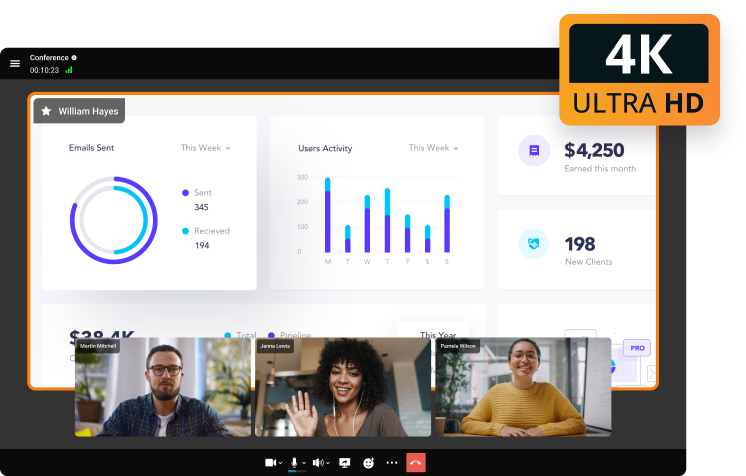
Share high quality content in 4K UltraHD and hold meetings on your work device. Skip business trips and connect face-to-face instantly!
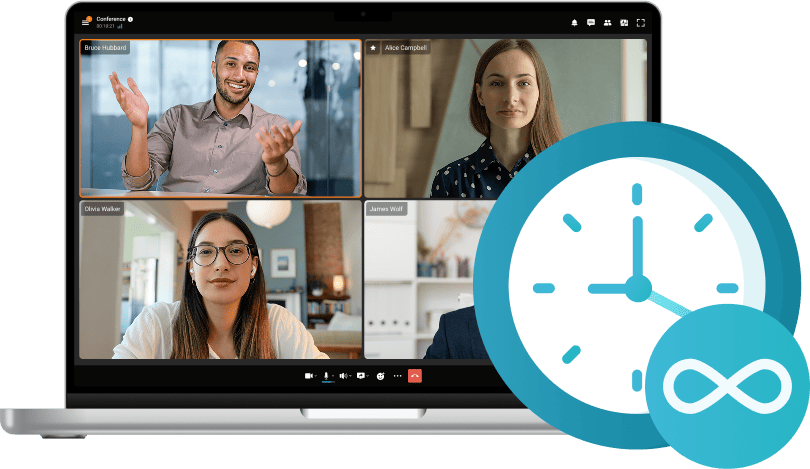
Enjoy unlimited-duration meetings with TrueConf Server. Perfect for long sessions, training, or all-day collaboration.
TrueConf provides the highest level of security via AES-256 encryption, which makes it a perfect solution for government organizations, state agencies and other companies that require full security and privacy. LAN prevents traffic interception and unauthorized access to your equipment. Your video, audio and content runs safely on your machine, and your administrator gets online monitoring and advanced reporting.
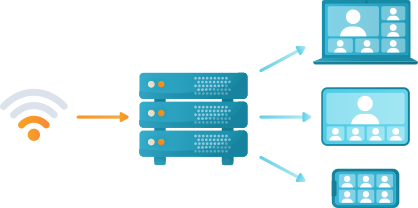
Thanks to Scalable Video Coding (SVC), each participant receives video streams dynamically optimized for their layout, bandwidth, and device capabilities.
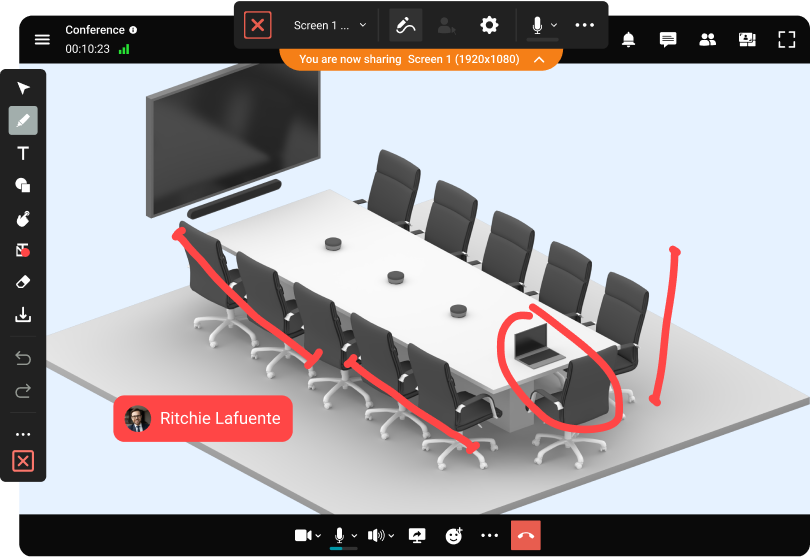
Learn moreTo increase the efficiency of your teamwork, we have equipped users with content sharing, slide show, remote desktop control, group chats and conference recording capabilities.
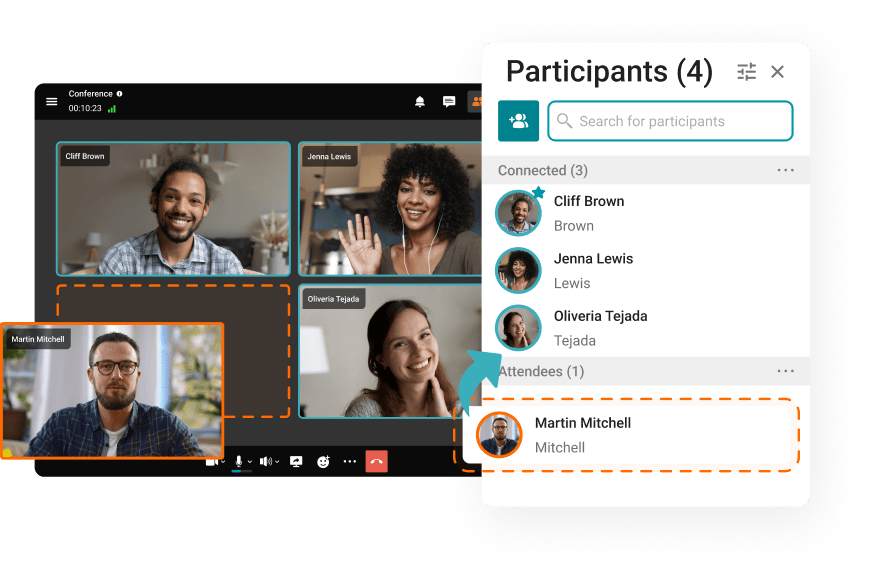
Direct users to a waiting room to give them access to join the conference at the scheduled time.
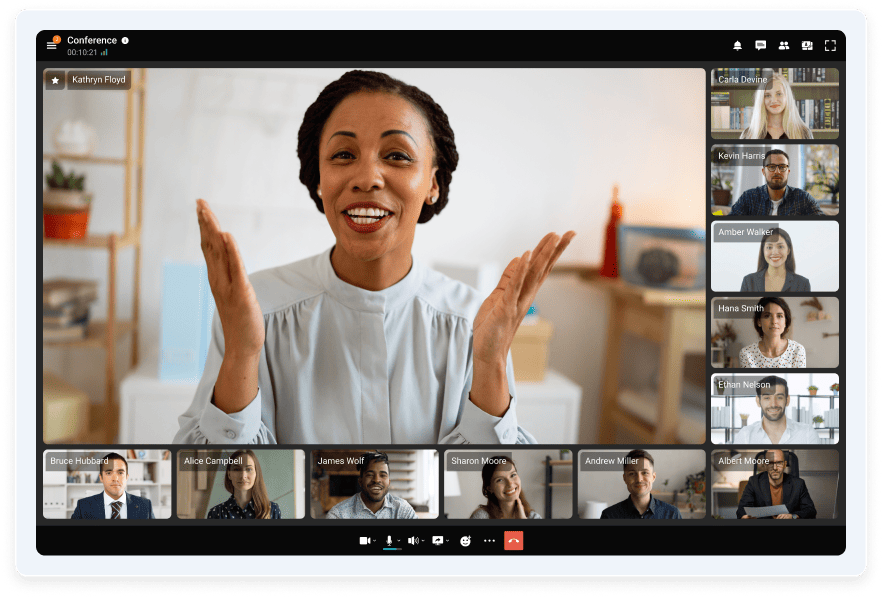
Experience smart meeting layouts, which dynamically changes speaking participants.
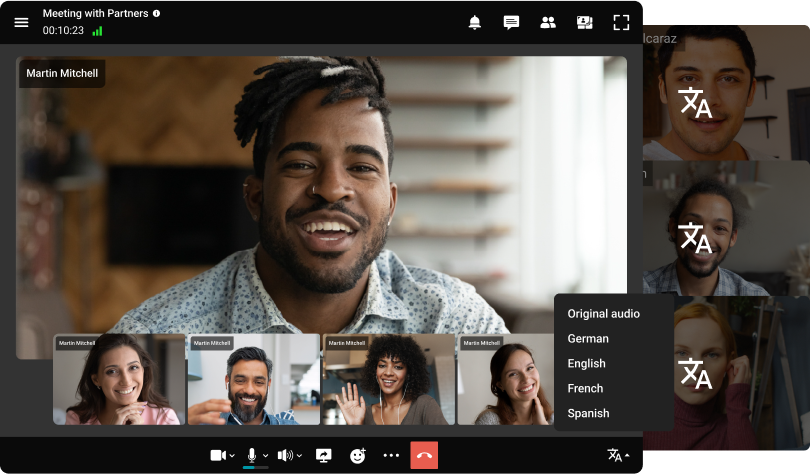
Try multilingual video meetings with special features for interpreters to provide communication for users from all over the world!
All-in-One Platform
TrueConf unites video conferencing, team messaging, screen sharing, webinars, and collaboration tools — all in one secure ecosystem. No need for multiple apps.
Enterprise-Grade Security
With on-premises deployment, AES-256 encryption, and full data control, TrueConf ensures total privacy — ideal for regulated industries and sensitive data.
Self-Hosted or Cloud – You Decide
Deploy TrueConf on your own servers for complete autonomy or opt for the cloud version for quick scalability. Perfect for both SMBs and large enterprises.
Cross-Platform Support
Stay connected across Windows, macOS, Linux, Android, iOS, browsers, and conference room systems — with full functionality everywhere.
Trusted by Governments & Enterprises Worldwide
Proven in critical environments — from education and healthcare to defense and banking.
Seamlessly schedule, join, and track meetings directly from your calendar! TrueConf integrates video conferencing into your workflow with a single tool.
TrueConf
Zoom
Microsoft Teams
Google Meet
Jitsi
High-quality video and audio
4K (UltraHD) video calls and conferences
Up to 1080p (4K available for enterprise)
1080p (requires hardware support)
720p – 1080p
720p (depends on server bandwidth)
Maximum number of participants in a meeting
2,000
Up to 500 or 1,000 (according to licence type)
300
250
100
Team messaging and files exchange
A secure team messenger for sharing images, files, and organizing remote work
Private and group chats, file sharing
Private and group chats, file sharing
No private chats, drive file sharing only
No private chats or file sharing
Meeting recording


Unlimited layouts
Waiting room
For paid users only
Not enabled by default
Far-end camera (PTZ) and microphone control
Limited
Real-time interpretation (Multilingual meetings)
Remote desktop control
Customizable interface
Limited
Requires self-hosting
AI-based features
Virtual backgrounds & automatic noise suppression
Virtual backgrounds (requires a supported processor), noise suppression
Limited Support of Virtual backgrounds
Data encryption and protection against leaks
Integration with DLP (Data Loss Prevention) system integration (E2E, TLS (AES-256)
Strac Zoom DLP, TLS (AES-256)
DLP, TLS (AES-256)
DLP, TLS (AES-128)
TLS (AES-128)
Offline operation
Deployment type
On-premises, hybrid or cloud
Cloud or hybrid
Cloud
Cloud
On-premises or cloud
Analytics & reports
Compatibility with H.323/SIP endpoints
Native integration powered by built-in gateway
Paid add-on or dedicated virtual machine for the gateway required
Third-party service subscription required
Third-party gateway required
SIP compatibility is unstable and requires installation of additional software packages, H.323 support unavailable
Integration with CCTV systems
Calendar integration
Outlook, Thunderbird, Google Calendar
Google, Outlook, iCal
Outlook/Office 365
Google Calendar only
Manual only
Drawing and annotations
Conferences streaming
Requires license
Workspace-only
Self-Hosted only
Cross-platform compatibility
Windows, macOS, Linux, iOS, Android, Android TV, web version
Windows, macOS, Linux
Windows, macOS, Linux, iOS, Android, web version
Windows, macOS, Linux, iOS, Android
Windows, macOS, Linux, iOS, Android, web version
Group or multi-point video conference is a video call meetings, which provides simultaneous participation for several remote users, unlike a point-to-point personal conference, which supports two endpoints only. During a group video conference session users are able to not only see and hear each other, but also to share data and use collaboration tools to work with documents. The purpose of multi user video conferencing is to allow participants who are unable to attend the meeting in person to take part in it remotely.
Group video conferences allow business partners to collaborate on developing new projects; students are able to attend training seminars and lectures remotely; and doctors can advise their patients, as well as upgrade their skills in virtual conferences and symposia. Group video conferences can be symmetric and asymmetric. In symmetric video conferences participants interact with each other fully: they all see and hear each other, having the ability to communicate. Video conferences, in which there is no communication between some of the participants, are called asymmetric. Typically, symmetric video conferences hold up to several dozens of participants, while asymmetric conferences may involve up to a hundred or more remote users.
Types of multi user video conferences
There are three types of asymmetric video conferences: teleconferences or virtual meetings, video lectures (video seminars) and video broadcasting.
Virtual Meetings
During a virtual meeting (role-based conference) the audience is divided between those who are engaged in two-way communication (they can see, hear and speak at the same time – as a rule these include the host of the video conference and several speakers assigned by him/her) and those who can only see and hear the speakers.
Video Lecture
Video Lecture is a video conferencing session, which involves more interaction between a speaker and a few listeners. In contrast to the virtual meeting mode, where the speaker broadcasts to a wide audience while not being able to see and hear the other participants, in the video lecture mode it is possible to do so. Students, in turn, can see only the lecturer and are not able to communicate with each other.
Video Broadcasting
During a real-time video broadcasting session it is not necessary to receive feedback, as the main task of the speaker is to inform the audience and clearly communicate the main point. Since broadcasting does not imply real-time feedback, the image can be late for a few seconds for the remote participants.
Multi-user video conferencing requires a lot of scalability to handle multiple users simultaneously, and this is where the WebRTC server comes into play. It allows you to make multi-sided video and audio calls in real time around the world. This technology requires a minimum amount of media data transfer to connect all participants of a multi-user video conference.
TrueConf
Discover TrueConf, an innovative video conference tool that enhances collaborative work. The solution offers excellent video and sound quality, media file sharing, conversation transcriptions, and instant messaging. TrueConf also offers Artificial Intelligence features like smart layout generating, meeting transcription, noise suppression, and more.
From small-scale startups to major corporations, TrueConf caters to all, prioritizing data protection so you can concentrate on your virtual meetings.
To get onboard with the solution, there are a few steps you need to follow. Visit the site, adhere to the accessible guide, and set it up on your chosen device. Furthermore, users can easily customize server configurations through a web-admin panel, allowing them to align it with the specific needs of their organization.
TrueConf seamlessly integrates with applications like Microsoft Outlook for easy scheduling. Additionally, it is compatible with SIP and H.323 protocols, allowing smooth connections with various endpoints.
Some of TrueConf’s main features for group video meetings include:
Maximum number of participants: The conference can accommodate up to 2,000 users simultaneously, with the added feature of recording the discussions.
High Security Standards: Personal data is securely stored on a server and is protected by end-to-end encryption.
Limitations of TrueConf:
Configuration difficulties: It may take some time to familiarize yourself with TrueConf.
Device Compatibility: Please ensure that your computer meets the solution’s requirements, as well as the devices on which you plan to use it.
Zoom
Zoom is an incredibly useful tool for video communication, seamlessly connecting individuals all around the globe. Its user-friendly design makes digital meetings with team members, clients, or friends effortless.
Simply log in, click on «New Meeting», distribute the meeting details, and you’re all set!
Here’s what Zoom provides:
App Compatibility: Zoom syncs with applications widely-used by companies, like Microsoft Outlook, Google Calendar, and Slack for efficient virtual collaboration.
High Capacity: It’s capable of supporting gatherings of up to 1000 individuals.
Screen Display: A valuable feature that allows users to share their screen with the group, which is not commonly found everywhere.
Breakout Sessions: This function is essential for conducting private discussions within a larger meeting.
Like anything else, Zoom has its limitations:
Security Concerns: Please exercise caution when handling sensitive information, and bear in mind the past incidents of unauthorized entry.
Time Constraints: Attention, free users! Meetings have a 40-minute duration limit.
Internet Consumption: Weak connections can cause problems, especially when there are multiple participants using video and audio.
Despite these minor issues, Zoom remains a leading choice for engaging and straightforward video conversations for all group sizes. Why not try it out?
Google Duo (formerly Hangouts)
Google Duo was a popular video-calling app designed for quick, high-quality communication across devices like PCs, smartphones, and tablets. It made starting a call simple—often just a tap—and offered fun filters that added a more relaxed feel to conversations.
What makes Google Duo appealing:
Visual Clarity: The solution ensures that you always look presentable during your video calls!
Secure Communication: Google Duo maintains privacy through end-to-end encryption, keeping your talks confidential.
However, keep the following in mind:
Participant Limit: The platform accommodates up to 32 participants in a video call. For larger groups, it is advisable to explore alternative options.
Time Constraints: Google Duo limits free user calls to 60 minutes, making it ideal for brief exchanges but not suitable for extended dialogues.
In conclusion, Google Duo proves to be an effective solution for enhancing efficiency and facilitating quick team meetings.
WhatsApp offers users the ability to message, call, share data, and engage in group discussions, whether on a mobile device or computer. Plus, thanks to end-to-end encryption, your talks remain confidential. Besides internal communication, WhatsApp marketing can be used to deliver external messages as well.
Creating a group conversation on WhatsApp is effortless. Navigate to the «Chats» section, click «New Group», insert your contacts, and you’re prepared. Initiating a group call is just as simple – select «New Group Call» to assemble the participants. Whether you’re discussing plans or organizing events, initiating a group call is just as simple – select «New Group Call» to assemble the participants
Here’s an overview of WhatsApp’s capabilities:
Small Picture Mode: Continue other tasks within the app during a call, great for multitasking.
Adaptive Video Quality: The application adjusts itself based on your internet strength, ensuring uninterrupted communication.
However, there are some aspects to consider with WhatsApp:
Call Participant Limit: For larger meetings, a different application will be required as the conference is limited to a maximum of 4 individuals.
Security: Confirm you are on a protected network to maintain conversation privacy.
In summary, WhatsApp serves as an excellent selection for smaller teams, providing cross-device support. It’s a straightforward communication tool that encourages connection and enjoyment.
Discord
Initially a gamer favorite, Discord has expanded to attract various users. Explore some of Discord’s intriguing functionalities:
Real-Time Sharing: Broadcast your webcam or screen while keeping privacy in mind.
Overlay Capability: Do you want to communicate during a game? Discord’s overlay allows video call interaction.
Permission Management: Administrators and moderators are responsible for managing the capabilities of group call participants.
There are also some shortcomings with Discord:
Lack of Sophisticated Tools: Are you expecting advanced features such as virtual scenery, interactive boards, or recording capabilities? Discord may disappoint.
Business Environments: The platform’s controls may not be sufficient for professional settings, so it is advisable to explore alternative options when heavily relying on video calls.
Carefully assess Discord’s advantages and disadvantages to determine if it meets your group video call needs.
Microsoft Teams
As a versatile communication and teamwork platform, Microsoft Teams requires balanced usage, particularly in business environments. Nevertheless, before choosing the platform, it is important to explore the benefits and potential limitations it may have.
Initiating a Microsoft Teams conference is simple and straightforward: download the application, select «New Meeting», and proceed.
The solution offers remarkable functionalities:
Accommodating Large Groups: The solution is capable of managing a large number of participants.
Virtual Drawing Board: Ideal for creative minds, collaborate without being physically present.
Live Subtitles: While it is a valuable addition, it is worth noting that caption accuracy may fluctuate.
Be mindful of the following:
Connection Stability: To prevent call disturbances, it is important to ensure a consistent internet connection.
Display Limitations: The solution allows for the display of a maximum of 9 video streams simultaneously.
Challenges for New Users: External participants who do not use Microsoft Teams may encounter additional steps, which can potentially lead to confusion or delays.
FaceTime
Apple’s FaceTime, an integrated video and audio call application, might not be the go-to for group communication, but it boasts some unique functionalities. It offers a user-friendly experience, especially for small meetings among owners of iOS-based devices.
Initiating a FaceTime group meeting is simple and straightforward. Launch the application, insert the participants, and you are ready to start!
Here’s a glimpse of FaceTime’s group video meeting features:up video call features:
Animated Characters: Take your interactions to the next level with custom animations. Prioritize communication, but enjoy some fun!
Voice-Only Option: Ideal when you prefer not to appear on camera.
But FaceTime does have some restrictions:
Group Size: For larger conferences that exceed the 32-participant limit in a group meeting, an alternative solution is required.
Security: Despite previous privacy issues, Apple continuously strives to safeguard your discussions.
Skype
Skype stands as a wonderful platform that unites people globally. The solution facilitates communication, sharing, and maintaining connections with loved ones, all consolidated in one place.
Initiating a group meeting is effortless: simply sign in, choose «New Chat» or «New Group», add contacts, and start the call.
Here are the the solution features that greatly help in solving group tasks:
Real-Time Subtitles: Transformative for those with hearing challenges or language differences, ensuring universal understanding.
Large Gatherings: Accommodate up to 100 participants in a single video call.
Instant Sharing: Easily share links and files for seamless collaboration.
Skype does have its imperfections, such as:
Connectivity: Please be aware of potential connection issues, especially during large meetings.
Privacy: Rumors about data transfers to third parties are often grounded in real facts, so it’s wise to exercise caution.
Bandwidth Requirements: A weak internet connection can compromise the quality of calls.
Despite being an older platform, Skype remains a first-class method to stay connected with users worldwide.
Jitsi
Welcome to Jitsi, the app designed for video conferencing. This open-source solution provides fantastic collaboration tools like screen sharing and instant messaging.
Using the solution only requires an internet connection and a web browser. Jitsi’s compatibility with various apps and its self-hosting capabilities add a great deal of flexibility.
The platform’s features include:
Breakout Rooms: Ideal for dividing large groups into smaller, localized meetings.
Interactive Board: Manage participant permissions during conferences.
User Authority: Easily share links and files for seamless collaboration.
However, be mindful of the following:
Server Configuration: It can be intricate, especially for individuals who are not tech experts.
Data Protection: Monitor the security, as it may fluctuate depending on Jitsi’s configuration.
Feature Scope: While Jitsi is proficient in fundamental video conferencing, it may lack some of the desired advanced functionalities.
Facebook Messenger
Are you searching for a lively and hassle-free solution to stay connected with your loved ones? Facebook Messenger is the solution you have been searching for, as it enables you to conveniently text, make calls, and share images and videos.
Initiating a video chat on the platform is incredibly easy. Access the application or site, create a group conversation, and you’re set to connect!
Facebook Messenger integrates well with a wide range of solutions. For example, you can send your Uber trip or listen to your top Spotify tracks without having to exit the conversation.
Facebook Messenger’s distinct features for group video interactions include:
Playful enhancements: Experiment with different visual effects — сonversations needn’t be mundane!
Superior sound and visual quality: Experience clear and uninterrupted video meetings, regardless of the number of users participating.
Cross-device usage: Facebook Messenger works on a variety of devices, enabling you to effortlessly switch between your computer and smartphone. Convenience is key!
However, do take note of the following:
Security: Exercise caution with the information you distribute, particularly in confidential conversations.
Membership: Ensure all Facebook followers have accounts before commencing the call.
Signal
Signal is a messaging application that focuses on preserving the privacy of conversations and the integrity of data. Whether texting friends, engaging in high-definition voice and video calls, or sending multimedia – it’s your one-stop communication hub!
If privacy matters to you, Signal will quickly become your favorite. Starting is as simple as launching the app, selecting a conversation, or initiating a new one.
Signal’s compatibility with popular solutions enhances its appeal and expands its functionalities.
Its notable features include:
Adaptable video arrangements: Customize the video display to suit your preferences, whether you prefer a grid view or spotlighting the speaker.
Strict Privacy: The application is open source and guarantees the security of user data.
Transparency: Signal’s open-source foundation reassures users of its commitment to security.
Nevertheless, be mindful of Signal’s restrictions:
Maximum number of participants: The platform’s limitation of allowing only up to 8 users to communicate in one online meeting makes it inconvenient for large groups.
Supported OS: Signal currently operates exclusively on iOS devices.
Public use: The solution is not suitable for corporate speaking or training purposes.
Telegram
Introducing Telegram, a communication platform that allows you to text, call, and share content with your connections. To ensure privacy, the solution utilizes end-to-end encryption, however, even with this security measure in place, it is still recommended to remain vigilant.
Telegram offers creative chat stickers, bots, channels, and adjustable conversation settings. Additionally, it can be used on various devices, offering options for different operating system preferences.
To commence an online conference on Telegram, select «New Group» include your contacts, and confirm. The voice or video call is ready!
Telegram features are:
Picture-in-Picture Mode: If you need to focus on your own tasks during a conversation, simply minimize the video call window.
Group Video Call Links: Share a connection, and friends can join the call effortlessly.
Yet, take into account these factors:
Participant Restrictions: Group video interactions are limited to a maximum of 30 users.
Basic Collaboration Tools: While screen sharing is possible, Telegram lacks advanced collaborative features.
Keep in mind that Telegram still has some developmental imperfections, but They may be fixed in the foreseeable future.
Viber
Viber is an application that allows users to text, engage in video conferences, and share a myriad of media, ranging from adorable animal pictures to significant documents. While it may not have the latest features, it delivers reliable performance.
Viber operates across various devices, including iOS, Android, and desktops, and emphasizes secure conversations through end-to-end encryption. The application also offers entertaining elements such as stickers, animated images, and a wide range of emoticons.
Launching a group meeting on Viber is easy and straightforward. To start, open the application and choose your friends.
Then, click on the «+» icon and choose the option for «Conference Call». You are now prepared to enjoy a lively conversation!
Simultaneous Messaging: Sending texts while video calling is a convenient option.
Intuitive Design: Viber’s navigation is user-friendly, making it easy to participate in group video interactions.
Clear Audio and Visuals: Expect smooth and continuous communication.
However, note Viber’s constraints:
Maximum number of participants: The solution has a limitation that restricts conference communication to a maximum of 20 users at a time — this can be inconvenient for larger groups.
Application Requirement: All participants of the video meeting must install Viber in advance.
Group video calling applications have transformed communication in our technology-driven era. Lengthy email threads and traditional in-person meetings are relics of the past. Now, it’s all about simultaneous global connections.
These platforms revolutionize collaboration, social interaction, and telecommuting by offering flawless audio and video, sharing capabilities, and chat options, elevating dialogue to unprecedented heights.
In summary, group video meeting applications have revolutionized global interaction, enabling dynamic and immersive conversations across continents. These digital tools have communicative superpowers that are essential for both professional and personal use.