
HIPAA Compliant Texting Platforms: How to Choose?
A HIPAA compliant texting platform is not simply a messaging app with strong encryption. It is a communication system that can support the administrative and technical safeguards required for protecting electronic protected health information (ePHI), together with the contractual arrangements, access controls, auditability, policies, and workforce practices required for the organization’s HIPAA compliance program.
No messaging product makes a healthcare organization HIPAA compliant by itself. The more accurate buyer question is whether the platform can be used within a HIPAA-compliant workflow: whether the vendor will enter into an appropriate Business Associate Agreement (BAA) when required, whether access and audit controls fit the organization’s risk analysis, and whether staff can use the system without falling back to unmanaged communication channels.
This guide compares seven platforms relevant to healthcare communications: TigerConnect, Spruce Health, OhMD, Klara, Imprivata Cortext, Microsoft Teams, and TrueConf. They do not all solve the same problem. Some are clinical texting systems, some are patient communication platforms, Microsoft Teams is a broader enterprise collaboration suite, while TrueConf is primarily a customer-operated video and communications platform rather than a dedicated patient texting product.
Executive Summary
|
If Your Priority Is… |
Consider |
Why |
|---|---|---|
|
Hospital care-team coordination and role-based clinical communication |
TigerConnect |
Healthcare-focused communication workflows built around clinicians, teams, schedules, and escalation |
|
Small-practice communication across text, phone, and telehealth |
Spruce Health |
Combines several patient communication channels in one healthcare-focused environment |
|
Patient texting with minimal patient-side friction |
OhMD |
Designed around patient communication through familiar texting workflows |
|
Patient messaging tied to intake and administrative workflows |
Klara |
Combines communication with patient-facing practice workflows |
|
Healthcare messaging integrated with an existing Imprivata identity environment |
Imprivata Cortext |
Fits healthcare organizations already using Imprivata identity and access infrastructure |
|
Messaging and meetings inside an existing Microsoft 365 environment |
Microsoft Teams |
Uses the organization’s existing Microsoft identity and collaboration ecosystem |
|
Customer-operated video, messaging, and communications infrastructure |
TrueConf |
Can run on infrastructure controlled by the healthcare organization, including private-network deployments |
Insight 1. “HIPAA compliant texting platform” describes a deployment and governance relationship, not a feature badge.
Encryption, authentication, audit logs, and a BAA can all be necessary, but none of them alone determines compliance. The organization’s risk analysis, configuration, access policies, workforce behavior, retention rules, and actual use of the platform remain part of the compliance boundary.
Quick Answer: Which Platform Should You Choose?
The most important distinction is the communication workflow. A clinical care-team messenger, a patient texting system, an enterprise collaboration suite, and an on-premises communications platform should not be ranked as though they were interchangeable products.
|
Workflow |
Best-Fit Category |
Examples |
|---|---|---|
|
Clinician-to-clinician coordination |
Clinical secure messaging |
TigerConnect, Imprivata Cortext |
|
Patient-to-practice communication |
Patient communication platform |
Spruce Health, OhMD, Klara |
|
General enterprise collaboration |
Productivity and collaboration suite |
Microsoft Teams |
|
Customer-controlled video and internal communications |
Self-hosted communications infrastructure |
TrueConf |
TrueConf is not a patient texting platform in the same sense as TigerConnect, OhMD, Spruce Health, or Klara. It is a video conferencing, messaging, and unified communications platform that can be deployed on the healthcare organization’s own infrastructure. It becomes relevant when the communication architecture itself must remain under institutional control.
Healthcare organizations can therefore use a dedicated patient or clinical texting platform for message-based workflows and a platform such as TrueConf for controlled video consultations, internal video communication, meetings, and broader unified communications. Whether that combination is appropriate depends on the organization’s risk analysis and existing systems.
What Is a HIPAA Compliant Texting Platform?
A HIPAA compliant texting platform is a messaging environment designed so a covered entity or business associate can use it as part of a HIPAA-compliant communication workflow. Relevant controls commonly include unique user identification, access restrictions, authentication, auditability, session management, protection of transmitted data, appropriate retention controls, and administrative mechanisms for removing access when a workforce member changes role or leaves the organization.
Where a vendor creates, receives, maintains, or transmits PHI on behalf of a covered entity and qualifies as a business associate, an appropriate BAA is generally part of that relationship. A BAA does not certify the product or transfer the covered entity’s own HIPAA responsibilities to the vendor.
Encryption is important, but encryption alone does not make a communication workflow compliant. A system can protect message content cryptographically while still creating problems through overly broad access, incomplete audit trails, unmanaged accounts, weak device controls, or incorrect retention and disclosure practices.
Insight 2. The harder HIPAA question is usually not “Is the message encrypted?” but “Who can access it before, during, and after the conversation?”
A complete evaluation follows the data lifecycle: identity, transmission, storage, access, forwarding, retention, auditing, account removal, and disposal. Focusing only on transport encryption can leave the largest operational risks untouched.
Why Standard SMS Creates Additional PHI Risk?
Standard SMS is difficult to govern as an institutional PHI communication channel because healthcare organizations generally lack the centralized controls available in purpose-built healthcare messaging platforms. The issue is broader than whether a carrier technically encrypts a particular segment of the transport.
Three gaps matter in practice:
- Limited organizational access control. The healthcare organization cannot normally control a native SMS inbox with the same user, role, and administrative policies available in an enterprise communication platform.
- Limited auditability. Native texting does not usually provide a centralized healthcare organization with a complete application-level record of who opened, managed, forwarded, or exported a conversation.
- Device and retention risk. Messages can remain on personal devices, backups, lock-screen notifications, or connected consumer services outside the organization’s normal information-governance workflow.
HIPAA does not create a simple rule that every electronic patient communication must occur through one particular technology. Covered entities need reasonable safeguards appropriate to the circumstances and must assess how electronic PHI is protected. For routine organizational texting involving PHI, purpose-built platforms provide much stronger administrative control than unmanaged personal SMS.
Core HIPAA Considerations for Texting Platforms
|
Control Area |
What to Verify |
Why It Matters |
|---|---|---|
|
BAA |
Whether the vendor will enter into an appropriate BAA when acting as a business associate |
Defines permitted uses, safeguards, reporting, and contractual responsibilities |
|
Identity |
Unique accounts, SSO, MFA where appropriate, centralized provisioning |
Prevents shared or unmanaged access to PHI |
|
Authorization |
Roles, conversation access, administrative separation |
Supports minimum-necessary and least-privilege practices |
|
Audit controls |
What events are logged and how administrators retrieve them |
Supports investigation, oversight, and security review |
|
Transmission and storage |
How ePHI is protected in transit and at rest |
Reduces exposure if traffic or infrastructure is compromised |
|
Session management |
Timeouts, device access revocation, account deactivation |
Limits access from unattended or lost devices |
|
Retention |
How long conversations remain and who controls retention |
Connects messaging with the organization’s legal and records policies |
|
Subprocessors |
Which third parties can create, receive, maintain, or process relevant data |
Expands the actual operational data-processing chain beyond the primary vendor |
Vendor Analysis
TigerConnect
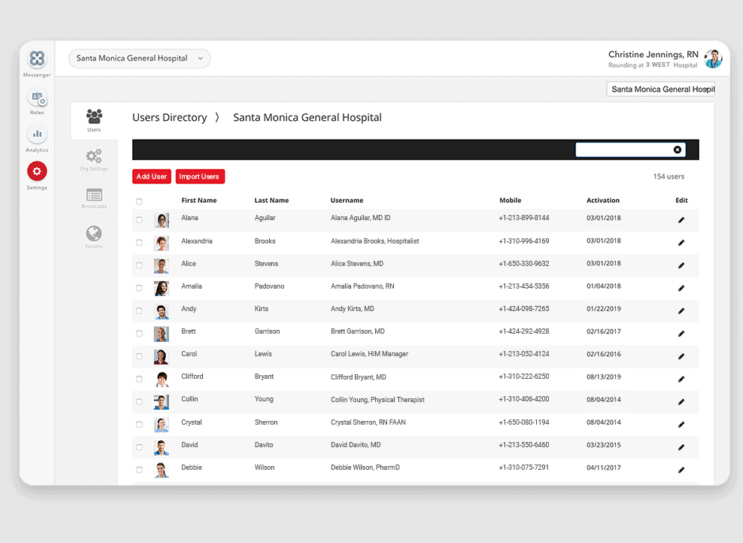
TigerConnect is a clinical communication platform built around healthcare care-team workflows. Its positioning differs from a general-purpose messenger because communication can be tied to clinical roles, teams, schedules, escalation paths, and healthcare operational workflows.
Collaboration model: Communication can follow care-team responsibilities rather than relying entirely on manually identifying a particular individual. That distinction is useful in environments where clinicians rotate through shifts and responsibilities.
Compliance model: TigerConnect offers a healthcare-focused environment and a BAA for covered customers, with security and administrative controls designed around healthcare communication.
Best for: Large hospital systems and clinical teams where secure messaging must connect with care-team coordination and operational workflows.
Strengths: Healthcare-first design, clinical workflow orientation, role-aware communication, and enterprise care-team coordination.
Limitations: It follows a vendor-operated healthcare communications model rather than giving the customer the same infrastructure ownership as an on-premises communications deployment.
Decision boundary: Choose TigerConnect when clinical texting and care-team workflow are the primary problem. Do not choose it merely because the organization needs secure video or customer-operated communications infrastructure.
Spruce Health
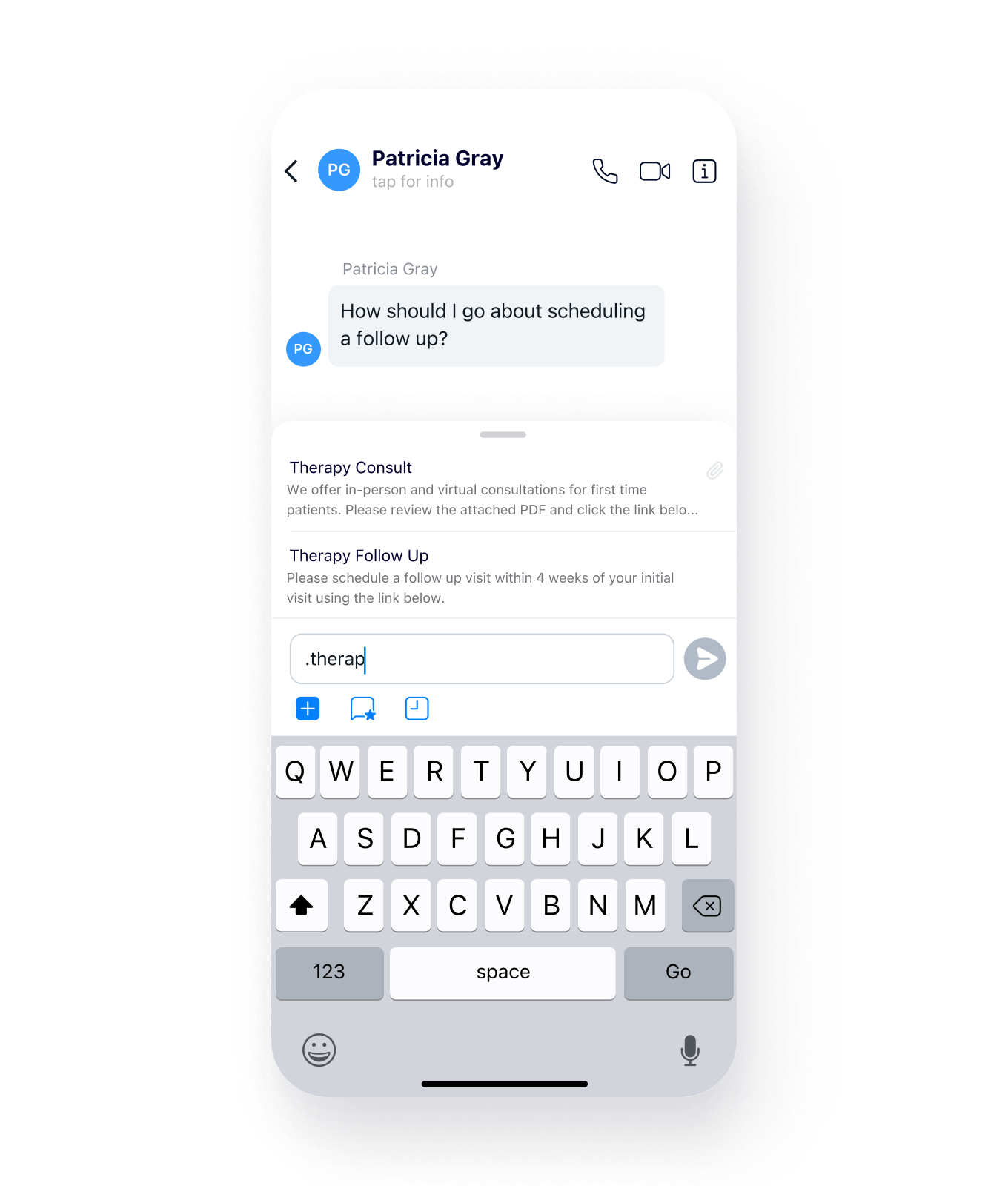
Spruce Health is a healthcare communications suite designed particularly for practices that want several patient communication channels in one environment. It supports texting, phone communication, secure messaging, faxing, and telehealth workflows.
Collaboration model: The value proposition is consolidation. A smaller practice can manage multiple patient communication channels without maintaining unrelated products for each channel.
Compliance model: Eligible Spruce organizations receive a BAA as part of the service arrangement, allowing the platform to participate in HIPAA-regulated communication workflows when configured and used appropriately.
Best for: Solo providers and smaller practices that want patient communication, phone, messaging, and telehealth capabilities under one healthcare-focused service.
Strengths: Multi-channel healthcare communication, patient-facing workflows, shared practice communication, and comparatively simple deployment.
Limitations: Organizations requiring their core communications servers to remain within their own network need a different deployment architecture.
Decision boundary: Choose Spruce when reducing the number of separate patient communication tools is more important than controlling the underlying server infrastructure.
OhMD
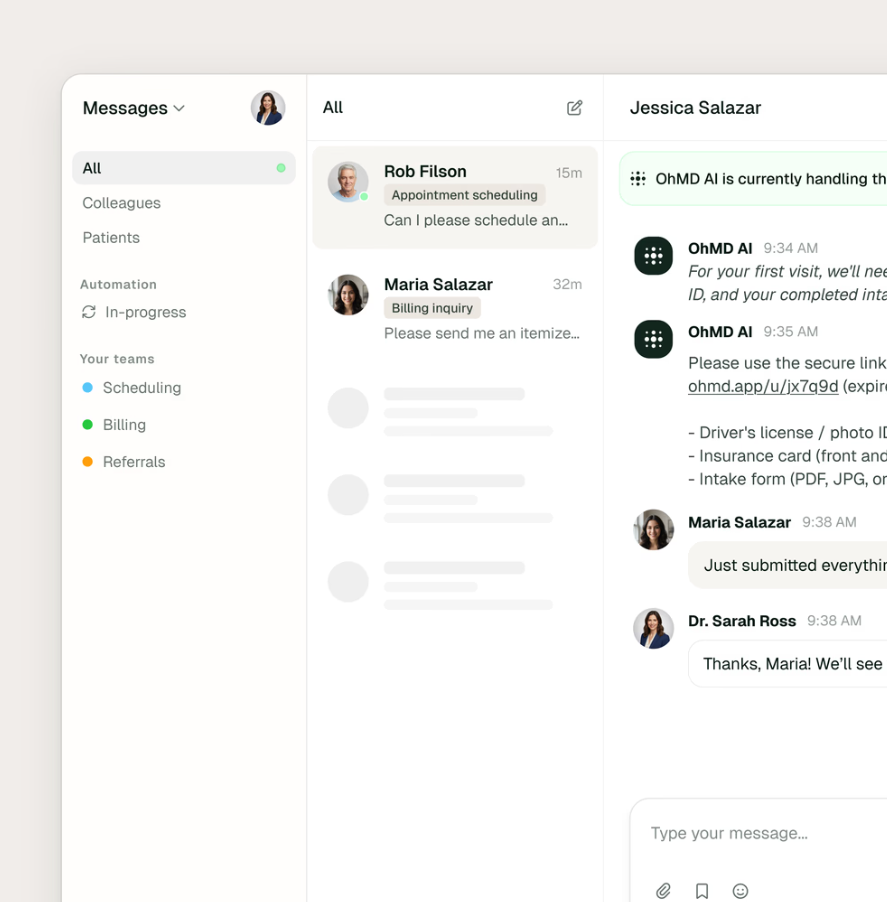
OhMD focuses on patient communication and aims to preserve a familiar texting experience while healthcare staff work through a managed healthcare communication platform. The platform covers texting together with additional communication and patient workflow capabilities.
Collaboration model: Patient-side friction is a central design consideration. This is important because requiring every patient to learn a new portal or application can reduce response rates and increase administrative work.
Compliance model: OhMD provides a BAA and describes its communication channels as operating within its healthcare security and compliance framework.
Best for: Practices that need patient communication through familiar texting workflows while keeping staff-side conversations under centralized organizational control.
Strengths: Patient accessibility, healthcare-focused communication, centralized staff administration, and broad patient contact workflows.
Limitations: It is fundamentally a patient communication service rather than customer-operated communications infrastructure.
Decision boundary: Choose OhMD when patient adoption and communication convenience are major requirements. It is not a substitute for an on-premises internal communications environment such as TrueConf.
Klara
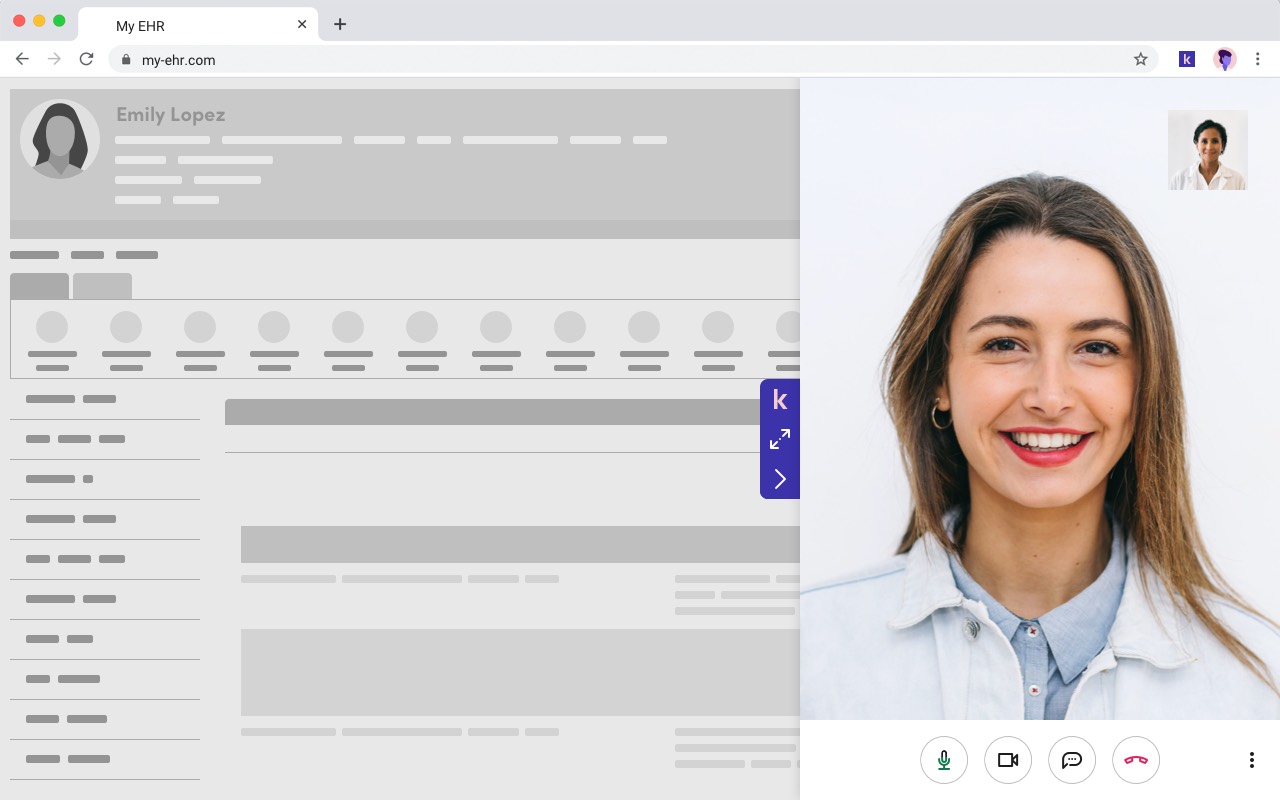
Klara combines healthcare communication with patient-facing administrative workflows. Instead of treating text as a standalone channel, the product links communication to activities such as intake, scheduling, and pre-visit coordination.
Collaboration model: The communication thread becomes part of a larger patient workflow. This can reduce the number of manual handoffs between a message, an intake request, and other practice processes.
Compliance model: Healthcare organizations should validate the current BAA, product configuration, connected services, retention behavior, and data-processing scope for the deployment they intend to use.
Best for: Practices that want patient communication integrated with intake and administrative workflows rather than a separate secure messenger.
Strengths: Workflow-driven patient communication and reduced separation between messaging and administrative processes.
Limitations: It solves a patient-engagement problem rather than customer-operated internal communications infrastructure.
Decision boundary: Choose Klara when patient workflow automation is as important as the messaging channel itself.
Imprivata Cortext
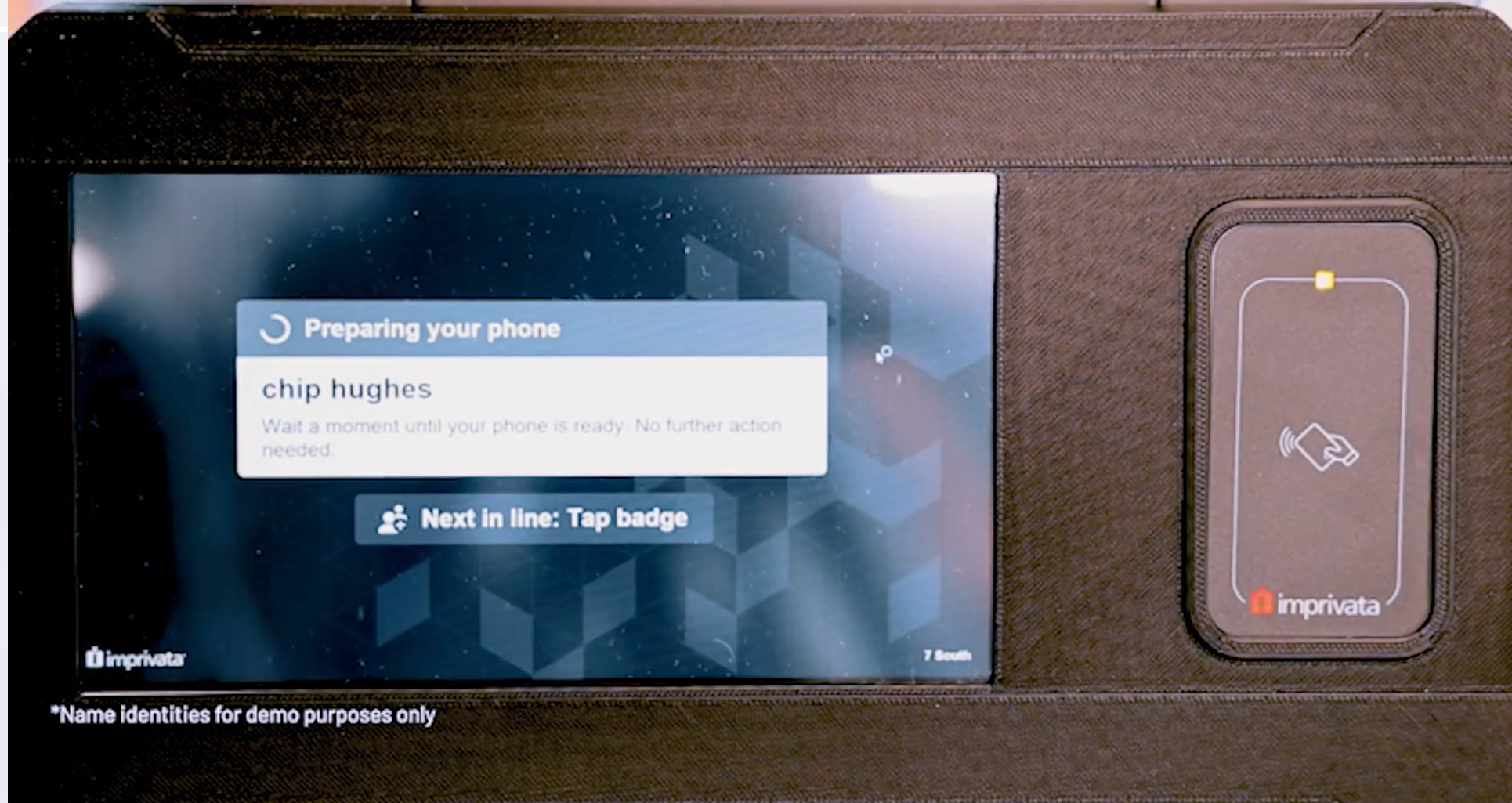
Imprivata Cortext is designed for healthcare organizations that want secure clinical communication integrated with the broader Imprivata identity environment.
Collaboration model: The main architectural advantage is identity alignment. Organizations already using Imprivata for clinical access can reduce the need to maintain an unrelated authentication environment solely for messaging.
Compliance model: The platform is designed for healthcare communication and should be evaluated together with the organization’s Imprivata configuration, identity policies, BAA arrangements, and access-management architecture.
Best for: Hospital systems already invested in Imprivata identity and access infrastructure.
Strengths: Healthcare-specific identity integration, clinician authentication workflow, and clinical communication.
Limitations: Its strongest value depends on the surrounding Imprivata ecosystem, so it may be less compelling where another identity architecture is already authoritative.
Decision boundary: Choose Cortext when identity integration with the existing Imprivata environment materially reduces clinical login and access-management complexity.
Microsoft Teams

Microsoft Teams is a broader enterprise collaboration platform rather than a dedicated clinical texting product. Healthcare organizations already using Microsoft 365 can use Teams for messaging, meetings, files, and collaboration within the same identity and governance ecosystem.
Collaboration model: Teams reduces platform fragmentation where Microsoft 365 already owns employee identity, documents, email, calendars, and collaboration.
Compliance model: Microsoft offers HIPAA-related contractual coverage for eligible services through its enterprise agreements, but customers remain responsible for confirming which services and configurations are covered and for configuring access, retention, sharing, and security appropriately.
Best for: Healthcare organizations already standardized on Microsoft 365 that need workforce messaging and meetings inside an existing enterprise environment.
Strengths: Existing enterprise identity, centralized administration, broad collaboration, meetings, messaging, files, and integration with Microsoft services.
Limitations: It is not a healthcare-first patient texting product, and it does not provide the same customer-operated server model as TrueConf Server.
Decision boundary: Choose Teams when Microsoft 365 is already the organization’s authoritative collaboration ecosystem. A separate clinical texting platform may still be needed for workflows Teams does not address.
TrueConf

TrueConf is a video conferencing and unified communications platform built around customer-operated deployment. In healthcare, it is better understood as a secure communications infrastructure option than as a dedicated HIPAA patient texting product.
Collaboration model: TrueConf combines video conferencing with team messaging and other communication capabilities. TrueConf Server can be deployed inside the organization’s own network, including environments where external internet connectivity is restricted.
Compliance model: Customer-operated deployment gives the healthcare organization direct control over the primary communication servers, authentication integration, storage environment, network boundaries, and operational policies. This can reduce reliance on a third-party hosted communication service, but it does not automatically make the healthcare organization’s use of TrueConf HIPAA compliant.
Whether a BAA is required with any technology provider depends on the provider’s actual role and whether it creates, receives, maintains, or transmits PHI on behalf of the covered entity. On-premises deployment can narrow the vendor’s data-processing role, but healthcare organizations should evaluate support, maintenance, cloud-connected features, remote access, integrations, and any other services that could expose PHI to a third party.
Best for: Healthcare organizations that need customer-operated video and internal communication infrastructure, private-network deployment, or integration with existing SIP/H.323 systems.
Strengths: Customer-controlled infrastructure, private-network operation, video and messaging within one communications environment, directory integration, and compatibility with established video conferencing infrastructure.
Limitations: TrueConf is not a replacement for a patient texting platform such as TigerConnect, OhMD, Spruce Health, or Klara when the requirement is SMS-like patient engagement, clinical role routing, or digital intake. Self-hosting also transfers more infrastructure responsibility to the healthcare organization’s IT team.
Decision boundary: Choose TrueConf when infrastructure control and private video or internal communication are core requirements. Pair it with a healthcare texting system when the organization also needs patient-facing texting or specialized clinical messaging workflows.
Boost your team’s productivity with TrueConf Server Free!
Insight 3. TrueConf and a clinical texting platform often belong in different layers of the same architecture.
A healthcare organization may need one system for patient texting, another for EHR workflows, and TrueConf for customer-controlled video and internal communications. Evaluating these products as direct substitutes can hide the more important question: which system should own each communication workflow?
Feature and Workflow Comparison
|
Platform |
Primary Workflow |
Patient-Facing Texting |
Video |
Customer-Operated Server |
|---|---|---|---|---|
|
TigerConnect |
Clinical care-team communication |
Healthcare workflow dependent |
Available within broader platform capabilities |
No primary on-premises model |
|
Spruce Health |
Practice and patient communications |
Yes |
Yes |
No |
|
OhMD |
Patient communication |
Yes |
Available within broader communication offering |
No |
|
Klara |
Patient communication and intake |
Yes |
Not the primary product function |
No |
|
Imprivata Cortext |
Clinical secure messaging |
Not the primary use case |
Not the primary product function |
No primary customer-operated model |
|
Microsoft Teams |
Enterprise workforce collaboration |
Not a dedicated patient texting workflow |
Yes |
No |
|
TrueConf |
Customer-operated video and internal communications |
No dedicated patient texting workflow |
Core function |
Yes |
Cloud vs. On-Premises Communications in Healthcare

Most healthcare organizations can use appropriately configured vendor-operated cloud services within a HIPAA compliance program. HIPAA does not require on-premises infrastructure.
The deployment models instead change who operates the infrastructure and where different responsibilities sit.
|
Area |
Vendor-Operated Cloud |
Customer-Operated / On-Premises |
|---|---|---|
|
Infrastructure operations |
Primarily vendor responsibility |
Primarily customer responsibility |
|
PHI processing relationship |
Vendor commonly acts as a business associate when handling ePHI |
Depends on whether the software vendor or support services actually access or process PHI |
|
Server access |
Controlled mainly by vendor service architecture |
Controlled directly by the healthcare organization |
|
Updates |
Managed mainly by provider |
Customer plans and applies updates |
|
Audit evidence |
Customer receives what the service exposes |
Customer can combine application and infrastructure evidence |
|
Operational burden |
Lower internal infrastructure burden |
Higher internal infrastructure burden |
Insight 4. On-premises deployment does not eliminate HIPAA responsibility; it moves more of it to the healthcare organization.
Running TrueConf Server internally can reduce external data-processing dependencies, but the organization then owns more of the patching, backup, authentication, logging, network security, availability, and incident-response process. More control and more responsibility arrive together.
Common Challenges in HIPAA Texting Compliance

Deploying an appropriate platform solves only part of the problem. Staff behavior, emergency access, vendor governance, retention, and integration can create just as much risk as the messaging technology itself.
Shadow IT and Staff Workarounds
Policy alone does not stop clinicians from using personal phones or unmanaged consumer communication tools. If the approved platform adds too many steps to a time-sensitive workflow, users may work around it during handoffs, urgent consultations, or high-volume administrative tasks.
Usability is therefore a security control. A technically sophisticated platform that staff consistently bypass can produce a weaker real-world security posture than a simpler system that employees actually use correctly.
Emergency and Break-Glass Access
Healthcare environments may require emergency access to information when normal role assignments or workflows do not fit the immediate clinical situation. Organizations should define how exceptional access is granted, logged, reviewed, and revoked rather than forcing employees to share credentials or bypass normal controls informally.
Vendor and Subprocessor Management
Cloud communication services frequently rely on hosting, storage, support, analytics, notification, and other subprocessors. Healthcare organizations should understand which parties can create, receive, maintain, or transmit ePHI and how those relationships fit the applicable BAA and vendor-management process.
A customer-operated platform such as TrueConf can reduce the number of third parties involved in the core communication path, but organizations still need to examine any external support, authentication, notification, AI, integration, or maintenance services they enable.
Insight 5. The real data boundary is the dependency chain, not the product name.
A platform may be installed on-premises yet still depend on external identity providers, notification services, support access, AI processing, or integrations. Conversely, a cloud service may have a carefully documented HIPAA business-associate chain. Buyers should map every processor and dependency instead of treating “cloud” and “on-premises” as complete compliance answers.
What to Look For in a HIPAA Compliant Texting Platform?
A procurement review should focus on questions that determine whether the platform fits the organization’s communication architecture, rather than repeating the technical controls already covered above.
- Define the exact workflow the platform will own. Separate patient texting, clinician messaging, critical alerts, telehealth, intake, and general workforce collaboration.
- Identify the authoritative systems around it. Determine which products already own identity, the clinical record, scheduling, patient contact data, and video communication.
- Verify contractual scope. Confirm which products, services, support functions, integrations, and connected components fall under the relevant BAA arrangements.
- Map the complete data path. Include messages, attachments, notifications, backups, transcripts, recordings, analytics, and AI processing.
- Determine how communication becomes part of the medical record. Define which conversations must be transferred or documented in the EHR and which remain operational communication.
- Evaluate migration and exit. Check whether necessary data can be exported, retained, or moved when the contract or platform changes.
- Evaluate operational ownership. For a self-hosted product such as TrueConf, include infrastructure administration and incident response; for a cloud service, review vendor and subprocessor dependencies.
Common Use Cases for HIPAA Compliant Texting

Care-team coordination is a core hospital use case. The communication system may need to reach a role, service, or on-call team rather than a single named clinician. Platforms such as TigerConnect and Imprivata Cortext are designed around this type of healthcare workflow.
Patient communication includes appointment reminders, follow-up messages, intake requests, scheduling, and practice communication. Spruce Health, OhMD, and Klara focus more directly on this patient-facing side of the category.
Workforce collaboration can be handled inside a broader enterprise environment such as Microsoft Teams when the healthcare organization already uses Microsoft 365 and the relevant services have been reviewed for the intended HIPAA workflow.
Telehealth and internal video communication are a different workflow. TrueConf becomes relevant when a healthcare organization needs video consultations, multidisciplinary meetings, internal communication, or other video scenarios on customer-controlled infrastructure.
Secure Messaging vs. the Medical Record
A secure messaging platform and an electronic health record serve different functions. The messaging platform transports and organizes communication; the EHR or another designated record system may be the authoritative location for information that must become part of the patient’s clinical record.
Healthcare organizations therefore need a policy defining which messages are transient operational communication and which contain information that should be documented in the medical record. This matters for clinical decisions, orders, treatment changes, patient instructions, and other communication whose long-term significance may extend beyond the chat thread itself.
The same distinction applies to TrueConf. A video consultation or internal clinical discussion can occur through TrueConf, but the organization still needs to determine what information from that interaction belongs in the EHR, how it is documented, and whether recordings or transcripts have a separate retention policy.
Insight 6. A secure message is not automatically the medical record.
Secure delivery and clinical record retention are different responsibilities. A healthcare texting platform may securely retain a conversation, but the organization still needs explicit rules for deciding which information must be transferred to the EHR or another designated record system and which communication can remain in the messaging environment.
How a Healthcare Communication Stack Can Be Split by Function?
|
Function |
Authoritative System Should Control… |
Typical Platform Type |
|---|---|---|
|
Patient texting |
Patient conversations, contact workflow, consent and communication settings |
Patient communication platform |
|
Clinical team messaging |
Clinician identity, role routing, escalation, conversation access |
Clinical secure messaging |
|
Identity |
Provisioning, authentication, role changes, offboarding |
Enterprise identity system |
|
Medical record |
Clinical documentation, designated record retention, patient chart |
EHR or designated record system |
|
Video communication |
Meetings, video consultations, recordings, conferencing infrastructure |
Video communications platform such as TrueConf |
Insight 7. One of the biggest architecture mistakes is letting several communication products become authoritative for the same data.
If a patient conversation exists independently in SMS, a healthcare messaging platform, Teams, and the EHR, the organization now has multiple copies with different access, retention, and audit policies. The goal is not necessarily one application for everything, but one clearly defined system of record or control for each workflow.
Best Practices for Implementation
Tips for Compliance Officers
- Maintain an approved communication-platform inventory and document the intended PHI workflow for each system.
- Record BAA scope, relevant subprocessors, retention settings, and security responsibilities rather than treating vendor marketing claims as compliance evidence.
- Define exceptional-access procedures before an emergency occurs.
- Define which categories of communication must become part of the EHR or another designated record system.
- Review access and audit logs periodically instead of treating procurement approval as a one-time compliance exercise.
- Include patient texting, video platforms such as TrueConf, AI services, and connected integrations in the same communication data-flow review.
Tips for IT and Clinical Leadership
- Pilot the platform with a real clinical or administrative unit before system-wide deployment.
- Measure whether staff still use personal texting or consumer apps after rollout.
- Test account deactivation and lost-device scenarios, not only normal login and messaging.
- Confirm how communication enters the EHR or other record system when it needs to become part of the clinical record.
- For TrueConf or another self-hosted platform, include server updates, backup, monitoring, high availability, network security, and incident response in the operating model.
Pilot Checklist
|
Test |
Pass Condition |
Common Failure |
|---|---|---|
|
User provisioning |
Only approved staff receive the appropriate access |
Shared, duplicate, or unmanaged accounts |
|
Offboarding |
Access can be removed promptly according to policy |
Old devices or sessions remain active |
|
Auditability |
Compliance staff can retrieve meaningful event records |
Logs do not provide enough evidence to investigate relevant actions |
|
Clinical usability |
Staff can complete urgent workflows without bypassing the platform |
Personal SMS remains faster than the approved workflow |
|
Medical-record workflow |
Staff know which messages must be documented in the EHR and can do so consistently |
Important clinical decisions remain only inside messaging threads |
|
Data flow |
All processors, storage systems, and integrations are known |
Hidden copies appear in notifications, backups, AI tools, or integrations |
|
Failure scenario |
Emergency communication has a documented fallback |
Users improvise with personal accounts when a system is unavailable |
|
Exit |
Relevant records can be exported and access can be terminated cleanly |
Critical communication remains trapped in the vendor platform |
Insight 8. Adoption should be measured as a compliance control.
The practical success metric is not how many accounts were created, but whether staff stopped using unmanaged alternatives for the workflow the platform was purchased to replace. If personal texting continues after rollout, the organization has implemented software without eliminating the underlying exposure.
Final Thoughts
Choosing a HIPAA compliant texting platform starts with defining the communication workflow. TigerConnect and Imprivata Cortext are oriented toward clinical team communication. Spruce Health, OhMD, and Klara emphasize patient-facing communication. Microsoft Teams fits broader workforce collaboration inside Microsoft 365. TrueConf occupies a different position: customer-operated video, messaging, and communications infrastructure.
A BAA, encryption, and security features matter, but they do not make compliance automatic. The organization must still configure the system appropriately, limit access, train staff, manage devices and accounts, define retention, audit actual use, understand every vendor or service that participates in the PHI data flow, and decide which communications belong in the medical record.
For healthcare organizations that require direct control over their communication infrastructure, TrueConf can form the video and internal communications layer of that architecture. Where patient texting, intake, or clinical role routing is required, it should be evaluated alongside rather than automatically substituted for a specialized healthcare messaging platform.
Empower your video conferencing experience with TrueConf!
FAQ
What makes a texting platform HIPAA compliant rather than just encrypted?
Encryption protects data, but HIPAA compliance also depends on access controls, auditability, risk management, workforce procedures, appropriate configuration, and a BAA when the vendor is acting as a business associate. TrueConf likewise needs to be deployed and administered as part of the healthcare organization’s broader HIPAA compliance program rather than treated as automatically compliant because it is self-hosted.
Is standard SMS always prohibited by HIPAA?
HIPAA does not contain a simple blanket rule prohibiting every electronic patient communication, but covered entities must apply reasonable safeguards and appropriately protect ePHI. Purpose-built messaging systems provide much stronger organizational control than unmanaged SMS, while TrueConf provides a different option for healthcare organizations that need controlled video and internal communications.
What is the difference between TrueConf and a dedicated HIPAA texting platform?
TrueConf is primarily a video conferencing, messaging, and unified communications platform rather than a patient texting product. Healthcare organizations can use TrueConf for customer-operated video and internal communications while using a specialized platform for patient texting, intake, or clinical role-routing workflows.
Does an on-premises platform eliminate the need for a BAA?
Not automatically. Whether a vendor is a business associate depends on the services it provides and whether it creates, receives, maintains, or transmits PHI on behalf of the healthcare organization. A self-hosted TrueConf deployment can reduce external processing, but support, integrations, remote administration, or other services still need to be evaluated.
Does a signed BAA guarantee HIPAA compliance?
No. A BAA defines responsibilities between the parties, but the healthcare organization remains responsible for its own risk analysis, configuration, access policies, training, and use of the platform. The same principle applies to TrueConf: infrastructure control can support a compliance strategy but does not replace organizational safeguards.
Does every secure clinical message belong in the EHR?
No. Healthcare organizations need policies defining which communications contain information that must become part of the medical record and which can remain operational messaging. The same applies to TrueConf video consultations and internal clinical discussions: important clinical information may need to be documented in the EHR even when the communication itself occurred securely elsewhere.
What should a healthcare organization test before choosing a HIPAA texting platform?
Test contractual scope, identity management, audit logs, data flows, medical-record handling, device loss, staff offboarding, integrations, and actual clinical usability. If TrueConf is part of the communication stack, also test the server architecture, private-network requirements, authentication integration, operational ownership, and how its video and messaging workflows connect to the rest of the healthcare environment.
About the Author
Diana Shtapova is a product specialist and technology writer with three years of experience in the unified communications industry. At TrueConf, she leverages her deep product expertise to create clear and practical content on video conferencing platforms, collaboration tools, and enterprise communication solutions. With a strong background in product research and user-focused content development, Diana helps professionals and businesses understand core product features, adopt new technologies, and unlock the full potential of modern collaboration software.


Follow us on social networks