
Top 5 Benefits of TrueConf Video Conferencing

Video conferencing is a growing trend that allows face-to-face communication for remote employees, business partners or friends. There are plenty of different video conferencing services available on the market today, e.g. Zoom, Cisco Webex, Bluejeans, etc., each offering their own unique collections of features. TrueConf has both similarities and distinctions, differentiating it from a number of competitors. Basic functionality of our client applications include simple collaboration tools, such as instant messaging, video recording, screen sharing and slideshow. However, TrueConf client applications offer unique advantages that will make your video conferencing experience much more productive.
Ultra HD Video Conferencing
Thanks to TrueConf, you can participate in 4K (UltraHD) video calls and conferences. Read our blog to see how simple it is to set up and learn what equipment you need for excellent 4K experience.
Smart Address Book
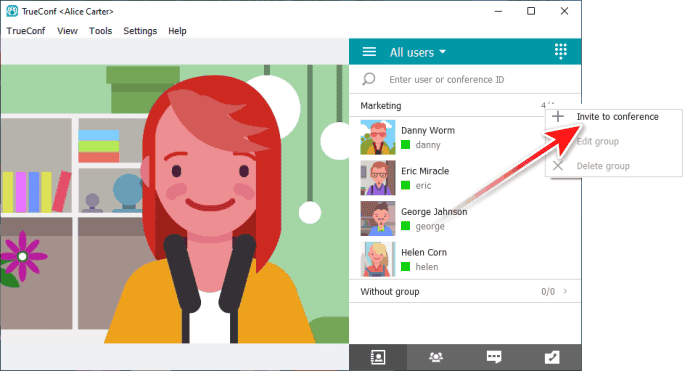
Invite participants to the conference right from the application
Add participants to TrueConf video conferences right from your client applications in several clicks. No need to send out invitation links and schedule meetings via the calendar, if you feel like starting the conference on-the-go.
Call your team members in one click
Break down your address book contacts into groups - and invite the whole group to the conference in one click!
Invite telephony subscribers and IP cameras to video conferences
Invite mobile and landline users to TrueConf video conferences, or connect IP cameras and RTSP stream sources to track remote facilities of your company.Smart Video Layouts
Automatic experience
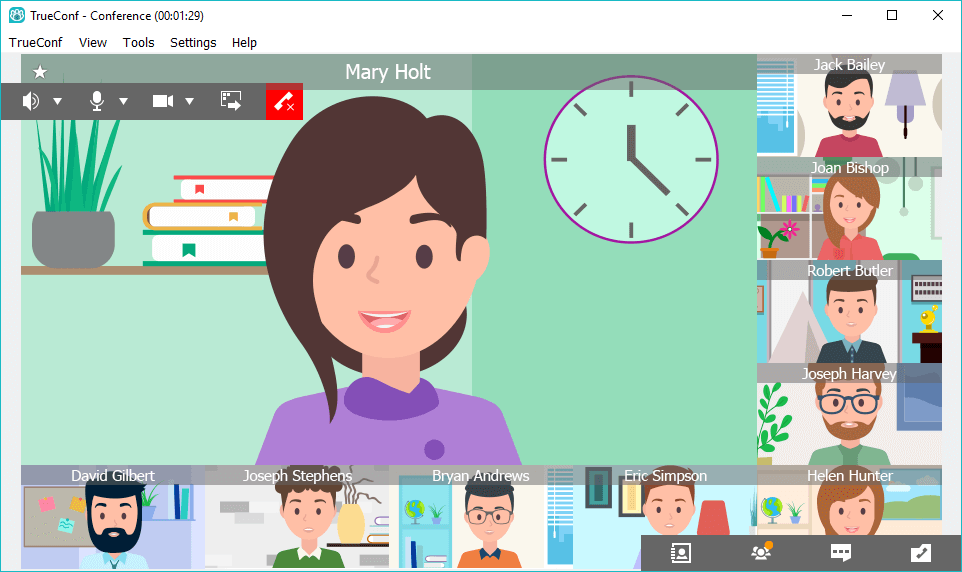
TrueConf takes care of your video layouts - for you. We optimize your application workspace and remove the gaps between video windows to deliver seamless communication experience.
Unlimited number of layouts
With TrueConf client applications, you a free to customize your video layouts:
Feel like default layouts are simply not enough? Create your unique video layouts and choose how your video and content windows are arranged.
Have a dual screen setup? Drag your video windows outside the application to another screen and keep working!
Enlarge the video window of any conference participant with one click!
More Collaboration Tools
Delegate rights on the fly
During a TrueConf video conference, you can assign additional moderators or add/remove participants.
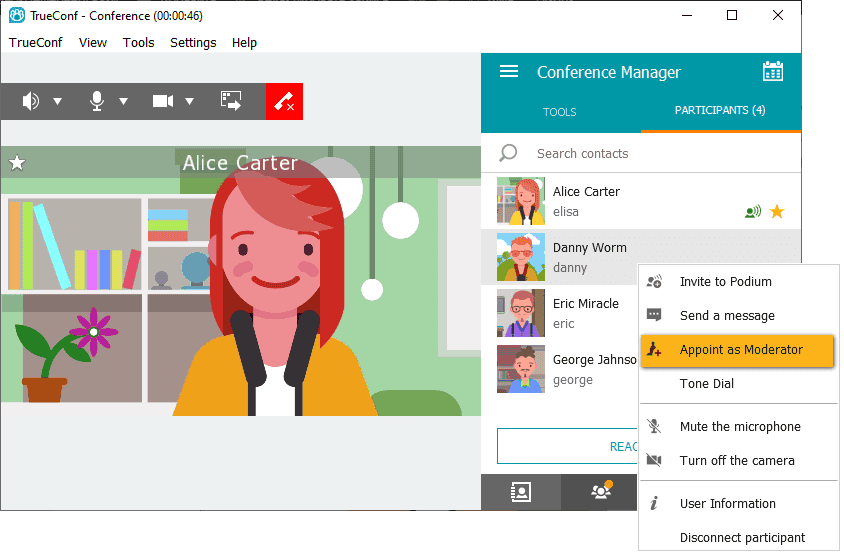
In role-based conferences, any participant can be added as a speaker to “take the podium” by moderator or conference owner. A participant can also become a speaker by sending a corresponding request to the moderator via special button.
Reactions and polling
During a TrueConf video conference, you can ask participants to vote for an idea and quickly gather their feedback using a set of reaction icons. Participants do not need to provide detailed explanations to you – instead, they can just click on the corresponding emoji to show their attitude. The application counts user votes and shares the results with your team.
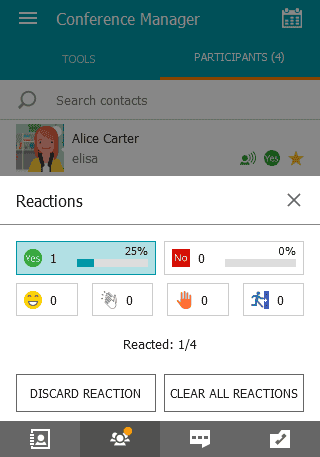
Similarly, a video conferencing participant can request to take the podium or step away by sending a corresponding reaction.
Far-end camera and microphone control
Control participant’s PTZ cameras or cameras of your conference room systems right from your client application. If necessary, you can zoom in an out your participant’s video or change the viewing angle to track what you need.
During a video conference, you can also mute any participant’s microphone if he or she makes extra noise or interferes in the communication process.
Share content on any device
Thanks to the picture-in-picture mode you can not only broadcast your video and content, but also mix them. All meeting participants are guaranteed to see both the slides and the speaker’s video, regardless of the device they are using to join the meeting. Read more about how this works for SIP endpoints.
Special Modes for Distance Education
Try TrueConf client applications to hold online lectures, webinars and trainings with video lecture mode (asymmetric video conferencing). Thanks to this mode, conference attendees will see and hear the lecturer only, while the lecturer will hear and see all the attendees. Video lecture mode has proven to help achieve maximum engagement during the lessons.