


What Is Video Banking and How It Is Changing the Way Banks Serve Customers?
Updated in July 2026
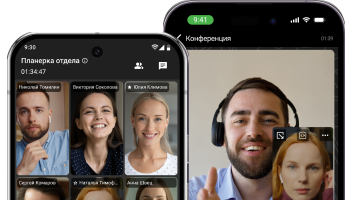
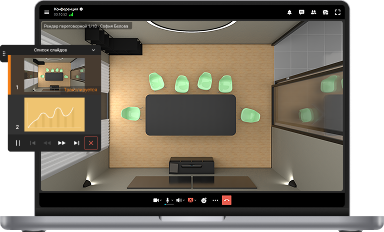
Video banking is a customer service format in which a bank client connects with a bank representative over secure video instead of visiting a branch or calling a contact center. It is essentially a hybrid of an in-person consultation and a remote channel: the client sees a live specialist, can show documents through the camera, sign paperwork through shared screen collaboration, and the bank keeps control over the communication channel, which stays inside its own infrastructure rather than passing through a generic third-party cloud service.
For banks and financial institutions, video banking solves several problems at once: it reduces the load on physical branches, speeds up service in remote regions, strengthens customer identification (KYC) through visual contact, and supports complex consultations, such as mortgages, investment products, or corporate lending, that do not work well in a chatbot or over the phone. The key difference between a banking video service and an ordinary Zoom call is that the former must meet regulatory requirements, provide session recording and archiving, integrate with CRM systems and e-signature tools, and operate in a closed network perimeter if the organization’s security policy requires it.
This is where platform choice becomes critical. General-purpose cloud video services were not built for the banking perimeter: they do not give a bank control over where data is stored, and they fit poorly with personal data protection requirements for financial clients. Platforms such as TrueConf, which were designed from the start to support full on-premises deployment inside the customer’s own infrastructure, are a more natural fit for the banking and financial sector, where data residency and compliance with internal regulations matter just as much as call quality.
Video Banking at a Glance
|
Parameter |
What it means? |
|---|---|
|
Definition |
Serving bank clients over video instead of an in-person branch visit |
|
Who it is for? |
Retail and corporate banks, insurance companies, credit unions, microfinance organizations |
|
Core use cases |
Account opening, loan and mortgage consultations, KYC and identity verification, claims settlement, VIP service |
|
Key platform requirements |
Session recording, regulatory compliance, control over data location, integration with CRM and document workflow systems |
|
Deployment model |
Cloud, hybrid, or fully on-premises infrastructure |
|
Role of TrueConf |
A video communication platform with on-premises deployment, a corporate messenger, and admin controls suited for the financial sector |
|
Typical outcome after adoption |
Fewer branch visits, faster customer identification, lower operating costs |
How Video Banking Works in Practice?

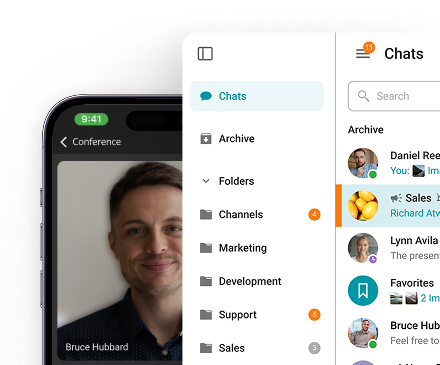
Video banking rarely exists as a standalone application. It is usually a module or integration embedded in one of three settings:
- The bank’s mobile or web application, where a “video call a specialist” button appears next to the standard support chat.
- A next-generation branch format (video kiosk), where the client visits in person but talks to a remote employee through a screen, allowing the bank to keep less staff on site and serve several locations from one competency center.
- A dedicated contact center for complex consultations, where the client is transferred from chat or a phone call whenever the issue requires showing documents, sharing a screen, or confirming identity.
In all three cases, the underlying platform needs to solve the same problem: deliver stable video, capture the session for later audit, and avoid creating an additional point of exposure for the client’s confidential data. TrueConf fits this exact scenario of video kiosks and embedded video modules for the financial sector: the platform allows a video server to be deployed inside the bank’s perimeter, connects endpoints and kiosks, and records sessions on the organization’s own hardware instead of routing traffic through an external cloud data center.
Insight 1: The Difference Between “Video as a Channel” and “Video as a Process”
Many video banking overviews describe it as simply “another communication channel,” but for a bank this is a fundamentally different distinction. If video is used as a channel (essentially replacing a phone call), any popular video calling service is enough. But if video is embedded into a process, such as identity verification, document signing, escalation from a chatbot, or capturing consent to contract terms, the platform needs to support APIs, webhooks, integration with queue management systems, and data storage that complies with retention regulations.
It is this second scenario that defines the real business value of video banking, and it is exactly this scenario that requires a platform with a flexible deployment architecture rather than just “video calling in a browser.”
Video Banking vs. Ordinary Video Calls: What Is the Difference?
|
Criterion |
Ordinary video call (consumer service) |
Video banking (enterprise solution for financial institutions) |
|---|---|---|
|
Customer identification |
Absent or minimal |
Built into the process, often with recording and archiving |
|
Data storage |
Typically in the provider’s cloud |
Can be local, inside the bank’s own infrastructure |
|
Regulatory compliance |
Not guaranteed |
A mandatory selection criterion |
|
Integration with internal systems |
Usually absent |
CRM, queue management, document workflow, authentication systems |
|
Access control |
Basic |
Role-based model, admin rights, SSO, MFA |
|
Example platform |
Mass-market video conferencing services |
Enterprise-grade platforms with a corporate perimeter, such as TrueConf |
Why Banks Are Investing in Video Banking?

The reasons banks invest in video service typically come down to a few practical factors:
- Geographic reach without opening new branches. Video allows banks to serve clients in regions where a full-scale office is not economically viable.
- Higher conversion on complex products. Mortgages, investment products, and corporate lending require personal explanation of terms, and a video consultation converts better than a text chat.
- Lower operating costs. One video specialist can serve several branches or kiosks instead of being physically present at each one.
- Faster customer identification. Visual contact combined with document verification through the camera speeds up KYC procedures compared to exchanging scanned copies by mail.
- Better experience for elderly or less mobile clients. Not every client can easily visit a branch, and phone support does not always fully resolve the issue.
Insight 2: The Selection Factor Most Reviews Overlook Is the Deployment Model
Most video banking articles compare platforms on feature counts: video quality, participant limits, chat availability. But for a bank, a far more important question is architectural: where are the servers that process video and store call recordings physically located.
A cloud model means client data passes through a third-party provider’s infrastructure, which can conflict with a bank’s internal security policies or with a local regulator’s requirements on personal data residency. On-premises deployment, which TrueConf supports, removes this risk: the video server is installed in the bank’s own data center, and call recordings and metadata never leave the organization’s perimeter.
This is not a minor detail. It is often the deciding criterion when selecting a platform for the financial sector.
Deployment Models and What They Mean for a Bank?
|
Deployment model |
Where data is stored? |
Typical use case |
Limitations |
|---|---|---|---|
|
Public cloud |
With an external provider |
Smaller banks without strict data residency requirements |
Less control over security and regulatory compliance |
|
Hybrid model |
Partly in the cloud, partly on the bank’s own servers |
Banks with a distributed branch network |
Requires more complex integration setup |
|
On-premises (fully local) |
Only within the bank’s infrastructure |
Large banks, insurance companies, organizations with strict compliance requirements |
Requires the organization’s own IT resources to maintain the server |
TrueConf supports exactly this last, strictest option: TrueConf Server can be deployed entirely within a bank’s local network, without a permanent internet connection, which is especially valuable for organizations whose internal policy explicitly prohibits routing video traffic through external cloud services.
Practical Applications: Video Banking Use Cases

Here are the typical scenarios where video banking delivers measurable results:
- Remote account opening. The client goes through video identification, shows a document to the camera, and the bank representative verifies the data and confirms the account opening without an in-person visit.
- Mortgage or loan consultation. The specialist walks the client through calculations using screen sharing and answers questions in real time, reducing drop-off during the application process.
- VIP and private banking service. A personal manager conducts video meetings instead of phone calls, creating a more trusted format for discussing large sums.
- Insurance claims settlement. The client shows damaged property through the camera, speeding up claim assessment without an on-site expert visit.
- Video kiosks in understaffed branches. In smaller towns, an endpoint with video connectivity replaces a full branch, connecting the client with an employee at a central office.
Insight 3: The Operational Payoff of Video Banking Shows Up at the Scaling Stage, Not in Month One
Rolling out video banking in a single branch almost always looks like a limited pilot: one channel, a few specialists, a small test group of clients. Real cost savings and conversion gains only appear once the service scales to dozens of branches and thousands of sessions per month. At that stage, things that are invisible during a pilot become critical: server load under parallel sessions, stability over weak connections in remote regions, ease of managing staff accounts, and the ability to distribute licenses across branches.
Platforms built for this stage, such as TrueConf Enterprise, are designed with load balancing, redundancy, and support for up to a million users within a single infrastructure, allowing a bank to move from pilot to full deployment without switching platforms.
Best for:
- Banks with a distributed branch network that need to standardize customer service.
- Organizations with strict compliance requirements and a need to keep data within their own perimeter.
- Financial institutions where consultations require showing documents, sharing a screen, or capturing a signature in real time.
Strengths:
- Speeds up consultations on complex products through visual contact.
- Allows expertise to be centralized without increasing headcount at every branch.
- With the right platform, gives full control over recording and data storage.
Limitations:
- Requires staff training on video tools and consultation scripts.
- Does not fully replace a physical branch where cash operations are needed.
- The benefits are not immediate; they appear at the scaling and integration stage with internal bank systems.
How to Choose a Video Banking Platform?
When evaluating a technology solution for video banking, consider the following criteria:
|
Evaluation criterion |
Why it matters? |
|---|---|
|
Deployment model (cloud/hybrid/on-premises) |
Determines where client data is stored and how well the solution matches internal security policy |
|
Administration capabilities |
Role-based model, license distribution, a single point of user management |
|
Integrations |
Compatibility with CRM, queue management systems, document workflow, corporate calendars |
|
Identity and MFA support |
Multi-factor authentication and SSO support to protect sessions |
|
Scalability |
Ability to handle growth in concurrent sessions without quality degradation |
|
Recording and archiving |
Built-in call recording on the organization’s own server for later audit |
|
Total cost of ownership |
Per-user licensing model without hidden costs when scaling |
Insight 4: Scalable Licensing Models for Every Stage of Growth
Against these criteria, TrueConf offers several licensing options aimed at organizations with different scale and control requirements. The free tier, TrueConf Server Free, is built for teams of up to 1,000 messenger users and up to 10 video conference participants, with support for Active Directory, SSO, and one SIP/H.323 connection, making it suitable for testing a video banking scenario in a single branch or as a pilot project.
The commercial tier, TrueConf Server, scales up to 2,000 conference participants, adds registration-based webinars, streaming, and federation between servers, and is licensed starting at $10 per user per year. For larger organizations with a distributed branch network and a requirement to support up to a million users, TrueConf Enterprise offers load balancing, redundancy, a global user directory (TrueConf Directory), multi-factor authentication support, and integration with DLP systems, with pricing available upon request.
The Role of TrueConf in Video Banking

TrueConf is not positioned as a narrowly specialized banking product. It works as a general-purpose video communication and corporate messaging platform that banks and insurance companies adapt to customer video service needs. Key characteristics that make this approach applicable in the financial sector include:
- On-premises architecture. The server can be deployed inside the bank’s own network without a permanent internet connection, reducing dependence on external providers and external data transmission channels.
- Operation through a single port, along with compatibility with NAT, firewalls, and proxies, which simplifies integration with an existing IT infrastructure without reworking the network architecture.
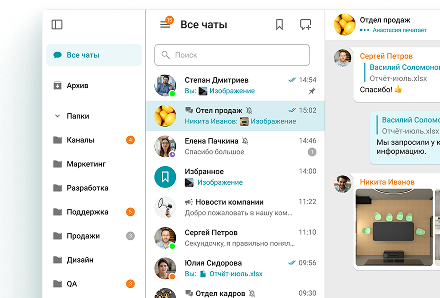
- A role-based access model, including separation between administrator and regular user roles, which matters for controlling employee access to consultation recordings.
- Support for Active Directory, LDAP, and single sign-on (SSO), allowing video banking to be integrated into the bank’s existing employee account system.
- APIs and an SDK for integration, making it possible to embed a video call directly into the bank’s mobile app or into a branch queue management system.
- Video kiosks and endpoints, used specifically in scenarios where the client visits a physical location in person while the bank representative works remotely.
At the same time, TrueConf is not the only option on the market. A bank may consider other enterprise-grade video communication platforms depending on what integrations and deployment models are already in use within the organization.
However, for organizations where the key requirement is full control over where client data is stored and the ability to operate without a constant internet connection, the on-premises model offered by TrueConf is often more compatible with internal security policy than purely cloud-based alternatives.
Empower your video banking experience with TrueConf!
FAQ
How is video banking different from an ordinary video call on Zoom or Google Meet?
Video banking involves more than a simple video call. It includes customer identification, session recording, and integration with the bank’s internal systems. General-purpose consumer video services are not built for these requirements, whereas platforms like TrueConf were designed from the start with enterprise control, role-based access, and local data storage in mind.
Can video banking be deployed entirely within a bank’s infrastructure, without the cloud?
Yes, and this is one of the main reasons banks choose local deployment. TrueConf Server can be installed in the bank’s own data center and used without a permanent internet connection, which is convenient for organizations with strict data residency requirements.
Is video banking only for large banks, or can smaller organizations adopt it too?
The format works for smaller banks and credit unions as well, especially at the pilot stage. For example, the free tier of TrueConf Server Free is built for teams of up to 1,000 users and is well suited for testing a video consultation scenario before scaling across a branch network.
How does video banking affect customer identification (KYC) procedures?
Video speeds up visual verification of documents and identity compared to exchanging scanned copies, and session recording adds an extra layer of evidence for later audit. Platforms such as TrueConf allow call recordings to be stored on the bank’s own server, which simplifies compliance with internal record retention rules.
What happens to video banking when scaling to dozens of branches?
At the scaling stage, load balancing, redundancy, and centralized management of licenses and accounts become critical. For these scenarios, the TrueConf lineup includes TrueConf Enterprise, which supports up to a million users with a distributed architecture designed to meet the needs of large branch networks.
Does a bank need dedicated hardware for video banking, or is software enough?
For a basic scenario, a software platform and standard webcams at employee workstations are enough. For the video kiosk format in branches, an specialized endpoint with a camera and screen is usually connected to the video server, allowing a client to be served without staff physically present on site.
How can a bank assess whether investing in video banking will pay off?
It helps to weigh licensing and implementation costs against expected savings on branch rent and staffing, along with expected conversion gains on complex products like mortgages. Because licensing for platforms such as TrueConf is typically based on the number of active users rather than a fixed per-branch fee, a bank can start with a limited pilot and calculate the real impact before scaling fully.
About the Author
Diana Shtapova is a product specialist and technology writer with three years of experience in the unified communications industry. At TrueConf, she leverages her deep product expertise to create clear and practical content on video conferencing platforms, collaboration tools, and enterprise communication solutions. With a strong background in product research and user-focused content development, Diana helps professionals and businesses understand core product features, adopt new technologies, and unlock the full potential of modern collaboration software.


Follow us on social networks