
Best Zoom Alternatives for Business: Top 10 Options
What Is the Best Alternative to Zoom?
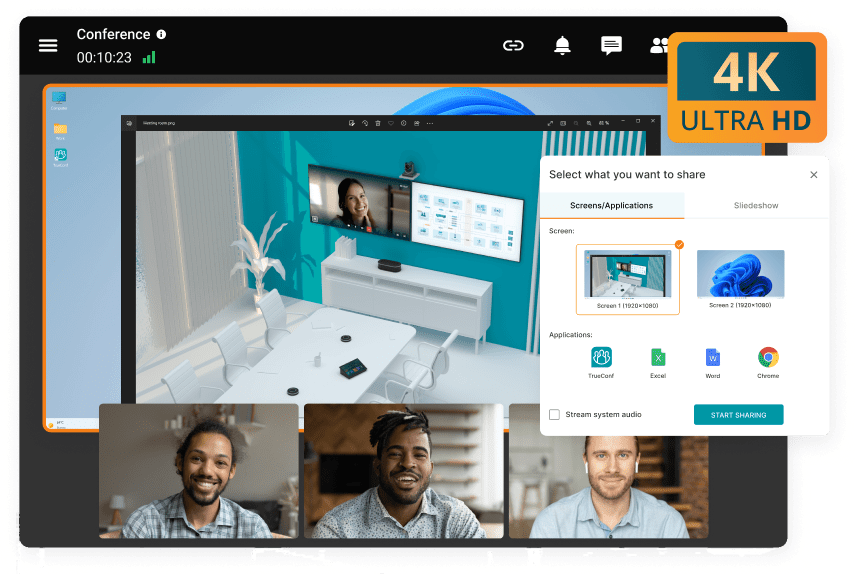
There is no universal replacement for Zoom because companies leave Zoom for different reasons. The best alternative to Zoom is the platform whose architecture, security model, integrations, communications workflows, and operating requirements match the organization’s actual constraints. Generic feature counts are less useful than identifying the problem the replacement needs to solve.
TrueConf ranks highest in our scoring model when infrastructure control is the main requirement. The full version of TrueConf Server can operate autonomously without an internet connection. It supports up to 2,000 participants in a conference, up to 49 simultaneously displayed speakers, personal and group chats, channels, SIP, H.323, WebRTC, LDAP and LDAPS integration, and customer-controlled storage for corporate communications.
Cisco Webex is one of the strongest options when an organization wants a cloud platform with a high-assurance meeting mode. Microsoft Teams is particularly relevant to organizations already centered on Microsoft 365. Pexip stands out when deployment flexibility, air-gapped environments, and interoperability matter. RingCentral fits organizations replacing more than Zoom Meetings, while Google Meet is a natural option for Google Workspace environments.
Executive Summary: Best Zoom Alternatives at a Glance
|
Platform |
Best for |
Deployment model |
Main reason to choose it over Zoom |
Main tradeoff |
Our rating |
|---|---|---|---|---|---|
|
TrueConf |
On-premises, private network |
Offline operation, infrastructure control, messaging, SIP/H.323 |
Customer manages deployment |
4.8/5 |
|
|
Cisco Webex |
Secure enterprise cloud meetings |
Cloud |
Zero Trust E2EE, large meetings, Cisco ecosystem |
Strongest encrypted mode disables several cloud services |
4.7/5 |
|
Microsoft Teams |
Microsoft 365 organizations |
Cloud |
Microsoft 365 integration, messaging, identity |
No conventional self-hosted deployment |
4.6/5 |
|
Pexip |
Government, defense, sovereign and interoperable video |
On-premises, private cloud, public cloud, hybrid, air-gapped |
Deployment flexibility, interoperability, private AI |
More specialized than broad collaboration suites |
4.6/5 |
|
RingCentral |
Cloud |
Calling, meetings, messaging, SMS, AI |
Public-cloud dependency |
4.5/5 |
|
|
Google Meet |
Google Workspace organizations |
Cloud |
Workspace integration and optional client-side encryption |
Limited infrastructure control |
4.4/5 |
|
Dialpad |
AI-driven business communications |
Cloud |
AI transcription and conversation workflows |
Less focused on complex video infrastructure |
4.3/5 |
|
GoTo Meeting |
Conventional business web conferencing |
Cloud |
Straightforward meetings and recording |
Narrower communications scope |
4.2/5 |
|
Jitsi Meet |
Open-source self-hosting |
Self-hosted or hosted |
Open-source architecture and customization |
Greater engineering responsibility |
4.2/5 |
|
Zoho Meeting |
Zoho customers and smaller organizations |
Cloud |
Browser-based meetings and Zoho integration |
Less suitable for complex enterprise video estates |
4.1/5 |
Insight 1. The right Zoom alternative is determined by the constraint that Zoom does not solve.
If the problem is Microsoft 365 duplication, Teams deserves priority. If the problem is infrastructure ownership or offline operation, TrueConf belongs on the shortlist. If the problem is air-gapped interoperability, Pexip is more relevant. Ranking every platform on one generic feature score can hide these fundamentally different buying reasons.
Why Businesses Look for an Alternative to Zoom?
Zoom remains a mature business conferencing platform. Replacing it therefore makes sense only when another product better matches an organization’s security model, IT architecture, communications workflows, or existing software ecosystem. Switching a working communications platform is rarely a small project: it touches calendars, integrations, room hardware, help-desk processes, recurring links, security policies, and user habits.
A company that simply wants another video conferencing interface may gain little from migrating. A company that needs conferencing to remain available without public internet access, preserve existing SIP rooms, consolidate telephony, change its AI processing model, or move communications into customer-controlled infrastructure has a much stronger reason to switch.
You Need More Control Over Communications Infrastructure
For many enterprise buyers, the most important difference between Zoom alternatives is not the interface. It is where the communications infrastructure runs. A SaaS platform can provide strong encryption while still depending on vendor-operated servers, external identity infrastructure, internet connectivity, and the vendor’s data-processing architecture.
A self-hosted video conferencing platform changes that relationship. TrueConf Server can operate completely inside a corporate network without public internet access. Pexip similarly supports on-premises, private-cloud, hybrid, and isolated deployments.
That difference can be decisive for government organizations, industrial enterprises, financial institutions, defense environments, and companies that do not want critical communications to depend on an external conferencing service. It can also matter where WAN connectivity is unreliable or expensive and local communications need to continue despite external connectivity problems.
Your Existing Productivity Suite Already Includes Meetings
An organization using Microsoft 365 may already have Teams available as part of its collaboration environment. A company built around Google Workspace may already have Google Meet integrated into scheduling and identity. Maintaining Zoom alongside these platforms can create additional administrative overhead.
There may be separate user provisioning, policies, meeting links, recordings, training materials, integrations, security reviews, and support processes for a product that duplicates capabilities already present in another enterprise suite. The correct question is not whether Teams or Meet has every Zoom feature. It is whether the operational value of keeping Zoom justifies maintaining another conferencing environment.
You Want Unified Communications Instead of a Standalone Meeting Tool
A meeting platform is often only one layer of corporate communications. Employees may also need business calling, voicemail, persistent chat, SMS, file exchange, presence, customer communications, meeting rooms, and broader collaboration capabilities.
RingCentral combines meetings with business telephony and messaging. Microsoft Teams combines meetings with Microsoft 365 collaboration. Webex sits within a wider Cisco collaboration environment. TrueConf combines conferencing with persistent personal chats, group chats, channels, file exchange, and user presence inside the same customer-operated environment.
For organizations trying to reduce the number of communications vendors, this architecture may matter more than marginal differences in meeting controls. Fewer separate systems can also mean fewer accounts, policies, integrations, administrative consoles, and offboarding workflows to maintain.
You Need Better Support for Existing Video Rooms
An enterprise conferencing migration can become expensive when physical meeting rooms are ignored. Many organizations still operate hardware based on SIP and H.323. Replacing those rooms may require new codecs, cameras, microphones, controllers, licenses, or gateways.
TrueConf Server includes built-in SIP 2.0 and H.323 interoperability and can integrate with PBX systems, MCUs, H.323 gatekeepers, and third-party endpoints. Pexip also places standards-based interoperability at the center of its architecture.
For organizations with a large installed room estate, preserving compatible existing infrastructure can materially affect migration cost and may be more important than a small difference in per-user licensing.
You Need Different AI Capabilities
AI is now part of enterprise communications procurement, but vendors implement it differently. RingCentral and Dialpad emphasize AI across broader calling and conversation workflows. Pexip takes a different architectural approach with customer-controlled AI processing designed for private environments.
This is why “has AI” is not a useful procurement criterion. Buyers should ask where processing occurs, whether meeting data leaves the organization’s environment, whether AI can be disabled, who stores generated outputs, what retention rules apply, and whether meeting content is used to improve models.
You Are Trying to Reduce IT and Help-Desk Overhead
Every additional meeting platform adds an update cadence, outage notifications, security advisories, license administration, training materials, and support tickets. IT teams should therefore evaluate how much a Zoom alternative consolidates versus fragments the tools employees already use.
Insight 2. The migration cost often sits outside the meeting application.
The expensive parts of a Zoom replacement can be room hardware, identity integration, calendar workflows, recurring links, recording migration, help-desk retraining, PBX integration, and user transition. A platform with a higher license price can therefore produce a lower overall migration cost if it preserves more of the existing environment.
What Makes a Good Zoom Alternative?

A good Zoom alternative needs to do more than support video conferencing features. Enterprise buyers should evaluate meeting quality, external joining, identity, recording, collaboration, mobile access, infrastructure integration, security modes, administration, and how the product behaves when dependencies fail.
Video Quality Should Be Tested Under Real Network Conditions
Most major business conferencing platforms can deliver good video when bandwidth is plentiful. The more meaningful test is what happens when network conditions deteriorate.
Remote users may be connected over Wi-Fi. Branch offices may route conferencing traffic through VPN. Mobile workers can switch between Wi-Fi and cellular connections. International meetings may cross several network providers.
A proper pilot should therefore include packet loss, limited bandwidth, mobile users, VPN traffic, large gallery layouts, screen sharing, and longer meetings. Stable audio is generally more important to business continuity than preserving the highest possible video resolution.
External Joining Deserves a Separate Test
Internal employees and external guests have different requirements. Employees usually have managed devices, installed software, authenticated corporate accounts, and calendar integration.
Customers, candidates, suppliers, and partners may join from unmanaged devices and may never have used the platform before. Test browser joining, account requirements, waiting rooms, identity verification, guest permissions, mobile joining, and what happens when the external participant’s organization blocks software installation.
Recording Is a Data Governance Issue
Recording should not be evaluated as a simple yes-or-no feature. A recording can generate the media file, transcript, meeting chat, participant list, captions, AI summary, and metadata. Buyers should determine where these artifacts are stored, how long they remain available, who can download them, whether administrators can disable recording, and which retention policies can be applied.
Stronger encryption modes can also disable server-side functions that require access to meeting content. Security teams and operational teams therefore need to agree which workflows need maximum content isolation and which depend on transcription, cloud recording, browser participation, telephony, or AI.
Administrative Depth Determines Long-Term Operating Cost
A platform that looks simple during a trial can become time-consuming at scale. Buyers should test bulk provisioning, directory synchronization, department policies, admin roles, audit logs, SIEM integration, license assignment, user offboarding, room management, and API coverage.
|
Evaluation area |
What to test |
Failure that a feature list may miss |
|---|---|---|
|
Network quality |
Packet loss, VPN, limited bandwidth, long meetings |
Audio degradation or unstable clients under sustained load |
|
External guests |
Browser, unmanaged device, guest identity |
Customers cannot join without installing software or creating accounts |
|
Recording |
Storage, transcripts, AI outputs, retention |
Sensitive artifacts persist outside approved governance rules |
|
Administration |
Provisioning, roles, policies, logging |
Manual processes create recurring IT workload |
|
Failure behavior |
Internet, identity provider, server, WAN failure |
The platform is unavailable precisely when communications are most important |
1. TrueConf: Best Alternative to Zoom for Self-Hosted Enterprise Communications

Our rating: 4.8/5
TrueConf is our top Zoom alternative when replacing Zoom is primarily an infrastructure decision.
The full version of TrueConf Server is designed to operate autonomously without requiring an internet connection. Organizations can keep conferencing, chats, files, and recordings under their own infrastructure policies.
Why Choose TrueConf Instead of Zoom?
The primary argument for TrueConf in this comparison is deployment control.
An organization can determine where the server runs, which networks can reach it, which administrators can manage it, how users are authenticated, where recordings are stored, and whether the conferencing environment is connected to the public internet.
TrueConf can also be deployed inside isolated local networks. This matters where communication architecture is constrained by regulation, internal policy, operational requirements, or unreliable external connectivity.
Video Conferencing Capacity
TrueConf Server supports multipoint conferences with up to 2,000 participants, with up to 49 speakers displayed simultaneously. That makes it suitable for group video conferences, large internal meetings, training, all-hands sessions, and enterprise-wide communications.
TrueConf also supports conference streaming through RTSP, allowing organizations to extend the audience through external streaming infrastructure where required. This can be useful for internal town halls or training events where only part of the audience needs to interact directly.
Enterprise Messaging
TrueConf is broader than a meeting application. It provides personal chats, group chats, channels, file exchange, presence, and persistent corporate communication alongside video conferencing.
This is relevant when messaging and meetings need to follow the same infrastructure and data-control policies. Corporate chat content can be as sensitive as meeting content, although it is sometimes overlooked when organizations evaluate only video security.
SIP and H.323 Interoperability
TrueConf includes SIP 2.0, H.323, and RTSP interoperability. The server can connect to compatible third-party hardware endpoints, PBX systems, H.323 gatekeepers, MCUs, and other standards-based systems.
Instead of replacing every room, administrators may be able to integrate existing endpoints into the new environment. For enterprises with established conference-room infrastructure, this can preserve years of hardware investment while changing the software layer.
Encryption and Security Architecture
TrueConf uses encrypted media and signaling mechanisms across its communications stack, including protection for native media, WebRTC, SIP, and H.323 scenarios.
It is important to distinguish this model from application-level meeting E2EE architectures such as Webex Zero Trust. TrueConf’s primary security differentiator in this comparison is the combination of encrypted communication protocols with customer-controlled deployment and the ability to keep the core conferencing environment within the organization’s own network.
Infrastructure ownership does not eliminate software, configuration, update, integration, or administrative risks, but it changes who operates the core communication environment and where the organization can enforce network and storage policies.
Identity and Administration
TrueConf supports LDAP and LDAPS integration with enterprise directory environments, including common directory platforms. Administrators can control access to server administration and assign different administrative roles.
This matters at enterprise scale because conferencing accounts and privileges can remain tied to existing identity infrastructure rather than becoming a separate user directory that has to be maintained manually.
Licensing and Getting Started
Organizations can use TrueConf Server Free as an entry point for testing customer-hosted deployment. A pilot can validate LAN operation, directory integration, meeting workflows, network behavior, and standards-based video interoperability before a larger deployment is approved.
When TrueConf Is the Best Choice?
TrueConf is particularly relevant when the organization needs self-hosted conferencing, autonomous LAN operation, enterprise messaging, standards-based video integration, and direct control over communications infrastructure. It is also relevant when public-cloud dependency itself is the problem that needs to be solved.
When TrueConf May Not Be the Best Choice?
Self-hosting increases customer responsibility. Organizations need to manage infrastructure sizing, security updates, redundancy, monitoring, backups, network policies, server hardening, and capacity planning.
A company that wants the vendor to operate the entire service and already runs primarily inside Microsoft 365 or Google Workspace may find Teams or Google Meet operationally simpler.
Best for: organizations requiring self-hosting, LAN operation, enterprise messaging, SIP/H.323 interoperability, and direct infrastructure control.
Strengths: autonomous operation, customer-controlled server architecture, integrated conferencing and messaging, enterprise directory integration, and standards-based interoperability.
Limitations: self-hosting increases customer responsibility for infrastructure sizing, monitoring, backups, updates, redundancy, capacity, and server security.
Boost your team’s productivity with TrueConf Server Free!
Insight 3. Self-hosting is not simply a security feature; it is a transfer of operational responsibility.
TrueConf can reduce dependence on vendor-operated communication infrastructure, but the organization then owns more of the availability, patching, backup, monitoring, network design, and recovery process. Buyers should evaluate infrastructure control and operational capacity together rather than treating self-hosting as an automatic improvement.
2. Cisco Webex: Best for Zero Trust Enterprise Cloud Meetings
Our rating: 4.7/5
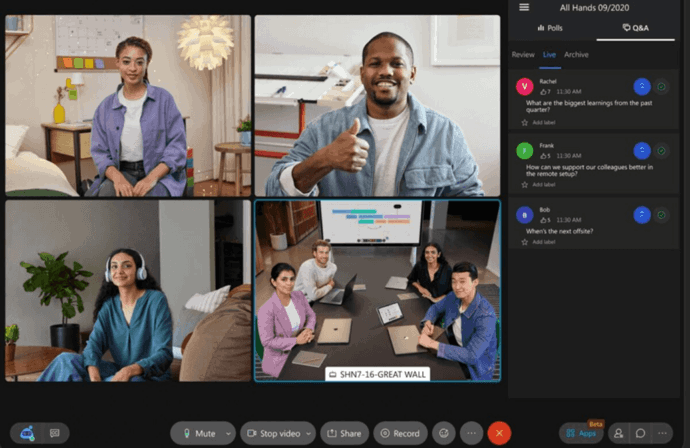
Cisco Webex is one of the higher-rated enterprise cloud alternatives in this comparison for organizations that want to remain cloud-first while gaining enterprise meeting controls and a high-security meeting mode.
Webex Zero Trust E2EE
Webex Zero Trust E2EE uses a model in which meeting encryption keys are handled by meeting participants rather than remaining available to the Webex service. This changes the threat model compared with an ordinary cloud meeting.
The mode supports large enterprise meetings and is designed for organizations that need stronger content isolation while retaining a vendor-operated conferencing service.
The Tradeoff of Stronger Encryption
Webex Zero Trust E2EE illustrates an important secure-conferencing tradeoff: the more completely meeting content is isolated from the cloud service, the fewer server-side functions the cloud can provide.
The strongest protected mode can restrict cloud recording, cloud transcription, automated notes, AI features, PSTN participation, SIP devices, and browser participation. Buyers should test these restrictions before making Zero Trust E2EE the default corporate meeting mode.
A practical operating model may be to reserve Zero Trust meetings for sensitive discussions while using standard Webex meetings when cloud transcription, browser access, PSTN, or other server-side services are required.
Identity Verification
Webex also emphasizes participant identity verification in its protected meeting workflows. This is particularly relevant for executive, legal, government, or regulated meetings where verifying who is in the meeting matters in addition to encrypting media.
Broader Webex Suite
Beyond meetings, Webex sits inside a broader Cisco collaboration ecosystem including calling, messaging, devices, and room hardware. Enterprises already using Cisco networking, telephony, and conferencing equipment may find that Webex fits existing procurement and support relationships more naturally than an unrelated vendor.
Webex vs. TrueConf
Webex and TrueConf solve different security requirements. Webex provides a vendor-operated cloud platform with a strong application-level E2EE meeting mode. TrueConf allows the conferencing infrastructure itself to remain inside customer-controlled infrastructure.
Organizations comfortable with cloud operation but requiring protected meetings may prefer Webex. Organizations whose security policy requires the server itself to remain inside the corporate network should prioritize TrueConf.
Best for: cloud-first enterprises requiring high-assurance meeting modes and Cisco ecosystem integration.
Strengths: enterprise cloud administration, protected meeting modes, identity controls, and broader Cisco collaboration integration.
Limitations: stronger encryption modes can remove cloud-dependent features and alter browser, telephony, and room interoperability workflows.
3. Microsoft Teams: Best Zoom Alternative for Microsoft 365 Organizations
Our rating: 4.6/5
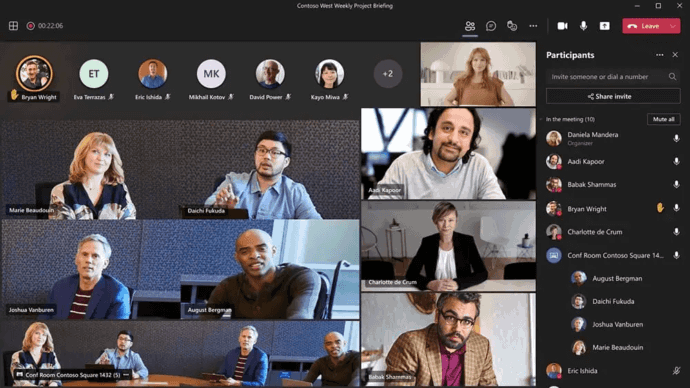
Microsoft Teams is particularly relevant for organizations where Microsoft 365 already provides identity, email, calendars, files, productivity applications, and collaboration.
The value of Teams comes from its ecosystem rather than video conferencing alone.
Microsoft 365 Integration
Teams meetings coexist with Microsoft Entra identity, Outlook scheduling, SharePoint, OneDrive, Teams channels, and Microsoft 365 applications. This can reduce application duplication and simplify user lifecycle management.
The argument becomes stronger when an organization is already paying for Teams-capable Microsoft licenses and would otherwise maintain a separate Zoom environment for substantially overlapping workflows.
Standard Meeting Capacity
Teams meeting limits vary according to licensing and meeting type. Procurement teams should therefore verify the specific plan and use case rather than relying on a single global participant limit.
End-to-End Encrypted Meetings
Teams Premium provides E2EE for sensitive meetings. The important point for enterprise buyers is that an end-to-end encrypted Teams meeting is not functionally identical to a standard Teams meeting.
Web participants, VDI users, and some interoperability scenarios cannot participate in the same way. Server-side features that need access to meeting content are also affected. Organizations relying heavily on browser participation or third-party room interoperability should test those workflows directly.
Sensitive Meeting Controls
Teams Premium also provides controls such as sensitivity labels, meeting templates, watermarks, recording and transcription restrictions, and policies that can differentiate sensitive meetings from ordinary collaboration.
Migration Tooling
Teams is often adopted by organizations already inside Microsoft 365, which can simplify parts of a migration because the target identity, calendar, productivity, and file ecosystem already exists. However, recurring meeting links, embedded integrations, recordings, and room workflows still need to be identified and migrated deliberately.
Teams vs. TrueConf
Teams is a better fit when the company wants communications integrated tightly into Microsoft 365. TrueConf is a better fit when conferencing must run inside customer infrastructure without dependency on Microsoft’s cloud. The difference is architectural rather than simply functional.
Best for: organizations already standardized on Microsoft 365.
Strengths: Microsoft ecosystem integration, identity lifecycle alignment, meetings, messaging, files, calling, and centralized administration.
Limitations: dependence on Microsoft’s cloud architecture and additional restrictions when stronger E2EE modes are enabled.
4. Pexip: Best for Sovereign Infrastructure and Interoperability
Our rating: 4.6/5
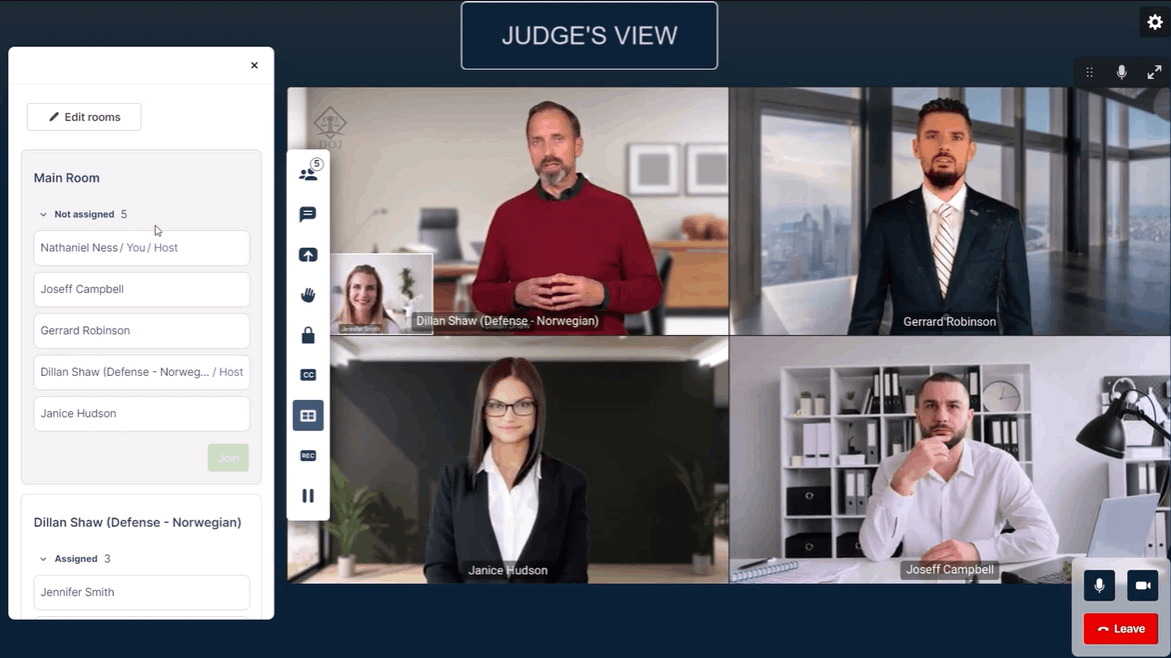
Pexip is a strong alternative to Zoom when conferencing has to operate in infrastructure that conventional SaaS meeting platforms cannot easily address. Its deployment options include on-premises, private-cloud, public-cloud, hybrid, and isolated environments.
Why Choose Pexip Instead of Zoom?
Pexip is particularly relevant when the organization’s conferencing architecture includes existing room systems, sovereign hosting requirements, restricted networks, or collaboration across different video platforms.
This makes Pexip relevant in government, defense, healthcare, financial services, and large enterprises with mature VTC infrastructure.
Air-Gapped Operation
Pexip explicitly addresses deployments where conferencing infrastructure must operate without public-network dependency. This is a substantially different requirement from simply selecting a regional cloud location.
Cross-Platform Interoperability
A major Pexip differentiator is its role as an interoperability layer. It can bridge standards-based SIP/H.323 systems with modern collaboration environments, which can be valuable where organizations cannot realistically standardize every room, partner, or department on one conferencing platform.
Private AI
Pexip also represents a different AI architecture from conventional cloud AI. Its private AI positioning is relevant where meeting data should remain inside customer-controlled infrastructure rather than being processed by a separate external service.
Pexip vs. TrueConf
Both products address private infrastructure and standards-based conferencing. TrueConf is broader as an employee communications platform because it combines conferencing with persistent messaging. Pexip is particularly relevant where interoperability, sovereign deployment, isolated infrastructure, and complex existing video estates are the primary concerns.
Best for: sovereign deployment, air-gapped conferencing, complex VTC estates, and cross-platform interoperability.
Strengths: deployment flexibility, interoperability, isolated environments, and controlled AI architecture.
Limitations: more specialized around video infrastructure and interoperability than broad employee collaboration suites.
5. RingCentral: Best Alternative for Unified Communications

Our rating: 4.5/5
RingCentral is a strong Zoom alternative when the goal is to consolidate several communication systems rather than replace only video meetings.
Why Choose RingCentral Instead of Zoom?
RingCentral becomes more attractive when an organization is also reviewing its business phone system. Instead of operating separate vendors for meetings, telephony, messaging, and SMS, companies can consolidate several channels into one cloud communications environment.
This can simplify user management, workflows, vendor contracts, integrations, and support processes.
Integrations
RingCentral provides a broad integration ecosystem. The useful procurement question is not how many integrations exist in total, but whether the platform connects to the organization’s CRM, customer service tools, identity systems, workflow automation, and business applications.
Reliability
RingCentral advertises high availability for its communications service. Buyers should nevertheless review the actual contractual terms that apply to their region, subscription, and service configuration rather than treating a marketing availability figure as universally identical to the contractual SLA.
AI
RingCentral integrates AI into broader communications workflows including calls, transcripts, notes, translation, and writing assistance. This makes it particularly relevant when the AI requirement extends beyond scheduled video meetings.
Best Fit by Team Type
RingCentral can be particularly relevant to sales, support, and customer-facing teams because the same communications environment can cover calling, messaging, SMS, and scheduled video meetings.
Organizations without a meaningful business-calling requirement may find that some of this broader UC functionality goes unused, in which case a more focused meeting platform may be simpler.
RingCentral vs. TrueConf
RingCentral is better suited to cloud-first UCaaS consolidation. TrueConf is better suited where customer-operated infrastructure itself is a mandatory requirement.
Best for: cloud-first organizations consolidating calling, meetings, messaging, and SMS.
Strengths: broad UCaaS scope, telephony, integrations, and AI across business communications.
Limitations: organizations primarily seeking private infrastructure or offline conferencing need a different architecture.
6. Google Meet: Best Zoom Alternative for Google Workspace
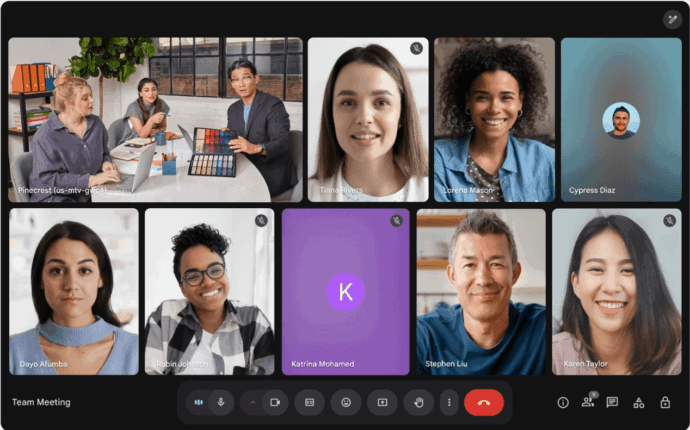
Our rating: 4.4/5
Google Meet is a natural Zoom replacement for companies already centered on Google Workspace. Meet integrates with Google Calendar, Gmail, Workspace identity, and the wider Google productivity environment.
Standard Encryption
Google Meet protects standard meeting traffic within Google’s service architecture. For many cloud-first organizations, that model is sufficient, but organizations that require tighter key control have another option.
Client-Side Encryption
Google Workspace client-side encryption provides an architecture in which meeting media is encrypted using organization-controlled key infrastructure rather than relying entirely on the standard service model.
That stronger key-control model requires additional identity and key-management planning, so it should be treated as a separate deployment architecture rather than as a checkbox on ordinary Meet calls.
External Participation in Encrypted Meetings
Stronger client-side encryption changes external guest workflows. Organizations need to test invitations, identity, external users, and authentication rather than assuming guests will experience the same low-friction joining process as ordinary Meet meetings.
Ease of Adoption
For standard meetings, organizations already using Google Workspace can often adopt Meet with relatively little administrative friction. Calendar integration and browser-based guest joining are important advantages when ease of participation matters more than customer-operated infrastructure.
Google Meet vs. TrueConf
Google Meet is particularly relevant when the organization already trusts and uses Google Workspace as its primary cloud environment. TrueConf is more relevant where the conferencing server must remain under customer control.
Best for: Google Workspace organizations and browser-oriented collaboration.
Strengths: low-friction joining, Workspace integration, familiar browser workflows, and optional stronger key-control models for eligible deployments.
Limitations: the core meeting service remains cloud-operated and stronger encryption configurations add identity and key-management complexity.
7. Dialpad: Best for AI-Driven Business Communications
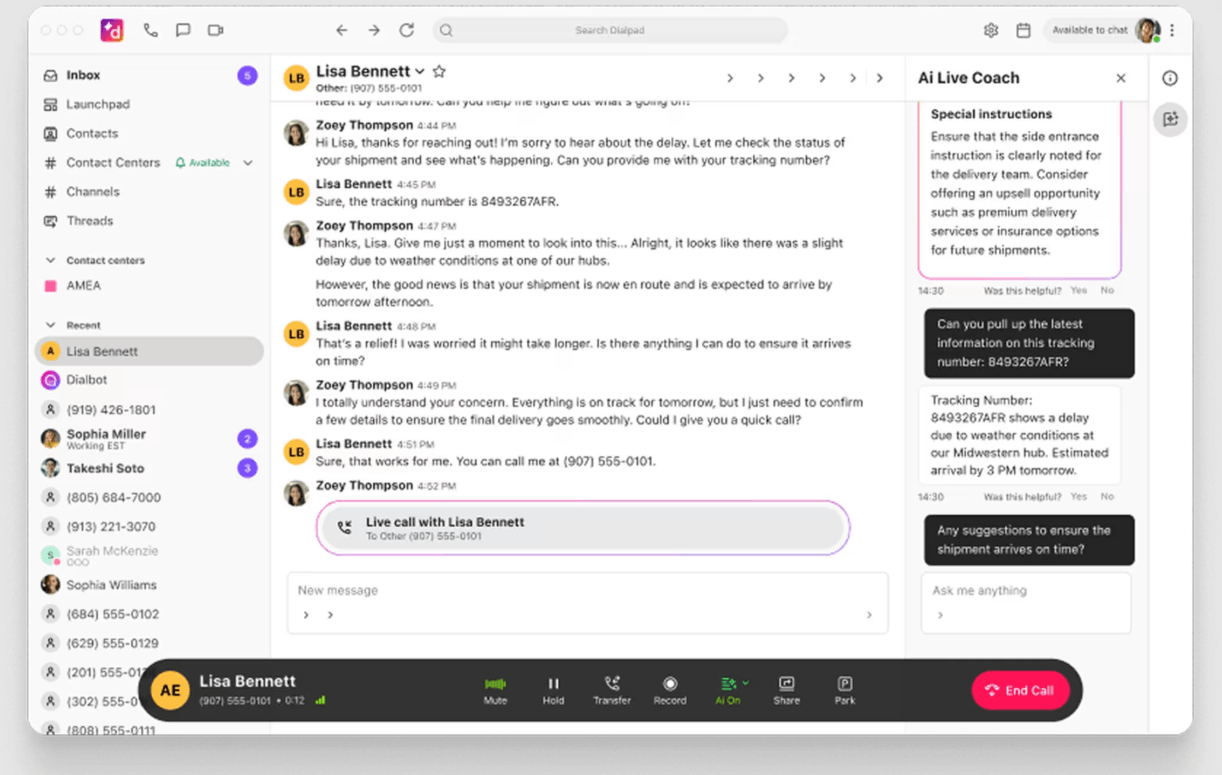
Our rating: 4.3/5
Dialpad is an alternative to Zoom for organizations evaluating meetings together with business calling and AI-assisted conversation workflows. Its differentiation is less about complex video infrastructure and more about cloud communications and conversation intelligence.
Meeting Security
Dialpad uses encrypted communication protocols for conferencing and provides standard meeting controls such as waiting rooms, participant management, screen-sharing controls, and meeting passwords.
Why Choose Dialpad?
Dialpad is particularly relevant for sales, support, customer success, and other teams where meetings are only one type of business conversation. Its AI positioning focuses on transcription, summaries, and extracting useful information from communications.
For customer-facing teams working primarily in CRM and telephony workflows, these functions may be more relevant than advanced meeting-room interoperability.
Where Dialpad Is Less Suitable?
Dialpad remains a public-cloud communications platform. Organizations whose priority is isolated deployment, self-hosted conferencing, or established SIP/H.323 room infrastructure should prioritize products such as TrueConf or Pexip.
Best for: AI-oriented cloud communications and customer-facing teams.
Strengths: conversation intelligence and integration of meetings with broader calling workflows.
Limitations: less suitable when the primary requirement is air-gapped deployment, self-hosting, or established SIP/H.323 infrastructure.
8. GoTo Meeting: Best for Conventional Business Web Conferencing

Our rating: 4.2/5
GoTo Meeting remains relevant for companies that want straightforward hosted conferencing without replacing their wider communications environment. Its value is simplicity.
Security
GoTo Meeting uses encrypted communication for meeting traffic and protects cloud-stored recordings and related service data. These concrete characteristics are more useful to buyers than a generic “secure meetings” label.
Where GoTo Meeting Fits?
GoTo Meeting makes sense when a business wants conventional SaaS conferencing and does not need customer-hosted infrastructure, deep VTC interoperability, or a broader communications transformation.
It becomes less differentiated when the buyer is looking for a full replacement for meetings, messaging, telephony, room systems, and enterprise communications at the same time.
Best for: conventional SaaS conferencing.
Strengths: familiar web-conferencing model and a narrower operational scope.
Limitations: less differentiated when the buyer needs self-hosting, complex VTC interoperability, persistent enterprise communications, or broader UC consolidation.
9. Jitsi Meet: Best Open-Source Zoom Alternative
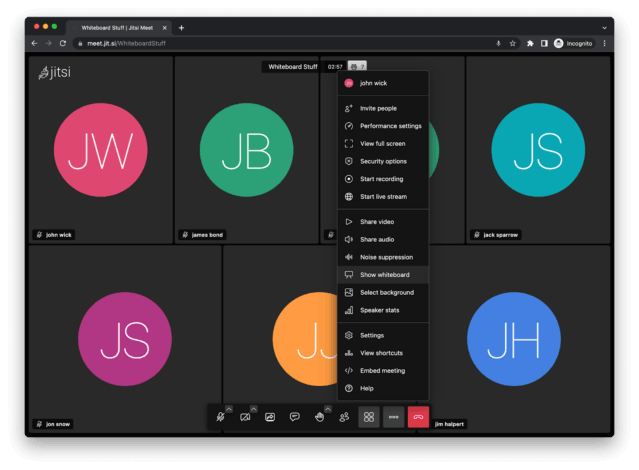
Our rating: 4.2/5
Jitsi Meet remains one of the best-known open-source alternatives to Zoom. Its main advantage is that organizations can deploy and customize an open-source conferencing stack themselves.
Why Jitsi Is Different?
Jitsi is appropriate for technical teams that want control over the conferencing software itself. This can be useful for custom applications, embedded conferencing, research environments, internal services, or organizations with engineering resources.
Self-Hosting Comes With Responsibility
Operating Jitsi in production requires more than installing the software. The organization becomes responsible for authentication, network configuration, scaling, monitoring, redundancy, TURN services, backups, upgrades, security hardening, and incident response.
This creates a different operating model from TrueConf. Jitsi provides an open-source conferencing foundation, while TrueConf provides a commercially packaged enterprise communications environment with messaging, centralized administration, directory integration, and SIP/H.323 interoperability.
E2EE Should Be Tested Against the Actual Deployment
Jitsi has documented end-to-end encryption capabilities, but enterprise buyers should validate current browser, client, and participant limitations directly against the version they intend to deploy. Open-source availability does not mean every client or security mode behaves identically.
Best for: technical organizations that explicitly want an open-source conferencing stack.
Strengths: open-source architecture, customization, and self-hosting.
Limitations: substantial engineering and operational responsibility compared with packaged enterprise platforms.
10. Zoho Meeting: Best for Zoho Customers and Smaller Organizations

Our rating: 4.1/5
Zoho Meeting is best understood as a cloud meeting and webinar platform that gains additional value when the organization already uses Zoho applications.
Why Choose Zoho Meeting?
The platform is most relevant when meetings are part of a wider Zoho workflow involving CRM, customer communication, sales, or other Zoho business applications. This can reduce integration overhead for organizations already committed to the Zoho ecosystem.
Where Zoho Meeting Is Less Suitable?
Zoho Meeting is not the strongest choice for organizations that need air-gapped deployment, SIP/H.323 infrastructure, complex room interoperability, or customer-operated conferencing servers. Those requirements are better aligned with TrueConf or Pexip.
Best for: smaller organizations and companies already using the Zoho ecosystem.
Strengths: browser-oriented meetings and integration with existing Zoho business workflows.
Limitations: not the strongest fit for isolated deployment, complex SIP/H.323 estates, or customer-operated conferencing infrastructure.
Secure Zoom Alternatives: What Security Actually Means

Security should be divided into separate layers. A product that performs well in one layer may not satisfy another. Treating security as a single checkbox is a common mistake in enterprise procurement.
|
Security layer |
Question it answers |
Why it is different? |
|---|---|---|
|
Transport encryption |
Is communication protected while moving across networks? |
Does not by itself define who operates or can process server-side media |
|
Application-level E2EE |
Can intermediary infrastructure access usable meeting content? |
Often reduces server-side features |
|
Infrastructure ownership |
Who operates the conferencing servers? |
Changes data path, administrative control, and operational responsibility |
|
Endpoint security |
Can participant devices expose the meeting? |
Strong server security cannot protect a compromised endpoint |
|
Identity and governance |
Who may join, administer, record, or retrieve data? |
Controls organizational access rather than only cryptography |
Encryption in Transit
Transport encryption protects communications while they move across networks. TrueConf, Dialpad, GoTo Meeting, and other business conferencing products all use encrypted protocols, but transport encryption alone does not determine where data is processed or whether provider infrastructure can handle usable meeting content.
End-to-End Encryption
Application-level E2EE addresses a different problem: limiting intermediary access to usable meeting content. Webex Zero Trust, Microsoft Teams E2EE, and Google Meet client-side encryption use different approaches and should not be treated as interchangeable.
Infrastructure Ownership
Self-hosting solves another problem entirely: who operates the server. TrueConf and Pexip are the main customer-controlled infrastructure options in this comparison, but they target different operating models and interoperability requirements.
Endpoint and Client Security
Even strong network or application encryption cannot prevent data exposure from a compromised participant device. Sensitive meeting policies should therefore include device management, supported client versions, endpoint patching, screen-sharing controls, recording controls, and administrator policies.
Insight 4. “More secure” is meaningless until the buyer defines which security boundary matters.
Webex Zero Trust, Google client-side encryption, TrueConf self-hosting, Pexip isolated deployment, and managed endpoint controls solve different problems. The correct comparison is not which platform has the strongest security label, but which architecture controls the risk the organization actually needs to reduce.
Compliance and Certifications: Do Not Treat Logos as a Security Shortcut

Enterprise Zoom-alternative guides frequently compare HIPAA, SOC 2, GDPR, FedRAMP, ISO certifications, and other compliance claims. These can be useful procurement filters, but they do not mean the same thing and they do not automatically make a particular meeting configuration compliant.
SOC 2 and ISO Certifications
SOC 2 reports and ISO certifications can provide evidence that a vendor operates defined information-security and control processes. Procurement teams should verify the exact legal entity, services, infrastructure, and audit scope covered rather than relying only on a logo.
HIPAA
A product being described as suitable for HIPAA-regulated workflows does not make every customer deployment compliant. Healthcare organizations need to review contractual scope, configuration, recordings, transcripts, access, retention, and their own operating procedures.
FedRAMP and Government Authorizations
Government authorizations are more specific than a general statement that a vendor works with government customers. Where a particular authorization is mandatory, buyers need to verify the exact authorized service, deployment environment, and applicable impact level.
GDPR and Data Residency
GDPR is a legal framework rather than a product certification. Buyers should examine controller and processor roles, data-processing arrangements, subprocessors, international transfers, retention, deletion, auditability, recordings, transcripts, AI outputs, and support data.
Practical rule: map every compliance requirement to the exact product edition, deployment model, security mode, contractual arrangement, and data flow that will actually be used.
Security Comparison of Zoom Alternatives
The previous table explains the main security models. The comparison below shows how those models translate into individual Zoom alternatives and highlights the architectural differences buyers need to validate during procurement.
|
Platform |
Customer-hosted option |
Protected meeting model |
Offline or isolated operation |
Enterprise identity |
SIP/H.323 |
|---|---|---|---|---|---|
|
TrueConf |
Yes |
Encrypted protocols with customer-controlled deployment |
Yes |
LDAP/LDAPS |
Yes |
|
Webex |
No conventional full self-hosted Meetings model |
Zero Trust E2EE available |
No for standard cloud service |
Yes |
Restricted in strongest E2EE mode |
|
Microsoft Teams |
No conventional self-hosted deployment |
E2EE for eligible meetings |
No |
Microsoft Entra ID |
Interoperability depends on configuration; strongest E2EE mode restricts CVI |
|
Pexip |
Yes |
Deployment-dependent controls |
Yes |
Enterprise identity integrations |
Yes |
|
RingCentral |
No conventional self-hosted RingEX model |
Cloud security architecture |
No |
Enterprise identity options |
Service-dependent |
|
Google Meet |
No |
Client-side encryption for eligible environments |
No |
Google Workspace identity plus CSE identity configuration |
Not a primary VTC model |
|
Dialpad |
No |
Encrypted cloud meetings |
No |
Enterprise identity options |
Not a primary use case |
|
GoTo Meeting |
No |
Encrypted cloud conferencing |
No |
Enterprise authentication options |
Not a primary use case |
|
Jitsi |
Yes |
E2EE available with client considerations |
Possible when self-hosted |
Deployment-dependent |
More limited than TrueConf/Pexip for enterprise VTC interoperability |
|
Zoho Meeting |
No |
Cloud security architecture |
No |
Zoho and supported enterprise identity |
Not a primary use case |
Cloud vs. Self-Hosted Zoom Alternatives
Deployment model should be selected before comparing minor interface features. The key distinction is which responsibilities remain with the provider and which move to the customer.
|
Factor |
Cloud alternative |
Self-hosted alternative |
|---|---|---|
|
Infrastructure operation |
Primarily vendor-operated |
Primarily customer-operated |
|
Internet dependency |
Usually required |
Can be reduced or eliminated depending on product |
|
Updates |
Vendor manages core service |
Customer controls deployment timing |
|
Data-location control |
Depends on vendor architecture and options |
Customer selects hosting environment |
|
Operational burden |
Lower infrastructure responsibility |
Higher infrastructure responsibility |
|
Failure ownership |
Shared with provider |
More directly controlled by customer architecture |
Best Zoom Alternative for AI-Sensitive Organizations
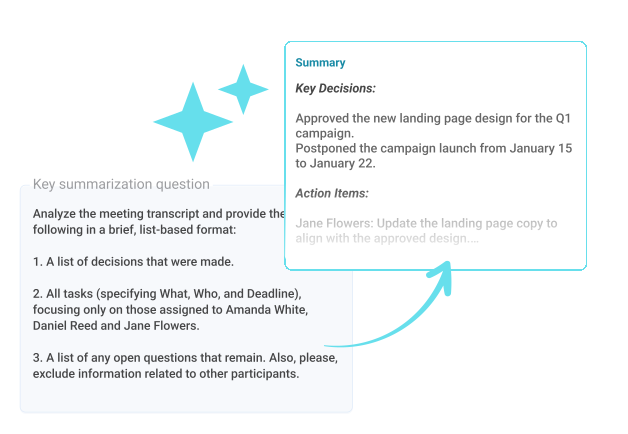
AI capabilities should be evaluated as a data-processing architecture rather than a convenience feature.
An AI-sensitive organization should ask:
- Is AI processing enabled by default or opt-in?
- Can administrators disable it at tenant level?
- Where do audio, video, transcripts, and summaries travel?
- Who stores AI-generated output?
- Is meeting content used to improve models?
- Can administrators determine which meetings had AI enabled?
A vendor that cannot answer these questions clearly introduces additional uncertainty regardless of how capable its AI features appear during a demonstration.
Best Zoom Alternative for Existing Meeting Rooms
A migration project should inventory room infrastructure before selecting enterprise meeting software. Existing equipment can include dedicated codecs, cameras, microphones, displays, room controllers, PBX systems, SIP trunks, and standards-based SIP or H.323 endpoints.
TrueConf supports SIP and H.323 interoperability through its built-in gateway. Pexip also explicitly supports standards-based video systems and cross-platform interoperability.
These platforms should therefore be evaluated early when room preservation is a priority.
Insight 5. Existing meeting rooms are part of the software decision.
A Zoom replacement that requires a complete room refresh may cost substantially more than one that reuses existing SIP/H.323 equipment. Room interoperability should therefore be a mandatory architectural filter before licensing comparisons begin.
Best Zoom Alternatives by Business Requirement
|
Requirement |
Best options |
Why |
|---|---|---|
|
Self-hosted conferencing |
TrueConf, Pexip, Jitsi |
Customer controls the server environment |
|
Offline internal communications |
TrueConf |
Server can run autonomously without public internet |
|
Air-gapped conferencing |
Pexip |
Designed for isolated deployment scenarios |
|
Microsoft 365 integration |
Microsoft Teams |
Native Microsoft ecosystem |
|
Google Workspace integration |
Google Meet |
Native Google ecosystem |
|
Unified communications |
RingCentral, Teams, TrueConf, Webex |
Meetings plus additional communication channels |
|
Existing SIP/H.323 rooms |
TrueConf, Pexip |
Standards-based interoperability |
|
High-assurance cloud E2EE |
Webex |
Dedicated protected meeting mode |
|
Customer-controlled meeting keys |
Google Meet CSE |
Organization-controlled key architecture |
|
Private AI |
Pexip |
Customer-controlled AI processing model |
|
Open-source conferencing |
Jitsi |
Open-source deployment |
|
AI-driven calling |
RingCentral, Dialpad |
AI across broader communication workflows |
|
Low administrative overhead for SMBs |
Google Meet, Zoho Meeting |
Browser-first deployment and ecosystem integration |
Best Zoom Alternatives by Company Type
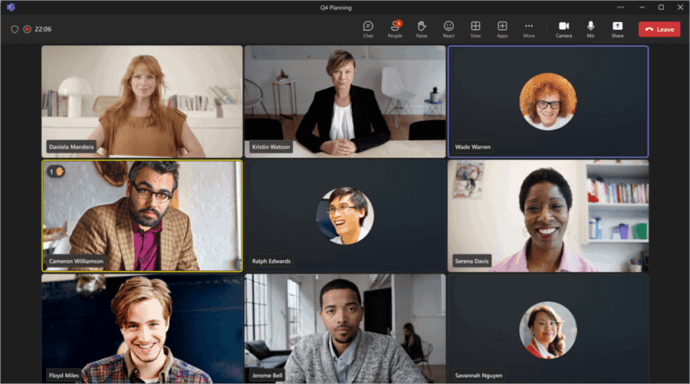
Large Enterprises
Large enterprises should prioritize administration, identity integration, policies, recording governance, meeting rooms, reliability, interoperability, and supplier dependencies.
TrueConf, Teams, Webex, RingCentral, and Pexip are the strongest candidates in this comparison, but their architectures differ significantly. TrueConf and Pexip are more relevant when customer-controlled deployment matters, while Teams, Webex, and RingCentral fit organizations comfortable with provider-operated cloud communications.
Small and Medium Businesses
Smaller businesses usually care more about low administrative overhead and integration with systems they already use. Google Meet fits Google Workspace environments, Teams fits Microsoft 365, Zoho Meeting fits Zoho-centric organizations, while GoTo Meeting addresses straightforward business conferencing.
Organizations that still need customer-hosted conferencing can evaluate TrueConf Server Free as an entry point for testing infrastructure control before adopting a larger deployment.
Government and Defense
Government and defense organizations often begin with deployment architecture rather than user interface. Requirements may include isolated networks, sovereign deployment, controlled AI processing, SIP/H.323 interoperability, auditability, and direct infrastructure ownership.
TrueConf is relevant for autonomous on-premises communications. Pexip deserves consideration when isolated operation, interoperability, and private AI are central requirements. Webex can fit environments where a cloud model with a strong protected meeting mode meets policy requirements.
Financial Services
Financial organizations should pay particular attention to recording governance, privileged administration, encryption, identity, external participants, data location, AI processing, and retention.
The correct product may differ according to communication sensitivity. A company can use one platform for ordinary collaboration and a more controlled environment for selected meetings if that split is deliberate and documented.
Healthcare and Life Sciences
Healthcare and life-sciences organizations can have different communication requirements for patient-facing meetings, internal clinical communication, research, administration, and sensitive data discussions. The platform needs to be evaluated in the context of the exact workflow rather than assuming one security or compliance label covers all use cases.
Manufacturing and Industrial Enterprises
Manufacturing environments may operate under network segmentation policies that separate production, OT, corporate IT, and public internet access. TrueConf’s autonomous LAN model and Pexip’s isolated deployment options are particularly relevant when communications must remain available inside restricted networks.
Mobile Meetings: What to Test?
Mobile conferencing should be evaluated separately from desktop meetings. A realistic test should include movement between Wi-Fi and cellular connectivity, Bluetooth headsets, incoming phone calls, screen sharing, chat, host controls, and reconnection after a network interruption.
Administrators should also verify whether hosts can manage meetings effectively from mobile devices rather than simply participate.
|
Platform |
Mobile strength to test |
|---|---|
|
Webex |
Meeting controls, chat, collaboration, audio processing |
|
Microsoft Teams |
Continuity between meetings, chat, files, and Microsoft 365 workflows |
|
Google Meet |
Calendar joining, browser workflows, captions, external guest simplicity |
|
TrueConf |
Corporate conferencing and messaging under private-network policies |
|
RingCentral |
Calling, SMS, and meeting workflows in the same mobile communications environment |
Reliability and Business Continuity
Reliability is not only an uptime percentage. Cloud services can provide extensive global redundancy but depend on public connectivity and external service availability. Self-hosted platforms remove some external dependencies but transfer resilience planning to the customer.
An enterprise evaluation should ask:
- What happens if internet connectivity is lost?
- What happens if the identity provider is unavailable?
- Can internal users still communicate?
- How does the platform behave if a server fails?
- Can a branch continue operating if WAN connectivity is unavailable?
- What are the recovery time and recovery point objectives?
TrueConf remains relevant where local communications must continue without public internet access. In a self-hosted deployment, the organization still needs to design and test its own redundancy, backup, recovery, and monitoring architecture.
Insight 6. Availability depends on the whole failure domain, not the conferencing server alone.
A redundant meeting service still fails if every node depends on the same identity provider, WAN link, DNS service, power domain, or storage system. Business-continuity testing should therefore map shared dependencies rather than checking only whether the vendor advertises redundancy.
How to Choose the Right Zoom Alternative?
The most effective selection process starts with the reason for replacing Zoom.
- Define the problem. Write the requirement in one sentence: offline conferencing, Microsoft 365 consolidation, room preservation, UCaaS consolidation, protected meetings, open-source deployment, or another concrete requirement.
- Decide which deployment models are allowed. Determine whether public cloud, private cloud, customer data center, sovereign infrastructure, hybrid, isolated LAN, or air-gapped deployment is acceptable before feature scoring begins.
- Map existing infrastructure. Document identity, calendars, PBX systems, SIP trunks, meeting rooms, CRM, service desks, MDM, storage, monitoring, and recording workflows.
- Test real meeting scenarios. Include employees, external guests, browser participants, mobile users, poor networks, conference rooms, recordings, large meetings, and sensitive meetings.
- Test the actual security mode. If the deployment will use E2EE, client-side encryption, isolated LAN operation, or another non-default architecture, test that exact mode rather than the standard product configuration.
- Involve real users. Include IT, security, AV, executives, sales, assistants, reception staff, mobile workers, and employees who regularly host external participants.
A Procurement Scorecard for Shortlisting Zoom Alternatives
|
Criterion |
Questions to score |
|---|---|
|
Deployment |
Can it operate in every required cloud, private, sovereign, LAN, or isolated environment? |
|
Security |
What is encrypted, who controls keys, what changes in stronger security modes, and where is data processed? |
|
Compliance |
Do required contracts, audits, authorizations, and data controls cover the exact service being purchased? |
|
User experience |
Can employees, mobile users, rooms, and external guests complete common workflows without help-desk intervention? |
|
Rooms and interoperability |
How much existing SIP/H.323, room, and telephony infrastructure can remain in service? |
|
AI and recordings |
Where are recordings, transcripts, summaries, and other derived data processed and retained? |
|
Administration |
How are users provisioned, policies enforced, logs exported, rooms managed, and access revoked? |
|
Reliability |
Which failures are the vendor’s responsibility and which must be addressed in customer architecture? |
|
Cost |
What is the three-year cost after infrastructure, storage, rooms, support, migration, telephony, and add-ons? |
|
Support and onboarding |
What support model exists and what internal effort is required for rollout and daily operation? |
Total Cost of Ownership
License price is only one component of conferencing cost.
|
Cost category |
Cloud platform |
Self-hosted platform |
|---|---|---|
|
User subscriptions |
Usually recurring |
Vendor-dependent |
|
Servers |
Usually included in service |
Customer infrastructure required |
|
IT administration |
Lower infrastructure burden |
Higher operational responsibility |
|
Recording storage |
Vendor and plan dependent |
Customer-controlled storage possible |
|
AI |
Often edition or add-on dependent |
Depends on product and architecture |
|
Telephony |
Additional services may apply |
Architecture-dependent |
|
Meeting rooms |
Certified hardware or gateways may be required |
Existing standards-based systems may be reusable |
|
Identity |
Licensing and integration dependent |
Configuration effort required |
|
Support |
Plan dependent |
Support agreement may apply |
|
Migration |
User and workflow migration |
User, workflow, and infrastructure migration |
A cheaper per-user subscription can become more expensive after AI, telephony, storage, premium support, room systems, and additional services are added. A self-hosted solution may require more administrator effort but can preserve existing infrastructure and reduce some external service dependencies.
Model the decision over several years rather than comparing one license quote. Include expected headcount, storage growth, room additions, integrations, migration, support, and internal labor.
Insight 7. The cheapest license and the lowest TCO are not the same thing.
A cloud platform can reduce infrastructure work but add recurring licensing, storage, telephony, AI, and room costs. A self-hosted platform can increase internal operations while preserving hardware and changing subscription exposure. The relevant comparison is the total operating model, not the first invoice.
How to Migrate From Zoom?
An enterprise migration should begin with an inventory of how Zoom is actually used. This includes meetings, recurring links, webinars, rooms, phone services, recordings, transcripts, chat, calendar plugins, CRM integrations, APIs, booking tools, and embedded meeting links.
Recurring meetings deserve particular attention. Zoom can be disabled successfully while customers continue receiving old Zoom invitations through recurring calendar events, CRM workflows, booking systems, or automated email templates.
Configure the replacement before user migration begins. Identity, recording policies, guest access, security settings, integrations, meeting rooms, and administrative roles should already work.
A pilot should include several departments with different requirements. Sales can test external joining. IT can test administration. Security can review data and meeting controls. Executives can test mobile workflows. AV teams can validate room compatibility.
Historical recordings and transcripts should be reviewed for retention requirements. After the replacement is validated, administrators should retire unused accounts, integrations, API credentials, calendar add-ins, recurring links, and room configurations.
A phased cutover can reduce migration risk by allowing edge cases to appear before the original platform is completely removed.
|
Migration stage |
Primary task |
Common overlooked risk |
|---|---|---|
|
Inventory |
Map Zoom meetings, rooms, recordings, APIs, phone, integrations |
Hidden recurring links and automated workflows |
|
Target setup |
Configure identity, policies, rooms, recording, security |
Testing features before production policies are enabled |
|
Pilot |
Test real departments and external participants |
Using only IT staff and ideal network conditions |
|
Cutover |
Move users and replace calendar workflows |
Old Zoom links continue reaching customers |
|
Retirement |
Remove accounts, tokens, plugins, integrations |
Residual access remains active after migration |
Insight 8. A Zoom replacement is complete only when the old communication paths are retired.
Moving user accounts is not enough. Recurring meeting links, OAuth integrations, room configurations, recording repositories, APIs, calendar plugins, and automated customer invitations can keep the previous platform operational long after the formal migration date.
When Zoom May Still Be the Right Choice?
Replacing Zoom is not automatically an improvement.
If employees already use the platform successfully, security requirements are satisfied, external participants are familiar with Zoom, and alternatives do not solve a meaningful architecture, integration, governance, or cost problem, migration may create more work than value.
Buyer rule: if the replacement does not remove a measurable cost, risk, dependency, or workflow problem, migration may not be justified.
Changing conferencing platforms can require new hardware, retraining, updated integrations, new recurring meeting links, revised documentation, and additional support. Existing Zoom Rooms can also represent a substantial investment that needs to be included in the decision.
Some organizations may ultimately operate two platforms intentionally: keeping Zoom for external-facing scenarios where familiarity matters while using TrueConf or another architecture for specific internal, sensitive, isolated, or infrastructure-controlled communications. A documented split can be a valid operating model if each platform has a clearly defined role.
Our Evaluation Methodology
Our ratings focus on enterprise use rather than consumer video communication.
|
Evaluation category |
Weight |
|---|---|
|
Security and deployment control |
20% |
|
Video conferencing capabilities |
15% |
|
Enterprise administration |
15% |
|
Integration and interoperability |
15% |
|
Collaboration and messaging |
10% |
|
Reliability and scalability |
10% |
|
User and guest experience |
10% |
|
AI and workflow capabilities |
5% |
Security and deployment receive the highest weight because architecture can make a platform unsuitable before individual features are considered. Interoperability and administration also receive significant weight because they strongly influence migration cost and long-term operating effort.
AI receives a lower weight because it can increase productivity but should not compensate for missing deployment, security, reliability, or administration requirements.
Our ratings are editorial scores based on these weighted criteria. They are not third-party review scores or standardized industry benchmarks. Participant limits, security modes, licensing, and vendor capabilities can change, so organizations should verify any specification that becomes a mandatory purchasing criterion before signing a contract.
Final Verdict
There is no single best alternative to Zoom for every organization.
Based on our enterprise-focused scoring model, TrueConf ranks highest among the self-hosted options in this comparison. It combines autonomous operation, large meetings, persistent messaging, standards-based video interoperability, enterprise directory integration, and customer-controlled deployment.
Cisco Webex is one of the strongest choices for organizations that want high-assurance cloud meetings. Microsoft Teams is particularly relevant to Microsoft 365 organizations. Pexip fits government, defense, isolated infrastructure, and complex VTC interoperability. RingCentral is relevant when replacing Zoom is part of broader UCaaS consolidation. Google Meet is a natural option for Google Workspace organizations.
Dialpad emphasizes AI-driven cloud communications. GoTo Meeting remains a straightforward conferencing option. Jitsi Meet is appropriate for organizations that want an open-source conferencing stack, while Zoho Meeting is especially relevant to smaller businesses already using Zoho.
The most useful question is not:
“Which product looks most like Zoom?”
It is:
“Which platform best matches our deployment model, security requirements, identity architecture, meeting rooms, existing software, AI policy, migration constraints, and long-term operating model?”
Documenting these requirements before vendor demonstrations begin makes it easier to compare every platform against the same constraints and identify tradeoffs before migration.
Empower your video conferencing experience with TrueConf!
FAQ
What is the best alternative to Zoom for business?
There is no universal replacement because the best choice depends on the reason for leaving Zoom. TrueConf is particularly relevant to businesses that prioritize self-hosting, offline operation, enterprise messaging, and SIP/H.323 interoperability, while cloud-first organizations may prefer platforms that fit their existing productivity ecosystem.
What is the best secure alternative to Zoom?
The answer depends on the security boundary that needs to be controlled. TrueConf is relevant when security requirements center on customer-controlled infrastructure and private-network operation, while other alternatives may focus more strongly on application-level E2EE or cloud-managed key controls.
Is there a self-hosted alternative to Zoom?
Yes. TrueConf, Pexip, and Jitsi can address different self-hosted conferencing requirements. TrueConf provides a packaged enterprise communications environment with conferencing, messaging, administration, directory integration, and standards-based interoperability.
Which Zoom alternative works without internet access?
TrueConf Server can operate autonomously inside a corporate network without depending on public internet connectivity. That makes TrueConf particularly relevant when internal meetings and messaging need to continue during WAN outages or inside intentionally isolated networks.
Can I keep existing SIP or H.323 meeting rooms when replacing Zoom?
Potentially, depending on the hardware and target architecture. TrueConf includes SIP and H.323 interoperability, so organizations with compatible standards-based rooms can evaluate whether their existing estate can remain in service instead of assuming a complete room refresh is required.
Is Microsoft Teams a better alternative to Zoom than TrueConf?
Teams is generally the more natural choice when Microsoft 365 integration and cloud-based collaboration are the primary requirements. TrueConf is the more relevant comparison when the organization needs customer-operated infrastructure, private-network deployment, offline communication, or direct control over the conferencing environment.
What should I test before migrating from Zoom?
Test external guests, mobile users, poor network conditions, meeting rooms, recording, security modes, identity, administration, failure scenarios, and recurring calendar workflows. If TrueConf is on the shortlist, also test the intended server architecture, LAN operation, directory integration, SIP/H.323 equipment, backup, monitoring, and recovery model.
About the Author
Diana Shtapova is a product specialist and technology writer with three years of experience in the unified communications industry. At TrueConf, she leverages her deep product expertise to create clear and practical content on video conferencing platforms, collaboration tools, and enterprise communication solutions. With a strong background in product research and user-focused content development, Diana helps professionals and businesses understand core product features, adopt new technologies, and unlock the full potential of modern collaboration software.


Follow us on social networks