
Enterprise Unified Communications: Architecture Before Features
Updated September 2026
Enterprise unified communications (UC) is an organization-wide communication environment that brings business telephony, messaging, presence, video meetings and related collaboration capabilities under centralized identity, administration and policy controls.
At enterprise scale, simply putting chat, calls and meetings into one application is not enough. Large organizations also need to account for PBXs, SIP infrastructure, conference rooms, identity systems, multiple offices, resilience requirements and gradual migration from legacy systems.
That changes the buying question.
At enterprise scale, UC selection is an architecture-elimination problem before it becomes a feature-comparison problem. Deployment boundaries, telephony, identity, interoperability, resilience and migration requirements can disqualify a platform before individual features need to be compared.
Enterprise Unified Communications at a Glance
|
Question |
Short answer |
|---|---|
|
What is enterprise unified communications? |
An integrated environment for enterprise voice, messaging, video, presence and collaboration |
|
What makes UC enterprise-grade? |
Scale, centralized identity, telephony, interoperability, resilience, governance and lifecycle management |
|
Is enterprise UC always cloud-based? |
No. It can be cloud, customer-operated or hybrid |
|
What is the difference between UC and UCaaS? |
UC describes the communication architecture; UCaaS delivers UC primarily through a provider-operated cloud |
|
Does enterprise UC require one vendor? |
No. A coordinated multi-vendor architecture can also function as unified communications |

Before comparing products, enterprises can apply several architectural elimination criteria.
|
Requirement |
What it can eliminate |
|---|---|
|
UC core must remain on customer-operated infrastructure |
Cloud-only UCaaS architectures |
|
Existing PBXs or SIP trunks must remain |
Platforms with limited telephony coexistence |
|
Existing SIP/H.323 rooms must remain |
Platforms requiring endpoint replacement or additional gateways |
|
Communication must continue during Internet or WAN failures |
Architectures without the required local survivability |
|
Existing Microsoft 365 environment dominates identity and productivity |
Platforms that require additional integration layers |
|
Organization wants to eliminate PBX infrastructure entirely |
Telephony models centered on preserving existing PBXs |
What Is Enterprise Unified Communications?
Unified communications brings multiple business communication methods into a coordinated environment.
Core capabilities typically include:
- business voice and calling;
- instant messaging;
- presence;
- video conferencing;
- audio conferencing;
- file and content exchange;
- mobile communication;
- meeting-room connectivity.
For a small organization, combining these functions may mainly be a convenience decision. For an enterprise, UC becomes an infrastructure decision.
Existing environments may already include PBXs, SIP trunks, corporate numbering, conference-room systems, contact centers, identity directories and regional infrastructure.
The objective is not necessarily to replace everything with one application. It is to create a manageable communication architecture while retaining the required control over identity, routing, policy and infrastructure.
Six Constraints That Make UC an Enterprise Architecture Decision
Most major UC platforms provide messaging, calls and meetings. The differences that matter at enterprise scale appear when those functions have to operate inside an existing technical environment.
|
Constraint |
Enterprise question |
Why it matters |
|---|---|---|
|
Identity |
Can communication accounts follow the existing identity lifecycle? |
Avoids creating a separate account and administration silo |
|
Telephony |
Which PBXs, numbers, extensions and SIP trunks must remain? |
Can eliminate otherwise suitable collaboration platforms |
|
Interoperability |
Which rooms, SIP/H.323 endpoints and third-party systems must continue working? |
Determines replacement cost and migration complexity |
|
Resilience |
What communication must survive Internet, WAN, provider or server failures? |
Can determine the required deployment model |
|
Governance |
Who controls users, policies, external access, retention and data? |
Affects administration, security and compliance |
|
Migration |
Which old and new systems must coexist, and for how long? |
Determines whether a gradual transition is feasible |
Identity should fit existing directory, SSO, provisioning and account lifecycle processes.
Telephony requirements such as PBXs, SIP trunks, corporate numbers and emergency calling can determine whether a platform is viable.
Interoperability matters when existing room systems, endpoints or PBXs need to remain operational instead of being replaced.
Resilience requirements differ between headquarters, branches, factories, remote users and private networks.
Governance covers user administration, external access, retention, security policies and data location.
Migration determines how long old and new communication systems need to coexist.
UC vs UCaaS vs UCC
|
Term |
Meaning |
|---|---|
|
UC |
Unified communications: integration of business voice, messaging, meetings, presence and related communication functions |
|
UCaaS |
Unified Communications as a Service: those capabilities delivered primarily through a provider-operated cloud |
|
UCC |
Unified communications and collaboration: a broader term with greater emphasis on collaborative work around communication |
Enterprise unified communications does not automatically mean UCaaS.
Deployment model and communication scope are two separate decisions.
An enterprise can build UC around a provider-operated cloud, customer-operated infrastructure, a hybrid combination or multiple integrated communication systems.
Cloud vs Customer-Operated vs Hybrid Enterprise UC
Deployment architecture should usually be decided before smaller feature differences are compared.
|
Requirement |
Cloud / UCaaS |
Customer-operated |
Hybrid |
|---|---|---|---|
|
Minimize internal UC infrastructure |
Usually easier |
Requires internal operation |
Depends on split |
|
Keep UC core inside private infrastructure |
Usually limited |
Direct fit |
Architecture-dependent |
|
Preserve existing PBX infrastructure |
Integration-dependent |
Often easier |
Often well suited |
|
Support restricted or private network operation |
Platform-dependent |
Often better suited |
Architecture-dependent |
|
Rapid greenfield deployment |
Often easier |
Usually requires more preparation |
Usually more complex |
|
Gradual coexistence with legacy systems |
Platform-dependent |
Often possible |
Common use case |
|
Maximize direct infrastructure control |
Limited by provider model |
Highest potential |
Shared control |
Cloud UC
The provider operates most of the communication infrastructure, which can simplify deployment across distributed organizations. Enterprises still need to evaluate provider dependency, telephony, identity, data location and resilience.
Customer-Operated UC
The communication platform runs on infrastructure controlled by the organization. This can provide greater control over network boundaries, server location and private-system integration, but requires internal deployment and operation.
Hybrid UC
Hybrid architecture combines existing communication infrastructure with new services. It can support gradual migration but usually increases integration and administration complexity.
Unified Platform vs Multi-Vendor UC
Enterprise unified communications does not necessarily mean selecting one vendor for every communication function.
A large organization may already use separate systems for telephony, meetings, conference rooms, contact centers and messaging.
|
Approach |
Main advantage |
Main tradeoff |
|---|---|---|
|
Single-platform UC |
Simpler identity, administration and employee experience |
Greater dependence on one vendor |
|
Multi-vendor UC |
Preserves existing investments and enables specialized systems |
More integration and governance work |
Replacing every working communication system solely to achieve vendor consolidation may be expensive and disruptive.
A multi-vendor environment can still function as unified communications when identity, routing, policies, endpoints and workflows are coordinated effectively.
The objective is therefore not always one product.
For many enterprises, the more realistic objective is one manageable communication architecture.
Enterprise UC Architecture: Six Functional Layers
|
Layer |
Role |
|---|---|
|
Identity |
Authentication, directories, provisioning and administrative roles |
|
Messaging and presence |
Persistent communication, channels, direct conversations and availability |
|
Voice and telephony |
PBXs, PSTN, SIP, corporate numbers, extensions, phones and gateways |
|
Video and meetings |
Calls, scheduled meetings, conferencing, content sharing and external participation |
|
Rooms and endpoints |
Desktop, mobile, browser, desk phones, meeting rooms and standards-based equipment |
|
Administration and integrations |
Policies, configuration, security controls and connections to business systems |
These layers do not have to come from one vendor. What matters is whether they operate as one manageable communication environment.
Enterprise UC Selection: Eliminate Architectures Before Comparing Features
Feature comparison should not be the first stage of enterprise UC selection.
Gate 1: Define the Deployment Boundary
Determine where the UC core is allowed to run:
- vendor-operated public cloud;
- customer-controlled infrastructure;
- hybrid environment.
If cloud-only infrastructure is not acceptable, cloud-only architectures can be eliminated immediately.
Gate 2: Document Telephony That Must Survive
Map:
- PBXs;
- SIP trunks;
- corporate numbers;
- extensions;
- phones;
- gateways;
- emergency calling;
- contact-center connections.
Then determine what can be replaced and what must coexist with the new platform.
Gate 3: Map Existing Rooms and Endpoints
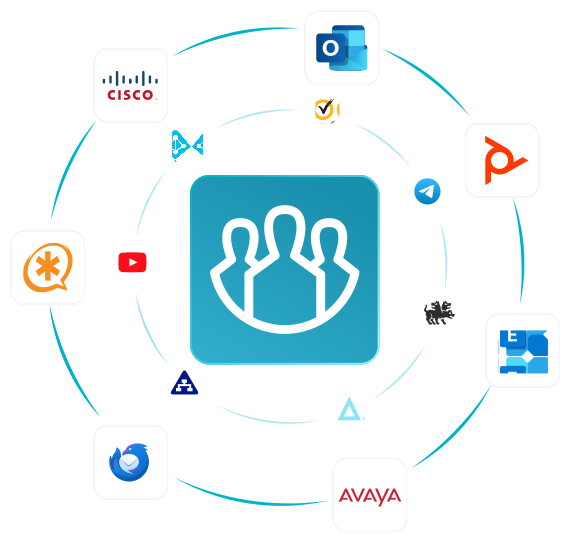
Identify which SIP systems, H.323 systems, meeting rooms, desk phones, mobile clients and browsers must continue working.
Do not evaluate interoperability only by asking whether two systems can establish a basic call.
Gate 4: Define the Failure Model
Determine what communication must continue if:
- Internet connectivity fails;
- WAN connectivity is interrupted;
- a provider region becomes unavailable;
- an identity service fails;
- one UC server becomes unavailable;
- PSTN connectivity is lost.
These requirements may change the shortlist more significantly than individual collaboration features.
Gate 5: Evaluate Identity and Governance
Check SSO, directories, provisioning, account deactivation, external users, delegated administration, audit capabilities, retention, meeting policies and data location.
Gate 6: Define the Migration Path
Determine which systems can be replaced immediately and which must remain operational during transition.
A platform that supports controlled coexistence may be more useful than one that performs better in a greenfield comparison.
Gate 7: Compare Features and Commercial Terms
Only after the architecture has been narrowed should the enterprise compare:
- meeting capabilities;
- messaging;
- AI features;
- integrations;
- administration;
- licensing;
- support;
- user experience.
For enterprise UC, feature comparison belongs near the end of the selection process, not at the beginning.
Interoperability Is Not the Same as Connectivity
A successful SIP or H.323 call proves connectivity; it does not prove feature interoperability.
Enterprises should verify which functions survive across the connection, including:
- audio and video;
- codec compatibility;
- content sharing;
- DTMF;
- directory dialing;
- encryption;
- camera control;
- meeting escalation;
- recording workflows.
A platform may technically connect to an existing endpoint while still losing important functionality that users rely on.
Enterprise UC Failure-Domain Test: What Must Keep Working?
Resilience is easier to evaluate through specific failure scenarios rather than a generic requirement for “high availability.”
|
Failure scenario |
Question to ask |
Possible architecture implication |
|---|---|---|
|
Internet outage |
Should internal users still call, message or meet? |
External-cloud dependency becomes important |
|
WAN failure |
Should an isolated branch retain local communication? |
Local survivability may be required |
|
Identity provider outage |
What happens to active and new sessions? |
Authentication dependencies need examination |
|
UC server failure |
Can communication continue on another node? |
High-availability architecture may be required |
|
Provider-region outage |
Can users switch to another service region? |
Provider resilience design becomes relevant |
|
PSTN failure |
Should internal extension calling continue? |
Internal and external voice dependencies should be separated |
The important step is to define these expectations before choosing the communication architecture.
9 Enterprise Unified Communications Platforms Compared
No platform is the universal enterprise UC winner. The relevant shortlist depends on the existing and target architecture.
|
Platform |
Architecture center |
Telephony |
Deployment |
Existing infrastructure fit |
Best shortlist scenario |
|---|---|---|---|---|---|
|
Microsoft Teams |
Microsoft 365 ecosystem |
Teams Phone and integrations |
Cloud-centric |
Strongest where Microsoft identity and productivity already dominate |
Enterprises standardized on Microsoft 365 |
|
Cisco Webex |
Calling, meetings and rooms |
Strong enterprise calling ecosystem |
Cloud / hybrid |
Strong fit with Cisco calling and room environments |
Organizations with substantial Cisco infrastructure |
|
RingCentral |
Cloud UCaaS |
Strong cloud PBX focus |
Cloud |
Oriented toward migration into cloud calling |
Enterprises replacing traditional PBX infrastructure |
|
Zoom |
Meetings-centered suite |
Zoom Phone |
Primarily cloud |
Existing rooms and telephony may require interoperability components |
Organizations where meetings are already central |
|
8×8 |
UCaaS and customer communications |
Cloud telephony |
Cloud |
Better suited to cloud migration than customer-operated UC |
Enterprises evaluating UC and contact center together |
|
TrueConf |
Customer-operated messaging and video |
SIP/H.323 and PBX interoperability |
Customer-operated |
Strong fit with existing SIP/H.323 rooms, PBXs and private infrastructure |
Enterprises requiring private infrastructure and standards-based interoperability |
|
Mitel |
Telephony-centered UC |
Strong PBX heritage |
Cloud / hybrid / dependent on product |
Relevant for gradual modernization of existing telephony |
Organizations with significant PBX infrastructure |
|
Avaya |
Enterprise voice infrastructure |
Strong telephony heritage |
Deployment-dependent |
Relevant for established voice and contact-center environments |
Large organizations modernizing existing voice infrastructure |
|
Dialpad |
Software-based UCaaS |
Cloud telephony |
Cloud |
Better suited to cloud-first environments than legacy preservation |
Enterprises moving voice into a software-based cloud service |
Best Enterprise Unified Communications Platforms
Microsoft Teams

Best when: the enterprise is already standardized on Microsoft 365.
Teams combines messaging, meetings and calling with the Microsoft productivity environment, while Teams Phone extends the platform into enterprise telephony.
Watch for: substantial non-Microsoft telephony or customer-operated infrastructure requirements may require additional integration.
Cisco Webex

Best when: calling, meetings and conference-room infrastructure need to operate within the same enterprise communications ecosystem.
Webex is particularly relevant for organizations already operating Cisco calling, networking or room infrastructure.
Watch for: organizations without significant Cisco infrastructure should assess the value of adopting the wider ecosystem.
RingCentral

Best when: cloud business telephony is the center of the UC project.
RingCentral is strongly associated with cloud PBX and UCaaS and fits organizations moving traditional business calling into the cloud.
Watch for: customer-operated UC core requirements point toward a different architecture.
Zoom

Best when: video meetings are already central and the organization wants to expand into phone and messaging.
Zoom combines meetings with team messaging and Zoom Phone.
Watch for: evaluate cloud dependencies and how existing telephony and room infrastructure fit the target architecture.
8×8

Best when: UCaaS and contact-center communications are being evaluated together.
8×8 combines cloud voice, messaging and video with broader customer communication capabilities.
Watch for: organizations seeking a customer-operated UC core may need another platform category.
TrueConf

Best when: the enterprise needs messaging and video communication on customer-operated infrastructure while preserving standards-based communication systems.
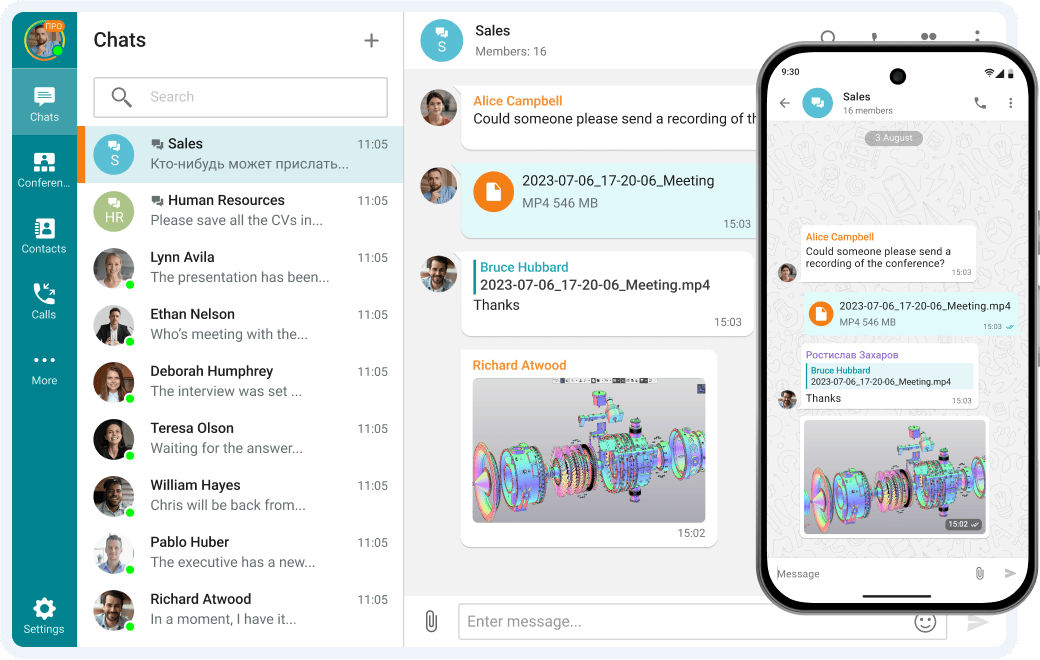
TrueConf Server combines persistent messaging, channels, file exchange, voice and video communication with centralized administration. It can integrate with SIP and H.323 infrastructure, allowing compatible room systems and telephony environments to remain in use.
For a complete overview of TrueConf as a UC platform, see the unified communications platform page.
Watch for: organizations primarily seeking a carrier-style cloud PBX or integrated cloud contact-center service may be better aligned with UCaaS-oriented platforms.
Try TrueConf Server Free!
- 1,000 online users with the ability to chats and mske one-on-one video calls.
- 10 PRO users with the ability to participate in group video conferences.
- One SIP/H.323/RTSP connection for interoperability with corporate PBX and SIP/H.323 endpoints.
- One guest connection to invite a non-authenticated user via link to your meetings.

Mitel
Best when: the enterprise has established business telephony and needs gradual modernization.
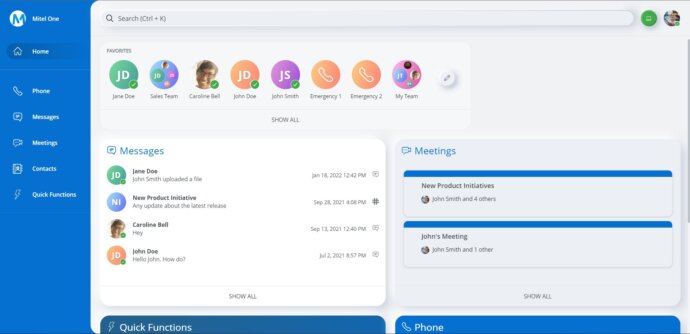
Mitel is relevant when the UC project begins with PBXs, handsets, numbers and existing voice infrastructure rather than a greenfield collaboration deployment.
Watch for: available deployment and migration options depend on the specific environment and products in use.
Avaya
Best when: a large organization has significant existing enterprise voice infrastructure.
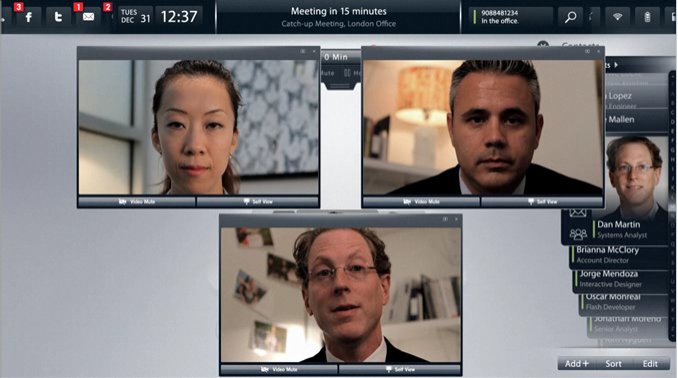
Avaya remains relevant where telephony, routing and contact-center environments need gradual modernization.
Watch for: greenfield cloud-first organizations may find newer UCaaS architectures simpler.
Dialpad
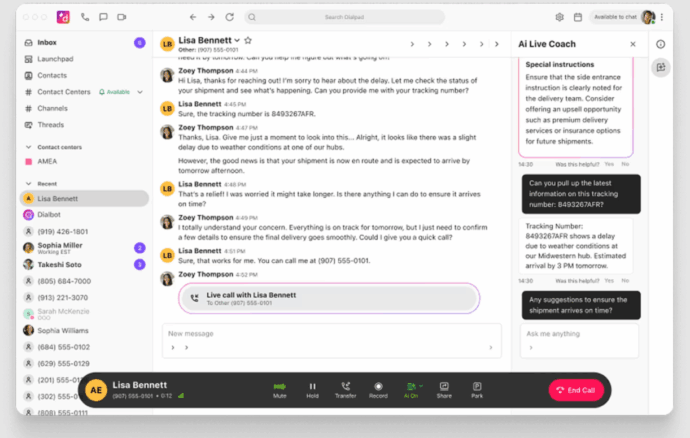
Best when: the enterprise is cloud-first and wants software-based calling integrated with messaging, meetings and AI-assisted communication.
Dialpad represents a cloud UCaaS model where business voice is delivered as software.
Watch for: complex legacy telephony or customer-operated infrastructure requirements may point toward a different architecture.
Four Enterprise UC Migration Patterns
1. Greenfield Replacement
The enterprise introduces a new UC environment with limited dependency on existing systems.
2. PBX Coexistence
New messaging and meeting capabilities are introduced while existing PBXs, numbers and SIP infrastructure remain operational.
3. Regional Migration
Offices, countries or business units move to the new UC environment in stages.
4. Functional Migration
Communication functions move separately.
For example, one enterprise might migrate:
meetings → messaging → rooms → telephony
while another may start with telephony.
The sequence depends on existing infrastructure, operational cost and migration risk.
Common Enterprise UC Selection Failures
|
Selection stage |
Common failure |
|---|---|
|
Architecture |
Treating cloud, customer-operated and hybrid UC as equivalent |
|
Telephony |
Ignoring existing PBXs, numbers, SIP trunks or emergency calling |
|
Endpoints |
Assuming successful basic calling equals full interoperability |
|
Resilience |
Assuming every office has the same network and survivability requirements |
|
Migration |
Attempting to replace every communication system at once |
|
Vendor comparison |
Selecting primarily by feature count |
FAQ
Can enterprise unified communications run without public Internet access?
Some customer-operated UC architectures can run communication services inside private or restricted networks. Whether this is practical depends on the platform, required external services, identity architecture and telephony.
Does adopting unified communications require replacing an existing PBX?
No. Enterprise UC can coexist with existing PBXs and SIP infrastructure when the selected architecture supports the required integration.
Can existing SIP and H.323 room systems remain during a UC migration?
Potentially, but enterprises should verify more than basic connectivity. The evaluation should determine which audio, video, content-sharing, control and security capabilities continue working across the connection.
Can a multi-vendor environment still be unified communications?
Yes. Unified communications describes the coordinated communication environment rather than requiring every function to come from one vendor.
What should an enterprise migrate first: telephony, messaging or meetings?
There is no universal sequence. The priority depends on existing infrastructure, operational pain, migration risk and which systems must remain operational during transition.
Conclusion
Enterprise unified communications is not simply a bundle of chat, calling and meeting features. At enterprise scale, deployment boundaries, telephony, interoperability, identity, resilience and migration can eliminate unsuitable architectures before individual features become relevant.
The right UC environment is the platform — or coordinated set of platforms — that fits existing infrastructure, required failure behavior and a realistic migration path.
About the Author
Olga Afonina is a technology writer and industry expert specializing in video conferencing solutions and collaboration software. At TrueConf, she focuses on exploring the latest trends in collaboration technologies and providing businesses with practical insights into effective workplace communication. Drawing on her background in content development and industry research, Olga writes articles and reviews that help readers better understand the benefits of enterprise-grade communication.


Follow us on social networks