
UCaaS: Features, Providers and Deployment Models
Unified Communications as a Service (UCaaS) has become a common way for mid-size and enterprise organizations to consolidate video conferencing, telephony, chat, presence, and collaboration into one managed platform. For regulated industries such as government, defense, finance, healthcare, energy, and critical infrastructure, however, the standard public-cloud UCaaS model can create additional requirements around data residency, vendor dependency, auditability, encryption, and third-party access to communications data.
The short answer: there is no single “best” UCaaS provider for every organization; there is a best fit by deployment model. Large managed-cloud platforms such as Cisco Webex, Microsoft Teams, Zoom, RingCentral, and 8×8 fit organizations whose operational and compliance requirements can be satisfied inside a provider-operated cloud. Sovereign and self-hosted platforms such as TrueConf, Pexip, Wildix, and Rocket.Chat are relevant when the organization needs communication data and infrastructure to remain under greater customer control, including private or isolated networks.
Choosing between these architectural categories before comparing feature checklists is often the more useful first decision.
TrueConf represents the customer-controlled enterprise communications category: a platform designed so that the organization determines where its communication infrastructure runs, where data is stored, and how the system integrates with existing PBX, directory, network, and security infrastructure. The rest of this article expands that comparison across several UCaaS and unified-communications providers.
Executive Summary: UCaaS at a Glance
|
Decision Point |
Public Cloud UCaaS |
Sovereign / Self-Hosted UC |
|---|---|---|
|
Data location |
Vendor-controlled cloud with available regional or government-cloud options |
Customer-controlled infrastructure, private cloud, or isolated network |
|
Infrastructure ownership |
Provider operates the core service |
Customer or its infrastructure partner operates the environment |
|
Admin control |
Defined by the provider’s administration model |
Greater direct control over infrastructure, policies, and maintenance |
|
Scalability |
Typically elastic and subscription-driven |
Capacity is planned around deployed infrastructure |
|
Integration |
APIs, SSO, marketplace and cloud connectors |
Can integrate directly with internal PBX, directory, and network systems |
|
Internet dependency |
Public-cloud connectivity normally required |
Can operate within private networks depending on architecture |
|
Best for |
Organizations prioritizing managed infrastructure and elastic scaling |
Organizations prioritizing infrastructure control, data location, private networks, or isolation |
|
TrueConf position |
Not primarily a public-cloud-only platform |
Customer-controlled unified communications with video, messaging, calling, and enterprise integration |
Choose UCaaS by Your Primary Constraint
|
Primary Constraint |
Architecture or Provider Type to Evaluate First |
Examples |
|---|---|---|
|
Minimum infrastructure administration |
Public-cloud UCaaS |
Zoom, Webex, RingCentral, 8×8 |
|
Microsoft productivity ecosystem |
Suite-integrated UCaaS |
Microsoft Teams |
|
Cloud telephony and contact center |
Telephony-first UCaaS |
RingCentral, 8×8 |
|
Customer-controlled infrastructure |
TrueConf |
|
|
Controlled video infrastructure |
Pexip |
|
|
Self-managed collaboration |
Rocket.Chat |
|
|
European telephony ecosystem |
European business communications platform |
Wildix |
What Is UCaaS?

UCaaS (Unified Communications as a Service) is a model for delivering communication and collaboration services — video conferencing, chat, presence, and telephony — through a single platform rather than a patchwork of disconnected tools. It is designed to work across mobile and desktop devices, with centralized administration that reduces the operational burden of managing separate communication products.
Most mainstream UCaaS vendors deliver these capabilities through their own public cloud. Another category of platforms, including TrueConf, Pexip, Wildix, and Rocket.Chat, provides similar unified-communications capabilities through self-hosted, private-cloud, hybrid, or isolated deployment models.
Terminology note: in this article, the phrase self-hosted UCaaS is used broadly for platforms that provide UCaaS-like unified communications capabilities while running on customer-controlled infrastructure. Technically, these systems may also be described as self-hosted unified communications rather than a conventional provider-operated “as a Service” model.
UCaaS vs. VoIP, CCaaS, and CPaaS
UCaaS overlaps with several adjacent communications categories, but they are not interchangeable. The difference is mainly the scope of the service and the users it is designed to support.
|
Category |
Primary Purpose |
Typical Capabilities |
Primary Users |
|---|---|---|---|
|
UCaaS |
Internal business communication and collaboration |
Calling, video, messaging, presence, meetings, files |
Employees and internal teams |
|
VoIP |
Voice communication over IP networks |
Calling, extensions, routing, voicemail |
Employees and phone users |
|
CCaaS |
Customer-service and contact-center operations |
Queues, routing, agent tools, analytics, omnichannel service |
Customer-support and contact-center teams |
|
CPaaS |
Embedding communications into applications |
Voice, messaging, video APIs and SDKs |
Developers and product teams |
A company may use several categories together. UCaaS can provide employee communications, CCaaS can support customer-facing service teams, and CPaaS can embed communication capabilities directly into applications.
UCaaS: Delivering Enterprise-Grade Telecom Services

Unified Communications (UC): A combination of video conferencing, telephony, instant messaging, presence, and other communication capabilities accessible from multiple devices.
As a Service (aaS): A delivery model where communications capabilities are provided as an integrated service instead of requiring the organization to build every component from unrelated products.
UCaaS is not just a tool, it is an infrastructure decision. It can replace multiple disconnected applications or parts of a legacy PBX environment by consolidating video conferencing, messaging, and VoIP into one communication stack.
Insight 1. The real differentiator is increasingly architecture, not basic features.
Most established UCaaS providers now cover the expected collaboration layer: chat, meetings, presence, calling, screen sharing, and mobile access. Once basic feature requirements are met, the meaningful differences often move below the interface — into identity integration, media routing, storage, interoperability, logging, and administrative responsibility.
Key Highlights: Essential UCaaS Functions
Conferencing Solutions
- Audio conferencing: Telephony with call distribution, recording, forwarding, and queue management where supported.
- Video conferencing: Point-to-point and group video meetings across desktop, mobile, room, and browser-based endpoints.
Communication Tools
- Chat: Personal and group messaging for text and file sharing, integrated with voice and video.
- Presence: Availability information that helps users choose the appropriate communication channel.
Collaboration Tools
- Remote collaboration: Meeting scheduling, instant messaging, screen sharing, file exchange, and workflow integrations.
Under the Hood
- VoIP: The transport approach for voice communication over IP networks.
- SIP: A signaling protocol used to establish, manage, and terminate communication sessions.
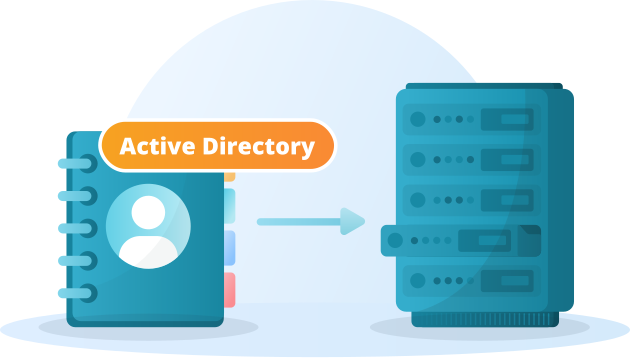
- Directory synchronization: Integration with enterprise identity systems for provisioning and organizational structure.
- Media routing: The architecture that determines where audio and video traffic travels.
From a user’s perspective, a well-built UCaaS platform feels like a single unified interface. Behind that interface sits a stack of telecom protocols and services — VoIP, SIP, call routing, directory synchronization, APIs, storage, and administrative controls — that enterprise IT teams may need to inspect and govern.
Feature Comparison: General UCaaS vs. Sovereign UC Requirements
|
Capability Area |
Standard Public Cloud UCaaS |
What Controlled Environments Additionally Require |
|---|---|---|
|
Video/audio conferencing |
Included |
Ability to control media routing and infrastructure location where required |
|
Chat and file sharing |
Included |
Configurable retention and customer-defined storage policies |
|
Directory integration |
SSO, APIs, cloud directories |
Direct integration with LDAP/Active Directory and internal identity infrastructure |
|
Data residency |
Vendor data centers and available regional controls |
Customer-selected infrastructure location |
|
Provider-defined logging and admin interfaces |
Customer-controlled audit retention and internal monitoring integration |
|
|
Availability |
Provider SLA |
SLA plus customer-designed redundancy and recovery where self-hosted |
Who Is Responsible for What? UCaaS Deployment Models Compared?
Deployment architecture changes who operates the communication environment and who is accountable for each operational layer.
|
Responsibility |
Public Cloud |
Hybrid / Private Cloud |
Self-Hosted |
|---|---|---|---|
|
Core infrastructure |
Provider |
Shared |
Customer |
|
Software updates |
Provider controlled |
Depends on architecture |
Customer controls schedule |
|
Capacity planning |
Primarily provider |
Shared |
Customer |
|
Network design |
Shared boundary |
Shared |
Customer |
|
Data location |
Provider-defined options |
Partly customer-defined |
Customer-defined |
|
Primarily provider |
Shared |
Customer |
Insight 2. Self-hosting shifts responsibility together with control.
A self-hosted platform gives the organization more authority over upgrades, network boundaries, storage, and recovery design. That same authority means internal IT or an infrastructure partner must plan capacity, patching, backups, monitoring, redundancy, and disaster recovery.
UCaaS Platforms with Enterprise Security and Compliance Controls: What to Verify

Generic “enterprise security” claims are easy to make and difficult to evaluate without technical documentation. Before shortlisting a UCaaS provider, regulated organizations should verify the exact controls available in the product edition and deployment model they intend to use.
1. Encryption Architecture
Encryption in transit is a baseline control; buyers should also understand how signaling, media, messages, files, and stored recordings are protected, where encryption terminates, and which parties remain inside the trust chain.
2. Secure Access Controls
Role-based access control, granular meeting permissions, and integration with existing identity providers determine whether the platform can enforce least-privilege access consistently across the organization.
3. Audit-Ready Reporting
Compliance teams may need exportable records of user, meeting, recording, authentication, and administrative activity. Buyers should verify which events are captured, how long they can be retained, and whether records can be integrated with internal monitoring systems.
Insight 3. Encryption, certification, and sovereignty answer different questions.
Encryption protects communication content, certification can demonstrate alignment with a defined control framework, and sovereignty determines who controls the infrastructure and where information is processed. Regulated buyers should evaluate these separately rather than treating any one of them as a substitute for the others.
UCaaS Data Residency and Compliance: What Regulated Organizations Must Verify
In a self-hosted TrueConf Server deployment, the organization chooses where to run the communication server and where to store its data. This gives administrators direct control over infrastructure and storage policies. Data residency still requires checking backups, integrations, logs, administrator access, and any external services enabled in the deployment; server location alone does not establish regulatory compliance.
Data Residency vs. Data Sovereignty vs. Data Localization
Data residency asks where data is stored and processed. Data sovereignty concerns the legal jurisdiction and operational control governing that data. Data localization refers to a requirement to keep specified data within a particular territory. These questions overlap, but an in-region cloud option does not automatically meet all three requirements.
Which UCaaS Data Needs a Location and Retention Check?
|
Communication artifact |
Provider-operated cloud: verify |
Self-hosted deployment: verify |
|---|---|---|
|
Meeting recordings |
Storage and processing region, backups, retention, access |
Recording destination, backup location, deletion policy |
|
Chats and shared files |
Content location, connected storage, subcontractors |
Server and file storage, access policy, backups |
|
Identity and meeting metadata |
Directories, analytics and support access |
Directory integration, exported metadata, administrator access |
|
Logs and backups |
Log processing region and backup retention |
Log destination, archive location and restore process |
Document the actual data flows for the selected edition and configuration, including external guests and connected systems. For the underlying requirements, see UCaaS data residency.
On-Premises UCaaS for Government: Can It Run Without Public Cloud?
Yes. Government organizations can deploy self-hosted unified communications on their own infrastructure, including isolated networks, without relying on a public-cloud communication core. TrueConf Server supports this deployment model. Before procurement, verify how the chosen configuration handles licensing, updates, identity services, external participants, administration and any integrations that might require an outside connection.
Here, “on-premises UCaaS” describes UCaaS-like capabilities delivered by self-hosted unified communications software; the server is not necessarily operated by a provider as a service. See government communication scenarios and secure communications on customer-controlled infrastructure.
Why Government Agencies Choose On-Premises or Isolated UC
An agency may require internal routing for calls and messages, direct control over recordings and logs, administration inside its security boundary, and continued internal communication when an external connection is unavailable. Isolation does not itself satisfy a specific security classification or procurement rule: the complete deployment, operating procedures and supporting evidence still need review.
Government Cloud vs. On-Premises UC: What Changes?
|
Decision point |
Provider-operated government cloud |
Agency-operated on-premises UC |
|---|---|---|
|
Core infrastructure |
Operated by the provider within its authorized service boundary |
Operated by the agency or its infrastructure partner |
|
Data and backups |
Locations and access depend on the contracted service |
Locations and access follow the deployed architecture and agency policies |
|
Network dependency |
Connectivity to provider services is required |
Internal communication can stay within an isolated network, subject to configuration |
|
Updates and recovery |
Provider manages the platform under its service commitments |
Agency plans updates, monitoring, backups and recovery |
|
Compliance evidence |
Check authorization, service scope and contract |
Check product documentation and the agency’s system-level assessment |
Best UCaaS Providers for Regulated Organizations: Full Vendor Breakdown
The following comparison distinguishes between provider-operated cloud services, customer-controlled platforms, and products that focus more narrowly on messaging or video interoperability. Certification and authorization scopes can change by service, region, contract, and deployment, so buyers should verify the current scope for the exact product under evaluation.
|
Provider |
Deployment Model |
Primary Compliance / Control Signal |
Best For |
Key Limitation |
|---|---|---|---|---|
|
TrueConf |
Self-hosted, on-premises, private infrastructure, isolated networks |
Customer-owned infrastructure and direct control over communications environment |
Organizations needing full infrastructure control with integrated video, messaging, and calling |
Capacity and resilience are planned rather than abstracted behind elastic SaaS |
|
Cisco Webex for Government |
Provider-operated government cloud |
Government-focused authorization and Cisco ecosystem |
Public-sector organizations already standardized on Cisco collaboration infrastructure |
Underlying service remains vendor operated |
|
Microsoft Teams Government |
Government community cloud environments |
Government-oriented Microsoft 365 environment |
Organizations standardized on Microsoft 365 |
Still a Microsoft-operated cloud and may require separate migration/licensing |
|
Zoom for Government |
Provider-operated government environment |
Government-focused cloud controls |
Organizations prioritizing familiar video meetings |
Less focused on customer-operated infrastructure |
|
RingCentral |
Public cloud |
Enterprise compliance packages and cloud telephony |
Finance, healthcare, and enterprises consolidating phone, video, and messaging |
Compliance scope depends on the exact service and contract |
|
8×8 |
Public cloud with regional and enterprise options |
UCaaS plus contact-center controls and regional options |
Multinational organizations combining communications and contact center |
Advanced residency/isolation options may require specific plans |
|
Pexip |
Self-hosted, private cloud, controlled environments |
Secure video infrastructure and government/defense interoperability focus |
Defense, intelligence, judicial, and interoperability-heavy deployments |
More focused on video infrastructure than a broad native UCaaS suite |
|
Wildix |
Cloud and deployment options depending on configuration |
European market focus and business telephony |
European organizations prioritizing communications and regional procurement |
Partner-led procurement model |
|
Rocket.Chat |
Self-managed, cloud, sovereign, isolated deployment |
Open-source messaging and customer-controlled deployment |
Organizations prioritizing auditable messaging and infrastructure control |
Video is less central than on video-first platforms |
Compliance Evidence Matrix: ISO 27001, GDPR and HIPAA
This is an evidence checklist, not a list of certified products. ISO 27001 certification applies to the named organization and its stated scope; GDPR and HIPAA outcomes depend on the selected service, configuration, contracts and the buyer’s own controls. Request the certificate scope, processing documentation and applicable agreements for the exact deployment.
|
Provider |
Deployment and data control |
ISO 27001 evidence |
GDPR assessment |
HIPAA assessment |
|---|---|---|---|---|
|
TrueConf |
Customer-operated server; confirm location of backups and integrations |
Do not infer product certification from customer hosting; request applicable evidence |
Customer sets server location; assess processing, access, retention and transfers |
Customer-controlled deployment; assess ePHI safeguards and service relationships |
|
Cisco Webex for Government |
Provider-operated government cloud; verify exact service boundary |
Request current certificate and scope for the relevant organization/service |
Assess roles, processing locations, transfers and retention for selected deployment |
Assess ePHI flows, safeguards and any required business associate agreement |
|
Microsoft Teams Government |
Provider-operated government tenant; verify selected environment |
Request current certificate and scope for the relevant organization/service |
Assess roles, processing locations, transfers and retention for selected deployment |
Assess ePHI flows, safeguards and any required business associate agreement |
|
Zoom for Government |
Provider-operated government cloud; verify selected service |
Request current certificate and scope for the relevant organization/service |
Assess roles, processing locations, transfers and retention for selected deployment |
Assess ePHI flows, safeguards and any required business associate agreement |
|
RingCentral |
Provider-operated cloud; check plan and data locations |
Request current certificate and scope for the relevant organization/service |
Assess roles, processing locations, transfers and retention for selected deployment |
Assess ePHI flows, safeguards and any required business associate agreement |
|
8×8 |
Provider-operated cloud; check plan and data locations |
Request current certificate and scope for the relevant organization/service |
Assess roles, processing locations, transfers and retention for selected deployment |
Assess ePHI flows, safeguards and any required business associate agreement |
|
Pexip |
Check selected private deployment or managed service |
Request current certificate and scope for the relevant organization/service |
Assess roles, processing locations, transfers and retention for selected deployment |
Assess ePHI flows, safeguards and any required business associate agreement |
|
Wildix |
Check selected deployment and partner agreement |
Request current certificate and scope for the relevant organization/service |
Assess roles, processing locations, transfers and retention for selected deployment |
Assess ePHI flows, safeguards and any required business associate agreement |
|
Rocket.Chat |
Check selected self-managed or hosted edition |
Request current certificate and scope for the relevant organization/service |
Assess roles, processing locations, transfers and retention for selected deployment |
Assess ePHI flows, safeguards and any required business associate agreement |
For cloud services that create, receive, maintain or transmit electronic protected health information on behalf of a covered entity or business associate, check whether a business associate agreement is required and covers the selected service. Self-hosting changes operational responsibility; it does not automatically establish GDPR or HIPAA compliance.
Insight 4. Government cloud and sovereignty are not the same thing.
A government-oriented cloud can apply stricter security, personnel, operational, and compliance controls than a standard commercial tier while still remaining vendor-operated infrastructure. A self-hosted architecture changes where the trust boundary sits by moving more infrastructure and operational responsibility to the customer.
Individual Vendor Profiles: Best For, Strengths, and Limitations
TrueConf
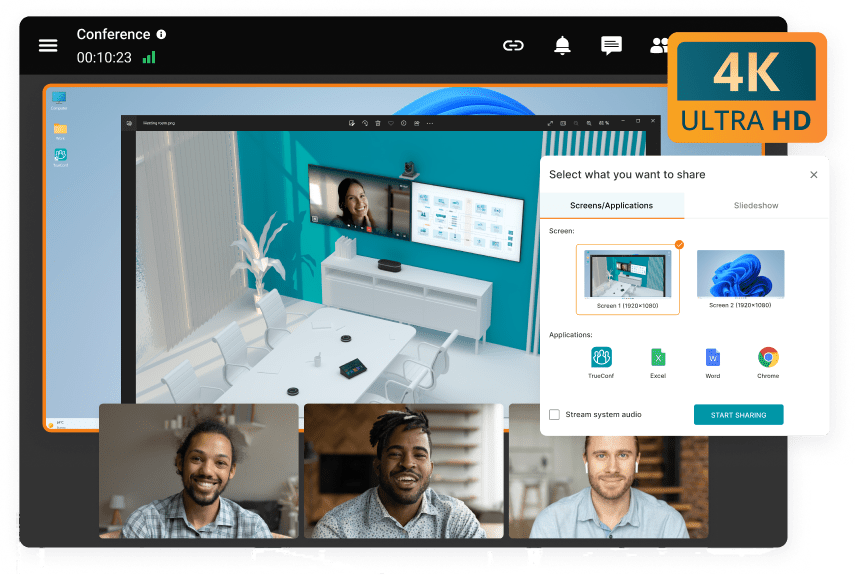
TrueConf is a self-hosted unified communications platform built around enterprise video conferencing and customer-operated infrastructure.
Best for: mid-size and large organizations that need video conferencing, persistent messaging, voice communication, presence, file sharing, and centralized administration inside their own infrastructure, including isolated network scenarios.
Strengths: enterprise video conferencing, persistent chat, SIP/H.323 interoperability, LDAP/Active Directory integration, support for meeting-room systems, centralized administration, and operation within customer-controlled or isolated networks.
Limitations: capacity, redundancy, monitoring, backup, network design, and upgrade schedules require customer or infrastructure-partner planning rather than being fully abstracted behind a SaaS subscription.
Boost your team’s productivity with TrueConf Server Free!
Cisco Webex for Government

A government-oriented tier of Cisco’s mainstream collaboration platform.
Best for: government agencies and large enterprises already invested in Cisco networking, telephony, meeting-room, and collaboration hardware.
Strengths: broad collaboration functionality, established enterprise administration, extensive device ecosystem, and strong integration with Cisco infrastructure.
Limitations: it remains a vendor-operated cloud service. Organizations requiring communication infrastructure to remain completely inside their own network need a different deployment model or additional interoperability infrastructure.
Microsoft Teams Government

Microsoft’s government-oriented Teams environments integrate communications into the broader Microsoft productivity ecosystem.
Best for: agencies and regulated enterprises standardized on Microsoft 365 that want email, files, identity, productivity, and communications within the same ecosystem.
Strengths: close Microsoft 365 integration, enterprise identity, meetings, messaging, document collaboration, and familiar administration for existing Microsoft environments.
Limitations: specialized government environments can require separate licensing and migration planning, and the underlying service remains Microsoft-operated rather than customer-hosted.
Zoom for Government

A dedicated government-oriented Zoom environment focused heavily on video conferencing and collaboration.
Best for: agencies whose primary requirement is a familiar managed meeting environment with government-specific security and procurement requirements.
Strengths: established meeting experience, broad user familiarity, managed cloud operation, and video-centric collaboration.
Limitations: organizations seeking customer-operated communication infrastructure or deep integration with legacy PBX and internal infrastructure may need another architecture.
RingCentral

A broad cloud UCaaS suite combining business calling, messaging, video, administration, and enterprise integrations.
Best for: regulated enterprises that want phone, video, and messaging from one managed cloud provider.
Strengths: mature cloud telephony, messaging, enterprise administration, integrations, and available compliance-oriented packages.
Limitations: buyers should verify which specific product services and contractual configurations are covered by the compliance requirements relevant to their organization.
8×8

A globally distributed UCaaS and contact-center platform.
Best for: multinational organizations needing UCaaS and contact-center functionality together, with regional deployment and data-handling considerations.
Strengths: broad UC and contact-center scope, enterprise administration, global infrastructure, and available regional deployment options.
Limitations: advanced residency, isolation, or dedicated-environment requirements may depend on specific plans and contracts.
Pexip

A less consumer-recognizable but heavily enterprise-focused secure video platform built around interoperability and controlled deployment.
Best for: defense, intelligence, judicial, public-sector, and enterprise organizations that need standards-based video systems or Microsoft Teams interoperability in private communication environments.
Strengths: private deployment, interoperability, controlled video infrastructure, standards-based endpoints, and strong positioning for government and defense environments.
Limitations: positioned more narrowly around video infrastructure and interoperability than as a full native UCaaS suite with broad built-in telephony and messaging.
Wildix
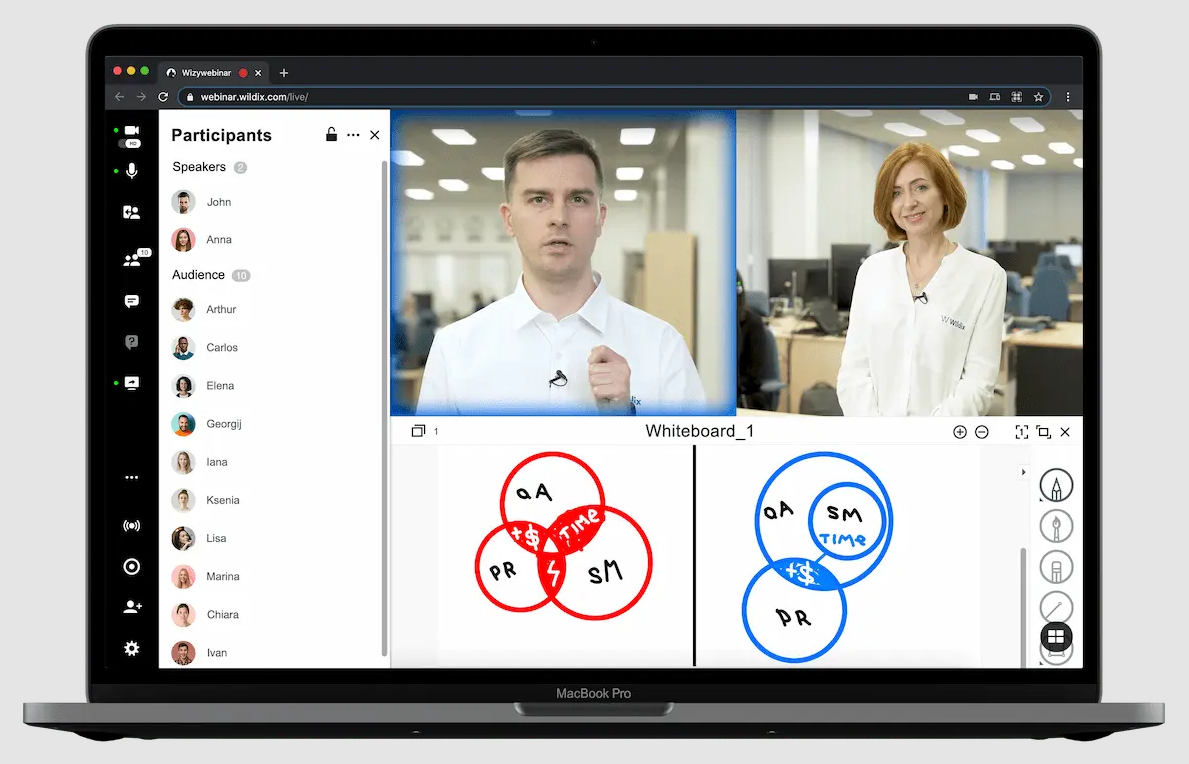
A European business communications vendor built around telephony, browser-based collaboration, and partner-led delivery.
Best for: European public-sector and enterprise buyers that place additional weight on European jurisdiction, telephony, partner support, and deployment options.
Strengths: business telephony, browser-based communication, European market focus, partner ecosystem, and multiple deployment approaches depending on configuration.
Limitations: sold primarily through certified reseller partners rather than a simple direct self-service purchasing model, which can change procurement and support workflows.
Rocket.Chat

An open-source, self-managed collaboration platform with a strong emphasis on messaging, extensibility, and controlled deployment.
Best for: organizations that specifically want open-source code, self-managed infrastructure, messaging, workflow integration, and private-network deployment.
Strengths: open-source architecture, self-managed deployment, messaging, integrations, extensibility, and suitability for isolated environments.
Limitations: video conferencing is less central to the product architecture than on platforms built video-first, such as TrueConf or Pexip.
Insight 5. The platforms with the strongest controlled-environment positioning are not always the most visible in mainstream UCaaS comparisons.
General UCaaS roundups naturally favor widely recognized cloud brands because they address the largest commercial market. Regulated buyers may need to broaden that shortlist to platforms such as Pexip, Rocket.Chat, Wildix, or TrueConf when interoperability, customer-controlled infrastructure, open-source inspection, private networks, or jurisdiction become mandatory requirements.
Tailoring UCaaS to Industry Requirements

Compliance is not one-size-fits-all, and neither is the right UCaaS configuration. Different regulated sectors weight the same core requirements differently:
- Government and defense: Often prioritize private or isolated deployment, sovereign data control, independent auditability, standards-based interoperability, and sector-specific authorizations over ease of onboarding. TrueConf, Pexip, and Rocket.Chat can be evaluated alongside government-cloud offerings from Webex, Microsoft, and Zoom depending on the required architecture.
- Financial services: Typically prioritize audit-ready reporting, retention enforcement, access control, recording governance, and integration with existing risk and compliance systems. Managed cloud platforms such as RingCentral or 8×8 may fit some institutions, while firms with stricter internal data-control policies may compare them with self-hosted platforms such as TrueConf.
- Healthcare: Often prioritizes access-control granularity, data handling, retention, recording governance, and contractual responsibility for protected information. Managed healthcare-eligible cloud configurations can be considered alongside customer-controlled deployment of TrueConf where internal infrastructure ownership is required.
- Energy and critical infrastructure: Can prioritize network isolation, redundancy, internal routing, and communication continuity during external network disruption — requirements that make self-hosted platforms such as TrueConf, Pexip, or Rocket.Chat relevant.
- European public sector: May place additional weight on EU jurisdiction, data residency, supplier dependency, and digital-sovereignty requirements. Wildix, TrueConf, and private deployment models can therefore enter the shortlist alongside regional public-cloud services.
Pros and Cons of UCaaS
|
Pros |
Cons |
|---|---|
|
All-in-one interface for video, chat, and voice |
Integration complexity with legacy systems |
|
Potentially lower complexity than maintaining multiple communication products |
Compatibility issues across device, PBX, and OS ecosystems |
|
Improved cross-team and cross-location collaboration |
Public-cloud models introduce provider and connectivity dependency |
|
Centralized communication administration |
Migration can reveal hidden integration and workflow dependencies |
|
Can consolidate telephony, messaging, and video |
Self-hosted architecture shifts more operational responsibility to internal IT |
Insight 6. UCaaS TCO is determined by the whole communication stack, not the seat price.
A realistic comparison should include PBX replacement, room systems, contact-center tools, additional video platforms, network upgrades, migration, integrations, administration, support, training, compliance work, and the cost of leaving the platform later.
Why UCaaS Adoption Keeps Accelerating?
- Hybrid and distributed work increases demand for a single communication environment across locations and devices.
- Legacy PBX systems are being modernized, encouraging organizations to evaluate voice together with video and messaging.
- Regulated organizations are paying more attention to data location, infrastructure ownership, auditability, and supplier dependency when modernizing communications.
- IT teams are consolidating vendors to reduce the operational and security overhead of managing multiple disconnected communication products.
- Communication platforms increasingly need to integrate with directories, meeting rooms, CRM systems, service desks, automation, and business workflows.
The UCaaS Provider Landscape: How Vendors Typically Position Themselves
|
Positioning Category |
Representative Vendors |
Deployment Model |
Typical Buyer Priority |
|---|---|---|---|
|
Video-and-collaboration-first |
Zoom, Cisco Webex |
Provider-operated public/government cloud |
Meetings, collaboration, managed infrastructure |
|
Productivity-suite-integrated |
Microsoft Teams |
Provider-operated cloud |
Integration with productivity ecosystem |
|
Telephony / contact-center-centric |
8×8, RingCentral |
Public cloud |
Cloud calling, contact center, communications consolidation |
|
European business communications |
Wildix |
Cloud and deployment options |
Telephony, partner delivery, regional requirements |
|
Open-source collaboration |
Rocket.Chat |
Self-managed or hosted |
Messaging, extensibility, deployment control |
|
Secure video infrastructure |
Pexip |
Private, cloud, self-hosted |
Interoperability and controlled video infrastructure |
|
Customer-controlled full communications |
TrueConf |
Self-hosted, private infrastructure |
Integrated video, messaging, calling, and enterprise integration |
Technical Infrastructure Requirements for Enterprise Deployment
Network and Bandwidth Planning
Video-heavy UCaaS usage requires predictable bandwidth, latency, and traffic prioritization. Organizations should model normal traffic, remote-user access, meeting-room systems, peak events, and failover rather than sizing only for average usage.
Integration and API Requirements
A platform’s value drops if it cannot connect to existing PBX systems, directory services, meeting rooms, CRM platforms, and internal tools. Evaluate whether integration happens through open APIs and standard protocols such as SIP and LDAP or through proprietary connectors that may increase switching cost.
Identity and Directory Services
Enterprise deployments need synchronization with existing identity systems so provisioning, role changes, and deprovisioning stay consistent with the organization’s broader identity governance.
Redundancy and Failover Architecture
Availability guarantees are meaningful only when backed by actual redundancy, failover, backup, network architecture, and tested recovery procedures. Public-cloud services abstract more of this behind an SLA, while self-hosted environments place more of the design responsibility on internal infrastructure teams.
Selecting a UCaaS Provider

Choosing a provider is a strategic decision, not just a procurement checkbox. The right platform can reduce tool fragmentation and align communications with existing workflows. The wrong one can create shadow IT, additional integrations, compliance exceptions, and migration costs.
- PBX and existing infrastructure integration: Can the platform unify calling without replacing systems that still provide value?
- Support availability: Which support channels, escalation procedures, and response commitments are available?
- Reliability and uptime: What availability commitments exist, and how does the architecture handle failure?
- Security measures: How are identity, media, messages, files, recordings, and administrator access protected?
- Deployment flexibility: Is the platform locked to the vendor’s public cloud, or can it operate in private, hybrid, or self-hosted environments?
- Data residency: Can the organization determine where relevant communication data is stored and processed?
- Total cost of ownership: What costs appear beyond licenses, including migration, telephony, infrastructure, integrations, support, training, and administration?
- Migration and onboarding: Can identities, numbers, recordings, integrations, rooms, and workflows be moved without rebuilding the communication environment from scratch?
Provider Evaluation Checklist by Organization Type
|
Organization Type |
Primary Requirement |
Deployment Fit |
|---|---|---|
|
Small/mid-size business with limited compliance burden |
Ease of setup, low administrative overhead |
Public-cloud UCaaS |
|
Enterprise with distributed teams |
Scalability, integration, global access |
Public cloud or hybrid UCaaS |
|
Government, defense, critical infrastructure |
Infrastructure control, isolation, auditability, interoperability |
Self-hosted or sovereign communications such as TrueConf, Pexip, or Rocket.Chat depending on functional requirements |
|
Financial services, healthcare |
Regulatory controls, data handling, access control, auditability |
Managed regulated cloud, private cloud, hybrid, or self-hosted depending on policy |
|
European public sector |
Jurisdiction, data residency, supplier governance |
Regional cloud, European provider, or self-hosted communications such as TrueConf |
Insight 7. Migration risk is a hidden cost most comparisons ignore.
Feature and pricing comparisons rarely account for the operational risk of leaving a communication platform. Call history, chat archives, phone numbers, directory structures, room systems, integrations, workflows, and proprietary configuration can all increase switching cost.
Evaluating exit and migration terms before signing, rather than after a compliance or business requirement forces a change, should be part of the initial procurement process.
UCaaS Migration Readiness Checklist
|
Migration Area |
Question to Answer Before Cutover |
Common Risk |
|---|---|---|
|
Identity |
How will users, groups, roles, and directories be synchronized? |
Duplicate or manually maintained accounts |
|
Telephony |
Which numbers, trunks, PBX functions, queues, and call flows must move? |
Business-critical calling features discovered late |
|
Messaging |
Does chat history need to be migrated or retained separately? |
Loss of searchable business context |
|
Video and rooms |
Will existing room hardware and standards-based endpoints remain compatible? |
Unexpected hardware replacement |
|
Integrations |
Which CRM, calendar, service-desk, alerting, bot, and workflow integrations need rebuilding? |
Hidden integration debt |
|
Network |
Can the network support peak voice and video traffic? |
Poor call quality after deployment |
|
Governance |
Are retention, recording, guest, audit, and access policies configured? |
Users arrive before controls are ready |
How Deployment Model Impacts Compliance Outcomes?

- Audit readiness: Self-hosted platforms can give internal teams direct access to relevant systems and logs, while cloud environments depend more heavily on the provider’s administration and reporting interfaces.
- Incident response speed: Infrastructure ownership changes which actions security teams can perform directly and which require provider cooperation.
- Cross-border data handling: Deployment architecture affects where stored communication artifacts and supporting services are located.
- Change management: Public-cloud customers typically follow provider-controlled platform changes, while self-hosted environments can coordinate upgrades with internal validation and maintenance windows.
- Business continuity: Cloud architecture transfers more resilience responsibility to the provider; self-hosting gives internal IT more control but also more responsibility.
Why TrueConf UCaaS?

Enterprise video conferencing: TrueConf combines point-to-point and group video meetings with meeting-room scenarios and standards-based interoperability.
Persistent messaging: Personal and group chats, channels, file sharing, and presence are integrated into the same communication environment.
SIP/H.323 interoperability: Standards-based connectivity helps integrate existing telephony, gateways, room systems, and video endpoints.
LDAP/Active Directory integration: Enterprise directories can be used for centralized user provisioning and organizational structure.
Private-network operation: TrueConf can run inside customer-controlled infrastructure, including isolated environments where a public-cloud communication core is not appropriate.
Centralized administration: Administrators manage users, communication policies, conferencing, and infrastructure through the organization’s own deployment.
Operational trade-off: Greater control means greater responsibility for infrastructure sizing, redundancy, monitoring, backups, maintenance, and recovery planning.
Insight 8. The UCaaS decision is ultimately a trust-boundary decision.
Public-cloud UCaaS places the core communication service inside the provider’s operational boundary. A platform such as TrueConf moves more of that boundary into the customer’s infrastructure. The correct choice depends on which responsibilities the organization wants to delegate and which it needs to retain.
When Public-Cloud UCaaS Is the Better Choice?
Self-hosting is not automatically the better architecture. Public-cloud UCaaS can be preferable when an organization values rapid deployment, elastic scaling, automatic platform updates, wide geographic accessibility, and reduced infrastructure administration more than direct control over the underlying communication servers.
An organization that does not need customer-controlled infrastructure should not add operational complexity simply because self-hosting is technically possible.
Final UCaaS Buyer Checklist
- Which communication functions need to be consolidated: telephony, video, messaging, meetings, presence, files, or contact center?
- Do we need public cloud, private cloud, hybrid, or customer-controlled deployment?
- Where will chat history, recordings, call data, files, logs, and directory information be stored?
- Which identity, PBX, SIP, room, CRM, service-desk, and calendar systems must remain integrated?
- Who is responsible for scaling, updates, backup, monitoring, failover, and disaster recovery?
- What are the network requirements for normal and peak voice/video load?
- Which compliance requirements apply to the exact product edition and deployment model?
- How are users provisioned and removed?
- What information can be exported if we later change providers?
- What is the full TCO once migration, integrations, telephony, support, infrastructure, and administration are included?
Empower your video conferencing experience with TrueConf!
FAQ
What is UCaaS?
UCaaS, or Unified Communications as a Service, combines business calling, video conferencing, messaging, presence, and collaboration in one managed communication environment. TrueConf provides these unified communication capabilities through a customer-controlled deployment model rather than requiring the organization’s communication core to run only in a vendor-operated public cloud.
What is the difference between UCaaS and VoIP?
VoIP primarily describes voice communication over IP networks, while UCaaS combines voice with video, messaging, meetings, presence, administration, and collaboration. TrueConf is relevant when an organization needs a broader unified communication platform rather than voice services alone.
Is UCaaS suitable for regulated industries such as government or finance?
Yes, but the appropriate architecture depends on the organization’s data-location, audit, infrastructure, and security requirements. TrueConf is particularly relevant where the organization needs customer-controlled communications infrastructure, private-network operation, enterprise video, messaging, and integration with existing systems.
What is the difference between government-cloud UCaaS and sovereign or self-hosted UC?
Government-cloud UCaaS remains provider-operated infrastructure but adds security, operational, contractual, or authorization controls for public-sector use. A self-hosted platform such as TrueConf moves more infrastructure, data-location, maintenance, and operational responsibility into the customer’s environment.
Can a UCaaS platform run without public internet access?
Conventional public-cloud UCaaS requires connectivity to the provider’s infrastructure. TrueConf can be deployed inside private or isolated networks, making it relevant where internal communications need to remain available without making public-cloud connectivity part of the core architecture.
How many users can a UCaaS platform support?
Capacity varies by architecture, infrastructure, licensing, meeting size, and deployment model. With TrueConf, organizations plan capacity around their own server environment rather than relying solely on elastic public-cloud scaling, so sizing should be based on expected concurrent communication load.
What should a company prioritize when comparing UCaaS providers?
Beyond feature parity, buyers should compare deployment flexibility, data location, calling and video capabilities, PBX and directory integration, APIs, reliability, security controls, migration effort, support, and total cost of ownership. TrueConf should be part of the comparison when customer-controlled deployment and integrated enterprise communications are important requirements.
How does data residency work in self-hosted UCaaS?
The organization chooses where to deploy its communication server and configures storage and retention. It should also trace recordings, messages, files, metadata, backups, logs and connected services. A local server alone does not prove that all processing remains in one jurisdiction.
Is there an on-premises UCaaS for government?
Yes. Self-hosted unified communications platforms such as TrueConf Server provide calling, conferencing and messaging on customer-controlled infrastructure. The agency should verify the exact deployment, licensing, administration and compliance evidence against its own requirements.
Can UCaaS work in an air-gapped network?
A conventional provider-operated UCaaS service requires connectivity to its cloud. Self-hosted unified communications can support an isolated network if the selected licensing, identity, update and integration workflows are configured for that environment.
Which UCaaS platforms have enterprise security and compliance controls?
Compare encryption, access controls, audit logs, data handling and deployment options for the selected edition. Request the scope of any ISO 27001 certificate and assess GDPR or HIPAA obligations for the actual data flows and contracts; these cannot be inferred from a feature checklist.
About the Author
Diana Shtapova is a product specialist and technology writer with three years of experience in the unified communications industry. At TrueConf, she leverages her deep product expertise to create clear and practical content on video conferencing platforms, collaboration tools, and enterprise communication solutions. With a strong background in product research and user-focused content development, Diana helps professionals and businesses understand core product features, adopt new technologies, and unlock the full potential of modern collaboration software.


Follow us on social networks