
Chanty vs. Slack: Which Team Messenger Is Worth Your Time (and Budget)?
Most teams end up using a chat tool by default rather than by design. Someone installs Slack, everyone follows, and years later the company is paying for features half the team has never touched. If you are actually stopping to compare options before committing, that already puts you ahead of most.
This article breaks down how Chanty and Slack really differ in day-to-day use, where each falls short, and why TrueConf deserves a spot in the conversation, especially for teams that need more than just messaging.
The Core Difference in Philosophy
Slack was built to replace email inside organizations. It launched in 2013, caught fire in Silicon Valley, and spent years piling on integrations, bots, and workflow automations until it became something closer to a workplace operating system. The product is powerful, but that power comes with visible weight: cluttered sidebars, notification overload, and a pricing model that escalates fast.
Chanty took the opposite approach. Launched in 2017, it focused on small and mid-sized teams that wanted something cleaner. The tagline was essentially “Slack, but simpler and cheaper.” For a lot of teams, that pitch lands immediately.
The honest framing: Slack is the right answer for large organizations with complex workflows and the budget to match. Chanty is the right answer for teams that want 80% of Slack’s functionality for a fraction of the cost. And TrueConf, which we will get to, is a different animal entirely.
Your Messages Are Secure with TrueConf!
A powerful self-hosted video conferencing solution for up to 1,000 users, available on desktop, mobile, and room systems. Your confidential information is protected by 12 levels of security.
Feature Breakdown
Messaging and Channels
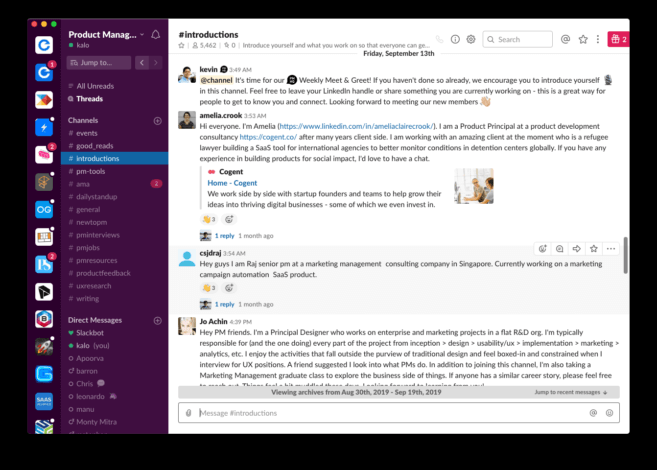
Both tools organize conversations into channels. Slack’s channel system is more mature: you get threaded replies, channel bookmarks, saved messages, and a search experience that can surface a message from three years ago in seconds. Teams with long institutional memory lean on Slack search constantly.
Chanty keeps channels functional but simpler. It introduced a feature called Teambook, which acts as a unified task and conversation feed, a kind of inbox that prevents messages from getting lost across dozens of channels. Smaller teams tend to appreciate this because they are not managing 50 active channels at once.
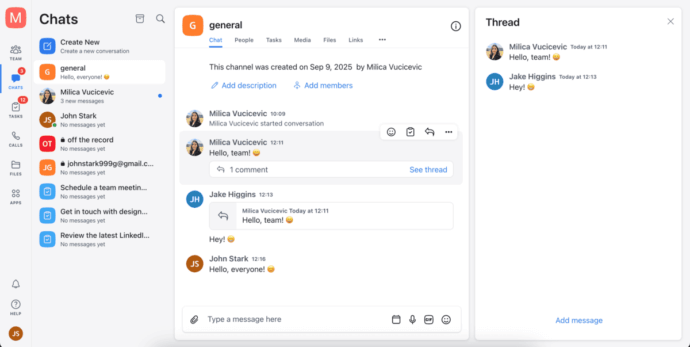
One practical note: Slack’s free tier limits message history to 90 days. Before a 2022 update, it was only 10,000 messages total, which was genuinely frustrating for small teams. Chanty offers unlimited message history even on its free plan, which is a real differentiator for teams watching their budget.
Audio and Video Calls
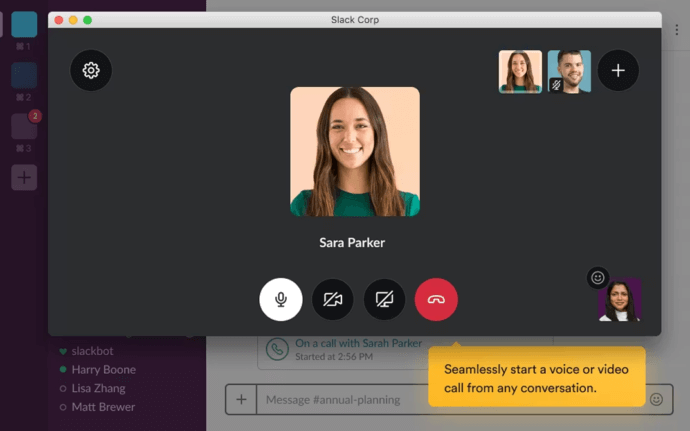
Slack has improved its native calling significantly, and with Huddles it introduced a lightweight “always-on” audio experience that some remote teams love. You can drop into a Huddle like walking over to a colleague’s desk, low friction, no scheduling required.
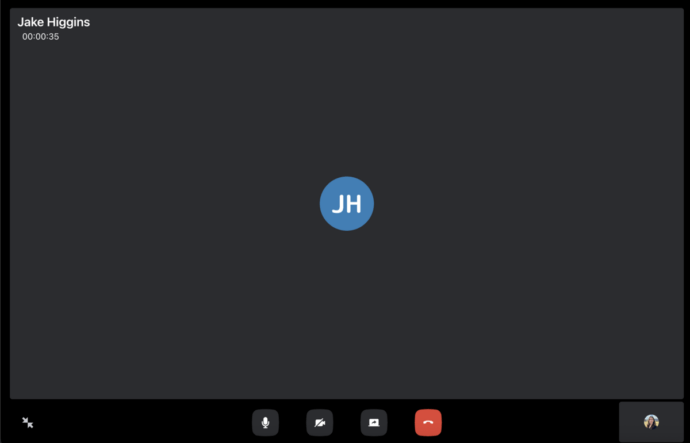
Chanty supports audio and video calls, but this is not its strong suit. Group video calls work, but the feature set is basic compared to dedicated video tools. If your team lives in video meetings, Chanty is not built around that use case.
Task Management
This is where Chanty makes a genuine argument against Slack. Chanty has task management built directly into the product. You can convert any message into a task, assign it to a team member, set a due date, and track it without leaving the app. For small teams that do not want to pay separately for Asana or Trello, this is genuinely useful.
Slack connects to those tools through integrations but does not do task management natively. If you want to turn a message into a tracked action item in Slack, you need a third-party app to make it happen.
Integrations
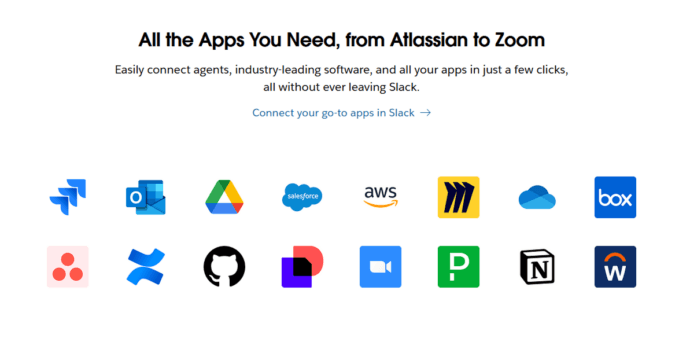
Slack wins this category by a wide margin. Over 2,600 native integrations cover everything from Salesforce and GitHub to Zoom and Google Calendar. For engineering teams, design teams, or sales organizations with complex toolchains, Slack’s integration depth is often the deciding factor.
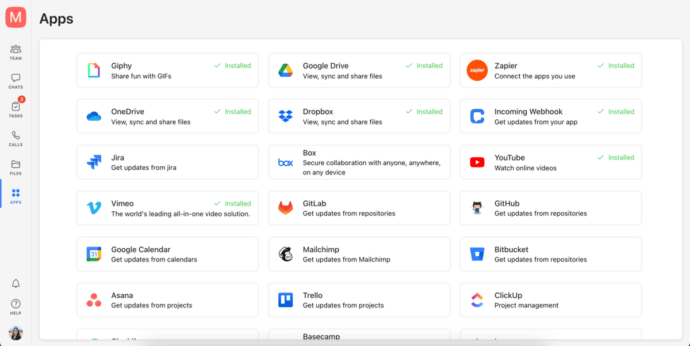
Chanty supports integrations but the library is much smaller. The most common tools are there, including Trello, Asana, Google Drive, and Zapier (which opens the door to indirect integrations). But if your workflow depends on a niche or enterprise tool, there is a real chance Chanty does not connect to it directly.
Pricing: Where the Gap Really Shows
|
Plan |
Slack |
Chanty |
|---|---|---|
|
Free |
Up to 90 days history, 10 integrations, 1:1 calls only |
Unlimited history, up to 5 users, 1 guest |
|
Paid entry |
Pro: ~$8.75/user/month |
Business: $3/user/month |
|
Mid-tier |
Business+: ~$15/user/month |
No additional tier |
|
Enterprise |
Custom pricing |
Custom pricing |
The pricing gap is significant. A 25-person team on Slack Pro pays roughly $2,600 per year. The same team on Chanty Business pays $900. That gap widens with headcount.
The counterargument is that Slack’s integrations and workflow tools can eliminate the need for other subscriptions. A team running Slack with Workflow Builder might not need a separate project management tool. The math depends on your stack.
What Neither Tool Covers Well
Here is where the comparison gets interesting. Both Slack and Chanty are primarily messaging-first platforms. If your team also needs:
- High-quality video conferencing with recording and moderation controls
- A self-hosted deployment option for security or compliance reasons
- A unified platform that handles messaging, meetings, and webinars
…then you are likely bolting on additional tools to fill the gap.
TrueConf as an Alternative
TrueConf is a communication platform that has gained adoption in enterprises and government organizations across Europe and Asia. It positions itself differently from both Slack and Chanty: it is less of a messaging app and more of a unified communications platform.
The key differentiator is the self-hosted deployment option. TrueConf Server can run entirely on your own infrastructure, with no data passing through third-party servers. For organizations in healthcare, legal, government, or any industry with strict data residency requirements, this is a serious advantage. Neither Slack nor Chanty offer on-premises deployment in their standard plans.
Where TrueConf stands out:
- Video conferencing up to 1,500 participants with HD quality
- Built-in webinar functionality, not a bolt-on
- Complete on-premises deployment with TrueConf Server
- Persistent chat, file sharing, and contact management alongside meetings
- Strong support for Windows, macOS, Linux, iOS, and Android
Try TrueConf Server Free!
- 1,000 online users with the ability to chat and make one-on-one video calls.
- 10 PRO users with the ability to participate in group video conferences.
- One SIP/H.323/RTSP connection for interoperability with corporate PBX and SIP/H.323 endpoints.
- One guest connection to invite a non-authenticated user via link to your meetings.

Final Thought
Most teams overcomplicate this decision. Start with what you actually do all day. If messaging and quick file sharing covers 90% of your needs and you have fewer than 50 people, Chanty is hard to argue against at $3 per user per month. If you are orchestrating large engineering workflows across multiple tools, Slack earns its price. And if your IT team is asking questions about where your communications data lives, that conversation leads straight to TrueConf.
FAQ
Can I host Slack or Chanty on my own servers to meet strict data compliance requirements?
Neither Slack nor Chanty offers true on-premises deployment, meaning your data will always reside on their third-party cloud servers. If your organization operates in a regulated industry like healthcare or government, you need a platform like TrueConf that provides complete self-hosted deployment. This ensures all your messages, files, and meeting recordings remain entirely within your private network perimeter.
Do I need to buy a separate video conferencing tool if I use Slack or Chanty for team messaging?
While both platforms offer basic audio and video calling, they lack the advanced features needed for professional meetings, such as high-definition recording, webinar hosting, and strict moderation controls. Instead of bolting on a separate app, many organizations choose a unified platform like TrueConf to seamlessly combine persistent team chat with enterprise-grade video conferencing. This eliminates the friction of switching between different applications for messaging and meetings.
Is there a more cost-effective team communication solution for large enterprises compared to per-user SaaS subscriptions?
As your headcount grows, the per-user monthly fees for platforms like Slack can quickly become a massive financial burden, even if Chanty offers a cheaper alternative. To avoid unpredictable subscription costs, many large teams are switching to TrueConf, which offers a generous free tier for up to 1,000 users and perpetual licensing options. This provides a highly predictable, one-time cost structure that scales much better for growing organizations.
Can I integrate my chosen team messenger with our existing physical conference room equipment?
Standard cloud messengers like Slack and Chanty are designed primarily for software clients and lack native support for legacy hardware integration. If you need to connect your team chat directly to physical room systems, TrueConf is the ideal choice because it natively supports SIP, H.323, and RTSP protocols. This allows you to seamlessly bridge your software communications with existing enterprise AV infrastructure without replacing expensive equipment.
How can we maintain internal team communication and video meetings if our external internet connection goes down?
Cloud-based tools like Slack and Chanty become completely inaccessible during an internet outage, which can halt business operations for distributed teams. However, by deploying TrueConf Server entirely within your local corporate LAN or air-gapped network, your team can continue messaging and hosting video calls without any external internet access. This guarantees uninterrupted, secure collaboration regardless of external connectivity issues.
What happens to our message history and meeting recordings if we decide to switch to a self-hosted solution?
When using cloud platforms, migrating your historical data to a new system can be difficult, and you remain dependent on the vendor’s data retention policies. With a self-hosted platform like TrueConf, you maintain absolute ownership and exportability of all your chat logs, files, and meeting recordings. This guarantees that your institutional knowledge is never locked inside a third-party vendor’s ecosystem and remains fully under your administrative control.
About the Author
Olga Afonina is a technology writer and industry expert specializing in video conferencing solutions and collaboration software. At TrueConf, she focuses on exploring the latest trends in collaboration technologies and providing businesses with practical insights into effective workplace communication. Drawing on her background in content development and industry research, Olga writes articles and reviews that help readers better understand the benefits of enterprise-grade communication.


Follow us on social networks