TrueConf Business Messaging for Teams – Slack Alternative

TrueConf platform is a secure alternative to Slack?

Download for free
TrueConf or Slack?

TrueConf and Slack?

Show only differences

TrueConf

Slack

Whether the product is a proprietary developmen

Yes
Yes

Brief description

Secure video conferencing system and corporate messenger

Platform for communication and team collaboration

Deployment method

Server, cloud or hybrid solution

Cloud

Autonomy and data protection

Yes
Yes

Support of 4K (UltraHD) video quality

Yes
No

Maximum size of a group video conference

2,000

15

Message and file history

Unlimited

90 days, in the free plan

Multiple authorization

Yes
Yes

Encryption / encoding of media streams

Yes
Yes

Integration with calendars

Yes
Yes

Integration with VoIP services and telephony

Yes

Via an additional application

Address book

Yes
Yes

Displaying user statuses

Yes
Yes

No restrictions on the size of transferred files

Yes

Depends on the tariff

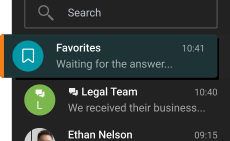
Favorites (saved messages and files)

Yes
Yes

Synchronization of messages and chats between all user devices

Yes
Yes

In chat messages search

Yes
Yes

Support for message forwarding

Yes
Yes

Built-in message formatting tools

Yes
Yes

Message editing

Yes
Yes

Group actions on messages

Yes
Yes

Granting rights for group chats

Yes
Yes

Video conference recording

Yes
Yes

Native application development technology (SDK)

Yes
Yes

Number of participants in a group conference in the free version

10

1 on 1 meetings only

It is possible to track the status of a message (read or not)

Yes
No

Real-time transcription function

A proprietary AI-based algorithm captures all details of the discussion and automatically generates a transcript of the meeting

Only using third party tools

Find out how much you can save with TrueConf

TrueConf and Slack

How many users are on your team?

2102050100200299

Your business savings:

Per year*

For

users

Unlock more features with TrueConf Server!

Download for free

Comparison With Other Vendors

4K Online Meetings

4K Online Meetings

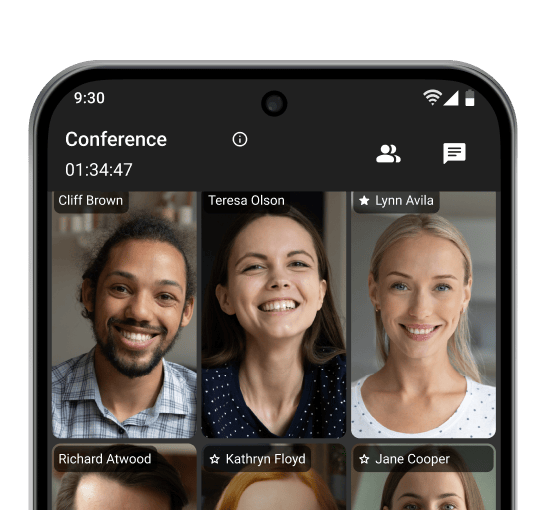
Make video calls and host conferences in 4K UltraHD resolution, with no time limits on your conversations!

Corporate Messenger

Corporate Messenger

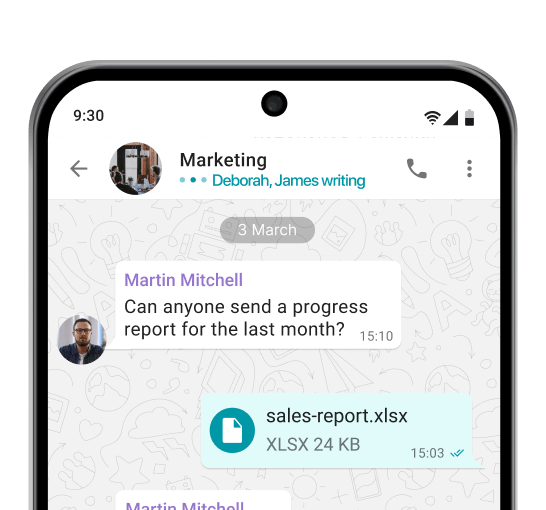
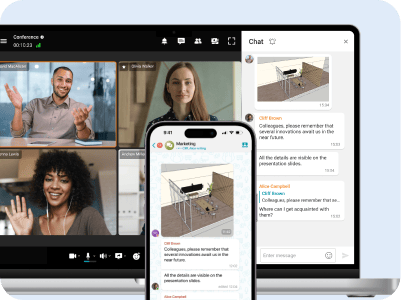
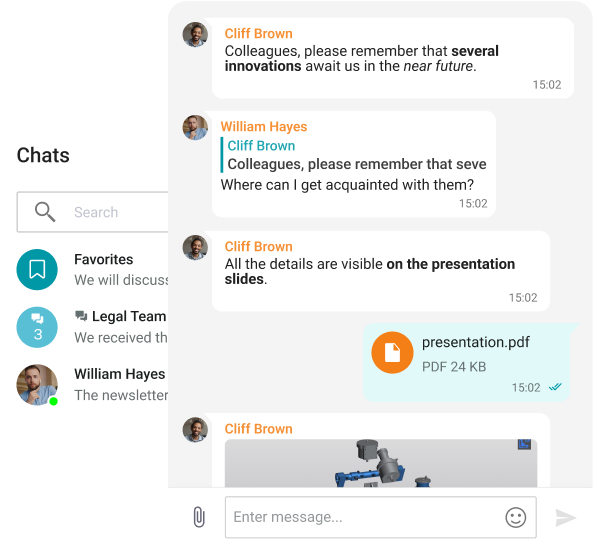
Exchange messages during conferences and beyond! Respond to colleagues' requests in private and group chats, seamlessly turning discussions into video meetings.

Team Collaboration

Team Collaboration

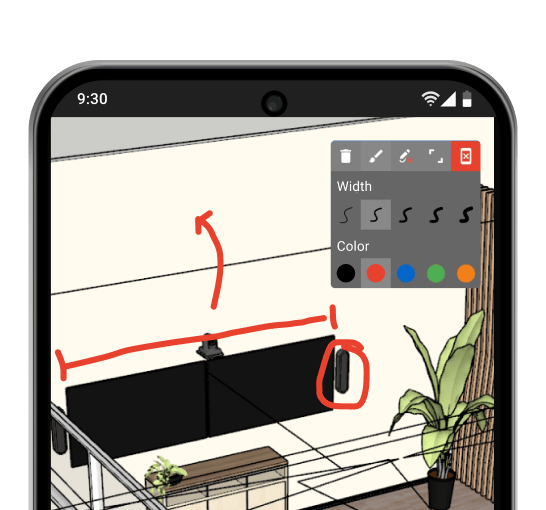
Use a wide range of collaboration tools: screen sharing, presentations, and video files, as well as remote desktop control, reactions, and annotations over content.

AI-based Features

Communicate in noisy environments, change your background, and transcript important meeting details — all enabled by artificial intelligence.

Smart Noise Suppression

Blurring and Replacing the Background

Transcription of the Meetings

Communication Without Limits

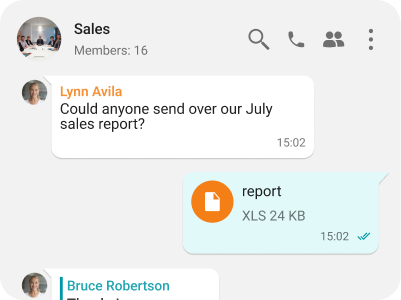
Group and personal chats

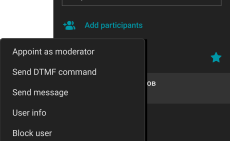
Managing chat moderators and transferring owner rights

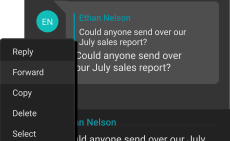
Edit, reply & forward messages

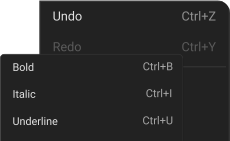
Text formatting: bold, underline, strikethrough, and italics

Transcription of the Meetings

Transcription of the Meetings

Transcription of the Meetings

Transcription of the Meetings

Boundary-Free Corporate Communication

Fast File Sharing

Fast File Sharing

Share and instantly preview files within TrueConf client applications.

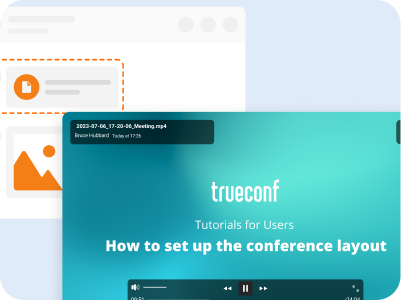
File and Media Viewing

File and Media Viewing

View received images, video files, and PDF documents within TrueConf desktop clients.

Address Book

Address Book

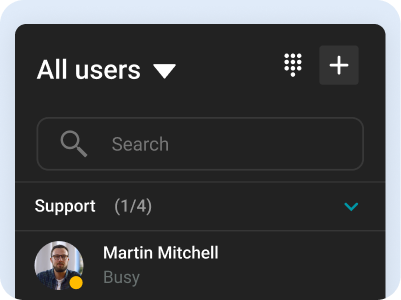
Use the intuitive address book and department navigation to contact any company employee and see colleagues' availability status.

Synchronization Across All Devices

Synchronization Across All Devices

Take calls and join conferences from any device while maintaining communication continuity — your chat history syncs automatically.

Communication Security

Unified Entry Point

Unified Entry Point

Integration with Active Directory enables centralized management of user accounts and restricts access rights to corporate information.

Two-Factor Authentication

Two-Factor Authentication

Connect third-party identity providers, including AD FS, to establish trust zones with varying security levels and required authorization methods.

Full Control Over Your Communications

TrueConf Server is deployed on your company’s hardware, ensuring the protection of personal data from third parties. The server operates within your closed corporate network autonomously, remaining fully under your control.

Full Control Over Your Communications

International Recognition

For three consecutive years, TrueConf has been recognized as an "Innovator" in the global video conferencing market, according to the Aragon Research Globe™ for Video Conferencing study.

Our Project

Department of Justice and Home Affairs

Department of Justice and Home Affairs

With limited resources and judges short on time, Zurich legal professionals and court officials are embracing video conferencing for all stages of the legal process. With TrueConf, officers are spending less time on inmate security and transport to focus more on their primary job functions, while multiple inmates from multiple locations can be connected without the need for extra holding cells in the courtrooms.

Hindustan Aeronautics Limited

Hindustan Aeronautics Limited

TrueConf Enterprise has powered Hindustan Aeronautics Limited to create a private collaboration cloud that enables more than 30,000 employees to communicate seamlessly from any convenient device. After moving their meeting activities online, HAL managed not only to save time and money on transportation costs but also reduce the risk of delays and cancellations due to travel disruptions.

European Patent and Trademark Attorneys

European Patent and Trademark Attorneys

TrueConf helped Isarpatent to connect multiple company offices and provide online patent consultations with their clients and partners. All communications between patent advisors and clients are encrypted and safely stored on the company’s premises.

Istanbul Airport

Istanbul Airport

The visitors of Istanbul Airport can experience a new level of real-time customer service and get immediate help in a matter of seconds thanks to information video kiosk system powered by TrueConf SDK.

ZTM Bad Kissingen

ZTM Bad Kissingen

The TeleView for Refugees project based on TrueConf video conferencing systems was quickly deployed and did not require large financial contributions or legacy video conferencing endpoint installments. The solution meets the requirements for sensitive medical data processing, storage and transmission.

Koluman Holding

Koluman Holding

Koluman Holding, one of the leading manufacturers in Turkey’s automotive industry, has replaced hardware MCU with TrueConf Server, a software video conferencing system. The solution integrates smoothly with existing SIP/H.323 infrastructure, delivering high quality video collaboration across five branches.

Expand the Boundaries of Video Conferencing with TrueConf!

Learn more
Expand the Boundaries of Video Conferencing with TrueConf!

FAQ

What is Slack

Slack is a corporate team messaging app that brings together communication, collaboration, and integration with external services in one place. In Slack, users create channels to discuss projects, exchange private messages, make audio and video calls, use bots, and automate workflows.

Slack supports integration with hundreds of popular applications (Google Drive, Trello, Jira, GitHub and others), allowing you to receive notifications and manage tasks directly from chats. Its main goal is to replace unstructured email chains and disparate messengers with a convenient, transparent communication system in which it is easy to search for information and work in a team.

Slack is used by small startups and large corporations alike to speed up communication, improve collaboration, and streamline business processes.

Why choose self-hosted communication tools?

Selecting self-managed internal tools frequently depends largely on increased autonomy, data safety, and system flexibility across departments. In contrast to vendor-hosted applications that retain and operate content using outside infrastructure, locally deployed platforms empower teams to preserve consistent authority over essential collaboration frameworks. This becomes significantly relevant in sectors that process confidential records or must adhere to detailed governance protocols.

Through localized deployment, firms are able to specify precisely the location where records are maintained, methods for ensuring protection, and individuals permitted to interact with the environment. Such detailed supervision plays a vital role in achieving organizational audit goals and fulfilling mandated regional storage rules.

Moreover, privately hosted systems provide extensive options for configuration. Enterprises are able to adapt programs according to specialized internal procedures, merge them with proprietary databases, and alter the base framework when open-access technologies are involved. This adaptability proves fundamental for departments requiring nuanced digital cooperation beyond the scope of ready-made cloud-based utilities.

A further compelling consideration lies in autonomy from outsourced entities. In-house communication platforms remove potential problems tied to service discontinuation, cost escalation, or unwanted functionality updates determined by external vendors. Especially for larger operations or strategically planned workflows, maintaining oversight across the entire communications stack becomes more beneficial than relying on third-party, cloud-centric offerings.

Key Features of Slack

Channels

Slack organizes communication in topic channels - permanent group chats dedicated to projects, departments, or topics. Channels can be open to the entire team, closed by invitation, or shared with external participants via Slack Connect. This allows you to keep all discussions in one place, instead of scattered emails.

Personal messages

Slack supports one-on-one personal chats and small group conversations. This is convenient for private discussions or quick clarifications. If necessary, you can create a separate channel or discussion thread from your personal correspondence. Integration with other services Slack easily integrates with hundreds of external applications: Google Drive, Trello, Jira, GitHub, Gmail, and more. Teams can receive notifications and manage events from these services directly in Slack, without switching between platforms. For example, you can receive notifications about new issues in Trello or support messages from Zendesk in selected channels.

Bots and automation

Slack includes a built-in assistant, Slackbot, that can answer questions, create reminders, and help new members. You can quickly perform actions using slash commands (/remind and others). Using Workflow Builder or third-party bots, teams automate complex processes like daily reports, surveys, code builds, and more, increasing efficiency.

Message history search

All messages, files and links are indexed and searchable. Slack lets you find the data you need by keywords, channels, users, or date. The free version provides a 90-day history, while the paid version provides a full archive. Slack lives up to its name as "a searchable log of all communication and knowledge" (Slack).

Video calls and audio calls

Slack supports audio and video calling through the Slack Huddles tool. The free version allows 1:1 calls, while the paid version allows group meetings for up to 15 people with screen sharing. Slack integrates with Zoom and other services for large-scale conferences. This is especially important for distributed teams that need to quickly move from text messages to calls.

Manage notifications

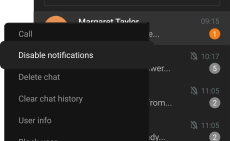
Slack offers flexible notification settings: you can receive alerts for all messages, only @mentions, or only from important channels. The "Do Not Disturb" feature allows you to turn off notifications during non-working hours. You can set up keyword alerts or mute individual channels to minimize distractions while still maintaining access to their content. This helps teams to stay informed without being overwhelmed by notifications.

Can Slack be deployed on-premise?

No, Slack currently lacks support for on-site installation. It functions as a subscription-based SaaS (Software as a Service) solution, entirely operated and maintained through Slack’s parent organization (Salesforce). All information remains hosted and handled within Slack’s network environment, and users are not provided with the capability to operate it on private infrastructure.

Alternatives to Slack

TrueConf Server: Secure Self-Hosted Video Conferencing and Messaging Platform

TrueConf Server is an on-premises collaboration solution that combines secure video conferencing with team messaging. Designed for corporate environments and government institutions, it ensures full control over communication infrastructure while supporting high-quality meetings, file sharing, and internal chat.

Main functions:

• enterprise-grade video conferencing with support for up to 1,000 participants per meeting;

• private team messaging with group chats, threads, and file sharing;

• screen sharing, remote desktop control, and content slides during video calls;

• full offline operation within LAN with no internet connection required;

• AES-256 encryption and full control over data — no third-party access;

• cross-platform client apps for Windows, macOS, Linux, Android, iOS, and web;

• built-in user management, roles, access control, and LDAP/AD integration;

• ability to schedule meetings, assign moderators, and record sessions;

• API and SDK for integrations with corporate tools and workflows.

Free version:

TrueConf Server Free allows up to 1,000 users and supports all core features, including video meetings and messaging, without time limits or ads.


Chanty: Messaging, Video Calling and Task Management Platform

Chanty is a service that combines two key functions: team communication and task management. The messenger is designed for team communication and collaboration. You can create topics, mention team members, share files, etc.

Main functions:

• task management: the ability to assign and delegate tasks to employees;

• text, voice and video chat;

• file and links transfering of any format up to 100 MB;

• your databases and messages are protected, no one has direct access to them;

• mobile applications for Android and iOS;

• the solution offers each company a separate hub where all the content that the team has created over the entire period of using the service is stored;

• managing participants, mentions and reactions;

• the ability to create Kanban boards and set task priorities.

Free version:

The free plan is available without calls and video chat.


Pumble: Team Chat App

Pumble is a business communication and team collaboration solution that lets you message one-on-one or in a group, find files in unlimited history, organize video conferences, and more.

Main functions:

• communication in group chats by invitation or in public discussions for everyone to join;

• reply to messages by creating threads;

• sending voice and video messages, files, images, links;

• communication in the application or via a link from Google Calendar;

• receive notifications about messages, mentions of you, replies in threads;

• automatic reminders for selected messages;

• scheduled message sending;

• message history import from Slack.

Free version:

One-on-one communication only, no time limit.


Brosix: a service for instant messaging

Brosix is a solution that allows users to exchange messages and keep in touch with each other. There are two versions available: Brosix Personal that is a free application for personal use by individuals and Brosix Business for corporate communications.

Main functions:

• full control over user accounts: you can decide who will have access to the system and what functions they will be able to use;

• autonomous operation within a closed network;

• automatic encryption of all communication channels;

• recording and monitoring of all user actions;

• mobile application existence;

• video and audio calls available;

• notifications to people from your contacts;

• spell check function.

Free version:

For small teams of up to 3 people per network connection.


Mattermost: Business Communication Platform

Mattermost is a messenger designed for collaborative work on projects. The solution allows you to create work chats, exchange files, search for necessary messages, integrate with other services, etc., but does not support video and audio communication.

Main functions:

• messenger deployment in your local network (on-prem installation);

• personal and group chats;

• task manager for setting tasks and tracking their completion;

• automation of routine actions using scripts;

• mobile application existence;

• integrated Kanban board and workflow functions (graphical representation of the task flow);

• setting up thematic channels.

Free version:

The messenger is free.


Twake: Open-Source Collaboration Suite

Twake is a digital workplace platform that combines team messaging, file management, and task tracking in a single interface. Developed for structured teamwork, it delivers a user-friendly replacement for standard online platforms, and it additionally enables full internal hosting for companies emphasizing secure infrastructure and compliance.

Main functions:

• installation on private servers (self-hosted deployment);

• spaces supporting collaborative interaction and personal dialogues;

• joint file revisions and synchronized data distribution;

• embedded planner alongside task coordination utilities;

• instant alerts and status refreshes;

• interactive task boards with visual workflow navigation;

• connectivity with digital tools including OnlyOffice, Nextcloud, and others.

Free version:

Twake operates under an open-source license and is freely usable on self-managed servers.


Zulip: Structured Group Messaging System

Zulip operates as a platform designed to enhance structured interaction among task-oriented groups. One of its standout capabilities is a distinctive topic-threading system, which enables participants to track several discussions inside one space while maintaining clarity. The software facilitates synchronous chatting, document distribution, and tool integration, and it may also be installed on-site for organizations requiring complete oversight of their communication environment. Audio and video features are accessible through external service connections.

Main functions:

• deployment of the platform on internal systems (privately hosted setup);

• individual and group exchanges using topic threads;

• subject-organized communication flow for better focus;

• document transfer and retrievable discussion records;

• connectivity with automation tools and third-party services;

• applications for smartphones and desktop environments;

• integration with services supporting voice or video interaction.

Free version:

Zulip is distributed under an open-source license and available at no cost, including for use in privately hosted installations.


Fleep: Streamlined Messaging Platform for Groups

Fleep operates as a platform tailored toward group coordination, emphasizing clarity and built-in email compatibility. It enables members to launch threads involving both internal teams and outside collaborators, distribute content, handle assignments, and maintain structured conversations. In contrast to standard platforms, Fleep blends messaging with email streams, offering a practical solution for hybrid communication setups. Still, the system lacks options for local deployment or integrated voice and video interaction.

Main functions:

• online-based chat service without support for local server installation;

• individual and collective conversations featuring email merging;

• included task organizer for planning and monitoring activities;

• highlighted messages and thread-based dialogue navigation;

• content transfer and media saving inside message threads;

• available applications across mobile and desktop systems;

• possibility to interact with external participants using email links.

Free version:

Fleep provides a complimentary tier with basic features aimed at small groups.


Troop Messenger: Encrypted Workplace Messaging Solution

Troop Messenger functions as an enterprise-grade platform developed for efficient collaboration and streamlined internal conversations. This system enables chat, document exchange, task coordination, and incorporates advanced tools such as conferencing, file sharing, and screen broadcasting. It caters to organizations that demand comprehensive oversight of digital interactions and provides flexibility through both hosted and self-managed deployment models.

Main functions:

• application deployment inside company infrastructure (self-hosted or dedicated cloud solution);

• direct and group-based communication;

• task scheduling with progress monitoring features;

• multimedia communication with screen sharing options;

• cross-platform availability for mobile and desktop;

• message redirection, advanced filters, and message pinning;

• connectivity with collaboration software and business platforms.

Free version:

Troop Messenger includes a basic free trial; expanded access is part of subscription plans.


Wire: Encrypted Platform for Corporate Messaging

Wire operates as an encrypted platform designed to support professional communication, with an emphasis on confidentiality and secure data handling. This solution enables team and individual interactions, media transfers, and real-time voice or video engagement. It can be used via cloud hosting or installed on private infrastructure, catering to organizations that demand full command over their digital conversations.

Main functions:

• platform setup within organizational infrastructure (on-site deployment supported);

• encrypted one-to-one and multi-user chat threads;

• protected document exchange and team collaboration;

• real-time meetings via audio and video with full encryption;

• cross-device functionality through desktop and mobile clients;

• compatibility with business applications and internal systems;

• alignment with global compliance protocols (ISO, GDPR, and more).

Free version:

Wire includes a basic no-cost version for individual use; enterprise-grade tools are part of the paid plan.