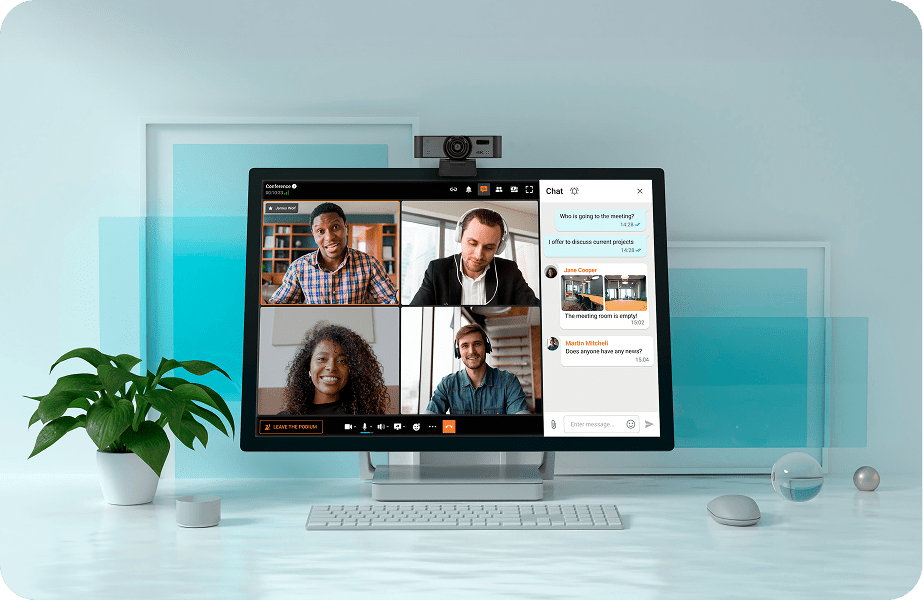
Experience Clear Video Calls on Your Computer

Enjoy reliable, high-quality video calling on any desktop platform with TrueConf. Communicate clearly, collaborate easily, and stay connected without relying on external cloud services.

Experience Clear Video Calls on Your Computer

Professional Video Conferencing Platform

Ultra HD video conferencing for government, business, education, healthcare, and other purposes.

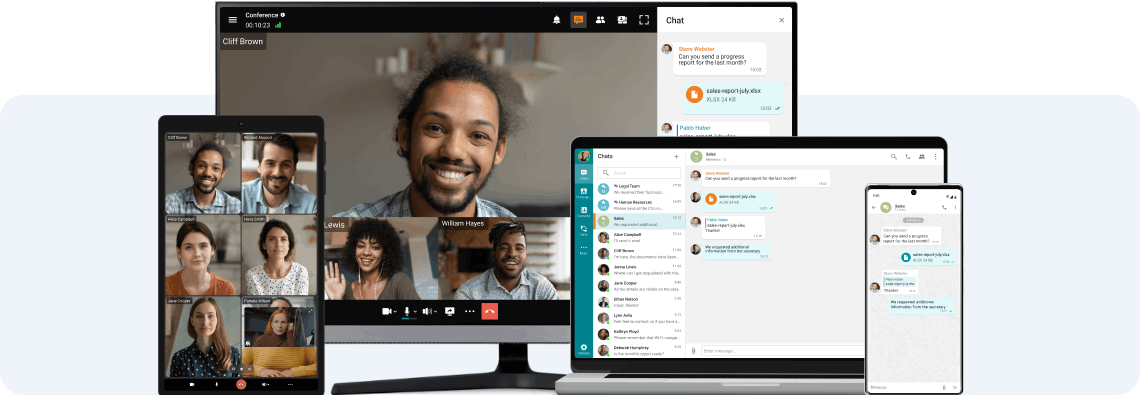
Continue Communication from any Device

Continue Communication from any Device

Client applications are available for all popular operating systems, including Windows, macOS, Linux, iOS, Android, and Android TV.

Video Conferences in 4K

Forget about blurry pictures — enjoy real-life experiences with UltraHD online meetings! Save time and money by conducting lifelike video conferences with your colleagues worldwide.

Video Conferences in 4K

Convenient Conference Management

Take control of your video meeting's progress by assigning roles, adding or removing participants, and managing users' devices!

Convenient Conference Management

Team Messaging

Communicate in personal and group chats, and easily share images, presentations, documents, and files. Respond to colleagues at your convenience, while effortlessly transforming any discussion into a video meeting!

Team Messaging

Collaboration Tools

Share presentations, desktop screen and application windows, draw and add annotations, show content and videos with sound, and manage the desktop of your interlocutors.

Collaboration Tools

Stream to Third-Party Services

Boost the viewership to one million by live streaming online events on platforms like YouTube, Wowza, and other services or CDN platforms.

Stream to Third-Party Services

Secure Communications within a Closed Network

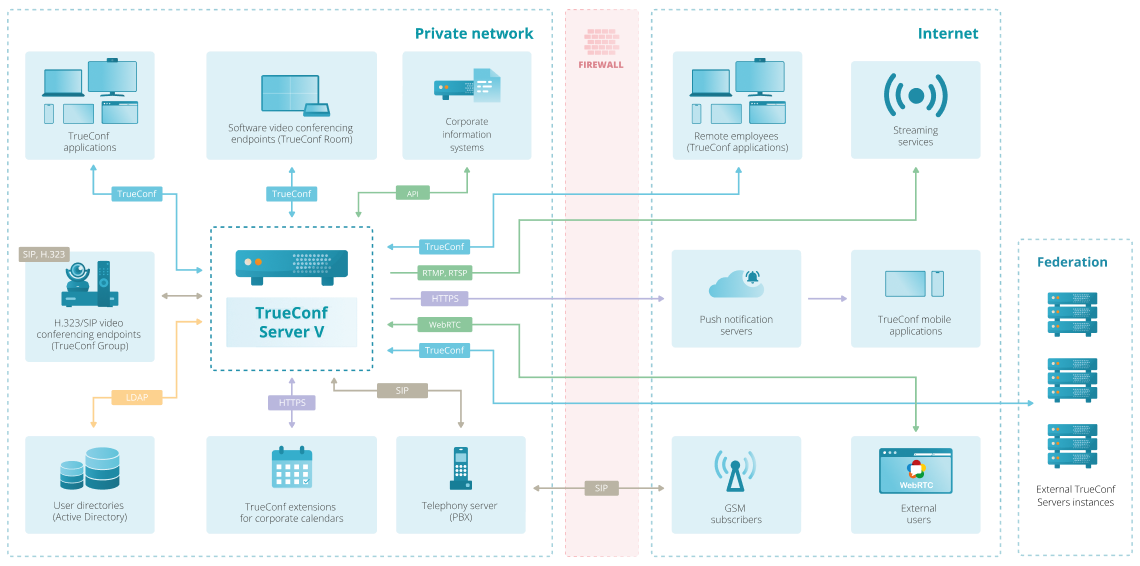
TrueConf is deployed on your company's equipment and works autonomously inside a closed corporate network, which guarantees reliable protection of personal data from third parties.

Learn more

Secure Communications within a Closed Network

Experience HD video conferencing with TrueConf!

FAQ

How to video call on PC?

Install TrueConf Client and enter your TrueConf Server address.

Sign in with the username and password provided by the administrator.

Open the address book, choose a user, and click Video Call.

Which software is best for video calling?

For professional and secure video calling, TrueConf Server is one of the best options. It provides high-quality video communication inside your organization, works on your own infrastructure, and does not depend on the public cloud. Users can make calls from Windows, macOS, Linux, iOS, Android, and browsers.

Key advantages:

• Ultra-low latency and HD/FullHD video quality

• Works entirely offline on your local network

• Full control over data and user accounts

• Integration with SIP/H.323 equipment

• Free desktop and mobile apps for all platforms

If you need reliable video calling for business, self-hosted deployments, or secure environments, TrueConf Server is an ideal choice.