
Video Conferencing in Business: How to Choose the Right Solution and Architecture?
Video conferencing has stopped being a simple substitute for in-person meetings. For a modern company it is part of the core infrastructure: a channel for client negotiations, a tool for managing distributed teams, and, in many industries, an element of compliance with data protection regulations.
The difference between “just a service for calls” and a “corporate video communication platform” becomes clear the moment a business grows, adds branch offices, starts handling sensitive data, or has to follow internal security policies.
The key decision facing an IT director or communications lead is not “which service looks nicer” but “which architecture fits the company’s actual requirements”: a cloud SaaS with subscription pricing, or an on-premises deployment, where the video conferencing server sits inside the organization’s own infrastructure. This decision shapes data security, long term total cost of ownership, integration flexibility, and the level of administrative control over the system.
This article covers the criteria for choosing business video conferencing, the practical differences between cloud and on premises models, the real cost of ownership factors, and where TrueConf, a platform built around on premises and self hosted deployment, fits into this landscape.
Key Takeaways in 30 Seconds
|
Parameter |
What matters? |
|---|---|
|
What it is? |
Software and hardware solutions for calls, meetings, webinars, and internal messaging within a company and with external participants |
|
Best fit for cloud VC |
Small and mid sized teams without strict data residency requirements, needing a fast start with no internal IT infrastructure |
|
Best fit for on premises VC |
Companies with data sovereignty requirements: banks, government, industrial enterprises, healthcare, legal, and law enforcement organizations |
|
TrueConf’s key differentiator |
Deployment on the customer’s own server, ability to operate without a permanent internet connection, full administrator control over data and users |
|
TrueConf’s scale range |
From a free tier supporting up to 1,000 messenger users to TrueConf Enterprise supporting up to 1,000,000 users |
|
Entry cost |
TrueConf Server Free is free; TrueConf Server starts at $10 per user per year; TrueConf Enterprise is priced on request |
|
Main risk of choosing without analysis |
Underestimating the cost of integrations, migration, and administration as a cloud solution scales |
What Business Video Conferencing Actually Means?

Business grade video conferencing is not just a window with video and a “raise hand” button. In a corporate context, the term covers several layers working together:
- Communication layer: audio and video calls, group conferences, webinars with participant registration.
- Collaboration layer: screen sharing, slideshow presentations, polls, reactions, co-editing.
- Identity and access layer: integration with a corporate directory (Active Directory, LDAP), single sign-on (SSO), role and permission management.
- Infrastructure layer: cloud hosting managed by a vendor, or an on premises server inside the company’s own perimeter, with load balancing and fault tolerance.
- Compliance layer: encryption, activity logging, support for data loss prevention (DLP) policies, alignment with industry regulations.
It is the combination of these layers, not the number of tiles visible on screen in a promotional video, that determines whether a given product actually fits a given company.
How Does Business Video Conferencing Work?

A video conference may look simple to the user, but several technical processes happen continuously in the background. A camera captures video while a microphone captures audio. The conferencing application encodes and compresses these media streams so they can be transmitted efficiently across the network, then decodes them on the receiving side for playback through displays, speakers, or headsets.
Business conferencing platforms also manage signaling, authentication, screen sharing, chat, recordings, participant permissions, and other collaboration functions alongside the media itself. Modern systems adapt video resolution, frame rate, and bitrate when network conditions change, helping meetings remain usable when participants connect from offices, home Wi-Fi, mobile networks, or branch locations with limited bandwidth.
For IT teams, this means conferencing quality depends on more than camera resolution. Network adaptation, infrastructure capacity, signaling reliability, endpoint compatibility, authentication, and policy enforcement all contribute to the actual meeting experience.
What Equipment Does a Business Need for Video Conferencing?
The required equipment depends on where and how employees join meetings.
Personal-Device Conferencing
An individual employee usually needs a laptop, desktop, tablet, or smartphone with a camera, microphone, speakers or a headset, the conferencing application, and a suitable network connection. Built-in laptop hardware is sufficient for many internal meetings, while an external headset or microphone becomes useful in open offices or noisy environments.
Small Meeting Spaces and Huddle Rooms
When several people participate from the same room, a single employee laptop can become a weak point. Small meeting rooms generally benefit from a dedicated display, wide-angle camera, microphone array or speakerphone, and a room computer or conferencing appliance so that everyone can be seen and heard without moving equipment around the table.
Conference Rooms and Boardrooms
Larger spaces may require PTZ cameras, multiple microphones, dedicated speakers, one or more displays, a room controller, and professional conferencing equipment. Acoustic conditions matter as much as video quality: echo, reverberation, HVAC noise, and poor microphone placement can make a technically functional room difficult to use.
Companies with existing room infrastructure should also check whether a new platform supports SIP or H.323 endpoints. Reusing compatible equipment can reduce migration costs compared with replacing every room during a software transition.
Main Types of Business Video Conferencing Systems
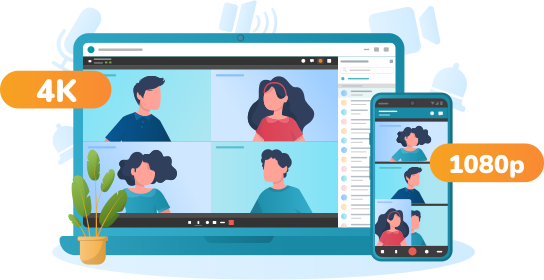
Business video conferencing is used across several different environments, each with its own technical and administrative requirements.
- Desktop and personal conferencing. Employees join from individual computers or mobile devices for project calls, customer meetings, interviews, and remote teamwork.
- Meeting-room conferencing. Multiple employees join from a shared room using dedicated audiovisual equipment, room calendars, centralized device management, and often one-touch meeting launch.
- Mobile conferencing. Employees participate while travelling, working from customer locations, or switching between office and mobile networks.
- Browser-based guest conferencing. External customers, suppliers, candidates, and contractors can join without receiving a managed corporate account.
- Enterprise video conferencing. The organization manages users, meeting rooms, branch offices, directories, recordings, policies, integrations, and concurrent meetings under centralized administration.
Where Video Conferencing Is Used in Business
The value of video conferencing comes from the range of workflows it can support. Internal team meetings are only one part of the picture.
Internal Meetings and Distributed Teamwork
Project reviews, planning sessions, management meetings, and cross-functional discussions benefit from real-time video when participants need to debate an issue, inspect shared content, or make a decision together. Routine updates that require no discussion are usually better handled asynchronously.
Client Meetings, Sales, and Customer Support
Sales teams can use video for discovery calls, demonstrations, proposal reviews, and negotiations. Support teams and remote experts can use it when a problem is easier to show than to describe by phone or text, such as a technical installation, interface, or physical device.
Recruitment, Training, and Onboarding
Video interviews widen the geographic hiring pool and reduce scheduling overhead. The same platform can support instructor-led training, employee onboarding, and recorded sessions for staff who cannot attend live. For business use, attendance, permissions, recording access, and retention policies can be as important as the live call itself.
Webinars, Town Halls, and Large Events
Webinars and executive broadcasts introduce a different communication model: a relatively small number of speakers may address hundreds or thousands of attendees. Useful capabilities include registration, moderated questions, polls, streaming, controlled speaker permissions, recording, and attendee reporting.
Business Continuity
Video conferencing can also support continuity when employees cannot access an office because of transport disruption, extreme weather, local emergencies, or other operational incidents. Organizations with strict continuity requirements should evaluate redundancy, failover, identity dependencies, and whether internal communication can continue if an external service becomes unreachable.
Video Conferencing vs. Chat, Email, and Phone Calls

One of the easiest ways to make business video conferencing inefficient is to use it for every communication task. Video works best when participants need immediate interaction, visual context, negotiation, presentation, brainstorming, or collaborative decision-making.
- Use video conferencing for complex discussions, demonstrations, interviews, sensitive conversations, and decisions that benefit from immediate feedback.
- Use corporate messaging for quick questions, lightweight coordination, and short updates.
- Use email for formal or detailed correspondence that should remain easy to retrieve.
- Use shared documents or project systems for information that needs asynchronous review, editing, ownership, or persistent tracking.
- Use audio only when visual communication adds little value.
The objective should not be to maximize the number of meetings, but to use synchronous video where it creates enough value to justify participants’ time.
Common Challenges of Business Video Conferencing
Video conferencing creates new communication options, but it also introduces technical and organizational problems that need to be managed deliberately.
Network Instability
Packet loss, latency, congestion, unstable Wi-Fi, and limited bandwidth can cause frozen video, delayed audio, or disconnected participants. Businesses should test platforms under realistic network conditions, not only on fast office connections, and use wired links for fixed rooms where practical.
Poor Meeting-Room Audio
Audio quality usually affects comprehension more than image resolution. Distant microphones, echo, clipping, or HVAC noise can make a meeting difficult even when the video is sharp. Room design and microphone coverage should therefore be treated as part of the conferencing deployment.
Security and Access Risks
Unauthorized participants, compromised accounts, exposed meeting links, uncontrolled recordings, and excessive guest permissions can create security problems. Businesses should evaluate identity management, MFA, host controls, encryption, logging, recording policies, file-sharing rules, and employee offboarding together rather than relying on a meeting password alone.
Too Many Meetings and Video Fatigue
Easy scheduling can lead to recurring meetings that consume time without producing decisions. Clear agendas, shorter sessions, smaller attendee lists, documented action items, and asynchronous updates can reduce unnecessary meeting load.
Business Video Conferencing Best Practices

Technology solves only part of the meeting problem. A powerful platform will not make an unnecessary or badly organized meeting productive.
- Before the meeting: define the intended outcome, invite only the people needed to reach it, share relevant material in advance, and test important external meetings or room systems beforehand.
- During the meeting: keep discussion tied to the decision or problem, use screen sharing for visual material, define presentation and speaking rights for larger meetings, and assign a moderator when participant count grows.
- After the meeting: move decisions, owners, deadlines, and follow-up tasks into the appropriate business or project system instead of leaving them only in the conferencing application.
Accessibility in Business Video Conferencing
Accessibility should be considered during platform selection rather than added later. Live captions can help participants with hearing impairments and employees communicating in a second language. Transcripts can make recorded meetings easier to search, while keyboard navigation and screen-reader compatibility matter for users who cannot rely on a mouse or visual interface.
Hybrid meeting design also affects accessibility. Remote participants should be able to hear speakers in the room, identify who is talking, see shared material, and participate without being physically present.
AI in Business Video Conferencing
AI is increasingly used for transcription, meeting summaries, noise suppression, speaker identification, translation, intelligent camera framing, and extraction of follow-up tasks. These features can reduce administrative work, but they also create a new data-governance layer.
Before enabling AI-assisted meeting features, enterprises should establish where audio and transcripts are processed, whether content is sent to an external AI service, how long source data and generated summaries are stored, who can access them, whether users can disable processing, and how inaccurate summaries are corrected.
Future Trends in Business Video Conferencing
The next stage of business video conferencing is less about increasing resolution and more about integrating meetings into broader business workflows. AI-assisted summaries and action items are becoming more common, meeting rooms are adding intelligent framing and speaker tracking, and conferencing platforms are connecting more deeply with calendars, CRM systems, help desks, project tools, and internal applications.
At the same time, enterprises are paying more attention to data governance, interoperability, and hybrid meeting equity. As platforms store more recordings, chats, transcripts, analytics, and AI-generated content, security, legal, and compliance teams increasingly participate in conferencing decisions that were once treated mainly as an IT purchasing task.
Cloud vs. On Premises: A Difference in Philosophy, Not Just a Feature Gap

One insight that typically gets lost in generic video conferencing reviews: cloud and on premises solutions are not competing on the same axis of “convenience.” They are built to solve different business problems. A cloud SaaS product is optimized for fast deployment and minimal administration overhead. An on premises architecture is optimized for control, predictability, and independence from an external provider.
For a company that uses video calls purely for internal meetings without transmitting sensitive data, this distinction may not matter much. But for a bank, an industrial facility, a court, a healthcare organization, or a telecom operator, the question of where call data is physically stored and processed becomes a matter of licensing, audit trails, and legal liability.
|
Criterion |
Cloud VC (SaaS) |
On premises VC (e.g. TrueConf Server) |
|---|---|---|
|
Data location |
On the vendor’s servers, often in another jurisdiction |
On the customer’s own server, inside the corporate network |
|
Internet dependency |
Requires a stable, permanent connection |
Can operate in an isolated network with no internet access |
|
Administrator control |
Limited to settings exposed by the vendor |
Full control over users, policies, and logs |
|
Regulatory compliance |
Depends on the vendor’s jurisdiction |
Easier to meet data sovereignty requirements |
|
Time to deploy |
Usually faster for small teams |
Requires server installation and configuration |
|
Cost model |
Per user monthly subscription |
Per user annual license plus infrastructure costs |
|
Scalability |
Handled automatically by the vendor |
Managed by the customer: from a single server to a multi server, load balanced architecture |
Criteria for Choosing Business Video Conferencing

When comparing platforms, it makes more sense to evaluate groups of criteria rather than individual features, since together they determine real world fit for a specific company.
- Deployment model. Cloud, on premises, or hybrid. Determines who physically controls the data and the hardware.
- Security and compliance. Traffic encryption, multi factor authentication (MFA) support, integration with data loss prevention (DLP) systems, control over which file types and sizes can be shared in chats, the ability to route browser-based (WebRTC) guest connections through the company’s own TURN/STUN infrastructure instead of public relay services, and the ability to operate in an isolated network segment.
- Administration and access control. Availability of user roles, single sign-on via Active Directory or LDAP, and a centralized management console.
- Scalability. The ability of the system to grow from tens to hundreds of thousands of users without switching platforms.
- Integrations. Compatibility with corporate calendars, SIP/H.323 hardware, and APIs or SDKs for embedding video communication into a company’s own applications.
- Connection resilience. Stable performance on weak or unstable networks, and support for operation through NAT, firewalls, and proxies.
- Total cost of ownership (TCO). Not just license price, but also infrastructure, support, migration, and staff training costs.
Practical Business Benefits of Video Communication
Travel reduction is the most obvious benefit, but the business case is broader. Video conferencing can shorten decision cycles, improve access to specialists, support hybrid work, make training more consistent, and reduce the number of separate communication systems IT has to operate.
- Faster access to people. A specialist in another office can join a short discussion without losing hours to travel, while executives can bring together teams from multiple locations with little scheduling overhead.
- Faster decision-making. Complex issues that would otherwise move through long email threads can often be resolved in a short session with screen sharing and the right stakeholders present.
- Lower travel requirements. Routine internal reviews, supplier discussions, training sessions, and follow-ups can often be conducted remotely.
- Wider access to expertise and talent. Companies can work with employees, candidates, consultants, customers, and specialists outside commuting distance from an office.
- More consistent training and onboarding. Centralized sessions can be delivered across multiple offices, while recordings can provide a reusable reference for employees who cannot attend live.
- Support for hybrid organizations. Well-designed conferencing environments give remote and office-based employees access to the same meeting, shared content, and discussion.
- Reduced IT fragmentation. When calls, chat, webinars, directories, and room systems are managed in one environment, IT can reduce the number of separate user databases, admin consoles, integrations, contracts, and support processes.
- Business continuity. Distributed communication can help teams continue working when employees cannot access a particular office or location.
An insight that’s frequently overlooked:
Companies evaluating SaaS video platforms can underestimate the additional cost of migration, integration work, staff retraining, and replacement of incompatible room equipment when switching vendors. Support for open and widely used protocols such as SIP and H.323 can reduce part of this migration risk by allowing compatible room systems and endpoints to remain in service.
Where TrueConf Fits Into This Landscape?

TrueConf is a video conferencing and corporate messenger platform built around deployment on the customer’s own server (on premises) or in a private cloud. Unlike typical SaaS video services, TrueConf is designed from the ground up to operate inside closed corporate networks, including environments without a permanent internet connection.
Key characteristics of the TrueConf Server product line:
-
- Autonomous operation. The server does not require a permanent internet connection, which matters for industrial sites, isolated networks, and organizations with elevated security requirements.
- 4K UltraHD video conferencing for groups of up to 2,000 participants across one or multiple conferences, depending on the license terms.
- A built in corporate messenger with personal and group chats, file sharing, and secure data storage, supporting up to 1,000 users even in the free version.
- A single administration console for managing integrations, accounts, user groups, policies, scheduling, recording, and monitoring.
- Active Directory and LDAP integration, with single sign on (SSO) support.
- Operation through NAT, firewalls, and proxies without requiring a direct IP address or additional open ports, thanks to a native NAT-traversal design that has not needed public STUN/TURN infrastructure for TrueConf client apps for over a decade; for browser-based (WebRTC) guest connections specifically, administrators can also point the platform at their own TURN/STUN server instead of public relay services.
- File-transfer controls, including a configurable whitelist or blacklist of file extensions and adjustable file-size limits, to help enforce internal data-handling policy at the server level.
- Compatibility with SIP/H.323 hardware, plus the ability to connect to conferences hosted on Zoom, Cisco Webex, GoToMeeting, and Skype for Business.
- APIs and an SDK for embedding video communication into a company’s own business applications and chatbots.
- Server federation, allowing communication between users of different TrueConf Server installations.
For organizations operating at a scale of hundreds of thousands of users, such as telecom operators, large holding companies, or government structures, TrueConf offers a separate product, TrueConf Enterprise, with a multi server architecture, automatic load balancing, fault tolerance, a global user directory (TrueConf Directory), multi factor authentication support, DLP system integration, and confirmed operation for up to 1,000,000 users.
For organizations running multiple TrueConf Server installations across branches, client applications can automatically resolve the correct server address from a user’s corporate email via a DNS record, removing the need for employees to know internal server addresses when connecting.
TrueConf Server Licensing and Pricing
|
Plan |
Capabilities |
Price |
|---|---|---|
|
TrueConf Server Free |
Up to 1,000 messenger users, video conferences for up to 10 participants, Active Directory integration, SSO, 1 SIP/H.323 connection, API access |
Free, license renewed annually |
|
TrueConf Server |
All Free tier features, video conferences for up to 2,000 participants, operation without internet, webinars with registration, streaming, server federation, transcription via TrueConf AI Server |
Starting at $10 per user per year |
|
TrueConf Enterprise |
All TrueConf Server features, multi server architecture, load balancing, fault tolerance, global user directory, MFA, DLP integration, support for up to 1,000,000 users |
Price on request |
Best for. TrueConf is a strong fit for organizations where data sovereignty, operation inside isolated networks, and compliance with industry regulations are critical, such as banks, industrial companies, healthcare providers, government agencies, and the judicial system, and for companies that want a predictable license cost rather than exposure to a cloud vendor’s subscription pricing changes.
Strengths.
- Full control over data location and administration.
- Ability to operate without a permanent internet connection.
- Flexible scaling, from a free tier to an Enterprise architecture supporting a million users.
- Broad compatibility with legacy video conferencing hardware over SIP/H.323.
- APIs and an SDK for embedding the platform into internal systems.
Limitations.
- Requires internal IT resources for server installation, configuration, and maintenance, unlike a fully managed SaaS product.
- Enterprise tier pricing is determined individually and requires a custom quote.
- Some features, such as transcription via TrueConf AI Server and certain SDK components, are delivered as separate add on modules.
Boost your team’s productivity with TrueConf Server Free!
How This Compares to General Purpose Cloud Services?
Mass market cloud video services (Zoom, Microsoft Teams, Google Meet, and similar platforms) solve the fast start problem well and suit companies without strict data residency requirements. TrueConf, alongside other on premises and hybrid platforms, becomes a relevant alternative the moment a company needs to keep data inside its own perimeter, operate on a network without internet access, or integrate video communication with internal systems through its own API rather than a vendor’s limited set of public integrations.
An insight for B2B and enterprise buyers:
When comparing “price per user” between a cloud SaaS product and an on premises license, it is worth accounting for the fact that the on premises model typically involves a one time investment in server hardware but avoids the risk of a rising monthly subscription as headcount scales into the hundreds or thousands.
For organizations with stable or growing headcount, existing infrastructure, and in house IT resources, an on premises model can become economically competitive over a multi year period. The result should be verified with a workload specific TCO calculation that includes licensing, infrastructure, support, administration, storage, migration, and training.
Governance and Admin Control: An Underrated Selection Criterion
Many video conferencing comparisons focus on participant counts and video quality, but for mid size and large businesses, system governance matters just as much: who can start conferences, who can view call logs, how quickly a departing employee’s access is revoked, and how roles stay in sync with the corporate directory.
|
Governance aspect |
What a strong admin control platform provides? |
|---|---|
|
Role management |
Separation of rights between regular users and PRO users who can create conferences |
|
Endpoint and session management |
A centralized view of every device signed into a user’s account, with the ability to remotely sign out a specific device or disable automatic login |
|
Directory synchronization |
Automatic updates to accounts and permissions when Active Directory or LDAP changes |
|
Logging and monitoring |
Centralized visibility into server resource status and user activity |
|
Access revocation |
Immediate account deactivation when an employee leaves, or targeted sign-out from a lost or stolen device, without waiting on external cloud sync |
|
DLP policy compliance |
Integration with data loss prevention systems for regulated industries |
|
File-transfer policy |
Server-enforced whitelisting or blacklisting of file extensions, plus adjustable size limits for files shared in chats |
|
In-meeting access control |
The ability for a host to lock an in-progress meeting, mute everyone but the active speaker, or block audio interjections from participants who aren’t presenting, giving moment-to-moment control over sensitive or regulated sessions |
|
Federated data visibility |
Granular control over which directory fields (name, ID, company) are exposed to users on federated servers, while sensitive internal data such as personal phone numbers or department stays hidden |
|
Audit trail integrity |
A configurable cutoff period (e.g., 48 hours) after which sent messages can no longer be edited, preserving a reliable record for compliance and dispute resolution |
“It’s not wise to bother a system administrator every time someone needs access to a server-side recording. Now this is extremely convenient — no need to bother IT anymore.”
— TrueConf product team, from the TrueConf Server & Client Updates webinar
TrueConf Server and TrueConf Enterprise address these scenarios through a single web based administration panel, Active Directory/LDAP integration, manual PRO license allocation, and, at the Enterprise level, MFA support and DLP system integration.
A Practical Checklist for Choosing a Video Conferencing Platform
Before signing a contract with a vendor, it helps to work through a short list of questions:
-
-
- Where will meeting recordings and call logs physically be stored?
- Does the company need video communication to work on a network without internet access?
- Are there regulatory requirements for data localization that apply to the company?
- What load is expected in two to three years: hundreds, thousands, or hundreds of thousands of users?
- Does the company have in house IT staff to support its own server, or is a fully managed subscription preferable?
- How important is compatibility with existing SIP/H.323 hardware already installed in meeting rooms?
- Does the business need to embed video communication into its own application via an API or SDK?
- Which meeting environments need to be supported: individual devices, huddle rooms, boardrooms, mobile users, or browser guests?
- Which business workflows require video, and which are better handled through chat, email, or asynchronous collaboration?
- How will recordings, transcripts, AI-generated summaries, and shared files be retained and governed?
- What happens if a cloud provider, internet connection, branch office, or identity service becomes unavailable?
-
Answering these questions usually leads to the right architecture decision faster than comparing interface screenshots ever will.
Empower your video conferencing experience with TrueConf!
FAQ
Is on premises video conferencing safer than cloud video conferencing?
It is not “safer” in an absolute sense, but it does give a company more control over where data physically resides and who can access it. For organizations with data sovereignty requirements, such as banks or government agencies, an on premises solution like TrueConf Server makes it easier to meet those requirements, since the server is deployed inside the customer’s own infrastructure.
Can TrueConf be used for free?
Yes, TrueConf Server Free is available at no cost and supports up to 1,000 corporate messenger users along with video conferences for up to 10 participants. The license does not expire, but it needs to be renewed annually through the TrueConf website.
Is TrueConf suitable for a company without internet access?
Yes, this is one of TrueConf Server’s key architectural advantages: the server can operate entirely on a local network without a permanent internet connection, which is valuable for industrial sites and organizations with an isolated security perimeter.
Does TrueConf support chatbots and automation?
Yes, TrueConf Server 5.5.4, released and available for download now, supports chatbot integrations in group chats, personal chats, and channels. This allows companies to connect monitoring systems, HR notifications, or AI assistants directly into their corporate video conferencing and messaging platform without relying on third-party automation tools.
Can we keep browser-based guest connections and file sharing inside our own network policy?
Yes. TrueConf’s own client applications have used a NAT-traversal design that doesn’t rely on public STUN/TURN infrastructure for over a decade. For browser-based (WebRTC) guest connections specifically, administrators can point the platform at their own TURN/STUN server instead of a public one, keeping connection metadata inside the corporate network. Administrators can also set a whitelist or blacklist of file extensions and adjustable file-size limits for files shared in chats, enforced at the server level.
How does TrueConf scale as a company grows?
The product line is built for staged growth: from a free tier supporting up to 1,000 messenger users, to TrueConf Server supporting up to 2,000 conference participants, and up to TrueConf Enterprise, which offers a multi server architecture, load balancing, and support for up to 1,000,000 users for telecom operators and large enterprises.
Is TrueConf compatible with existing meeting room hardware?
Yes, the platform supports integration with hardware over SIP and H.323 protocols and can connect to conferences hosted on Zoom, Cisco Webex, GoToMeeting, and Skype for Business, reducing the cost of replacing already installed equipment when switching to TrueConf.
Which ends up costing more: a cloud subscription or a local TrueConf server?
It depends on scale and planning horizon. A cloud subscription can be cheaper at the start, but its cost grows in proportion to the number of users every month. TrueConf Server’s license (starting at $10 per user per year) combined with a one time investment in server infrastructure often results in a lower total cost of ownership over a longer horizon, especially for companies with fast headcount growth.
Are there discounts for educational and healthcare organizations?
Yes, TrueConf offers discounts of up to 50 percent on TrueConf Server licenses for eligible educational institutions, healthcare organizations, and non profit organizations worldwide.
What equipment is required for business video conferencing?
An individual employee generally needs a computer or mobile device, camera, microphone, speakers or a headset, conferencing software, and a suitable network connection. Shared meeting rooms may additionally require dedicated cameras, microphone arrays, speakers, displays, room controllers, and video conferencing endpoints.
When should a company use video instead of chat or email?
Video is most useful when a conversation requires immediate interaction, visual context, negotiation, presentation, brainstorming, or collaborative decision-making. Routine updates, lightweight coordination, and information that does not require immediate discussion are often better handled asynchronously through messaging, email, or shared documents.
How is AI used in business video conferencing?
AI can support transcription, meeting summaries, noise suppression, translation, speaker identification, camera framing, and extraction of action items. Enterprises should also define where meeting data is processed, who can access generated content, how long it is stored, and whether AI processing can be disabled for sensitive meetings.
About the Author
Diana Shtapova is a product specialist and technology writer with three years of experience in the unified communications industry. At TrueConf, she leverages her deep product expertise to create clear and practical content on video conferencing platforms, collaboration tools, and enterprise communication solutions. With a strong background in product research and user-focused content development, Diana helps professionals and businesses understand core product features, adopt new technologies, and unlock the full potential of modern collaboration software.


Follow us on social networks