
TrueConf notifications not working on Android/iOS – how to fix it?

Theodor Lazarev
January 16, 2026Sometimes, when using the TrueConf mobile app, users may encounter issues with displaying notifications about the latest incoming messages in the top notification bar (“shade”) of their smartphone. In this article, we will look at how to resolve this issue on different versions of mobile operating systems.
When launching the app for the first time, don’t forget to grant permission for the app to send you notifications. This is necessary so that the app can initially display all required alerts.
However, users often find that notifications stop arriving if the app has been minimized. In this case, you should check the permissions, whose location will be described below.
Xiaomi, POCO, Redmi (HyperOS)
- Bring up all running background apps by tapping the button
 at the bottom of the screen.
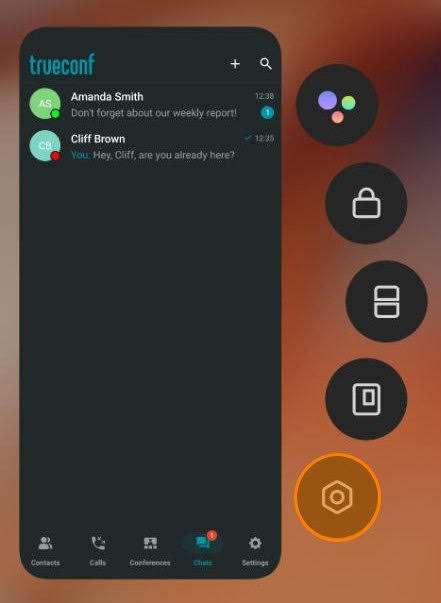
 - Press and hold the client app window to bring up the menu with additional options.
- Tap the button to open the settings menu:
- In the opened menu, turn off the option Pause app activity if unused. After this, notifications will appear even when the app is minimized
TECNO (HiOS)
- Go to Settings → App Management.
- Select App List and find the TrueConf client app.
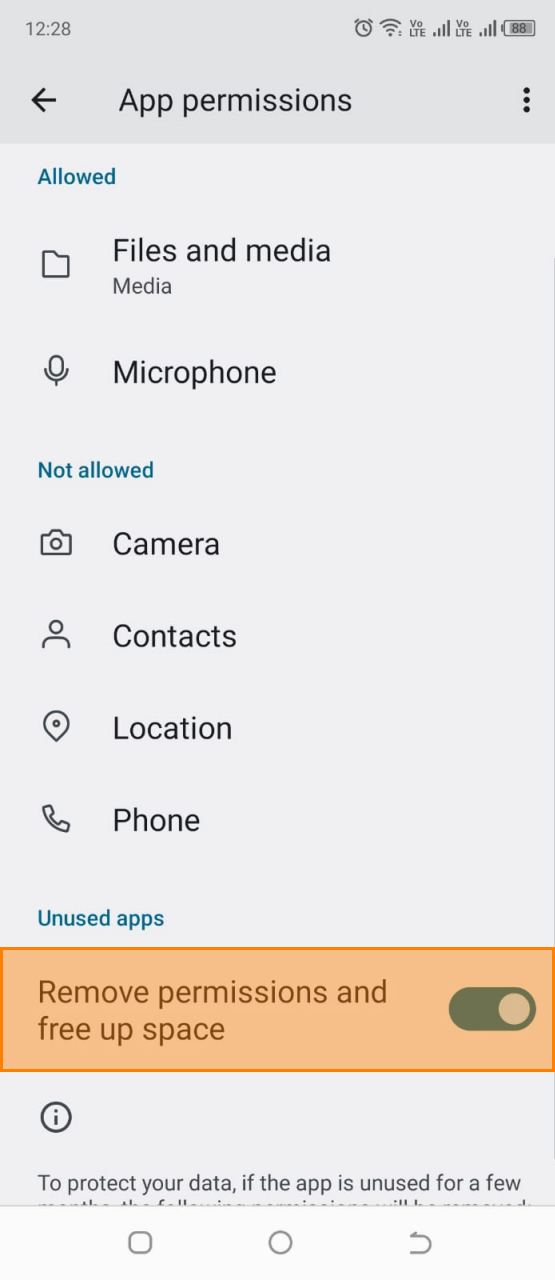
- Select App Permissions and in the Unused Apps section, toggle off Remove permissions and free up space:
Samsung (One UI)
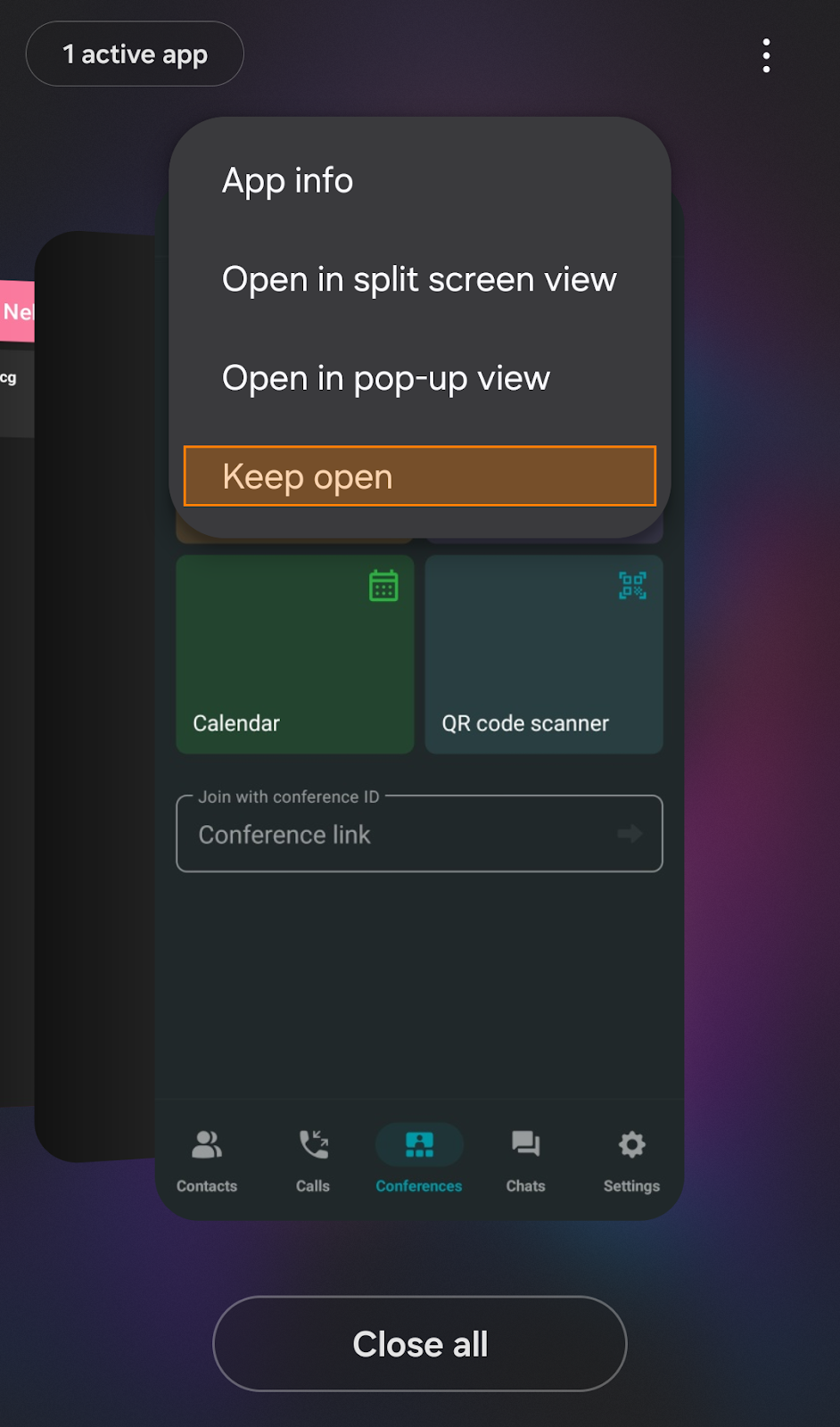
- Display all background apps by pressing the ⋮ button and tap the TrueConf app icon above the app preview.
- From the context menu, select Keep open:
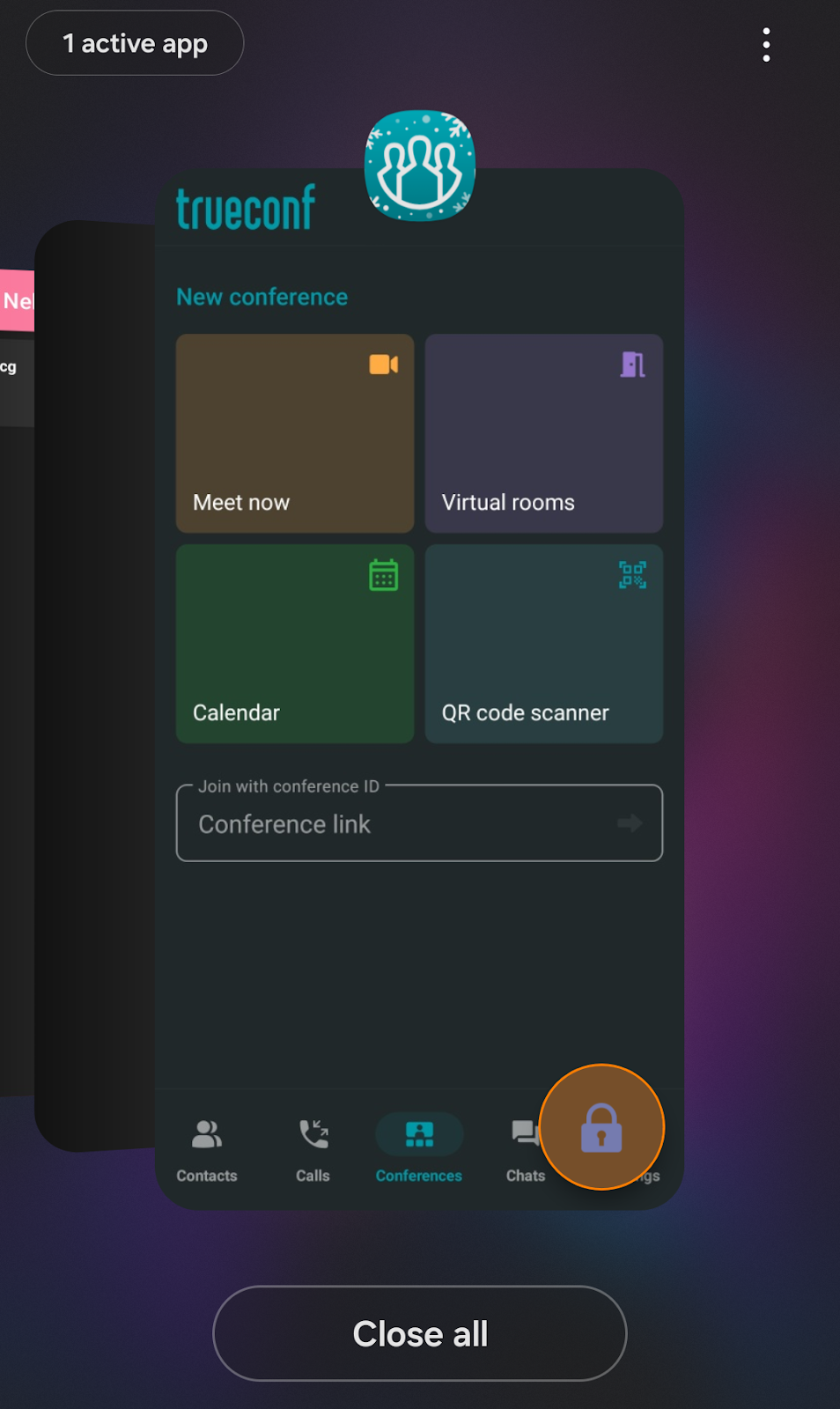
- A lock icon will appear next to the app tab:
Huawei (EMUI)
- Open the list of running apps with this button .
- Swipe down on the TrueConf app preview. A lock symbol will appear above the app preview:

All other devices running Android OS, regardless of their custom UI, will follow a similar logic. You can learn more in the official Android guide by Google.
iPhone/iPad (iOS/iPadOS)
- Go to Settings → General → Background App Refresh.
- Find the TrueConf app and tap it:
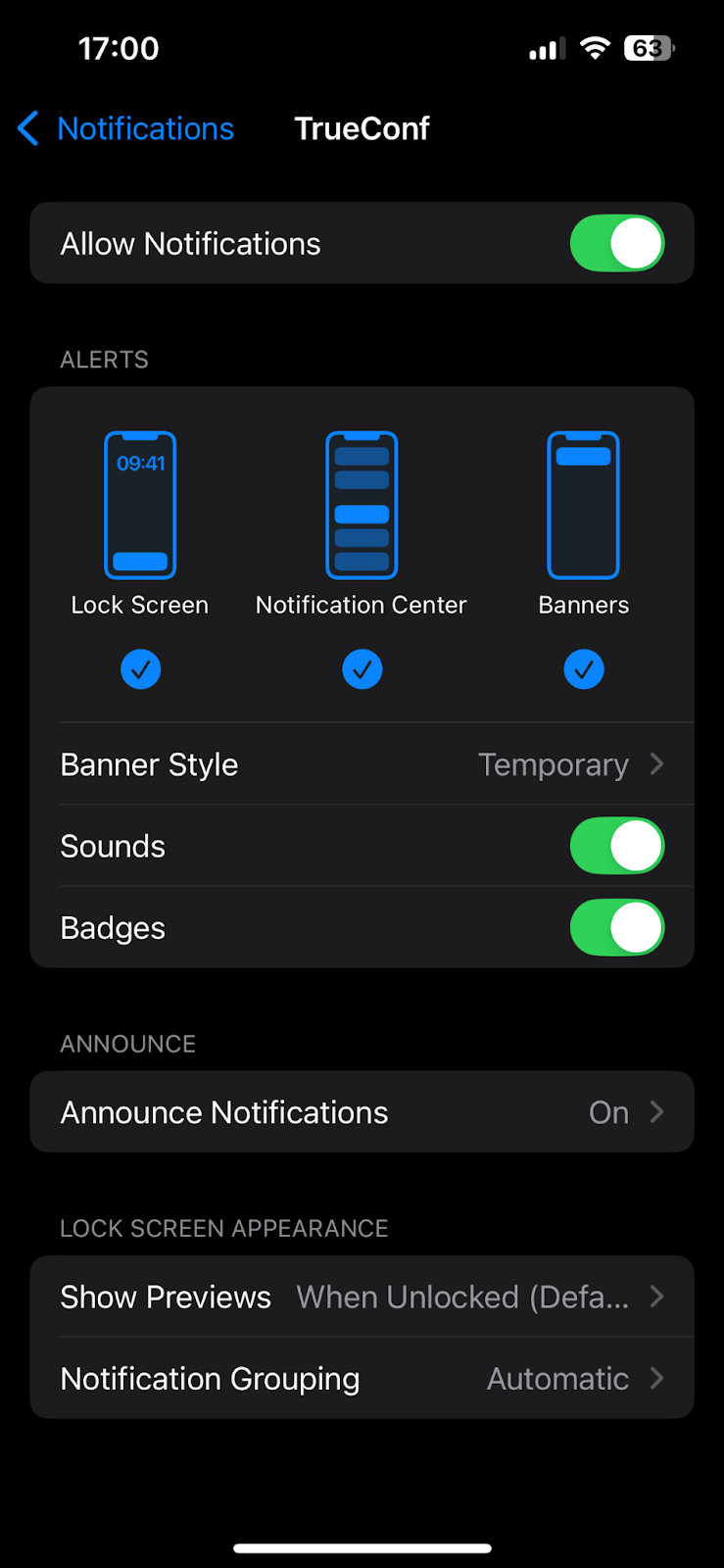
- Toggle the Allow Notifications switch to the ON position:


Follow us on social networks