
Top 13 Unified Communication and Collaboration Platforms
Unified communication and collaboration (UCC) platforms have reshaped how modern organizations operate. By bringing together voice, video conferencing, persistent messaging, file sharing, and workflow automation under one roof, they eliminate the constant context-switching that fragments productivity across disconnected tools. For IT leaders, procurement teams, and technology decision-makers, selecting the right platform means weighing feature depth against deployment flexibility, security posture, compliance obligations, and realistic total cost of ownership.
This guide examines 13 leading UCC platforms spanning different market segments: cloud-first solutions built for rapid deployment, hybrid architectures balancing flexibility with control, and on-premises systems engineered for regulated industries and security-sensitive enterprises. TrueConf receives extended treatment as a compelling option for organizations that require self-hosted or private cloud deployment with complete authority over their own data.
At a Glance: 13 UCC Platforms Compared
|
Platform |
Deployment Model |
Primary Fit |
Max Video Participants |
Persistent Messaging |
On-Premises Available |
|---|---|---|---|---|---|
|
TrueConf |
On-premises, private cloud, hybrid |
Secure enterprise, regulated sectors |
Up to 1,500 |
Yes |
Yes (full) |
|
Microsoft Teams |
Cloud, hybrid |
Microsoft 365 environments |
Up to 1,000 (webinar: 10,000) |
Yes |
Limited |
|
Zoom |
Cloud, hybrid |
SMB to enterprise video meetings |
Up to 1,000 (add-on) |
Yes |
No |
|
Cisco Webex |
Cloud, on-premises |
Enterprise, government |
Up to 1,000 |
Yes |
Yes |
|
Google Meet |
Cloud |
Google Workspace users |
Up to 1,000 |
Via Chat |
No |
|
Slack |
Cloud |
Developer and product teams |
Via integrations |
Yes |
No |
|
RingCentral MVP |
Cloud |
UCaaS with telephony |
Yes |
Yes |
No |
|
8×8 XCaaS |
Cloud |
UC and contact center convergence |
Yes |
Yes |
No |
|
Avaya Experience Platform |
Cloud, hybrid, on-premises |
Large enterprise telephony |
Yes |
Yes |
Yes |
|
Mitel MiCollab |
On-premises, cloud |
Mid-market, healthcare |
Yes |
Yes |
Yes |
|
Vonage Business |
Cloud |
SMB, API-driven teams |
Yes |
Yes |
No |
|
Lifesize |
Cloud, on-premises |
Room systems plus cloud meetings |
Yes |
Yes |
Limited |
|
Jitsi Meet |
Self-hosted, cloud |
Open-source, cost-sensitive deployments |
Yes |
No |
Yes (open source) |
Self-Hosted Team Messenger with Video Conferencing
A cutting-edge team collaboration server with personal and group chats, UltraHD video conferences, and advanced AI-powered features — free for up to 1,000 users!
Defining the Category: What UCC Platforms Actually Do
A unified communication and collaboration platform connects multiple communication modes, real-time voice and video, persistent messaging, presence indicators, shared file workspaces, and frequently telephony or contact center functions, into a single environment accessible through one client application.
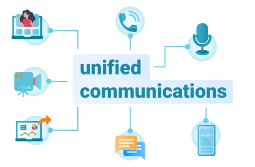
What separates a true UCC platform from a collection of point tools is workflow continuity. A user should be able to take a chat thread directly into a video call, share a document inside that session, record and transcribe the conversation, and convert action items into tracked tasks, without ever opening a second application. This end-to-end continuity is what enterprise buyers are actually purchasing.
Three deployment philosophies define the current UCC market:
-
Cloud-only (SaaS): The vendor hosts everything. Deployment is fast, updates are automatic, and pricing follows a per-seat subscription model. The tradeoff is that data residency and governance remain under vendor control rather than the customer’s.
-
Hybrid: Workloads are distributed between vendor-managed infrastructure and on-premises components. This approach provides architectural flexibility but introduces coordination complexity that demands experienced IT management.
-
On-premises or self-hosted: The entire platform runs inside the organization’s own data center or private cloud environment. Data never leaves the customer’s perimeter, administrative control is absolute, and customization runs deep. The requirement is an internal IT team capable of operating and maintaining the infrastructure.
Insight 1: The hidden cost of cloud UCC at scale.
Per-seat SaaS pricing appears simple and predictable at first glance. In practice, as organizations grow and add capabilities, costs compound in ways that initial budgets rarely anticipate. Recording storage, large meeting capacity licenses, webinar modules, telephony add-ons, and compliance archiving each carry separate price tags. On-premises platforms like TrueConf convert this expanding variable cost into a more stable infrastructure investment. For organizations exceeding 200 users, the three-year total cost of ownership frequently favors self-hosted deployment once IT labor and infrastructure are properly accounted for.
The 13 Platforms Examined
1. TrueConf
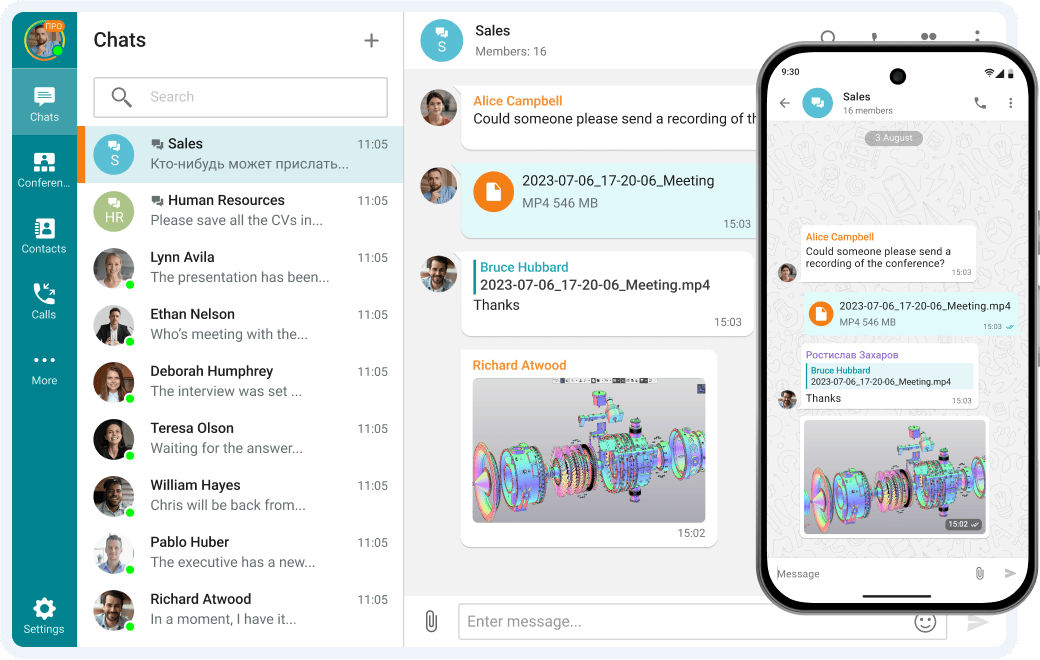
TrueConf is an enterprise UCC platform built around a self-hosted and private cloud deployment model. Where most modern UCC vendors treat the cloud as the default and on-premises as an afterthought, TrueConf inverts this: its architecture assumes the customer’s own infrastructure is the primary deployment environment, and the product is designed accordingly.
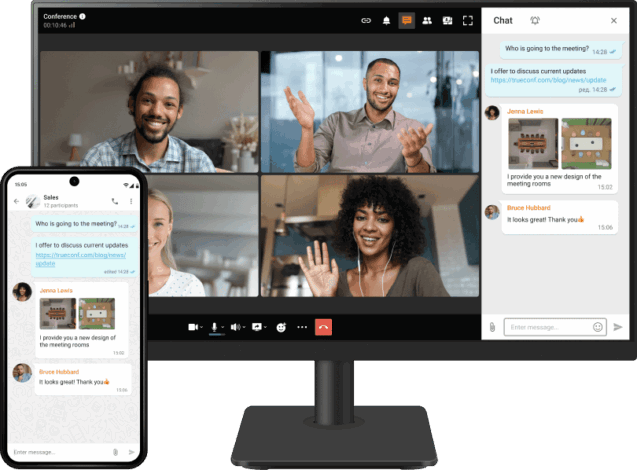
TrueConf Server operates entirely inside the customer’s network perimeter. It requires no external internet connectivity for core operation, which makes it viable for air-gapped environments, classified government networks, defense installations, and any organization where communication data must remain within a defined geographic or organizational boundary. This is not a configuration option bolted onto a cloud product; it is the foundational design of the platform.
What TrueConf delivers:
- Video conferences supporting up to 1,500 participants in a single session
- 4K video with SVC-based adaptive streaming that maintains quality across variable internal network conditions
- Persistent team messaging with full chat history, file sharing, and threaded conversations
- A built-in soft PBX with native SIP and H.323 support for integration with legacy telephony infrastructure and hardware room systems
- TrueConf Room for hardware video endpoint management
- Granular role-based access control and administrator policy enforcement
- REST API and client SDK for embedding TrueConf into corporate portals, document systems, and custom enterprise applications
- Multi-server clustering for high availability and geographic distribution across multiple sites
- TrueConf Online as a cloud-hosted alternative for organizations without on-premises infrastructure requirements
Deployment options: Windows Server, Linux (including Astra Linux and Alt Linux for Russian public sector requirements), VMware, Hyper-V, Docker containers, and cloud virtual machines for private cloud configurations. A hybrid model combining internal server deployment with external access is also supported.
Licensing approach: Perpetual server licenses with annual maintenance and support contracts. Once deployed, there are no per-minute charges, no per-session fees, and no usage-based billing surprises.
TrueConf presents an exceptionally flexible and budget-friendly pricing framework tailored to satisfy the requirements of organizations across all scales. The platform features a complimentary plan suitable for smaller groups, accommodating up to 10 active participants in conferences or nearly 1,000 remote viewers through TrueConf Server Free. Unlike subscription-driven platforms that bill per individual, TrueConf’s paid structure is determined by the highest number of simultaneous participants, ensuring that businesses only cover the peak user count expected during sessions. This adaptable model enables companies to expand operations efficiently while avoiding redundant recurring expenses. Furthermore, TrueConf provides a perpetual server license, granting continuous access without monthly payments. Compared to per-user billing systems adopted by rivals like Zoom, this method can substantially minimize long-term costs, establishing TrueConf as one of the most economical enterprise-level video conferencing solutions in 2026.
Best for: Government agencies, defense and intelligence organizations, regulated healthcare providers, financial institutions operating under strict data localization requirements, higher education institutions managing sensitive research data, and enterprises with IT departments equipped to manage internal infrastructure.
Strengths:
- Fully self-contained on-premises deployment with zero mandatory cloud dependency
- Conference capacity reaching 1,500 participants without external relay infrastructure
- Native SIP and H.323 interoperability protecting existing hardware investments
- Comprehensive administrative control including user provisioning, policy enforcement, and recording management
- Certified compatibility with Russian domestic Linux distributions for public sector deployments
- Full client coverage across Windows, macOS, Linux, iOS, Android, and browser-based WebRTC access
- Air-gapped network operation without architectural compromises
Limitations:
- Requires internal IT resources for initial deployment and ongoing maintenance
- The instant-provisioning experience characteristic of cloud-native platforms is not replicated
- Third-party integration marketplace is narrower than Microsoft Teams or Slack
Try TrueConf Server Free!
- 1,000 online users with the ability to chats and mske one-on-one video calls.
- 10 PRO users with the ability to participate in group video conferences.
- One SIP/H.323/RTSP connection for interoperability with corporate PBX and SIP/H.323 endpoints.
- One guest connection to invite a non-authenticated user via link to your meetings.

2. Microsoft Teams
Microsoft Teams occupies a dominant position in enterprise UCC by functioning as the connective layer across the Microsoft 365 ecosystem rather than as a standalone product. Its competitive advantage is not meeting quality in isolation but the depth of integration with SharePoint document management, Power Automate workflow automation, Azure Active Directory identity management, and the full Office application suite.
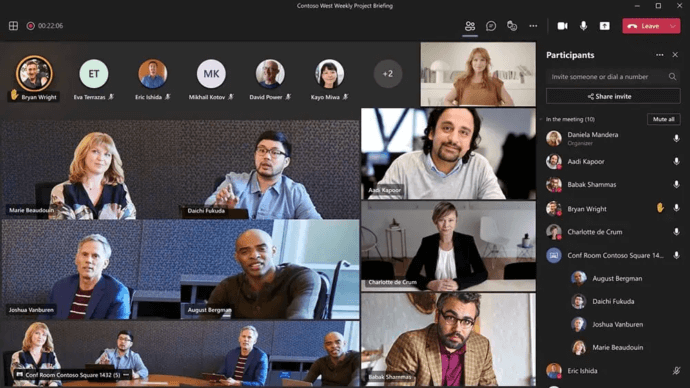
For organizations already holding Microsoft 365 licenses, Teams is frequently bundled at no incremental cost, which distorts procurement comparisons. The perceived zero price conceals real costs associated with Teams Phone telephony add-ons, Teams Rooms hardware, and the bandwidth demands of a platform that quickly becomes the center of organizational information flow.
Best for: Enterprises standardized on Microsoft 365 seeking a single platform for communication and productivity, organizations requiring deep eDiscovery and compliance tooling.
Strengths:
- Unmatched integration depth within the Microsoft ecosystem
- Over 700 third-party application integrations
- Mature compliance and information governance capabilities
- Teams Phone for cloud-based telephony
Limitations:
- Client application carries significant system resource overhead
- On-premises deployment is architecturally limited; Teams is fundamentally a cloud-first product
- Full functionality requires an active Microsoft 365 subscription
3. Zoom
Zoom entered the market as a video conferencing specialist and built its reputation on delivering a meeting experience that was demonstrably more reliable and easier to join than competitors at the time. Its subsequent expansion into Zoom One bundles meetings, Team Chat, Phone, Webinars, and Rooms into a broader UCC proposition.

The meeting experience remains Zoom’s strongest asset. Its video infrastructure handles variable network conditions effectively and consistently delivers quality that end users notice. The expansion into persistent messaging has been less decisive; Team Chat functions adequately but has not displaced Teams or Slack in organizations where those tools are already embedded.
Best for: Organizations placing maximum priority on meeting reliability and end-user adoption speed, hybrid workplaces needing rapid deployment without infrastructure investment.
Strengths:
- Industry-leading meeting reliability and user experience
- Mature Webinar and Events products for large-scale broadcasts
- Extensive hardware ecosystem through Zoom Rooms
- Strong third-party integrations
Limitations:
- Cloud-only with no on-premises path, creating a hard barrier for regulated environments
- Persistent messaging adoption trails Teams and Slack
- Compliance-sensitive deployments require specific add-ons that increase cost
4. Cisco Webex
Cisco Webex carries decades of enterprise communication heritage and offers one of the more complete UCC portfolios among vendors in this review. Video conferencing, persistent messaging, cloud calling through Webex Calling, and contact center through Webex Contact Center each represent mature standalone products that also compose into an integrated experience.

For enterprises with existing Cisco telephony infrastructure built on Cisco Unified Communications Manager, Webex provides a forward migration path that preserves the value of substantial prior investment rather than forcing a clean-break replacement.
Best for: Large enterprises and government organizations with established Cisco infrastructure footprints, regulated industries requiring advanced compliance certifications including FedRAMP authorization.
Strengths:
- FedRAMP authorized for U.S. federal government cloud deployments
- On-premises deployment available through CUCM for organizations with hard data residency requirements
- Extensive hardware room system ecosystem with deep platform integration
- AI-powered capabilities including noise removal, real-time translation, and meeting summaries
Limitations:
- Licensing structure is among the more complex in the market
- Total cost of ownership tends to run higher than cloud-native competitors at equivalent feature levels
- Messaging experience has historically lagged behind Slack and Teams in user satisfaction metrics
5. Google Meet
Google Meet functions as the video conferencing layer of Google Workspace rather than as an independent UCC platform. It provides reliable browser-accessible video meetings, automatic noise cancellation, live captioning, and native recording to Google Drive. Google Chat handles persistent messaging alongside Meet, forming a lightweight but coherent collaboration environment for Workspace-centric organizations.

The platform excels at reducing friction. There is no software to install, meetings launch directly from Calendar invitations, and documents open natively in the same ecosystem. What it does not offer is the telephony depth, advanced administration, or on-premises option that enterprise UCC evaluations frequently require.
Best for: Organizations fully standardized on Google Workspace, educational institutions, and teams that prioritize simplicity over feature breadth.
Strengths:
- Seamless Google Workspace integration with Calendar, Drive, and Docs
- Browser-native operation eliminating client installation requirements
- Competitive pricing within Workspace bundle tiers
- Real-time collaborative document editing during and outside of meetings
Limitations:
- No on-premises deployment option exists
- Google Chat persistent messaging has lower enterprise adoption than competing platforms
- Telephony capabilities are limited compared to purpose-built UCaaS solutions
6. Slack
Slack established the persistent messaging category and continues to define what it looks like at its best. Organized channels, threaded conversations, Slack Connect for secure cross-organization communication, and a workflow automation layer give teams a highly structured environment for ongoing work. Slack Huddles adds lightweight audio and video within the messaging interface for quick synchronous conversations.
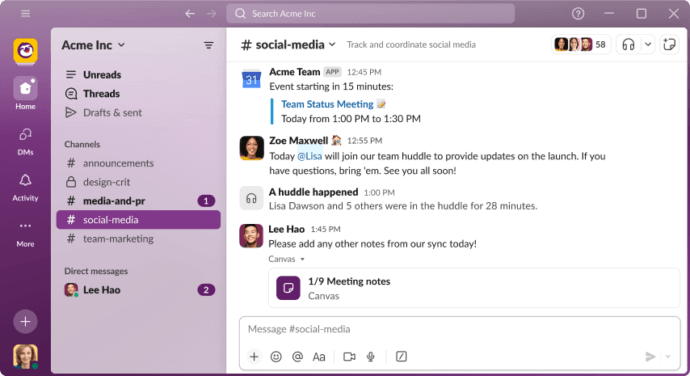
The practical limitation is that Slack is messaging-first and video-second. Organizations using Slack for primary collaboration typically integrate it with a separate video platform, either Zoom or Google Meet, to cover meeting needs. Salesforce’s ownership creates natural integration depth with CRM workflows that competes well for sales-oriented teams.
Best for: Developer, product, and engineering teams; Salesforce-centric enterprises; organizations whose work centers on structured channel-based communication rather than scheduled meetings.
Strengths:
- Category-defining persistent messaging with sophisticated channel organization
- Largest third-party integration ecosystem in the category, exceeding 2,600 applications
- Slack Connect enabling secure external collaboration across organizational boundaries
- Powerful search across full message history and file content
Limitations:
- Video conferencing is a supporting feature rather than a core strength
- Cloud-only with no self-hosted deployment path
- Per-user pricing with full feature access scales expensively for large organizations
- Channel proliferation in large deployments creates information management challenges
7. RingCentral MVP
RingCentral MVP positions telephony as the primary pillar of its UCC offering and adds messaging and video as complementary capabilities. This makes it particularly relevant for organizations actively replacing aging on-premises PBX systems with cloud-based alternatives while wanting to consolidate communication tools in the process.

The platform’s PSTN coverage spans a large number of countries, its uptime SLA is among the more aggressive in the market, and its integration catalog covers major CRM and business application platforms including Salesforce, Microsoft 365, Google Workspace, and ServiceNow.
Best for: Mid-market and enterprise organizations replacing legacy PBX infrastructure, distributed teams where cloud telephony is the primary communication requirement.
Strengths:
- Enterprise-grade cloud telephony with a 99.999% uptime service level agreement
- Broad CRM and business application integration coverage
- Detailed analytics and reporting for call management and quality monitoring
- Extensive global PSTN reach
Limitations:
- Cloud-only with no path to on-premises deployment
- Video conferencing is competent but not a distinguishing strength
- Pricing complexity increases meaningfully when multiple product modules are combined
8. 8×8 XCaaS
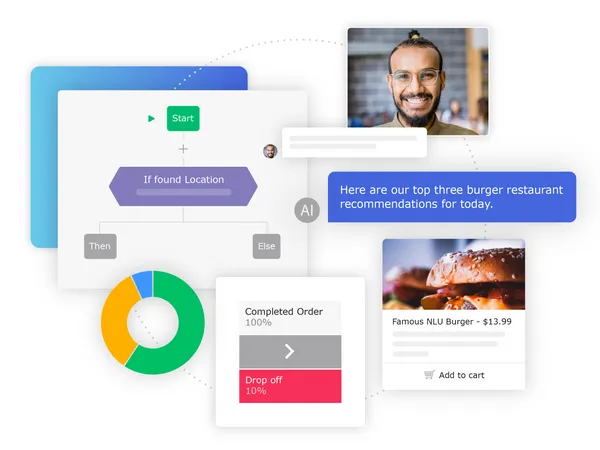
The defining characteristic of 8×8 XCaaS is its convergence of unified communications and contact center functionality within a single platform and licensing framework. Most vendors in this category treat internal UC and customer-facing contact center as adjacent products with integration points. 8×8 treats them as a unified surface, which simplifies administration, reporting, and vendor management for organizations that need both.
Best for: Organizations requiring both internal collaboration and outbound or inbound customer call center or contact operations under a single vendor relationship.
Strengths:
- Genuinely unified UC and CCaaS rather than loosely integrated separate products
- 99.999% uptime commitment across the combined platform
- PSTN coverage in over 55 countries
- Analytics that span UC and contact center interactions for complete organizational visibility
Limitations:
- Cloud-only deployment
- Less prominent in evaluations focused purely on internal enterprise collaboration
- Migration from separate UC and contact center systems adds implementation complexity
9. Avaya Experience Platform
Avaya’s history in enterprise telephony and contact center spans decades and accounts for a substantial installed base across large organizations worldwide. The Avaya Experience Platform represents its strategic shift toward cloud and hybrid deployment, though this evolution occurred against the backdrop of the company’s 2023 bankruptcy filing and subsequent emergence as a restructured private entity.
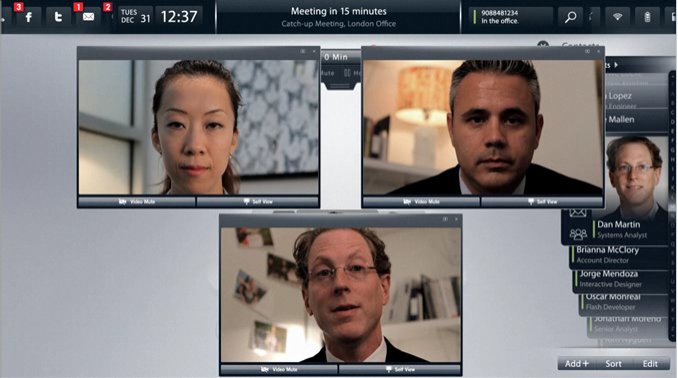
On-premises products including Avaya IP Office and Avaya Aura continue to serve existing customers, and the contact center capabilities remain technically mature. The central buyer concern is now vendor stability and the long-term investment trajectory.
Best for: Existing Avaya customers with substantial telephony infrastructure in place, large enterprises requiring advanced contact center capability.
Strengths:
- Deep heritage in enterprise telephony and contact center technology
- Hybrid and on-premises deployment options for organizations with data control requirements
- Large ecosystem of certified hardware and application integrations
Limitations:
- Vendor financial restructuring introduces procurement risk that most enterprise buyers must explicitly address
- Cloud platform continues to mature relative to cloud-native competitors
- New deployments carry higher complexity and cost than simpler alternatives
10. Mitel MiCollab
Mitel’s UCC platform concentrates on mid-market organizations in specific verticals where its telephony heritage and on-premises deployment capability create genuine differentiation. Healthcare, hospitality, and education represent its strongest segments, and the MiVoice telephony platform underlies a substantial installed base that MiCollab extends with messaging, presence, video, and mobility features.

Best for: Mid-market organizations in healthcare, education, and hospitality with existing Mitel telephony infrastructure and requirements for on-premises deployment.
Strengths:
- Meaningful vertical market specialization rather than generic positioning
- On-premises deployment available alongside cloud options
- Integrated with MiVoice PBX systems protecting existing telephony investment
- Functional mobile experience for distributed and field-based workforces
Limitations:
- Video quality and feature development pace trail cloud-native competitors
- Third-party integration options are narrower than leading platforms
- Market presence is smaller, which affects long-term development investment expectations
11. Vonage Business Communications
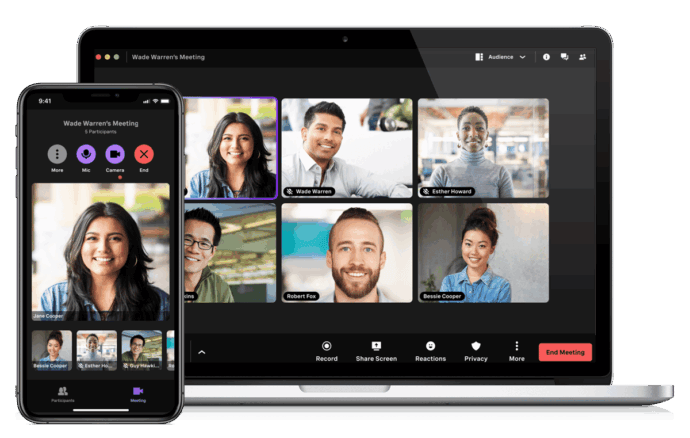
Vonage Business Communications, now operating under Ericsson’s ownership, provides cloud-based communication combining messaging, video, and voice calling. The most distinctive element of the Vonage portfolio is not the collaboration platform itself but the Vonage Communications API layer, which enables developer teams to build programmable communication workflows directly into custom applications and business systems.
Best for: SMB organizations, development teams embedding communication capabilities into custom applications, businesses requiring deep API-level communication customization.
Strengths:
- Programmable communications API platform among the strongest in the market
- Accessible setup and management for smaller organizations
- Competitive pricing at SMB scale
Limitations:
- Cloud-only with no path to on-premises deployment
- Enterprise governance, administration, and compliance tooling are less developed than larger platforms
- Video conferencing is not a market-differentiating capability
12. Lifesize
Lifesize combines cloud video conferencing with a hardware room system portfolio, targeting mid-size enterprises that want a coherent experience between dedicated meeting room infrastructure and cloud-connected meetings. The Lifesize Icon hardware endpoint line integrates natively with the Lifesize Cloud platform, creating a more unified room-to-cloud experience than organizations typically achieve when mixing hardware from one vendor with software from another.

Best for: Organizations making deliberate investments in meeting room hardware alongside cloud meeting capability, mid-market enterprises prioritizing room system quality.
Strengths:
- Native integration between proprietary hardware endpoints and cloud platform
- Consistent video quality across room and desktop participants
- Straightforward pricing model relative to more complex enterprise platforms
Limitations:
- Market footprint is smaller than Zoom, Teams, or Webex, which affects ecosystem breadth and long-term investment confidence
- Collaboration features beyond video are limited
- Overall UCC feature breadth does not match category leaders
13. Jitsi Meet
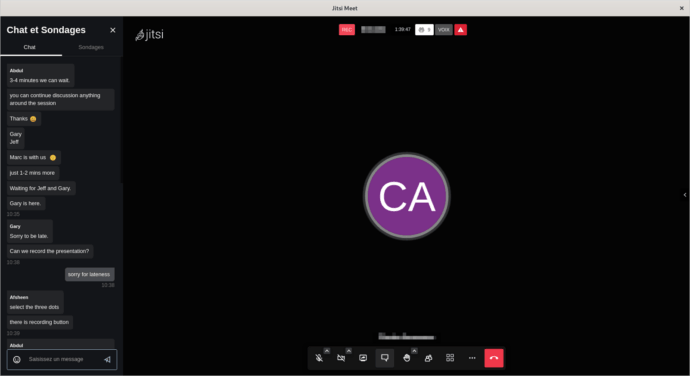
Jitsi Meet is an open-source video conferencing platform maintained by 8×8 that organizations can deploy on their own infrastructure at no licensing cost. It occupies a distinct position in this list: it is not a commercial UCC platform in the conventional sense, but it represents a viable option for technically capable organizations with strict data control requirements and limited software budget.
Best for: Organizations with strong internal IT capability, open-source advocates, privacy-focused deployments, and projects requiring complete infrastructure transparency without vendor licensing dependencies.
Strengths:
- Fully open-source with no per-user licensing cost
- Complete self-hosted control over the deployment environment
- Active development community and regular release cadence
- WebRTC-based browser access requiring no client installation
Limitations:
- Persistent messaging, telephony integration, and enterprise administration are absent from the base product and require significant additional development
- Not viable as a standalone enterprise UCC platform without extensive customization effort
- No vendor-backed SLA or enterprise support contract in the standard open-source distribution
- Practical participant capacity in self-hosted deployments is lower than commercial platforms
Feature Depth Across Core UCC Capabilities
|
Platform |
On-Premises Deployment |
Persistent Messaging |
Video Capacity |
Built-in Telephony |
SIP / H.323 Support |
Open API |
|---|---|---|---|---|---|---|
|
TrueConf |
Full |
Yes |
1,500 |
Yes (soft PBX) |
Yes |
Yes (REST + SDK) |
|
Microsoft Teams |
No |
Yes |
1,000 |
Add-on required |
Limited |
Yes |
|
Zoom |
No |
Yes |
1,000+ |
Add-on required |
Limited |
Yes |
|
Cisco Webex |
Yes (CUCM) |
Yes |
1,000 |
Yes |
Yes |
Yes |
|
Google Meet |
No |
Via Chat |
1,000 |
No |
No |
Limited |
|
Slack |
No |
Yes |
Via integration |
No |
No |
Yes |
|
RingCentral MVP |
No |
Yes |
200 |
Yes |
Limited |
Yes |
|
8×8 XCaaS |
No |
Yes |
500 |
Yes |
Limited |
Yes |
|
Avaya |
Yes |
Yes |
500 |
Yes |
Yes |
Yes |
|
Mitel MiCollab |
Yes |
Yes |
400 |
Yes |
Yes |
Limited |
|
Vonage |
No |
Yes |
200 |
Yes |
No |
Yes (strong) |
|
Lifesize |
Limited |
No |
500 |
No |
Yes |
Limited |
|
Jitsi Meet |
Yes (open source) |
No |
100 to 200 (practical) |
No |
No |
Yes (open source) |
Insight 2: The hardware protection question most evaluations skip.
Organizations that have invested in dedicated hardware video endpoints from manufacturers like Polycom, Cisco, or Lifesize are often surprised to discover that leading cloud-only platforms cannot connect to these devices without additional SIP gateway appliances or vendor-managed trade-in programs. Each room system endpoint represents thousands of dollars in hardware investment. TrueConf and Cisco Webex via CUCM both provide native SIP and H.323 connectivity, allowing organizations to integrate existing room hardware directly into the new platform without additional gateway infrastructure or forced hardware replacement cycles.
Selecting the Right Platform: A Practical Evaluation Framework
No universal ranking determines the best UCC platform. The right choice emerges from matching platform characteristics to organizational requirements across several dimensions evaluated in sequence.
Evaluation Steps
Establish your deployment constraint before evaluating features. If regulatory requirements, security policy, or data sovereignty law prohibit communication data from residing on third-party infrastructure, cloud-only platforms exit the evaluation immediately. This single filter leaves TrueConf, Cisco Webex via CUCM, Avaya, Mitel, and Jitsi Meet as viable candidates for further review.
Map existing infrastructure dependencies. An active Microsoft 365 subscription creates integration value with Teams. An existing Cisco telephony deployment creates migration continuity with Webex. Legacy hardware room systems create interoperability requirements that favor platforms with native SIP support. These existing investments are not neutral; they create real switching costs in either direction.
Define participant scale requirements by meeting type. Team meetings of 10 to 20 people are supported by every platform in this review. Organization-wide all-hands sessions at 500 to 1,500 participants require specific infrastructure capacity that only TrueConf, Microsoft Teams, and Cisco Webex handle without external relay services or add-on licenses.
UltraHD Video Conferences
Create conferences on the fly gathering up to 2,000 participants in a meeting. Enjoy realistic communications with cutting-edge AI algorithms. Take an active part in online meetings without being distracted by taking notes! Record video conferences and share recordings with colleagues.

Verify compliance certifications against your actual obligations. FedRAMP, HIPAA, GDPR, PCI DSS, FIPS 140-2, and country-specific data localization laws each create specific technical and contractual requirements. Evaluate audit reports and certifications, not vendor marketing materials.
Model total cost of ownership across a three-year horizon. Include base licensing, telephony add-ons, recording storage, hardware, internal IT labor for administration, integration development, and end-user training. Cloud pricing that appears simple in year one often looks substantially different by year three as usage grows and feature requirements expand.
Run a structured pilot with representative end users across different roles. Failed adoption is the most common cause of UCC deployment failure. A platform that is technically superior but that users resist or work around delivers negative return on investment regardless of its feature set.
Assess vendor stability as a procurement risk factor. The financial restructuring of Avaya and the ownership changes affecting Vonage and Lifesize illustrate that vendor continuity is a legitimate evaluation criterion for platforms that will become embedded operational infrastructure over a five-to-ten year horizon.
Matching Deployment Requirements to Platform Options
|
Organizational Requirement |
Most Suitable Platforms |
|---|---|
|
Air-gapped network with no internet dependency |
TrueConf, Jitsi Meet (self-hosted) |
|
Data sovereignty and localization compliance |
TrueConf, Cisco Webex on-premises, Avaya on-premises |
|
U.S. federal government FedRAMP authorization |
Cisco Webex, Microsoft Teams GCC, Zoom FedRAMP |
|
HIPAA-covered healthcare environments |
Microsoft Teams, Zoom with BAA, Webex, TrueConf on-premises |
|
Legacy SIP and H.323 hardware integration |
TrueConf, Cisco Webex, Avaya, Mitel |
|
Zero licensing cost open-source deployment |
Jitsi Meet |
|
Deep Microsoft 365 ecosystem integration |
Microsoft Teams |
|
Salesforce and CRM workflow integration |
Slack, RingCentral, 8×8 XCaaS |
|
Integrated UC and contact center under one platform |
8×8 XCaaS, Avaya, RingCentral |
|
Large-scale video beyond 1,000 participants |
TrueConf, Microsoft Teams, Zoom, Cisco Webex |
Insight 3: Why on-premises UCC is not a legacy position.
The technology industry frequently frames cloud adoption as progress and on-premises deployment as inertia. In the UCC category, this framing misrepresents the actual buying landscape. Three structural forces sustain genuine demand for self-hosted platforms. First, data sovereignty legislation in the EU, Russia, China, India, Brazil, and Indonesia creates legal constraints that make third-party cloud hosting of sensitive communication data either problematic or prohibited for specific use cases. Second, security-cleared environments in government and defense operate networks that have no internet connectivity by architectural design, making cloud-based platforms non-functional regardless of their feature quality. Third, many financial institutions, healthcare systems, and legal organizations maintain internal policies requiring that recorded communications, meeting transcripts, and shared documents remain under their own data governance controls rather than subject to a vendor’s retention and discovery policies. TrueConf’s architecture addresses each of these requirements directly, which is why its market relevance is growing rather than declining despite the broader industry shift toward cloud-native delivery.
Kudremukh Iron Ore Limited (KIOCL)|Case Study
KIOCL provided their employees with secure tools for collaboration, video calls, and team messaging by implementing TrueConf Server. An autonomous system unified more than 1,000 employees allowing to facilitate work meetings in hybrid and online modes from any location.

TrueConf: The Case for Self-Hosted Enterprise UCC
Understanding TrueConf’s value requires setting aside the assumption that cloud deployment is the natural endpoint of enterprise software evolution. For a specific and substantial segment of organizations, the question is not when to move to the cloud but how to deliver enterprise-grade collaboration capability entirely within their own infrastructure perimeter, permanently.
TrueConf was designed for this requirement from the ground up. The result is a platform that competes directly with cloud-based enterprise UCC tools on feature depth while adding capabilities that cloud platforms structurally cannot offer.
Architecture characteristics that matter for enterprise deployment:
- SVC adaptive video coding maintains conference quality across heterogeneous internal network conditions without requiring uniform bandwidth from all participants
- Conferences supporting up to 1,500 simultaneous participants operate without any external cloud relay or supplementary infrastructure
- Multi-server federation connects geographically distributed offices into a unified communication environment under centralized administration
- LDAP and Active Directory integration enables automated user provisioning, group policy enforcement, and single-identity authentication across the organization
- All recordings are stored on customer-owned storage infrastructure with configurable retention policies, access controls, and audit trails
- The REST API and client SDK enable TrueConf to be embedded into corporate intranets, document management systems, ERP platforms, and custom enterprise applications
- Client applications cover Windows, macOS, Linux including Astra Linux and Alt Linux for Russian public sector deployments, iOS, Android, and browser-based WebRTC access
The domestic Linux distribution support carries specific significance for Russian government and public sector organizations that have completed or are conducting mandatory migrations from Windows to Russian-developed operating systems under federal policy requirements. TrueConf is one of a small number of enterprise UCC platforms with certified compatibility for these environments.
FAQ
What distinguishes unified communications from unified communication and collaboration?
Unified communications traditionally described the integration of real-time voice, video, and presence services. Unified communication and collaboration extends this by incorporating persistent workspaces, shared document co-editing, task management, and deeper workflow integration. The practical distinction has narrowed considerably as modern platforms like TrueConf, Microsoft Teams, and Cisco Webex deliver both in a single application, making UCC the more accurate descriptor for what enterprise buyers are actually evaluating today.
Read more about TrueConf as a unified communications provider — messaging, video, and telephony in one platform.
Which platforms are appropriate for organizations with strict data security and sovereignty requirements?
Organizations where communication data cannot reside on third-party infrastructure should focus their evaluation on platforms that support full on-premises or private cloud deployment. TrueConf is purpose-built for this requirement, operating entirely within the customer’s own network with no mandatory external connectivity. Cisco Webex via CUCM and Avaya on-premises provide alternative options. Cloud-only platforms including Microsoft Teams, Zoom, Google Meet, and Slack do not satisfy this requirement regardless of their compliance certifications.
Can TrueConf replace a traditional PBX telephone system?
Yes. TrueConf Server includes a built-in soft PBX engine with native SIP support, enabling it to replace or integrate with existing PBX infrastructure. It supports SIP trunking for connection to public telephone networks, direct SIP and H.323 interoperability with hardware endpoints and legacy telephony equipment, and internal extension dialing across the organization. This allows TrueConf to serve simultaneously as the organization’s video conferencing platform and its telephony backbone without requiring a separate PBX system.
How does TrueConf compare to Zoom for large enterprise deployments?
The core comparison point is deployment architecture rather than feature parity. Zoom delivers an excellent meeting experience within a cloud-only model that offers no on-premises path. TrueConf matches or exceeds Zoom’s video conference capacity, supporting up to 1,500 participants, while providing the additional capability of running the entire platform within the organization’s own infrastructure. Organizations without data sovereignty constraints will find Zoom simpler to deploy initially. Organizations that require data control have a viable enterprise-grade path through TrueConf that Zoom cannot offer.
What does TrueConf cost compared to cloud-based UCC subscriptions?
TrueConf uses a perpetual server license model rather than recurring per-seat monthly subscriptions. Upfront acquisition cost is higher than a monthly SaaS subscription. However, the per-user cost decreases as the organization scales, and there are no per-minute, per-session, or usage-based charges once the platform is deployed. For organizations with more than 200 users, three-year total cost of ownership analysis consistently shows TrueConf competing favorably against cloud platforms once telephony add-ons, recording storage, large meeting capacity licenses, and compliance modules are factored into the cloud pricing model.
Does TrueConf integrate with third-party business systems?
Yes. TrueConf exposes a REST API and client SDK that support integration with corporate portals, document management systems, CRM platforms, HR systems, and custom enterprise applications. LDAP and Active Directory integration handles user management at scale. The WebRTC-based browser client enables embedding of video conferencing functionality directly into web applications without requiring end users to install dedicated software. The integration ecosystem is narrower than Microsoft Teams or Slack in terms of pre-built connectors, but the API foundation is sufficient for custom enterprise integration projects.
What is involved in migrating to TrueConf from an existing cloud UCC platform?
Migration to TrueConf from a cloud platform is operationally straightforward for the platform itself but requires planning around three areas: user directory migration, which Active Directory or LDAP integration simplifies considerably; communication history and recording portability, which depends on what export formats the existing platform supports; and client application rollout with corresponding end-user training. TrueConf provides professional services support for enterprise migrations. The process works most smoothly when TrueConf is deployed as the primary platform rather than in parallel with the outgoing system, and when a defined cutover timeline is established in advance to maintain clarity for end users during the transition period.
About the Author
Olga Afonina is a technology writer and industry expert specializing in video conferencing solutions and collaboration software. At TrueConf, she focuses on exploring the latest trends in collaboration technologies and providing businesses with practical insights into effective workplace communication. Drawing on her background in content development and industry research, Olga writes articles and reviews that help readers better understand the benefits of enterprise-grade communication.


Follow us on social networks