
TrueConf Group management
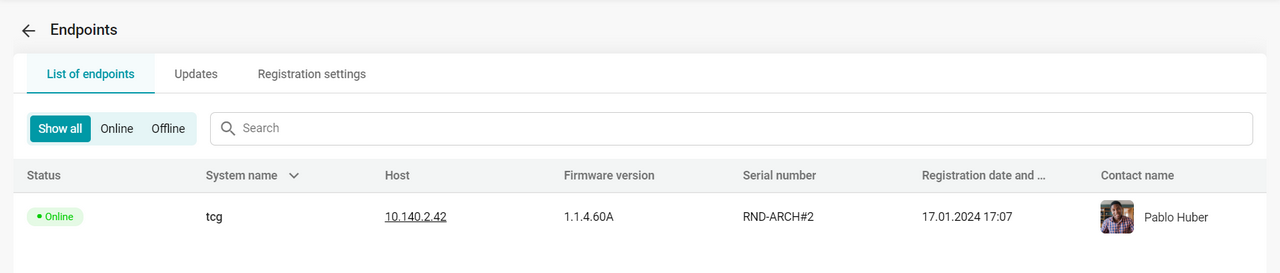
Synchronization settings
To set up synchronization, you need to specify the login and password that you will use for authentication on the terminal. To do this, go to Administration → Endpoint → Registration settings and enter these credentials.
Next, log in to TrueConf MCU using TrueConf Group.
Linking a contact to an endpoint
After configuring synchronization, a contact will appear in the address book, and its name will be automatically taken from the terminal settings.
You can link a different contact to the endpoint. To do it:
Select an endpoint from the list.
Next to the Contact name item, click the
 button.
Select a contact and save the settings in the pop-up window.
Update
TrueConf MCU allows you to remotely update the firmware and configuration of TrueConf Group.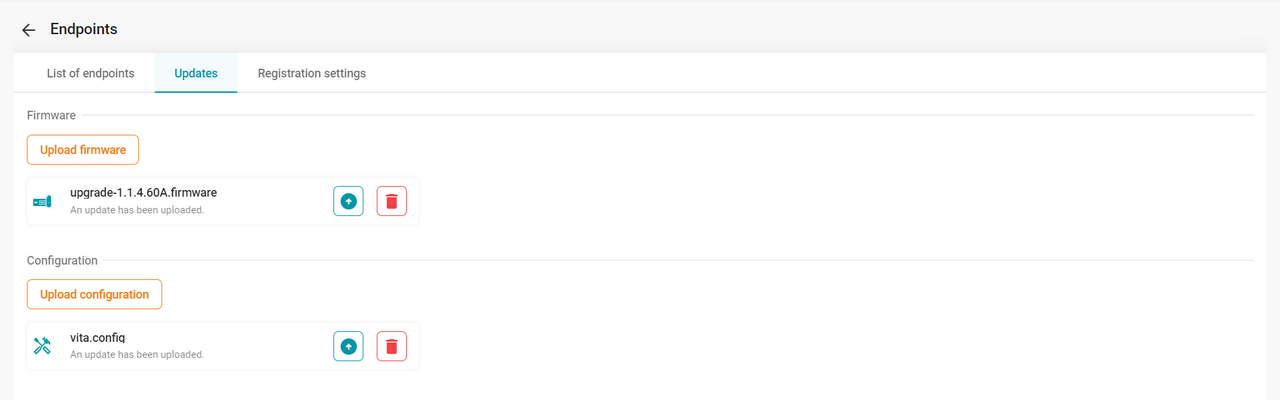
To do this, go to Administration → Endpoint → Updates, upload the firmware or configuration, click the  button, and select the necessary terminals for the update or send it to all.
The update may take some time, during which the web interface of each endpoint will be unavailable and conferences previously started on the endpoints will be ended. After the firmware update, the endpoints will automatically reboot.