
License
License
After installing the TrueConf MCU video conferencing server software, it must be activated using a registration key.
You can receive the full version for a 3-week trial to test it before purchasing. To do this, simply contact us using any convenient method.
Please note that even the free version of TrueConf MCU does not have any limitations on the duration of a conference or the active connection to it.
The difference between the paid and free versions of TrueConf MCU is shown in the table:
| License Type | Free | Paid |
|---|---|---|
| Maximum number of participants in conferences | 100 | Up to 250 |
| Maximum number of concurrently running conferences | 4 | Unlimited |
| The label "Free" overlaid on the mixed video in the upper right corner of the screen | Yes | No |
| Connecting to the license server (via TCP port 443) | Required | Not required |
License information
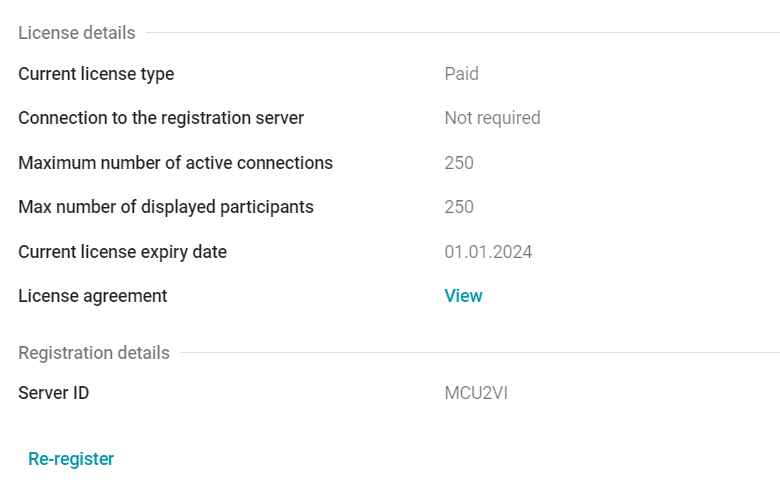
To view details about the connected license, the license agreement, and to re-register the server, go to the Administration → License menu:
Extension of a free license
If you are using the free version of the TrueConf MCU Free server, the license is issued for a period of 1 year. As the expiration date approaches (about a month before expiration), a notification will appear in the server control panel with the option to renew the license.
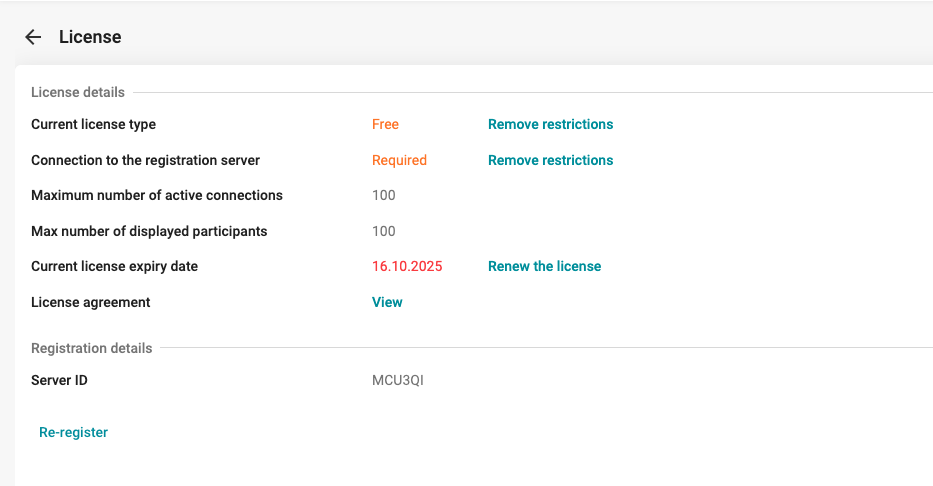
To extend the license for another year, you will need to:
- Complete the form on the website using your email address. After submitting the application, we will automatically extend your license.
Re-enter the registration key in the
https://{server}/registrationsection.