
Conference streaming
Conference streaming
TrueConf MCU enables simultaneous streaming of multiple video layouts to popular services: Wowza, YouTube, CDNvideo.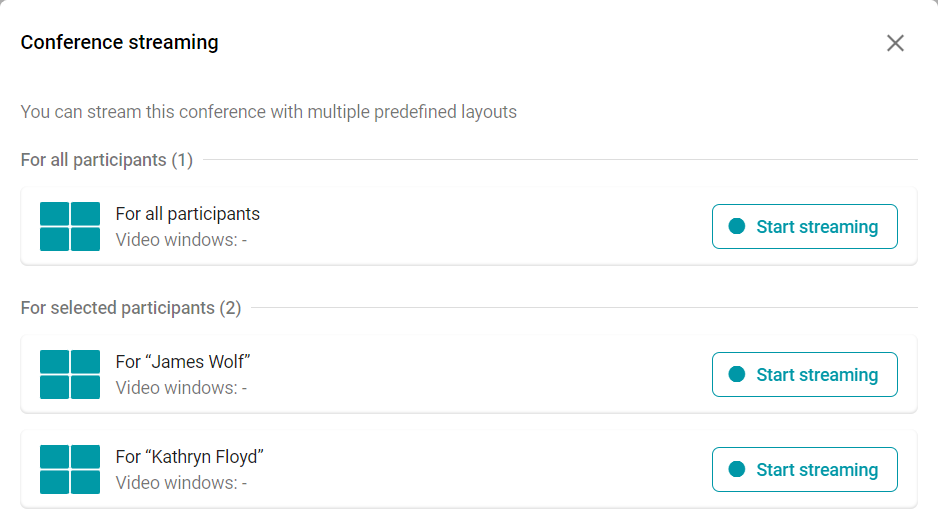
To do this, you need to configure the broadcast separately for each video layout. Below is how to set up the online broadcast.
Setting up a stream on a third-party service
TrueConf MCU does not have built-in integration with streaming services. The general procedure for all services is as follows:Sign up on the service website.
Create a stream.
Configure stream settings (if necessary).
Copying broadcast data to TrueConf MCU. Typically, this includes the server address and stream key.
Wowza Streaming Cloud
Create a broadcast as shown on the official website (steps 1-2).
On the Overview tab, copy the information from the Source Connection Information section:
Primary Server — server address;
Stream Name — stream key.
Insert this data into the appropriate fields in the broadcast settings TrueConf MCU.
Start the broadcast on Wowza (Step 4).
Start broadcasting the active conference to TrueConf MCU.
YouTube
Create and set up the broadcast. You can find out how to do this in our article.
Copy:
Broadcast URL — server address;
stream key.
Insert this data into the corresponding fields of the broadcast settings and start it in TrueConf MCU.
CDNvideo
Create a broadcast as shown on the .
Copy the data from the fields:
URL primary — server address;
Streams — stream key.
Insert this data into the corresponding fields of the broadcast settings and start it in TrueConf MCU.
Stream configuration on the side of MCU
In the conference settings, go to Layouts.
Click
 to switch to editing mode.
Open the Streaming tab.
Specify the following parameters (if necessary):
stream quality (up to 4K) and its bitrate (up to 8192 Kbps)
video encoding settings
stream server address
application name
stream name/key
username
password.
Launching a stream on the MCU side
In the list of active conferences, select the desired one and start the broadcast using the  button. Upon successful initiation of the broadcast, the status Streaming will be displayed.