
PTZ camera control
PTZ camera control
During conferences, you can rotate and zoom users' PTZ cameras (including cameras of video conferencing endpoints).
Only the moderator of the conference can control the PTZ cameras of other participants.
PTZ cameras are controlled via UDP/RTP/Q.922/H.224/H.281 protocols.
How to manage access to my camera
By default, PTZ camera control is available on request. This means that if you attempt to control a camera, its owner will see the notification about the request to take control of their camera.
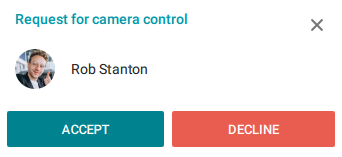
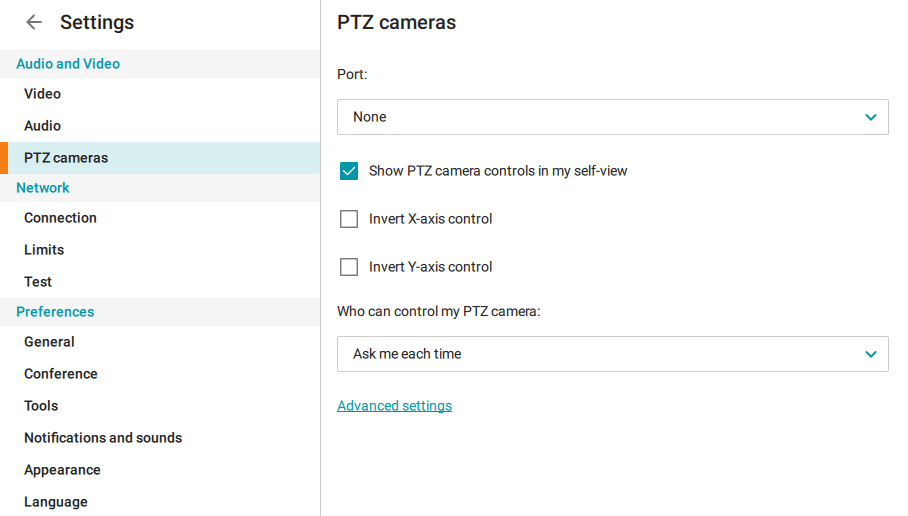
In client application settings, you can disable this option. You can prohibit sending requests (thereby making your camera unavailable for external control) or allow all users to access your camera in one click without having to ask for permission.
To do this, go to the Settings → Audio and Video → PTZ camera control menu and at the bottom under the Who can control my PTZ camera heading, choose one of the options: Ask me each time, Everyone, or Nobody.
How to control other users' cameras
To start controlling the camera, click on the  button in the participant's video window, or right-click on the video window and select Control camera from the menu that appears.
If a user enabled Ask me each time in camera control settings, the application will prompt you to send such a request. The user will receive a notification about your request.
After you have been granted access, the camera control panel will appear in the center of your video window.
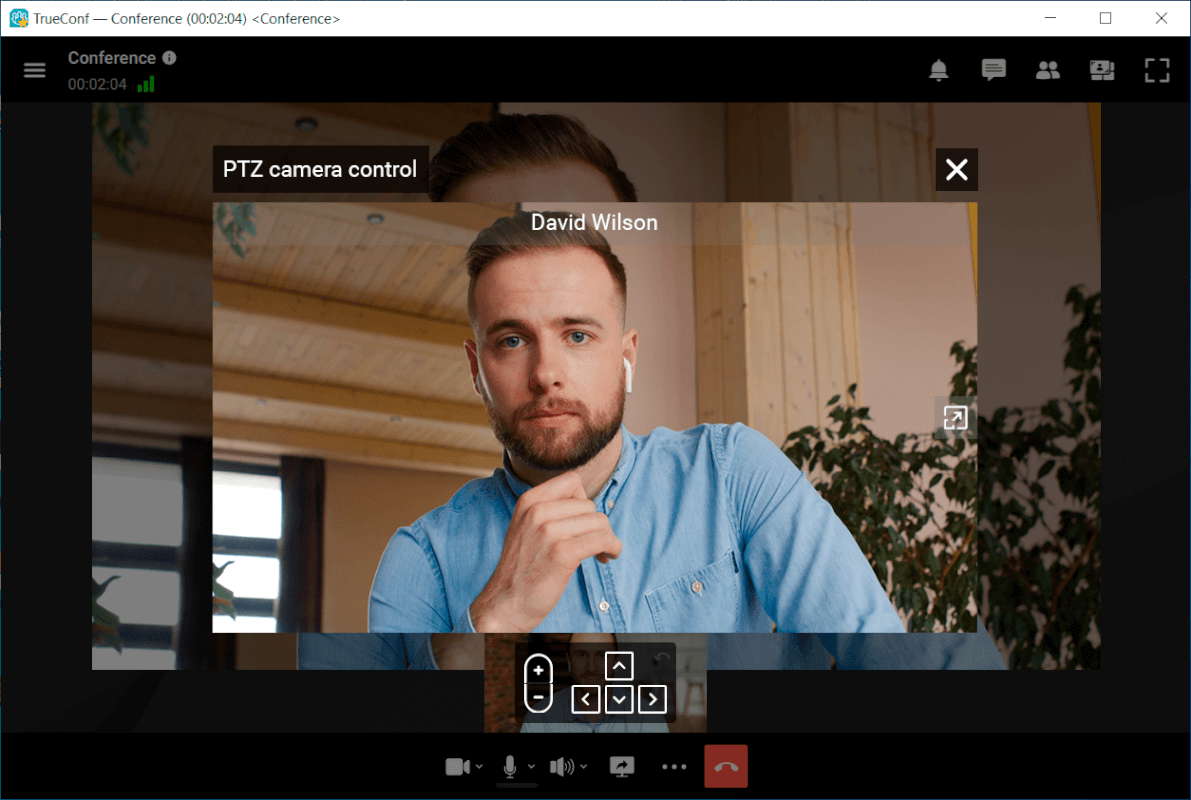
You will be able to control the camera either with the buttons on this panel or with corresponding buttons on the keyboard.
How to control my own PTZ camera
If you have selected a PTZ camera in the client application, the icon will appear in the corner of your video window. By clicking on this icon, you will open the camera control panel.