





Follow us on social networks

Mastering Offline Messaging: Strategies for Resilient Enterprise Communication


Updated in July 2026

Offline messaging refers to the capability of a communication system to allow users to compose, manage, and queue messages during periods of network instability or complete disconnection, ensuring that data is automatically synchronized once connectivity is restored. For enterprises, this is not merely a convenience: it is a critical component of business continuity and data integrity.

In high-stakes environments like maritime operations, remote industrial sites, or highly secure government facilities, relying solely on continuous internet access is a significant operational risk. A robust offline messaging strategy ensures that communication flows are never truly broken, even when the external web is unavailable.

Executive Summary of Messaging Resilience

Feature

Real-Time Messaging

Asynchronous Messaging

Offline-Capable Messaging

Connection Requirement

Constant high-speed internet

Intermittent connectivity

Zero connectivity allowed

Data Handling

Immediate transmission

Store and forward

Local caching and auto-sync

Primary Use Case

Instant collaboration

Email and scheduled tasks

Mission-critical field operations

TrueConf Role

Seamless real-time chat

Reliable message queuing

Local network-based continuity

Understanding the Mechanics of Offline Communication

To implement effective offline messaging, an organization must move beyond simple “message sent” notifications. True resilience requires a sophisticated architectural approach involving three core technical pillars:

  1. Local Caching and Storage: The client application must maintain a local database to store outgoing messages and incoming data that has not yet been fully processed by the application layer.
  2. Store-and-Forward Protocols: This mechanism holds messages in a queue on either the client side or a local server until a handshake with the destination is confirmed.
  3. Conflict Resolution Logic: When a device reconnects, the system must decide how to merge new messages with those sent by other users during the downtime to prevent chronological errors.

Insight 1: The Connectivity Spectrum. Most discussions treat connectivity as a binary state: either you are online or you are offline. However, enterprise IT leaders must design for the “degraded state.”

This is the period where latency is high and packet loss is frequent. A system that only works in “perfect” or “zero” connectivity states will fail most often during the actual transition between those two states.

Deployment Models: Cloud vs. On-Premise Resilience

On-premise resilience

The choice of deployment significantly impacts how “offline” a user truly is. While cloud-based tools are convenient, they are fundamentally tethered to the Wide Area Network (WAN).

Comparison of Deployment Strategies

Deployment Model

Dependency

Offline Capability Scope

Security Control

Public Cloud

Total reliance on Internet/WAN

Limited to app-side queuing

Shared responsibility model

Hybrid Cloud

Mix of WAN and LAN

Moderate (depends on edge nodes)

Distributed

On-Premise/Private Cloud

Local Area Network (LAN)

High (works even if Internet is down)

Full organizational control

Insight 2: The Local Network Advantage. A common mistake in enterprise planning is equating “offline” with “no network.” In an on-premise environment, such as one powered by TrueConf, your team can remain fully connected via the Local Area Network (LAN) even if the external internet connection is severed.

This provides a massive layer of resilience that pure cloud solutions cannot match.

Selecting an Enterprise Communication Solution

Enterprise communication solution

When evaluating software for offline messaging and resilient collaboration, decision-makers should look beyond the user interface. The following framework helps in assessing the technical depth of a provider.

Enterprise Evaluation Framework

Selection Criterion

Requirement for Success

Why it Matters

Synchronization Integrity

Guaranteed message ordering

Prevents loss of context in discussions

Data Sovereignty

On-premise or private cloud options

Essential for compliance and security

Network Autonomy

LAN-based functionality

Ensures uptime during WAN outages

Scalability

Tiered server architectures

Allows growth from small teams to global orgs

Insight 3: The Synchronization Latency Trap. Many providers claim “offline support” but fail to manage the metadata effectively. When a device reconnects, if the system does not prioritize the synchronization of message timestamps and read receipts, the conversation history becomes fragmented.

This leads to “ghost messages” and decision-making errors in fast-moving enterprise environments.

TrueConf: A Solution for Resilient Enterprise Communication

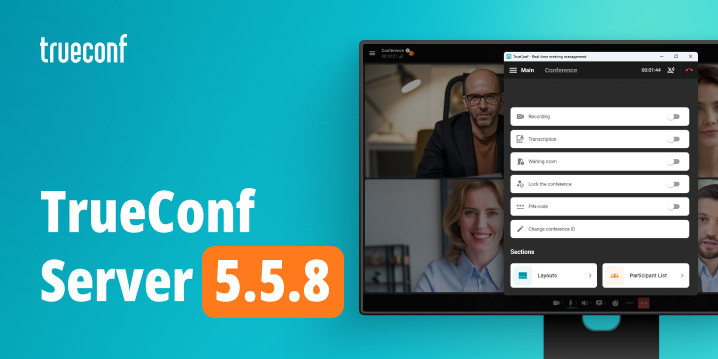
TrueConf Server

TrueConf Server addresses the needs of organizations that cannot afford communication downtime. By focusing on a robust server-based architecture, TrueConf provides a foundation for high-availability messaging and collaboration.

TrueConf is particularly effective for enterprises requiring strict control over their communication infrastructure. Because it supports on-premise deployment, the “offline” experience is redefined: even if an organization loses its connection to the global internet, the internal communication, video conferencing, and messaging capabilities remain fully operational within the local network.

Best For

  • Enterprises operating in remote or disconnected environments.
  • Organizations with strict data privacy and compliance requirements.
  • Industries where LAN-based communication is a prerequisite for security.

Strengths

  • High Autonomy: Operates independently of public cloud availability.
  • Security: Complete control over data residency and encryption keys.
  • Scalability: Flexible server configurations to match organizational size.
  • Reliability: Designed for stable performance within private infrastructures.

Limitations

  • Requires internal IT resources for initial server setup and maintenance.
  • Scaling requires planning for local hardware or private cloud capacity.

Ensure Resilient Communication with TrueConf!

FAQ

How does offline messaging differ from standard messaging?

Standard messaging requires an active internet connection to transmit data immediately. Offline messaging allows users to queue messages locally, which are then automatically delivered once the connection is stable, a capability enhanced by TrueConf through robust synchronization.

Can my team communicate if the building loses internet access?

Yes, if you utilize an on-premise solution like TrueConf, your team can continue to communicate, chat, and hold video conferences via the local network (LAN) even if the external internet connection goes down.

Is it difficult to manage an on-premise messaging server?

While it requires more initial configuration than a public cloud service, an on-premise deployment of TrueConf offers significantly more control over security and data, making it a preferred choice for large-scale enterprise management.

How does TrueConf ensure message integrity during reconnection?

TrueConf is designed to handle the complexities of enterprise communication, ensuring that when connectivity is restored, the synchronization process maintains the order and context of the exchanged information.

What is the best way to scale offline-capable communication?

Scaling should be approached by evaluating your local network capacity and choosing a server tier that matches your user count. TrueConf provides various server options that allow organizations to scale their communication infrastructure according to their specific growth and density needs.

About the Author
Olga Afonina is a technology writer and industry expert specializing in video conferencing solutions and collaboration software. At TrueConf, she focuses on exploring the latest trends in collaboration technologies and providing businesses with practical insights into effective workplace communication. Drawing on her background in content development and industry research, Olga writes articles and reviews that help readers better understand the benefits of enterprise-grade communication.

Connect with Olga on LinkedIn

Previous article Next article

Try out the secure video conferencing platform TrueConf!

Video conferencing solution TrueConf Server works inside of your closed network without an internet connection
and allows you to gather up to 1,500 people in one conference!

Content