
Best Video Conferencing Software in 2026: 9 Platforms Compared
Video conferencing software enables teams to run live video meetings, share screens, exchange messages, record sessions, and collaborate from desktop, mobile, or browser-based applications.
The best platform depends on how meetings actually work inside an organization. A company that frequently invites customers may prioritize simple browser access. A Microsoft 365 or Google Workspace user may prefer conferencing built into the existing productivity environment. Enterprises with established room systems may need SIP or H.323 interoperability, while regulated organizations may require meeting infrastructure and recordings to remain under their own control.
This guide compares nine video conferencing platforms across practical buying criteria including meeting experience, guest access, deployment, recording, AI capabilities, administration, interoperability, integrations, and infrastructure control.
There is no universal winner. Zoom is a practical option for frequent external meetings, Microsoft Teams fits Microsoft 365 environments, Google Meet works naturally with Google Workspace, Webex is relevant to Cisco-centric enterprises, and TrueConf stands out when an organization needs video conferencing, messaging, room-system interoperability, and AI processing on infrastructure it controls.
Best video conferencing software at a glance
|
Need |
Platform to evaluate |
Why |
|---|---|---|
|
External client and partner meetings |
Low-friction guest access and broad device support |
|
|
Microsoft 365 organizations |
Meetings integrated with the Microsoft productivity ecosystem |
|
|
Google Workspace organizations |
Browser-first access and Workspace integration |
|
|
Cisco enterprise environments |
Enterprise administration and Cisco room-system ecosystem |
|
|
Self-hosted business communication |
Native video, messaging, directory integration, SIP/H.323, and customer-controlled deployment |
|
|
Open-source video conferencing |
Open-source software and self-hosting flexibility |
|
|
UCaaS and contact-center integration |
Meetings integrated into a broader communications stack |
|
|
Legacy and mixed room-system environments |
SIP/H.323 and cross-platform interoperability |
|
|
Restricted communication environments |
Focus on controlled or isolated meeting infrastructure |
Video conferencing software comparison
|
Platform |
Best for |
Free option |
Deployment |
Browser access |
Recording |
AI meeting tools |
SIP/H.323 |
Main limitation |
|---|---|---|---|---|---|---|---|---|
|
Zoom |
External meetings |
Yes, with limits |
Public cloud |
Yes |
Local/cloud, plan-dependent |
Yes |
Integration-dependent |
No customer-operated core platform |
|
Microsoft Teams |
Microsoft 365 |
Yes, with limits |
Public cloud |
Yes |
Plan-dependent |
Copilot, plan-dependent |
Through gateways/integrations |
Highest value inside Microsoft ecosystem |
|
Google Meet |
Google Workspace |
Yes, with limits |
Public cloud |
Yes |
Plan-dependent |
Gemini, plan-dependent |
Limited/integration-dependent |
No self-hosted deployment |
|
Cisco Webex |
Enterprise/Cisco environments |
Yes, with limits |
Cloud with hybrid options |
Yes |
Plan-dependent |
Yes |
Strong Cisco ecosystem support |
More complex enterprise configuration |
|
TrueConf Server |
Self-hosted and private infrastructure |
Server Free available |
Customer-operated |
Yes |
Client/server-side |
Self-hosted AI available |
Yes |
Requires infrastructure administration |
|
Jitsi Meet |
Open-source deployments |
Yes |
Public instance/self-hosted |
Yes |
Configuration-dependent |
Primarily through integrations |
Limited |
Enterprise deployment requires technical resources |
|
8×8 |
UCaaS/CCaaS environments |
Plan-dependent |
Public cloud |
Yes |
Plan-dependent |
Available in ecosystem |
Limited |
Less compelling as a standalone video product |
|
Pexip |
Enterprise interoperability |
Commercial |
Cloud/private/customer-controlled options |
Yes |
Architecture-dependent |
Private AI for selected functions |
Yes |
Higher deployment complexity |
|
Secumeet |
Restricted environments |
Yes |
Customer-controlled positioning |
Yes |
Configuration-dependent |
Limited current positioning |
Yes |
Less detailed public technical documentation |
Plan limits, prices, recording options, AI functionality, and maximum meeting capacity can change between editions and regions. Buyers should verify the specific product edition rather than assume that every feature shown at vendor level is included in every plan.
How we selected the platforms
We selected the nine platforms using three types of evidence.
First, we reviewed the G2 Enterprise Video Conferencing category and considered products with established enterprise customer feedback, sufficient review volume, and relevance to business meeting scenarios.
Second, we checked the FeaturedCustomers Spring 2026 Video Conferencing Software Customer Success Report, which evaluated 19 vendors using more than 5,000 verified customer references, including case studies, testimonials, customer success stories, and customer videos.
Third, we compared those sources with responses collected from 500 technology professionals at GITEX Africa 2026. Participants were asked which video conferencing platforms their organizations used, which deployment models they preferred, and which requirements most influenced purchasing decisions.
The final shortlist is not ranked from best to worst. It represents different ways organizations buy and deploy video conferencing software:
- general-purpose public cloud meetings;
- productivity-suite conferencing;
- self-hosted enterprise communication;
- open-source conferencing;
- UCaaS-integrated video;
- room-system interoperability;
- controlled or restricted deployment.
This distinction matters because a company looking for simple customer meetings is solving a different problem from an enterprise trying to connect existing SIP or H.323 rooms, or an organization that cannot process meeting traffic in a public cloud.
The 9 best video conferencing software
1. Zoom
Best for: External meetings, client calls, webinars, and organizations that prioritize straightforward guest access.
Deployment: Vendor-managed cloud.
Free option: Available with participant and meeting-duration limits.
Browser access: Yes.
Mobile apps: iOS and Android.
Recording: Local and cloud options depending on plan.
AI: Zoom AI Companion on supported plans.

Zoom remains one of the most recognizable video conferencing platforms and is particularly practical when meetings regularly involve people outside the organization.
Participants can typically join through a meeting link without first learning a complete collaboration environment. This reduces friction for customer calls, recruitment interviews, supplier meetings, consultations, and other external workflows.
Zoom has also expanded beyond standalone meetings through Zoom Workplace, Zoom Phone, Zoom Rooms, and Zoom Events. Organizations can therefore extend the same ecosystem into messaging, telephony, meeting rooms, webinars, and larger events.
AI Companion adds meeting summaries, catch-up assistance, suggested next steps, and follow-up functions on eligible plans.
Strengths:
- Low-friction guest joining
- Breakout rooms and webinar capabilities
- Broad desktop, browser, and mobile support
- Large conference-room hardware ecosystem
- AI-assisted meeting summaries and follow-up
- Extensive third-party integration marketplace
Main trade-offs:
Zoom remains primarily a vendor-managed cloud service. Organizations that need to operate the core conferencing infrastructure themselves will require another deployment model.
Subscription costs should also be calculated for the actual number of hosts, rooms, storage requirements, webinars, and add-ons rather than from the lowest advertised plan.
Choose Zoom when: External participation and easy meeting access are primary requirements.
Reconsider Zoom when: Meeting infrastructure must remain under customer control or operate inside a restricted environment.
2. Microsoft Teams
Best for: Organizations standardized on Microsoft 365.
Deployment: Microsoft-managed cloud.
Free option: Available with limitations; business functionality depends on plan and region.
Browser access: Yes.
Mobile apps: iOS and Android.
Recording: Available on supported business plans.
AI: Microsoft Copilot and Intelligent Recap functionality depending on licensing.
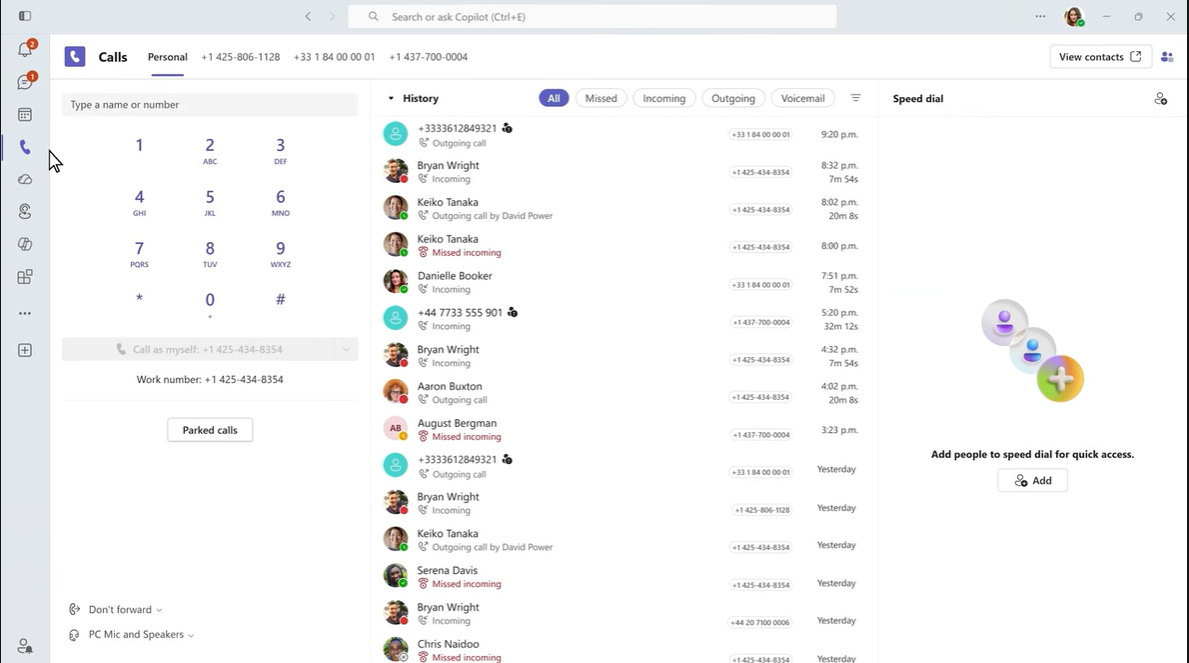
Microsoft Teams combines video conferencing with chat, channels, calendars, documents, calling options, and Microsoft 365 applications.
Its main advantage is therefore not video conferencing in isolation. Teams is most useful when employees already spend their working day in Outlook, SharePoint, OneDrive, Word, Excel, and other Microsoft services.
A conversation can move from chat to a meeting and then into collaborative document editing without leaving the wider Microsoft environment.
Copilot can summarize discussions, identify decisions and action items, assist users catching up on meetings, and connect meeting information with other Microsoft 365 workflows.
Strengths:
- Native Microsoft 365 integration
- Meetings, chat, files, and channels in one environment
- Teams Rooms ecosystem
- Enterprise identity and administration
- Recording and transcription on supported plans
- Copilot-based meeting intelligence
Main trade-offs:
Teams delivers its greatest value when Microsoft 365 is already the organization’s primary productivity ecosystem. A company purchasing only a video meeting service may find the broader licensing and administration model unnecessarily complex.
The core service is also cloud-operated rather than customer-hosted.
Choose Teams when: Microsoft 365 already provides identity, files, calendars, and collaboration.
Reconsider Teams when: You need a standalone meeting platform or customer-operated conferencing infrastructure.
3. TrueConf Server
Best for: Organizations that need video conferencing, messaging, room-system interoperability, and meeting intelligence on infrastructure they control.
Deployment: Customer-operated on-premises or private infrastructure, depending on edition and configuration.
Free option: TrueConf Server Free is available.
Browser access: Yes.
Mobile apps: Available across major desktop and mobile platforms.
Recording: Client-side and server-side options.
AI: TrueConf AI Server enables locally deployed meeting intelligence.
Interoperability: SIP/H.323 and related enterprise integrations are an important part of the platform.
TrueConf differs from most cloud-first products in the comparison because organizations can operate the core conferencing system themselves.
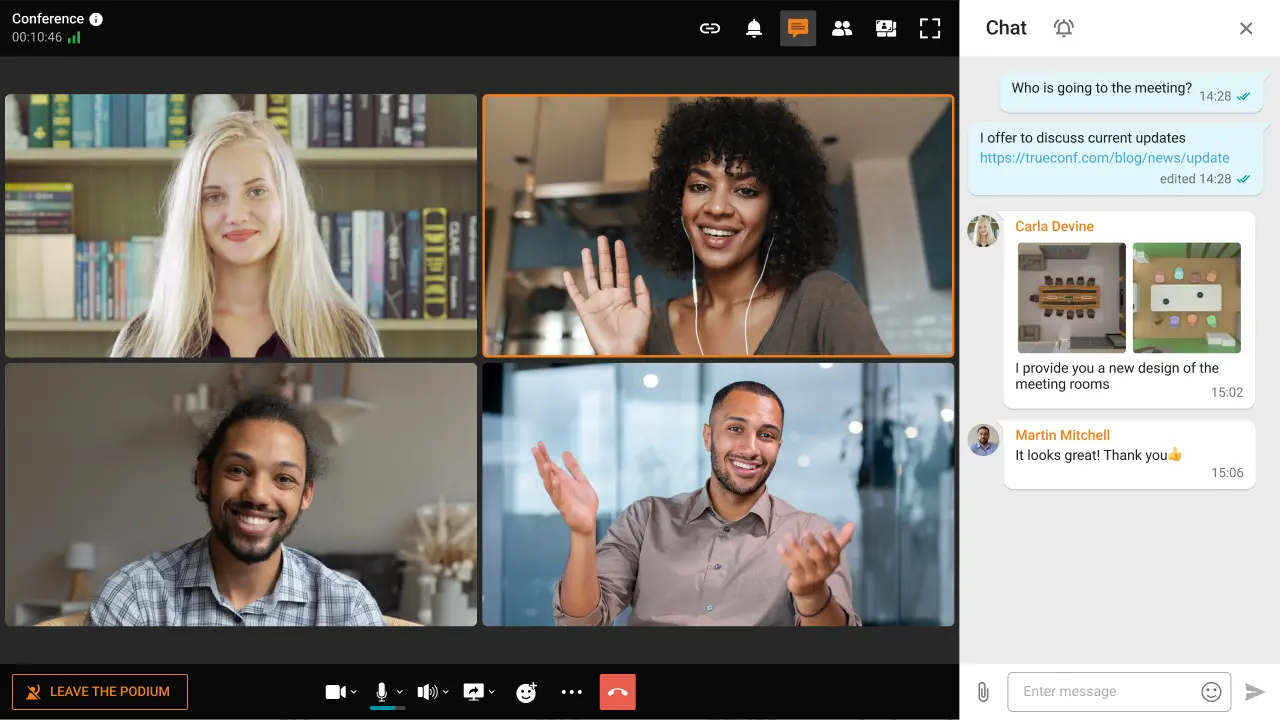
The platform combines video meetings with persistent one-to-one and group messaging, files, presence information, browser participation, mobile applications, directories, and centralized administration. Depending on the selected edition and license, deployments can support large conferences with up to 2,000 participants.
For organizations that already maintain SIP or H.323 conference-room systems and PBX infrastructure, TrueConf can connect existing equipment rather than requiring a complete room-hardware replacement. Active Directory and LDAP integration can also connect the communication platform to an existing corporate identity environment.
A further differentiator is TrueConf AI Server. Meeting transcription, speaker identification, summaries, protocols, and processing of recorded audio or video can be deployed as part of a customer-controlled environment rather than relying exclusively on a public AI service. The original article also identifies noise reduction and visual effects among its AI-related capabilities.
This combination is most relevant when self-hosting is not simply a preference but part of the organization’s infrastructure model. Government, healthcare, finance, industrial, legal, and other organizations may need tighter control over meeting infrastructure, recordings, identity integration, or network dependencies.
To see what full on-premises deployment looks like in practice, review TrueConf’s secure communications page — it covers LAN, VPN, and air-gapped operation with zero cloud exposure.
Strengths:
- Customer-operated deployment
- Native video conferencing and persistent messaging
- Large-meeting support
- Browser and mobile participation
- Active Directory and LDAP integration
- SIP/H.323 interoperability
- Client-side and server-side recording
- Local AI processing through TrueConf AI Server
- Ability to preserve existing room-system investments
- Licensing model that differs from pure per-user SaaS subscriptions
Main trade-offs:
Running the platform internally means the organization must manage server infrastructure, updates, monitoring, backup, redundancy, network configuration, and support.
Choose TrueConf when: Meetings, messaging, recordings, enterprise directories, room interoperability, and AI processing need to operate within customer-controlled infrastructure.
Reconsider TrueConf when: The primary requirement is simple public-cloud meetings with minimal infrastructure administration.
Try TrueConf Server Free!
- 1,000 online users with the ability to chats and make one-on-one video calls.
- 10 PRO users with the ability to participate in group video conferences.
- One SIP/H.323/RTSP connection for interoperability with corporate PBX and SIP/H.323 endpoints.
- One guest connection to invite a non-authenticated user via link to your meetings.

4. Cisco Webex
Best for: Large enterprises, Cisco environments, regulated organizations, and managed conference-room deployments.
Deployment: Primarily cloud, with hybrid and other enterprise architecture options depending on the selected service.
Free option: Available with restrictions.
Browser access: Yes.
Mobile apps: iOS and Android.
Recording: Available depending on service and plan.
AI: Cisco AI Assistant and associated meeting intelligence.
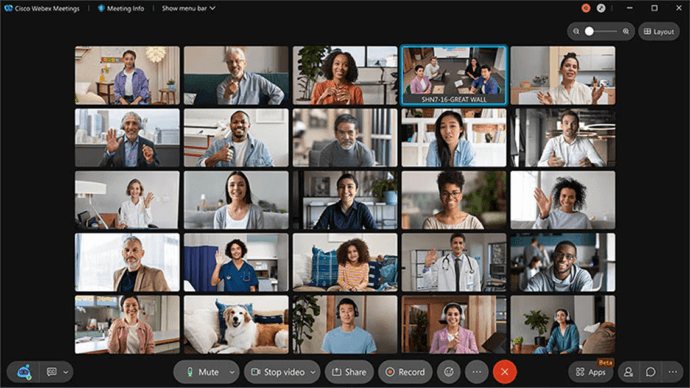
Webex has a long enterprise conferencing history and is particularly relevant where meeting software needs to coexist with Cisco networking, calling, and conference-room infrastructure.
Organizations already operating Cisco endpoints can integrate meetings into an existing hardware and administration environment instead of treating conferencing as a completely separate system.
Webex also provides enterprise controls around meeting roles, recording, participant permissions, room devices, and larger meeting formats.
Cisco AI Assistant can help summarize meetings, identify action items, answer meeting-related questions, and help participants catch up.
Strengths:
- Enterprise administration
- Cisco room-device ecosystem
- Meetings, calling, and messaging options
- Webinar and event capabilities
- AI-assisted meeting workflows
- Strong fit for existing Cisco infrastructure
Main trade-offs:
The breadth of the Cisco collaboration portfolio can make licensing, configuration, and onboarding more involved than a simple meeting-only service.
Buyers should also distinguish among cloud, hybrid, government, calling, room, and private architecture products rather than treat every Webex deployment as technically identical.
Choose Webex when: Cisco infrastructure and centralized enterprise administration are central requirements.
Reconsider Webex when: The organization needs a lightweight meeting application with minimal configuration.
5. Google Meet
Best for: Google Workspace organizations, education, and teams that prefer browser-first meetings.
Deployment: Google-managed cloud.
Free option: Available with meeting restrictions.
Browser access: Yes.
Mobile apps: iOS and Android.
Recording: Available on eligible Workspace plans.
AI: Gemini-powered meeting features depending on Workspace edition.
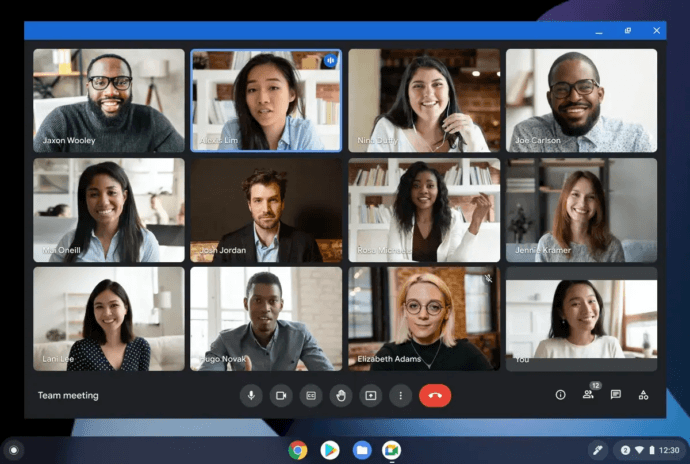
Google Meet emphasizes browser-based access and close integration with Google Workspace.
Meetings can be created through Google Calendar, launched from Gmail, and connected with content stored in Drive and Docs. For organizations already standardized on Workspace, this reduces the need to introduce another collaboration environment.
Participants can normally join from a supported browser without installing a desktop application, which is useful for organizations that frequently invite outside guests.
Gemini features add meeting notes, summaries, and other AI-assisted workflows on supported plans.
Strengths:
- Browser-first meeting access
- Google Calendar and Gmail integration
- Mobile applications
- Captions and accessibility functions
- Recording on supported Workspace plans
- Gemini integration
Main trade-offs:
Feature availability differs considerably between Workspace editions, especially for recording, administration, AI, attendance, and larger meeting formats.
Google Meet does not offer a customer-operated self-hosted meeting server.
Choose Google Meet when: Google Workspace is already the primary productivity environment.
Reconsider Google Meet when: Infrastructure ownership, advanced room interoperability, or isolated operation are required.
6. Jitsi Meet
Best for: Open-source deployments, technical teams, education, and organizations that want control over the conferencing software itself.
Deployment: Public service or self-hosted.
Free option: Yes.
Browser access: Yes.
Mobile apps: Available.
Recording: Depends on configuration and deployment.
AI: Mainly through integrations and custom workflows rather than a standardized commercial AI package.
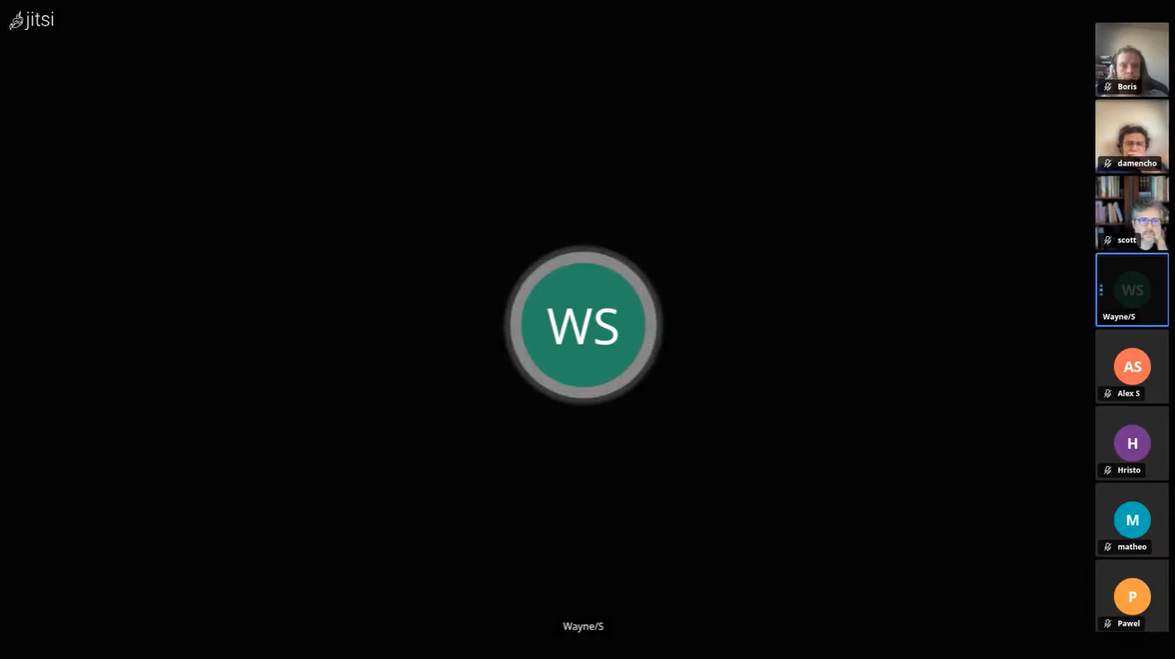
Jitsi Meet is one of the best-known open-source conferencing projects.
Organizations can use a public Jitsi service for straightforward meetings or deploy the software themselves when infrastructure control and customization are more important.
Its open-source model gives technical teams flexibility around authentication, branding, infrastructure, integrations, and supporting services.
Strengths:
- Open-source software
- Self-hosting
- Browser joining
- No conventional per-seat license for the open-source core
- Customizable deployment
- Ability to build custom integrations and processing workflows
Main trade-offs:
Self-hosting Jitsi requires technical expertise. Enterprise deployments need planning for authentication, scaling, recording, monitoring, upgrades, redundancy, and security.
The integrated business communication feature set is also narrower than a commercial suite combining meetings, persistent messaging, directories, room integration, and vendor support.
Choose Jitsi when: Open source and deployment flexibility are more important than turnkey enterprise administration.
Reconsider Jitsi when: You want a commercially supported integrated communication environment without assembling additional components.
7. 8×8
Best for: Organizations buying video conferencing as part of a wider UCaaS or contact-center environment.
Deployment: Vendor-managed cloud.
Free option: Depends on product and plan.
Browser access: Yes.
Recording: Plan-dependent.
AI: Available within the broader 8×8 communications ecosystem.
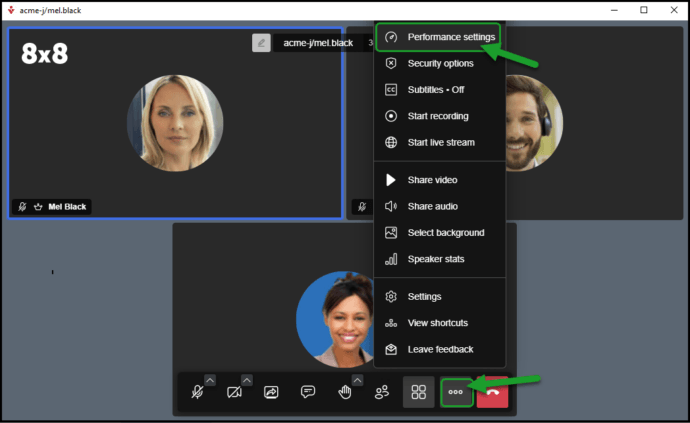
8×8 approaches video as one component of a larger business communications stack.
Rather than asking customers to purchase meetings independently, the wider 8×8 environment can bring together business telephony, video conferencing, messaging, contact-center services, administration, and analytics.
This model is useful for organizations attempting to consolidate multiple communication vendors.
Strengths:
- Video integrated with a broader UCaaS environment
- Business telephony
- Contact-center options
- Unified administration
- Meeting AI functionality in the broader ecosystem
Main trade-offs:
The broader stack is less relevant when an organization only needs video meetings.
Buyers focused exclusively on conferencing should compare its meeting-specific capabilities with dedicated video platforms rather than evaluating 8×8 only through the overall communications bundle.
Choose 8×8 when: Video is part of a wider telephony and contact-center consolidation project.
Reconsider 8×8 when: The requirement is a standalone best-of-breed meeting product.
8. Pexip
Best for: Enterprise interoperability, mixed meeting environments, conference-room infrastructure, and private video deployments.
Deployment: Cloud, private, and customer-controlled options depending on product.
Browser access: Yes.
Recording: Depends on architecture.
AI: Private AI capabilities for selected speech and translation workflows.
SIP/H.323: A central strength.
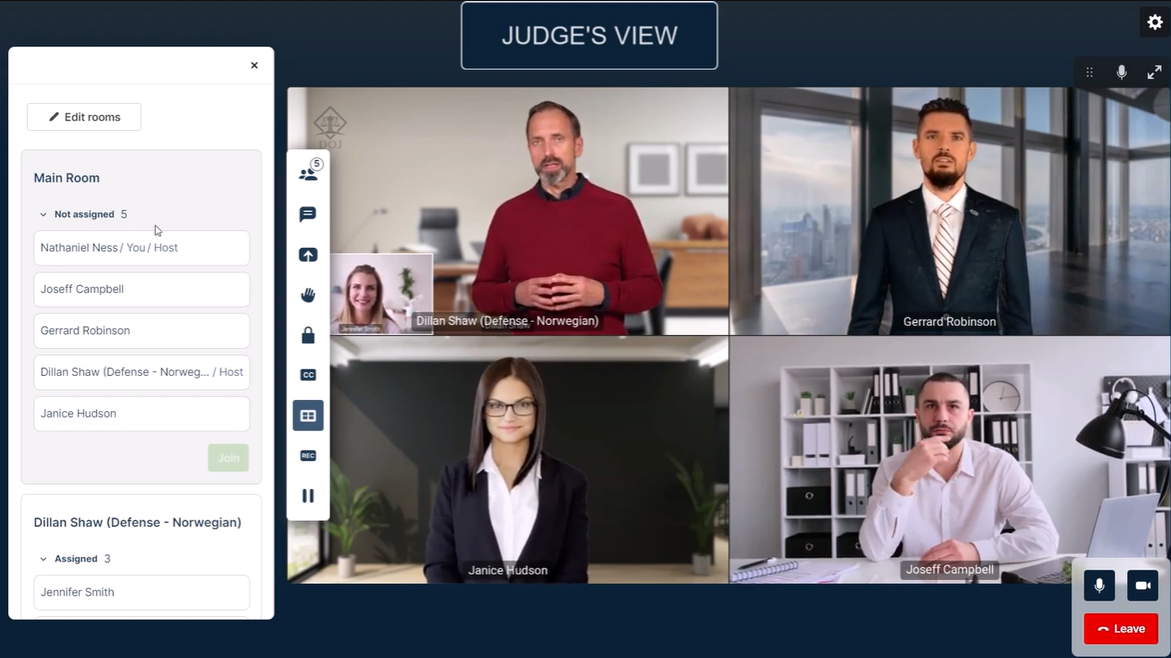
Pexip solves a different problem from most general meeting applications.
An enterprise may already use Microsoft Teams for employees while also maintaining Cisco or Poly conference-room endpoints, SIP equipment, H.323 systems, and multiple generations of room infrastructure.
Pexip can act as an interoperability layer between these environments rather than requiring all users and rooms to move onto a single platform.
Private deployment options also make it relevant where meeting traffic cannot simply be routed through a conventional public cloud service.
Pexip Private AI adds speech recognition and translation capabilities for selected private or sovereign environments. Its scope is narrower than broad meeting-summary assistants, but the architecture can matter more than feature volume when local processing is required.
Strengths:
- SIP/H.323 interoperability
- Support for mixed room environments
- Integration across modern meeting platforms
- Private deployment options
- Ability to extend the life of existing room hardware
- Private speech and translation capabilities in supported scenarios
Main trade-offs:
Pexip requires more enterprise IT expertise than a typical browser-first meeting application.
It is therefore less relevant for small organizations that simply want straightforward online meetings.
Choose Pexip when: Existing meeting platforms and room systems must interoperate.
Reconsider Pexip when: You need a simple standalone meeting application rather than an infrastructure layer.
9. Secumeet
Best for: Organizations evaluating video communication for restricted, regulated, or otherwise tightly controlled environments.
Deployment: Positioned around controlled infrastructure.
Free option: Yes
Browser and mobile access: Yes.
Recording: Yes.
AI: Not currently a central part of the product positioning.
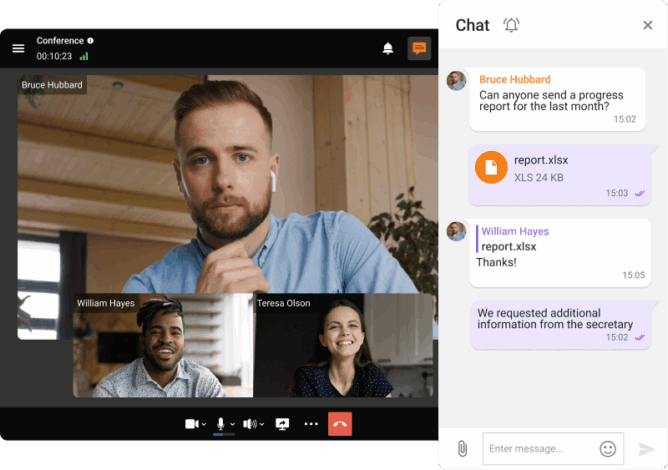
Secumeet is a more specialized product than general-purpose conferencing platforms such as Zoom or Teams.
Its positioning is relevant to organizations whose shortlist begins with an infrastructure question: whether communication can remain inside the approved environment rather than being processed through a public multi-tenant conferencing service.
Possible scenarios include sensitive executive communication, restricted networks, regulated workloads, and organizations with strict data-separation requirements.
The trade-off is that publicly available technical information is currently less extensive than that available for larger conferencing vendors.
Before procurement, buyers should request documentation covering:
- deployment architecture;
- server requirements;
- encryption mechanisms;
- key handling;
- recording behavior;
- browser and mobile dependencies;
- directory integration;
- external network dependencies;
- high availability;
- offline licensing;
- audit functions;
- support and upgrade terms.
Security claims such as end-to-end encryption or fully isolated operation should be tied to specific current technical documentation and tested against the intended deployment.
Choose Secumeet when: Restricted infrastructure is a primary requirement and the buyer can validate the architecture through technical procurement.
Reconsider Secumeet when: You want a broad public-cloud ecosystem, extensive public documentation, or a large third-party integration marketplace.
Cloud vs. Self-Hosted Video Conferencing
Deployment model can rule products in or out before individual features are compared.
|
Factor |
Cloud |
Self-hosted |
|---|---|---|
|
Setup |
Vendor-managed and generally faster |
Requires installation and infrastructure |
|
Maintenance |
Vendor responsibility |
Customer or service-provider responsibility |
|
Updates |
Vendor-controlled |
Customer-controlled |
|
Data location |
Vendor infrastructure and available regions |
Customer-selected infrastructure |
|
Scaling |
Managed through vendor service and plans |
Depends on hardware, topology, and licensing |
|
Offline operation |
Generally unavailable |
Possible with selected products |
|
Third-party ecosystem |
Often broader |
Platform-dependent |
|
Cost structure |
Subscription plus add-ons |
Software plus infrastructure and administration |
|
Operational workload |
Lower |
Higher |
Neither model is inherently better.
Public-cloud conferencing minimizes infrastructure management and can be the simplest choice for general business meetings.
Self-hosting provides greater control over servers, storage, network placement, recordings, integrations, and potentially AI processing. That control also transfers operational responsibility to the customer.
Key Findings From the Comparison
The nine products fall into several distinct groups rather than one uniform category.
General-purpose cloud conferencing: Zoom, Microsoft Teams, Google Meet, and Webex cover the majority of common business meeting workflows while minimizing infrastructure management.
Integrated communications: 8×8 treats video as part of a wider UCaaS and contact-center environment.
Self-hosted conferencing: TrueConf and Jitsi let organizations operate core conferencing infrastructure themselves, but they represent different models. Jitsi emphasizes open-source flexibility, while TrueConf provides a broader commercially integrated environment combining video, messaging, enterprise administration, interoperability, and locally deployable AI.
Enterprise video infrastructure: Pexip concentrates on interoperability and mixed room-system environments.
Restricted-environment communication: Secumeet occupies a narrower segment where deployment architecture may be more important than the size of the integration ecosystem.
This is why selecting video conferencing software only by counting features produces weak results. Different platforms optimize for different environments.
How to Choose Video Conferencing Software
1. Define who joins the meetings
Start with the actual audience:
- employees;
- customers;
- suppliers;
- patients;
- students;
- external partners;
- public attendees;
- restricted internal groups.
Organizations with many external participants should pay particular attention to browser joining and account requirements.
2. Define the meeting formats
A 10-person project meeting and a 1,000-person company event require different controls.
Check:
- interactive participant capacity;
- webinar or broadcast modes;
- breakout rooms;
- moderator controls;
- recording;
- interpretation;
- captions;
- registration;
- audience interaction.
3. Test guest access
Ask:
- Is an account required?
- Can guests join through a browser?
- Is installation required?
- Can hosts control admission?
- Are waiting rooms available?
- Does mobile guest joining work?
- Can external guests access recordings or files?
For customer-facing organizations, these details can matter more than advanced AI functionality.
4. Check the existing productivity ecosystem
Microsoft 365 users naturally have different priorities from Google Workspace users.
Also review integrations with:
- corporate calendars;
- Active Directory or LDAP;
- SSO;
- CRM;
- room systems;
- PBX infrastructure;
- SIP/H.323;
- learning-management systems;
- APIs.
5. Choose an acceptable deployment model
The main models include:
- public SaaS;
- vendor-operated private environments;
- hybrid architectures;
- private cloud;
- self-hosted infrastructure;
- restricted or disconnected environments.
Do not assume that every platform described as “private” or “hybrid” provides the same level of customer control.
6. Compare administration
At enterprise scale, administrative functions become as important as participant-facing features.
Check:
- user provisioning;
- SSO;
- Active Directory and LDAP;
- roles;
- meeting policies;
- guest controls;
- retention;
- recording permissions;
- audit data;
- reporting;
- APIs;
- monitoring.
7. Evaluate AI independently from conferencing
AI is increasingly common, but the architecture and licensing vary.
Questions to ask include:
- Is AI included in the meeting plan?
- Where is meeting audio processed?
- Where are transcripts stored?
- Can AI be disabled?
- Can administrators control which users access it?
- Are speaker labels available?
- Are summaries editable?
- Does AI require a third-party service?
- Can AI processing run inside customer-controlled infrastructure?
Cloud-native assistants such as Zoom AI Companion, Microsoft Copilot, and Google Gemini optimize for integration with their respective cloud ecosystems.
TrueConf AI Server represents a different architecture because meeting intelligence can be deployed as part of a customer-controlled conferencing environment.
8. Calculate total cost of ownership
The lowest monthly plan is not necessarily the cheapest deployment.
Cloud costs may include
- user or host subscriptions;
- webinar add-ons;
- large-meeting capacity;
- AI;
- recording storage;
- telephone services;
- meeting rooms;
- premium support.
Self-hosted costs may include
- software licenses;
- servers or virtual infrastructure;
- storage;
- network capacity;
- backup;
- monitoring;
- administration;
- upgrades;
- support.
What is video conferencing software? Video conferencing software enables participants in different locations to communicate through live audio and video. Business platforms commonly add screen sharing, messaging, recording, captions, scheduling, browser guest access, administration, AI, and integrations with corporate productivity systems. What is the best video conferencing software for most businesses? There is no single best platform for every business. Zoom is practical for frequent external meetings. Microsoft Teams works well inside Microsoft 365, while Google Meet fits Google Workspace. Webex is relevant to organizations using Cisco infrastructure. Organizations that need to operate conferencing infrastructure themselves should also evaluate self-hosted products such as TrueConf or Jitsi. What is the best free video conferencing software? Zoom, Microsoft Teams, Google Meet, Webex, Jitsi, and TrueConf Server provide free access or free editions in different forms. The restrictions are not directly comparable. Cloud free plans may limit meeting duration, participants, recording, or administration, while free self-hosted editions may use different limits for registered users, group participants, guests, or gateway connections. Which video conferencing software can be self-hosted? TrueConf Server and Jitsi Meet can be deployed on customer-controlled infrastructure. Pexip also provides private or customer-controlled enterprise deployment options depending on architecture. Secumeet is positioned toward controlled environments, although buyers should verify the exact deployment model directly with the vendor. Which platform is best for external meetings? Zoom is a practical option when frequent external guests need to join with minimal friction. Google Meet can also work well for browser-based participation, particularly in organizations already using Google Workspace. The correct choice depends on account requirements, browser functionality, waiting rooms, guest policies, recording, and how often participants come from outside the organization. Which video conferencing software is best for private infrastructure? The answer depends on what else the organization needs. Jitsi is relevant when open-source software and customization are priorities. Pexip is particularly strong when private video infrastructure must also connect multiple standards and existing room systems. TrueConf Server is relevant when the requirement extends beyond meetings to persistent messaging, centralized administration, enterprise directories, SIP/H.323 interoperability, recording, browser and mobile participation, and locally deployable AI within the same customer-operated environment. Does self-hosting automatically make video conferencing more secure? No. Self-hosting gives an organization control over the infrastructure, but security still depends on authentication, encryption, patching, network design, administrator access, monitoring, backup, key management, and configuration. Cloud and self-hosted platforms should be evaluated against the same concrete security requirements. What is the difference between cloud and self-hosted video conferencing? In a cloud model, the vendor operates the core conferencing service and infrastructure. In a self-hosted model, the customer operates the conferencing application and assumes responsibility for infrastructure, updates, monitoring, backup, redundancy, and security. The trade-off is primarily between operational convenience and infrastructure control. How much does business video conferencing software cost? Pricing models vary. Cloud products typically charge by user, host, room, edition, or feature bundle. Additional charges may apply for webinars, AI, storage, telephony, support, or larger meetings. Self-hosted products can combine software licensing with servers, storage, network, administration, support, and upgrade costs. For larger deployments, total cost over several years is usually a more useful metric than the advertised entry price.FAQ
Conclusion
Video conferencing software now covers several distinct buying models rather than one uniform category.
Zoom is a practical choice for external meetings and simple guest access. Microsoft Teams and Google Meet fit organizations already committed to their respective productivity ecosystems. Cisco Webex is relevant where enterprise administration and Cisco infrastructure matter. 8×8 combines conferencing with a wider UCaaS and contact-center stack.
Jitsi Meet provides an open-source path to self-hosting, while Pexip focuses on interoperability between conferencing platforms and existing room systems. Secumeet targets a narrower class of controlled or restricted communication environments where the deployment architecture should be validated before procurement.
TrueConf Server occupies the self-hosted enterprise segment with a broader integrated scope: video conferencing, persistent messaging, enterprise directory integration, browser and mobile participation, SIP/H.323 interoperability, recording, centralized administration, and locally deployable AI can operate within a customer-controlled environment. This combination is particularly relevant when the organization wants more than a meeting server but does not want its core communication infrastructure tied exclusively to a public SaaS provider.
That control comes with additional operational responsibility, so it is not the right model for every organization.
The final choice should start with the meeting audience, guest experience, existing productivity environment, room infrastructure, deployment constraints, administration requirements, AI architecture, and total cost. The strongest platform is the one that fits those conditions without forcing the organization to adopt capabilities, infrastructure, or dependencies it does not need.
Looking for a full self-hosted setup? Read our overview of self-hosted video conferencing solutions.
About the Author
Nikita Dymenko is a technology writer and business development professional with more than six years of experience in the unified communications industry. Drawing on his background in product management, strategic growth, and business development at TrueConf, Nikita creates insightful articles and reviews about video conferencing platforms, collaboration tools, and enterprise messaging solutions.


Follow us on social networks