
Video Conferencing as a Service (VCaaS): The 2026 Buyer’s Guide
Video Conferencing as a Service (VCaaS) is a delivery model where the video infrastructure, servers, codecs, and network capacity are hosted and managed by a provider rather than built and maintained by the customer. Businesses connect through a client app or browser and pay per user or per usage instead of buying and running conferencing hardware themselves.
For enterprise buyers, the practical question is rarely whether VCaaS works. It is which deployment option (public cloud, private cloud, or on-premise) fits the organization’s data control requirements, and which vendor delivers the reliability and security a business actually needs.
This guide gives a direct answer: public cloud VCaaS platforms such as Zoom, Microsoft Teams, and Google Meet are the fastest way to get a reliable video conferencing service running with no infrastructure to manage. Organizations that need control over where video and audio data is processed, including healthcare providers, government bodies, defense contractors, and financial institutions, are better served by on-premise or hybrid capable platforms such as TrueConf and Pexip, which can run the same conferencing service inside a private network instead of a shared public cloud.
The comparison below covers ten vendors spanning cloud, enterprise suite, secure, on-premise, hybrid, and compliance focused categories, with practical guidance on which one fits which type of buyer.
Quick Answer: Summary Table
|
Vendor |
Deployment model |
Best for |
Notable strength |
Our rating (out of 5) |
|---|---|---|---|---|
|
TrueConf |
On-premise, hybrid, private cloud |
Government, healthcare, defense, data sovereignty requirements |
Self hosted VCaaS with full data control |
4.6 |
|
Zoom |
Public cloud (SaaS) |
General business meetings, fast rollout |
Ease of use, broad ecosystem |
4.5 |
|
Cisco Webex |
Public cloud, hybrid |
Webinars, large scale events, regulated industries |
FedRAMP authorized offerings, strong audio engine |
4.4 |
|
Microsoft Teams |
Public cloud, integrated suite |
Organizations on Microsoft 365 |
Deep calendar and Office integration |
4.4 |
|
RingCentral Video |
Public cloud (SaaS) |
Healthcare and mid sized businesses needing UC plus video |
HIPAA compliant plans, strong reliability |
4.2 |
|
Google Meet |
Public cloud (SaaS) |
Remote first teams on Google Workspace |
Browser based, no downloads needed |
4.2 |
|
GoTo Meeting |
Public cloud (SaaS) |
Small and mid sized businesses |
Simple setup, low learning curve |
4.0 |
|
Zoho Meeting |
Public cloud (SaaS) |
Budget conscious SMBs already using Zoho apps |
Low cost, bundled with Zoho suite |
3.9 |
|
Pexip |
Virtual private cloud (IaaS), on-premise, hybrid |
Enterprises needing infrastructure level control without building it themselves |
Interoperability across video systems and platforms |
4.3 |
|
Dialpad Meetings |
Public cloud (SaaS) |
Teams prioritizing usability and AI call features |
Built in AI transcription and coaching |
4.1 |
Who Should Choose TrueConf, and Who Should Choose the Alternatives?

TrueConf fits organizations that cannot send video and audio traffic through a third party public cloud, including government institutions, defense and critical infrastructure operators, and healthcare networks bound by strict patient data rules. It also fits organizations that need conferencing to keep working on an internal network with no internet connection at all, since the platform can run fully air gapped.
Zoom and Google Meet fit teams that want the fastest possible setup with no infrastructure to manage and are comfortable with data processed in the vendor’s public cloud. Microsoft Teams fits organizations already standardized on Microsoft 365.
Cisco Webex fits enterprises running large webinars or town halls that need broadcast scale reliability. Pexip fits enterprises that want private cloud or on-premise control without operating the software themselves, since it is typically deployed as managed infrastructure as a service.
RingCentral fits healthcare and mid sized businesses that want video bundled with broader unified communications. GoTo Meeting, Zoho Meeting, and Dialpad fit small and mid sized businesses prioritizing low cost or ease of use over deep infrastructure control.
What Is Video Conferencing as a Service (VCaaS)?
Video conferencing as a service is a cloud delivered model for real time video communication in which the provider operates the media servers, signaling infrastructure, and network capacity, and the customer accesses the service through a subscription rather than owning the underlying hardware. This is different from traditional room based video conferencing systems, which required dedicated codecs and hardware installed in each meeting room, and it is different from self hosted software, which the customer installs and operates on its own servers.
Key Features of VCaaS
A genuine VCaaS offering typically includes multi party video calling, screen and content sharing, meeting recording, virtual backgrounds, breakout rooms for smaller group discussions, calendar integration for scheduling, and administrative controls for managing users and security policies across the organization. More advanced platforms add AI generated transcripts, real time translation, and analytics on meeting engagement.
Why Video Conferencing Matters for Business?
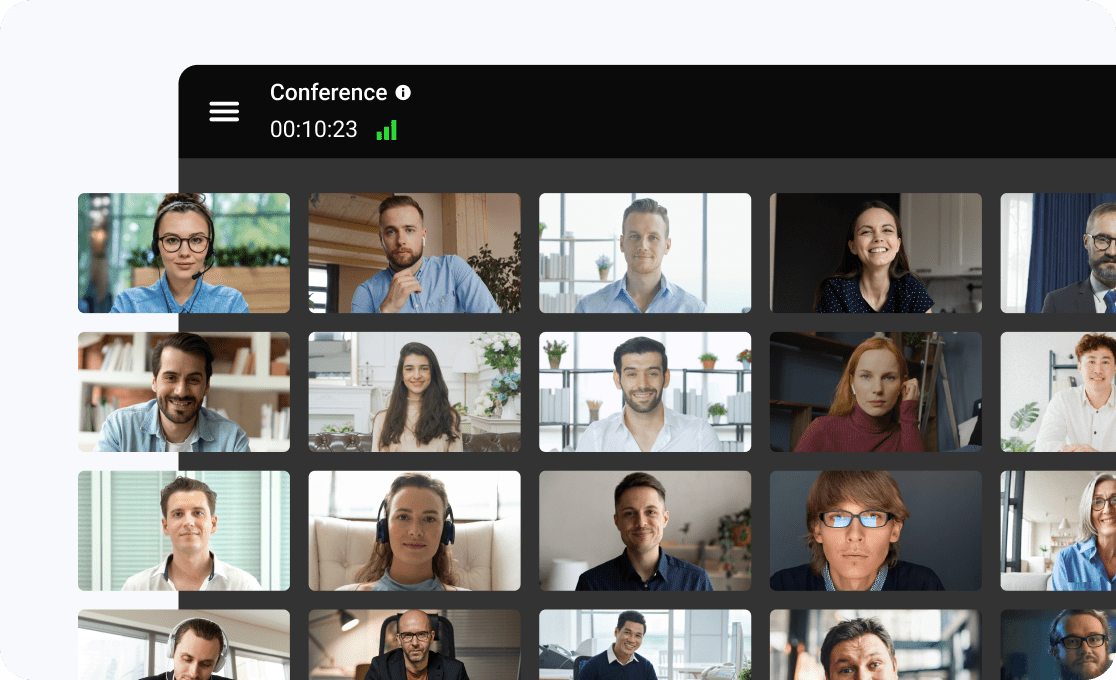
Video conferencing replaced the assumption that meaningful business communication requires being in the same room, which directly cut travel cost and time for organizations with distributed teams, clients, or partners. It also changed how quickly decisions get made, since a video call can be scheduled and held within minutes, while an in person meeting across offices or cities often takes days to arrange.
For remote and hybrid organizations specifically, video conferencing is not a convenience feature but the primary channel through which teams coordinate work, review progress, and maintain the working relationships that used to happen naturally in a shared office.
Insight: The business case goes far beyond cost savings.
Video carries far more communication signal than voice or text alone, including tone, expression, and body language, which reduces misunderstandings in complex discussions such as performance reviews, sales negotiations, and cross functional planning. Organizations that treat video conferencing as core infrastructure, rather than an occasional tool, generally see faster internal alignment and fewer communication breakdowns across distributed teams.
Challenges with Video Conferencing

Video conferencing introduces a distinct set of operational and security challenges that IT and compliance teams need to plan for rather than discover after rollout. Bandwidth and network reliability remain the most common day to day issue, since poor call quality directly undermines adoption regardless of how capable the platform is on paper.
Meeting fatigue is a documented productivity concern, driven by back to back video calls that leave less time for focused work, which pushes many organizations to set internal norms around default meeting length and camera on requirements rather than leaving it unmanaged.
On the security side, uninvited meeting access, often called meeting bombing, remains a real risk when default settings do not require passwords or waiting rooms. Data interception is a concern for any platform that does not enforce strong encryption in transit, and vendor side data exposure is a risk inherent to any public cloud service, since a breach at the vendor can affect every customer sharing that infrastructure.
These security concerns are precisely why organizations with strict compliance obligations often move to a self hosted platform such as TrueConf, where the organization itself, not a third party vendor, controls the network boundary and the encryption keys.
Video Conferencing Terms and Acronyms Explained
Enterprise buyers evaluating VCaaS proposals encounter a set of recurring technical terms that are worth defining directly rather than assuming familiarity.
VCaaS stands for video conferencing as a service, the cloud delivered model described throughout this guide.
SaaS (software as a service) refers to fully managed public cloud delivery, where the vendor operates all infrastructure, the model used by Zoom, Google Meet, and Microsoft Teams.
IaaS (infrastructure as a service) refers to a dedicated virtual environment operated by a provider but isolated for a single customer, the model Pexip commonly offers as a virtual private cloud option.
SIP (Session Initiation Protocol) is the signaling protocol used to set up, manage, and end voice and video calls, and it is what allows platforms like TrueConf to interoperate with existing room systems and telephony hardware.
WebRTC is a browser based real time communication standard that lets users join video calls directly from a web browser without installing separate client software.
SRTP (Secure Real Time Transport Protocol) is the encrypted version of the protocol that carries audio and video data, and its presence or absence is a key detail to check when evaluating a vendor’s security claims.
MCU (multipoint control unit) is the server component that mixes multiple video and audio streams together in a group call, a core piece of infrastructure in both cloud platforms and self hosted systems like TrueConf.
How Does VCaaS Work?
A VCaaS platform routes each participant’s audio and video stream through a media server that mixes, transcodes, and redistributes the streams to every other participant, rather than connecting every device directly to every other device. This server side approach is what allows meetings to scale to dozens or hundreds of participants without overwhelming each individual user’s bandwidth.
Signaling, the process of setting up and tearing down a call, typically runs over SIP or a proprietary protocol, while the actual media travels over RTP or WebRTC, often encrypted with SRTP or DTLS.
The location of that media server is the single most important technical difference between vendors. In a public cloud SaaS model, the server sits in the vendor’s own data center and is shared across customers using logical isolation. In an on-premise or private cloud model, such as TrueConf’s default deployment or Pexip’s private cloud option, that same server runs inside infrastructure the customer controls, so video and audio never has to leave the organization’s network unless it is explicitly routed externally.
Equipment and Requirements for Video Conferencing

Most VCaaS platforms work with a standard laptop camera, microphone, and a broadband internet connection, but businesses running frequent meetings typically add dedicated equipment for better quality: an external webcam or a room camera system for conference rooms, a USB or ceiling mounted microphone array for larger spaces, and, for organizations with heavy meeting room usage, dedicated room hardware or a mini PC running the vendor’s software persistently in the room.
On-premise deployments such as TrueConf also require server hardware or a private cloud instance sized to the expected number of concurrent participants, which is a planning step that public cloud SaaS platforms remove entirely.
Deployment Options: Public Cloud, Virtual Private Cloud, and On-Premise
Enterprise buyers evaluating VCaaS should think in terms of three deployment options, since each one shifts control, cost, and responsibility differently.
|
Deployment option |
Who manages the infrastructure |
Data location |
Typical buyer |
Example vendors |
|---|---|---|---|---|
|
Public cloud (SaaS) |
Vendor |
Vendor’s shared data centers |
Businesses without strict data residency requirements |
Zoom, Google Meet, Microsoft Teams, GoTo Meeting, Zoho Meeting |
|
Virtual private cloud (IaaS) |
Vendor operated, customer dedicated instance |
Isolated cloud environment, sometimes region locked |
Enterprises needing more control than shared SaaS but without in house server operations |
Pexip, Cisco Webex hybrid |
|
Private cloud/on-premise |
Customer |
Customer’s own servers or private data center |
Government, defense, healthcare, air gapped networks |
TrueConf, Pexip on-premise |
Organizations under data sovereignty regulations, defense procurement rules, or internal policies that prohibit third party cloud handling of video and audio should default to the private cloud or on-premise option, which is the category TrueConf is purpose built for. Organizations without those constraints generally get faster deployment and lower operational overhead from public cloud SaaS platforms such as Zoom or Google Meet.
Advantages of VCaaS
VCaaS removes the capital cost of buying and maintaining video conferencing hardware, since the provider handles server capacity, software updates, and scaling automatically in the public cloud model. It also lets organizations add or remove licenses on demand as headcount changes, rather than provisioning fixed hardware capacity in advance.
For platforms with private cloud or on-premise options such as TrueConf, organizations get the added benefit of controlling exactly where their meeting data is processed and stored, which shifts the primary advantage from pure convenience to direct compliance control.
Use Cases of VCaaS
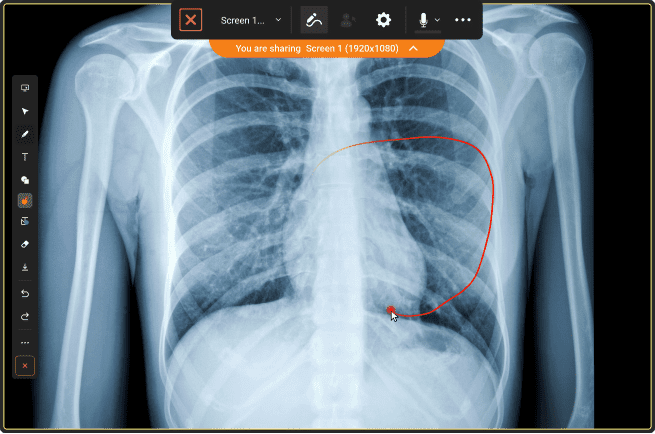
Business meetings and conferences are the most common use case, covering everything from daily team standups to board meetings, and this is where public cloud platforms like Zoom and Microsoft Teams see the heaviest use. Education and e-learning is a growing use case, with schools and universities using VCaaS for remote and hybrid classrooms, often with recording features for students to review sessions later.
Remote work and distributed team collaboration relies on VCaaS as the primary substitute for in person meetings, making reliability and screen sharing quality a top priority. Governance and public sector use, including city council sessions, court hearings, and interagency meetings, increasingly requires platforms with strong data control and audit trails, which is where on-premise options such as TrueConf are more often selected over public SaaS platforms.
Telehealth is one of the most compliance sensitive use cases, since patient consultations over video must meet healthcare privacy regulations, making self hosted or private cloud VCaaS deployments a common requirement for hospital networks.
The Evolving Role of Video Conferencing in Hybrid Work
Video conferencing has shifted from a substitute for in person meetings into the default coordination layer for hybrid organizations, where some employees work from an office and others work remotely on any given day. In this environment, the platform has to serve two audiences in the same meeting at once, in room participants using shared room hardware and remote participants joining individually, which raises the bar for audio quality, camera framing, and screen sharing clarity compared to a fully remote or fully in office setup.
This shift has also pushed platforms to add features specifically for hybrid equity, such as automatic camera framing that keeps in room participants visible individually rather than as a single wide shot, and virtual whiteboard tools that let remote and in room participants contribute to the same collaborative surface in real time. Organizations standardizing on a single platform for both room based and individual hybrid meetings, rather than running separate tools for each, generally see lower support overhead and a more consistent experience across the business.
What Video Conferencing Software Can Do for Your Business?
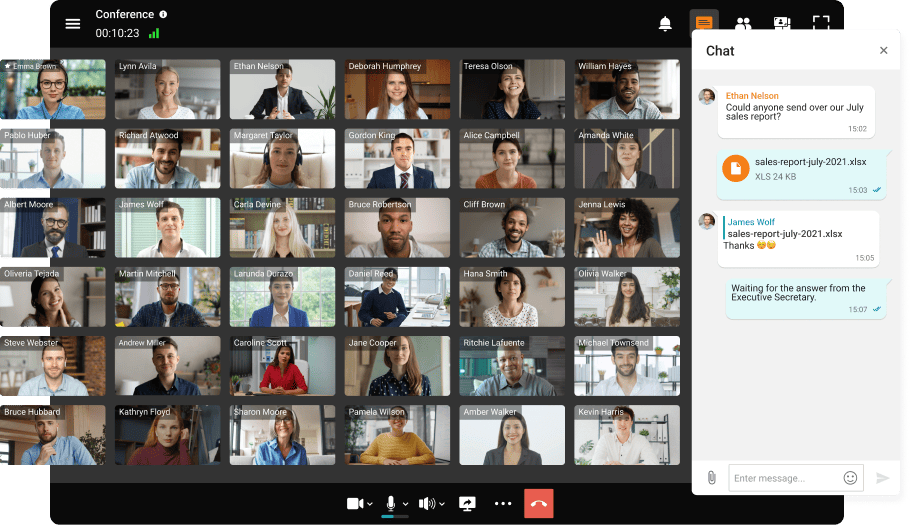
Beyond basic meetings, a capable VCaaS platform supports a range of business functions that buyers should map against their actual use cases before comparing vendors on price alone. Sales and customer facing teams use video conferencing for demos and negotiations, often relying on features like AI generated call summaries and CRM integration to reduce manual note taking, a strength of platforms like Dialpad Meetings.
Marketing and communications teams use large scale webinar features for product launches and public events, which is where platforms with strong broadcast capacity, such as Cisco Webex, are typically chosen over lighter weight tools.
Internal operations teams use recurring video meetings for daily standups and project reviews, where simplicity and reliability matter more than large scale broadcast features. Compliance sensitive functions, including board meetings, legal proceedings, and patient consultations, require the data control and audit capabilities that self hosted platforms such as TrueConf are specifically built to provide.
How We Evaluate Video Conferencing Vendors?
The vendor analysis in this guide is built around five evaluation criteria that matter most to enterprise buyers rather than consumer users: call quality and reliability under real network conditions, security and data control including encryption and deployment flexibility, administrative and compliance tooling for IT and CISOs, integration depth with existing business systems, and total cost of ownership across a multi year period rather than headline per user pricing.
Vendors are compared on the same criteria throughout this guide so that the differences reflect actual capability gaps rather than inconsistent evaluation standards, and deployment model is treated as a first order criterion rather than a footnote, since it determines whether a platform is even eligible for organizations with strict data residency requirements.
TrueConf
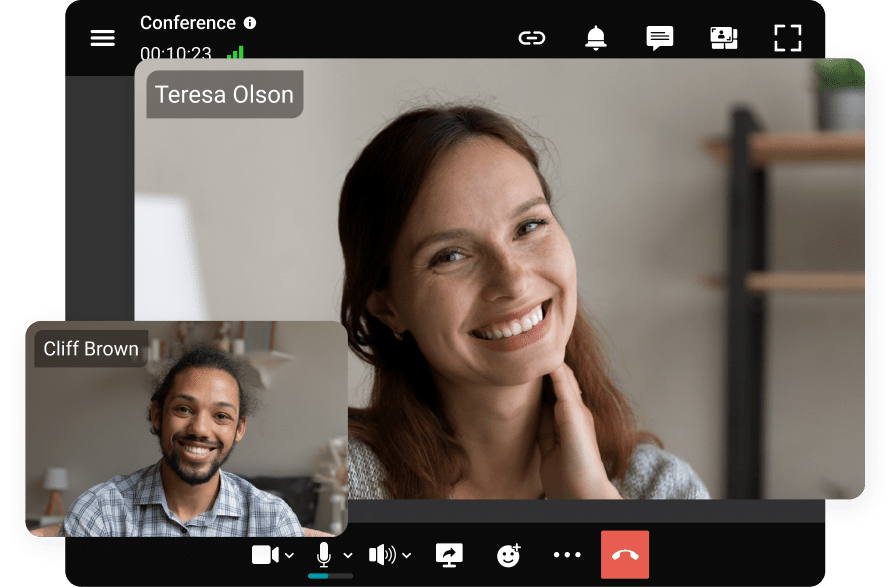
TrueConf Server is a video conferencing platform built specifically for self hosted and private cloud deployment, letting organizations run the entire service, including media servers and signaling, inside their own network with no requirement to route traffic through a public cloud. It supports large group video meetings, webinars, and broadcast style events, along with SIP and H.323 interoperability for connecting to existing room systems and telephony infrastructure.
Pros: full data control through self hosted deployment, strong fit for air gapped and classified environments, flexible integration with existing directory and telephony systems.
Cons: requires internal IT resources to deploy and maintain compared to a pure SaaS platform, and initial setup takes longer than signing up for a cloud subscription.
Who it is for: government agencies, defense and critical infrastructure operators, healthcare networks, and any enterprise where data residency is a hard requirement rather than a preference.
Boost your team’s productivity with TrueConf Server Free!
Zoom

Zoom is a public cloud video conferencing platform known for consistent call quality and a low friction join experience that does not require participants to create an account. It has expanded from a pure meeting tool into a broader workplace suite covering webinars, phone, and team chat.
Pros: strong video and audio quality even on constrained networks, wide device and integration support, simple administration for IT teams.
Cons: as a public cloud SaaS platform, organizations do not control the underlying infrastructure, which is a limitation for buyers with strict data residency requirements.
Who it is for: general business use across company sizes that want fast deployment and broad compatibility with client and partner systems.
Cisco Webex

Cisco Webex targets enterprises running large scale webinars, town halls, and regulated industry meetings, offering FedRAMP authorized government offerings and strong audio processing technology built on Cisco’s networking expertise. It can be deployed as pure public cloud or in a hybrid configuration that keeps some infrastructure on-premise.
Pros: strong performance at large participant scale, government grade compliance certifications, tight integration with Cisco networking hardware.
Cons: interface complexity is higher than lighter weight competitors, and full on-premise deployment is more limited than dedicated on-premise vendors like TrueConf.
Who it is for: large enterprises and regulated organizations running frequent large scale virtual events who need a hybrid option rather than pure public cloud.
Microsoft Teams

Microsoft Teams is the default choice for organizations already running Microsoft 365, since meetings are scheduled directly in Outlook and recordings save automatically to the organization’s existing storage and compliance tools. Video conferencing is one part of a broader suite covering chat, file collaboration, and telephony.
Pros: deep calendar and document integration, strong enterprise identity and compliance tooling through Microsoft Purview, included in many existing Microsoft 365 licenses.
Cons: performance and features outside the Microsoft ecosystem are weaker, and like other pure SaaS platforms it does not offer a genuine on-premisedeployment option.
Who it is for: organizations standardized on Microsoft 365 that want video conferencing bundled into their existing productivity licensing.
RingCentral Video

RingCentral Video is part of RingCentral’s broader unified communications platform, combining video meetings with phone and messaging under one subscription, and it holds HIPAA compliant plan options that make it a common choice in healthcare settings that do not require full on-premise control.
Pros: bundled pricing with phone and messaging, healthcare focused compliance plans, reliable performance for mid sized meetings.
Cons: as a public cloud service it does not offer the same data residency control as TrueConf or Pexip’s private deployment options.
Who it is for: healthcare organizations and mid sized businesses that want video conferencing combined with broader communications rather than a standalone tool.
Google Meet

Google Meet is a browser based video conferencing service built into Google Workspace, designed to work with no downloads and minimal setup, making it a common choice for organizations that prioritize simplicity over advanced administrative controls.
Pros: instant browser access with no client install required, tight integration with Google Calendar and Gmail, low learning curve for participants.
Cons: administrative and security controls are less granular than enterprise focused platforms like Cisco Webex or Microsoft Teams, and there is no on-premise option.
Who it is for: remote first teams already using Google Workspace who want the lowest friction meeting experience for internal and external participants.
GoTo Meeting

GoTo Meeting is positioned as a straightforward video conferencing service for small and mid sized businesses, emphasizing quick setup and a simple interface over advanced enterprise features.
Pros: fast onboarding, predictable flat pricing tiers, reliable core meeting functionality.
Cons: fewer advanced features and integrations compared to larger platforms, and no on premise deployment option for organizations needing data control.
Who it is for: small and mid sized businesses that want dependable video conferencing without a steep learning curve or complex administration.
Zoho Meeting

Zoho Meeting is a budget oriented video conferencing tool that fits naturally into organizations already using other Zoho applications for CRM, email, or project management, bundling meeting functionality into a broader low cost software suite.
Pros: low cost relative to enterprise competitors, native integration with other Zoho apps, straightforward webinar functionality for smaller audiences.
Cons: feature depth and scalability lag behind larger platforms, and it is a pure public cloud service with no private deployment option.
Who it is for: cost conscious small businesses, particularly those already standardized on the Zoho software suite.
Pexip

Pexip provides video conferencing infrastructure that can be deployed as a managed private cloud, virtual private cloud, or on premise instance, positioning it between pure public cloud SaaS platforms and fully self hosted platforms like TrueConf. It emphasizes interoperability, connecting existing room systems, legacy video hardware, and multiple third party platforms into a single meeting.
Pros: strong interoperability across different video systems and vendors, flexible deployment from public to fully private, good fit for enterprises with mixed legacy and modern video hardware.
Cons: generally requires more setup and infrastructure planning than a pure SaaS platform, and per user cost can be higher than mass market cloud platforms.
Who it is for: enterprises with existing room based video systems that need a bridge between legacy hardware, modern software clients, and multiple external platforms, especially where infrastructure level control matters.
Dialpad Meetings
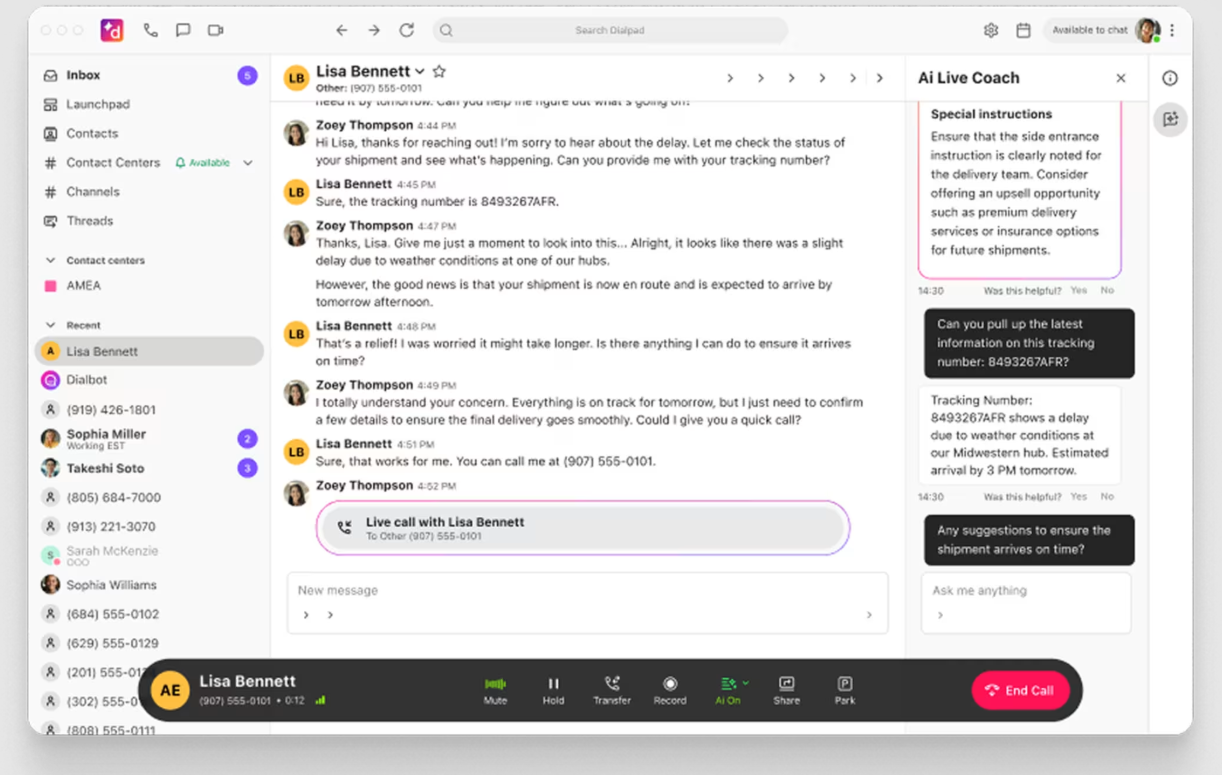
Dialpad Meetings is built around AI powered features, including live transcription, automated call summaries, and real time coaching prompts, layered on top of a standard public cloud video conferencing service.
Pros: strong built in AI transcription and summary tools, clean and simple interface, tightly integrated with Dialpad’s broader communications platform.
Cons: as a public cloud SaaS platform it offers no on-premise deployment, and enterprise scale webinar features are less developed than dedicated webinar platforms like Cisco Webex.
Who it is for: sales and customer facing teams that want AI generated meeting insights built directly into their video conferencing tool.
Feature and Specs Comparison Table
|
Vendor |
Deployment |
Max recommended participants (standard plan) |
Recording |
AI-transcription |
On-premise option |
|---|---|---|---|---|---|
|
TrueConf |
On-premise, hybrid, private cloud |
Scales with server capacity |
Yes, local storage |
Limited, integration dependent |
Yes |
|
Zoom |
Public cloud |
Up to 300, higher with add ons |
Yes, cloud or local |
Yes |
No |
|
Cisco Webex |
Public cloud, hybrid |
Up to 200, higher on premium plans |
Yes, cloud |
Yes |
Hybrid only |
|
Microsoft Teams |
Public cloud |
Up to 300 |
Yes, cloud |
Yes |
No |
|
RingCentral Video |
Public cloud |
Up to 200 |
Yes, cloud |
Yes |
No |
|
Google Meet |
Public cloud |
Up to 100, higher on premium tiers |
Yes, cloud |
Yes |
No |
|
GoTo Meeting |
Public cloud |
Up to 250 |
Yes, cloud |
Limited |
No |
|
Zoho Meeting |
Public cloud |
Up to 100 |
Yes, cloud |
No |
No |
|
Pexip |
Virtual private cloud, on-premise |
Scales with deployment |
Yes, configurable location |
Limited, integration dependent |
Yes |
|
Dialpad Meetings |
Public cloud |
Up to 150 |
Yes, cloud |
Yes |
No |
Future Trends in VCaaS
Artificial intelligence is moving from an add on to a default part of video conferencing, with automatic transcription, meeting summaries, and real time translation becoming standard features across most public cloud vendors rather than premium extras. Interoperability is becoming more important as organizations run a mix of platforms internally and with external partners, which is driving demand for vendors like Pexip that specialize in bridging different video systems into a single call.
Data residency and self hosted options are gaining relevance as regulatory scrutiny of cloud data handling increases in healthcare, government, and financial services, pushing more organizations to evaluate platforms such as TrueConf that can run entirely inside a private network rather than defaulting to public cloud by habit.
Our Rating: How the Platforms Stack Up
|
Vendor |
Call quality and reliability |
Security and data control |
Feature depth |
Our rating (out of 5) |
|---|---|---|---|---|
|
TrueConf |
High |
Very high (self hosted) |
High |
4.6 |
|
Zoom |
Very high |
Medium to high |
High |
4.5 |
|
Cisco Webex |
High |
High |
High |
4.4 |
|
Microsoft Teams |
High |
High |
Very high |
4.4 |
|
Pexip |
High |
High (private deployment options) |
Medium to high |
4.3 |
|
RingCentral Video |
Medium to high |
Medium to high |
Medium to high |
4.2 |
|
Google Meet |
High |
Medium |
Medium |
4.2 |
|
Dialpad Meetings |
Medium to high |
Medium |
Medium to high |
4.1 |
|
GoTo Meeting |
Medium to high |
Medium |
Medium |
4.0 |
|
Zoho Meeting |
Medium |
Medium |
Medium |
3.9 |
Empower your video conferencing experience with TrueConf!
FAQ
What is the difference between video conferencing as a service and traditional video conferencing hardware?
Video conferencing as a service delivers the platform through a cloud subscription with the provider managing servers and updates, while traditional hardware based systems require the organization to buy and maintain dedicated codecs and room equipment.
TrueConf sits between these models, since it delivers full VCaaS style functionality but through a self hosted deployment the organization controls directly, rather than through a shared public cloud.
Is video conferencing as a service secure enough for regulated industries?
Security depends heavily on the deployment model and the specific vendor, not on the VCaaS category as a whole. Public cloud vendors like Zoom and Microsoft Teams hold strong certifications, but organizations in healthcare, government, or defense often choose a self hosted or private cloud option such as TrueConf or Pexip specifically because it keeps data control inside their own network rather than a shared vendor infrastructure.
Can video conferencing as a service run without an internet connection?
Most public cloud VCaaS platforms require an active internet connection, since the media servers live in the vendor’s data centers. TrueConf is a notable exception, since it can be deployed as a fully self hosted, air gapped system that runs entirely on an internal network with no internet dependency, which is a requirement for classified or highly restricted environments.
How much does video conferencing as a service typically cost?
Public cloud pricing is usually structured per user per month, ranging from a few dollars for entry level plans to significantly more for enterprise tiers with advanced security and larger participant limits.
Self hosted platforms such as TrueConf shift costs toward server infrastructure and a license fee rather than an ongoing per user subscription, which can be more cost effective for large deployments over a multi year period.
What equipment do I need to start using video conferencing as a service?
A standard laptop camera, microphone, and broadband connection is enough for basic use with any public cloud platform.
Organizations running frequent meetings, or deploying a self hosted platform such as TrueConf, typically add dedicated room cameras, microphone arrays, and, for on-premise deployments, server hardware sized to expected concurrent usage.
What is the difference between public cloud, virtual private cloud, and on-premise video conferencing?
Public cloud means the vendor operates shared infrastructure serving many customers at once. Virtual private cloud means a dedicated, isolated instance still operated by the provider, a model Pexip commonly uses.
On-premise means the customer runs the infrastructure entirely on its own servers, which is the default and defining deployment model for TrueConf.
Which vendors offer an on-premise option for video conferencing as a service?
TrueConf is built specifically for on-premise and private cloud deployment as its primary model, while Pexip and Cisco Webex offer hybrid configurations that keep some infrastructure on-premise alongside cloud components.
Most other major vendors covered in this guide, including Zoom, Microsoft Teams, Google Meet, and GoTo Meeting, operate exclusively as public cloud SaaS platforms with no on-premise deployment path.
About the Author
Diana Shtapova is a product specialist and technology writer with three years of experience in the unified communications industry. At TrueConf, she leverages her deep product expertise to create clear and practical content on video conferencing platforms, collaboration tools, and enterprise communication solutions. With a strong background in product research and user-focused content development, Diana helps professionals and businesses understand core product features, adopt new technologies, and unlock the full potential of modern collaboration software.


Follow us on social networks