
TrueConf Calendar Connector: integrating Microsoft Exchange with TrueConf Server
Meet TrueConf Calendar Connector, a new product which will allow you to bring together the events of your Microsoft Exchange and TrueConf Server. Now all your occasions, whether video conferences or offline meetings, will be displayed in TrueConf desktop and mobile applications, as well as on devices in meeting rooms.
Try for freeWe also held a webinar about the features of TrueConf Calendar Connector.
List of supported operating systems
- Microsoft Windows Server 2012/2016/2019/2022
- Debian 11
- Debian 12
- CentOS Stream 9
Configuring integration with TrueConf Server
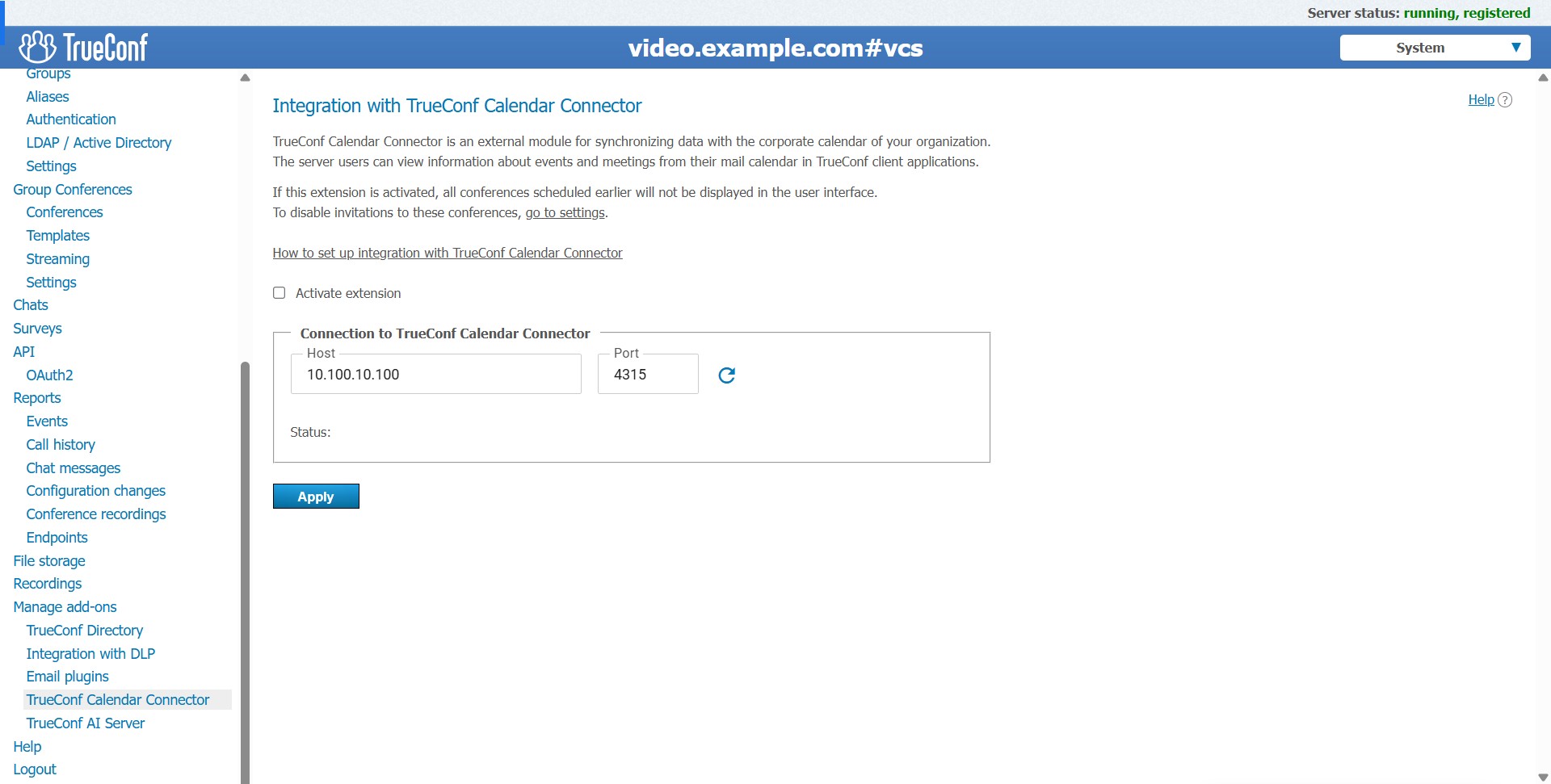
The integration of TrueConf Calendar Connector takes place in a couple of clicks. You just need to specify the IP address of the PC on which the solution is installed in the TrueConf Server control panel in the Manage add-ons – TrueConf Calendar Connector section.
You can learn about the full configuration process in the relevant section of the documentation.
Conference scheduling
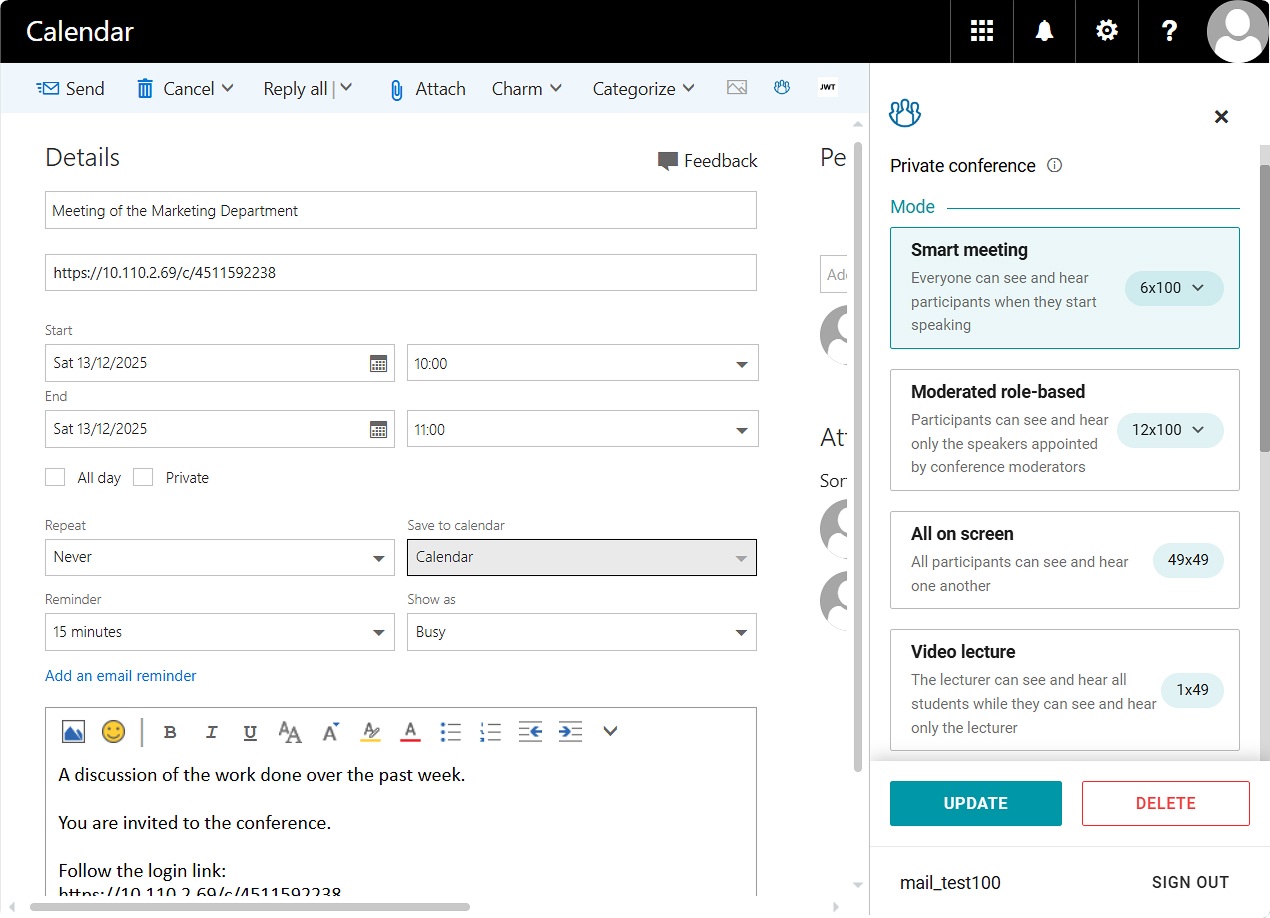
With Microsoft Exchange integration configured, all online events will be scheduled using Microsoft Outlook corporate calendar in the mail application or web version.
To create a conference event, you need to install TrueConf add-on
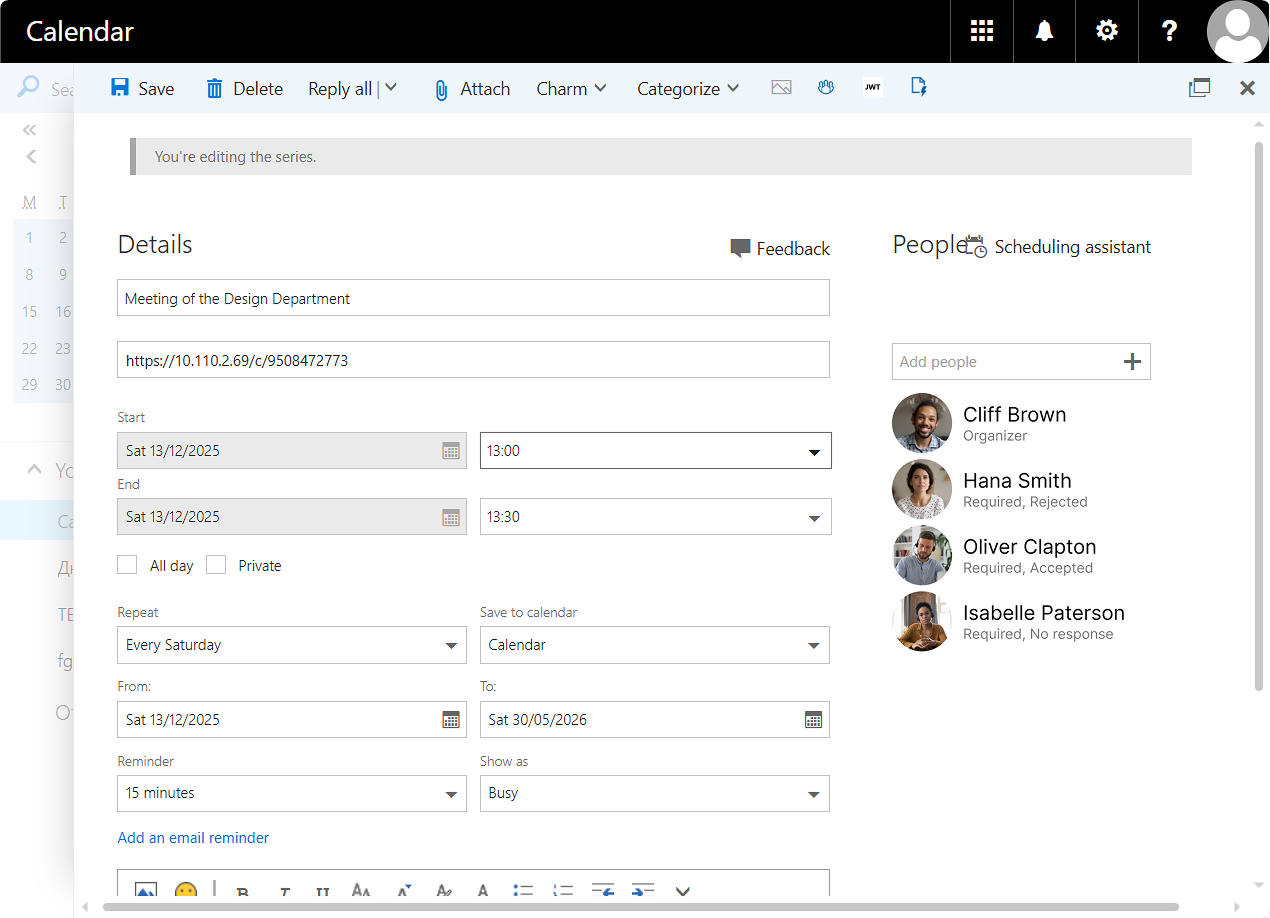
You can add participants to the event by clicking the  button. In Microsoft Outlook, users are divided into presence categories:
- Required — participants must be present, and if someone cannot attend, then the meeting will probably have to be rescheduled
- Optional — absence will not affect the meeting.
This information will be displayed in TrueConf client applications. However, the conference will automatically start regardless of the presence of Required participants.
Users can create and see regular offline events, and they will also be displayed in TrueConf client applications. If the meeting involves a conference or call, it will be indicated in turquoise.
In the standard version of TrueConf add-on, users can create only conferences without a schedule (virtual rooms)
Postponing and cancelling events
The host can change the date of the meeting or cancel it at any time in the Microsoft Outlook calendar. The changes are instantly synchronized with the TrueConf calendar and displayed in all applications in which the user is logged in.
How to do it? Select an event in the Microsoft Outlook calendar and drag it to another date by holding down the left mouse button
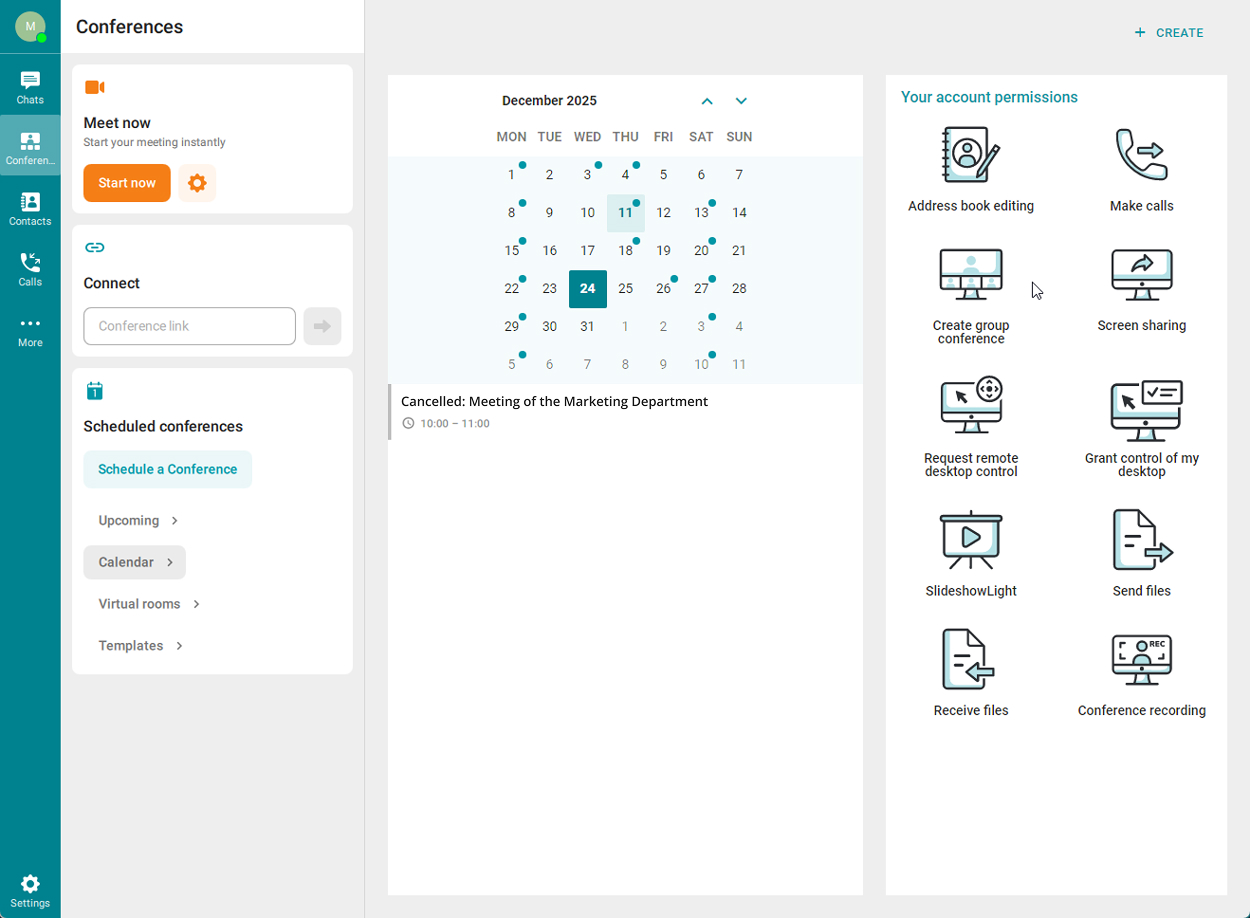
If the conference is canceled, all users who have been added as participants will have their scheduled event marked as canceled.
Recurring events
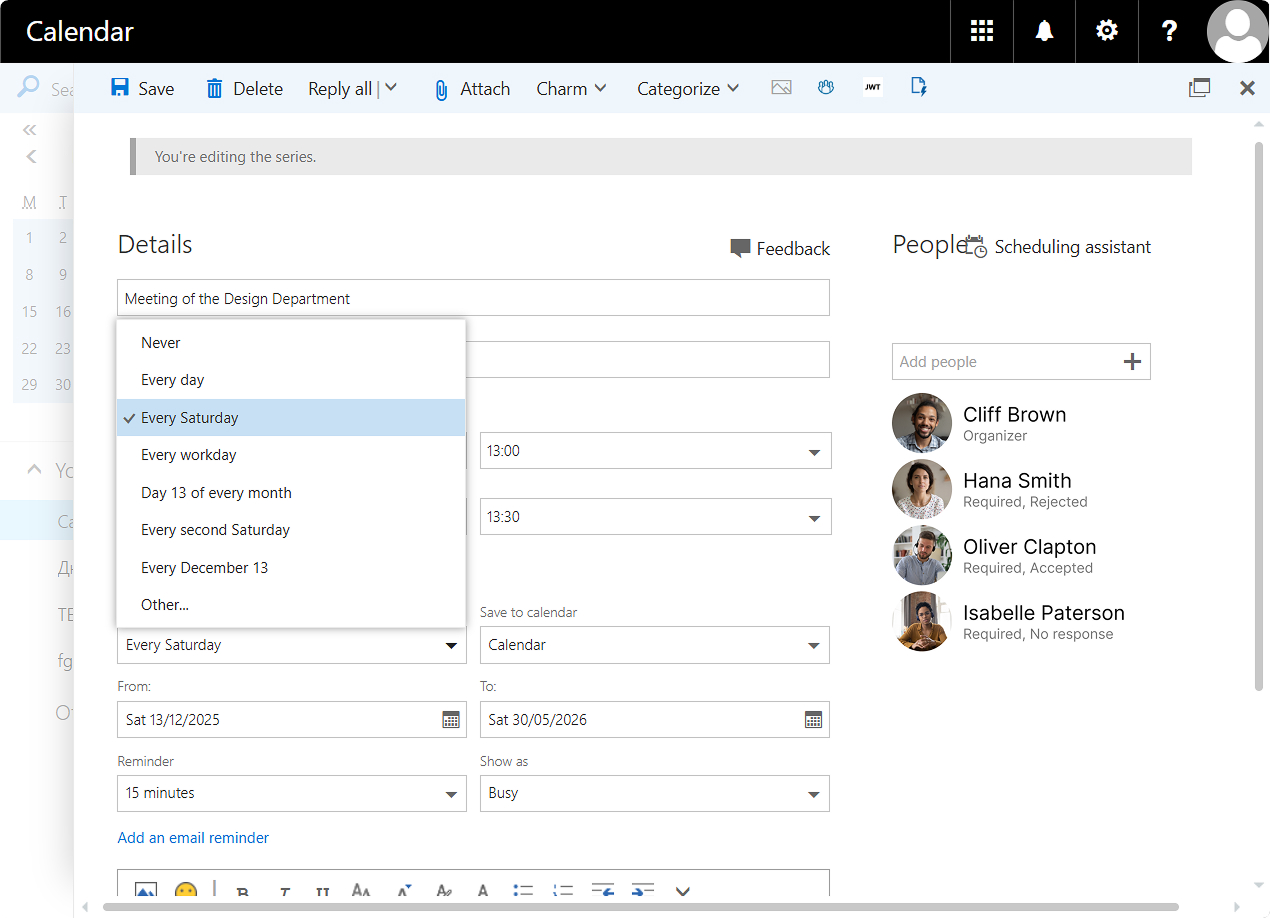
For recurring events, the conference owner can configure flexible parameters, which will allow creating more custom and specific schedules and scenarios than in TrueConf client applications.
How to do it? Click Make recurring when scheduling or editing an event in Microsoft Outlook, and then select the frequency, order, and recurrence limit
Control transfer
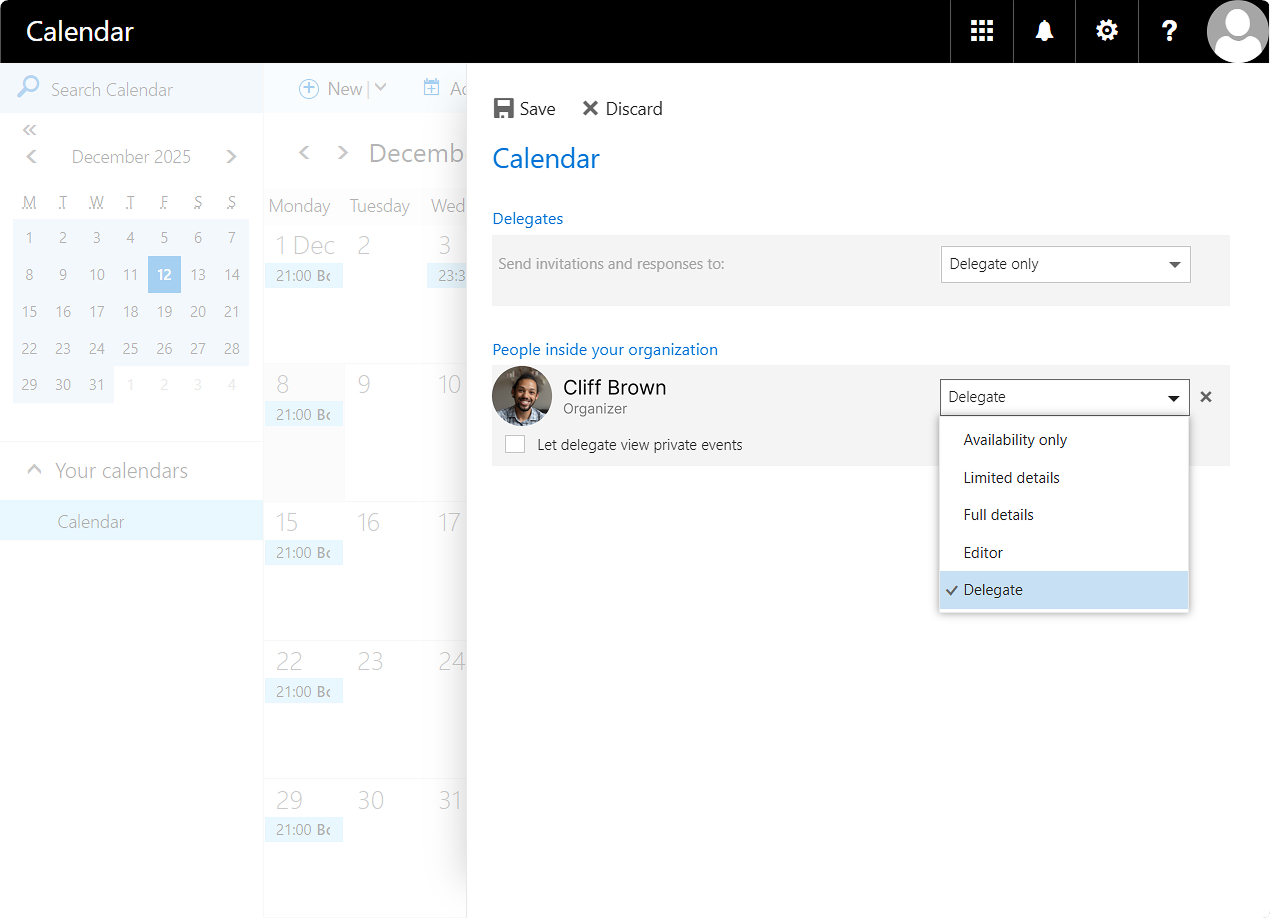
Delegate calendar management and planning of your online events to one of your colleagues, freeing up time for more urgent tasks. TrueConf Calendar Connector supports the transfer of event owner rights to another user.
How to do it? Go to the Calendar tab in Microsoft Outlook, right-click on your calendar in the left side menu, and select Sharing permissions from the context menu. In the appeared window, specify the user’s email address and select the Delegate option from the list of rights
You can view the full list of changes in the changelog.

Maria Mihalyova
Date published: 17.12.2025
Maria Mihalyova
Date published: 17.12.2025
Follow us on social networks