
TrueConf 8.5.3: Useful Changes and Improvements

We’re thrilled to release version 8.5.3 of our desktop apps. This update includes a number of small but highly useful improvements, as well as enhanced stability.
Improved file management in chats
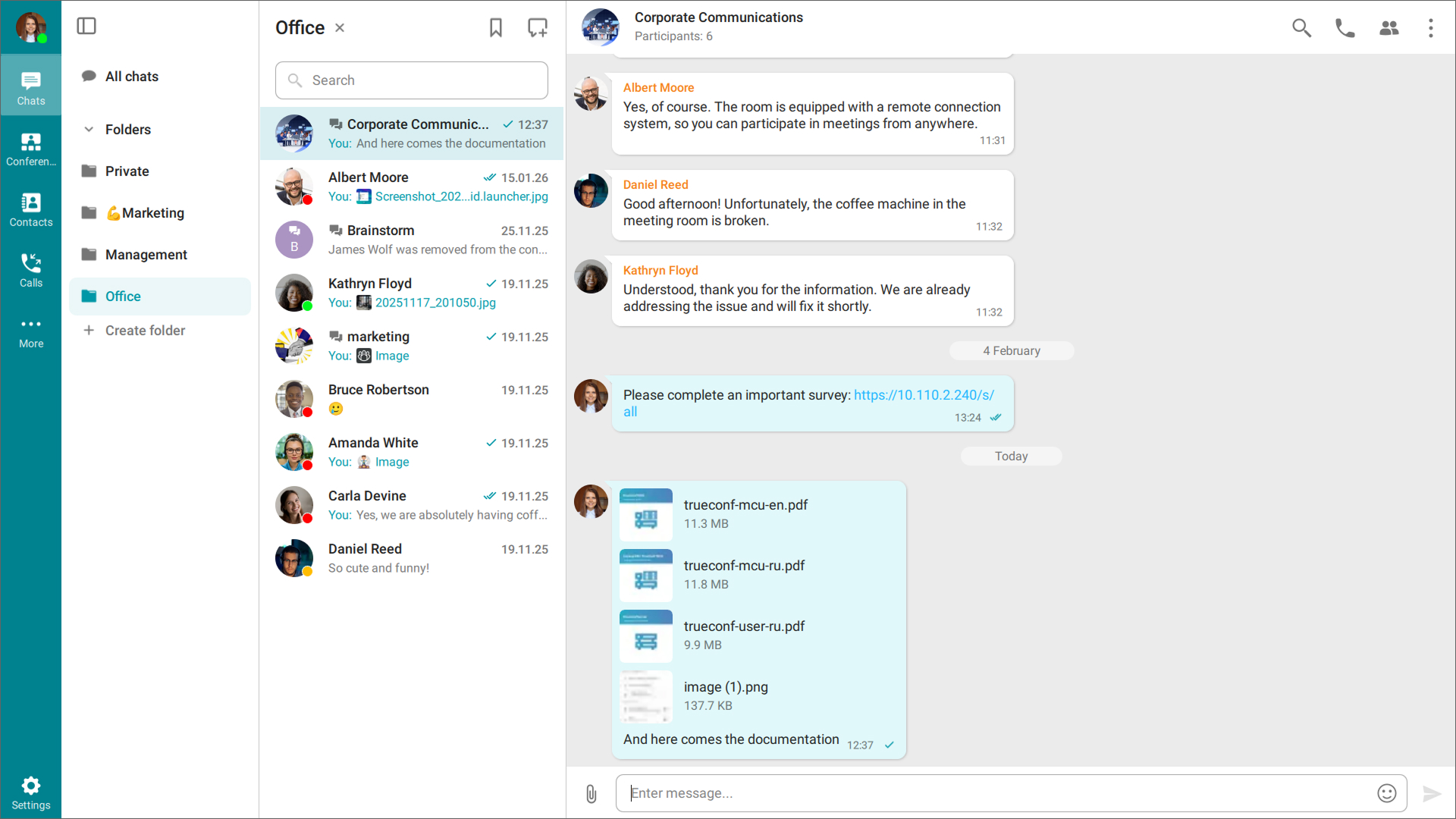
You can now edit a message with a group of attached files or images that were sent or received in a chat. You can delete selected files or forward some of them.
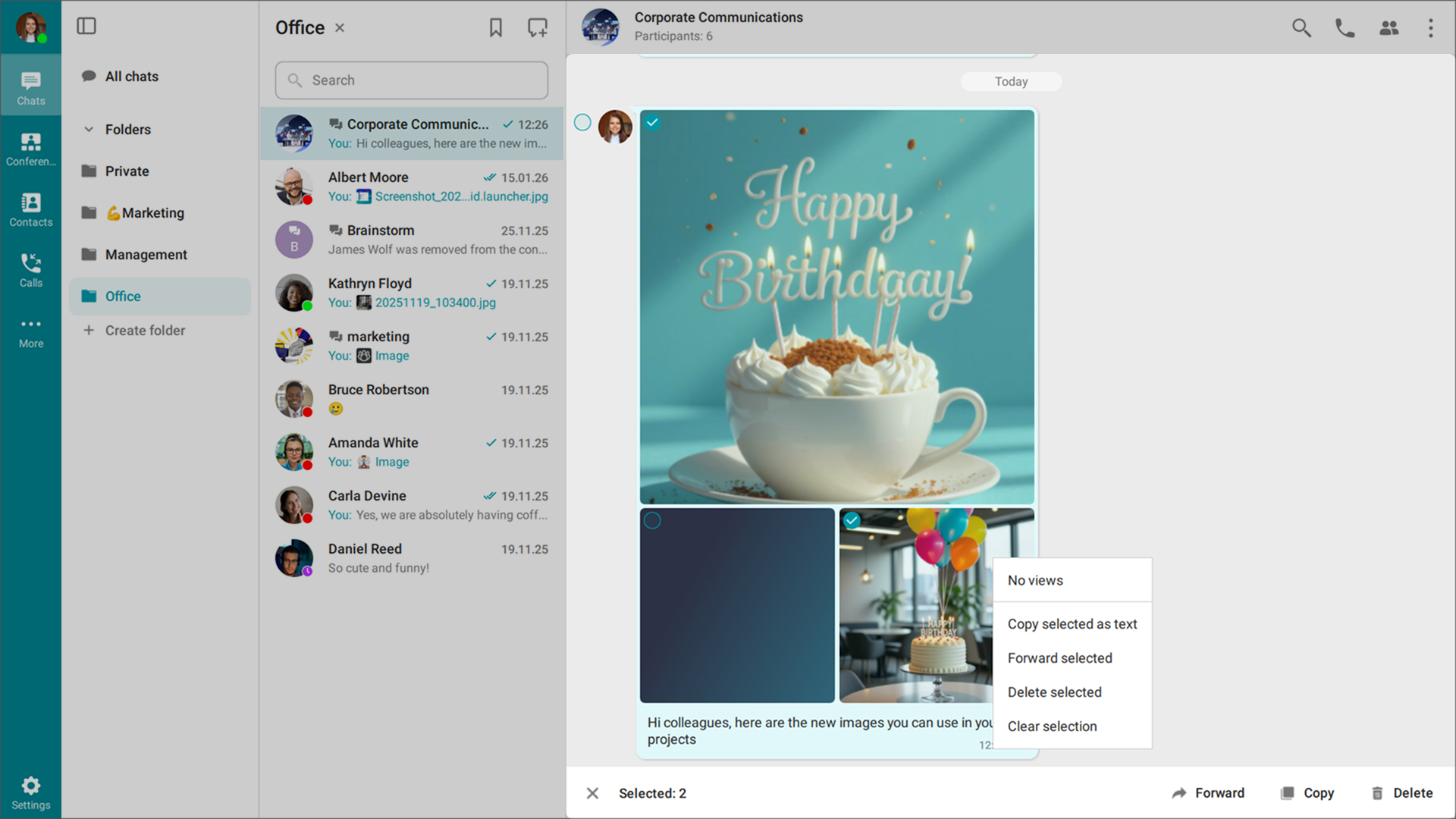
In addition, a text comment added to the files is displayed in the same message.
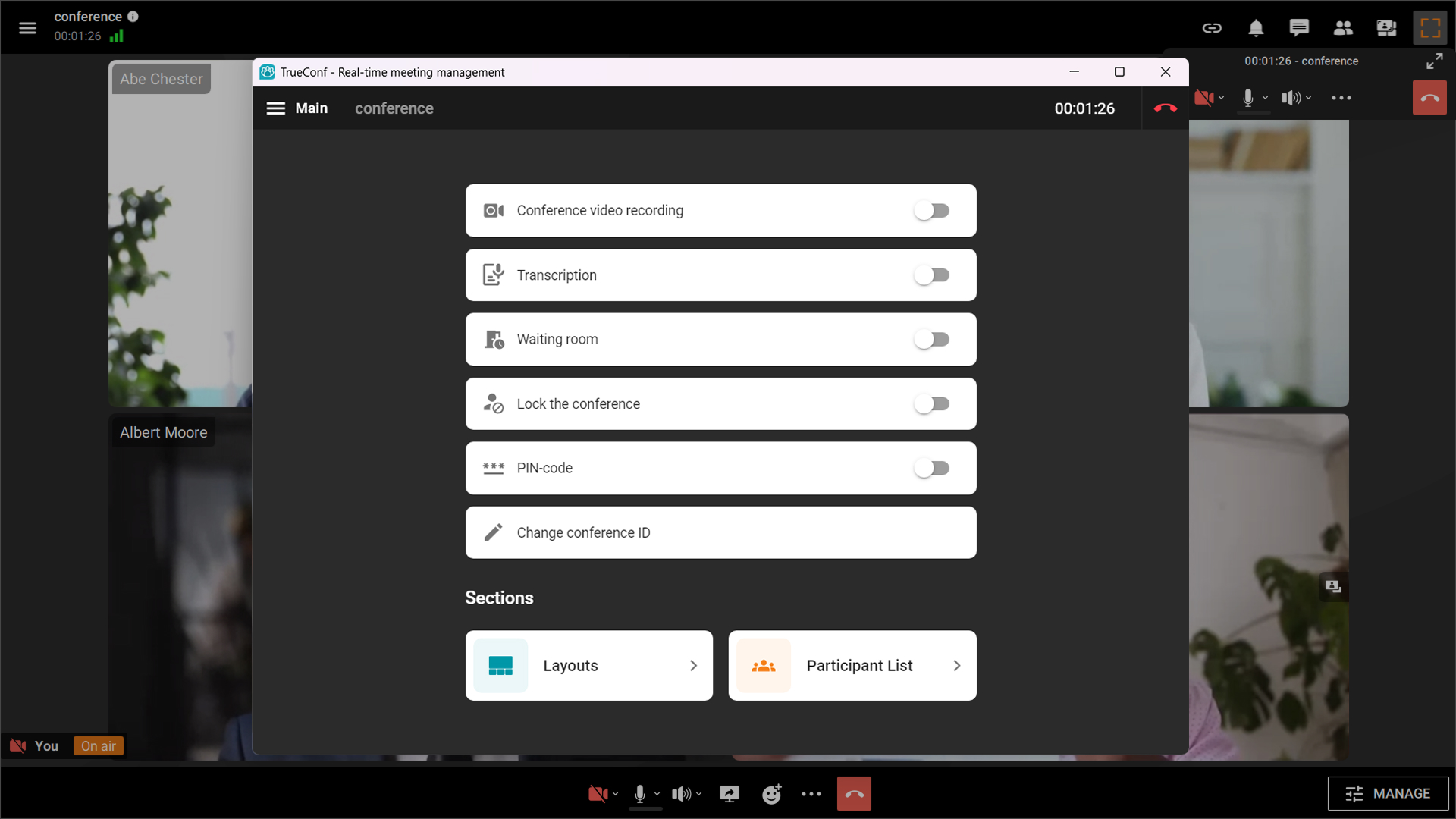
Quick access to real-time conference management
We’ve simplified access to the real-time conference management tool for owners and moderators. You can now open it directly from the bottom control panel.

Other changes and improvements
- Security updates for March 2026 have been added
- When integrated with TrueConf Chatbot Connector, commands in messages are now highlighted in conversations with bots
- In the context menu, when a user (@) is mentioned, their presence status is displayed
- A new Optimal noise suppression mode has been added to the audio settings, balancing audio quality with system resource usage
- New options for MSI installation and configuration via a JSON file have been added (see the full list at the link)
- We’ve improved file transfer performance
- We’ve fixed an issue that prevented new messages from bringing chats to the top of the list
- We’ve fixed an issue where some users saw an Audio remark button when joining a conference without a headset
- Overall application stability has been improved.

Maria Mihalyova
Date published: 01.04.2026
Maria Mihalyova
Date published: 01.04.2026
Follow us on social networks