
TrueConf 4.2 for iOS and iPadOS: Messenger Improvements and Real-time Meeting Management
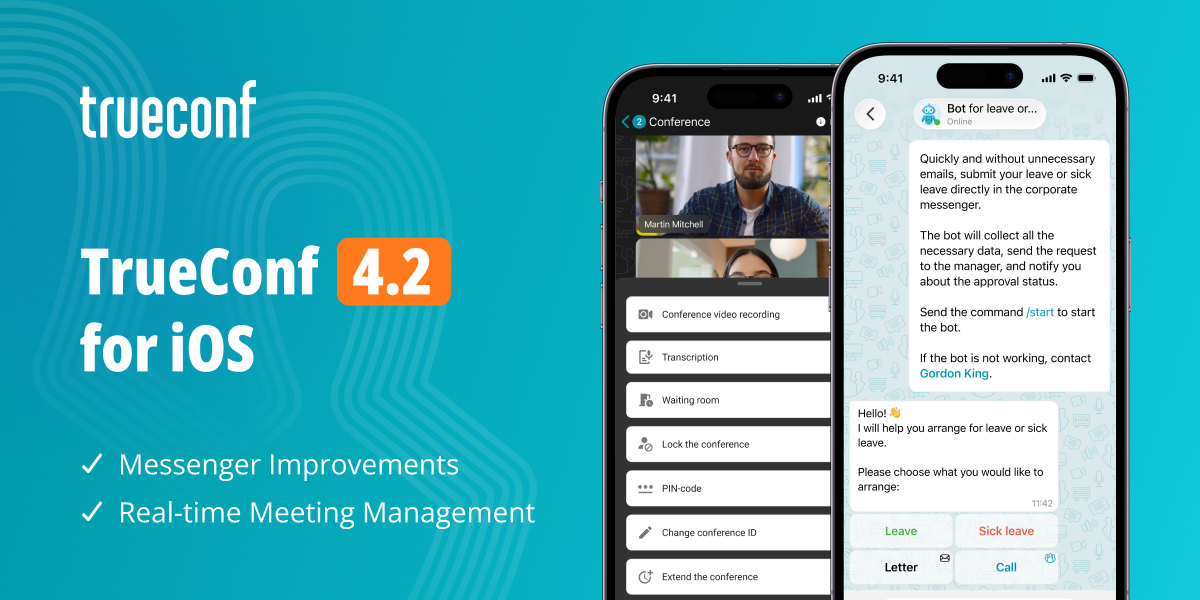
Meet the version 4.2 of our app for iOS and iPadOS. This update brings more flexible notification settings, new conference management tools, improved chatbot interactions, and easier app navigation.

After updating to TrueConf 4.2 for iOS and iPadOS, you will need to sign in again.
Messenger Improvements
Interactive Buttons in Chatbot Messages
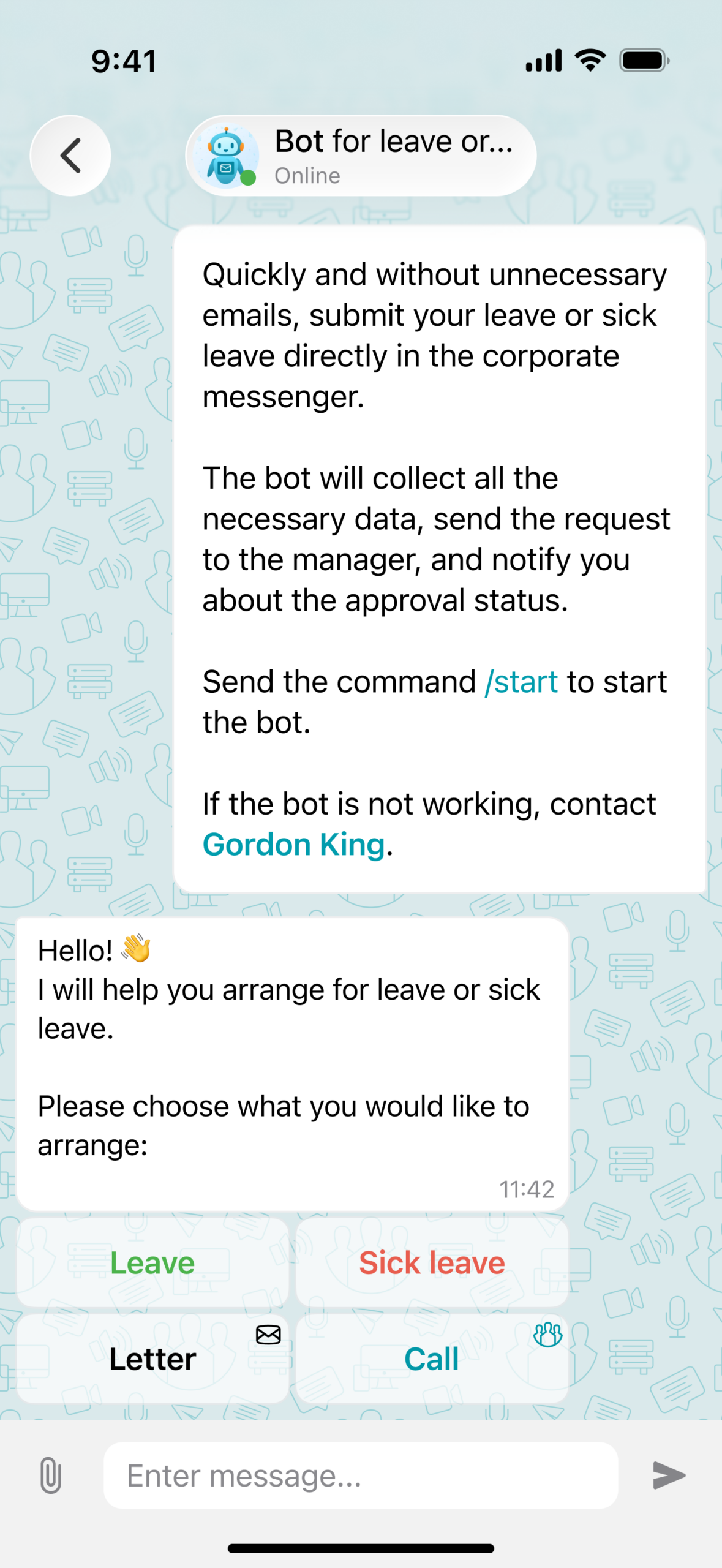
We’ve supported interactive buttons in chatbot messages. You can now perform actions with a single tap, without having to enter commands manually. This makes interactions with chatbots faster and more intuitive.
Flexible Notification Settings
TrueConf 4.2 for iOS and iPadOS introduces a new option for managing chat notifications (Mentions Only). If this option is selected, you will receive notifications only when someone mentions you or replies to one of your messages.
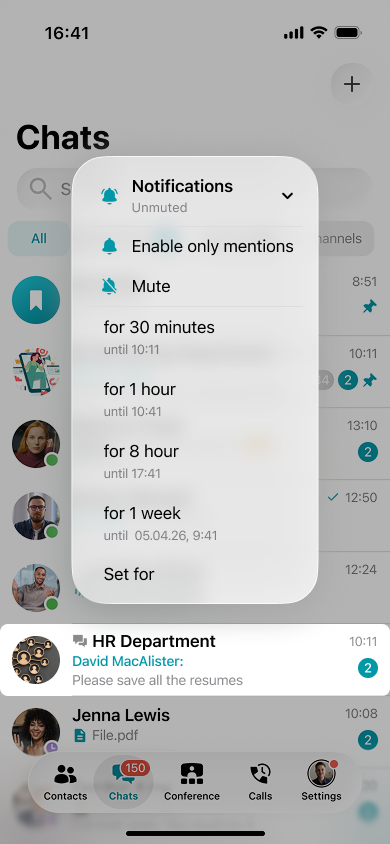
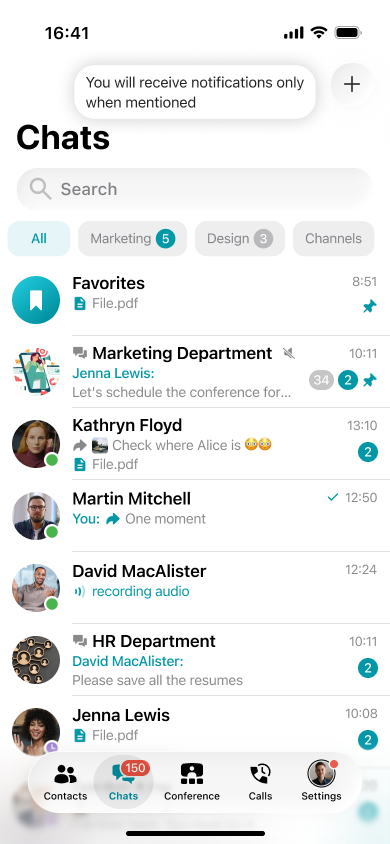
How to enable this option? Long-press on the selected chat, go to Notifications in the context menu, and choose Mentions Only.
Temporary “Do Not Disturb”
You can now choose for how long the “Do not Disturb” status should be set. Once the selected time expires, your status automatically switches back to “Online”, so there is no need to change it manually after a meeting or at the end of your workday.
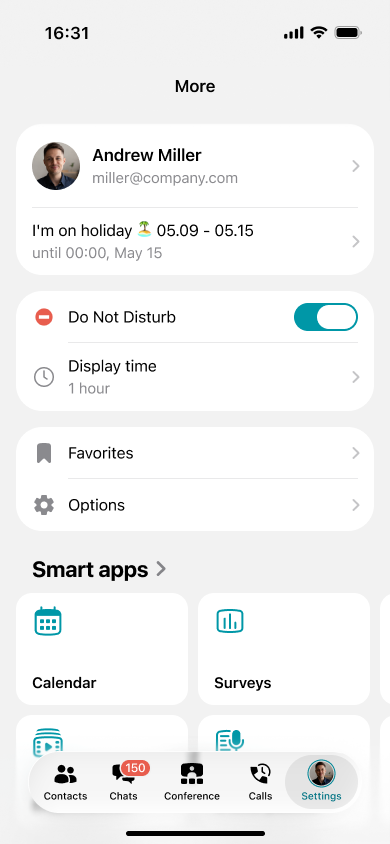
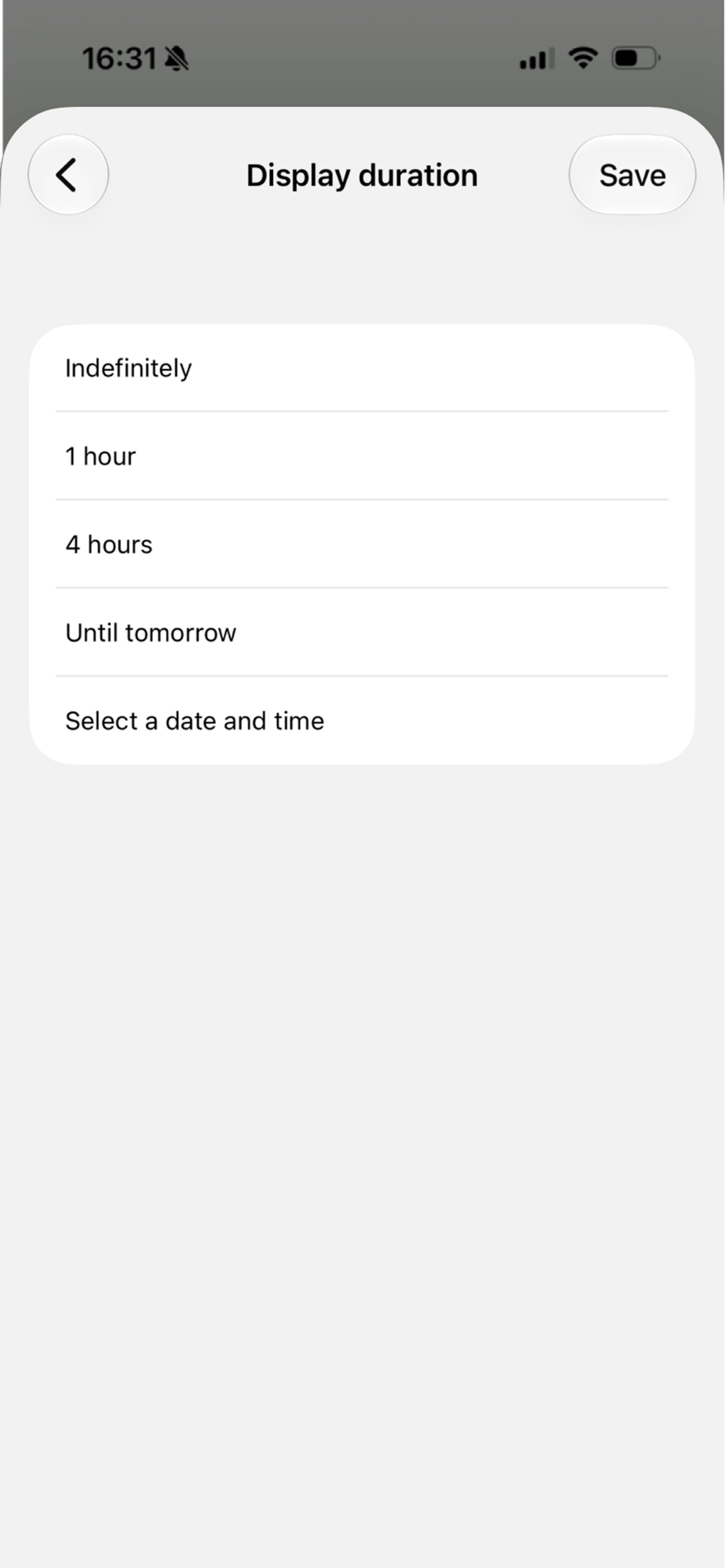
How to set the status? Go to the More – Set status section, select Do Not Disturb, and choose for how long it should remain active in the Display Time menu.
Real-time Meeting Management
TrueConf 4.2 for iOS and iPadOS now supports real-time meeting management, giving conference owners and moderators more control from mobile devices. You can adjust video layouts, manage participants’ devices, and configure key conference settings without switching to a desktop.
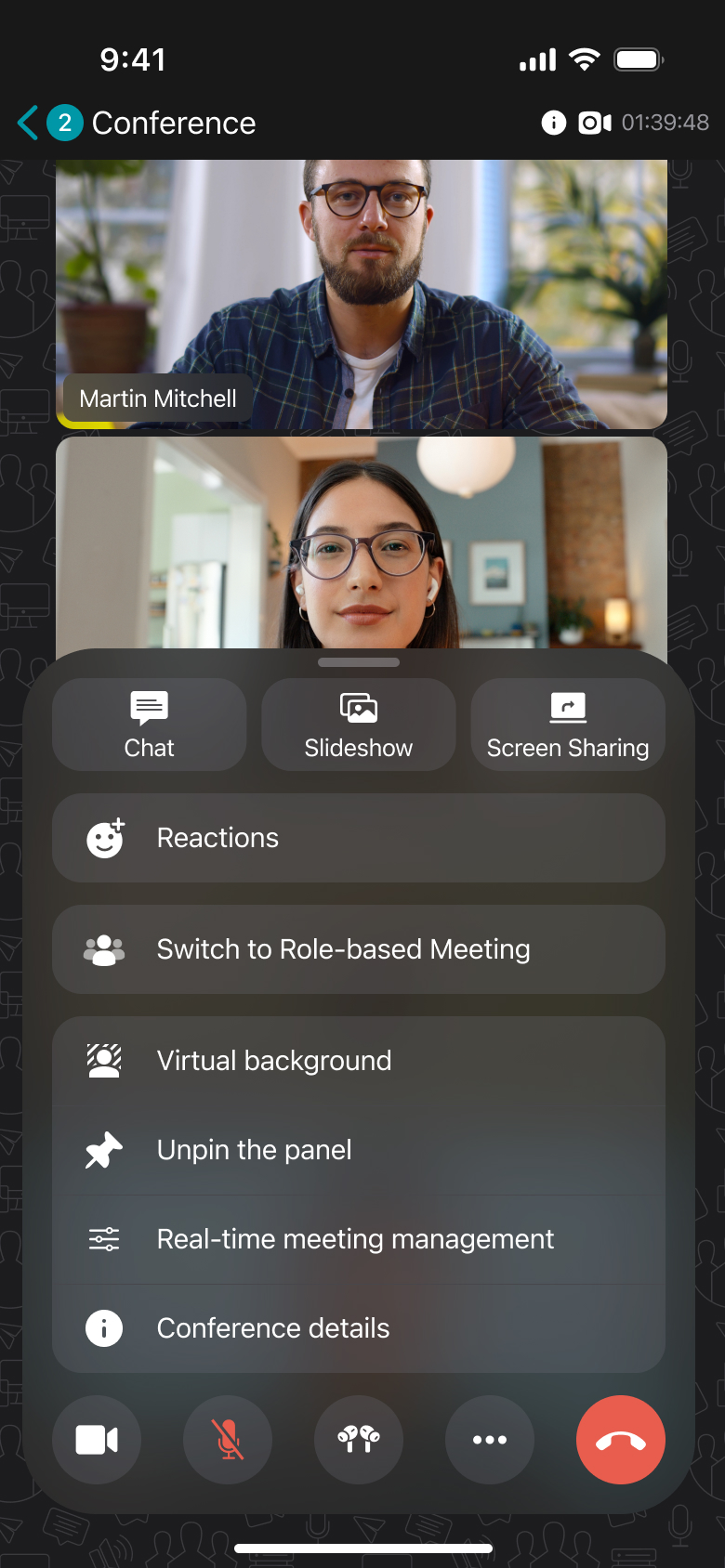
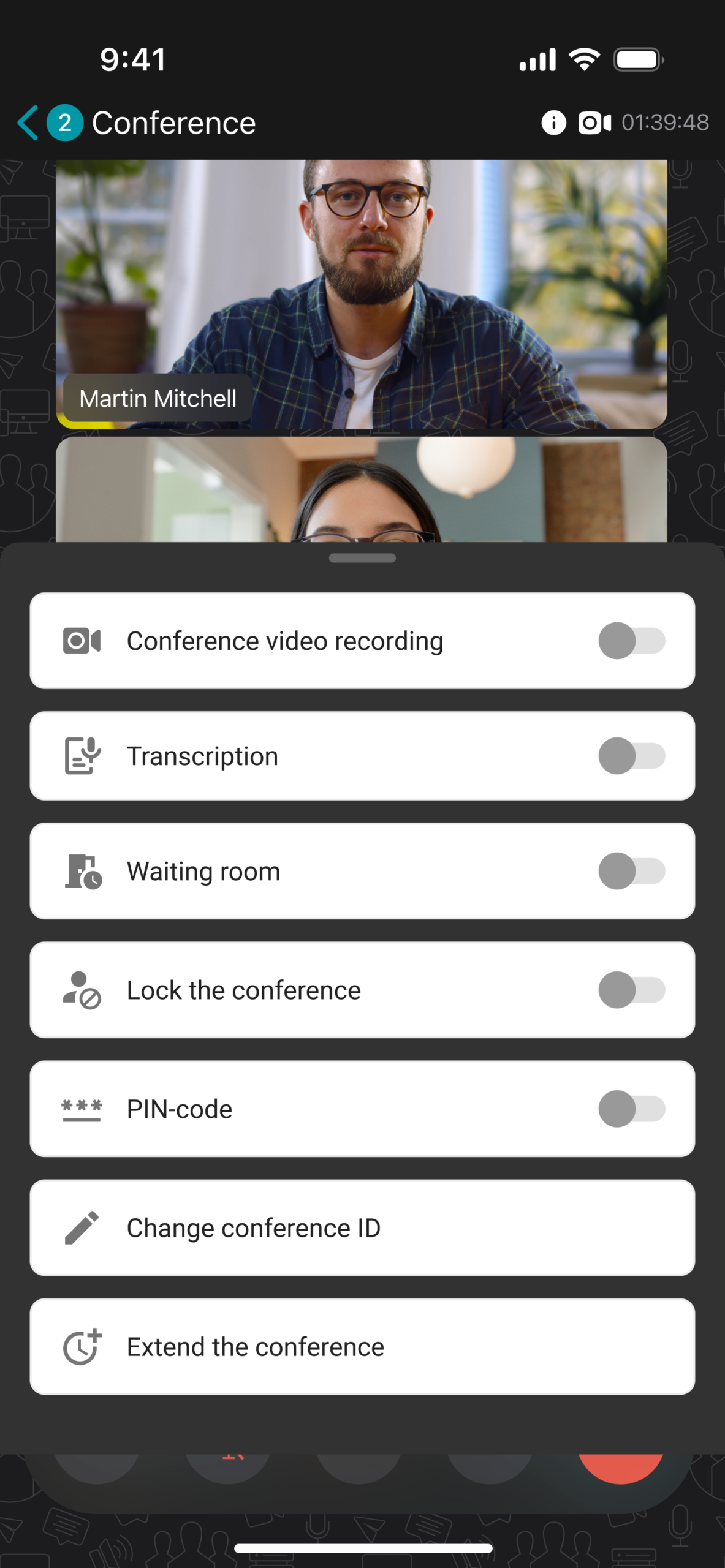
Where to find it? During a conference, open the additional options menu on the bottom toolbar by tapping and select Real-time meeting management.
Other changes and improvements
- The Settings section was moved to the More tab
- TrueConf IDs shared in private or group chats are now clickable, which allows you to open the corresponding user profile with a tap
- The owner and moderators of group chats or channels can now be found on top of the participant list
- Added proxy support for web apps opened in the TrueConf client
- Search results are now highlighted directly in chat messages
- Added Arabic localization
- Improved app stability.
You can check the full list of changes in our release notes.

Alina Pletneva
Date published: 13.11.2026
Alina Pletneva
Date published: 13.11.2026
Follow us on social networks