
Calendar
Calendar
This section displays the current list of scheduled conferences, which updates as new invitations and participation requests are received on the terminal.
For TrueConf Group to receive invitations, it is necessary to:
The terminal administrator must configure integration with TrueConf Server and TrueConf MCU. To enable integration, simply provide the account details for TrueConf Server and TrueConf MCU.
To receive invitations to events hosted by TrueConf Server, you must include the user from item 1 in the participant list when creating the conference.
To receive invitations for scheduled conferences TrueConf MCU — add the participant mentioned in point 1 when creating the event.
For compatibility with third-party VCS servers, integration with Email can be used if TrueConf Calendar Connector is not available.
When an event starts from the list of scheduled conferences, a reminder with the option to join the event will appear on the TrueConf Group screen. This is useful if the terminal was invited to a public conference (webinar) via email and does not receive a call to join it.
Connecting to the Conference
Conferences are displayed as a list of upcoming events, and if an event has already started, a Join button will appear, allowing you to join it.

To set the time period for displaying conferences, click Select time range:
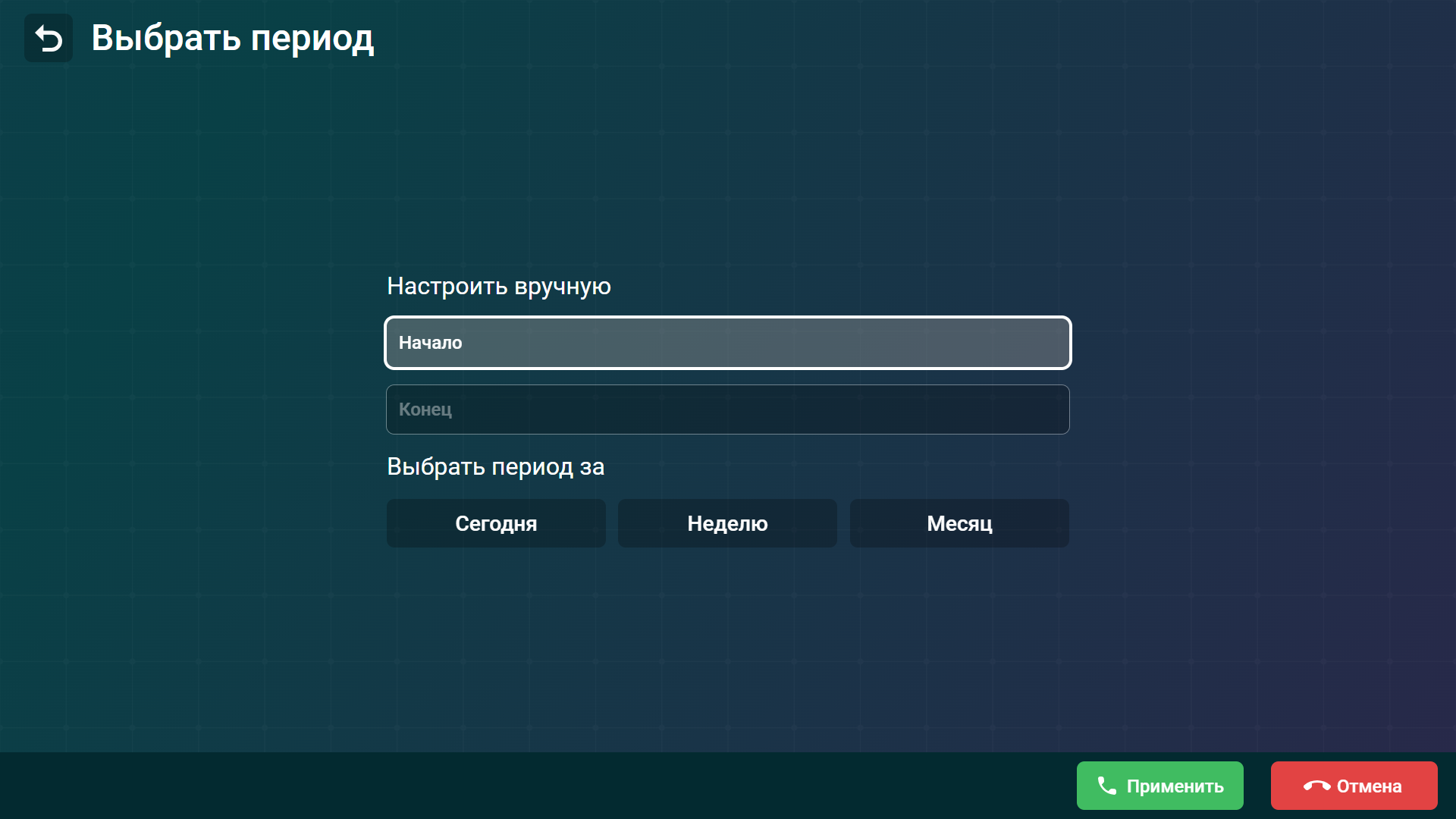
You can manually specify a time period by entering the desired dates in fields Start and End. If not needed, you can select from predefined periods: Today, Week, and Month.