
Work in moderated role-based conference and smart meeting modes
Features available in a moderated role-based conference
A moderated role-based conference is a mode where the speaker needs to take the virtual podium to start the presentation. Podium management is available to the owner, moderator, and operator.
Users can send a request for the podium to a moderator. If you want to make a short comment without taking the podium, use an audio remark.
How to make an audio remark
During a moderated role-based conference, you can make a brief audio remark without requesting special permission. To do this, press and hold the  button in the conference window while speaking.
The microphone will remain active for 5 seconds after you release the button.
How to take and leave the podium
To speak from the podium, click  Take podium in the control panel. Once the moderator approves your request, you will be able to address the other participants from the podium. To leave the podium, click
  Leave podium.
Permission to take the podium
If an attendee sends a request to become a speaker, the meeting moderator will receive the following notification:
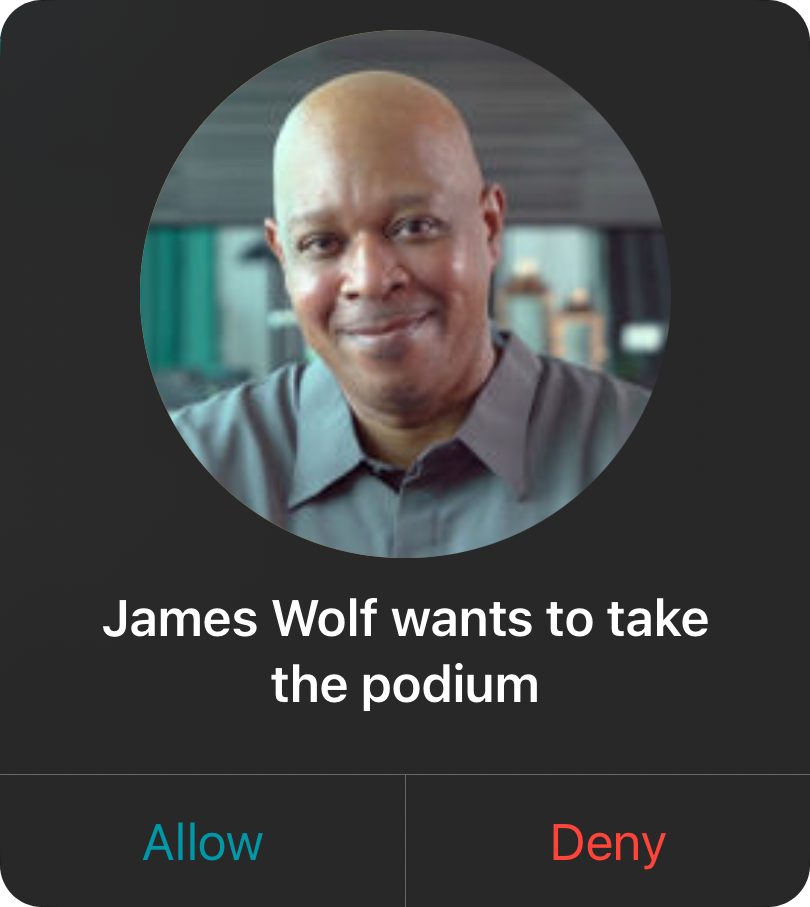
If you are the moderator of a moderated role-based conference, you can invite any participant to the video podium during the meeting. To do this, go to the conference participants window, press and hold the name of the person you wish to make a presenter, and select Invite to podium.
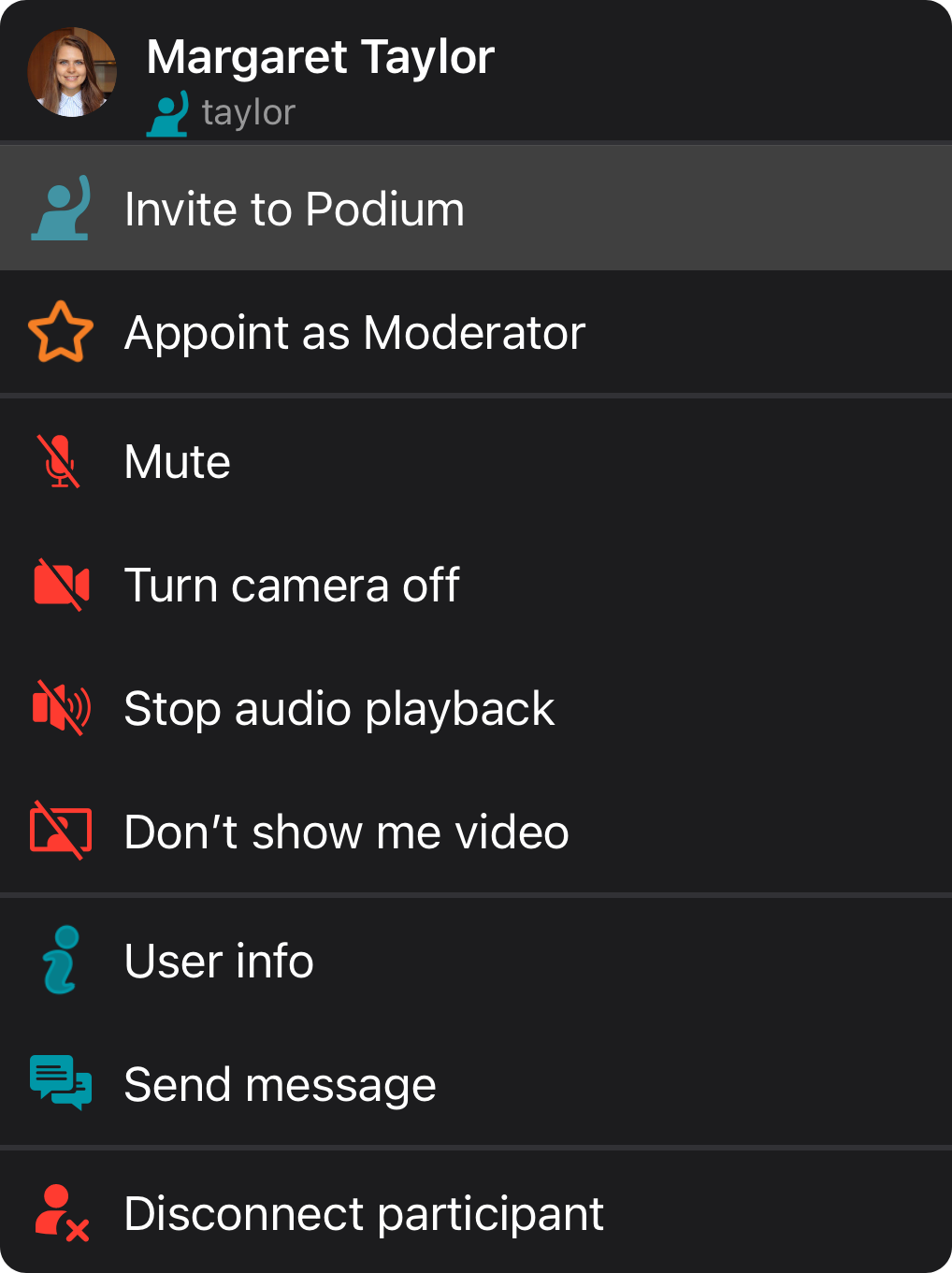
When the selected user accepts the invitation to the podium, he/she will be displayed in the video layout.
How to change the conference mode
During an active conference, moderators can quickly change the mode. In the control panel, click  Switch to "Smart Meeting". Similarly, the smart meeting has a
  Switch to "Role-based Meeting" button available.
Features available in a smart-meeting conference
Smart meeting is a conference mode where the video layout is formed dynamically. A participant is automatically given the podium based on a certain rule: the person who is speaking or sharing content (even without voice activity) takes the place of the presenter who is silent at the moment. The number of available spots on the podium is specified when creating the conference.