
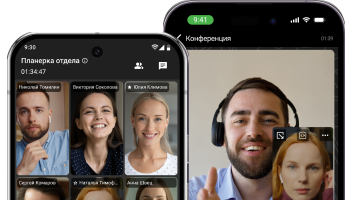
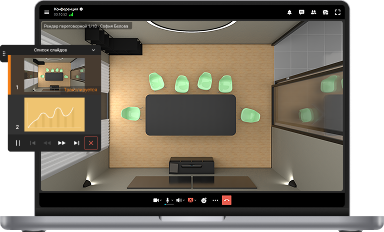


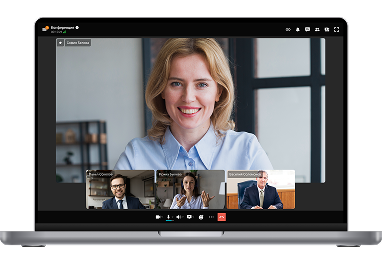
Virtuelles Meeting
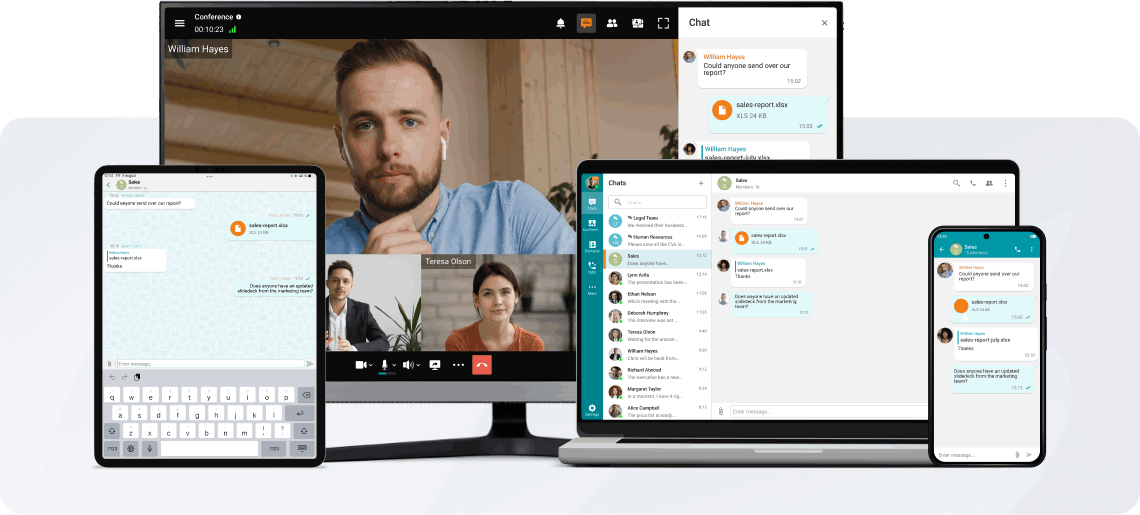
Der Verlauf des Online-Meetings liegt vollständig in Ihrer Hand! Führen Sie Videokonferenzen in einem speziellen Modus durch, in dem die Teilnehmer nur die vom Moderator ernannten Sprecher sehen und hören.
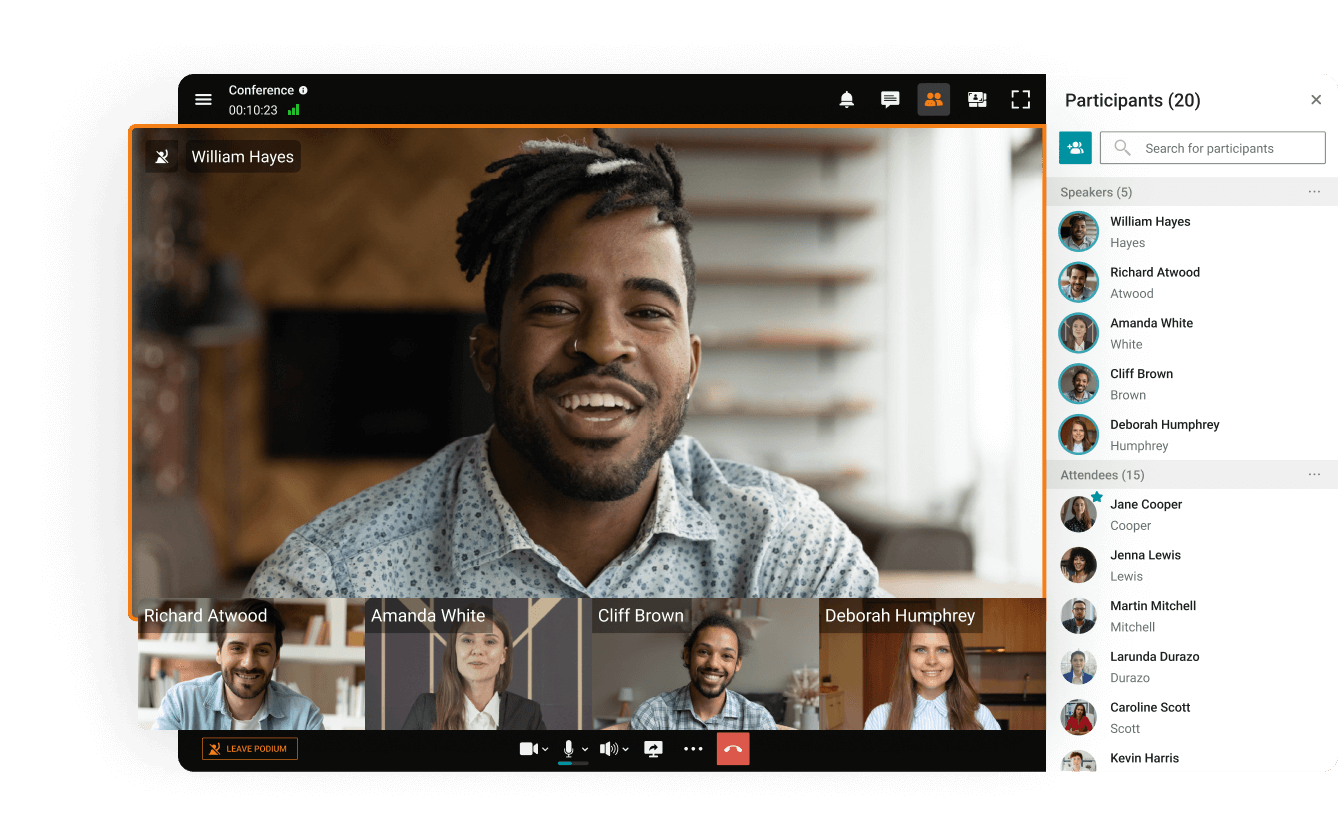

Der Verlauf des Online-Meetings liegt vollständig in Ihrer Hand! Führen Sie Videokonferenzen in einem speziellen Modus durch, in dem die Teilnehmer nur die vom Moderator ernannten Sprecher sehen und hören.
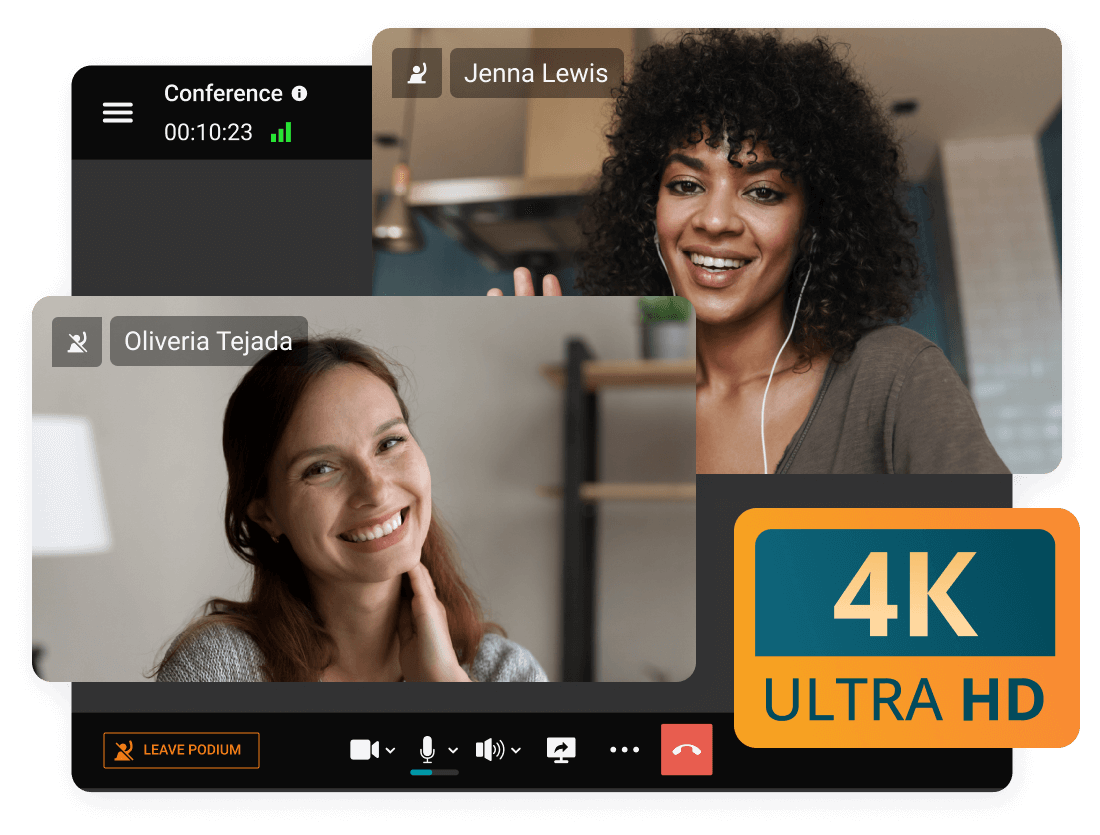
Führen Sie Eins-zu-Eins-Audio- und Videoanrufe in 4K UltraHD, kommunizieren Sie ohne Zeitbegrenzung!
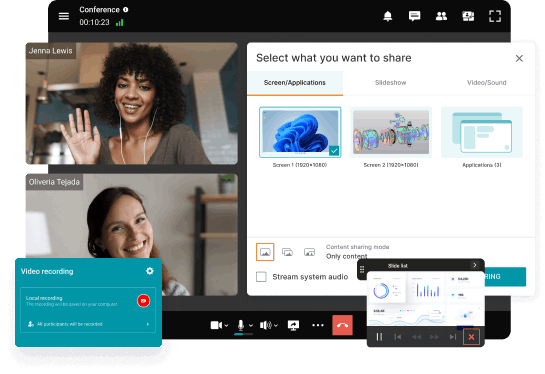
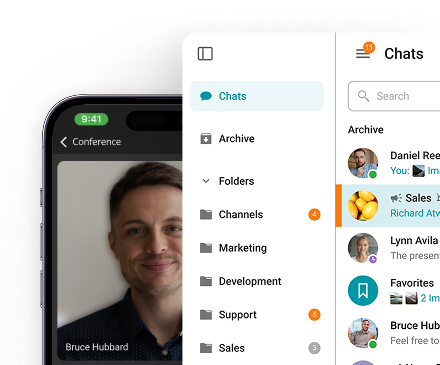
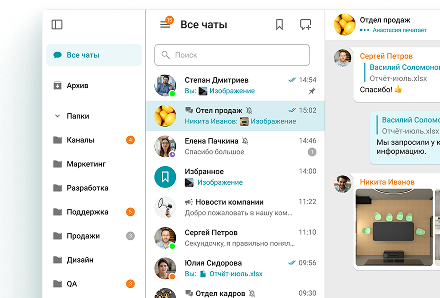
Kommunizieren Sie im Konferenzchat mit anderen Teilnehmern, teilen Sie Bilder, Präsentationen, Videos und Dokumente, steuern Sie Ihren Desktop aus der Ferne und zeichnen Sie Online-Meetings auf.
Genießen Sie fortschrittliche Kommunikationsfunktionen: Nehmen Sie an Videokonferenzen auch bei externen Geräuschen teil, verwischen, ersetzen und gestalten Sie den Hintergrund und wandeln Sie Konferenzaufzeichnungen in detaillierte Transkripte um.
Intelligente Geräusch-unterdrückung
Hintergrund verwischen und ersetzen
Transkription der Meetings
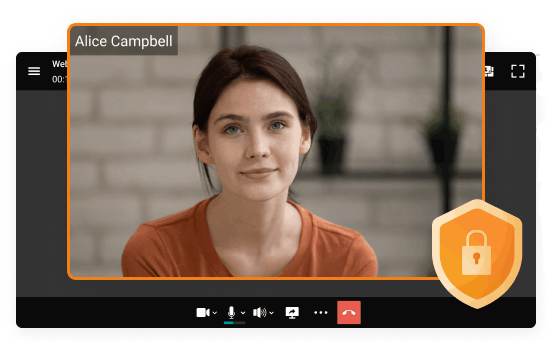
Arbeiten Sie in einem geschlossenen Netzwerk ohne Internetverbindung, mit Datenverschlüsselung und voller Kontrolle über die Kommunikation.
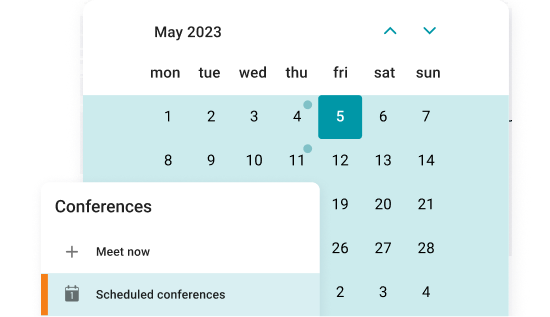
Planen Sie Videokonferenzen im Voraus — legen Sie Datum, Uhrzeit, Dauer und regelmäßigen Zeitplan für Konferenzen fest.
Anrufe annehmen und an Konferenzen auf jedem Gerät teilnehmen, um die Kontinuität der Kommunikation aufrechtzuerhalten!
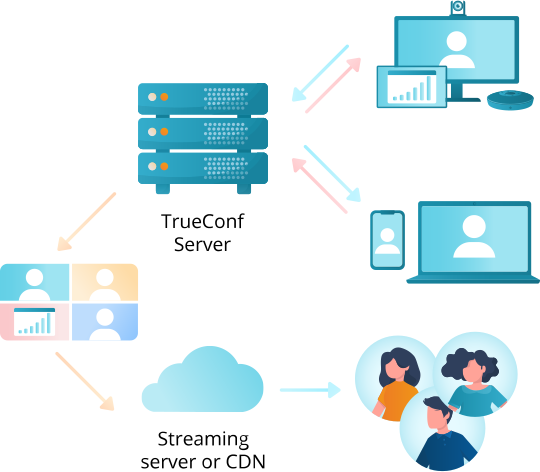
Erweitern Sie Ihr Publikum auf Millionen von Zuschauern, indem Sie Videokonferenzen über Plattformen oder CDN-Dienste mit dem RTSP-Protokoll streamen!
Mit TrueConf Server können Sie an jedem Meeting entweder über Ihre Client-Anwendung oder über Ihren Browser teilnehmen. Lesen Sie unseren Leitfaden darüber, wie Sie an Web-Meetings teilnehmen können, um mehr zu erfahren.
TrueConf bietet vier Hauptrollen an, die jeweils dazu gedacht sind, Berechtigungen zu verwalten und Verantwortlichkeiten während einer Konferenz festzulegen:
• Besitzer: Der Organisator des Meetings, verantwortlich für die Erstellung der Sitzung und die Verwaltung ihrer Gesamtstruktur. Der Besitzer hat die volle Kontrolle über die Teilnehmerrollen und die Konferenzeinstellungen.
• Moderatoren: Überwachen den Ablauf der Besprechung und halten die Diskussionen im Rahmen. Moderatoren können Berechtigungen verwalten, Teilnehmer stummschalten/entsperren und störendes Verhalten handhaben.
• Referenten: Können ihr Audio, Video und Inhalte mit allen Teilnehmern teilen. Ideal für Präsentatoren, Trainer oder Podiumsteilnehmer, die aktiv mit dem Publikum interagieren müssen.
• Teilnehmer: Passive Teilnehmer, die während des Meetings weder Audio noch Video teilen können. Sie können über Chat-Antworten und Audio-Bemerkungen interagieren, wenn dies erlaubt ist, was diese Rolle für groß angelegte Webinare oder Vorlesungen, bei denen die meisten Teilnehmer Zuhörer sind, gut geeignet macht.
Der Konferenzbesitzer oder die Moderatoren können die Kameras und Mikrofone der Teilnehmer über das Kontextmenü des Kontakts ein- oder ausschalten. Eine weitergehende Gerätekonfiguration, wie die Auswahl eines spezifischen Eingabegeräts oder die Anpassung der Mikrofonempfindlichkeit, ist im Abschnitt für erweitertes Meeting-Management verfügbar.
Ja, TrueConf Server ermöglicht es Ihnen, SIP- und H.323-Raumsysteme in Ihre virtuellen Meetings einzuladen und moderne virtuelle Meeting-Plattformen mit älterer Videokonferenzhardware zu verbinden. Das bedeutet, dass Organisationen bestehende Konferenzraumausstattung oder dedizierte Video-Endpunkte weiterhin nutzen können, während sie fortschrittlichere, funktionsreiche virtuelle Meetings einführen.
Ja, Administratoren von TrueConf Server können Meetings über das TrueConf Server-Kontrollpanel planen, während TrueConf-Benutzer Meetings von der Gastseite oder direkt in ihren Client-Anwendungen planen können. Weitere Informationen finden Sie in unserem Leitfaden zum Planen von Meetings.
Online-Meetings erleichtern es Menschen, sich zu verbinden und in Echtzeit zusammenzuarbeiten, unabhängig vom Standort. Teams können länderübergreifend zusammenarbeiten, Lehrer können Schüler in weiter Entfernung erreichen, und Familien können Meilensteine feiern, auch wenn sie getrennt sind. Internetbasierte Werkzeuge machen diese virtuellen Zusammenkünfte einfach und beseitigen die Distanzprobleme.
Es gibt mehrere Möglichkeiten, Online-Meetings abzuhalten: Video- und Audiogespräche, Webinare und virtuelle Klassenzimmer. Teams führen Brainstorming-Gespräche in Videoanrufen von Angesicht zu Angesicht, Webinare bringen große Zuschauergruppen für gemeinsames Lernen zusammen, und virtuelle Klassenzimmer ermöglichen es Schülern, sich mit Lehrern und Klassenkameraden ähnlich wie im Präsenzunterricht zu verbinden.
Diese Tools sind zentral geworden, um die Produktivität von Unternehmen aufrechtzuerhalten, das Engagement der Schüler zu fördern und Gemeinschaften in einer zunehmend digitalen Welt zu verbinden.
• Flexibilität: Ein Designer in New York und ein Entwickler in Tokio können mühelos zusammenarbeiten, ohne ihren Schreibtisch zu verlassen. Online-Meetings ermöglichen es Menschen, sich jederzeit und überall zu verbinden, wodurch die Notwendigkeit entfällt, einen Raum zu teilen – ideal für Remote-Teams und vielbeschäftigte Fachleute.
• Kosteneinsparungen: Virtuelle Meetings reduzieren Reisekosten wie Flüge, Hotels und Mahlzeiten und schaffen Budgetfreiräume für Projekte, Tools oder Einstellungen.
• Effizienz: Ein Online-Meeting zu starten ist so einfach wie das Teilen eines Links. Ohne Reisen oder komplexe Logistik können Teams direkt mit der Arbeit beginnen, sei es ein schnelles Update oder eine ausführliche Diskussion.
• Zusammenarbeit: Virtuelle Meetings verbinden Menschen über Zeitzonen hinweg und erleichtern das Teilen von Ideen in Echtzeit. Das Zusammenbringen von Teammitgliedern aus verschiedenen Standorten führt oft zu neuen Ideen und kreativen Lösungen.
Virtuelle Meetings gibt es in verschiedenen Formaten, die jeweils auf spezifische Bedürfnisse zugeschnitten sind:
• Audiokonferenzen konzentrieren sich auf die Sprachkommunikation und ermöglichen es den Teilnehmern, per Telefon oder Computer-Audio beizutreten. Sie sind ideal für schnelle Updates oder Brainstormings, wenn Video nicht notwendig ist oder die Internetverbindungen unzuverlässig sind, zum Beispiel wenn ein Manager Projektupdates teilt oder ein Team Ideen an einem geschäftigen Tag austauscht. Sie sind einfach einzurichten, weshalb so viele Fachleute auf sie vertrauen.
• Videokonferenzen bringen Menschen durch Live-Video und -Audio zusammen, sodass sie sich unabhängig vom Standort von Angesicht zu Angesicht treffen können. Teams können Ideen austauschen, Projekte präsentieren und in Echtzeit zusammenarbeiten, beispielsweise ein Team, das über verschiedene Städte verteilt ist und Bildschirmfreigaben nutzt, um Updates zu geben oder gemeinsam an einem Problem zu arbeiten. Diese sind häufig bei Teambesprechungen, Kundenanrufen und Schulungssitzungen anzutreffen.
• Webinare eignen sich für größere Gruppen und konzentrieren sich darauf, Wissen interaktiv zu vermitteln. Ein Redner oder ein Podium leitet die Sitzung und bietet Schulungen, Einblicke oder Informationen über Live-Video, während Tools wie Live-Chat, Umfragen und Q&A dem Publikum die Teilnahme ermöglichen. Webinare werden häufig für Produkteinführungen, professionelle Schulungen und Bildungsveranstaltungen genutzt und helfen den Moderatoren, Menschen weltweit zu erreichen.
1. Testen Sie Ihre Ausstattung: Stellen Sie sicher, dass Ihr Computer, Ihre Kamera, Ihr Mikrofon und Ihre Internetverbindung vor dem Meeting ordnungsgemäß funktionieren.
2. Finden Sie einen ruhigen Ort, an dem Sie nicht gestört oder abgelenkt werden.
3. Kleiden Sie sich professionell, wie Sie es für ein persönliches Meeting tun würden. Vermeiden Sie grelle Farben, auffällige Muster oder Schmuck, der ablenkend wirken könnte.
4. Bereiten Sie Ihren Arbeitsplatz vor: Halten Sie ihn sauber und organisiert und entfernen Sie jegliche Unordnung, die auf der Kamera sichtbar sein könnte.
5. Erstellen Sie eine Agenda: Teilen Sie sie im Voraus mit allen Teilnehmern, damit alle auf dem Laufenden bleiben und wichtige Themen behandelt werden.
6. Üben Sie gutes Verhalten bei Videokonferenzen: Schalten Sie Ihr Mikrofon stumm, wenn Sie nicht sprechen, vermeiden Sie Multitasking und halten Sie Augenkontakt mit der Kamera.
7. Eine virtuelle Kulisse in Betracht ziehen: Wenn Ihr Arbeitsplatz nicht ideal für das Meeting ist, kann eine virtuelle Kulisse dazu beitragen, eine professionelle und ablenkungsfreie Umgebung zu schaffen.
Wenn Sie diese Tipps befolgen, wird Ihr Meeting reibungslos und effektiv verlaufen.
1. Zwei Wahrheiten und eine Lüge: Jede Person teilt drei Aussagen über sich selbst mit, zwei davon sind wahr und eine ist falsch. Die anderen raten, welche die Lüge ist.
2. Virtuelle Schnitzeljagd: Die Teilnehmer erhalten eine Liste von Gegenständen, die sie in ihren Häusern oder Büros in einer festgelegten Zeit finden müssen. Eine unterhaltsame Möglichkeit, die Teilnehmer während des Meetings in Bewegung zu bringen.
3. Virtuelle Hintergründe: Ermutigen Sie die Teilnehmer, einen lustigen oder interessanten virtuellen Hintergrund zu verwenden und zu teilen, warum sie ihn gewählt haben.
4. Wortassoziation: Wählen Sie ein Wort, das zum Thema des Meetings passt, und lassen Sie die Teilnehmer das Erste teilen, das ihnen in den Sinn kommt.
5. Ich habe noch nie: Die Teilnehmer wechseln sich ab und nennen etwas, das sie noch nie getan haben; jeder, der es getan hat, reagiert entsprechend (traditionell mit einem Getränk, obwohl ein Punktesystem ebenso gut für den Arbeitskontext funktioniert).
6. Bildfreigabe: Bitten Sie die Teilnehmer, ein Foto zu teilen, das ihre Persönlichkeit oder Interessen repräsentiert. Dies ist eine großartige Möglichkeit, mehr über einander zu erfahren und Gemeinsamkeiten zu finden.
Vorteile
• Geringere Kosten und Aufwand: Keine Reisekosten und weit weniger logistischer Aufwand als bei Präsenztreffen.
• Aufnahme und Wiedergabe: Zeichnen Sie Konferenzen auf, um frühere Diskussionen jederzeit erneut zu betrachten, und teilen Sie Aufnahmen mit Kollegen, die nicht teilnehmen konnten.
• Zugriff auf mehreren Geräten: Melden Sie sich gleichzeitig auf mehreren Geräten bei Ihrem Konto an, wobei der Chat- und Anrufverlauf automatisch auf allen Geräten synchronisiert wird.
• Fortlaufende Verbindung: Bleiben Sie mit Ihrem Team durch persönliche und Gruppen-Chats vor, während und nach Besprechungen in Kontakt.
• Effiziente Inhaltsfreigabe: Präsentieren Sie Folien, Fotos, Zeichnungen, Diagramme, Dokumente und PDFs für entfernte Teilnehmer mit der Diashow-Funktion von TrueConf.
Nachteile
• Technische Probleme: Unabhängig davon, welche Videokonferenz-Software Sie verwenden, werden Sie gelegentlich auf Probleme stoßen: eine instabile Internetverbindung, ein Hardwarefehler oder Teammitglieder, die mit den Tools nicht vertraut sind und Hilfe bei der Einrichtung benötigen.
• Teilnehmer engagiert halten: Es kann schwieriger sein, alle fokussiert zu halten als in einem persönlichen Meeting. Selbst mit eingeschalteten Kameras ist es leicht, hinter einem Bildschirm passiv zu werden, insbesondere in größeren Gruppen.
Berücksichtigen Sie diese Faktoren, wenn Sie eine virtuelle Meeting-Plattform für Ihr Unternehmen bewerten:
• Benutzerfreundlich: Wählen Sie eine Software, die für jedes Teammitglied einfach zu bedienen ist, damit sich das Verbinden und Zusammenarbeiten so natürlich anfühlt wie ein persönliches Gespräch.
• Umfassende Plattform: Suchen Sie nach einer Plattform, die all Ihre Bedürfnisse abdeckt (Videokonferenzen, Bildschirmfreigabe, Durchführung von Webinaren), anstatt mehrere nicht verbundene Tools zu verwenden.
• Hoher Wert, niedrige Kosten: Die Preisgestaltung hängt stark von den Anforderungen Ihres Unternehmens ab. Bevorzugen Sie daher eine Plattform mit flexiblen Preisen, die es Ihnen ermöglicht, nur für das zu bezahlen, was Sie tatsächlich benötigen.
• Videoanruferlebnis: Bildrate und Auflösung beeinflussen, wie natürlich sich ein Anruf anfühlt. TrueConf unterstützt 4K-Auflösung in Konferenzen und, bei kompatiblen Kameras, bis zu 60 fps in Punkt-zu-Punkt-Videoanrufen, was spürbar flüssiger ist als die 30 fps, die die meisten konkurrierenden Plattformen erreichen. Die höchsten Bildraten erfordern jedoch unterstützende Hardware und sind nicht in jedem Anruftyp garantiert.