
What the guest page is
What the guest page is
Guest page is the landing page that a user sees when connecting to TrueConf Server from a browser.
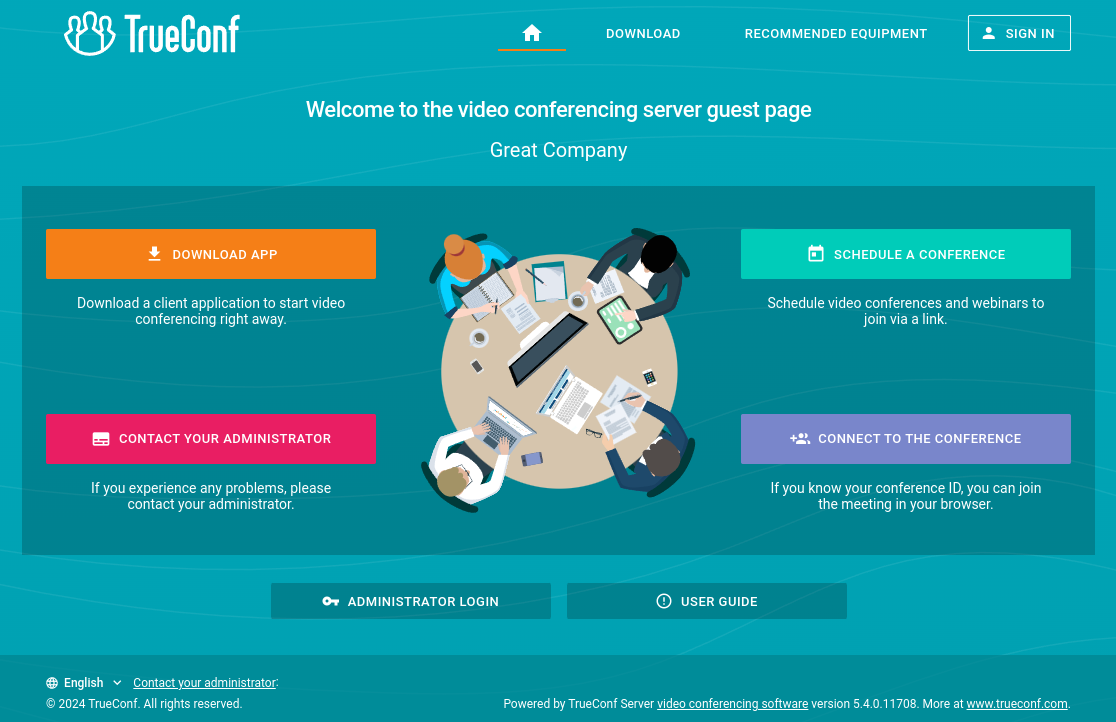
If you are the administrator of TrueConf Server, you can access its control panel from the guest page.
The link to the guest page has the following format: http[s]://<server>[:<port>]. e.g., https://192.168.0.1:443 or https://video.company.com.
What can be found on the guest page
On the guest page, you can:
Schedule a conference (authorization required);
- join the conference using its ID;
Sign in to the control panel (if you are the server administrator)
View the user guide.
You can change the language of the guest page using the dropdown list with the icon  located at the bottom left corner of the page.
If the server administrator’s contacts were provided, they would be displayed below the central buttons on the guest page.