
AI Server System Settings
AI Server System Settings
In section System, you will find the main system settings for TrueConf AI Server:
HTTPS settings
Selection of the control panel language
Shut down or restart the AI server.
HTTPS connection settings
When installing the stenography module (the main part) TrueConf AI Server, a self-signed certificate is automatically generated. To ensure smooth operation of the AI server with corporate messengers TrueConf Server / TrueConf Enterprise, it may be necessary to add this certificate to the machines with video conferencing servers.
You can use a commercial certificate (including a free one from Let's Encrypt). To do it:
Generate a new certificate and private key (for example, using this knowledge base article).
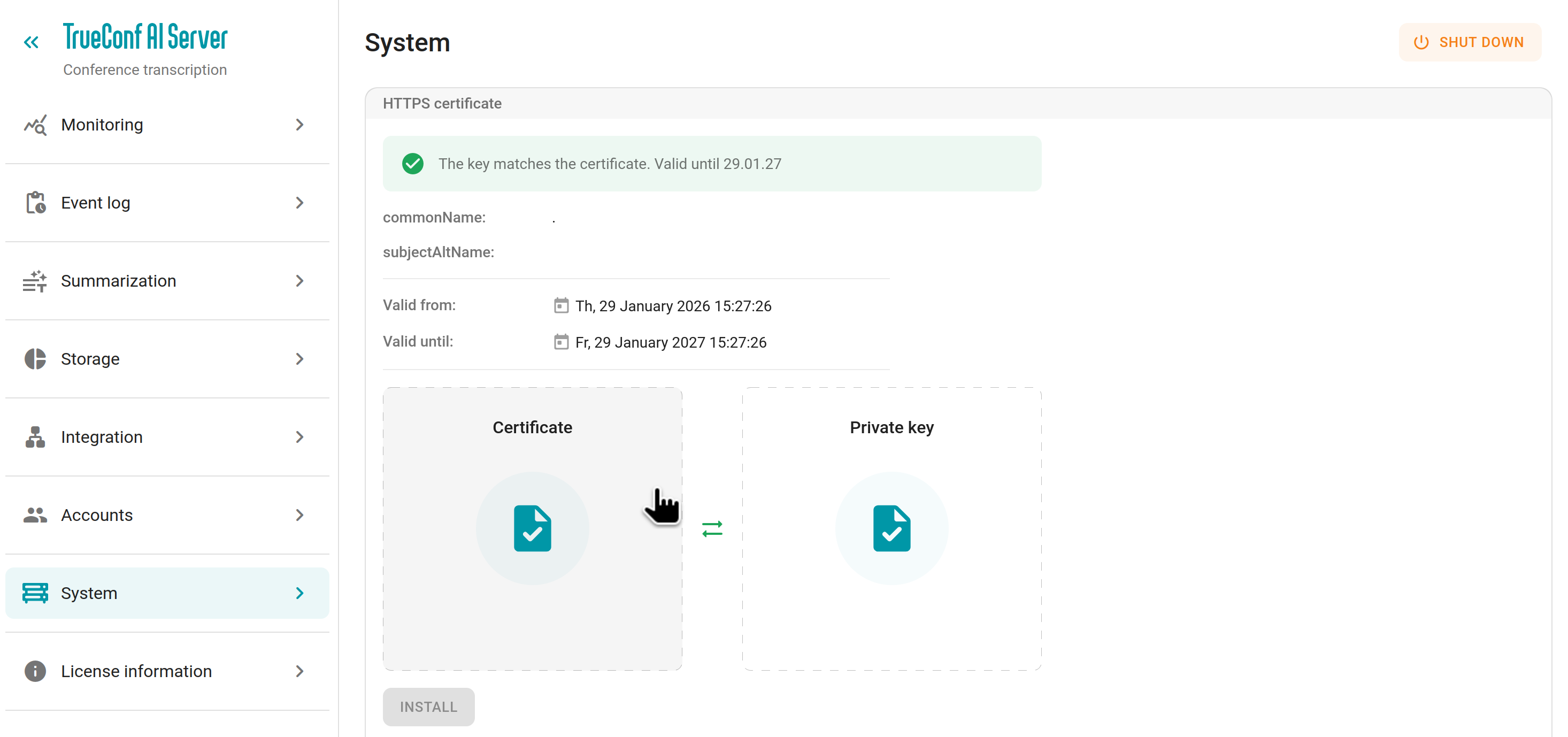
Go to section System → HTTPS certificate in the AI server control panel.
Upload the certificate and its private key into the corresponding fields.
Press the Install button to apply the changes.
You may need to restart the TrueConf AI Server services to complete the configuration.
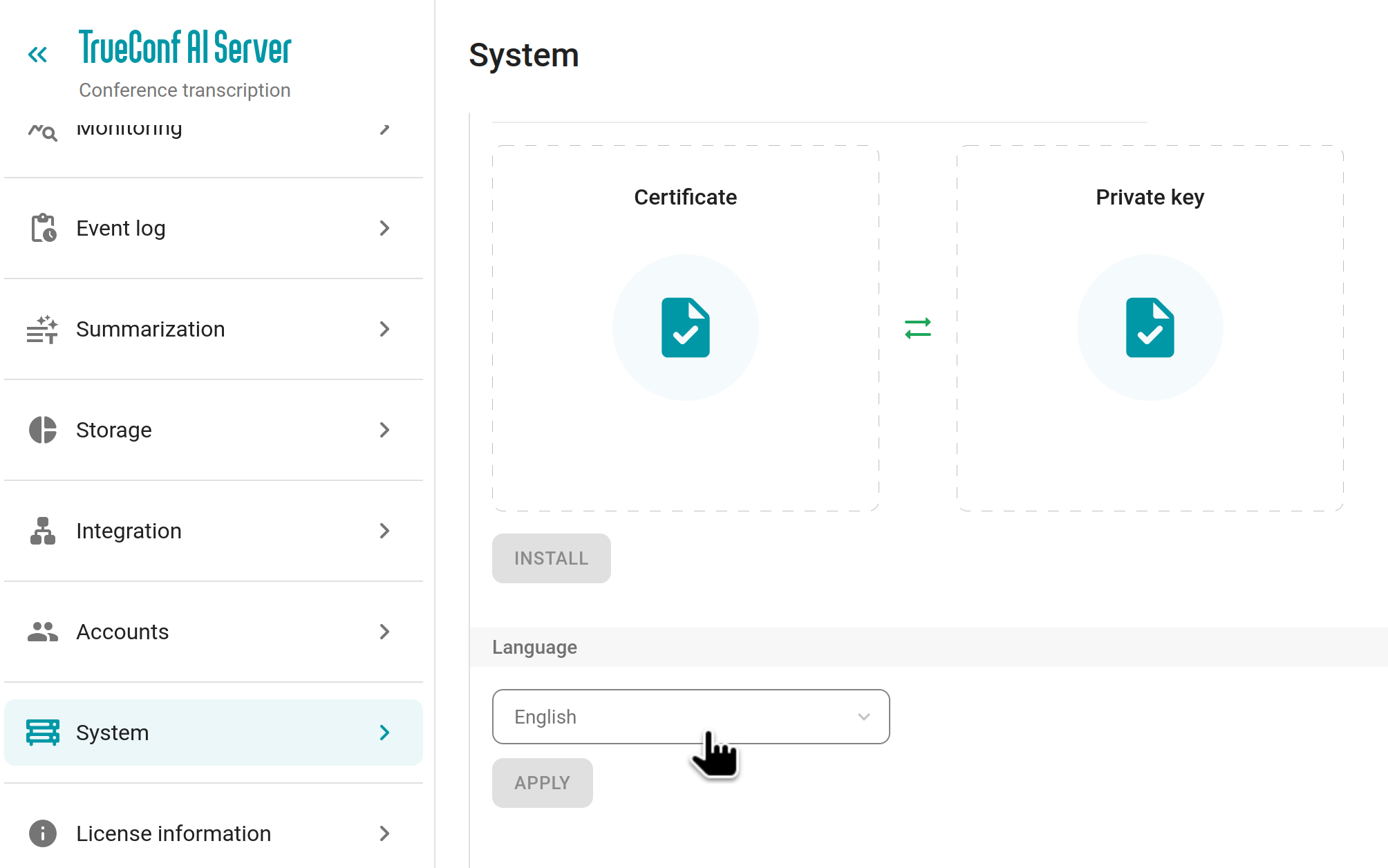
Switching between languages
To change the display language of the control panel, use the dropdown list in section System → Language. The selected language will be applied only to your account and will not affect other administrators. To complete the setup, click Apply:
Shut down or restart the AI server.
You can restart the TrueConf AI Server services directly from the control panel using the button in the upper right corner in the System section.
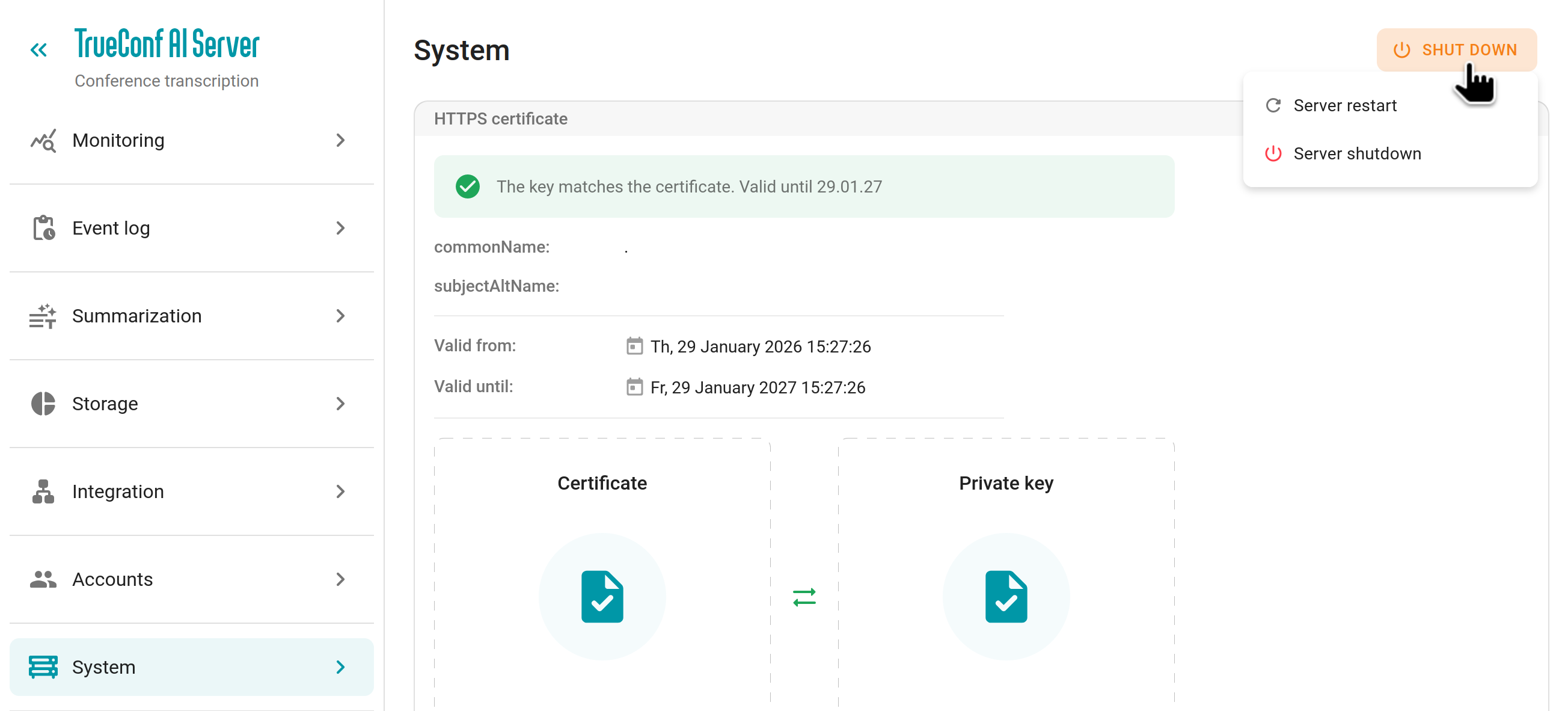
The restart button will completely restart the Docker containers of the AI server modules. All transcription and summarization tasks will be stopped and will resume once the containers are back up.
The shutdown button will completely terminate all services and containers of the AI server, including the web service (the control panel will become unavailable). In this case you will need to start the services manually through the terminal of the machine where the AI server is installed or restart the OS. All transcription and summarization tasks will be stopped and will resume once the services are started.