
Storage
Storage
The Storage section displays information about the space occupied by conference files of each video communication server. There is also an option to set a limit on the total storage volume.
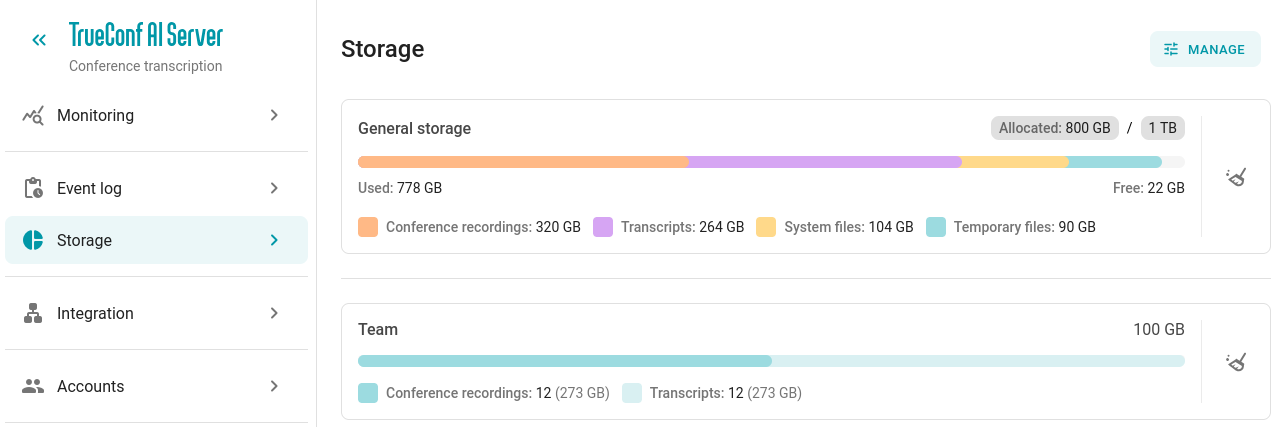
The total space occupied by recording files and transcription files is displayed, as well as separately for each connected TrueConf Server.
Setting a general limit on occupied space
You can limit the total storage space occupied by all files (records and transcriptions). To do this, click on the Manage button:
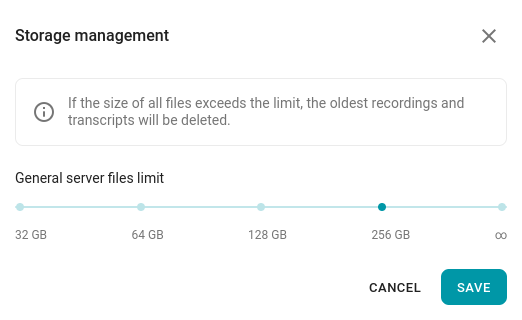
In this case, older files will be automatically deleted to free up space when the specified limit is reached.
Freeing up space
Be careful when clearing space: any unrecognized events before the cleanup will not receive transcripts, as the audio files will be deleted.
You can free up space on TrueConf AI Server. You can delete:
all files at once regardless of which TrueConf Server they belong to;
files that pertain only to a specific TrueConf Server.
To delete the desired files, click the  button in the corresponding row.