
Making Calls
Calls
How to call a phone
Double-click their name in the address book using the left mouse button, or use one of the methods listed below.
From the search field
Use the search feature in the TrueConf application. Simply enter the contact details of your interlocutor in the search field and press the call button  .
.
From the context menu
The call will also be initiated if you select the Call option in the contact's context menu.
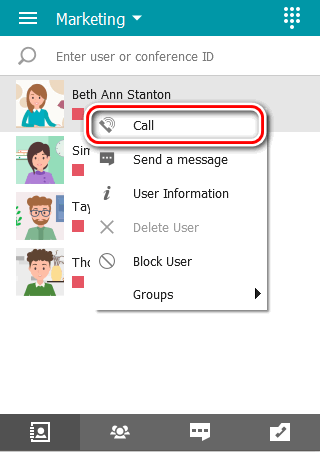
From the address book
Alternatively, you can use the pop-up panel when selecting a subscriber and press the call button .
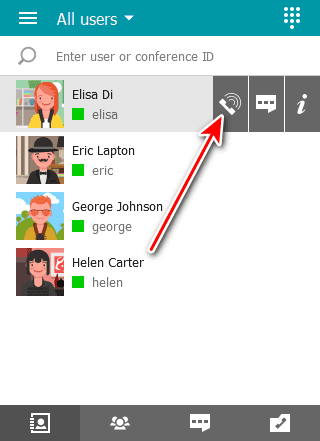
How to call a phone
You can call a phone number by using the dialer or the search field in the address book.
Calls from your address book search field
Enter the phone number in the search bar in international format and press the call button in the menu that appears below. For instance, to call our sales department, dial +18338783263.
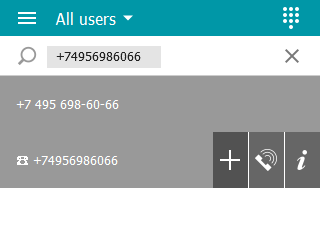
You can also call extension numbers connected to your PBX.
For example, if a subscriber has an extension 910, enter the string in #tel:910 format in the search bar of your address book to make a call.
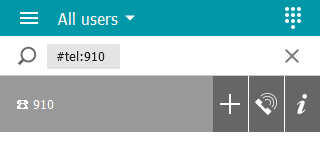
Calls via Dialers
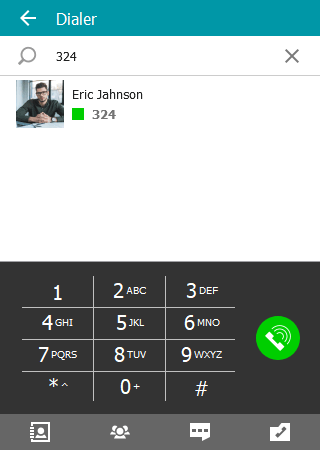
You can call a phone number from TrueConf applications using the dialer, which displays a filtered list of users with phone numbers on the server.
In the TrueConf client application, the dialer is accessible by clicking the button located on its sidebar —  .
.
How to call SIP/H.323 and RTSP
To call third-party devices or a server, use the dial string in the format corresponding to the addressee type. Next to the filtered address book list, similar to entering a regular username, a new dimmed line will appear at the top. You can interact with it just like with the others.
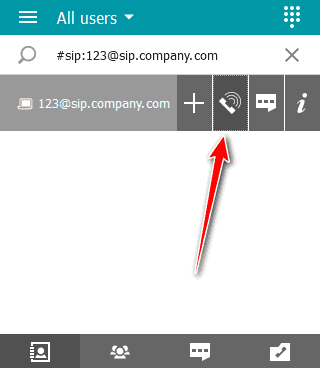
Types of supported devices and call examples:
- SIP devices (including those using DTMF tones);
- H.323 devices;
- RTSP devices.
You can send DTMF commands to devices that support them using RTP EVENT and SIP INFO modes. For more detailed information on transmitting these signals, refer to the documentation provided by the manufacturer for the specific model.